Guide
Using Bizfile's search functions
Audience
Accountants
Accounting entities
Approved liquidators
Businesses
Corporate Service Providers (CSP)
Public
Task or topic
Navigating Bizfile
27 October 2025
Bizfile has four search functions for entities, industry, people and reserved names. Learn how to use them to find the information you need.
Open Bizfile to access its four search functions.
Entity search
Use this search to find and buy a Business Profile via Bizfile.
Check basic information about ACRA-registered entities
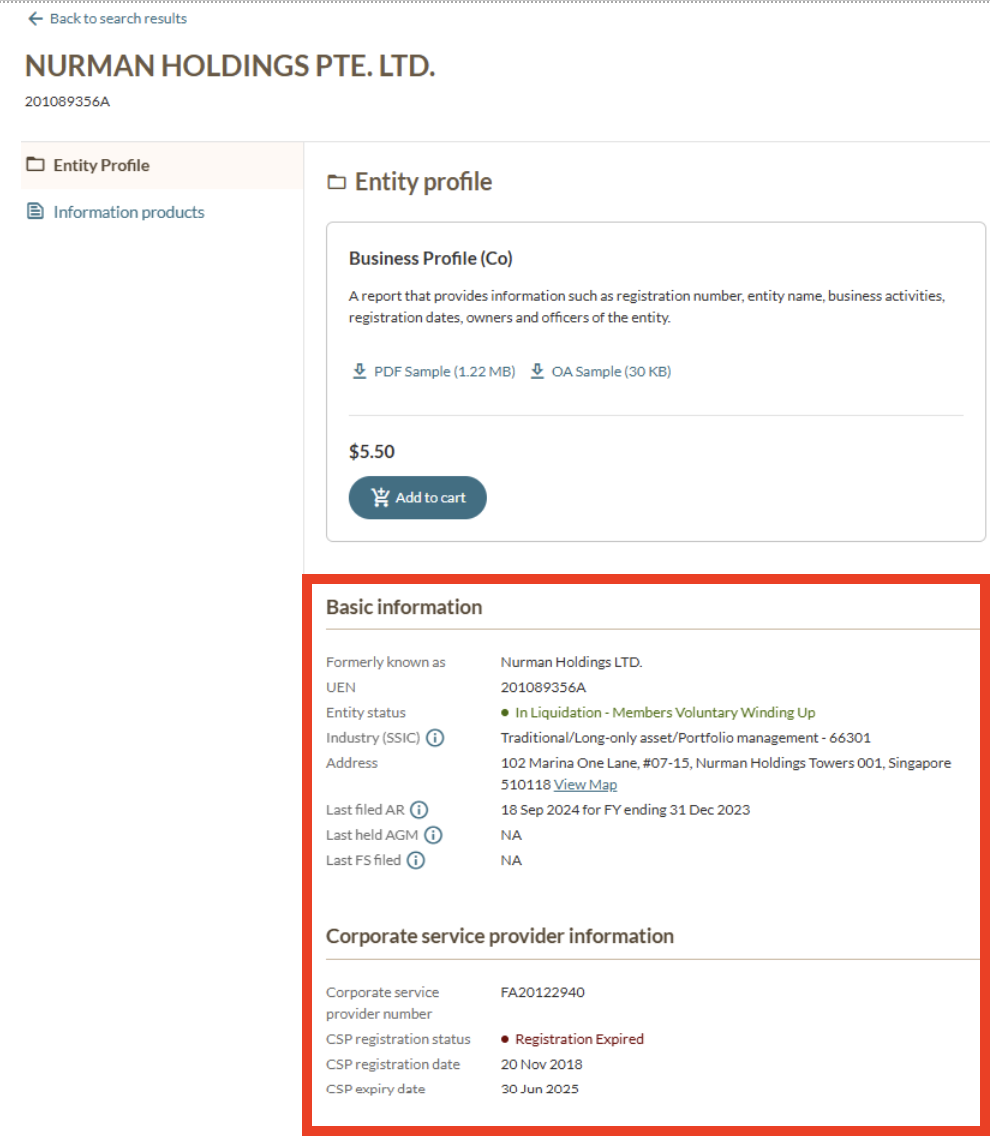
You can use the entity search to check basic information about ACRA-registered entities, such as their live status and registered address.
ACRA-registered entities include:
Companies
Foreign companies
Limited liability partnerships (LLPs)
Limited partnerships (LPs)
Public accounting firms (PAFs)
Variable capital companies (VCCs)
How to check:
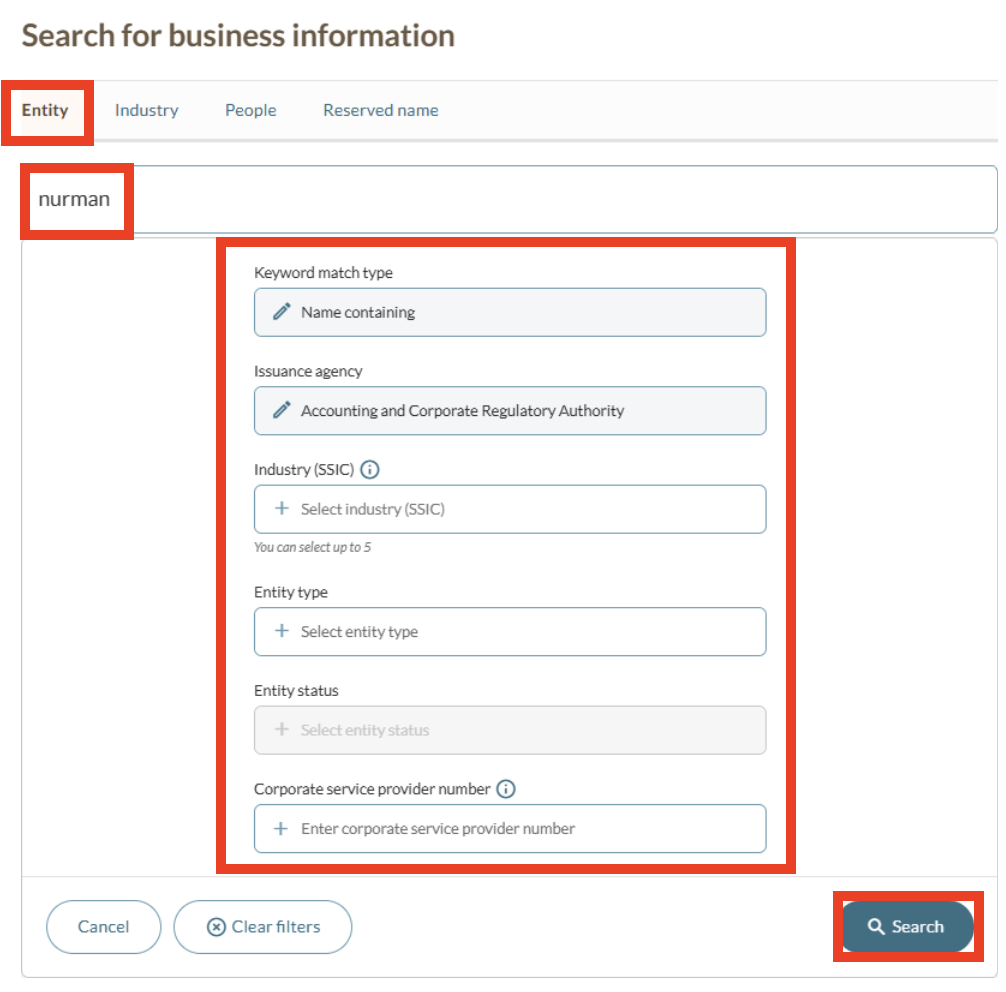
Select the Entity tab.
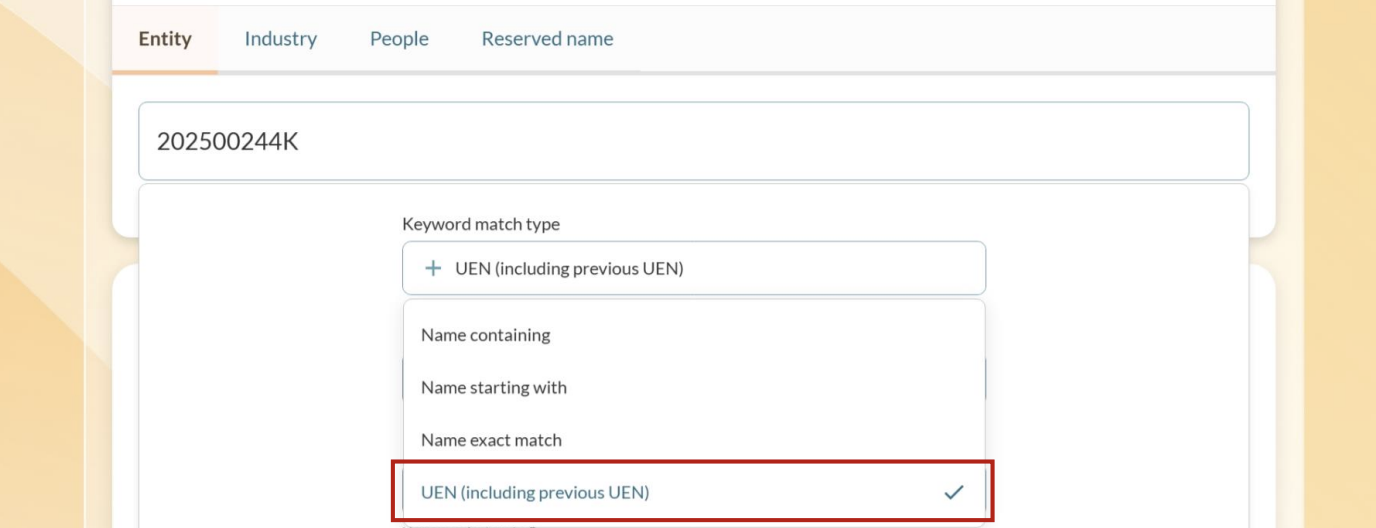
Enter the entity's name or unique entity number (UEN) and click Search.
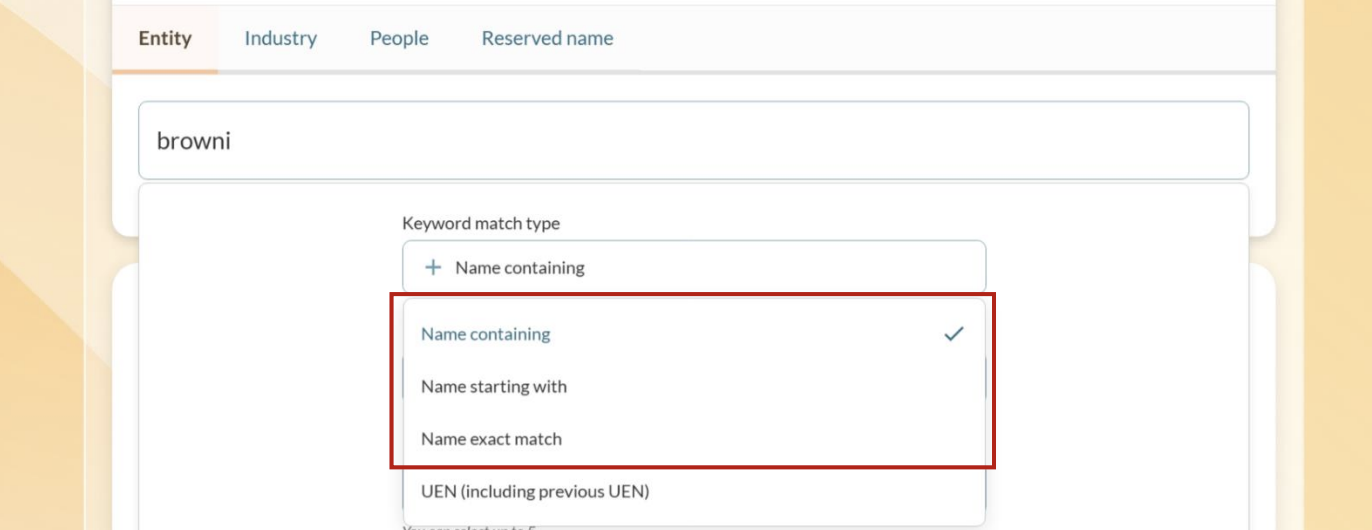
If you search using the UEN, select UEN (including previous UEN” under the "keyword match type" filter. Then, click "Apply filters".
Once you find the entity in your search results, click More information to view its entity profile.
Tip: If you see "more than 250 matching results", you can narrow your results through filters. Type the first character in the entity search to view the dropdown filter options. Then, use the pre-search filters, such as entity types or status.
Check basic information about non-ACRA registered entities
You can use the entity search to check basic information about non-ACRA registered entities. This includes an entity's live status and registered address.
Non-ACRA registered entities include:
Societies (registered by Registry of Societies)
Charities (registered by the Ministry of Culture, Community and Youth - Charities Unit)
Trade unions (registered by Ministry of Manpower)
Healthcare institutions (registered by Ministry of Health)
How to search for non-ACRA entities:
Select the Entity tab.
Start typing to see available filters.
Under the "Issuance agency" filter, select the relevant issuance agency.
Issuance agencies (that issue UENs for specific entity types)
Issuance agency | Entity type and indicator |
|---|---|
Accounting and Corporate Regulatory Authority (ACRA) |
|
Enterprise Singapore |
|
Islamic Religious Council of Singapore (Muis) |
|
Ministry of Communications and Information |
|
Ministry of Culture, Community and Youth - Charities Unit |
|
Ministry of Culture, Community and Youth - Registry of Co-operative Societies |
|
Ministry of Culture, Community and Youth - Registry of Mutual Benefit Organisation |
|
Ministry of Defence |
|
Ministry of Education |
|
Ministry of Foreign Affairs (MFA) |
|
Ministry of Health | Healthcare institutions:
Healthcare service providers (HC) |
Ministry of Law | Foreign law practice representative offices (RP) |
Ministry of Manpower | Trade unions (TU) |
Ministry of National Development | Town councils (TC) |
Monetary Authority of Singapore | Financial representative offices:
|
People's Association |
|
Registry of Societies |
|
Singapore Land Authority |
|
Smart Nation and Digital Government Office | Government agencies and bodies performing public duties:
|
Check registered corporate service provider (CSP) status
You can check whether an entity is a CSP through the entity search results.
How to check:
Select the Entity tab.
Enter the entity's name in the entity search and click Search.
Once you find the entity in your search results, click More information to view its entity profile.
If the entity is a CSP, you can view their CSP information at the bottom of their entity profile.
Tip: You can narrow your search through advanced search filters, such as: "Corporate service provider number", "Entity type" and "Entity status".
Industry search
Use this search to find live businesses by their business activities. For example, you can find all of the active cafes in Singapore by searching the:
"Cafe" keyword
"Cafe" SSIC code (56112)
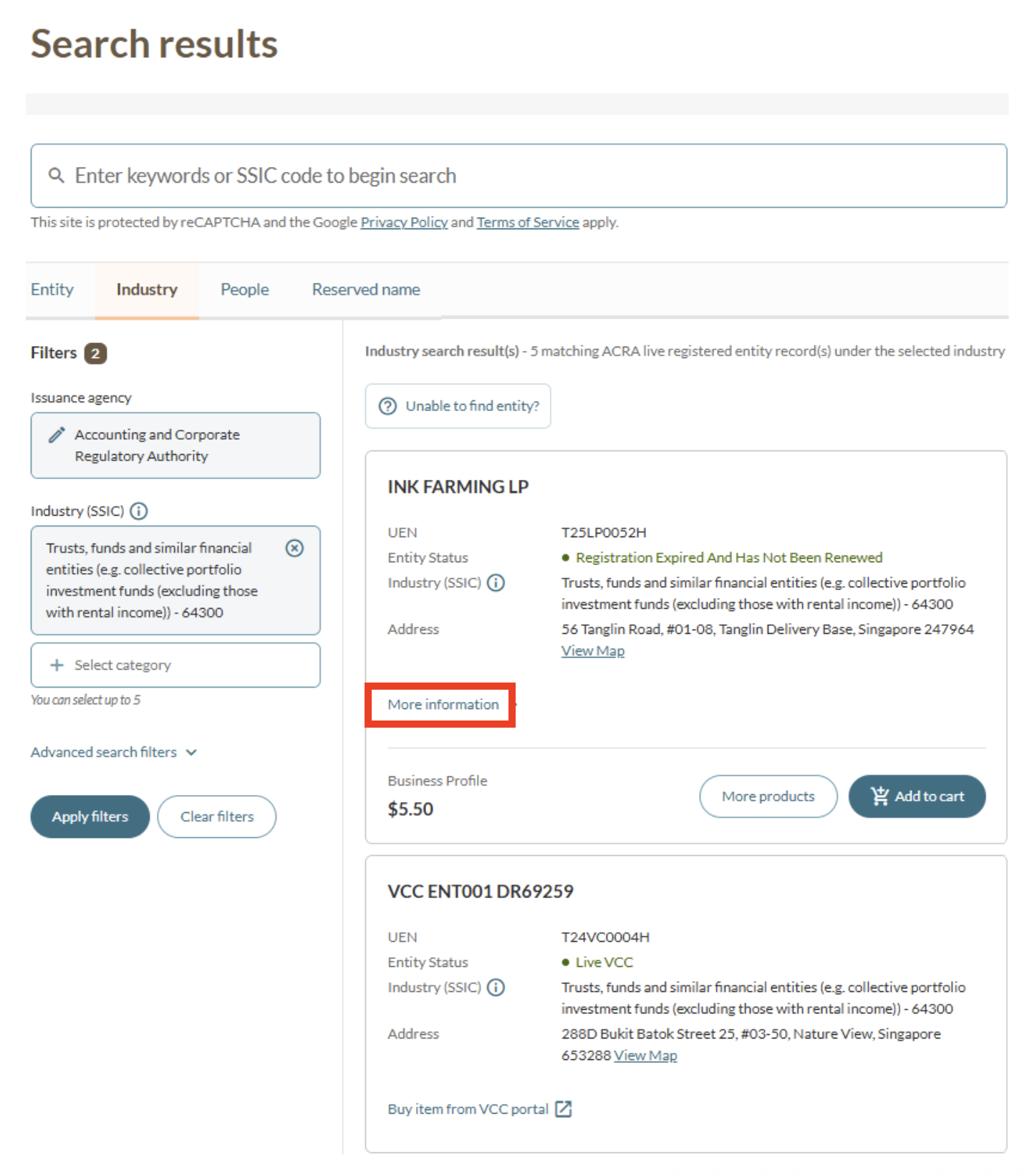
Find live businesses by top ten SSIC categories
Follow these steps:
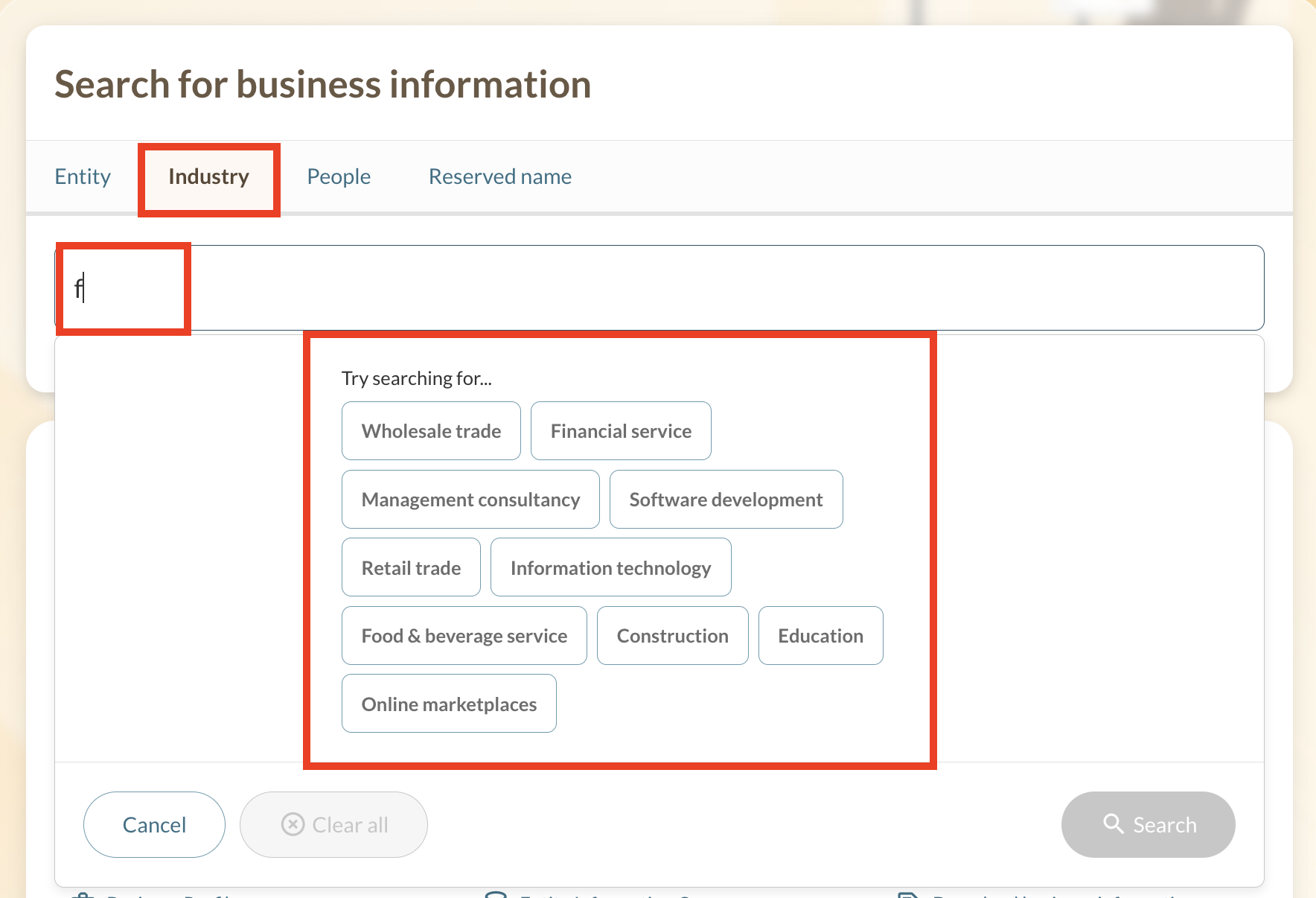
Select the Industry tab.
Type any character in the search bar.
Select any of the SSIC categories.
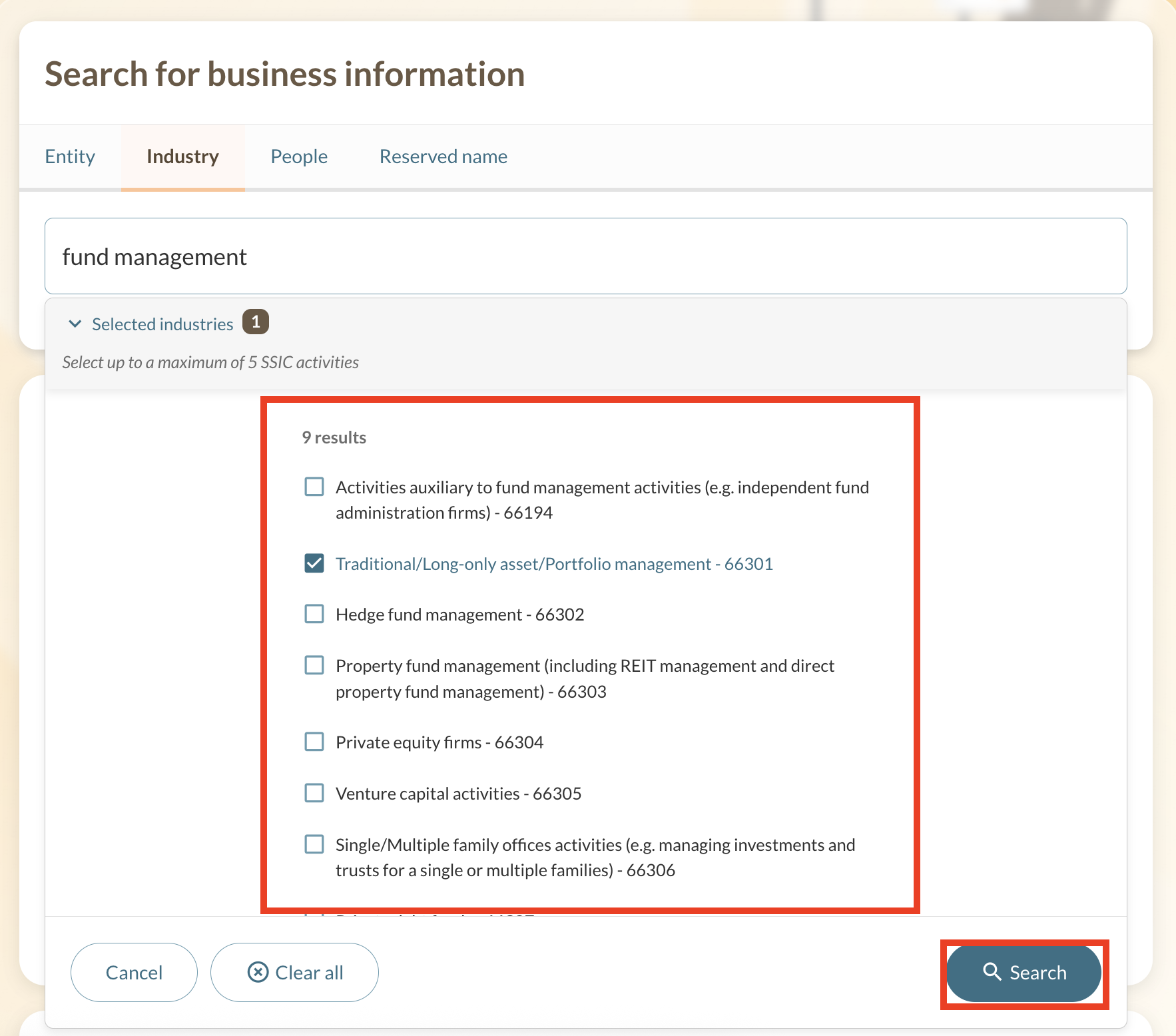
Select up to five SSIC codes under that category.
Click Search. Up to 250 matching results will be shown (if any).
Tip: If you see "more than 250 matching results", you can narrow your results by selecting only one SSIC category or using search filters (such as entity type).
Find live businesses by SSIC codes
Follow these steps:
Select the Industry tab.
Type the five-digit SSIC code in the search bar. For example, "66309".
Click Search. Up to 250 matching results will be shown (if any).
Tip: If you see "more than 250 matching results", you can narrow your results by selecting only one SSIC category or using search filters (such as entity type).
Find live businesses by SSIC descriptions
Follow these steps:
Select the Industry tab.
Type any keyword or SSIC description (such as "manufacture") in the search bar. You may select up to five business activities.
Click Search. Up to 250 matching results will be shown (if any).
Tip: If you see "more than 250 matching results", you can narrow your results by selecting only one business activity or using search filters (such as entity type).
People search
Use this search to find and buy a People Profile via Bizfile.
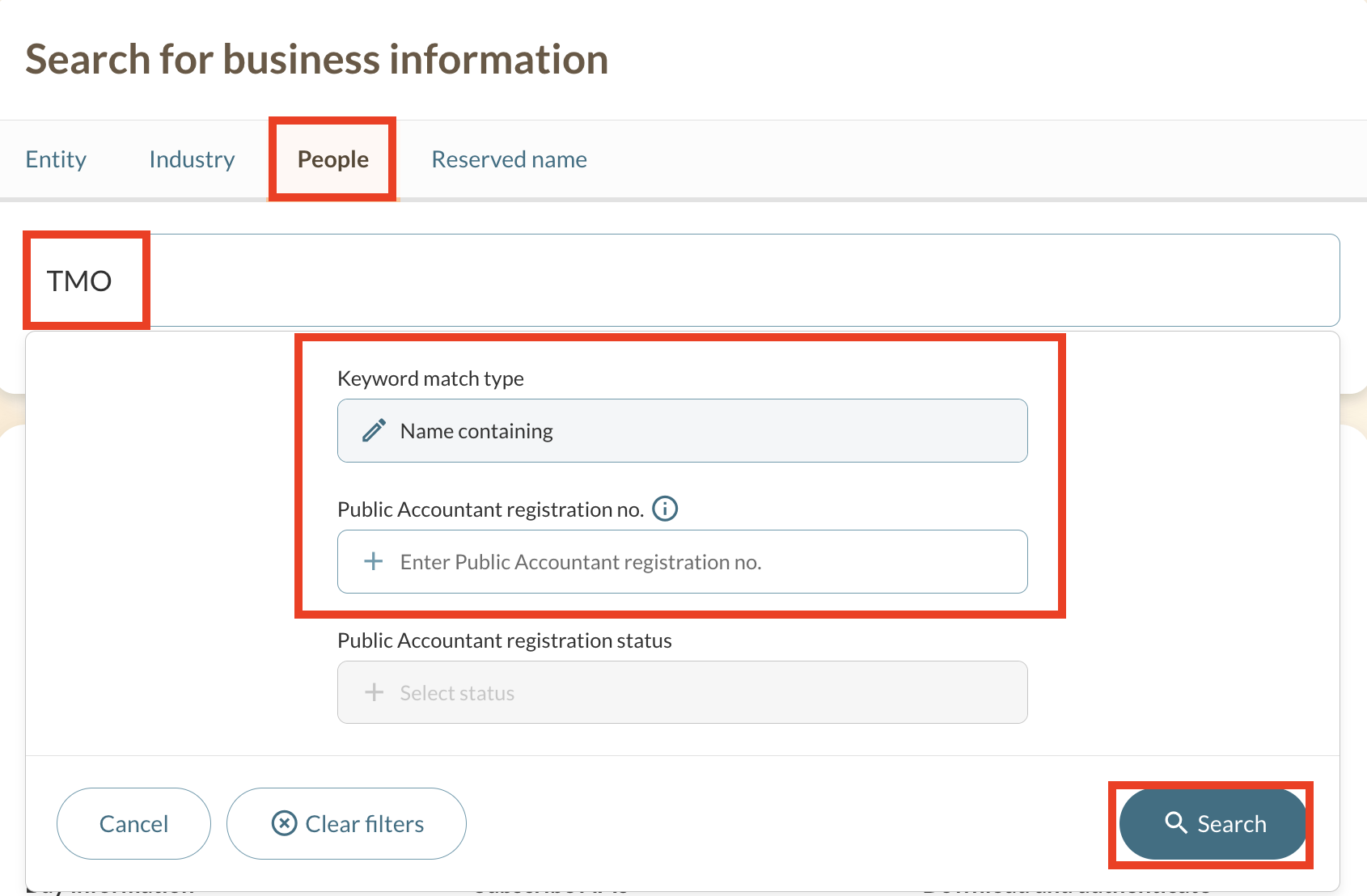
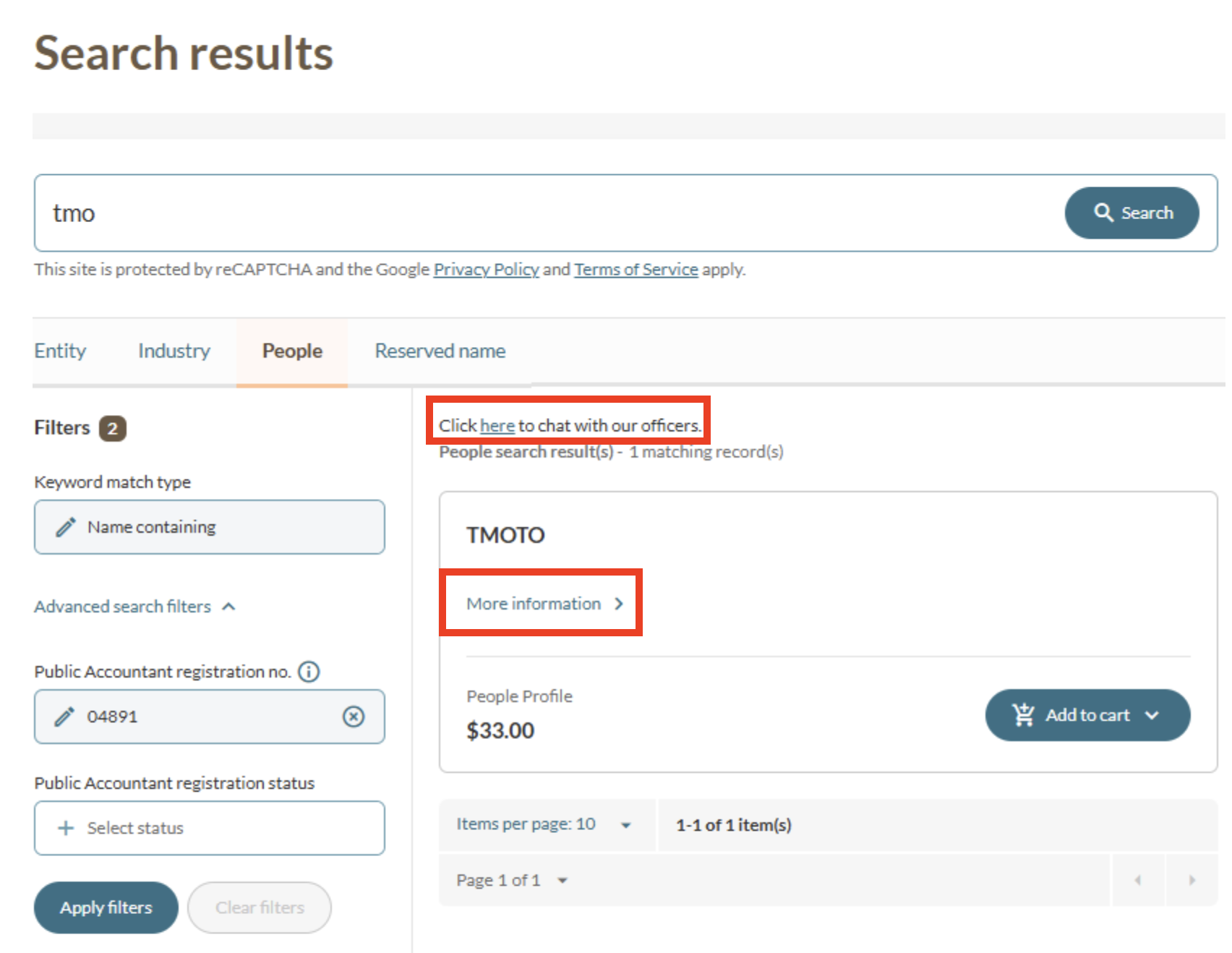
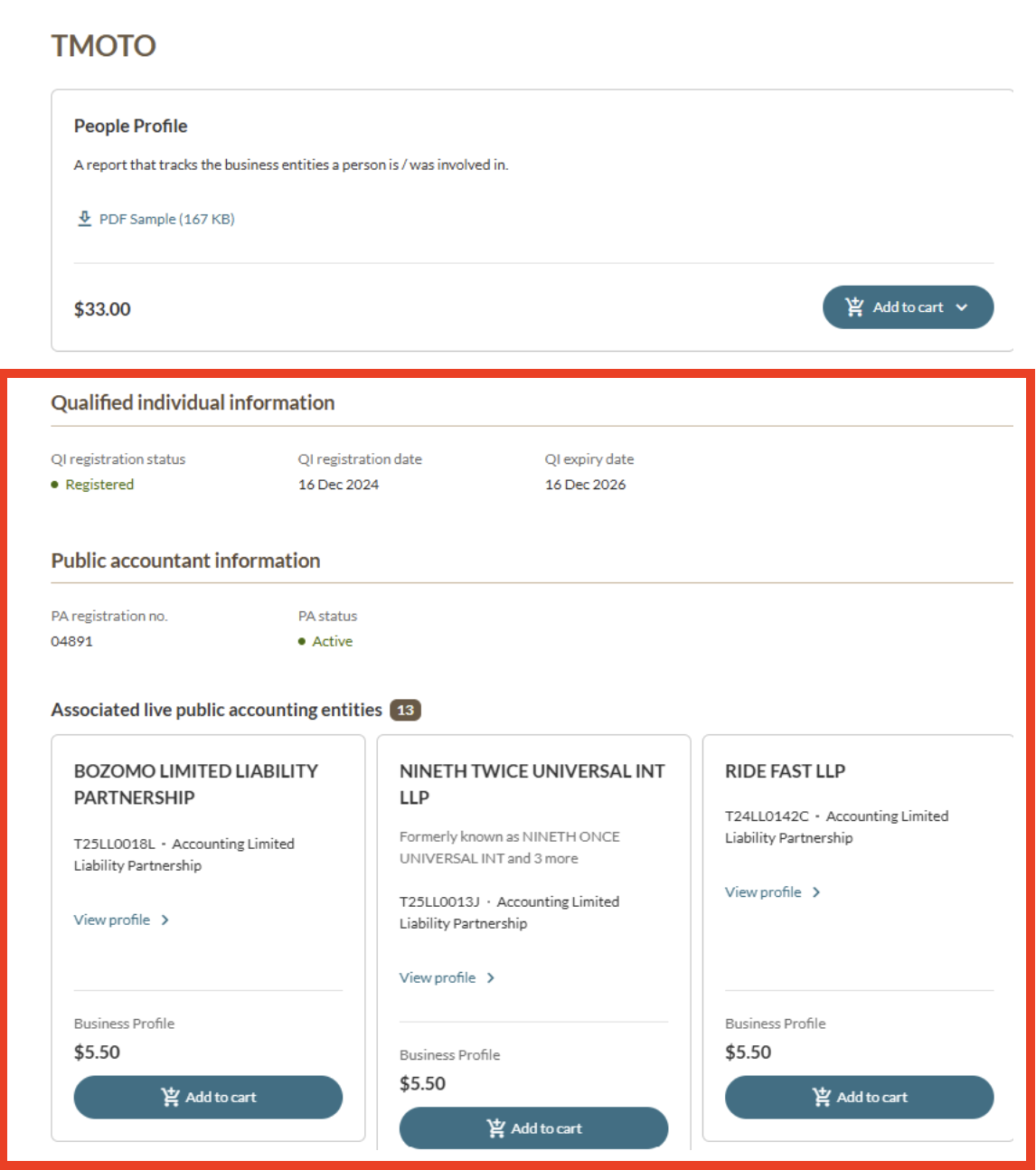
Check the business entities a person is or was involved in
Check whether a person is a public accountant (PA)
To check if a person is a PA, you need their registration number.
Select the People tab.
Enter the person's name in the search bar.
Enter the 5-digit PA registration number under the "Public Accountant registration no." filter. Then, click Search.
Once you find the person in your search results, click More information to check their registration status. If the status is "Active", the profile will display their related public accounting entities too.
Check whether a person is a registered qualified individual (RQI)
Follow these steps to check if a person is an RQI:
Select the People tab.
Enter the person's name in the search bar. Then, click Search.
Once you find the person in your search results, click More information to check their registration status. If the status is "Registered", the profile will display their:
QI registration date; and
QI expiry date.
Reserved name search
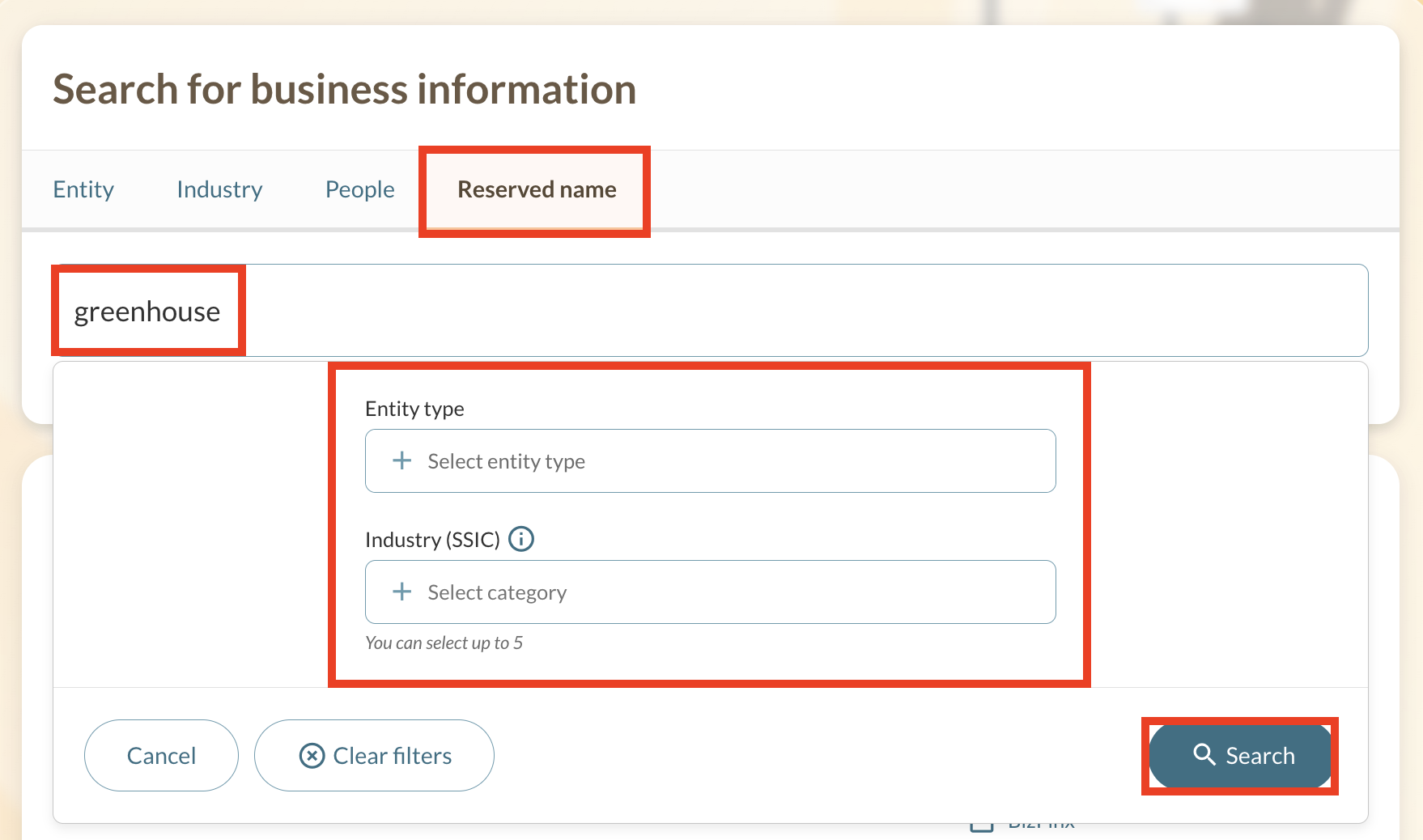
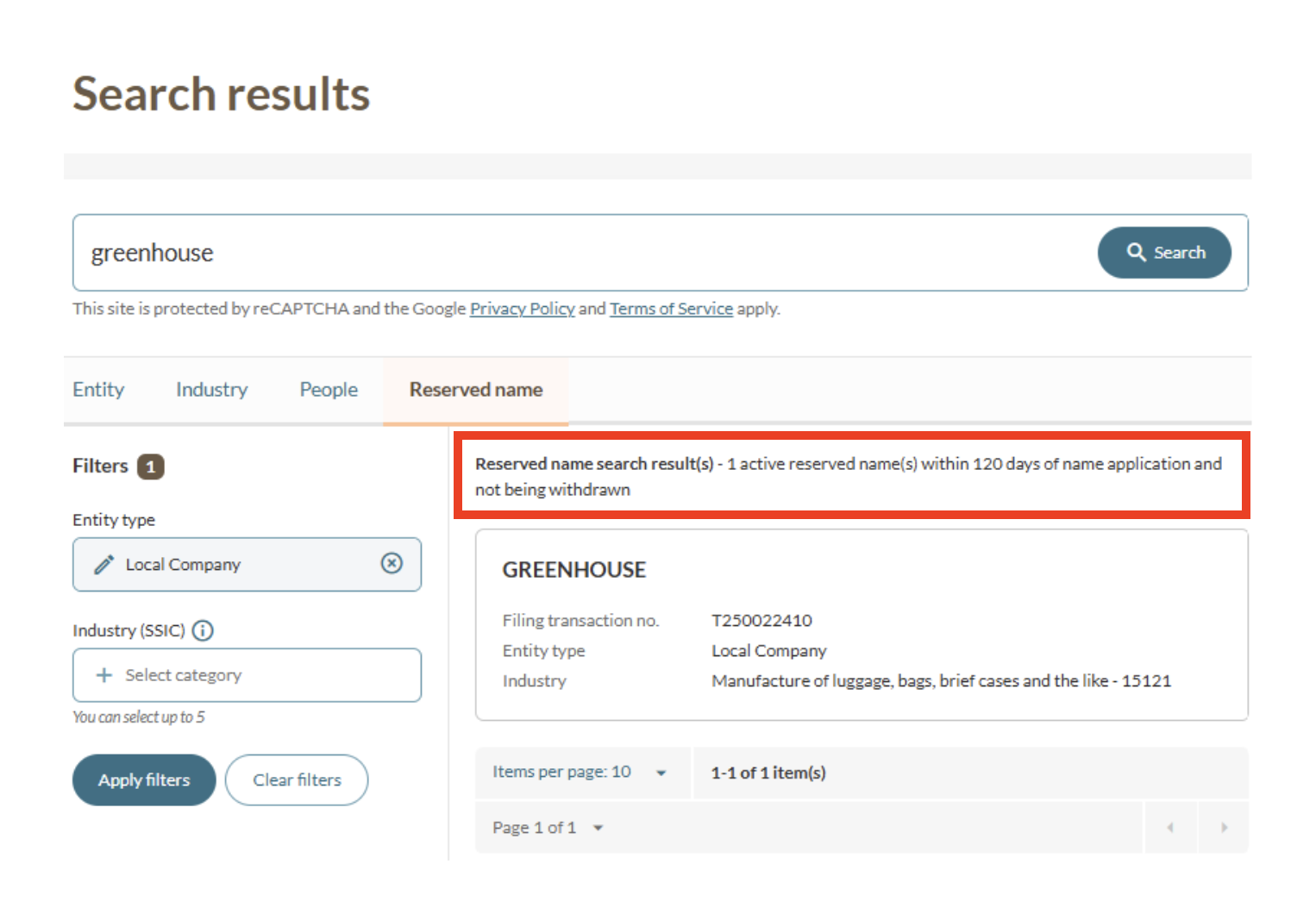
Use this search and the entity search to check if an entity name is available. If it is available, you can reserve it for 120 days.