Government agencies communicate via .gov.sg websites (e.g. go.gov.sg/open). Trusted websites
Secure websites use HTTPS
Look for a lock () or https:// as an added precaution. Share sensitive information only on official, secure websites.
Welcome to the new ACRA website (test version)
1. Share your feedback via our short survey. 2. [Advisory] Government officials will NEVER ask you to transfer money or disclose bank log-in details over a phone. Call the 24/7 ScamShield Helpline at 1799 if you are unsure if something is a scam.
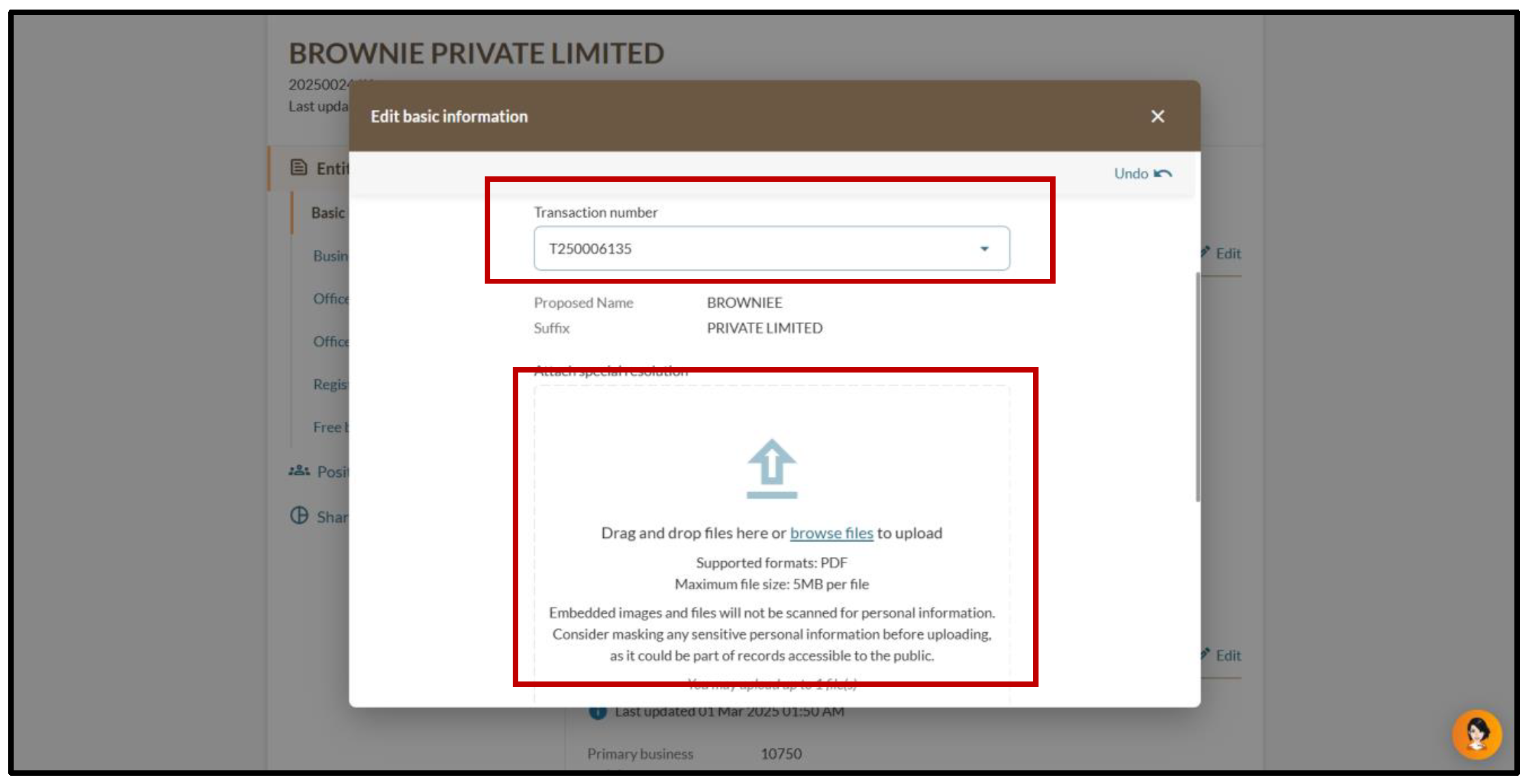
The special resolution that authorises the name change is in PDF format, and the file name does not include spaces, special characters or foreign language characters.
Charter, statute, memorandum, or articles, or other Instruments
Prepare supporting documents notarised or certified as true copies
Fees and processing time
Updating an entity’s information
What you need to know
Details
Fee
Free
Processing time
Immediate
Step 1: Log in to Bizfile
Follow these steps to log in to Bizfile and access your Entity information page.
Note: All entity and personal information (including UEN, entity details, NRIC or FIN numbers, names and addresses) shown are dummy data for illustration purposes only.
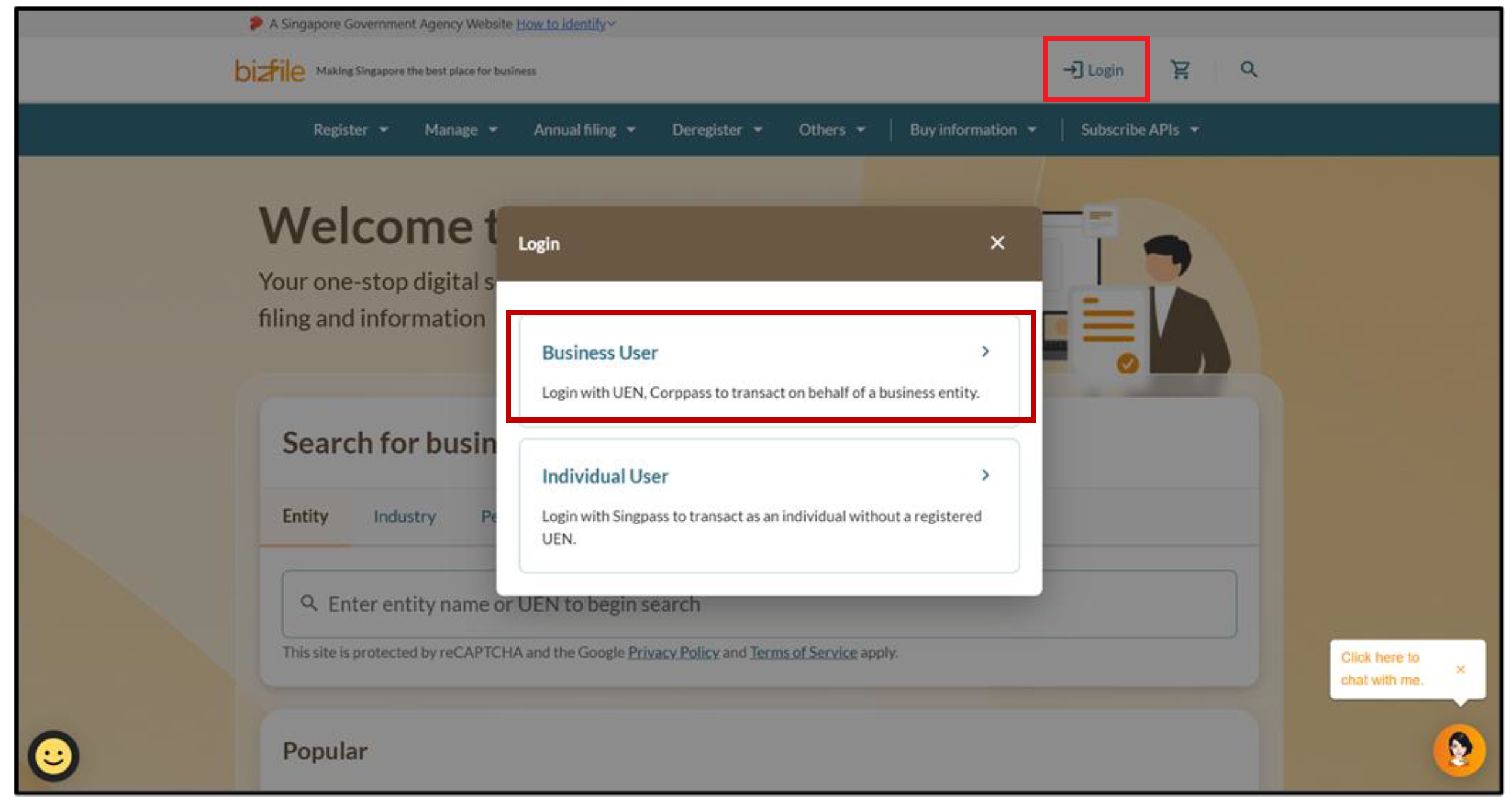
1. Click "Login" on the Bizfile homepage and select "Business User" to log in via Corppass.
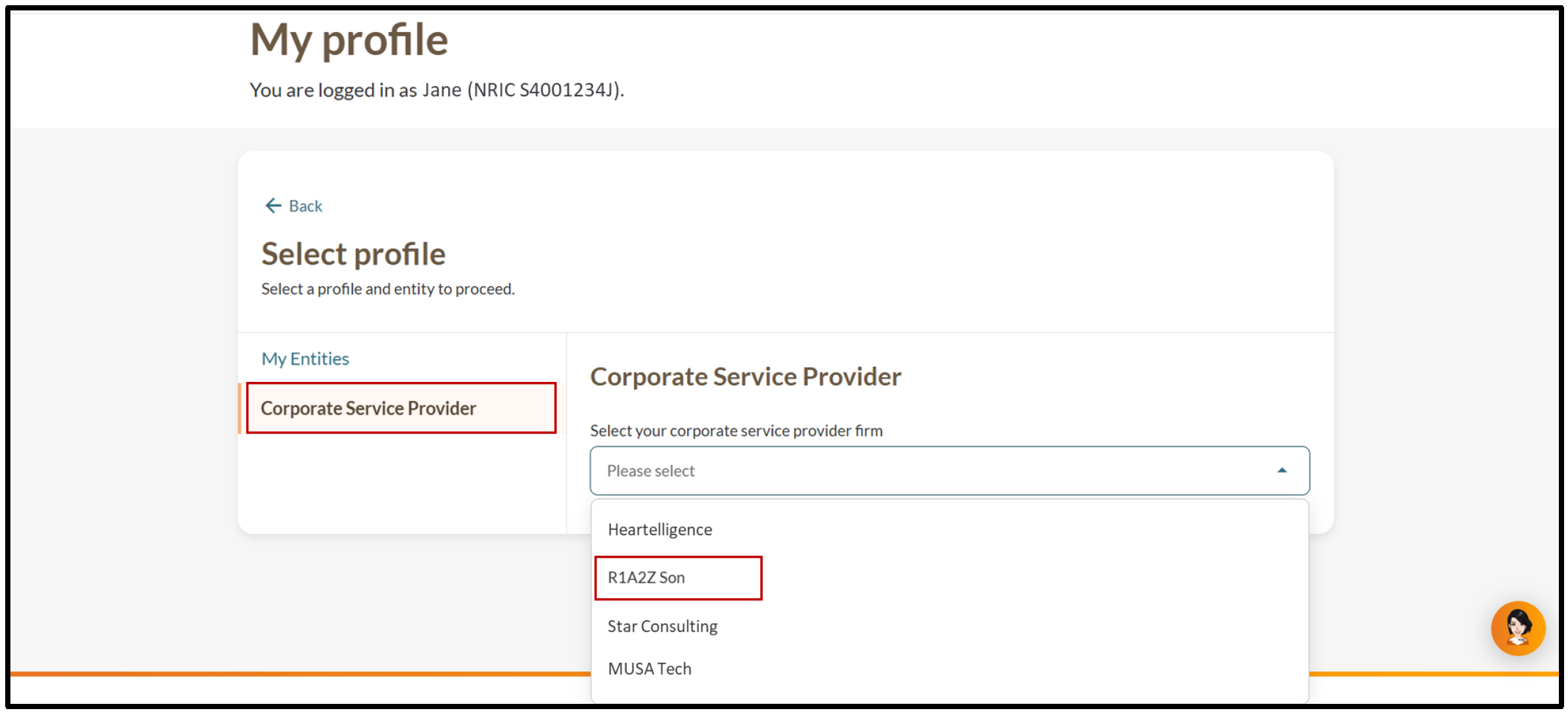
2. (Corporate service provider filing on client's behalf) On the "My profile” page, click on the “Corporate Service Provider” tab. If you belong to more than one CSP firm, select your CSP firm from the dropdown list.
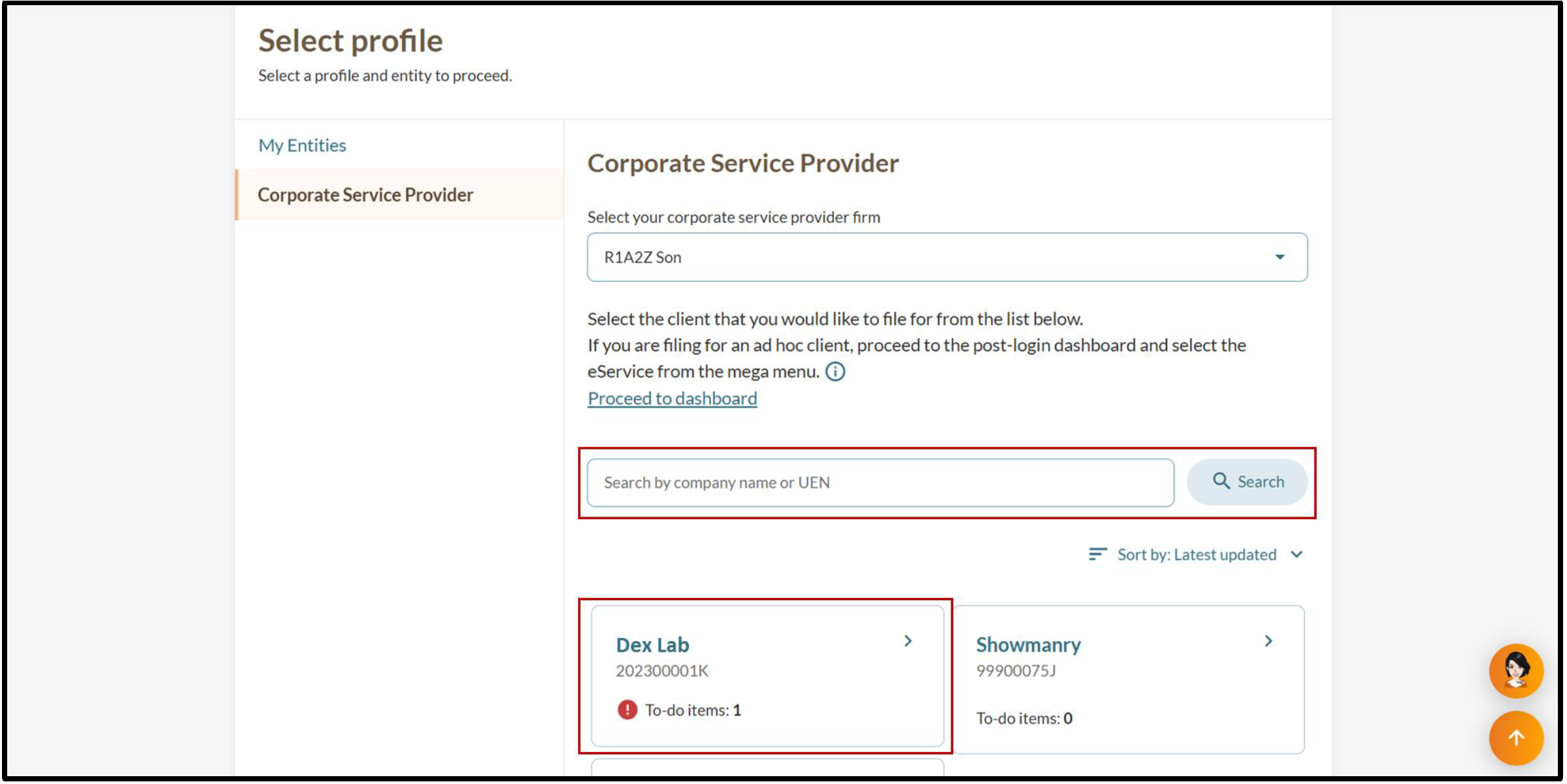
3. (Corporate service provider filing on client's behalf) Select your client's entity through the search function or the list under the search bar.
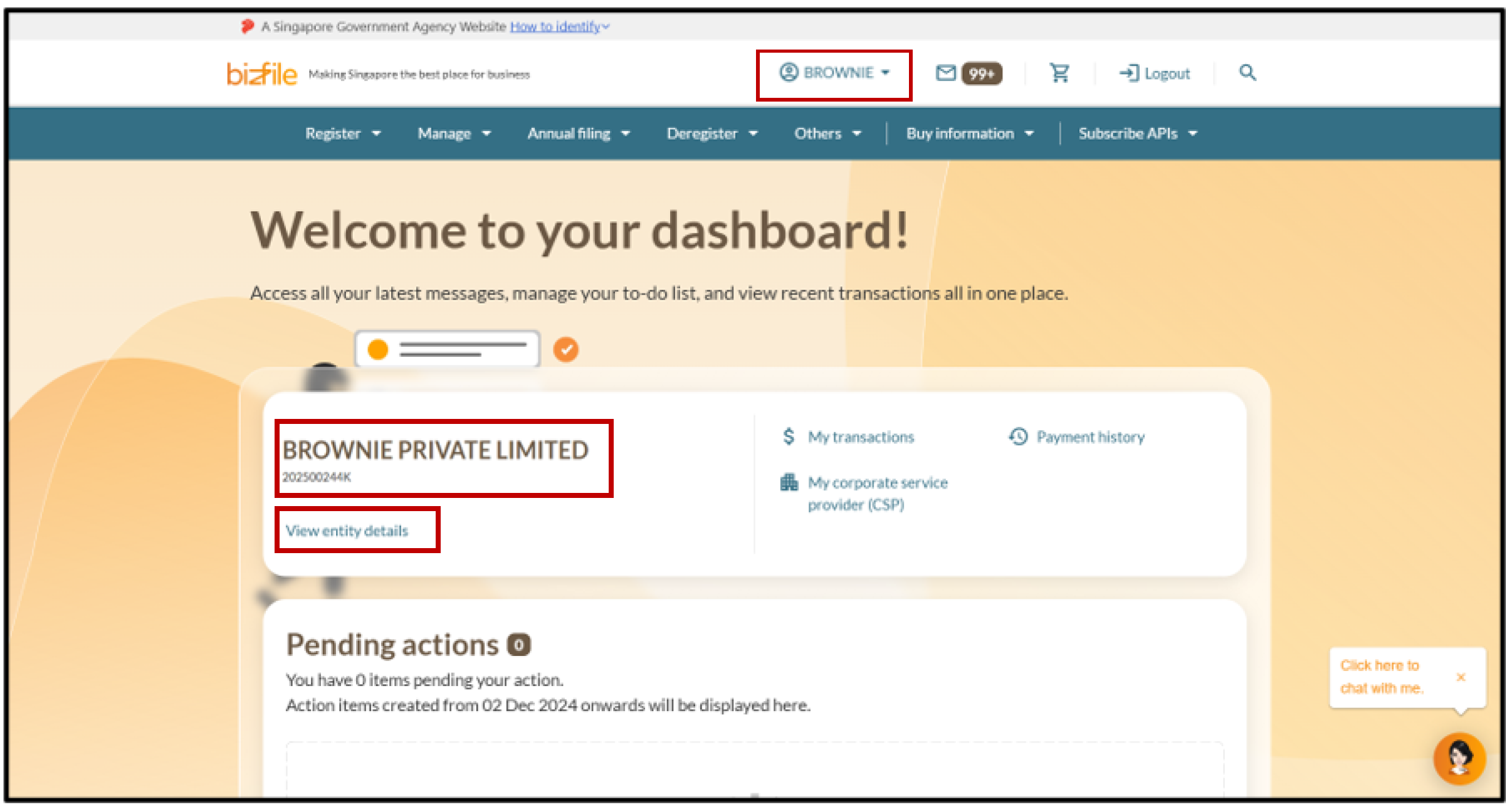
4. Check the entity displayed on the top menu bar and dashboard to confirm that you have accessed the correct entity dashboard. Then, click “View entity details” to access the “Entity information” page.
Step 2: Update entity information
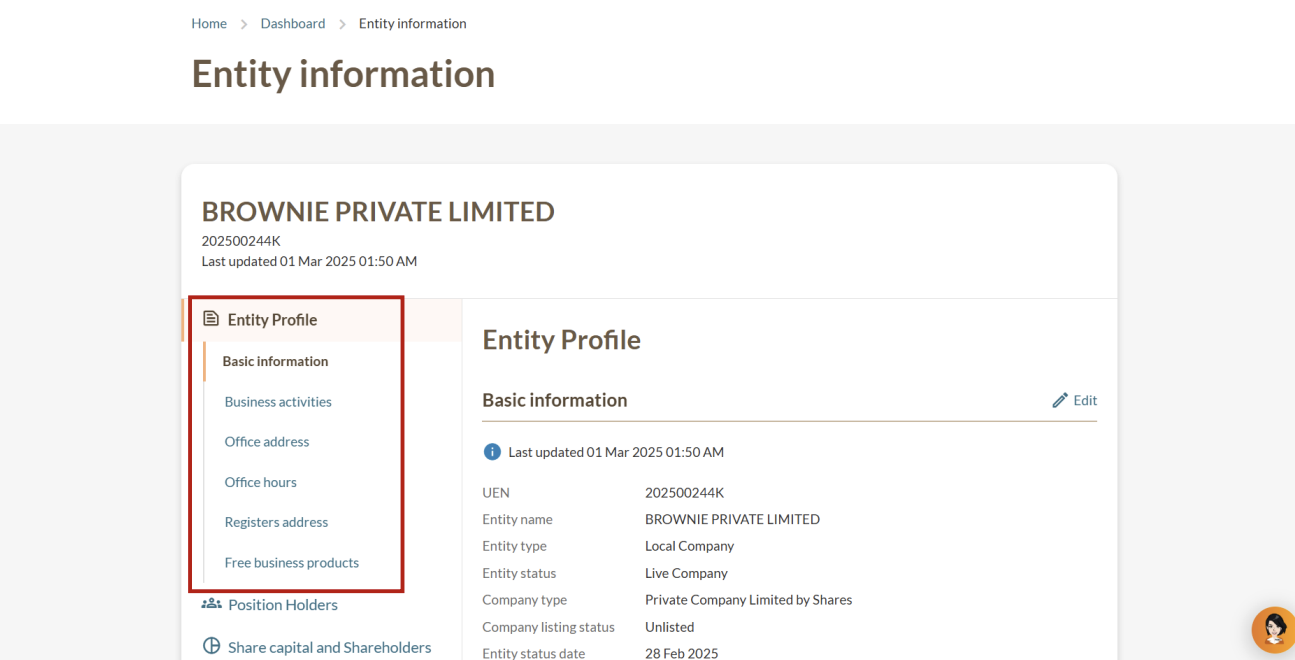
On the "Entity information" page, you can select relevant categories from the left menu to update your entity's details.
Left menu on the "Entity information" page
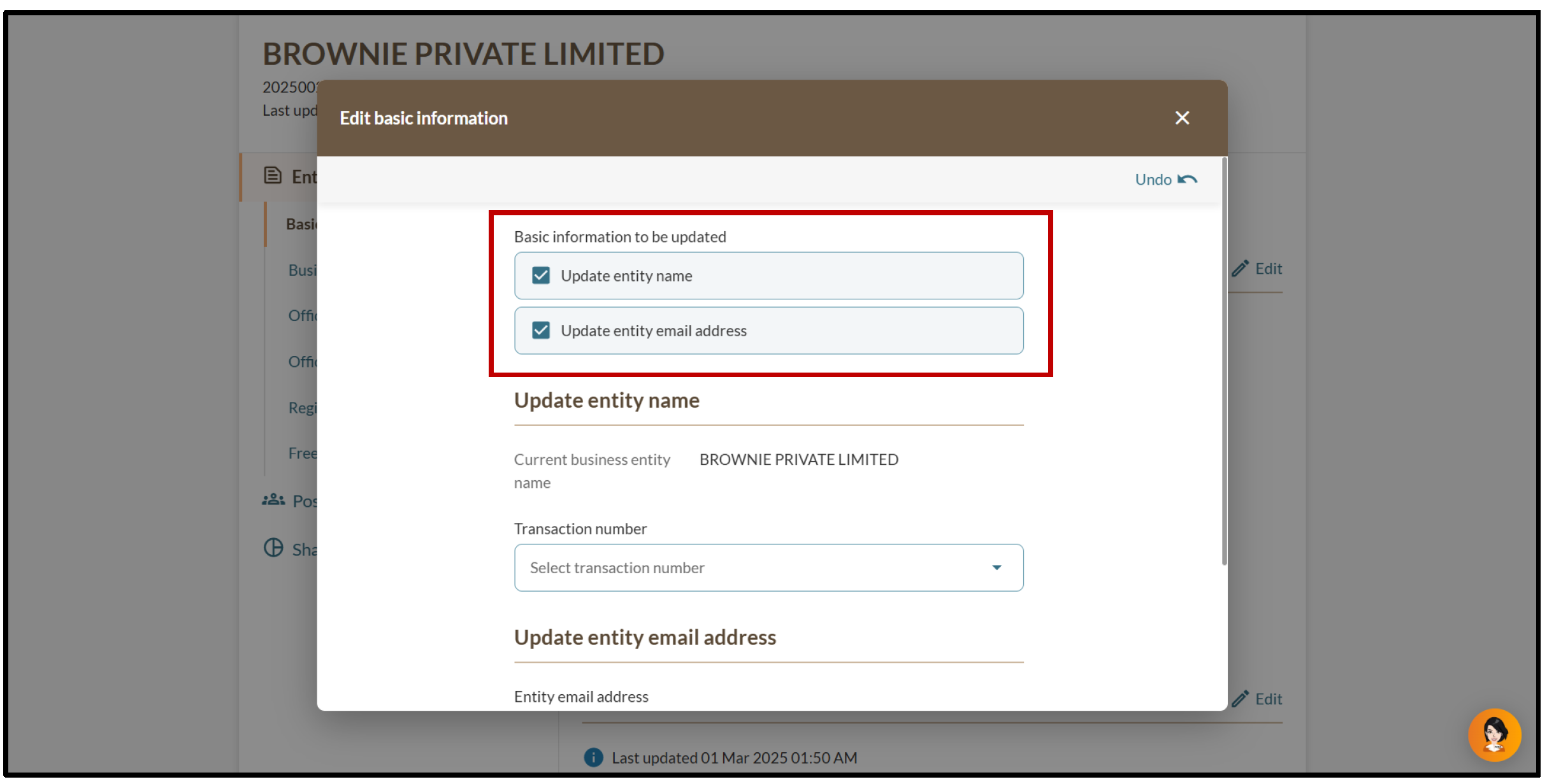
2a. Updating your entity name and email address
Follow these steps to update changes to your entity name and email address.
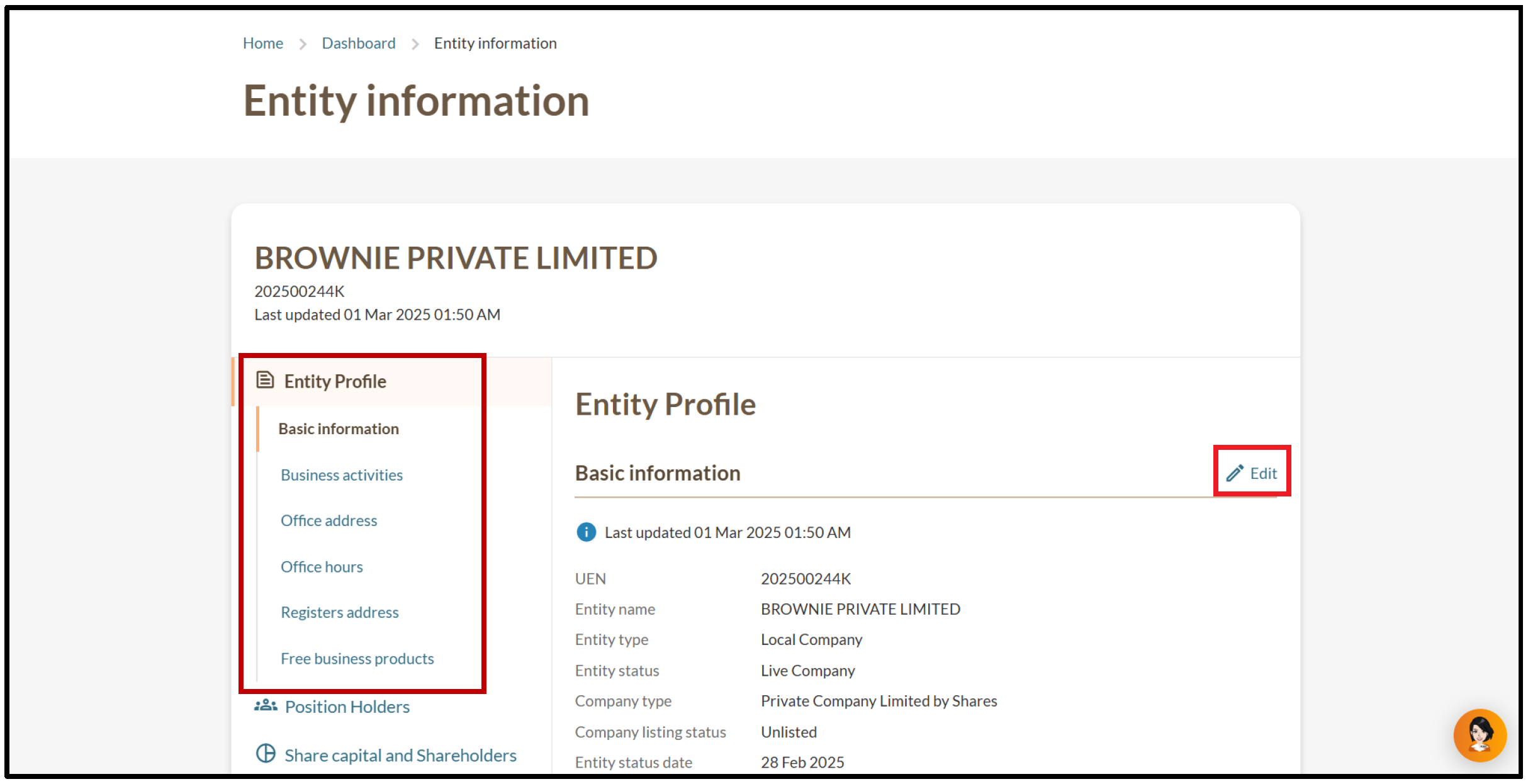
1. On the "Entity Information" page, select "Basic information" and click “Edit”.
3. (Name change) Enter the transaction number from your business name application. Then, upload the special resolution that authorised the name change in PDF format.
8. You will also receive notification confirming the update in your Bizfile inbox.
2b. Updating your business activity
Follow these steps to update your primary and secondary business activities.
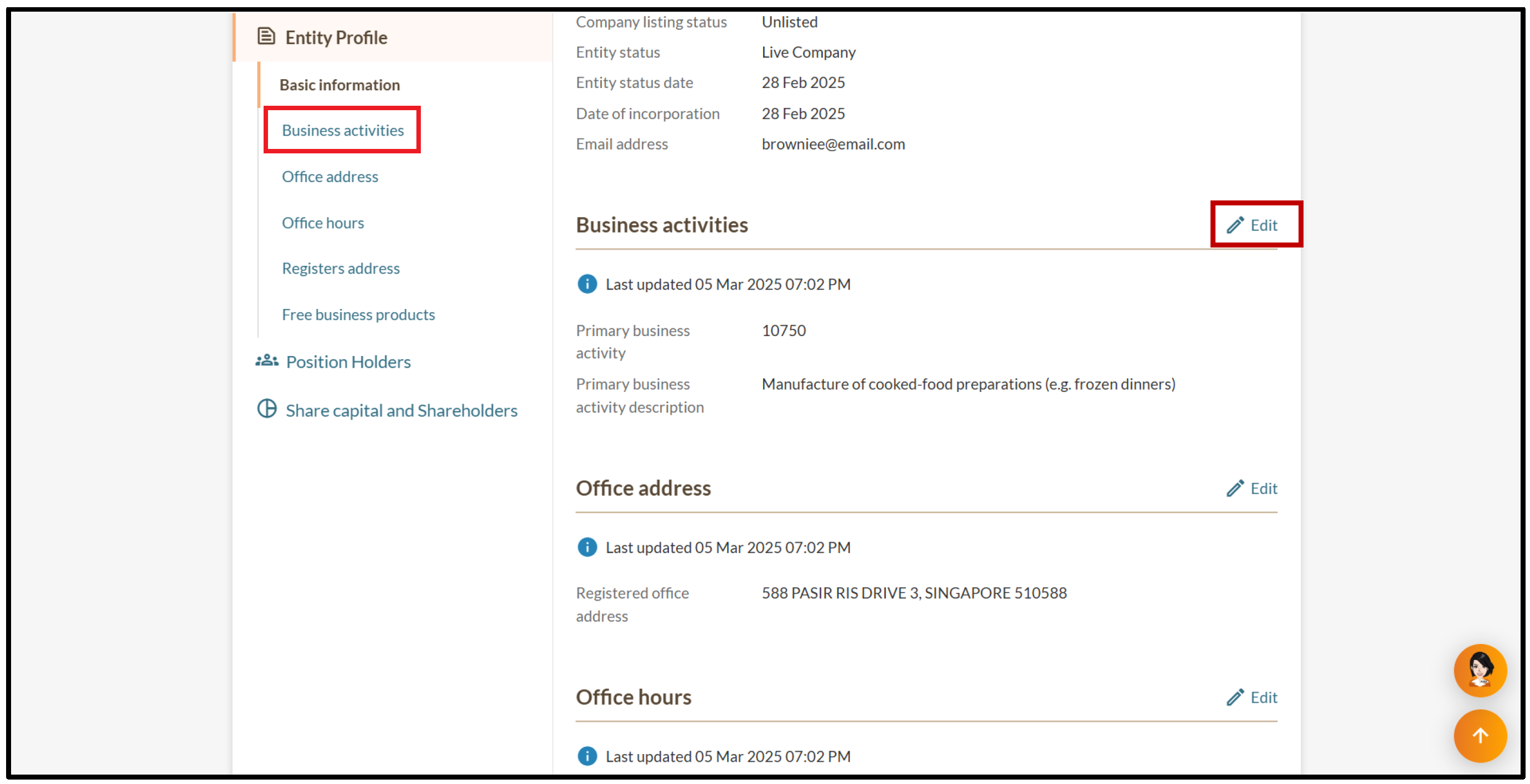
1. On the "Entity Information" page, select "Business activities" and click “Edit”.
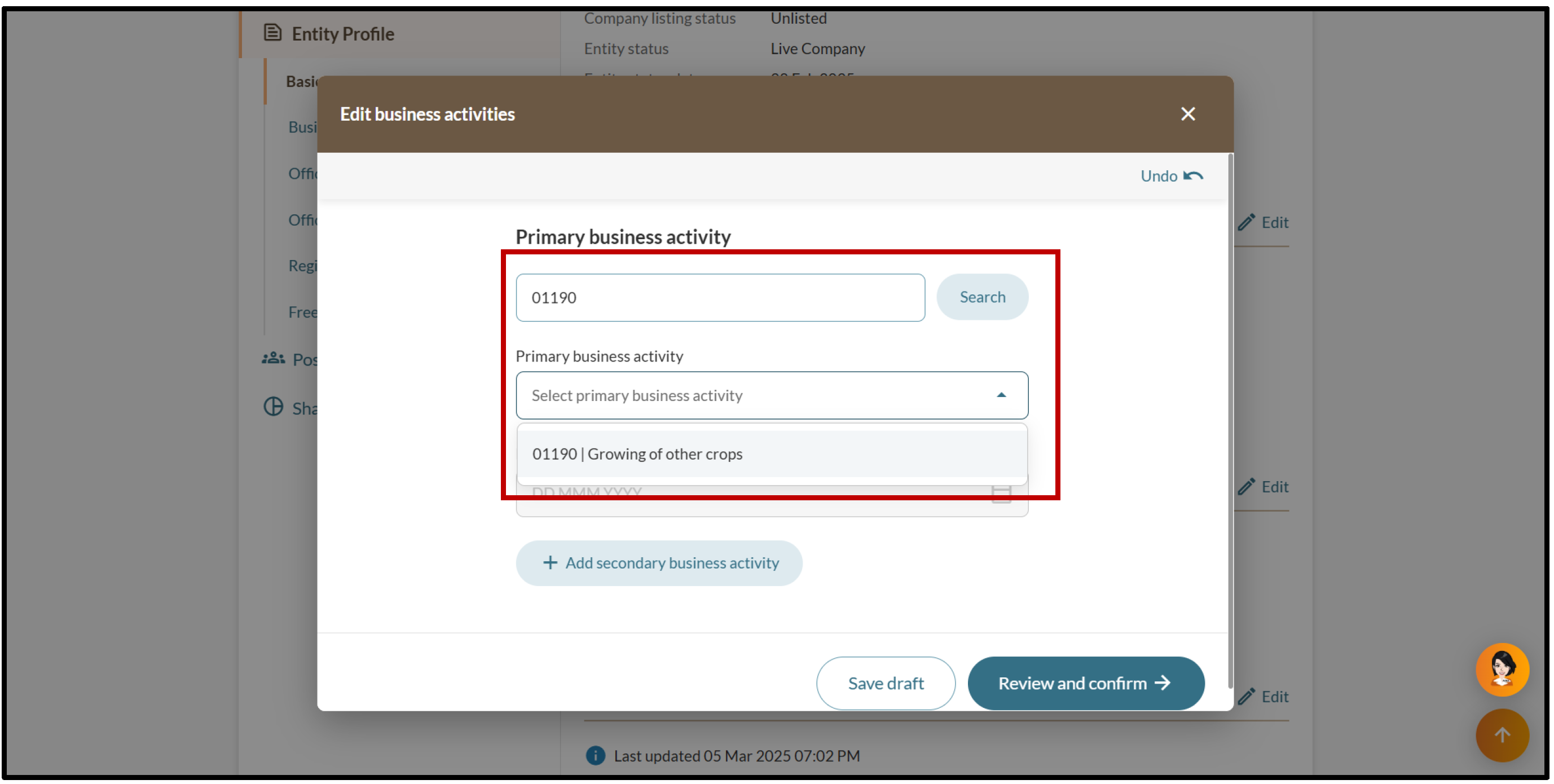
2. Enter your Singapore Standard Industrial Classification (SSIC) code or search using relevant industry keywords. Then, select the relevant business activity from the dropdown list.
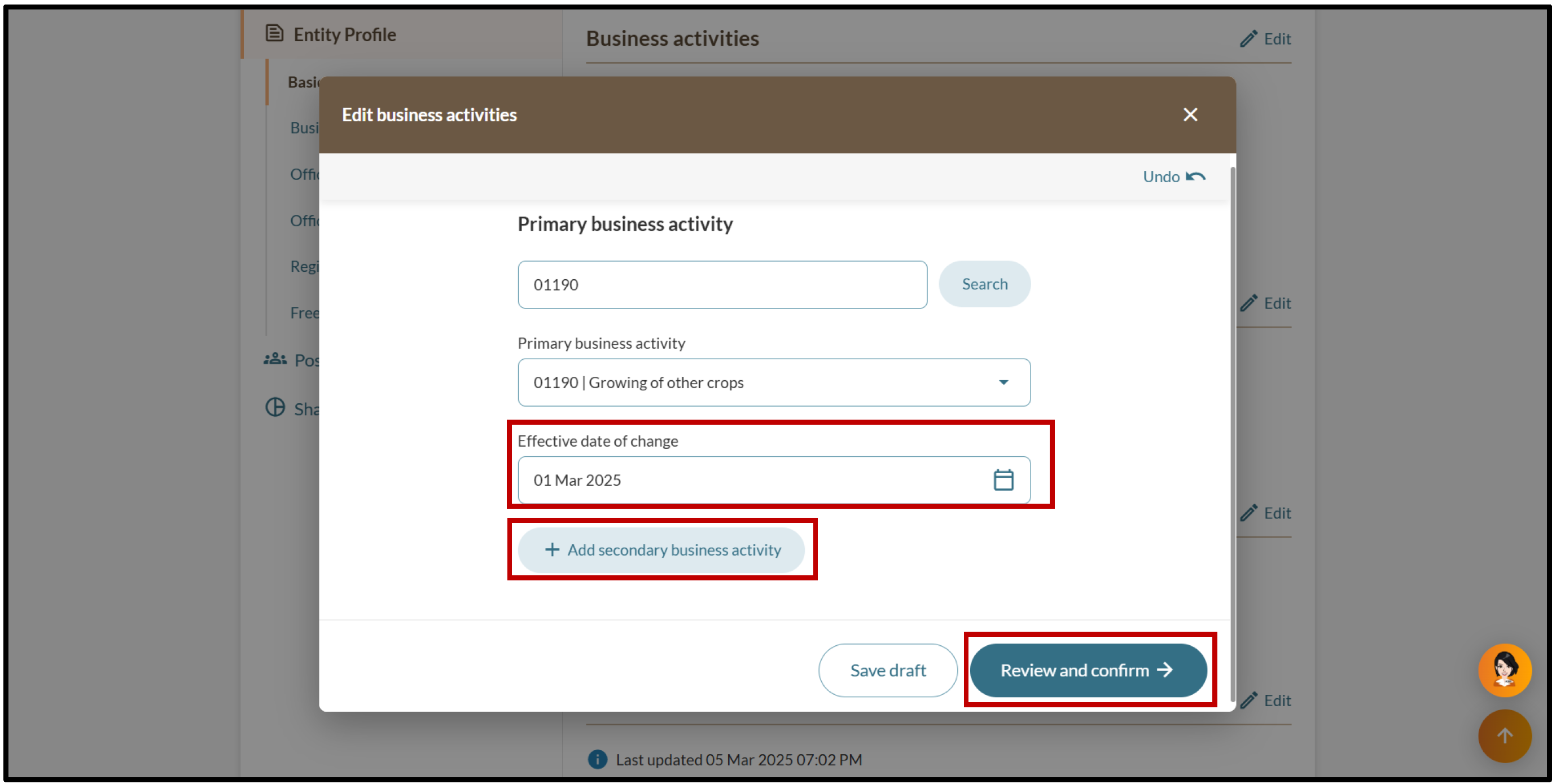
3. Enter the effective date of change. To add an optional secondary business activity, click “Add secondary business activity”. To proceed, click "Review and confirm”.
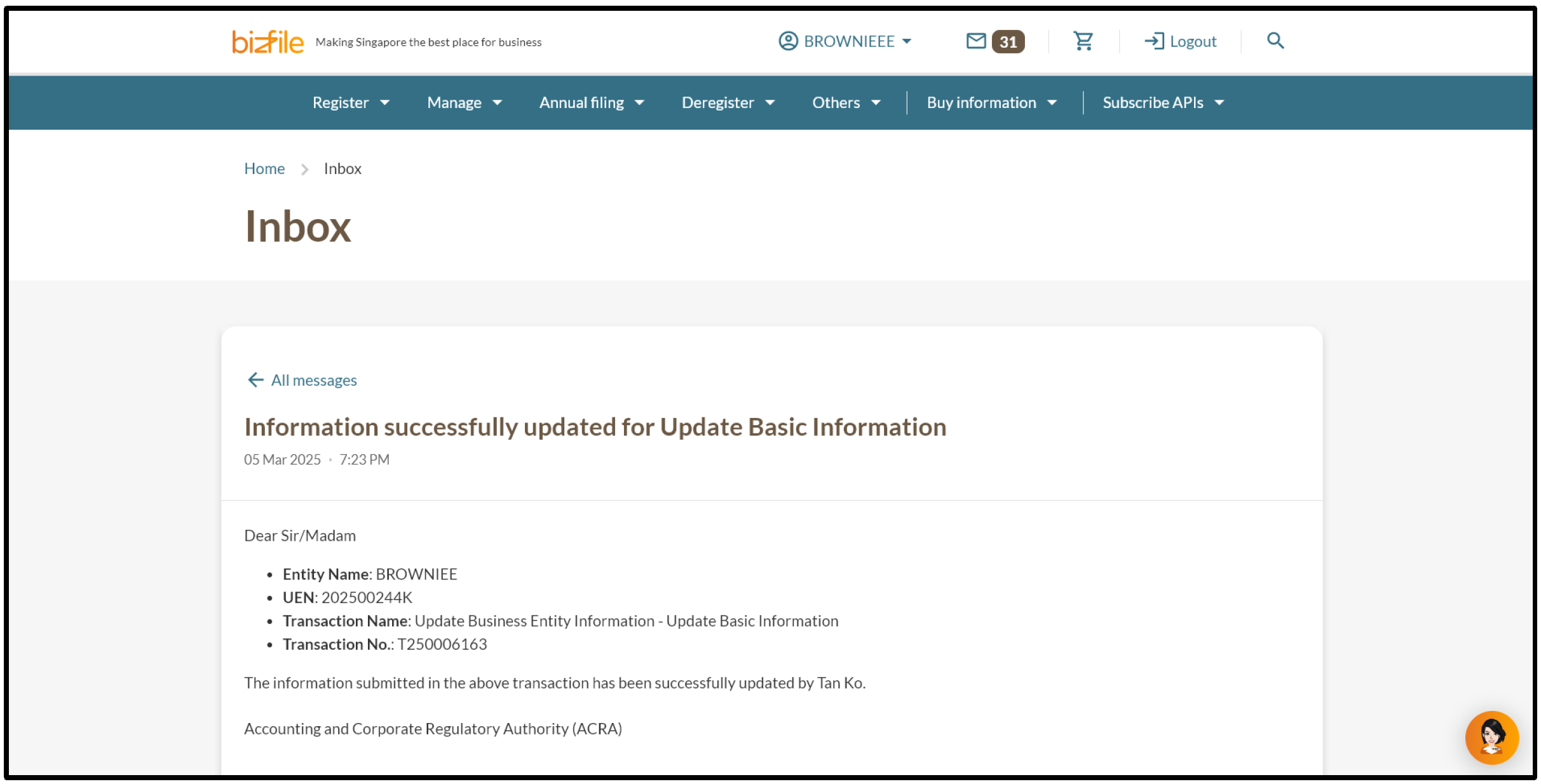
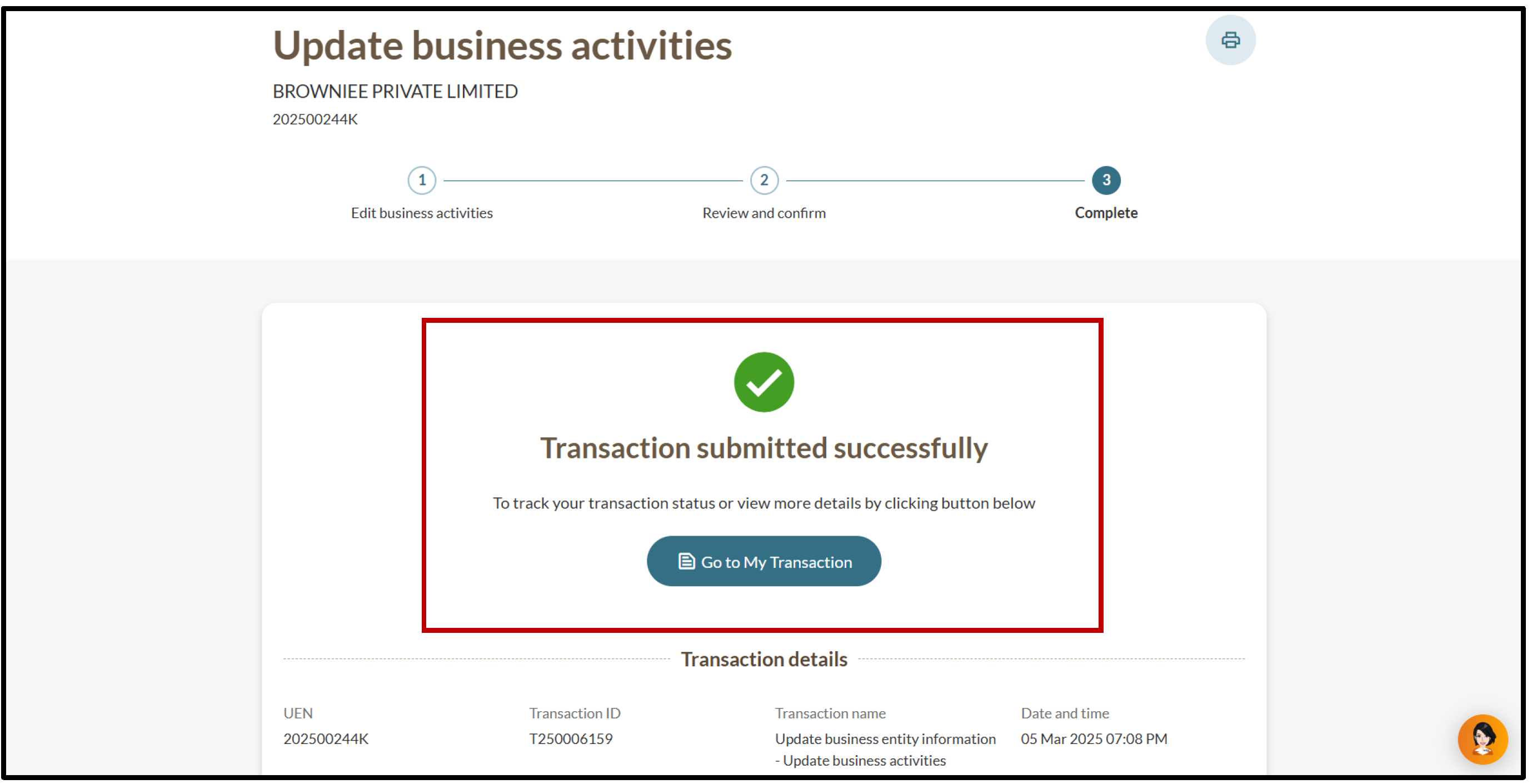
5. You will see a message confirming the update. You will also receive a notification that confirms the update in your Bizfile inbox.
2c. Updating your registered office address
Follow these steps to update your registered office address.
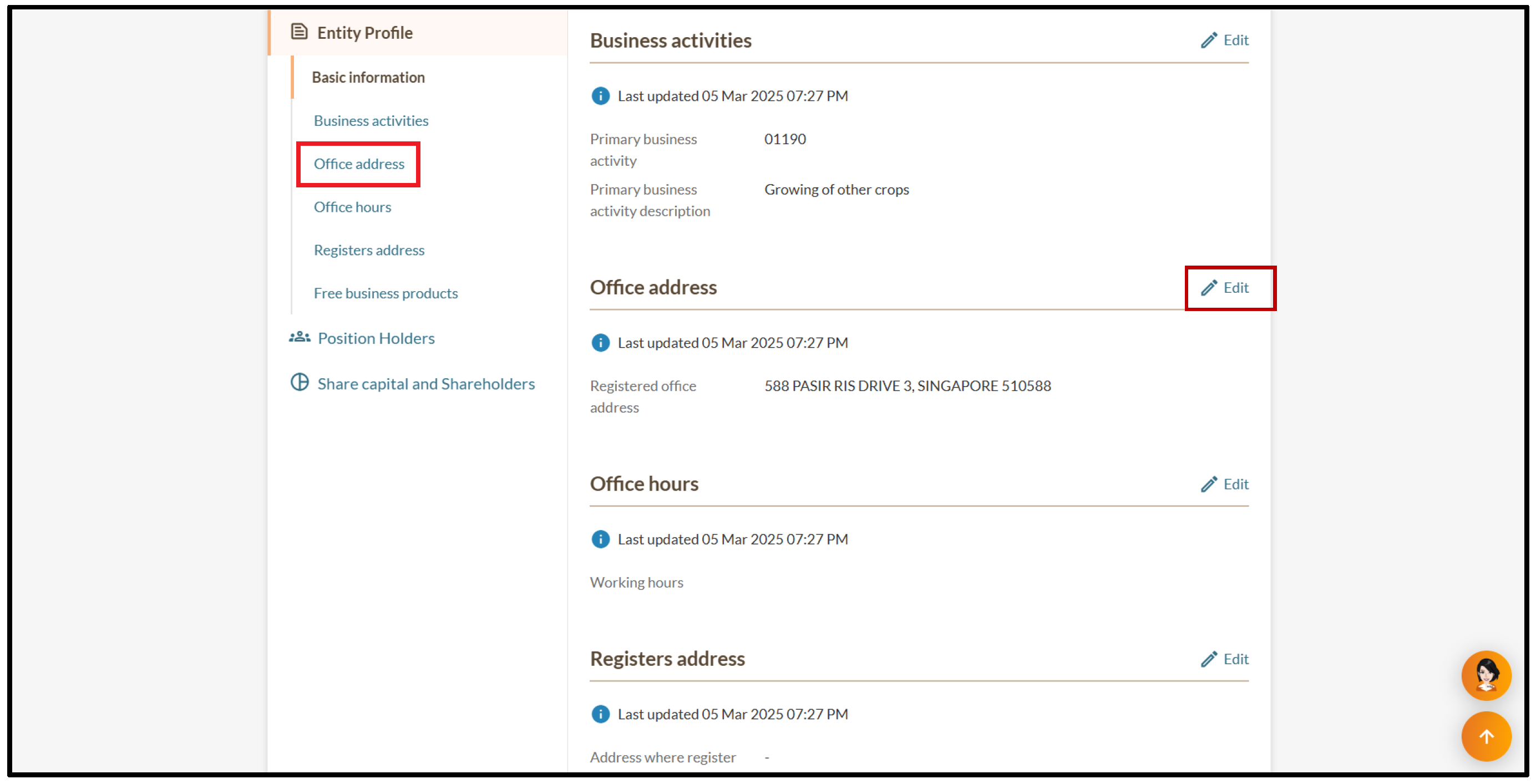
1. On the "Entity Information" page, select "Office address" and click “Edit”.
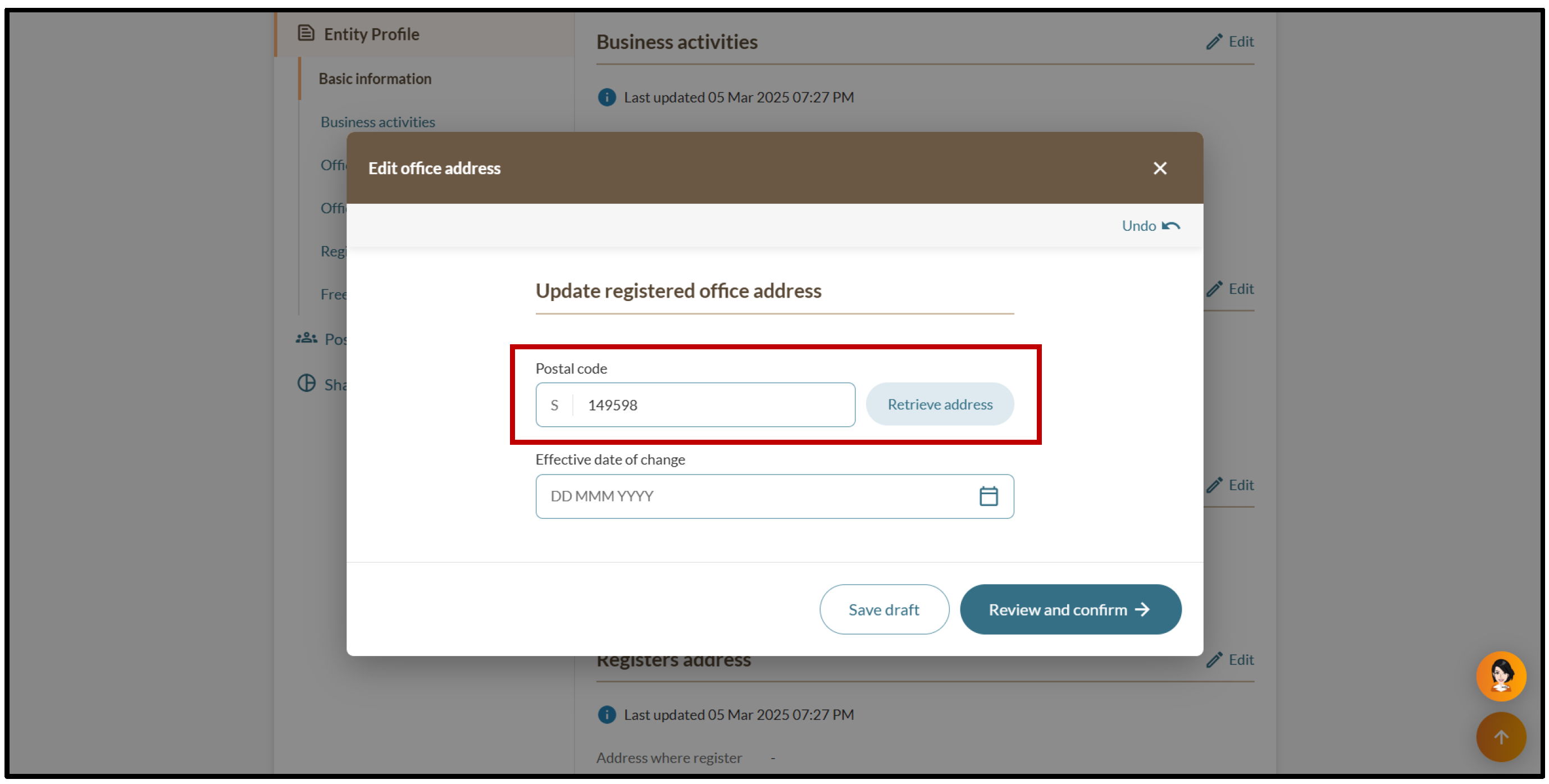
2. Enter the updated postal code and click “Retrieve address”.
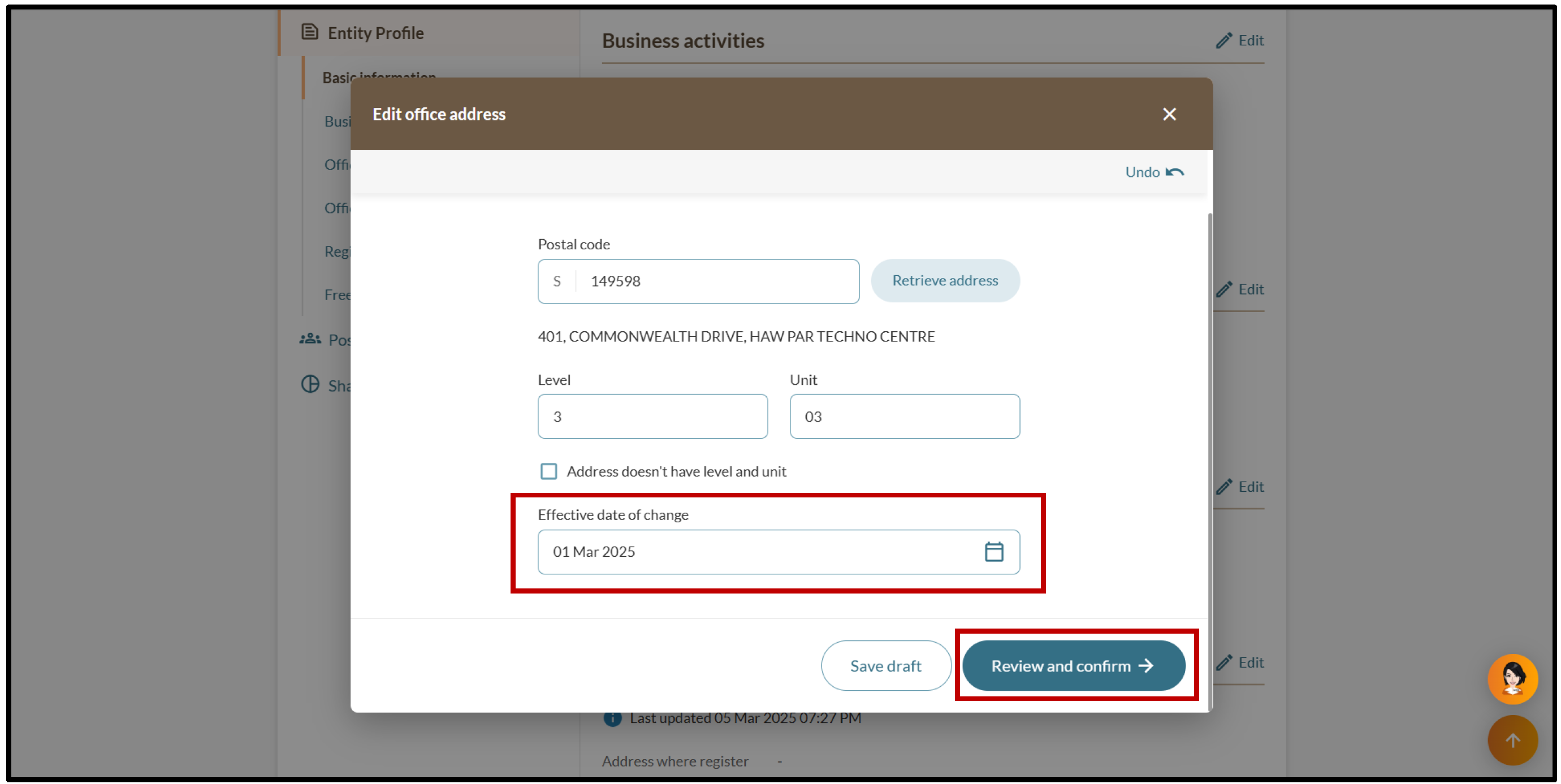
3. Enter the effective date of change and click “Review and confirm”.
5. You will see a message confirming the update. You will also receive a notification that confirms the update in your Bizfile inbox.
2d. Updating your office hours
Follow these steps to update your office hours.
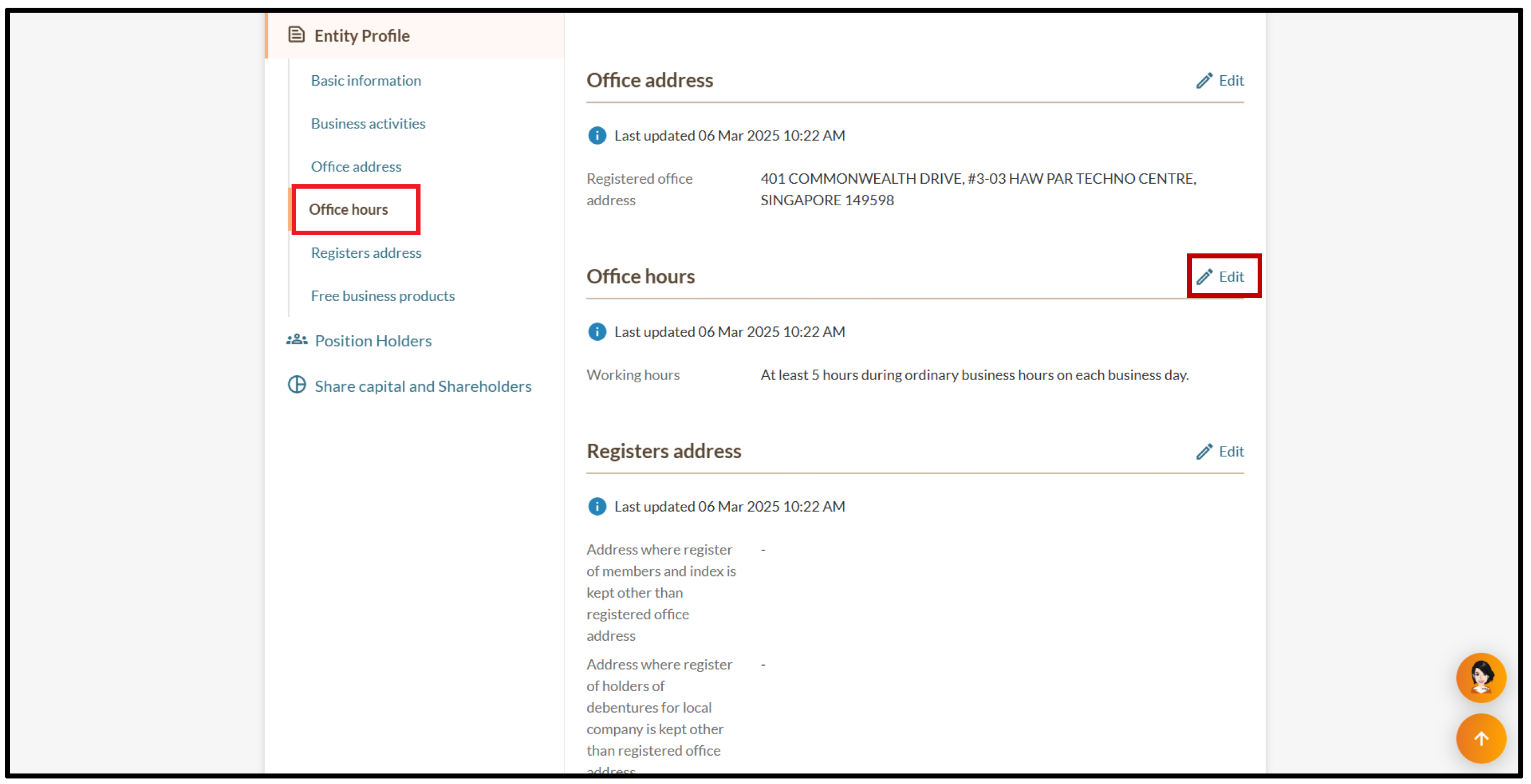
1. On the "Entity Information" page, select "Office hours" and click “Edit”.
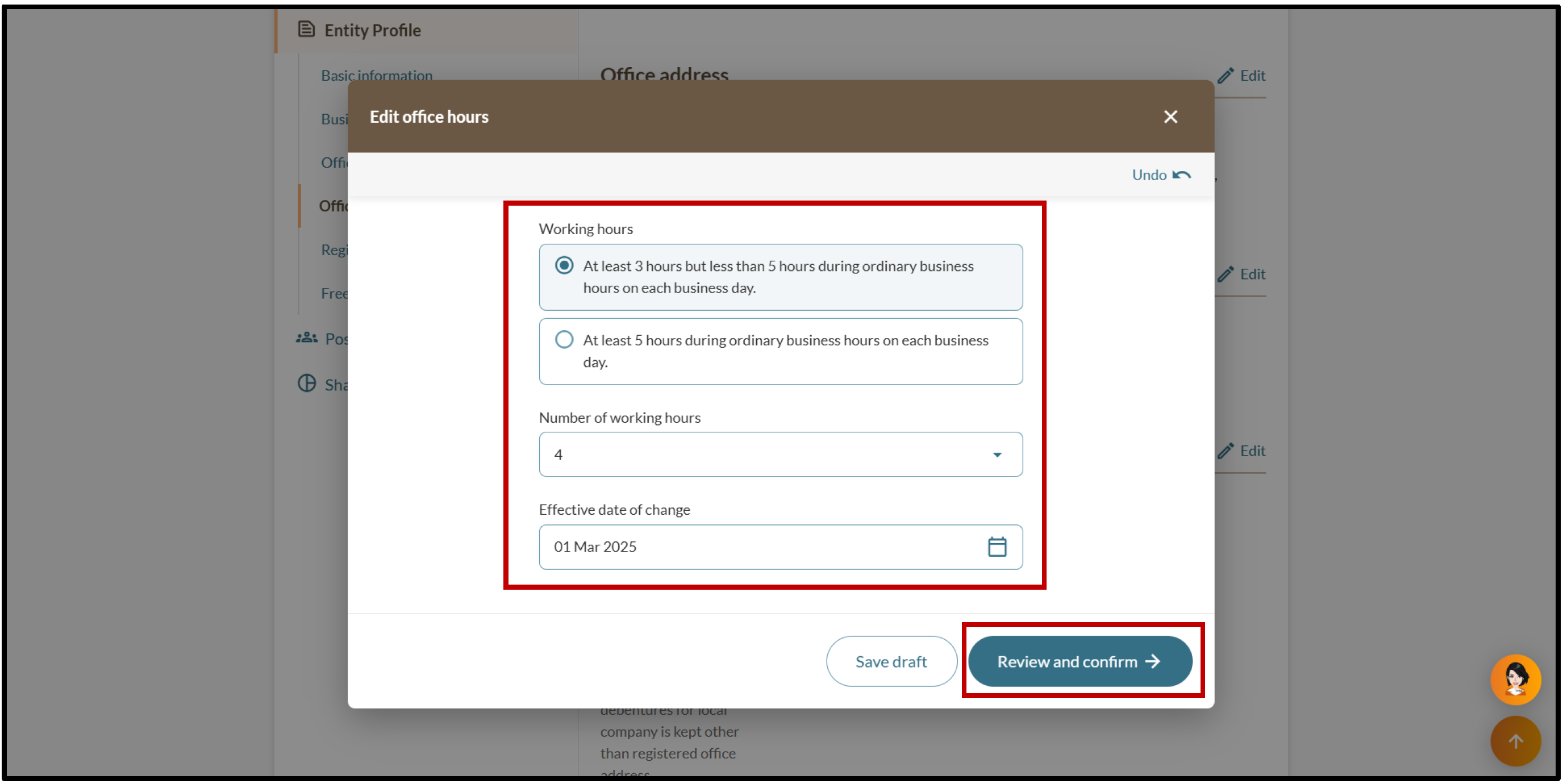
2. Select the relevant working hours option. Then, enter the number of working hours and the effective date of change. Click “Review and confirm” to continue.
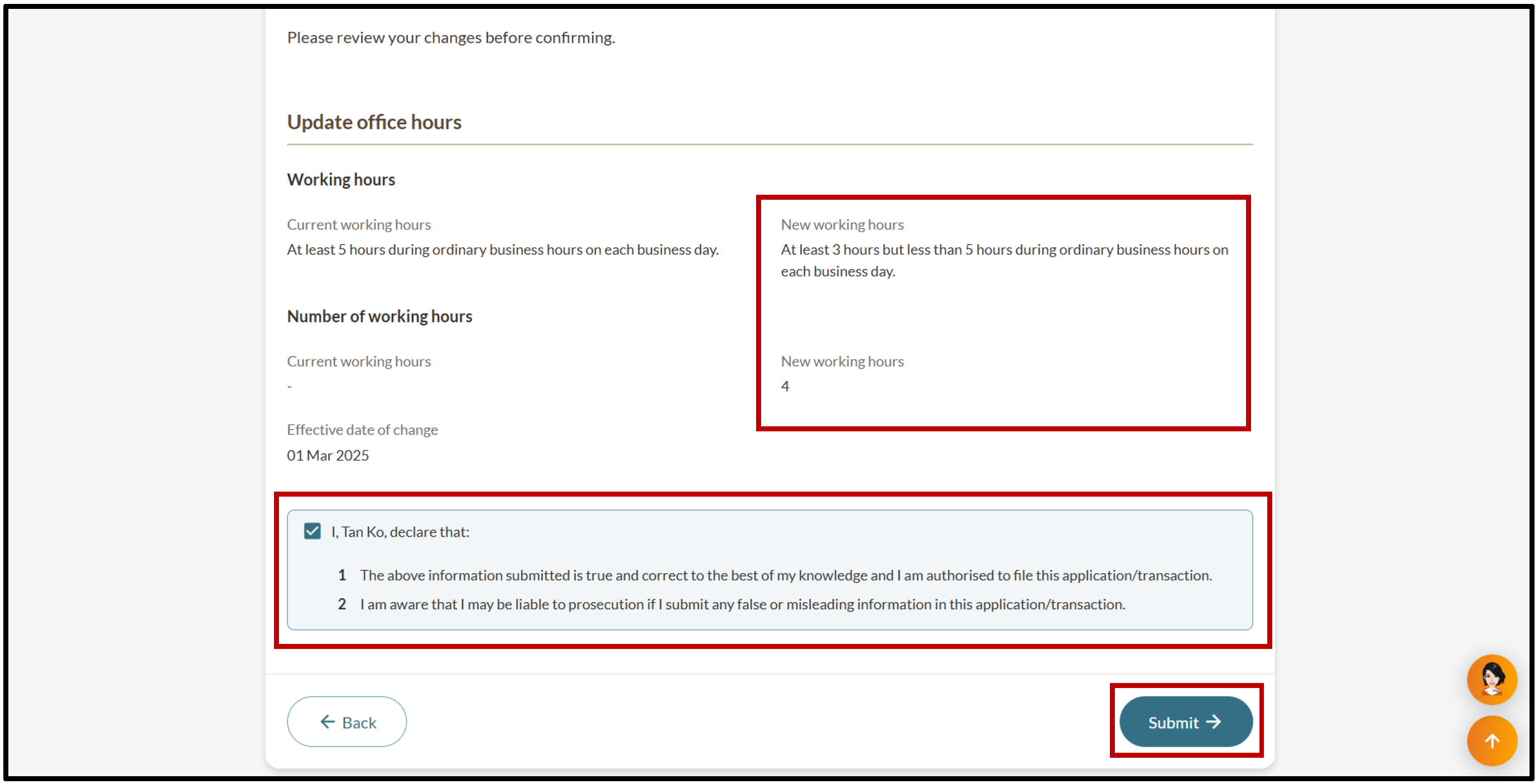
3. After you check your updates, tick the declaration box and click “Submit”.
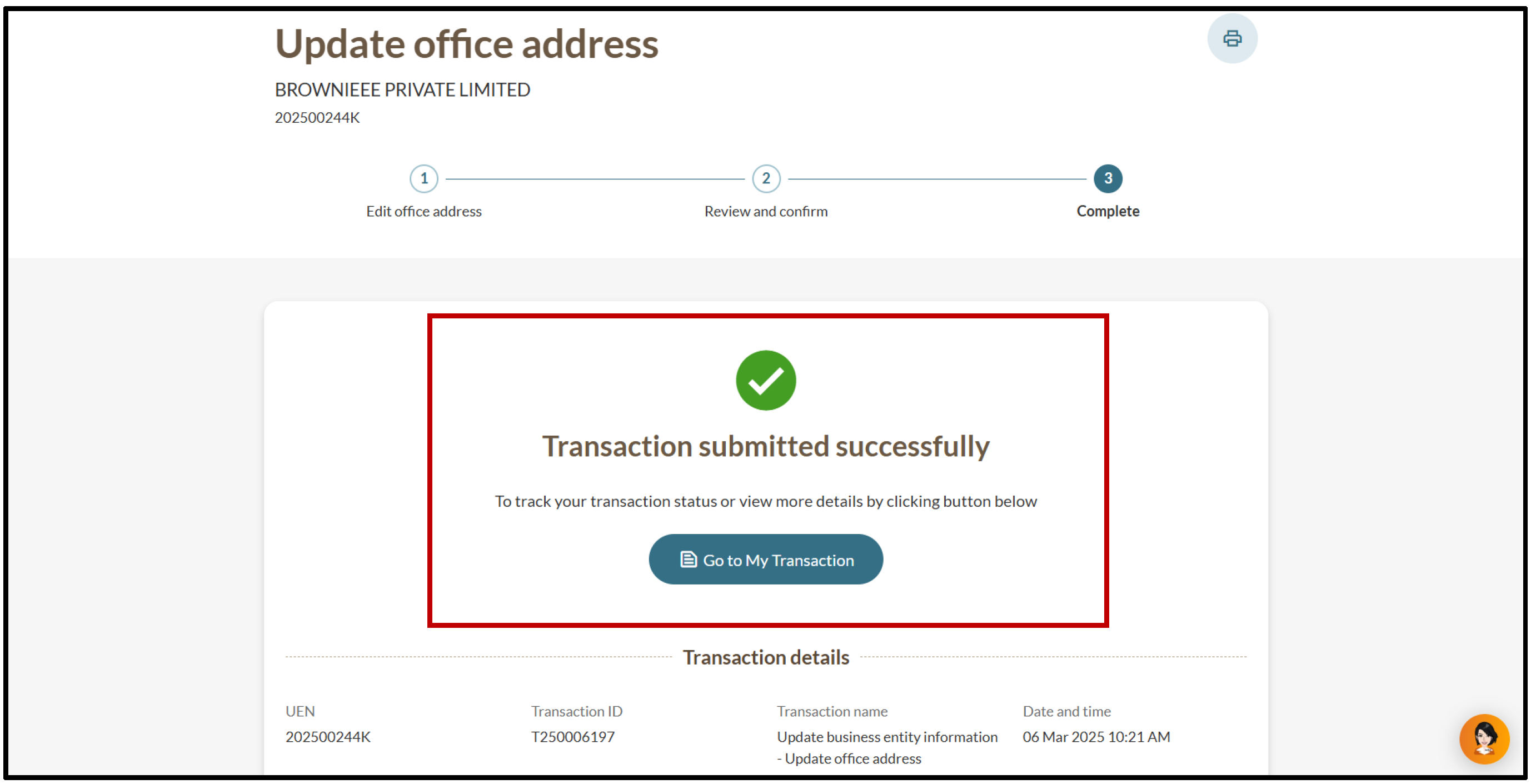
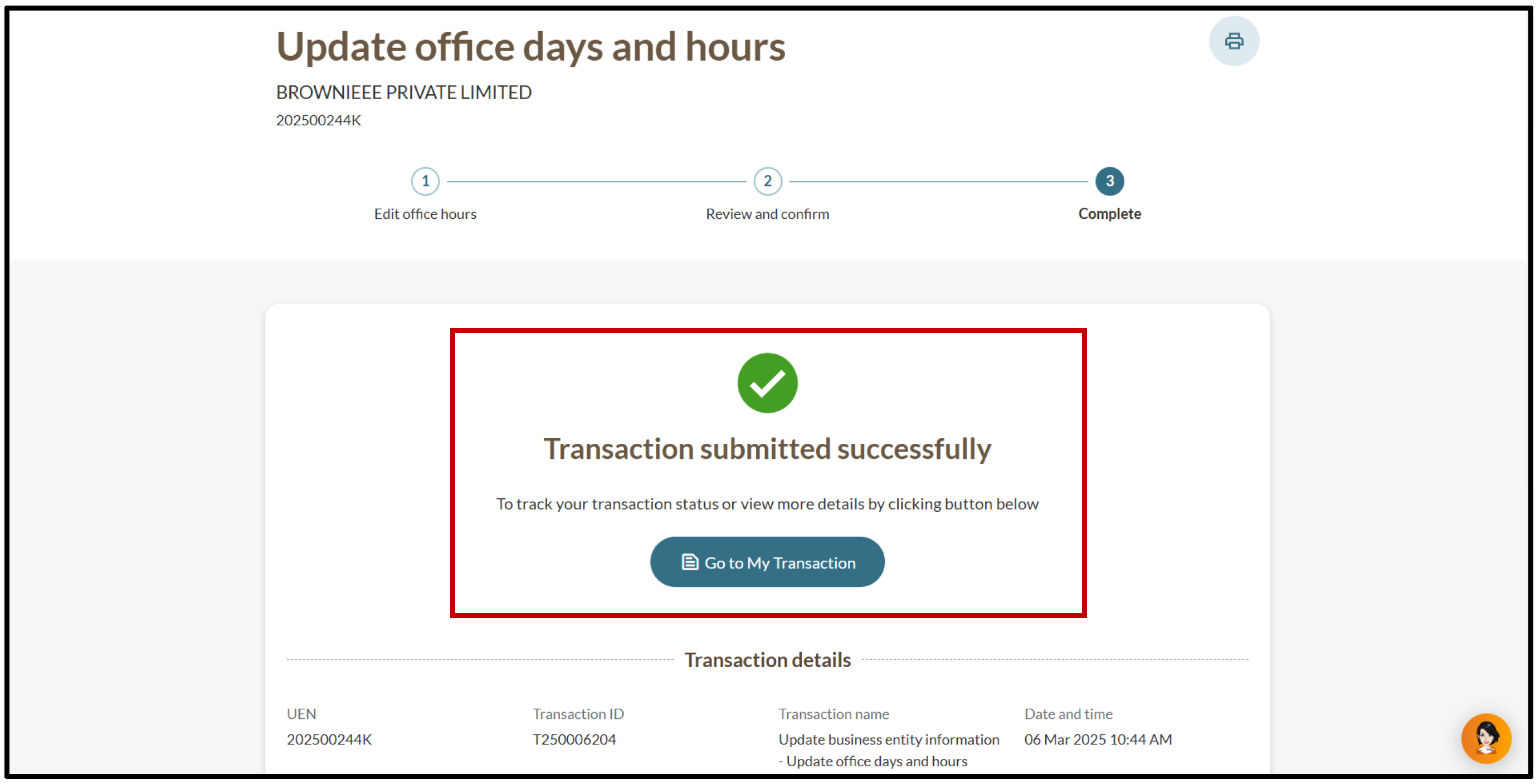
4. You will see a message confirming the update. You will also receive a notification that confirms the update in your Bizfile inbox.
2e. Updating your registers address
Local and foreign companies are required to maintain the address where these registers are kept:
Register of members and index
Register of holders of debentures for local companies
Branch register of members
Follow these steps to update your registers address:
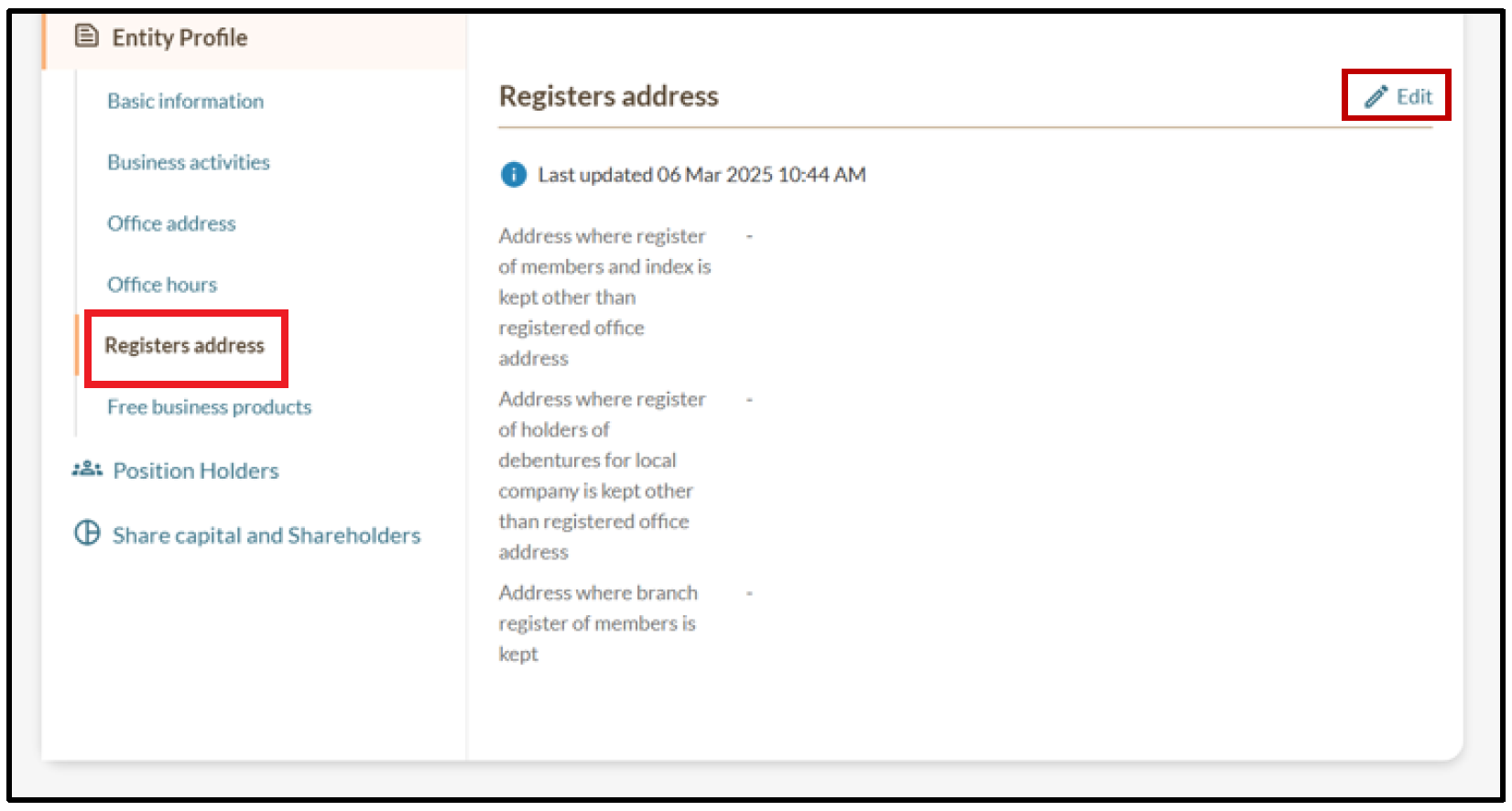
1. On the "Entity Information" page, select "Registers address" and click “Edit”.
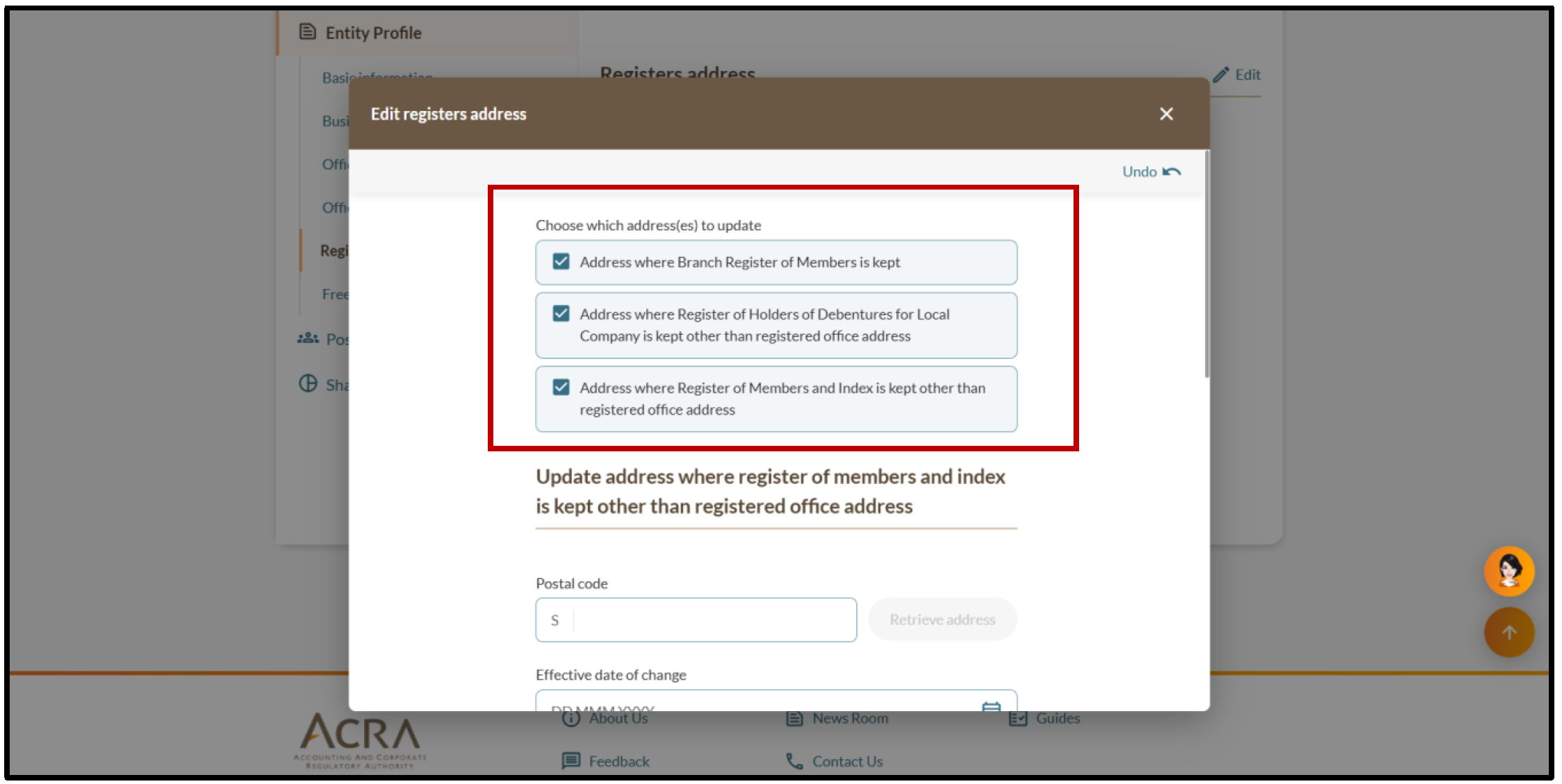
2. Select the addresses you wish to update. Then, enter the updated address of each register. You may update multiple register addresses in a single transaction or submit them separately.
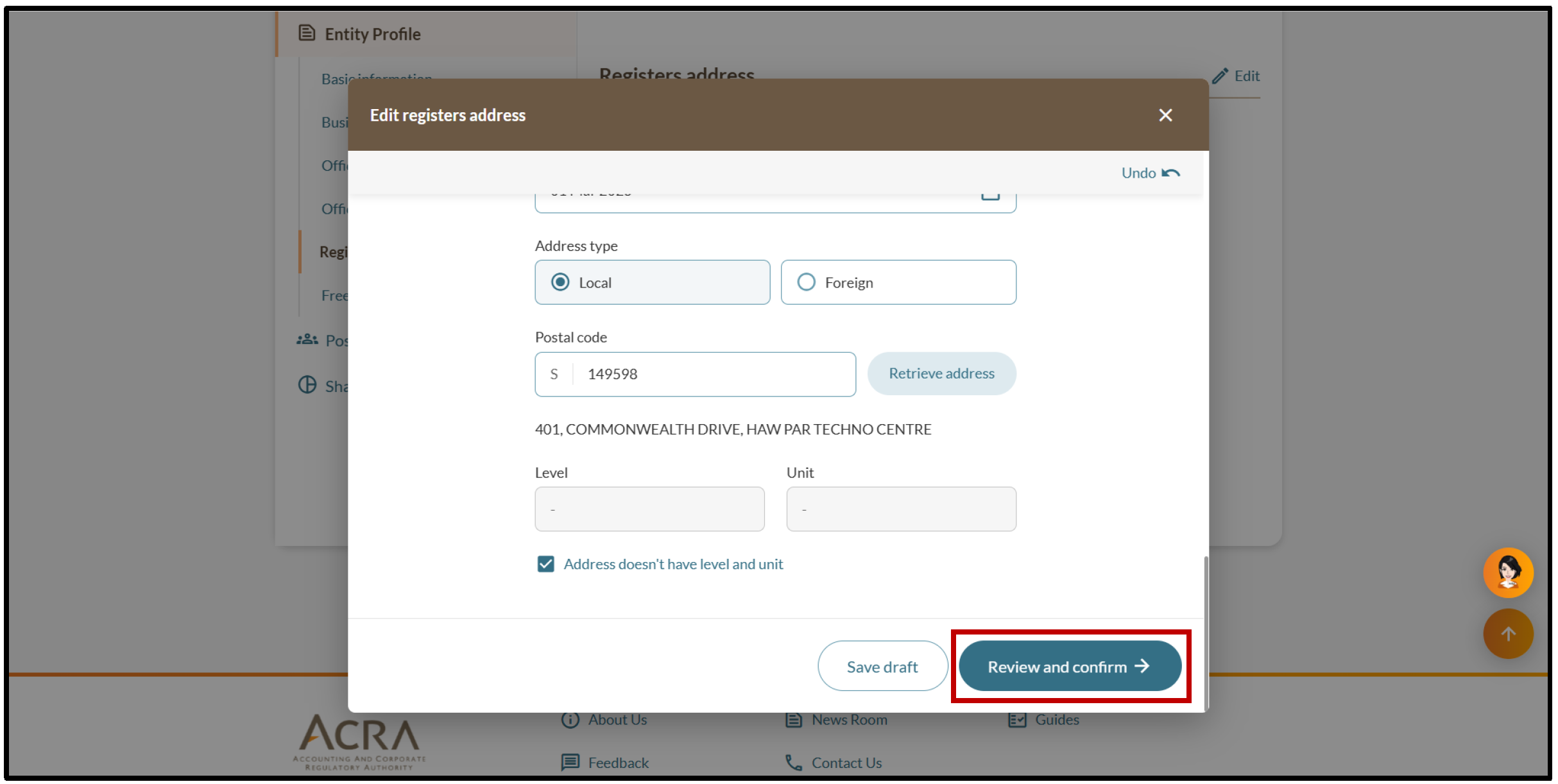
3. Click “Review and confirm”.
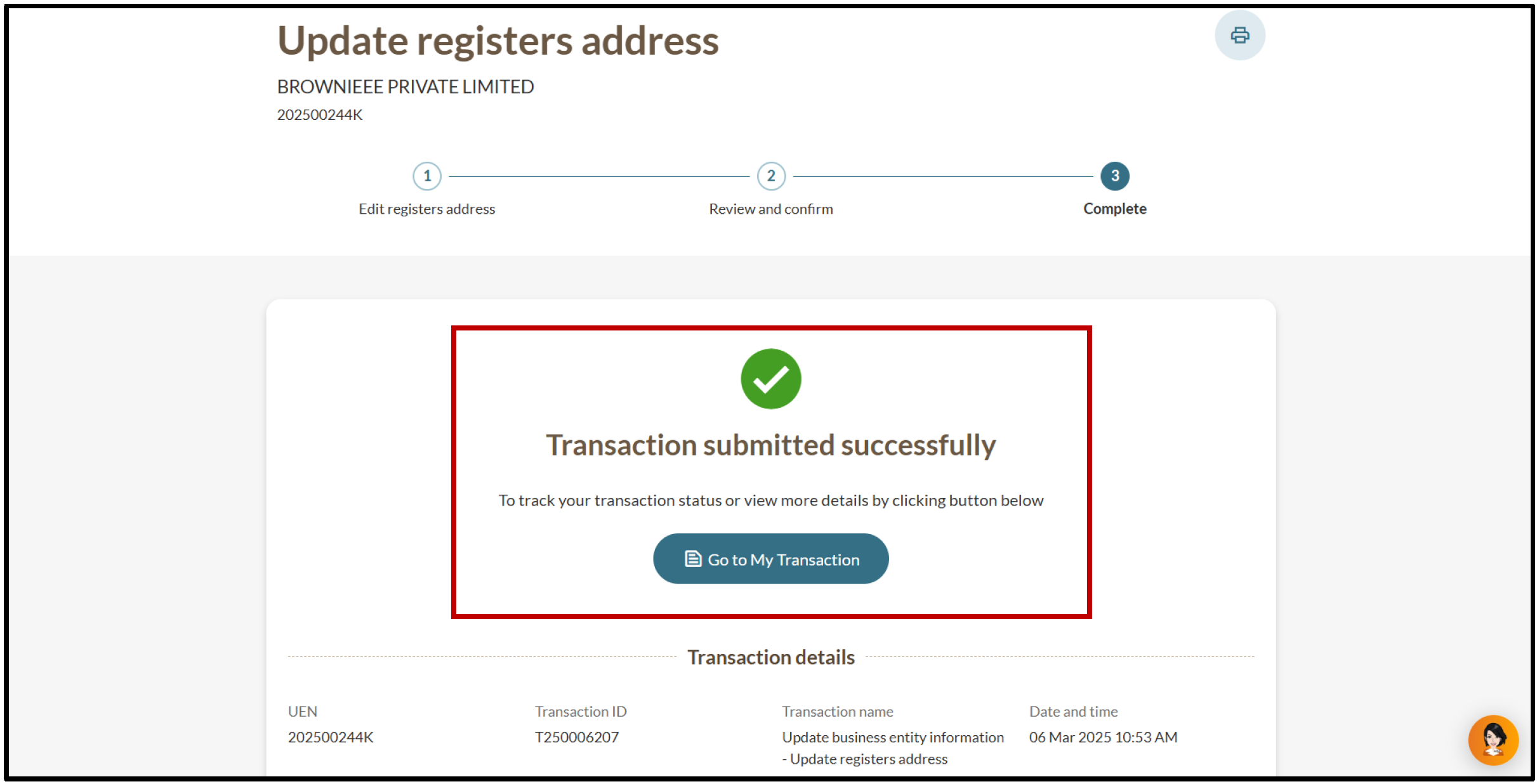
5. You will see a message confirming the update. You will also receive a notification that confirms the update in your Bizfile inbox.
2f. Updating your LP's branch information
Follow these steps to notify ACRA of any changes to your branch details.
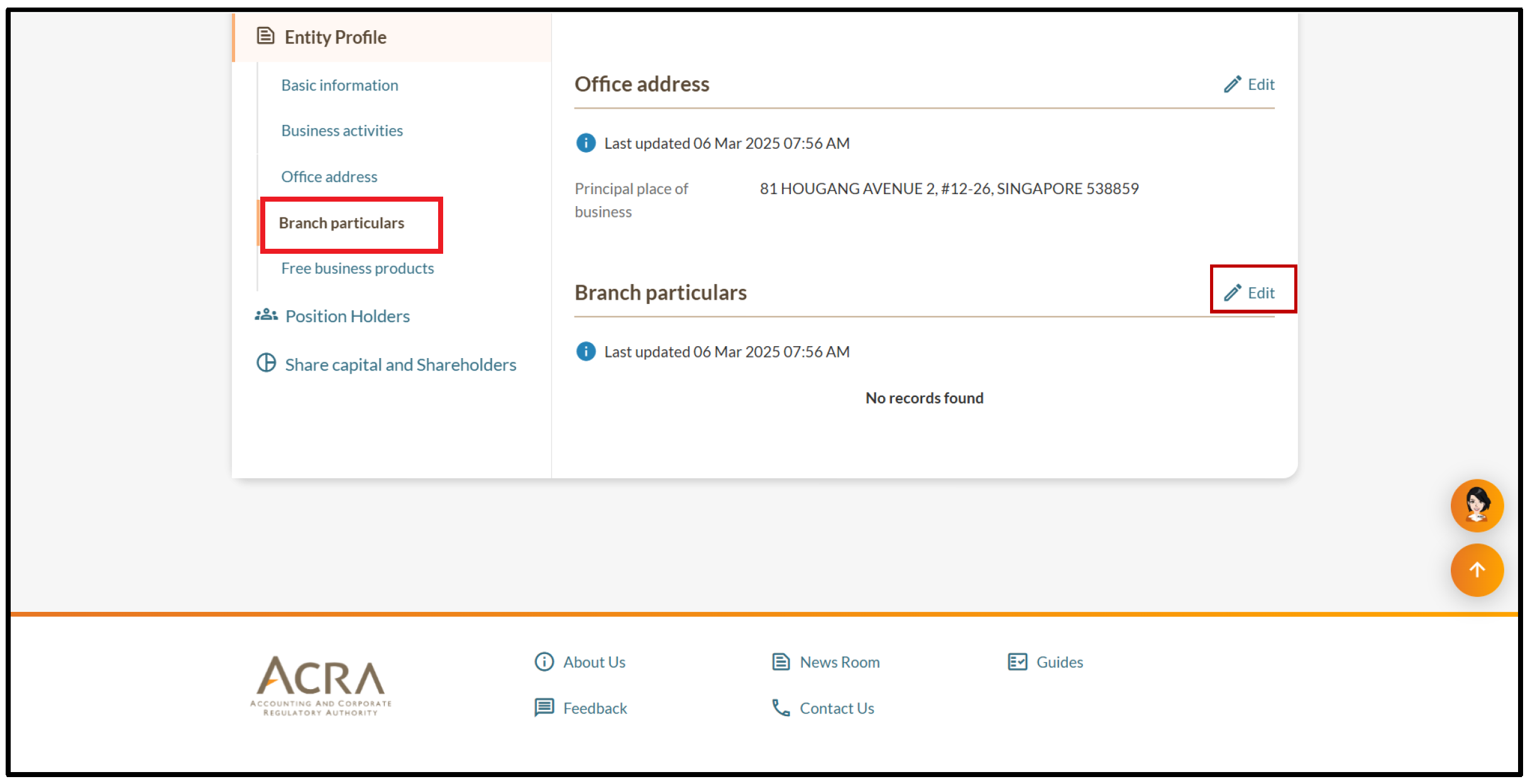
1. On the "Entity Information" page, select "Branch particulars" and click “Edit”.
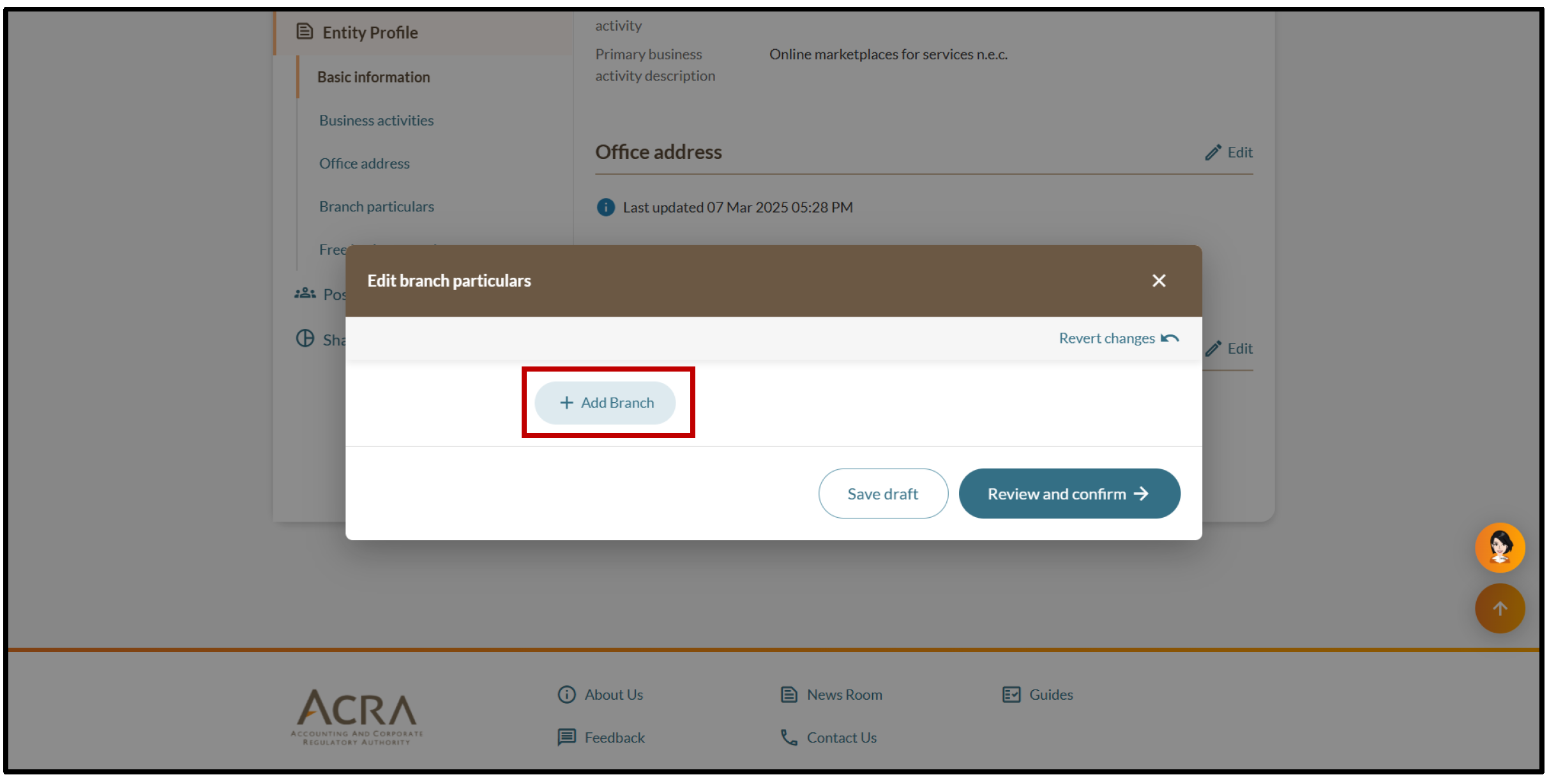
2. Click “Add Branch” and "Review and confirm".
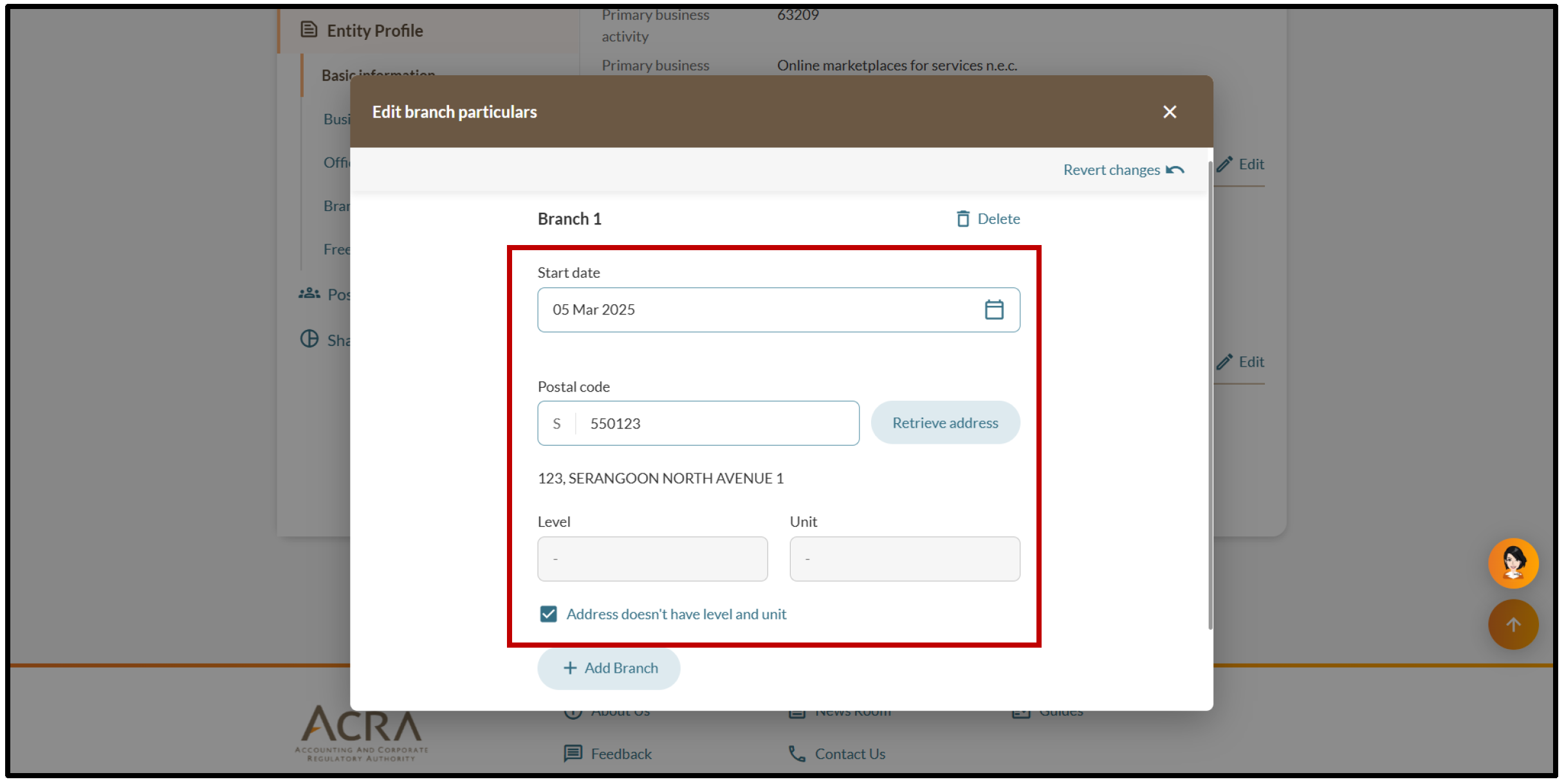
3. Enter the branch's start date and enter its postal code. Then, click "Retrieve address".
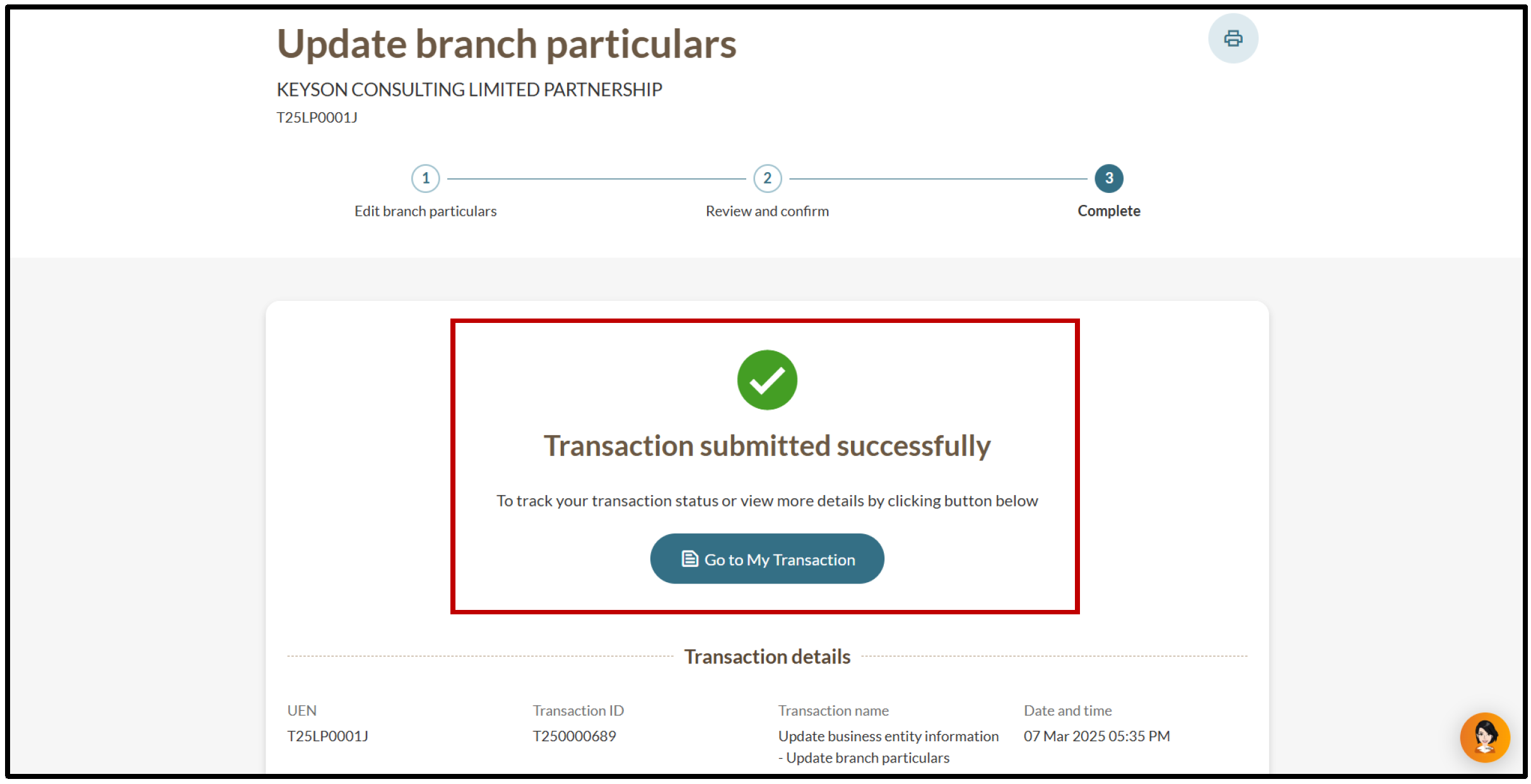
6. You will see a message confirming the update. You will also receive a notification that confirms the update in your Bizfile inbox.
2g. Updating your LP's status
LPs registered under Regulation 12 can follow these steps to update their status after they convert to a non-Regulation 12 Limited Partnership.
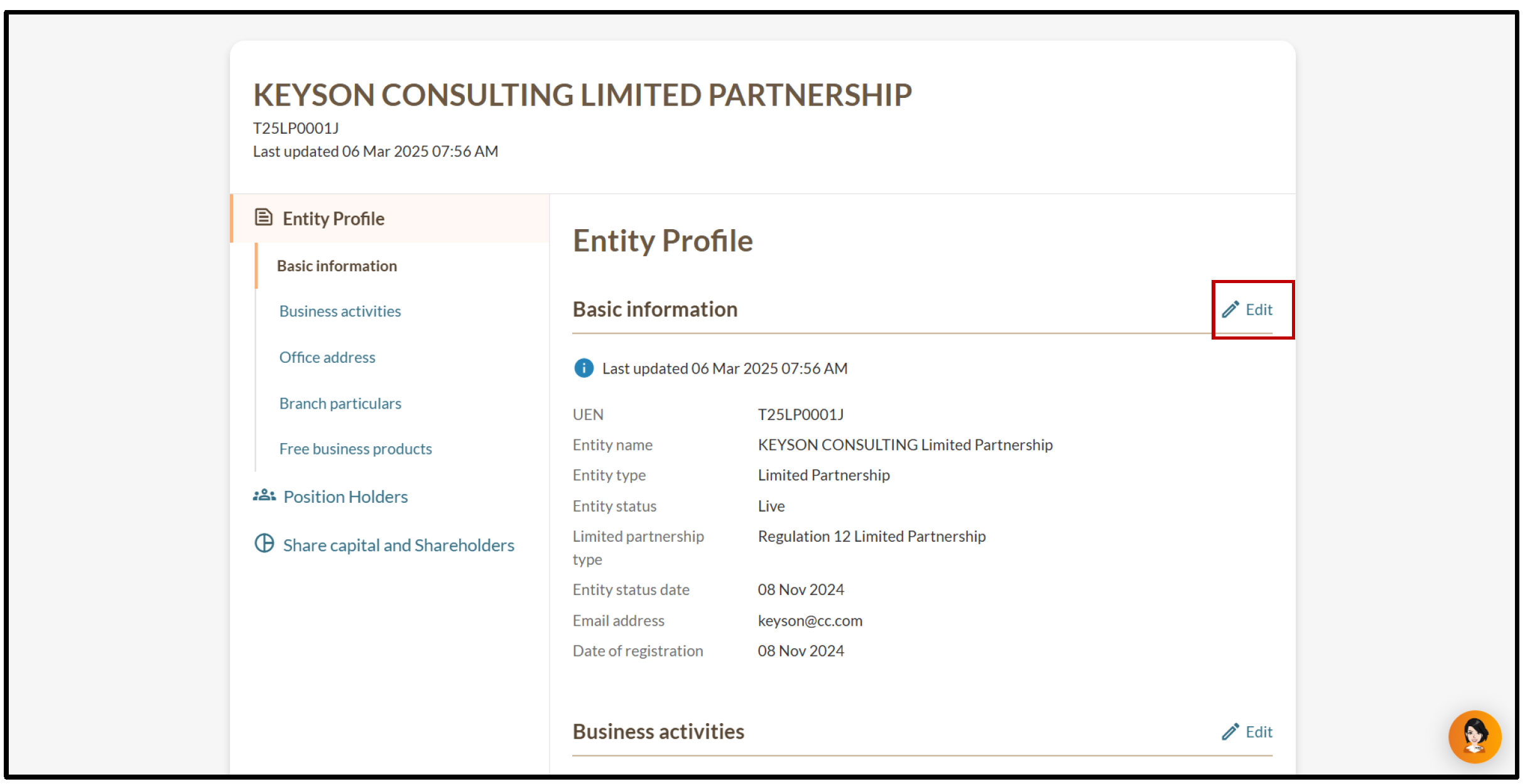
1. On the "Entity Information" page, select "Basic information" and click “Edit”.
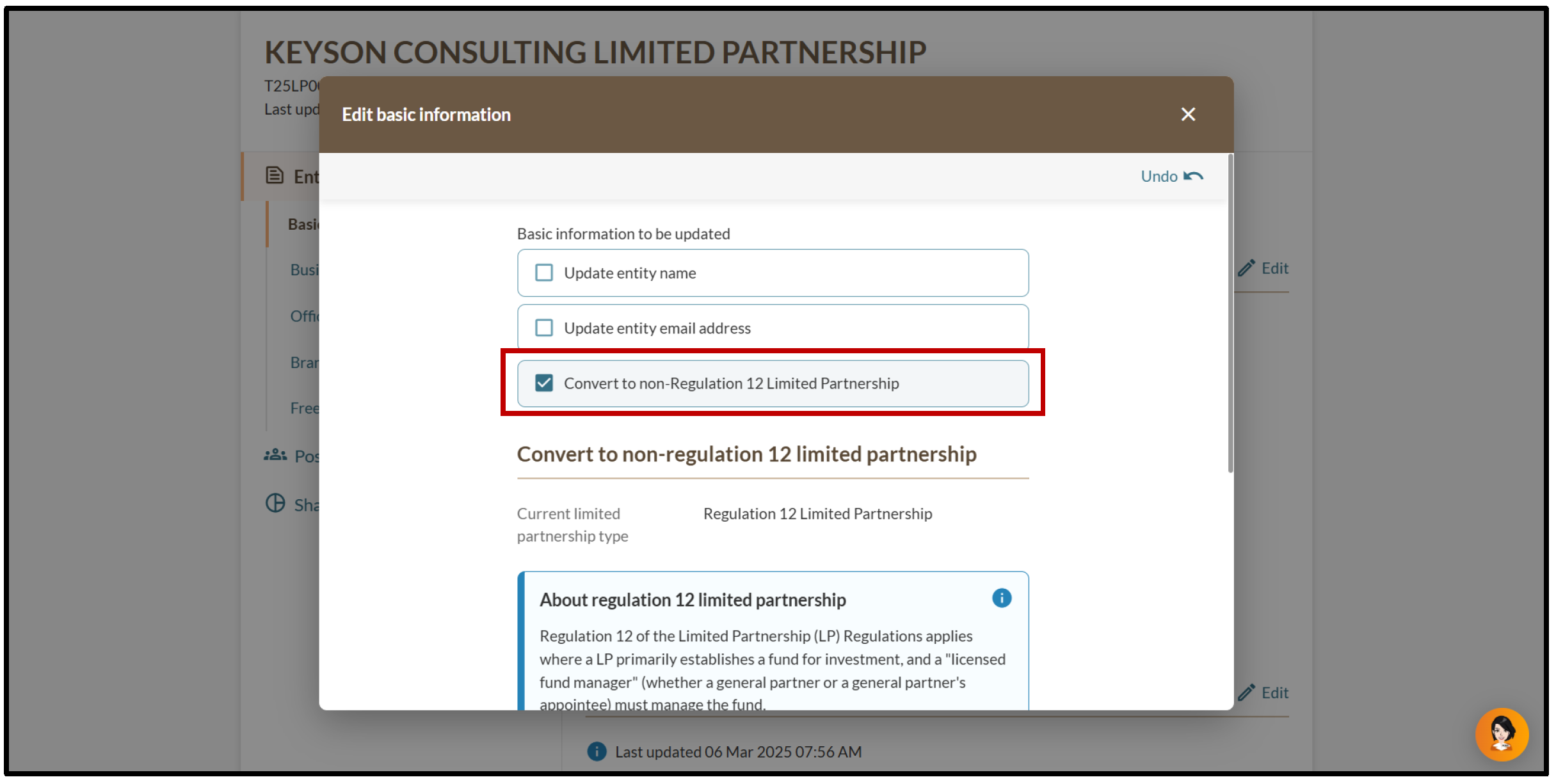
2. Select "Convert to non-Regulation 12 Limited Partnership”.
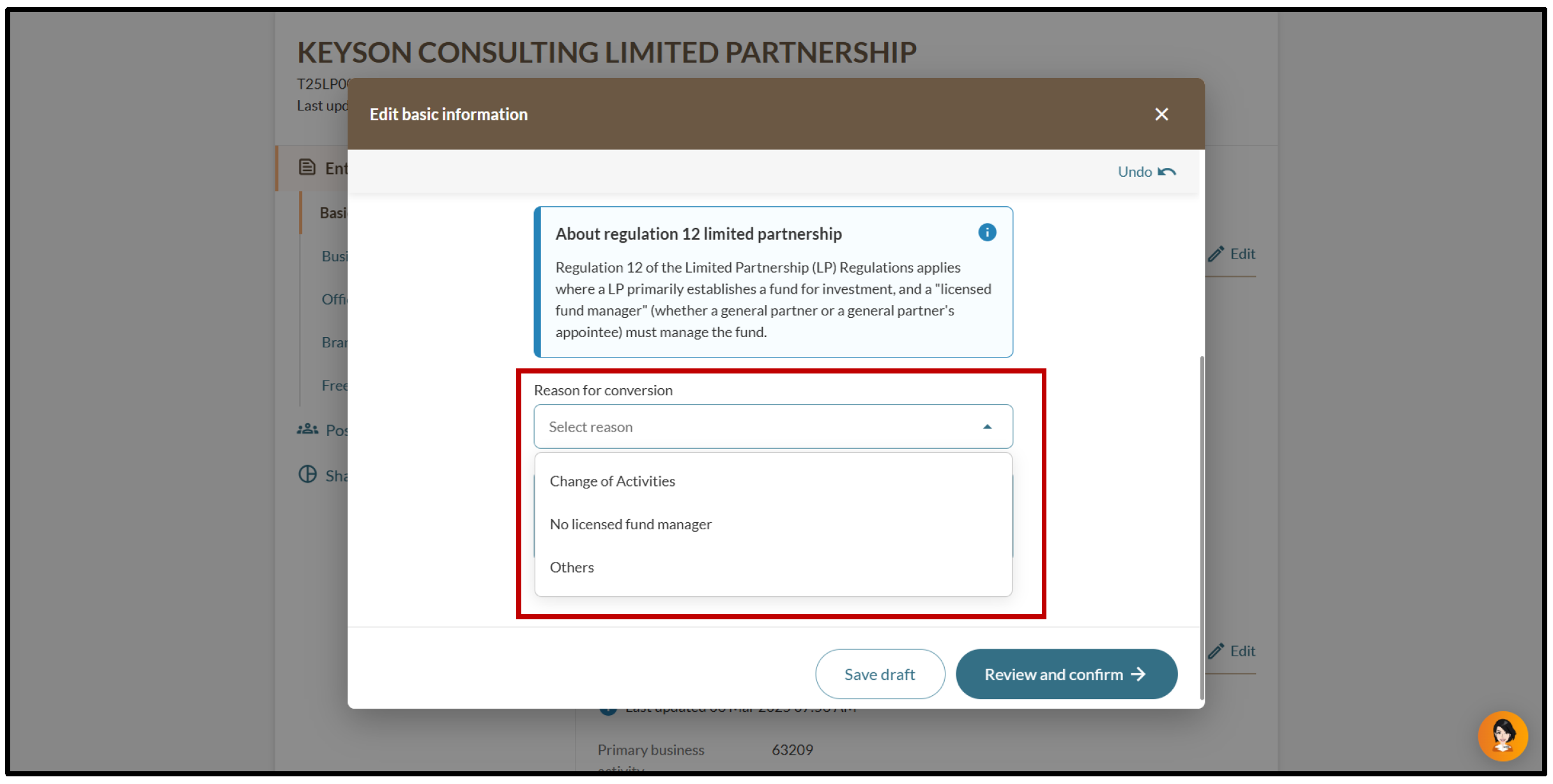
3. Specify the reason for the conversion.
6. You will see a message confirming the update. You will also receive a notification that confirms the update in your Bizfile inbox.
2h. Updating your charter, statute, memorandum, articles or other instruments (for foreign companies)
Foreign companies can follow these steps to update their charter, statute, memorandum, articles, or other instruments.
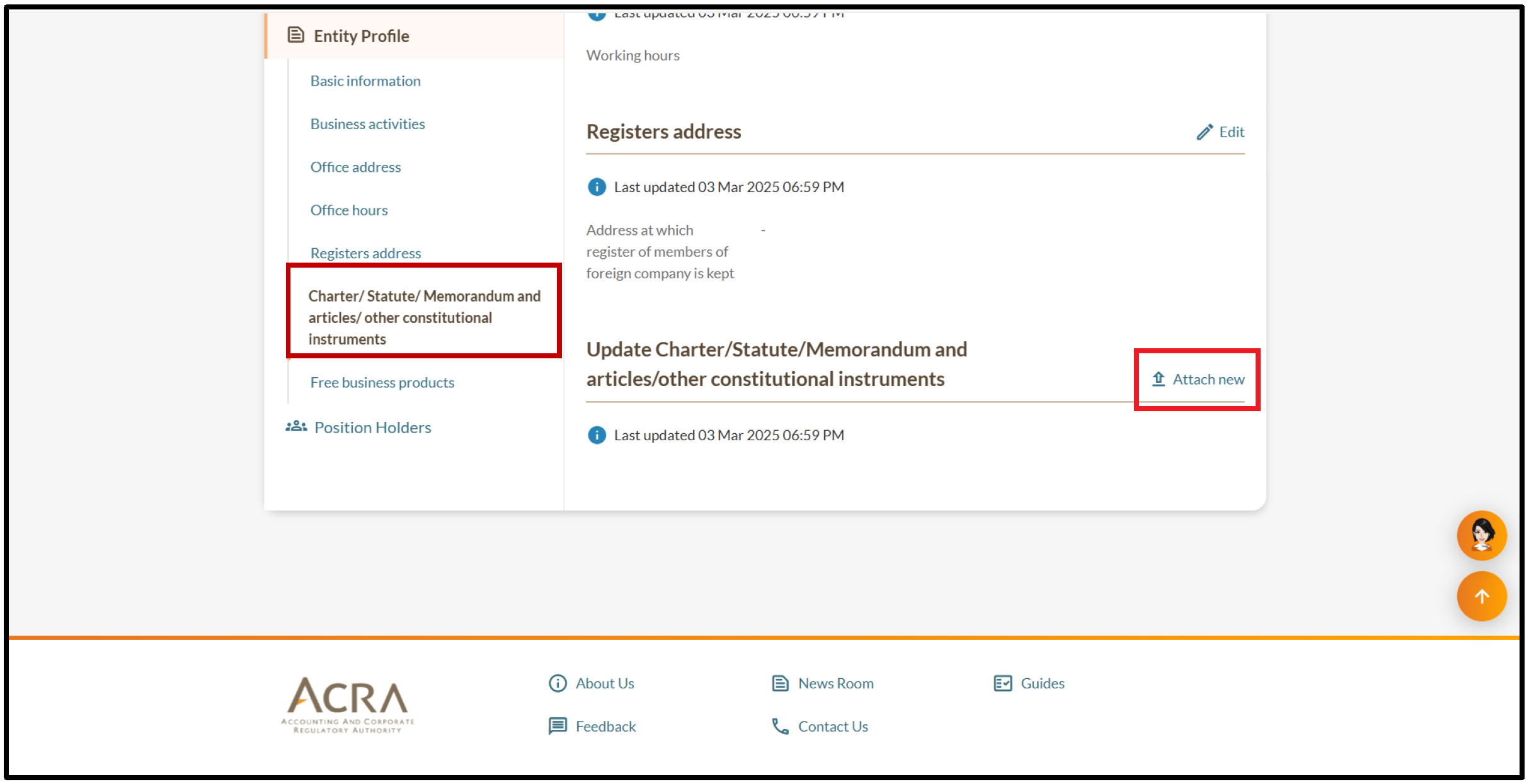
1. On the "Entity Information" page, select "Charter/ Statue/ Memorandum and articles/ other constitutional instruments” and click “Attach new".
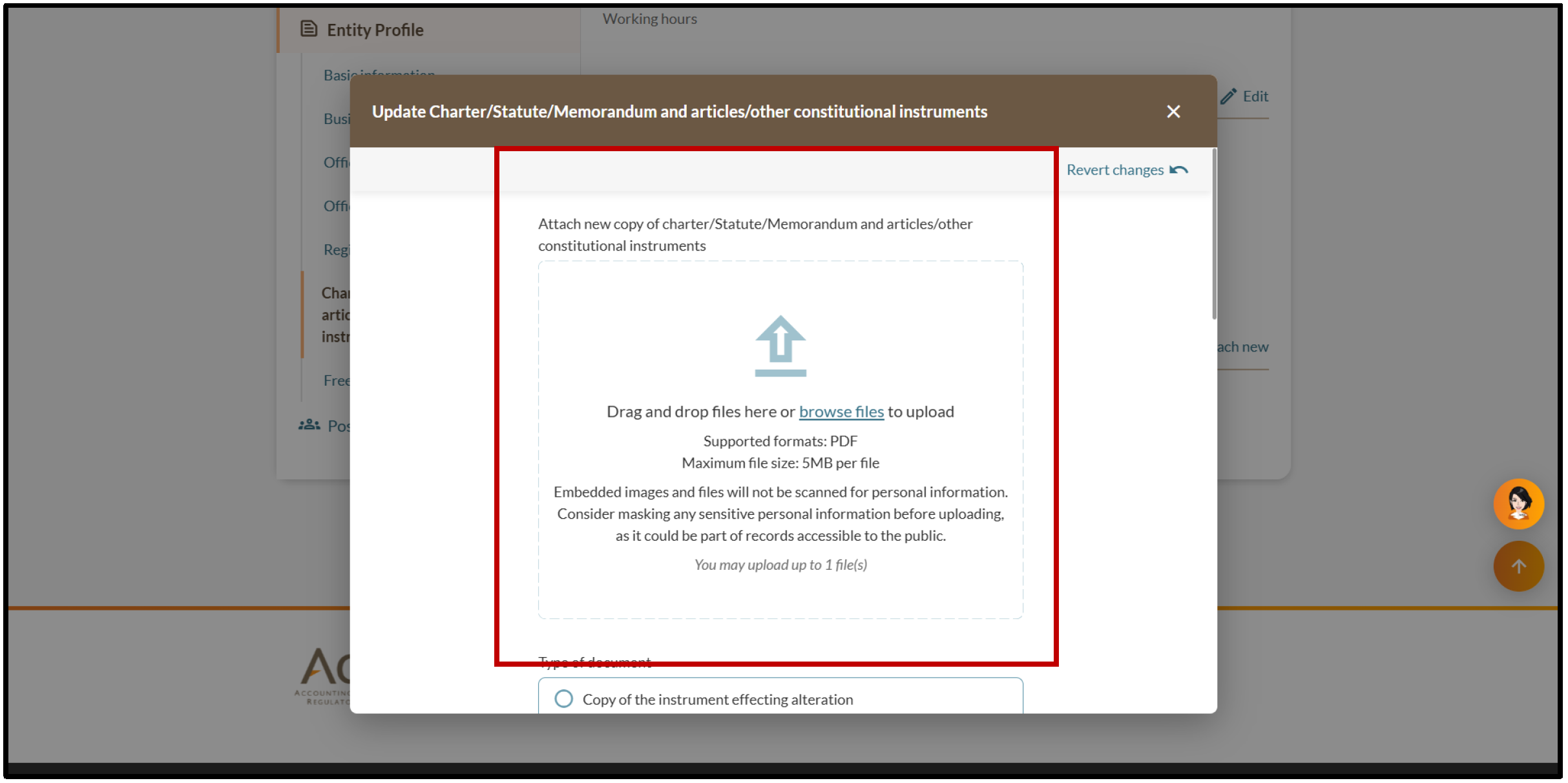
2. Attach the required documents and specify the relevant document type.
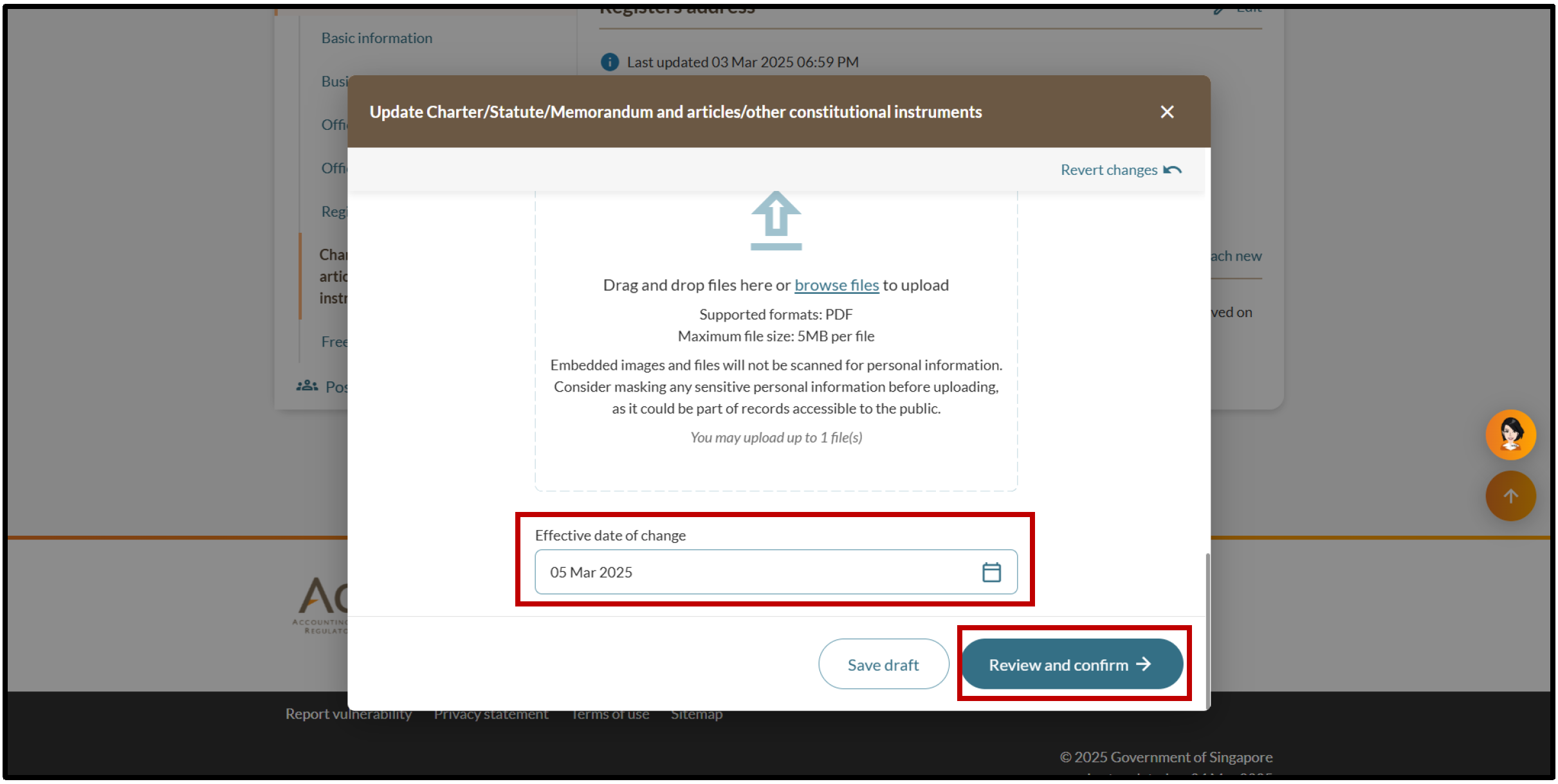
3. Enter the effective date of change and click “Review and confirm”.
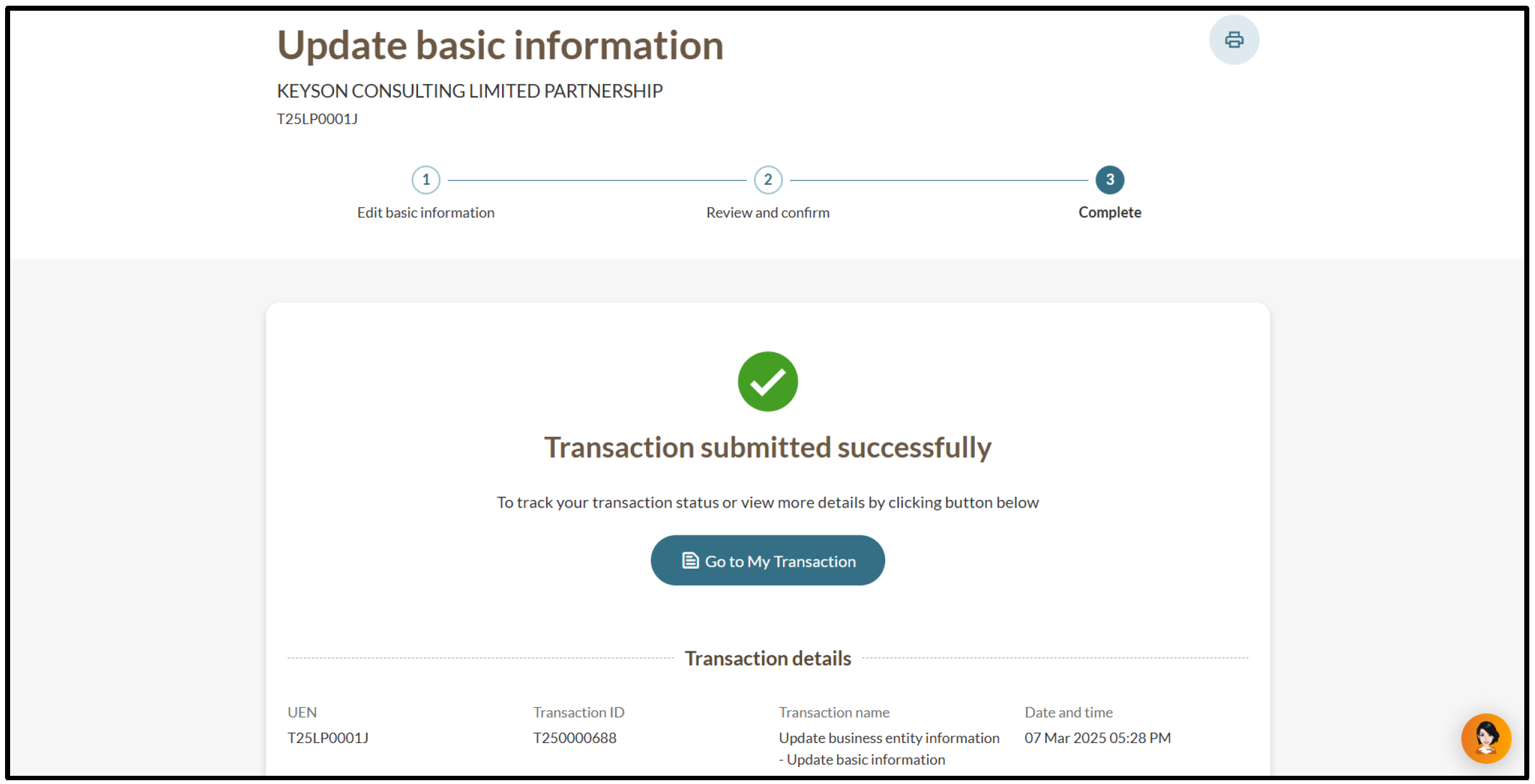
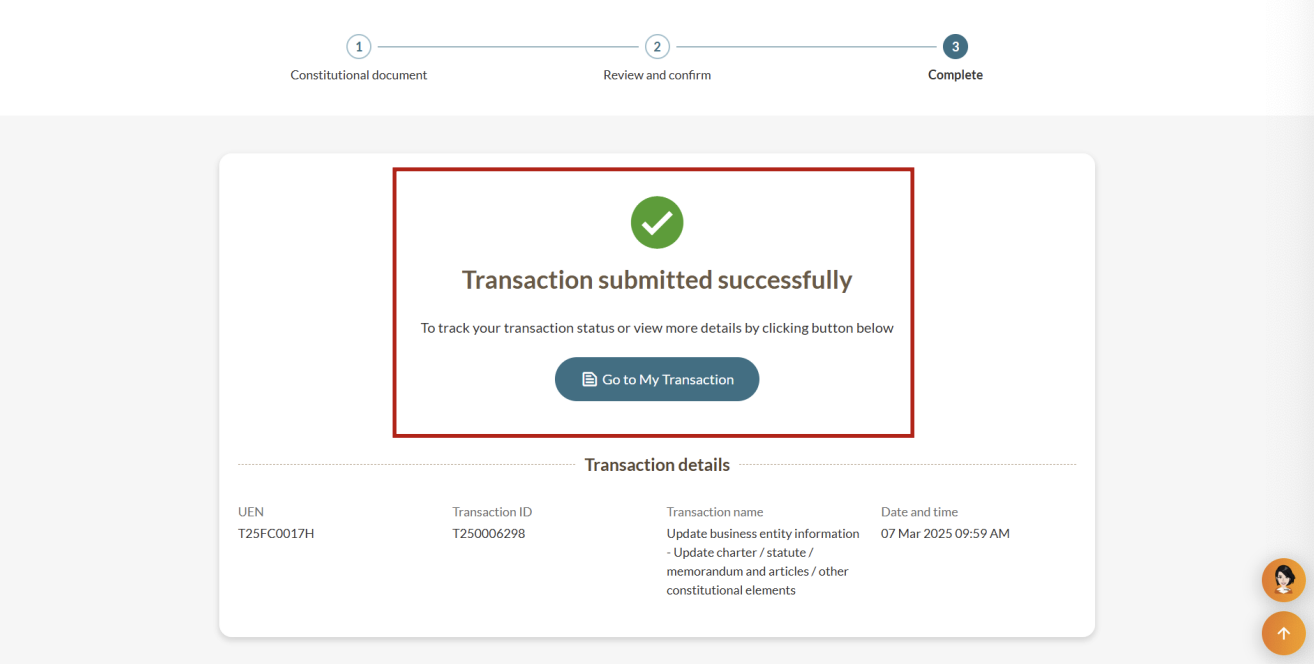
5. You will see a message confirming the update. You will also receive a notification that confirms the update in your Bizfile inbox.