
Guide
Submitting an objection against striking off
Audience
Accounting entities
Businesses
Corporate Service Providers (CSP)
Task or topic
Close business or deregister
11 December 2025
Learn how to submit objections against applications to strike off local companies, limited liability partnerships (LLPs) and foreign companies.
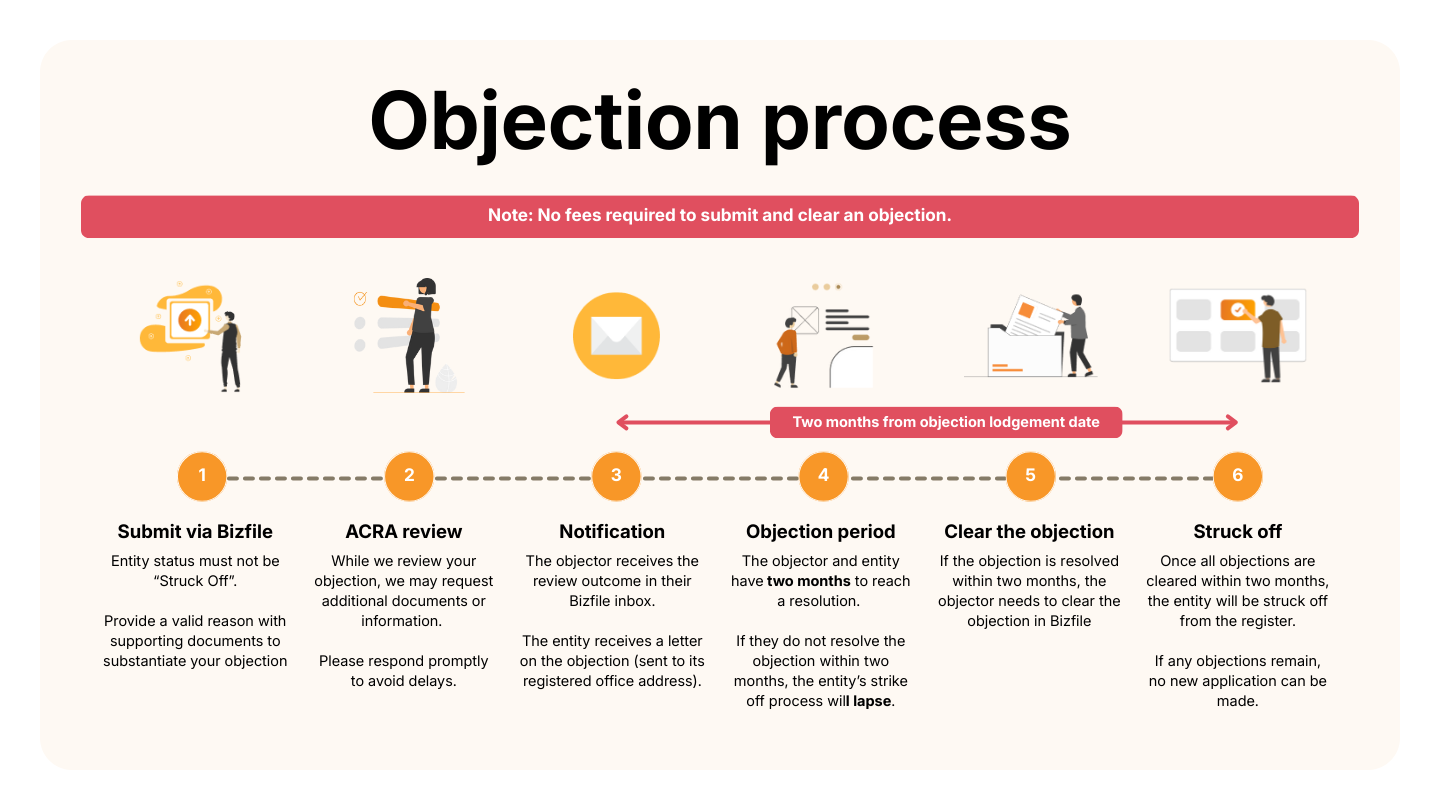
Overview of the objection process
Before you submit
This guide explains how to submit an objection against striking off. Use the Submit/clear objections against striking off eService to object.
You may only submit an objection if the entity's status is not "Struck Off".
Who may submit
Any interested person can submit an objection against a striking off application through Bizfile.
If you are submitting an objection on behalf of an entity, ensure that the entity:
Has a "Live" status; and
Is currently active or in operation.
These requirements apply to:
Businesses (such as companies, limited liability partnerships); and
Corporate service providers (CSPs).
What you need to prepare
Before you submit an objection, you are encouraged to:
Make sure your annual returns are filed and up to date.
Update your entity's information if your entity's email address is outdated.
To submit an objection via Bizfile, you need to prepare these items:
Required documents and information
You need to prepare | Details |
|---|---|
Unique entity number (UEN) of the entity you are objecting against | - |
Objector's details | You need to state if you are a/an:
|
Reasons(s) for objection | If the objection is not raised by a government agency, upload supporting documents as proof of any unresolved matters with the entity. |
Supporting documents | Examples of supporting documents:
Notes:
|
Fees and processing time
Submitting an objection
What you need to know | Details |
|---|---|
Fee | Free |
Approval time | Varies based on the complexity of the objection reasons |
If you object as an individual
Follow these steps to submit an objection for yourself or on behalf of another party.
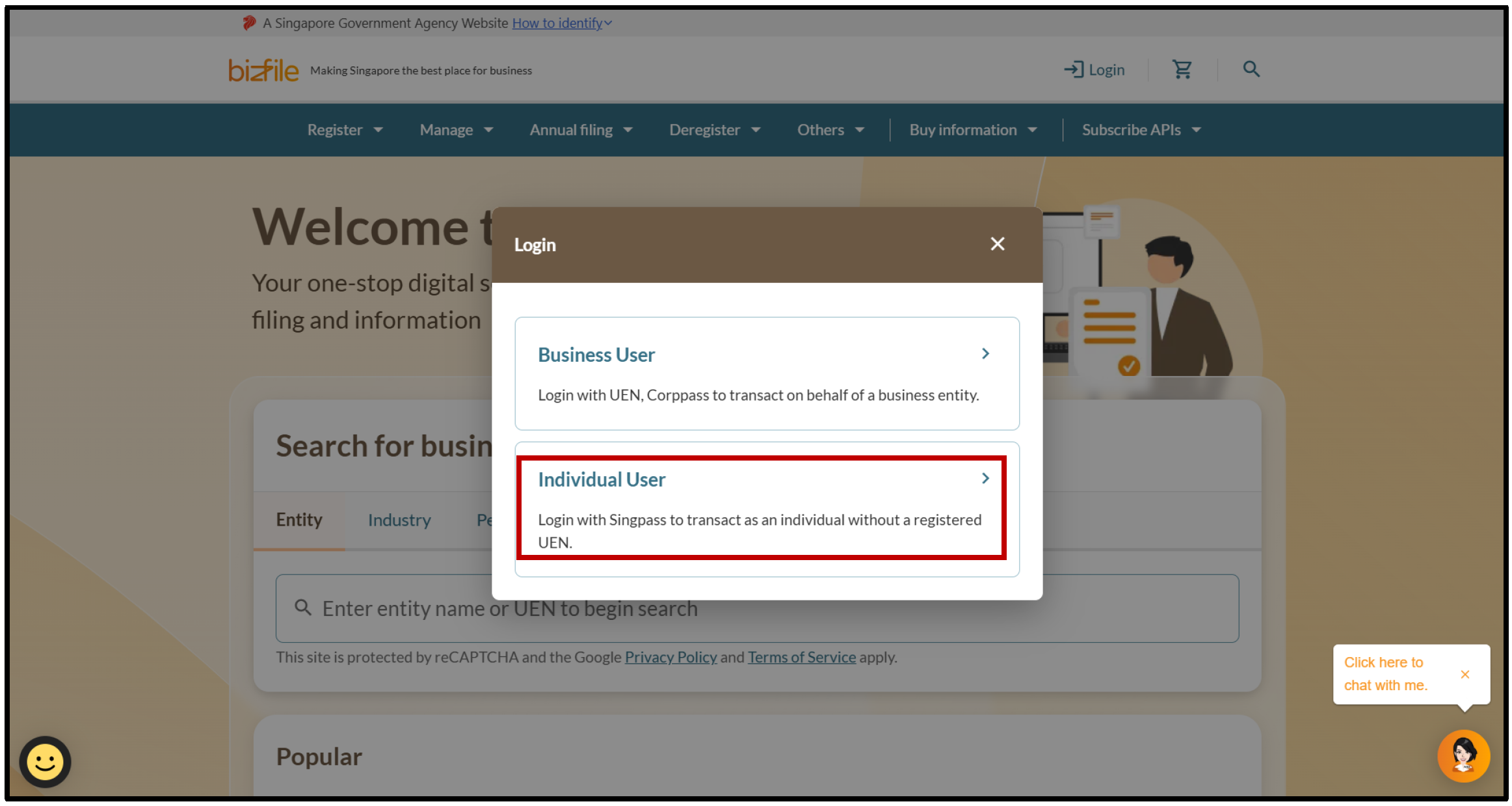
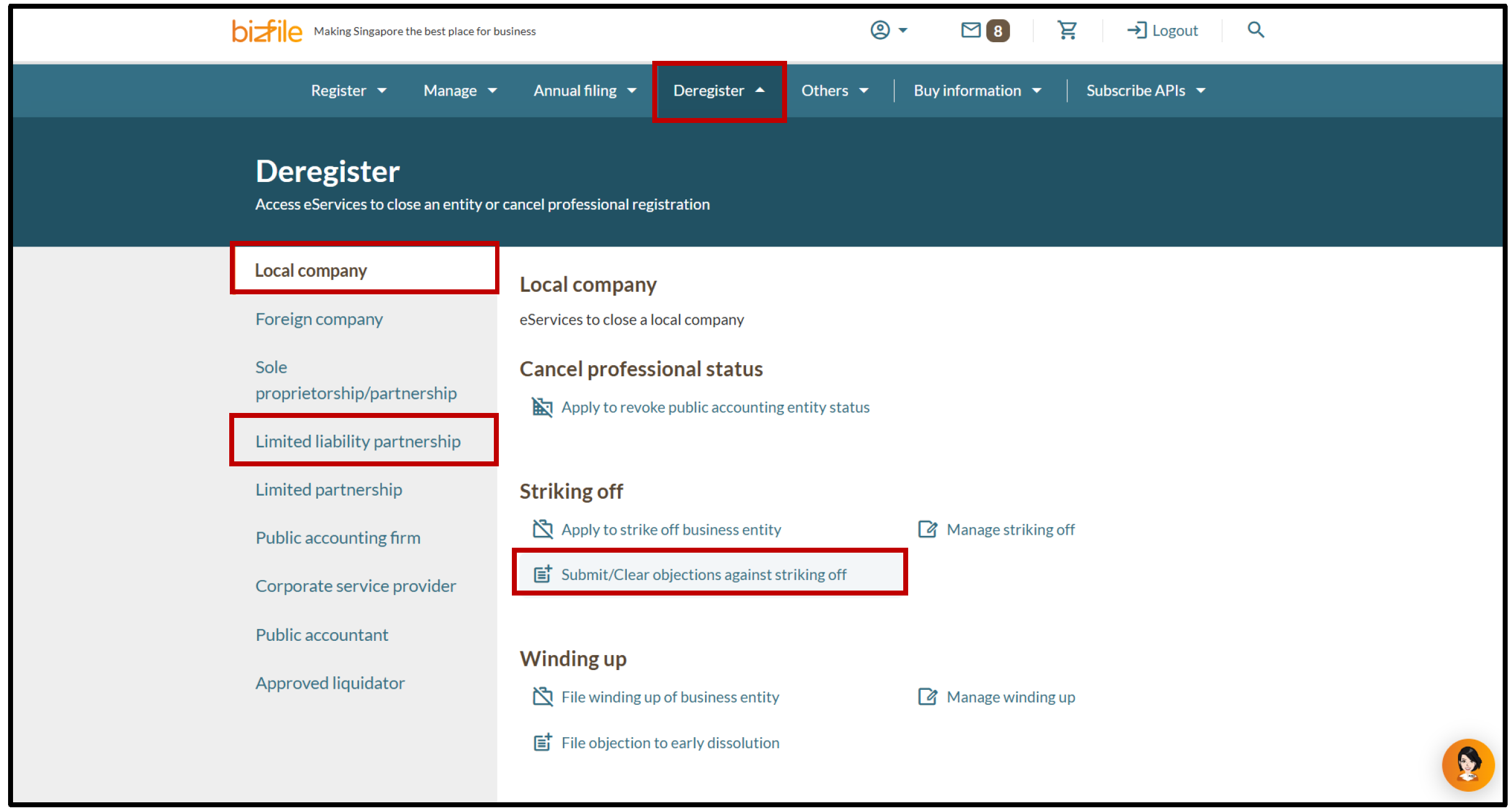
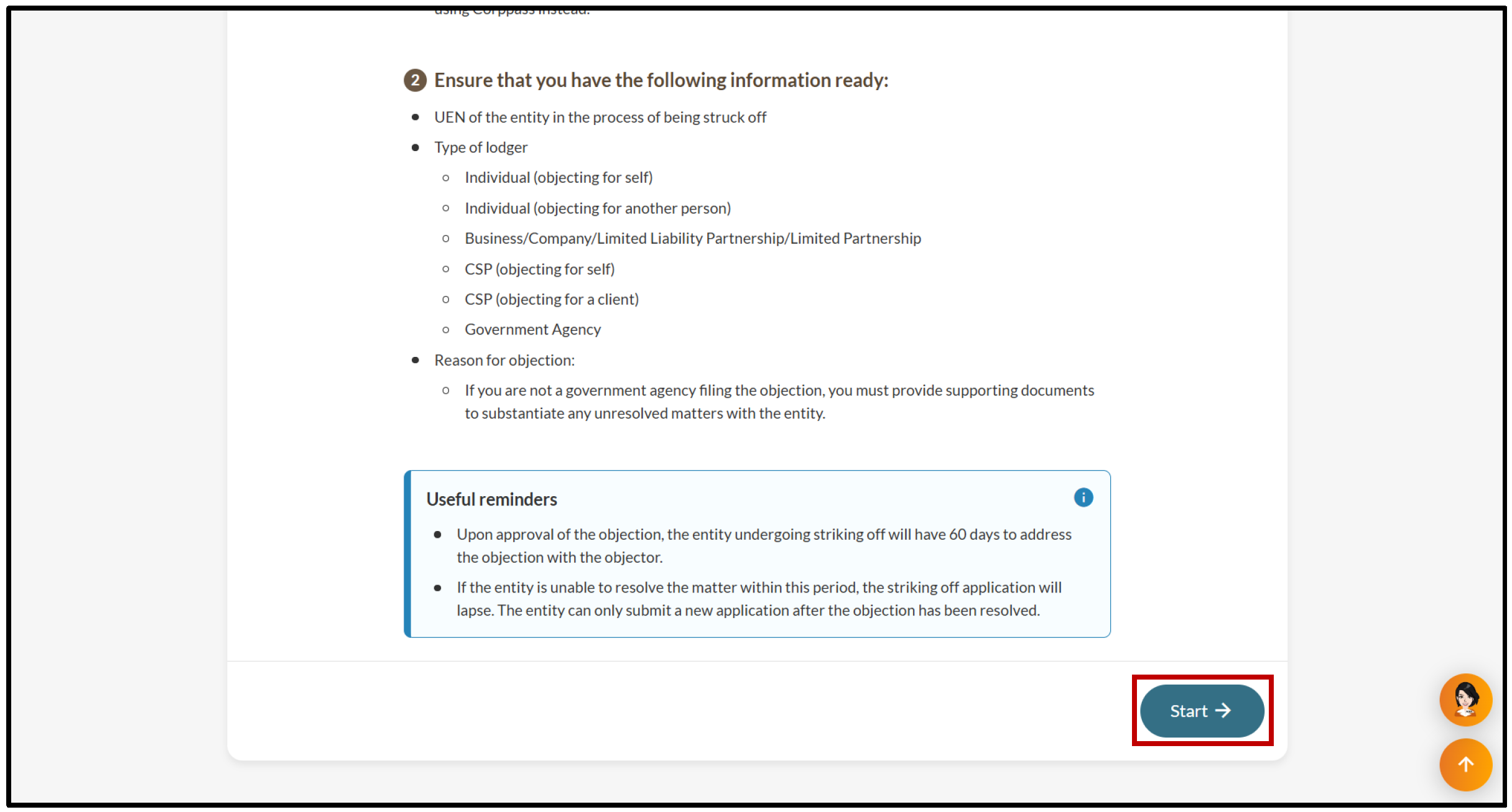
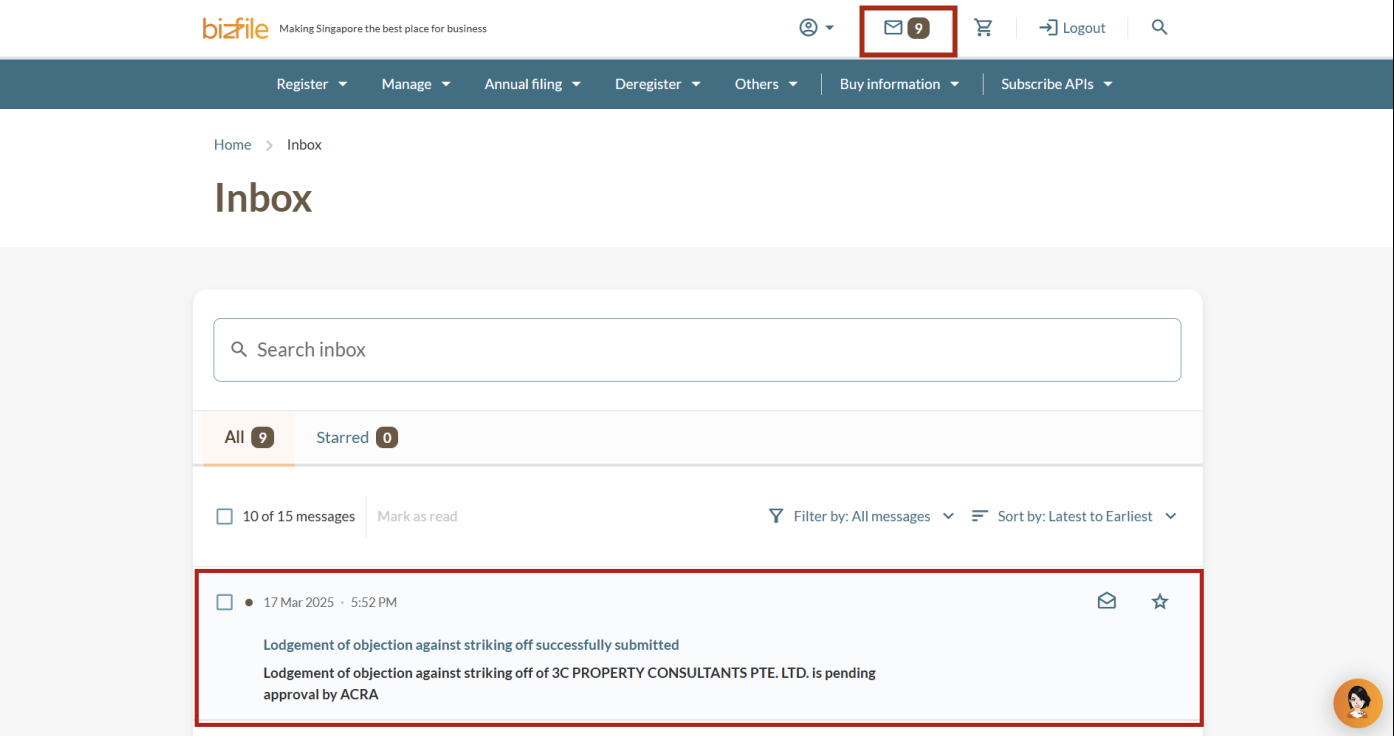
All entity and personal information (including UEN, entity details, NRIC or FIN numbers, names and addresses) shown are dummy data for illustration purposes only.
If you object on behalf of an entity
Follow these steps to submit an objection on behalf of an entity.
If your "Objector information" is incorrect or incomplete, update your entity's information before you submit the objection.
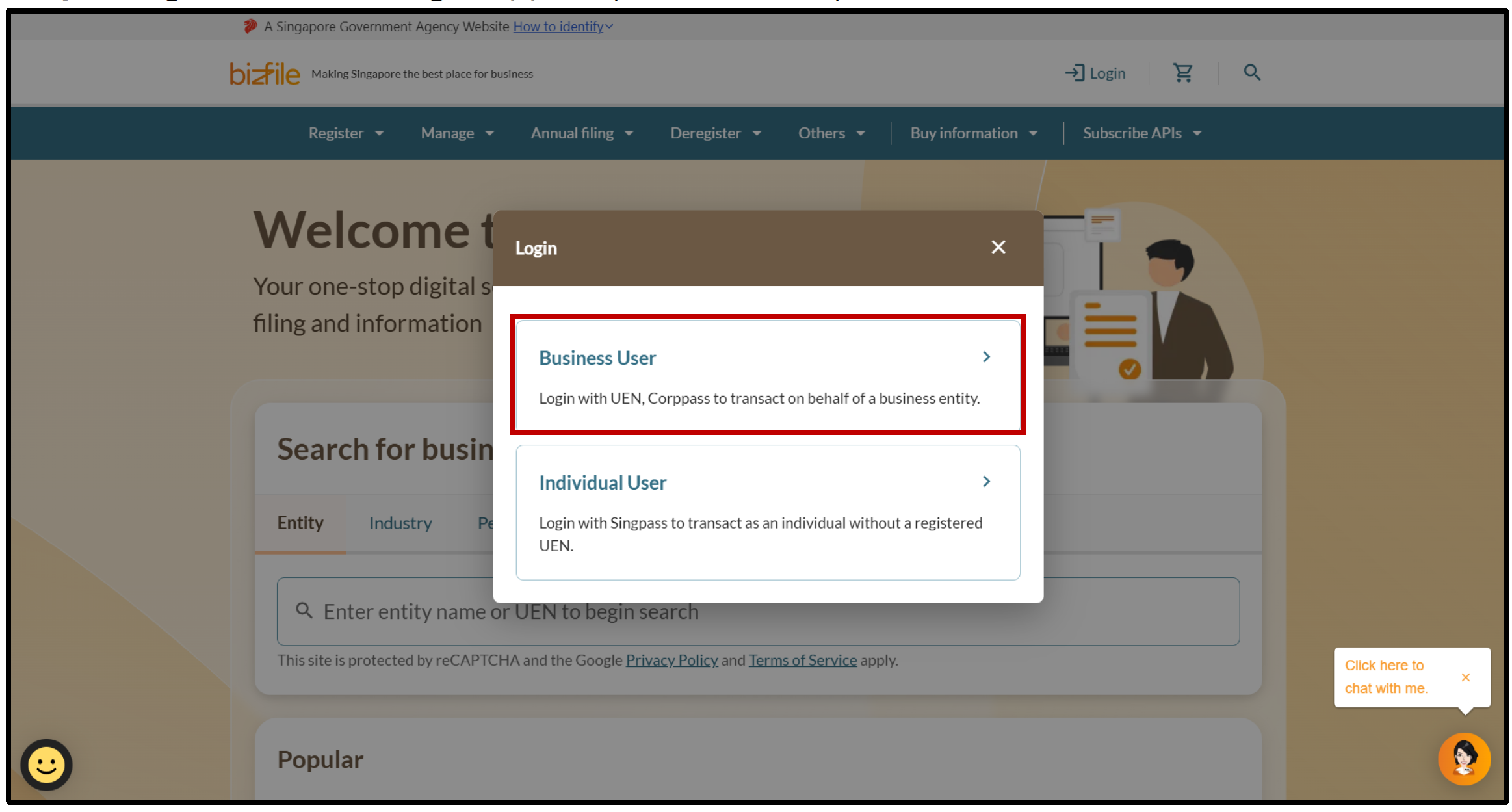
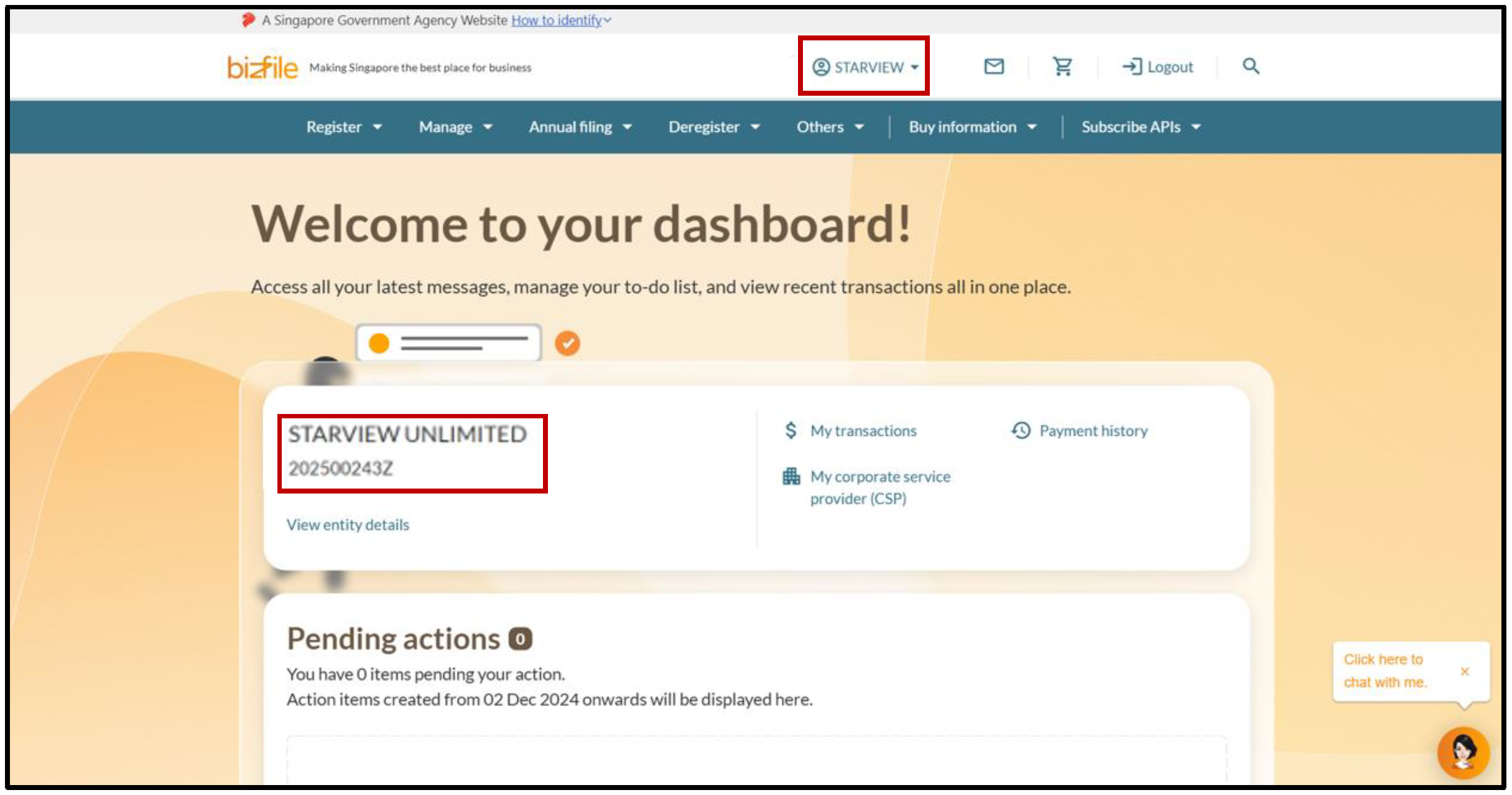
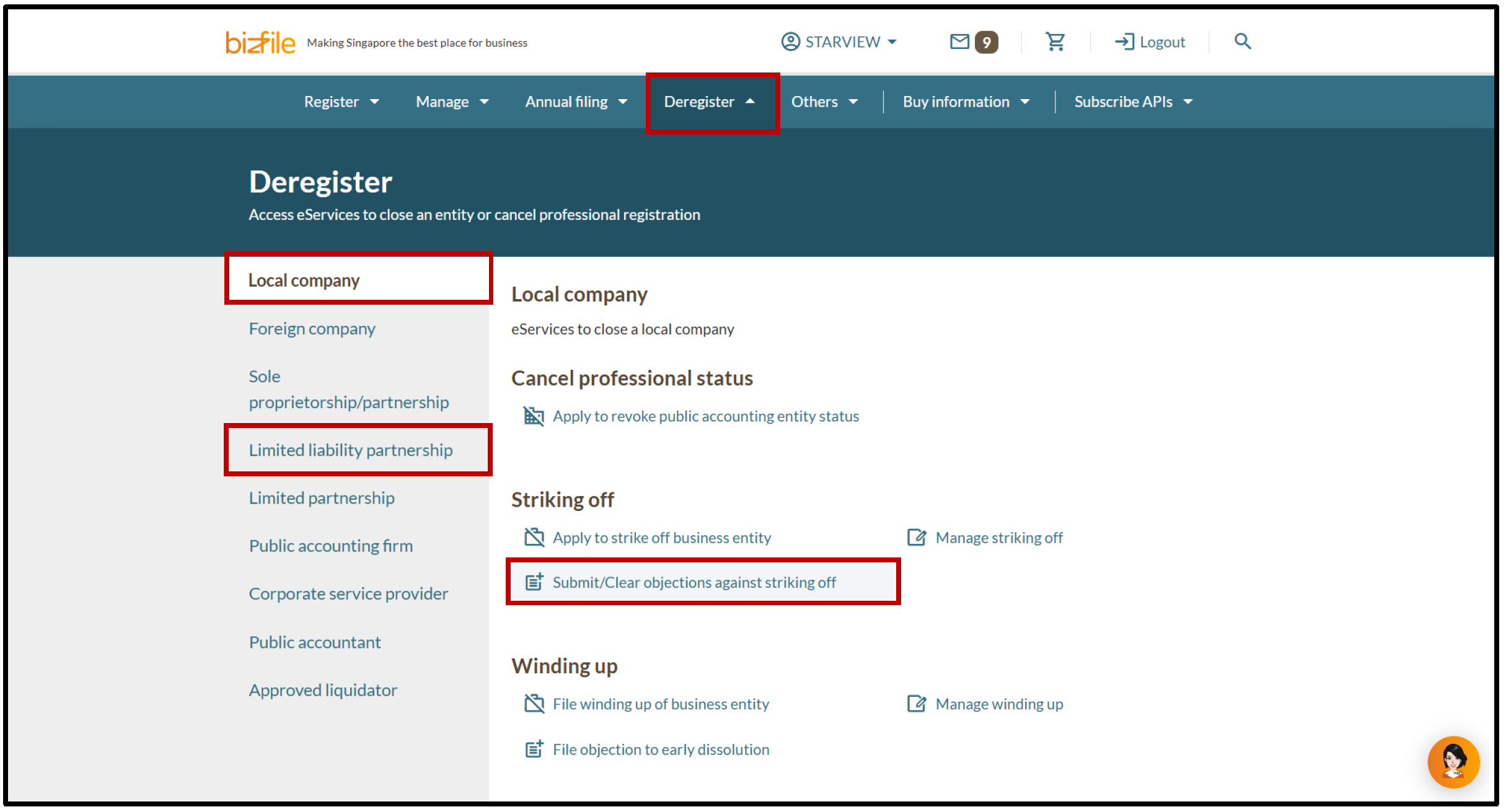
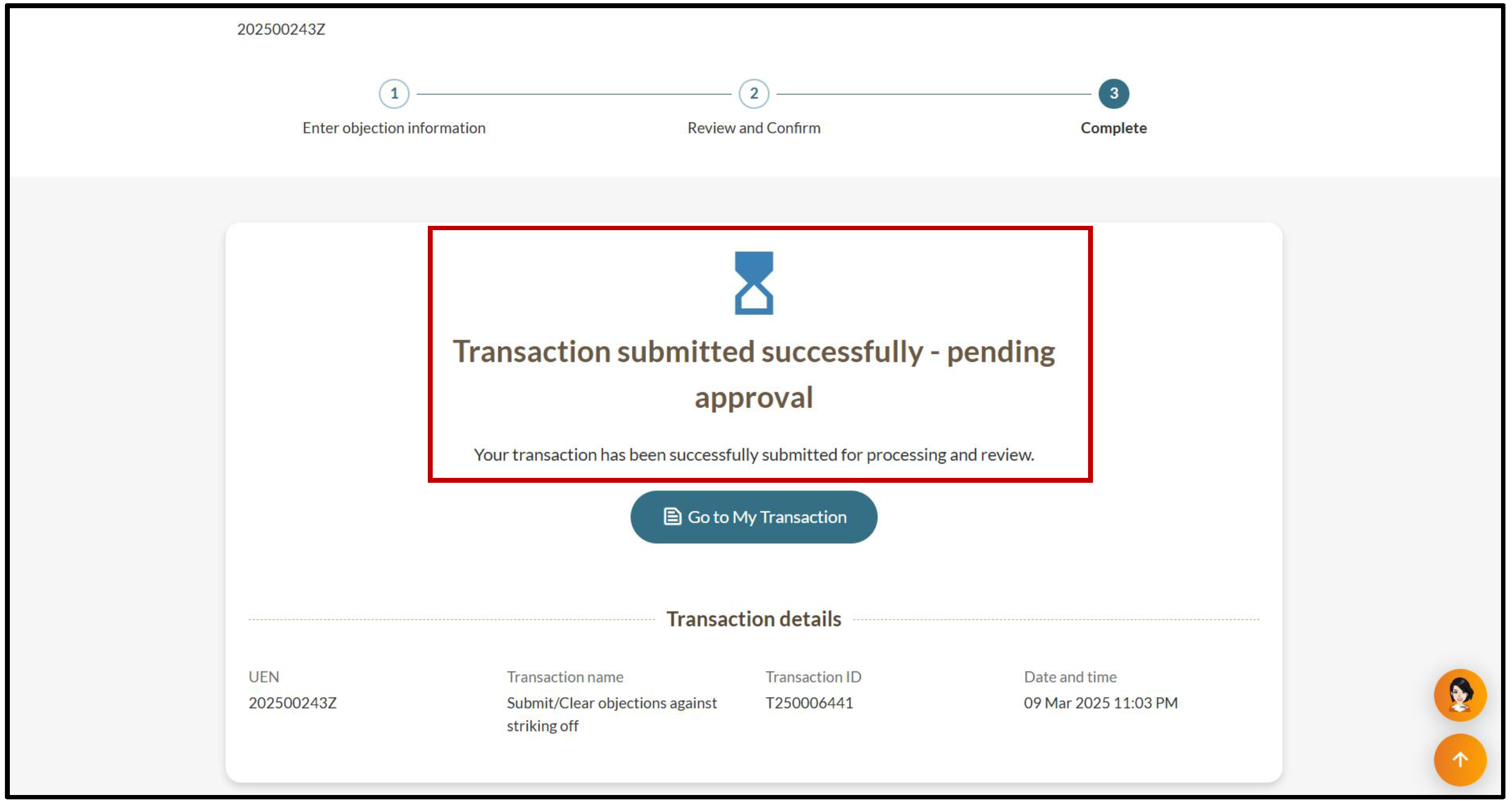
All entity and personal information (including UEN, entity details, NRIC or FIN numbers, names and addresses) shown are dummy data for illustration purposes only.
If you object as a corporate service provider (CSP)
Follow these steps to submit an objection on behalf of your client or your own firm.
If the "Objector information" is incorrect or incomplete, update the entity's information before you submit the objection.
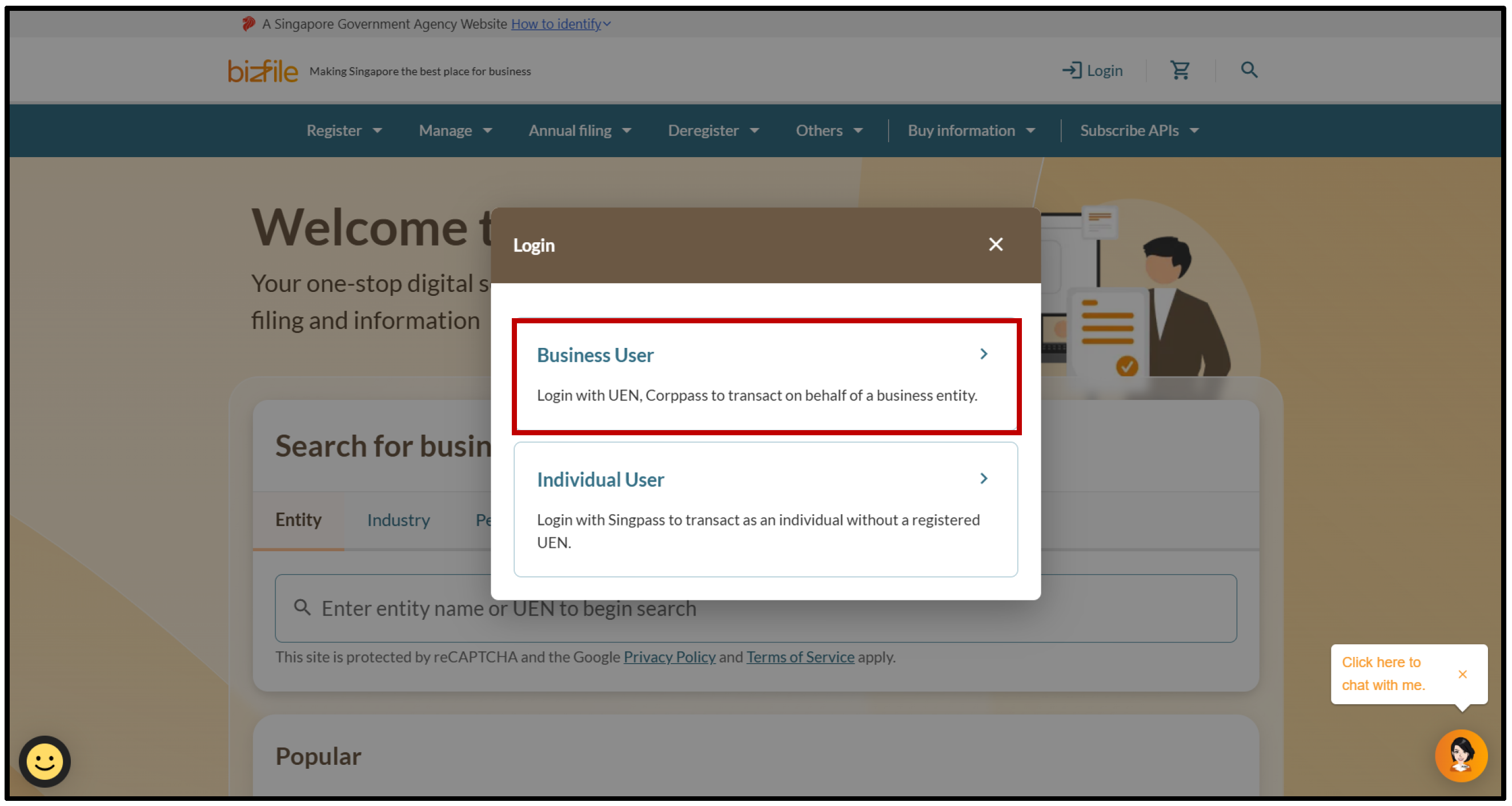
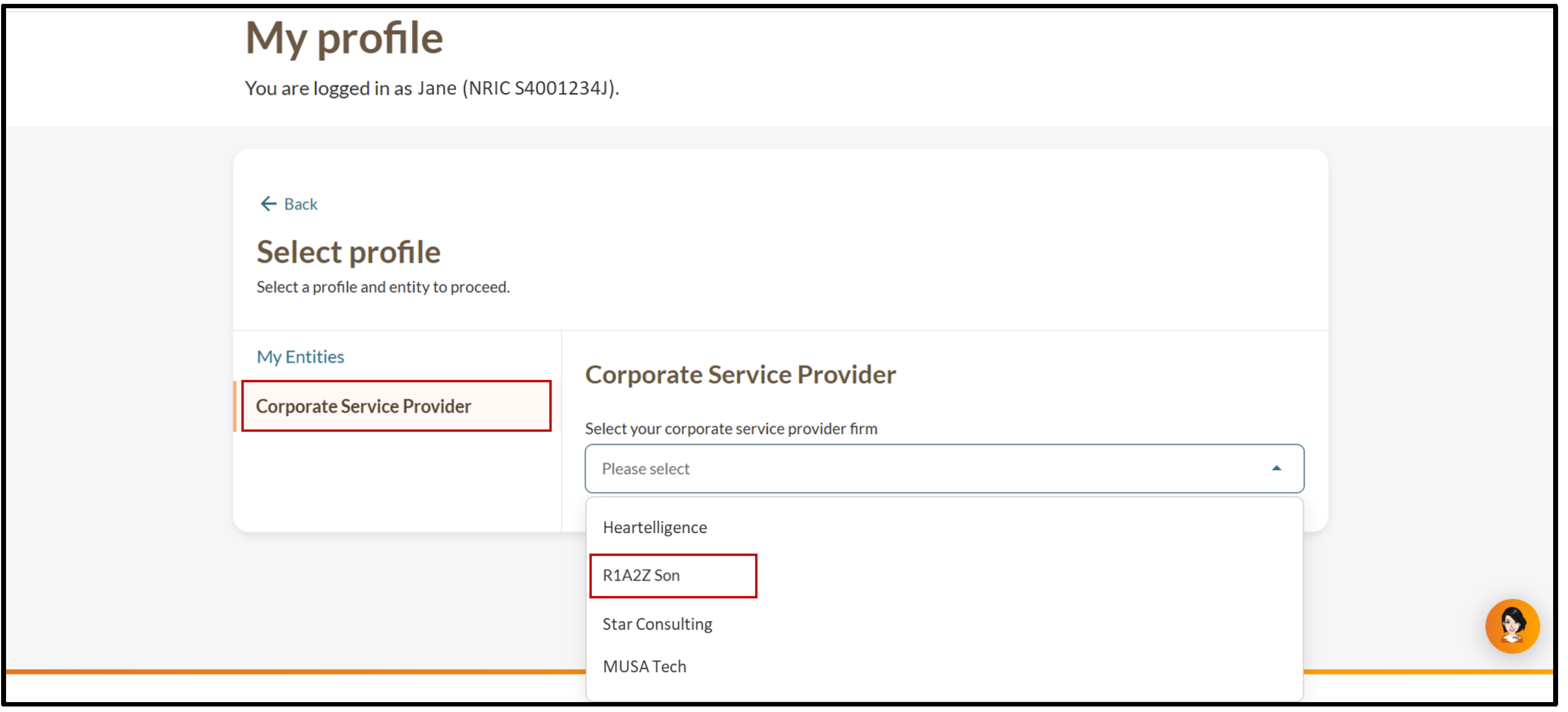
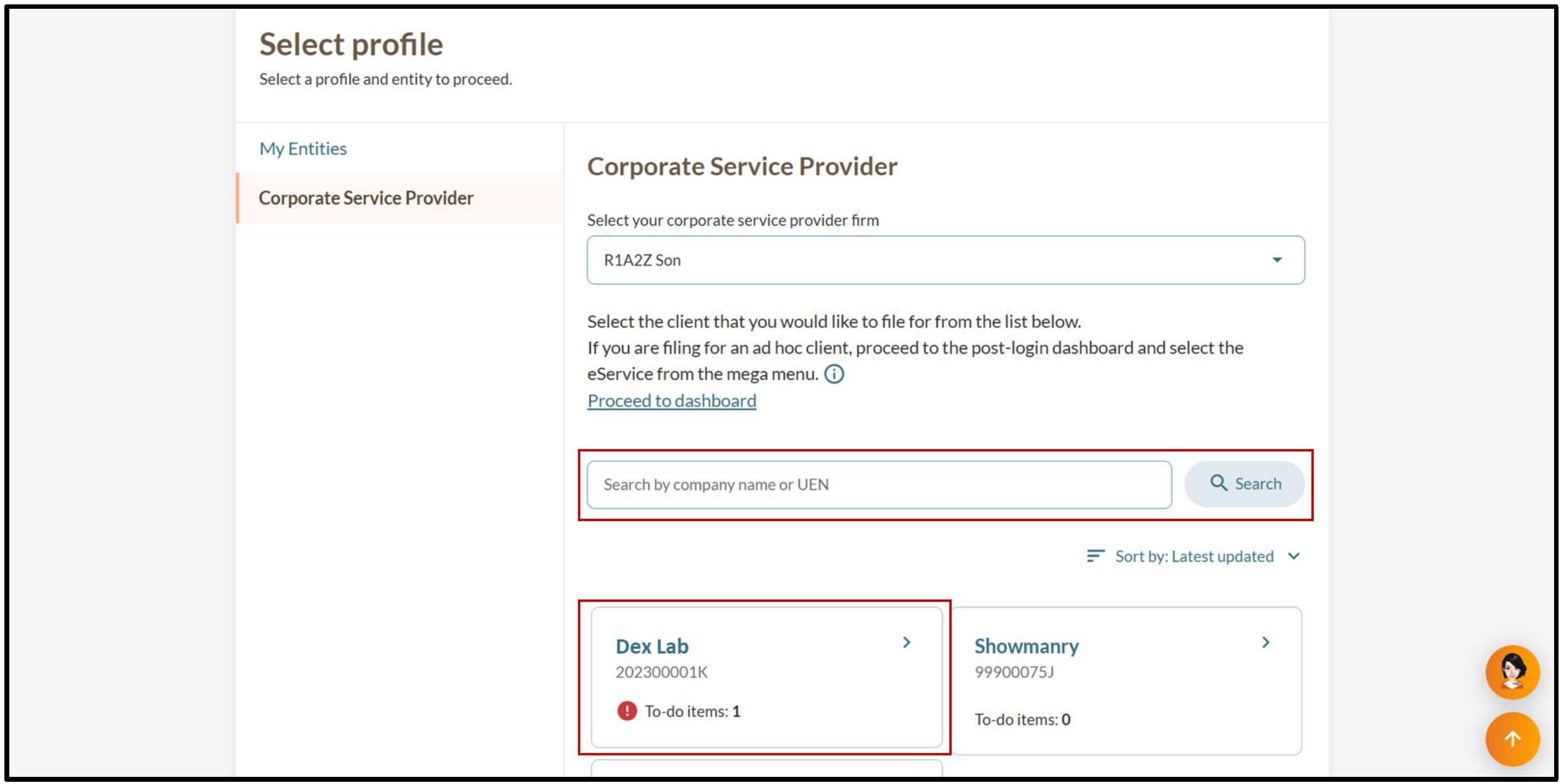
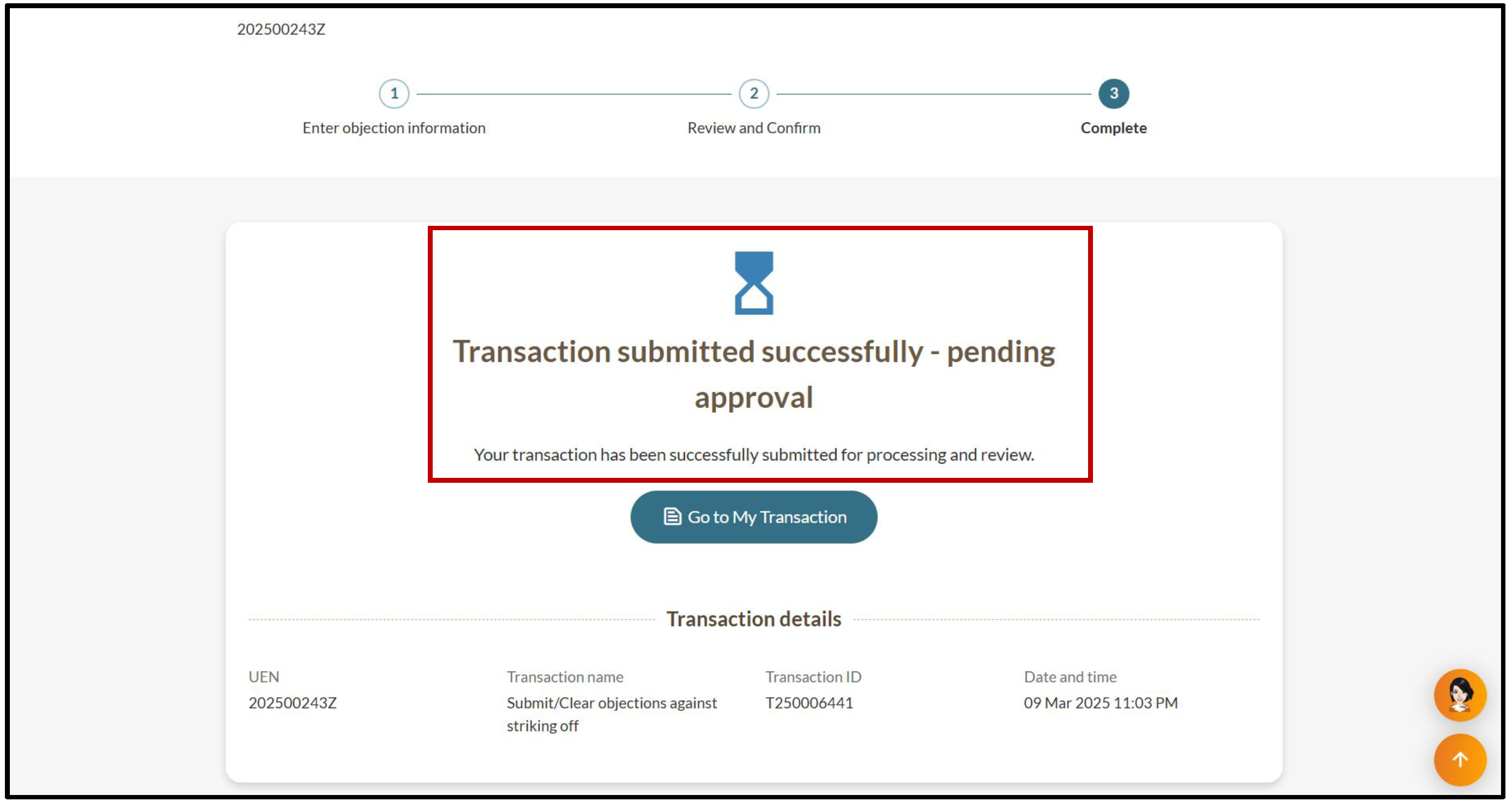
All entity and personal information (including UEN, entity details, NRIC or FIN numbers, names and addresses) shown are dummy data for illustration purposes only.
After you submit
The objection process may take up to two months after ACRA approval.
Objection process
Stage | Details |
|---|---|
Review by ACRA | While we review the objection, we may request additional documents or information (clarifications) from the objector via Bizfile. Please respond promptly to avoid delays. More details: Checking alerts and notifications from ACRA |
Notification | If we approve the objection, we will send a:
The letter will state the:
|
Objection period | The objector and entity have two months from the objection lodgement date to reach a resolution. If they do not resolve the objection within two months:
Note: Only the objector can view the objection status in their Bizfile inbox. |
Clear the objection | If the objection is resolved within two months, the objector needs to clear the objection in Bizfile. Cost: Free |
Struck off | Once all objections are cleared within two months, the entity will be struck off from the register. |