Guide
Filing share capital reduction under S78E (members' approval)
Audience
Accounting entities
Businesses
Corporate Service Providers (CSP)
Task or topic
Shares and share information
4 December 2025
Check the requirements and process to file a reduction of share capital by special resolution under section 78E.
This page is under development and being progressively updated.
Before you file
What you need to know
Key facts | Details |
|---|---|
Who may file | Companies that:
You may either:
|
When you can file | Between six and eight weeks from the date of the special resolution |
What you need to prepare |
|
Fees | Free |
Processing time | Immediate |
Note: The capital reduction takes effect immediately after you submit this filing.
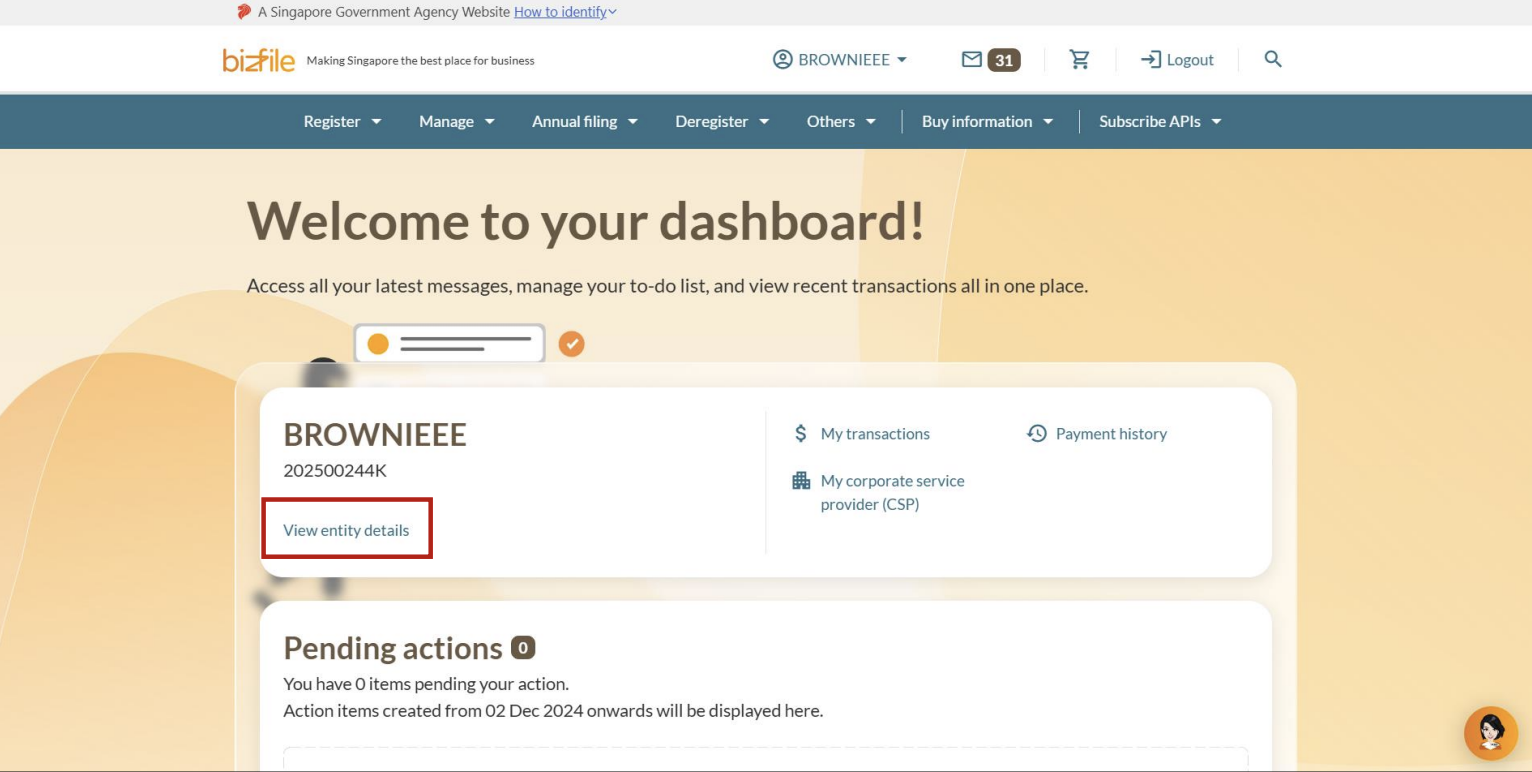
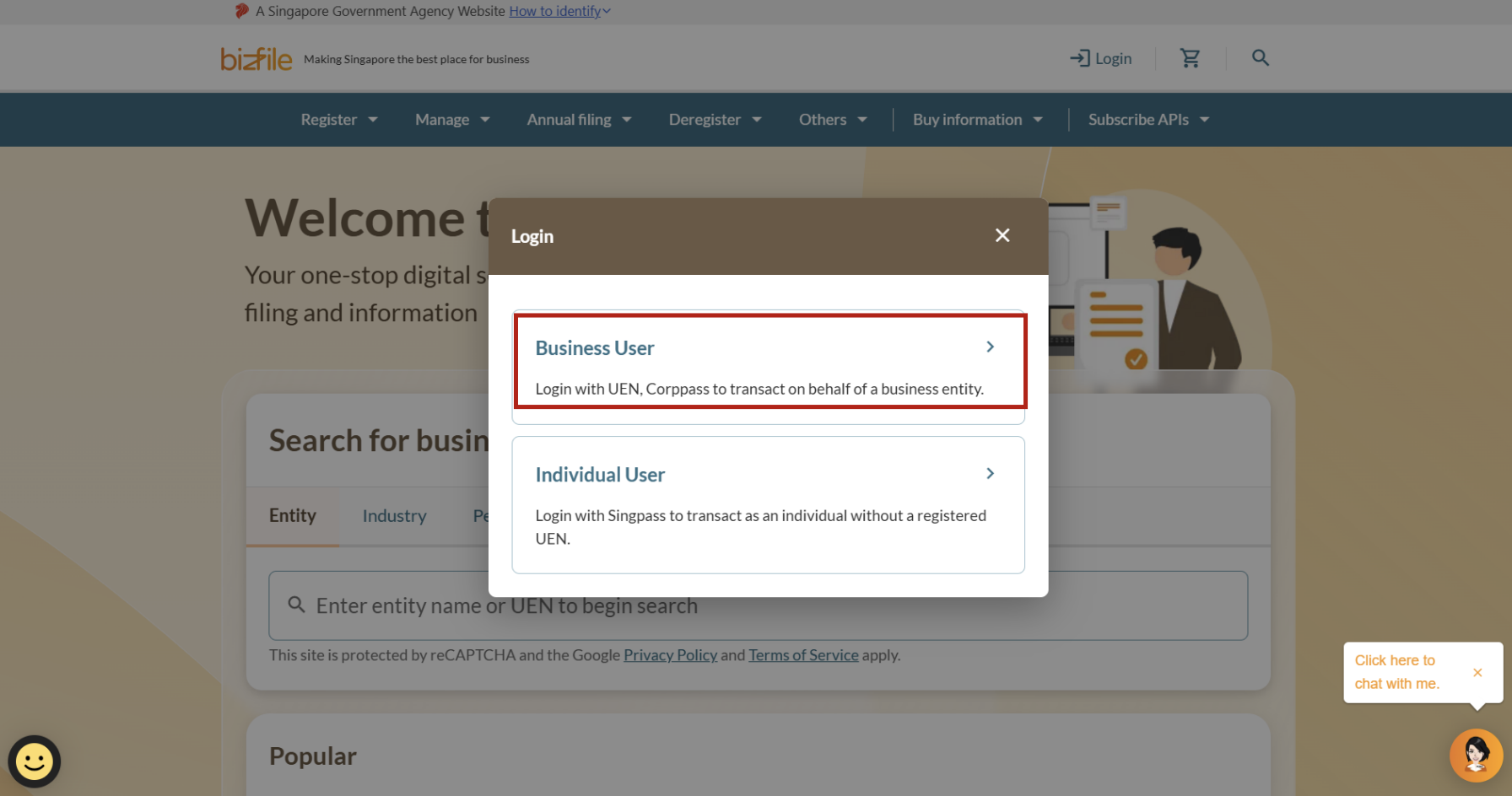
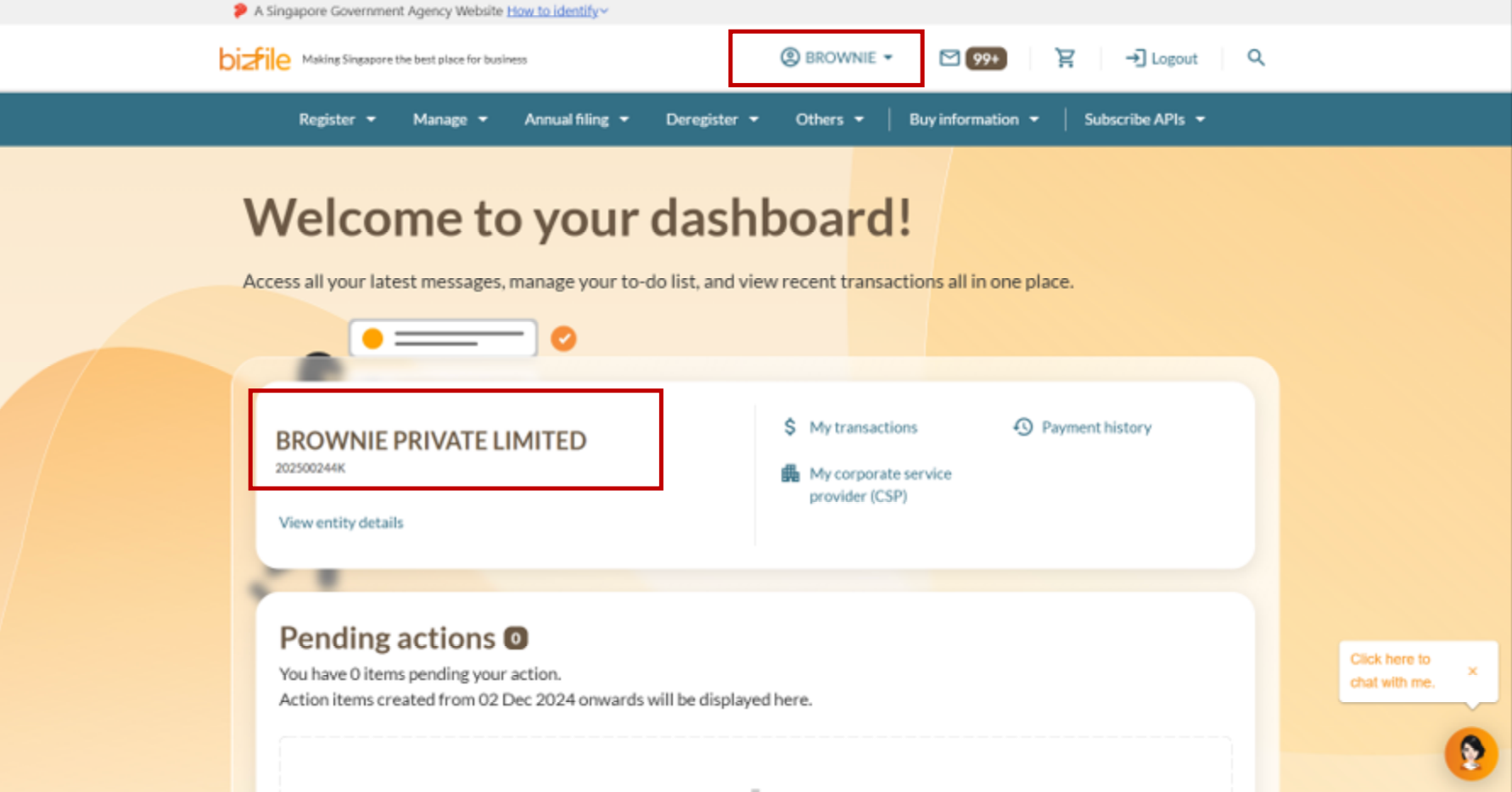
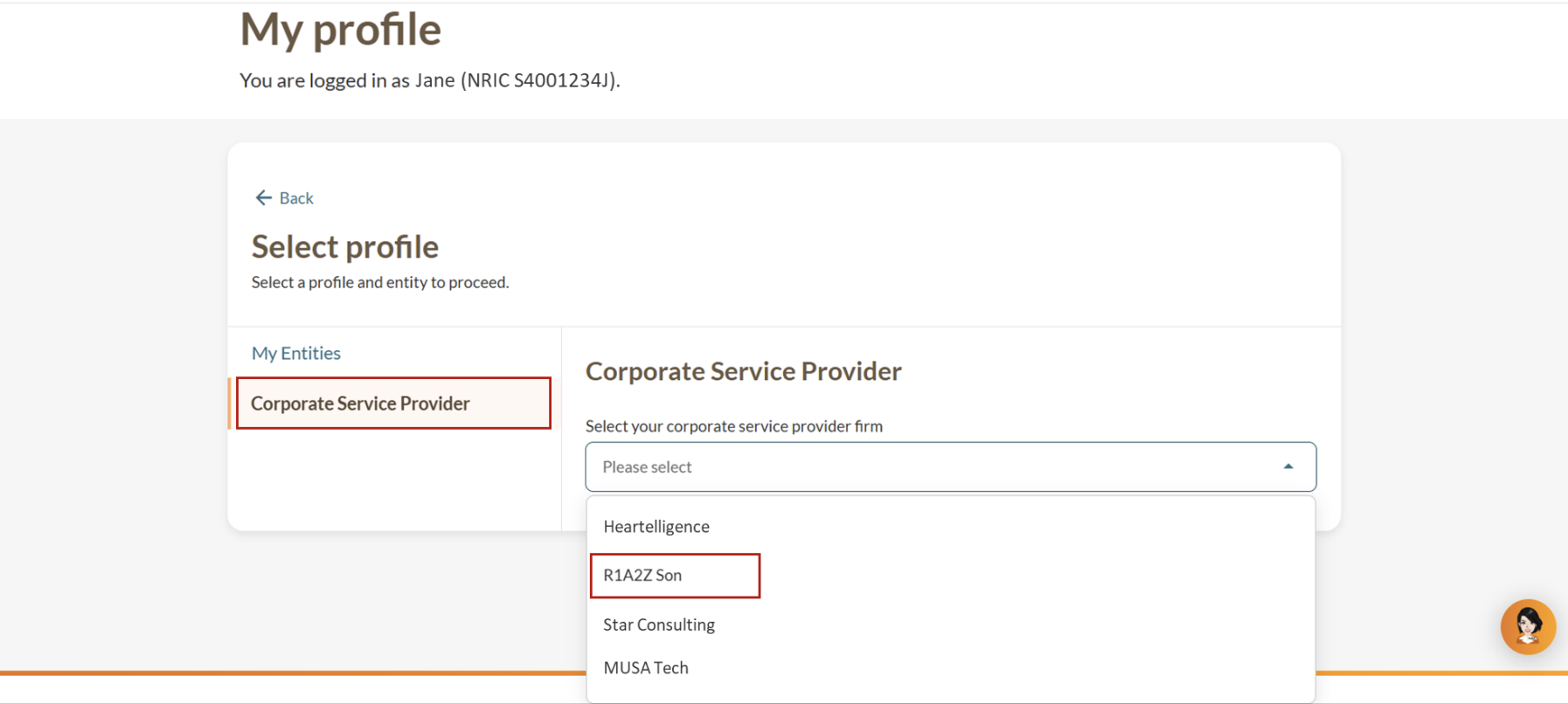
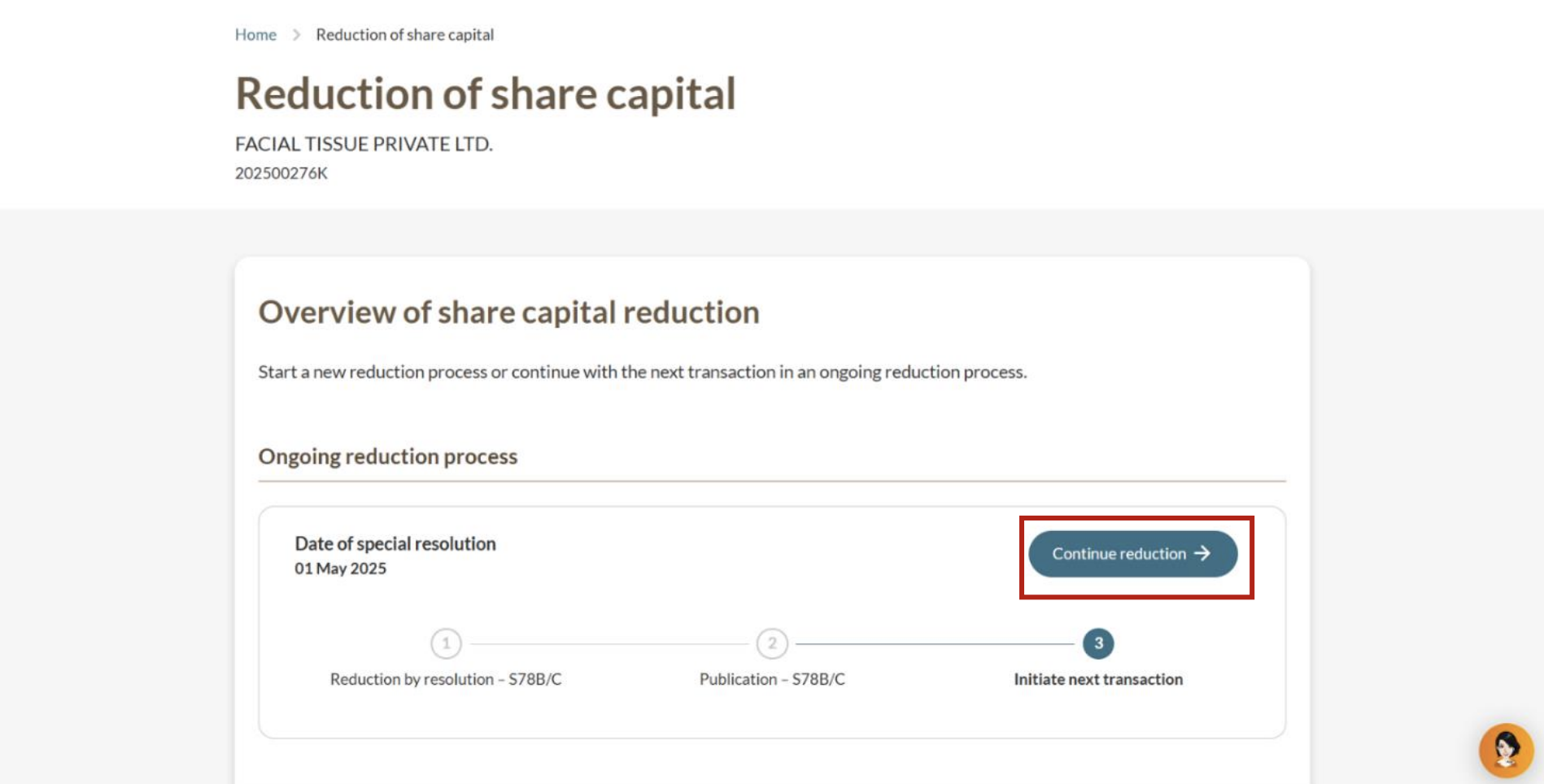
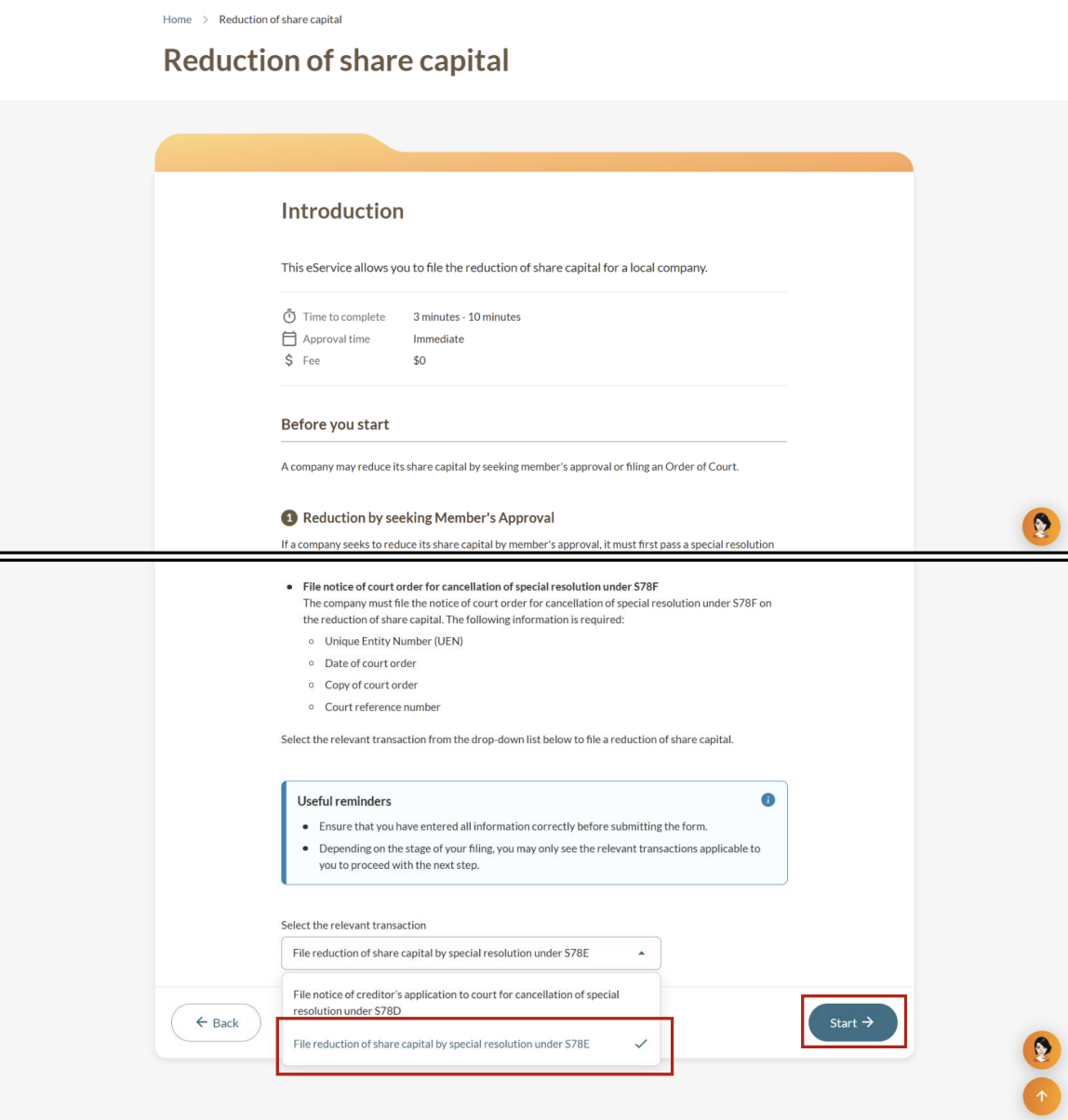
Step 1: Log in to Bizfile and open the “Update reduction of share capital” eService
Follow these steps to navigate to the Update reduction of share capital eService.
Note: All entity and personal information (including UEN, entity details, NRIC or FIN numbers, names and addresses) shown are dummy data for illustration purposes only.
Step 2: Enter reduction information
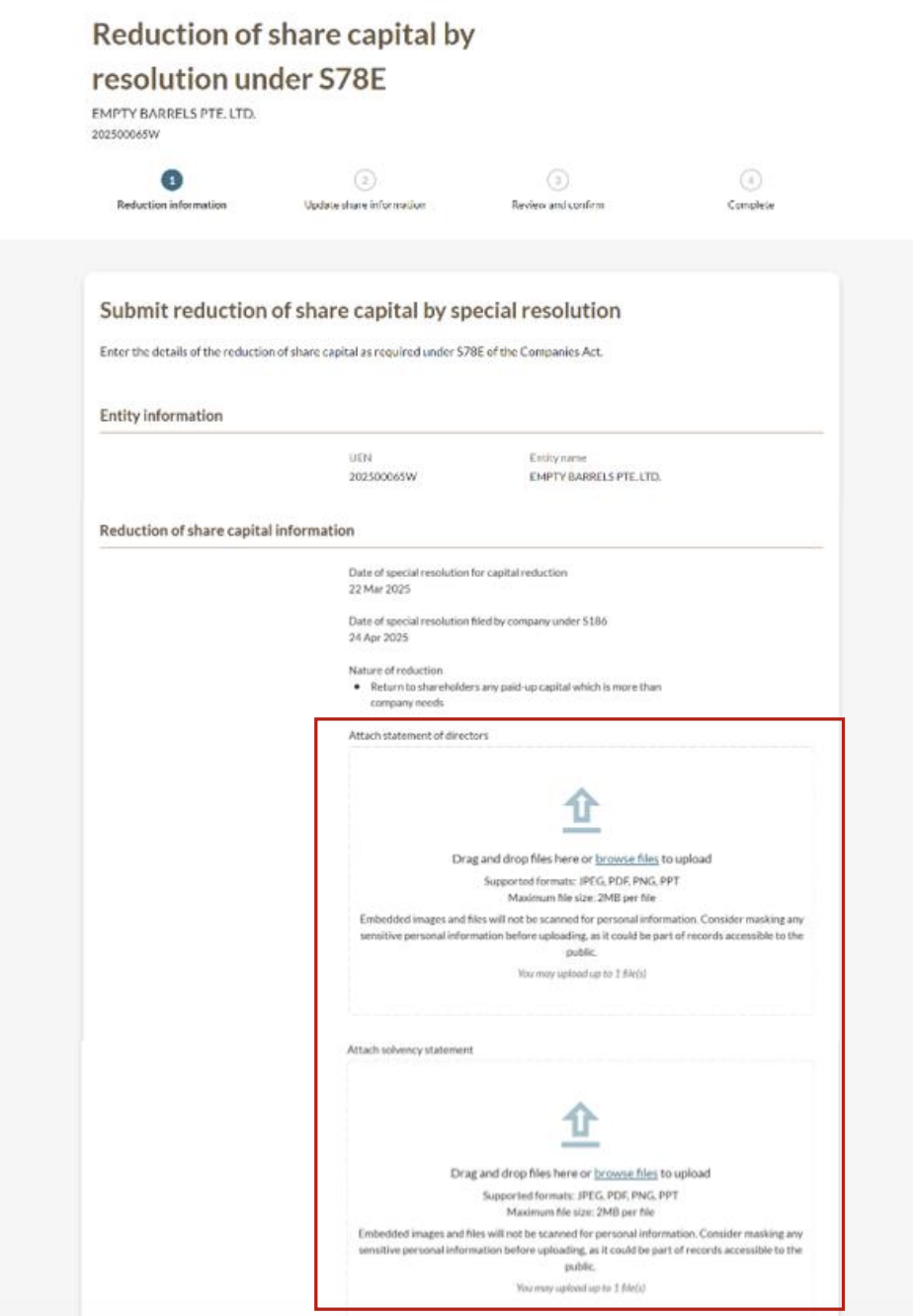
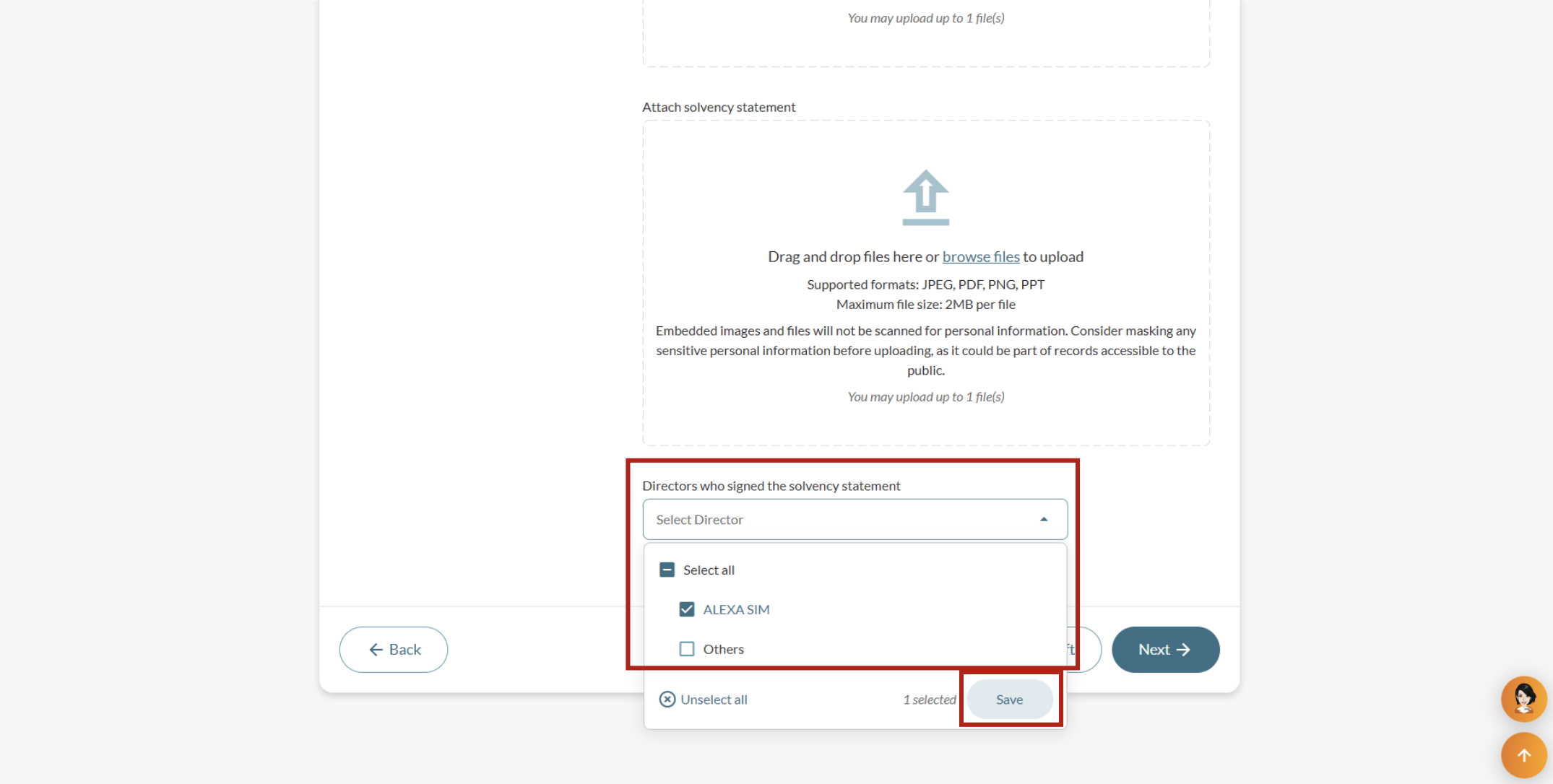
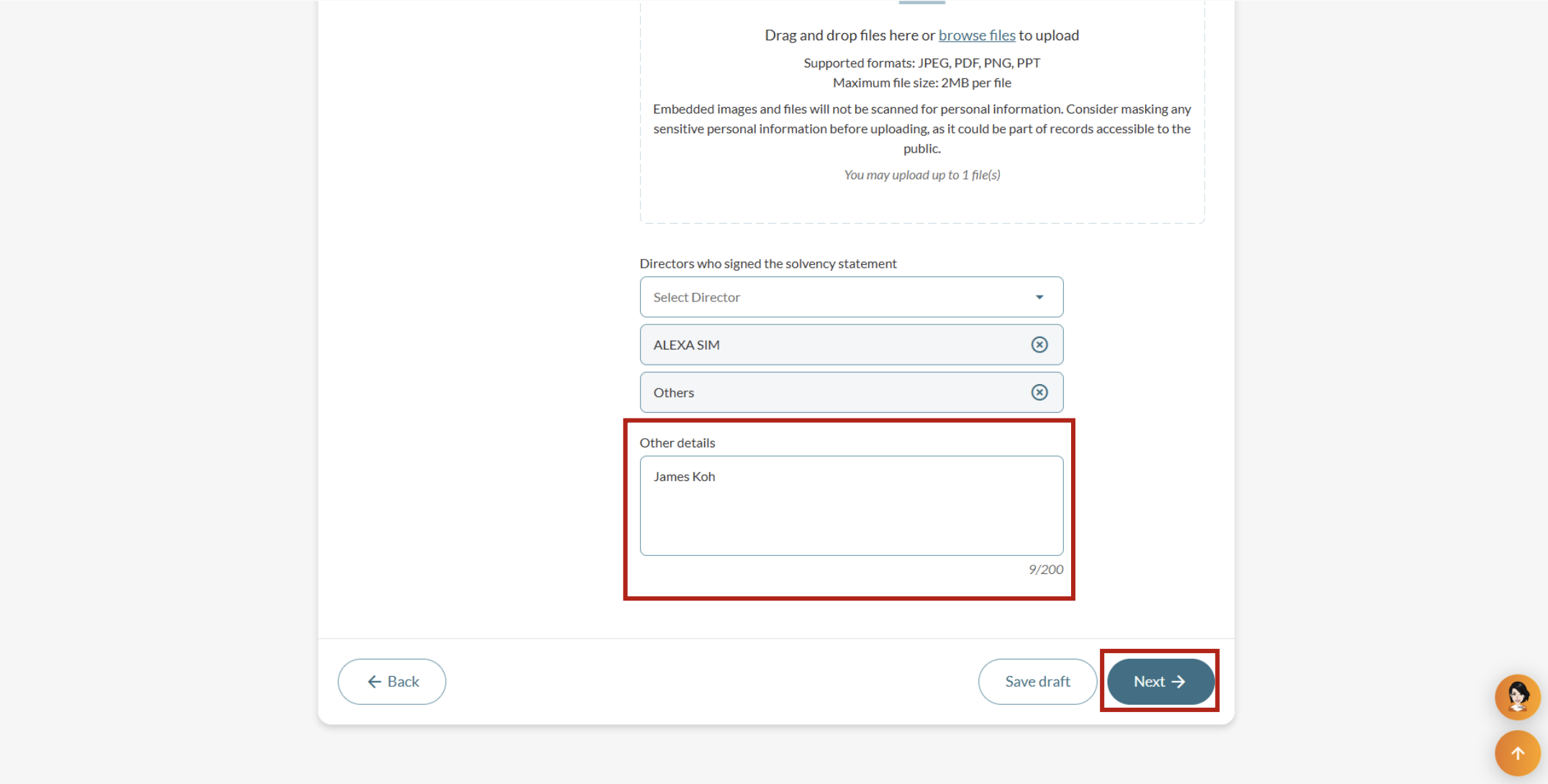
Upload the required documents and state the directors who signed the solvency statement.
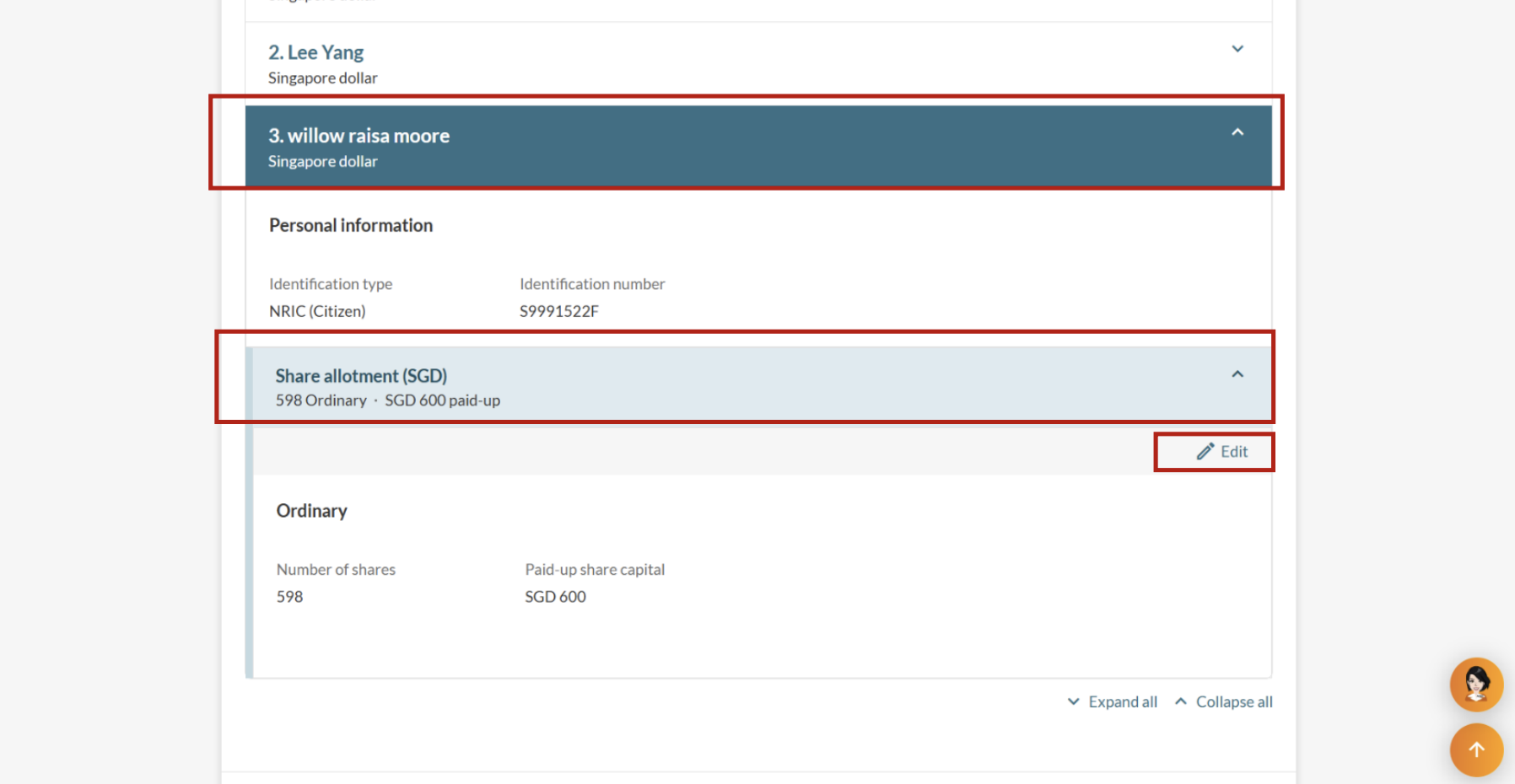
Step 3: Update share information
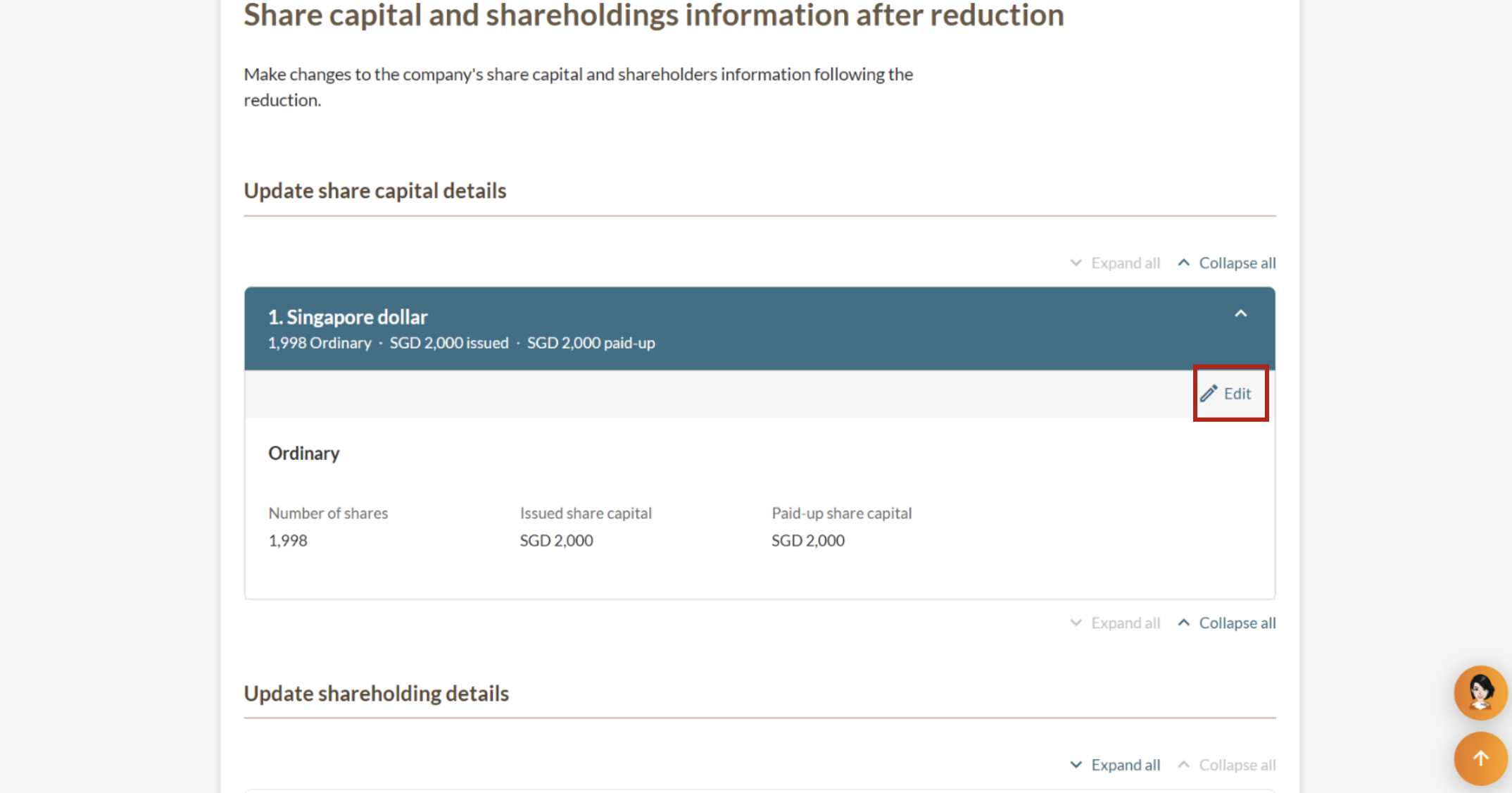
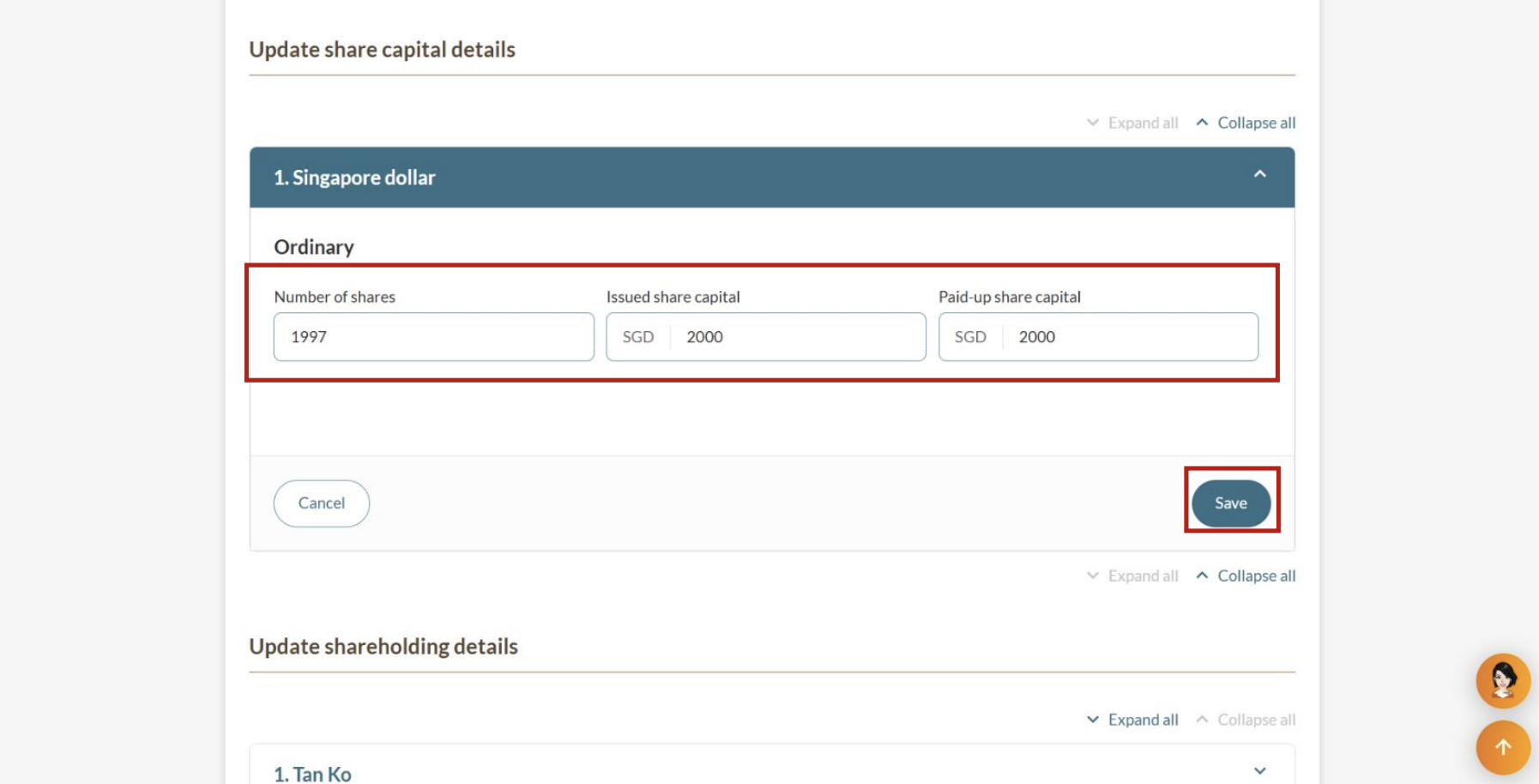
Enter the share capital and shareholding details after the reduction.
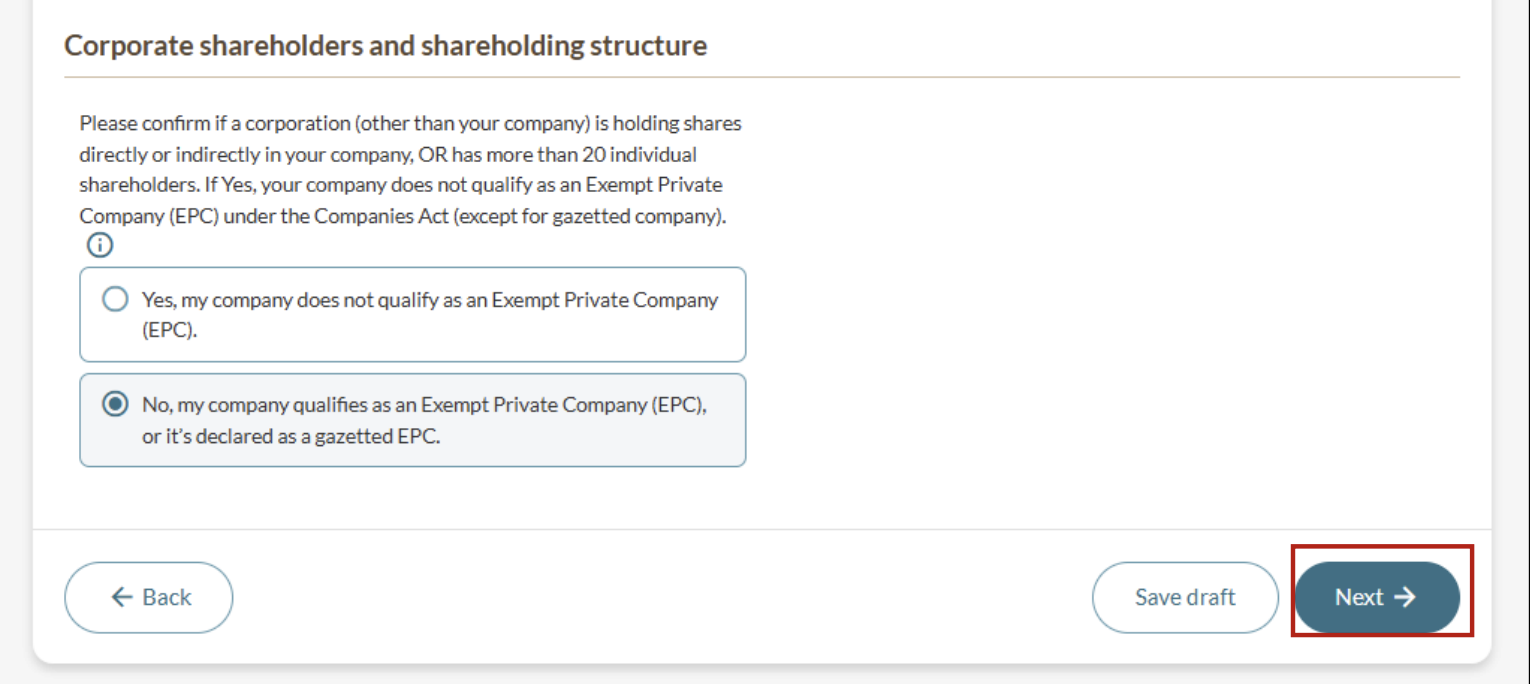
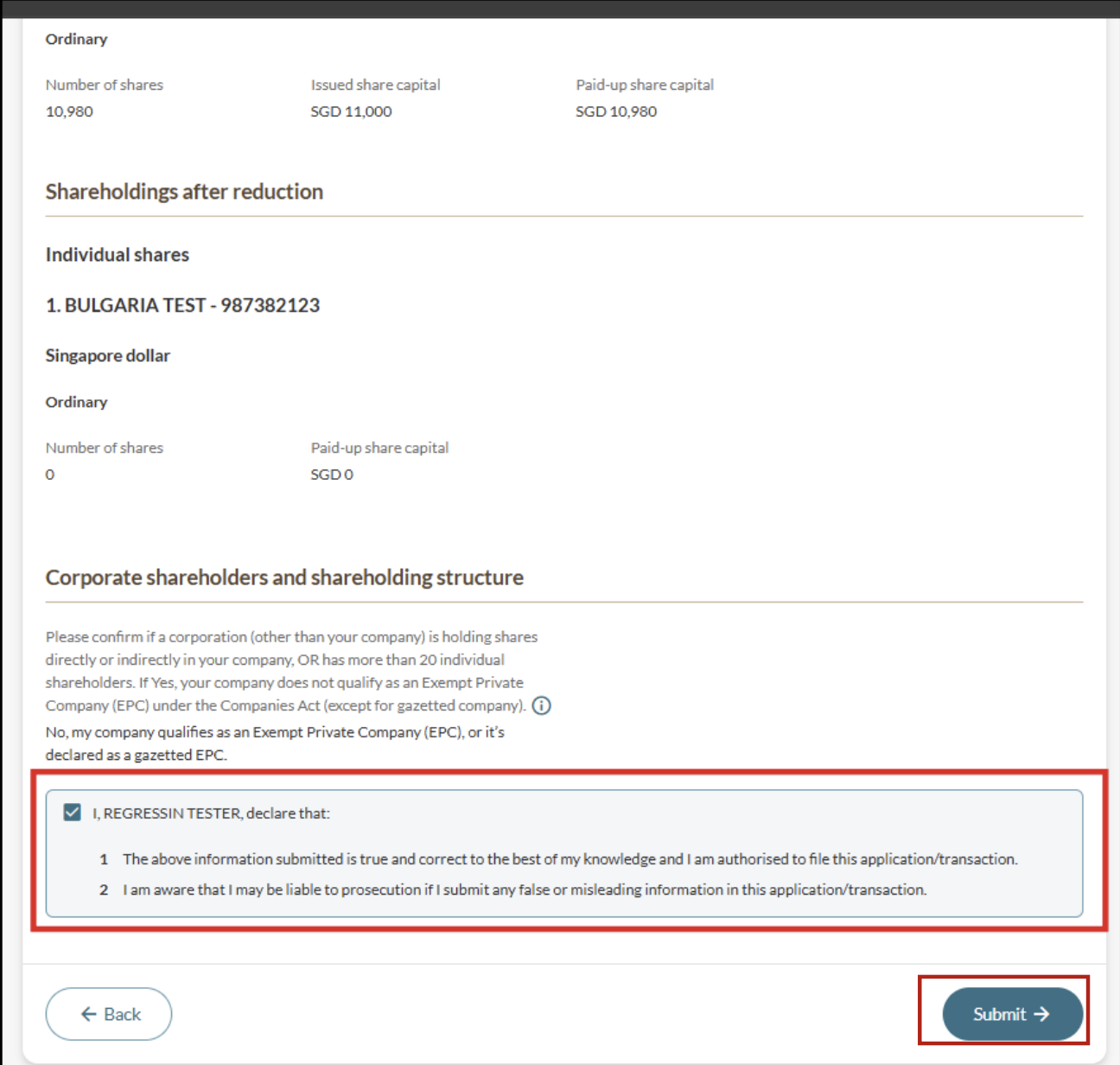
Step 4: Review and submit
Ensure that the shareholdings before and after the reduction are accurate.
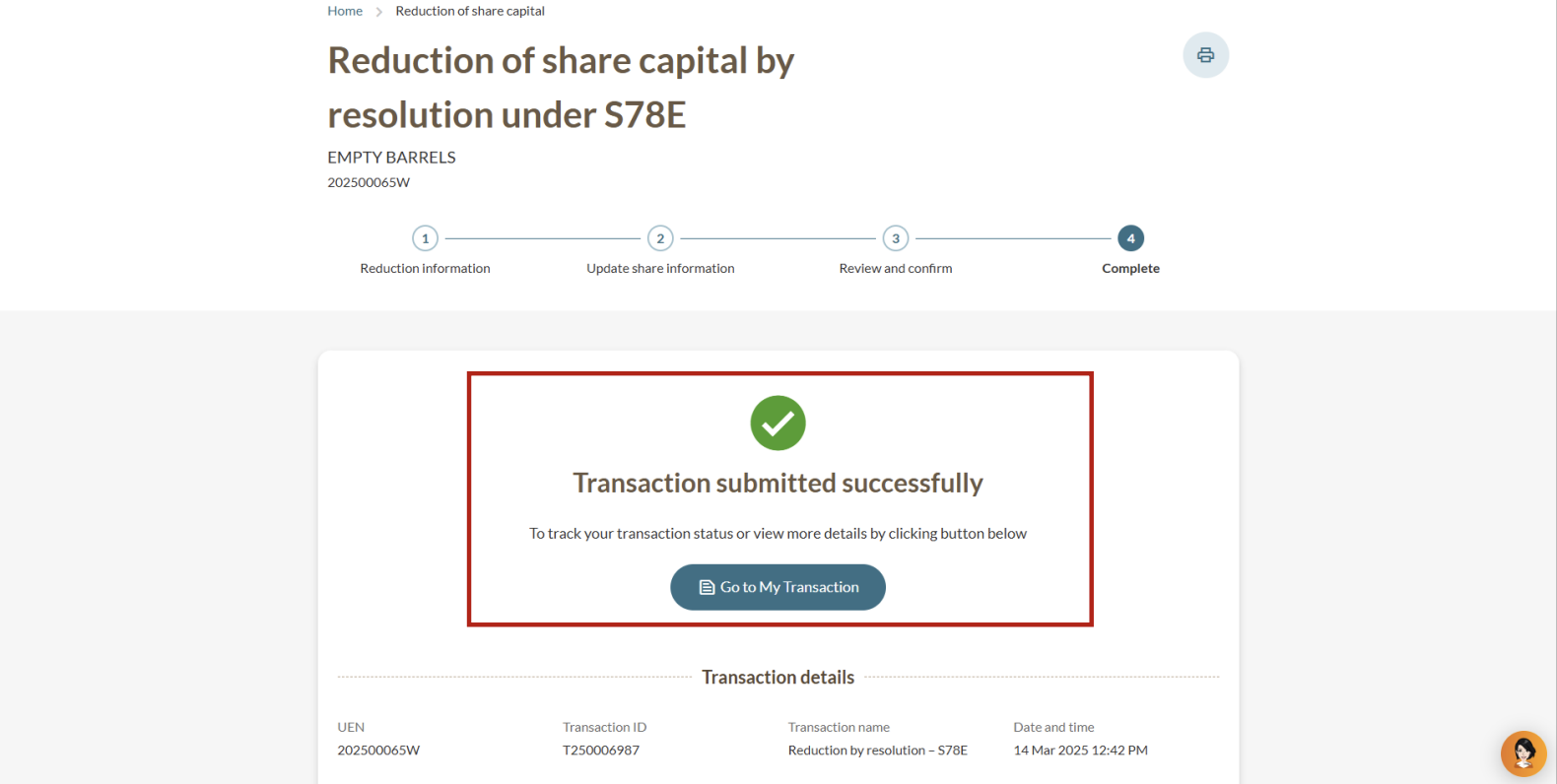
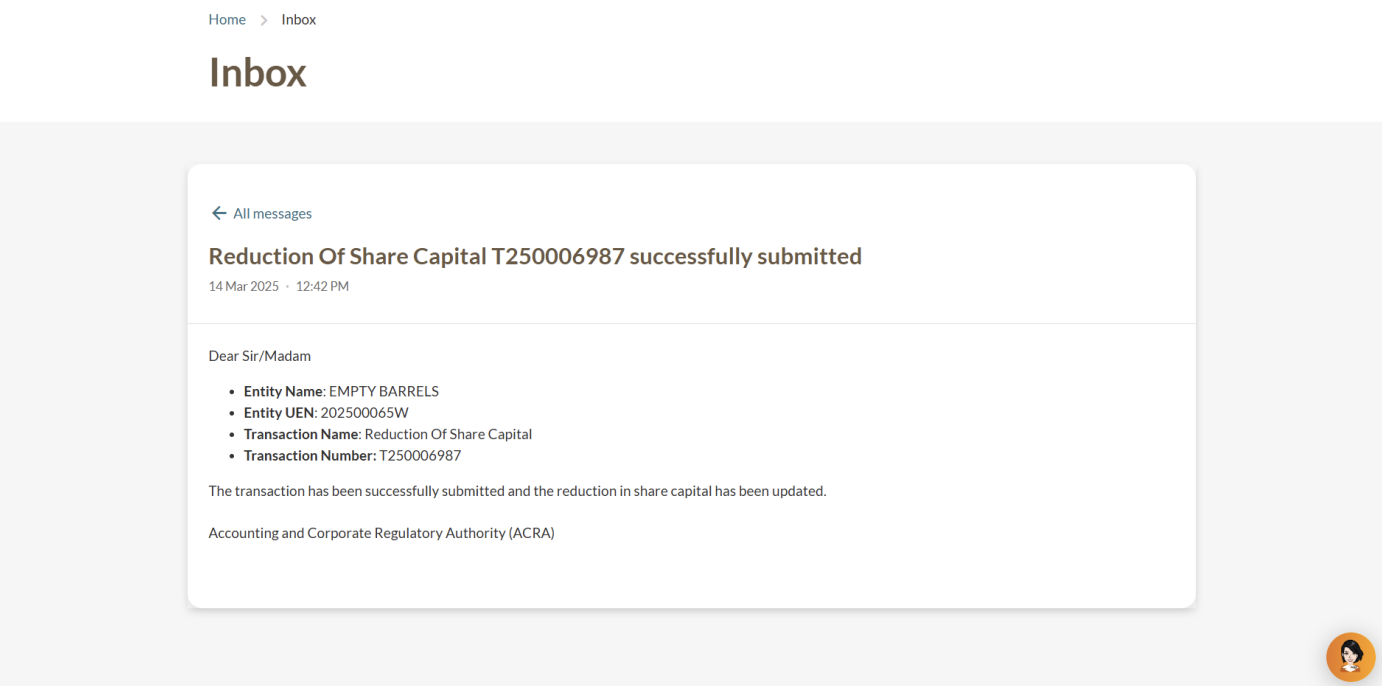
After you file
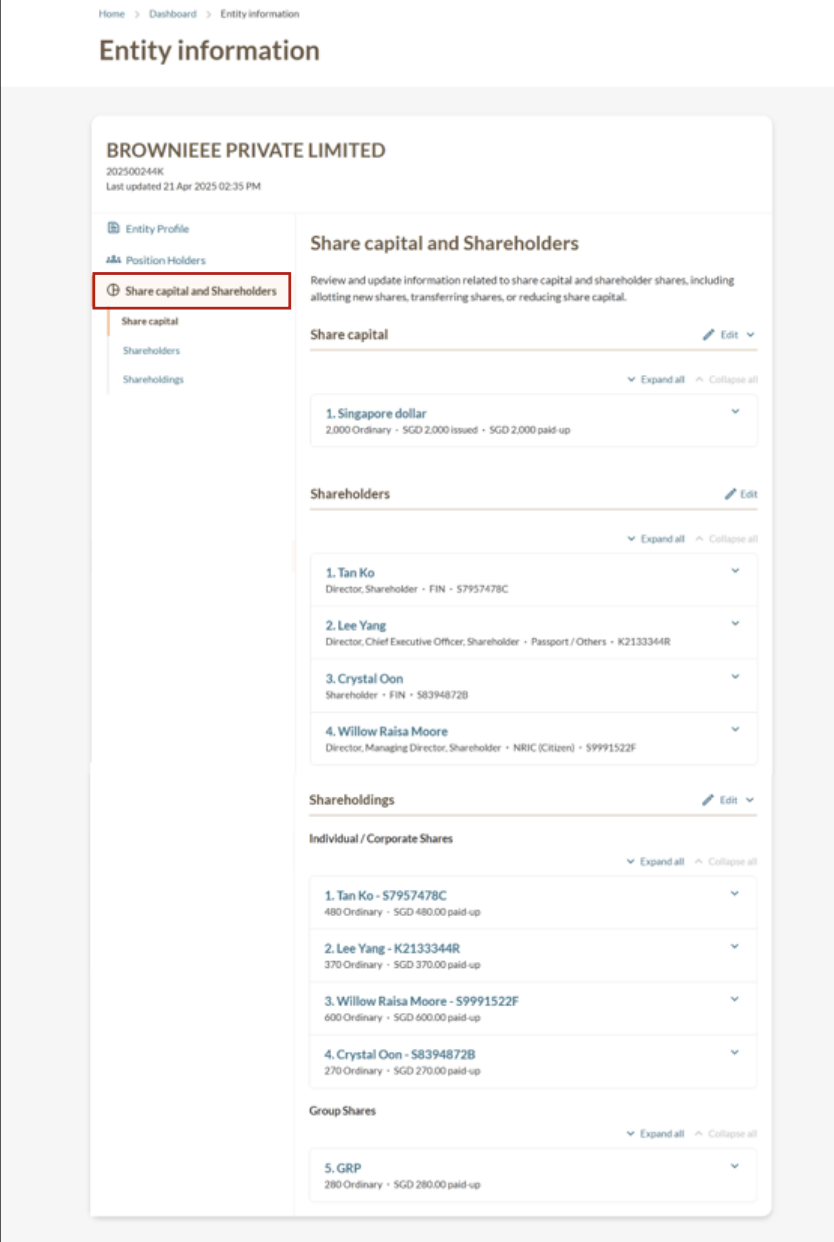
You can check the reduction in share capital immediately: