Guide
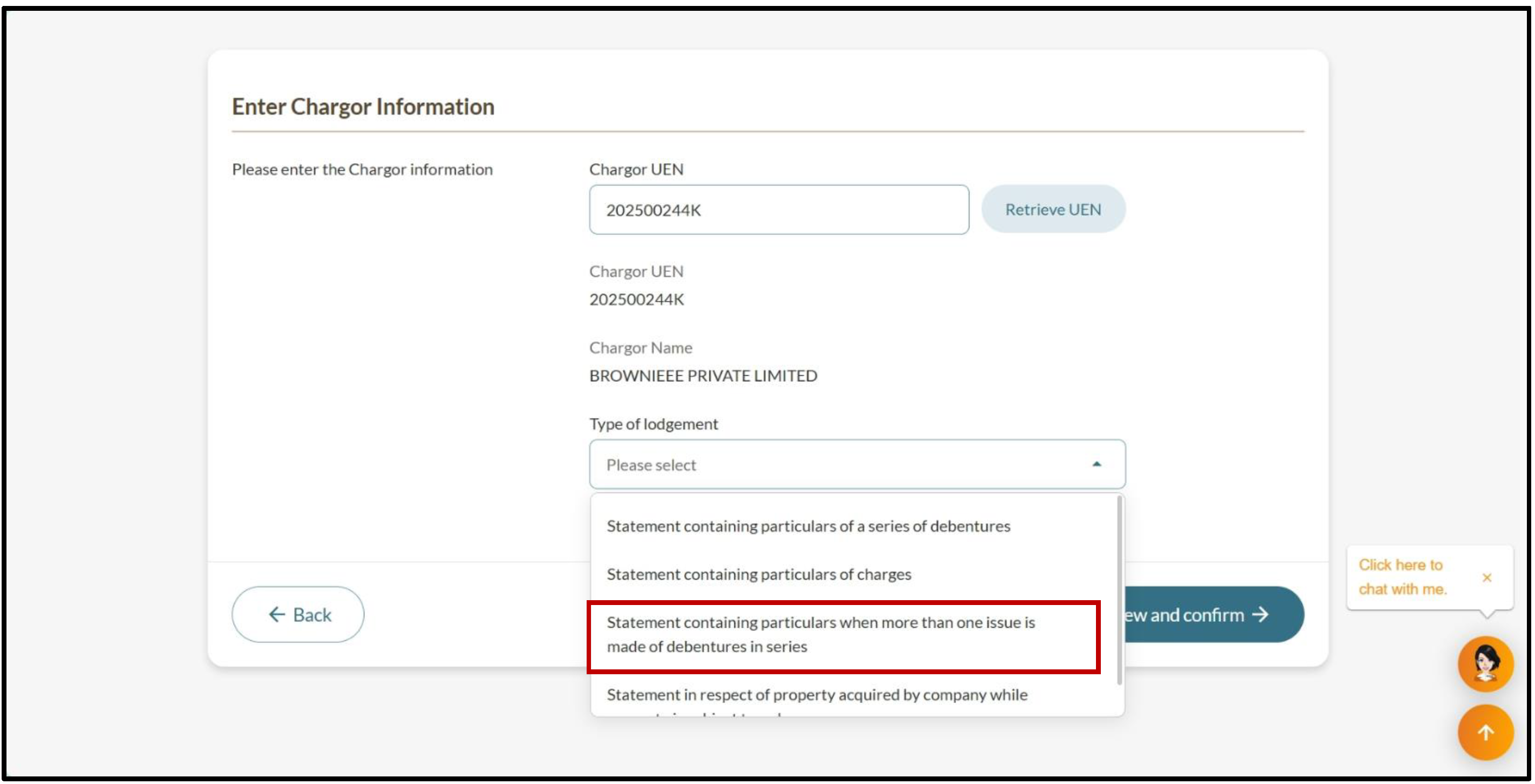
Filing for debentures issued in multiple tranches or series
Audience
Accounting entities
Businesses
Corporate Service Providers (CSP)
Task or topic
Debts and charges
2 February 2026
If your company issues debentures in multiple tranches or series, you need to file a statement containing the particulars of each issue.
Before you file
This guide explains how to file a statement containing particulars when more than one issue is made of debentures in series. When your company issues debentures in multiple tranches or series, you must file a statement containing the particulars of each issue within 30 days of date of present issue of the series.
Failing to register on time is an offence that may lead to fines. Your charge may become void against the liquidator or other secured creditors. Learn more about registering a new charge.
Who may file
You may file this eService if you are a/an:
Company officer of a local company
Authorised representative of a foreign company
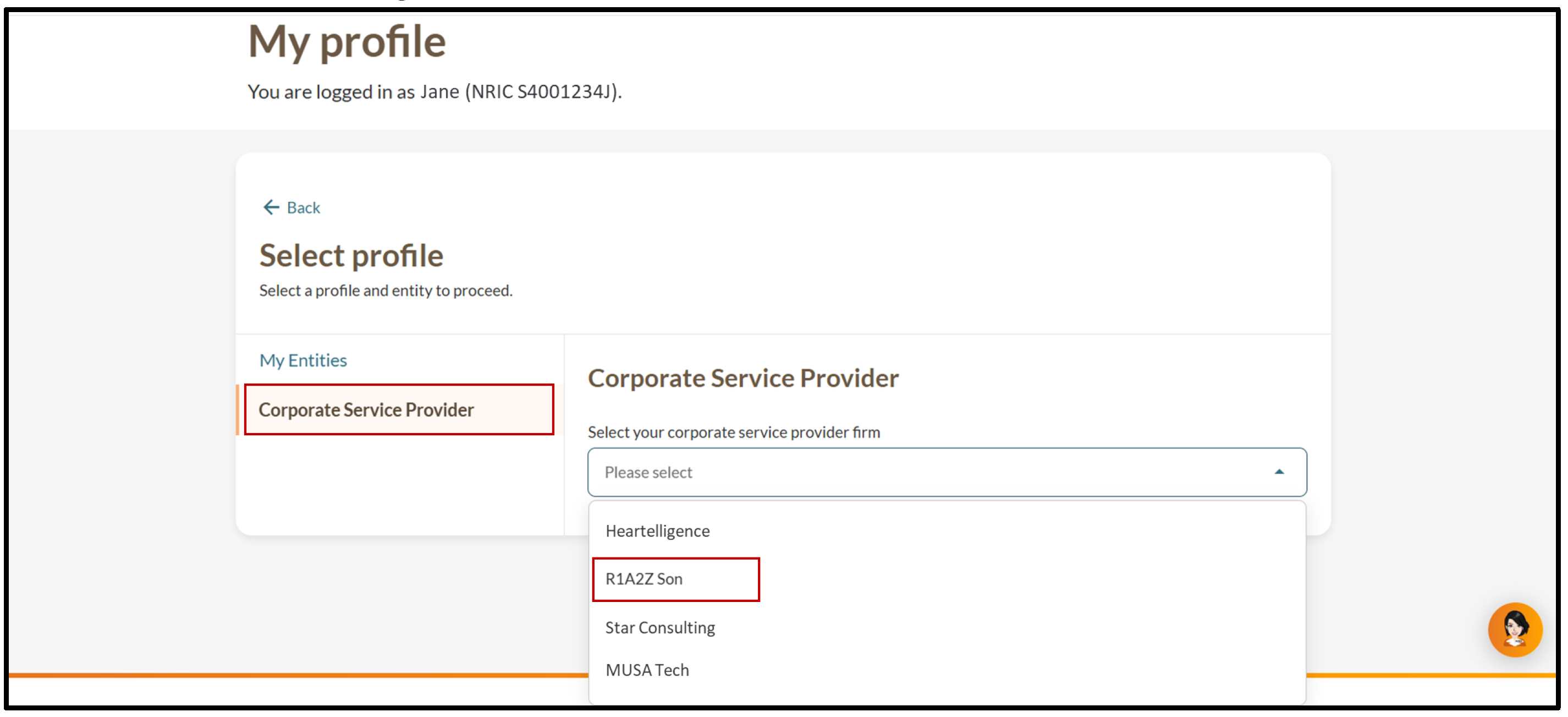
You may also engage a corporate service provider to file on your behalf.
What you need to prepare
Required documents and information
You need to prepare | Details |
|---|---|
Chargor's UEN | The chargor is the borrower (your company). You need the unique entity number (UEN) if you are filing for the:
|
Charge details | This includes the:
|
Chargee details | The chargee is the lender. Prepare their:
|
Charge amount details, if applicable | If the charge does not cover all the amount owed, prepare details of the charge amount. This includes the:
|
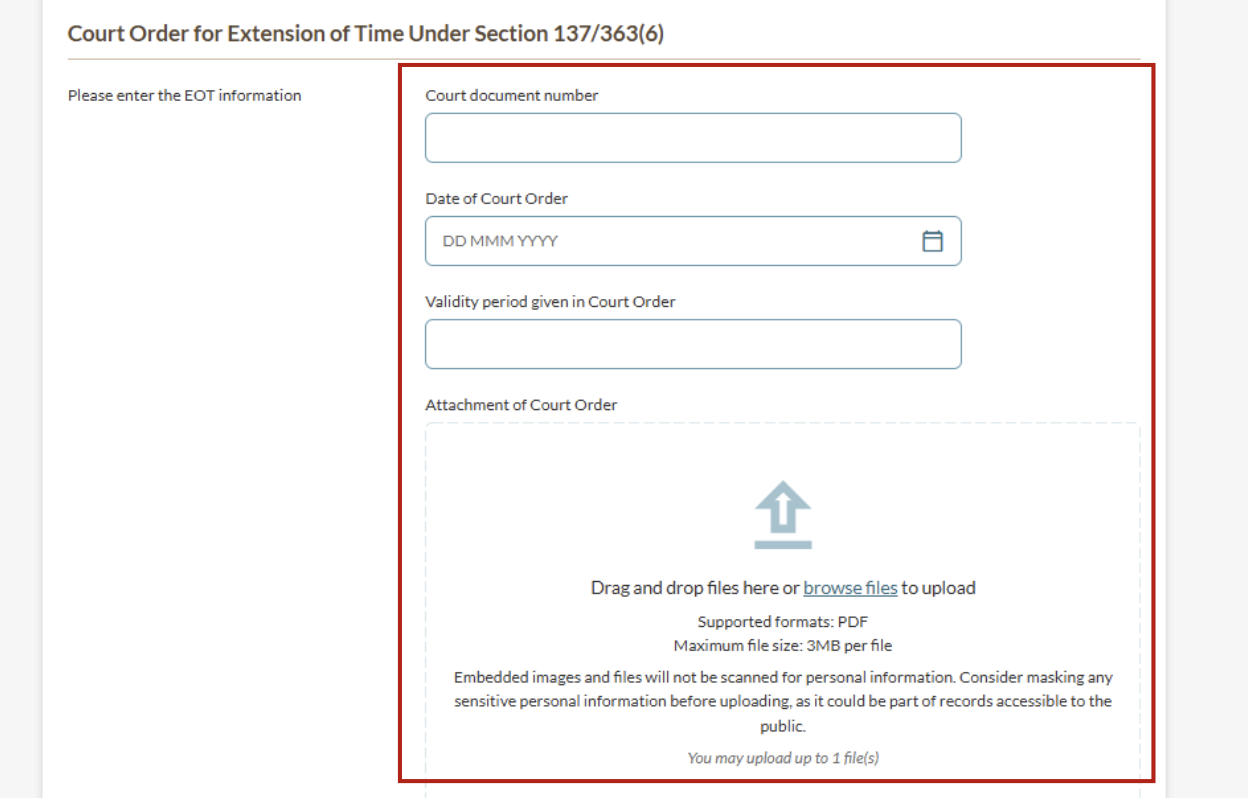
Court order details if your:
| This includes the:
|
Fees and processing time
Register new charge
What you need to know | Details |
|---|---|
Fees | $60 |
Processing time | Immediate |
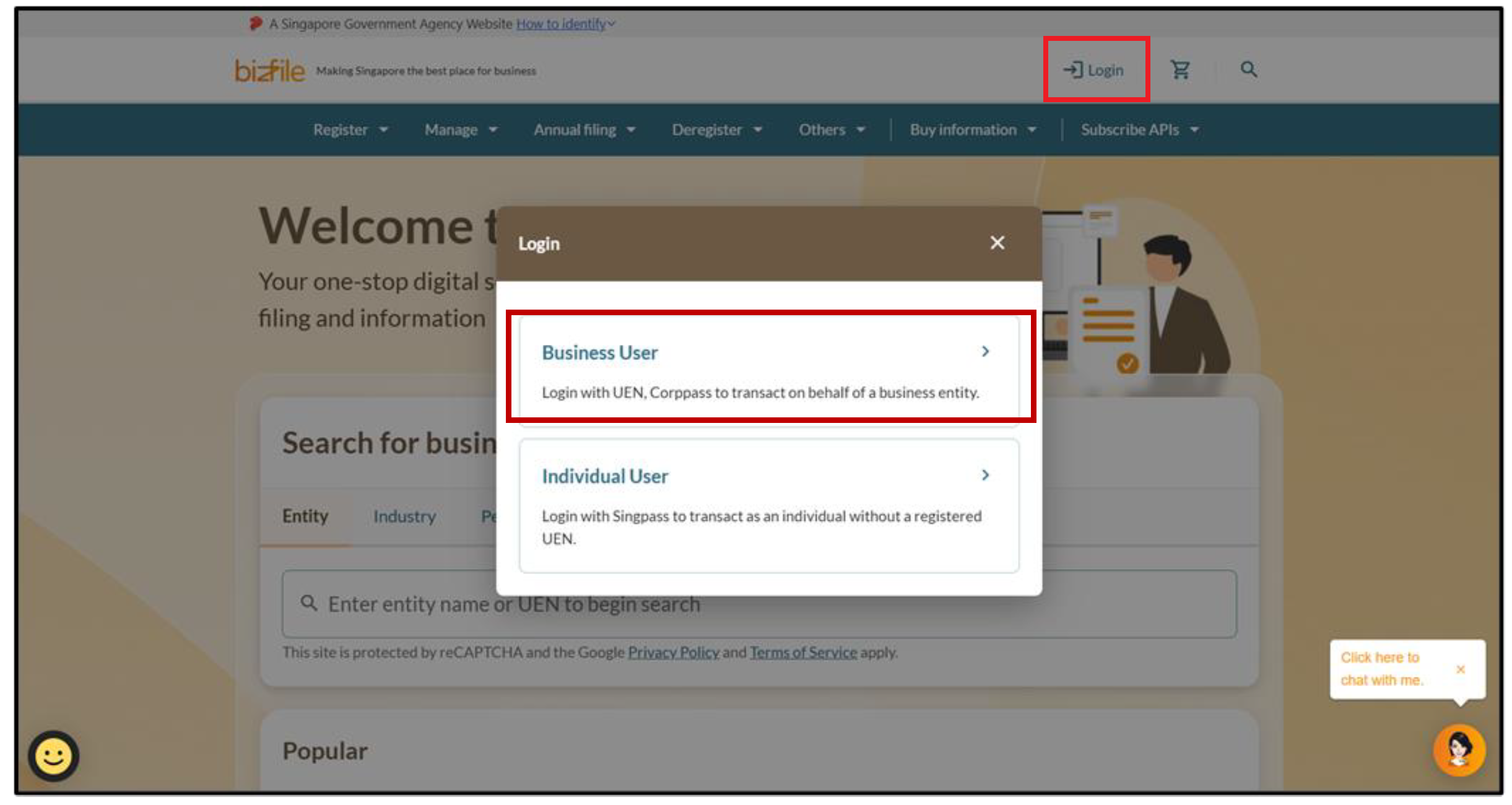
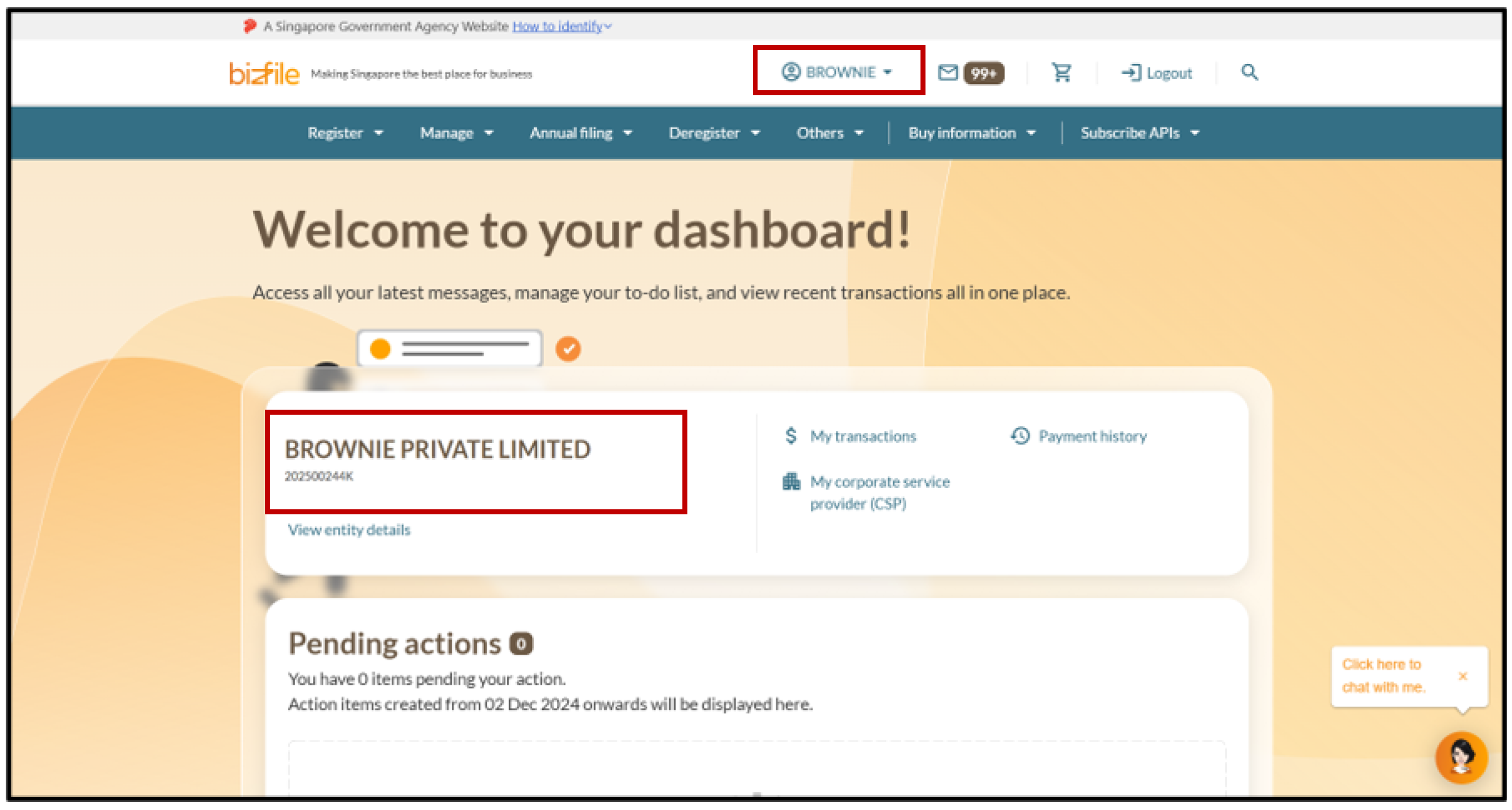
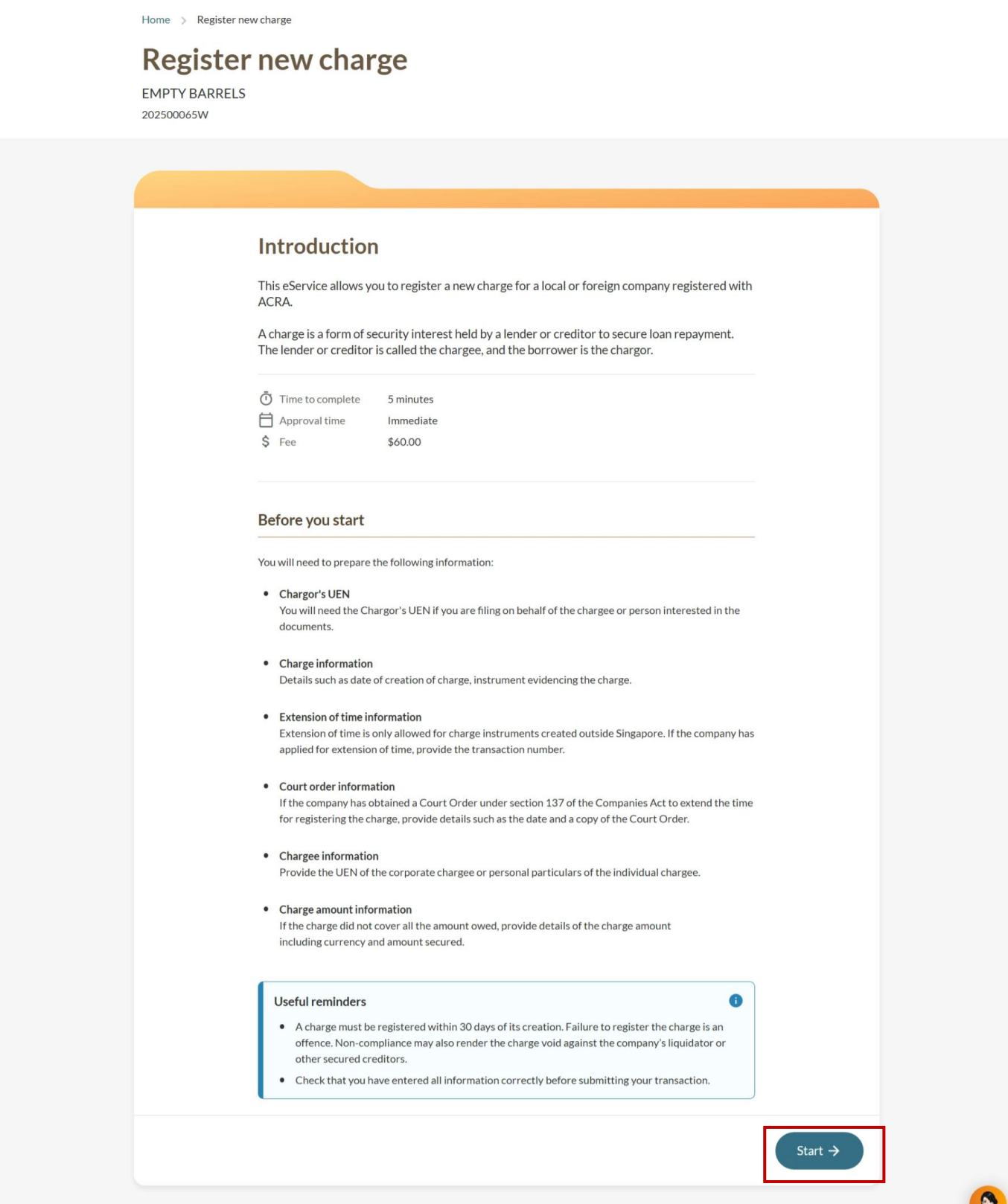
Step 1: Log in to Bizfile and open the "Register new charge" eService
Follow these steps to navigate to the Register new charge eService.
Note: All entity and personal information (including UEN, entity details, NRIC or FIN numbers, names and addresses) shown are dummy data for illustration purposes only.
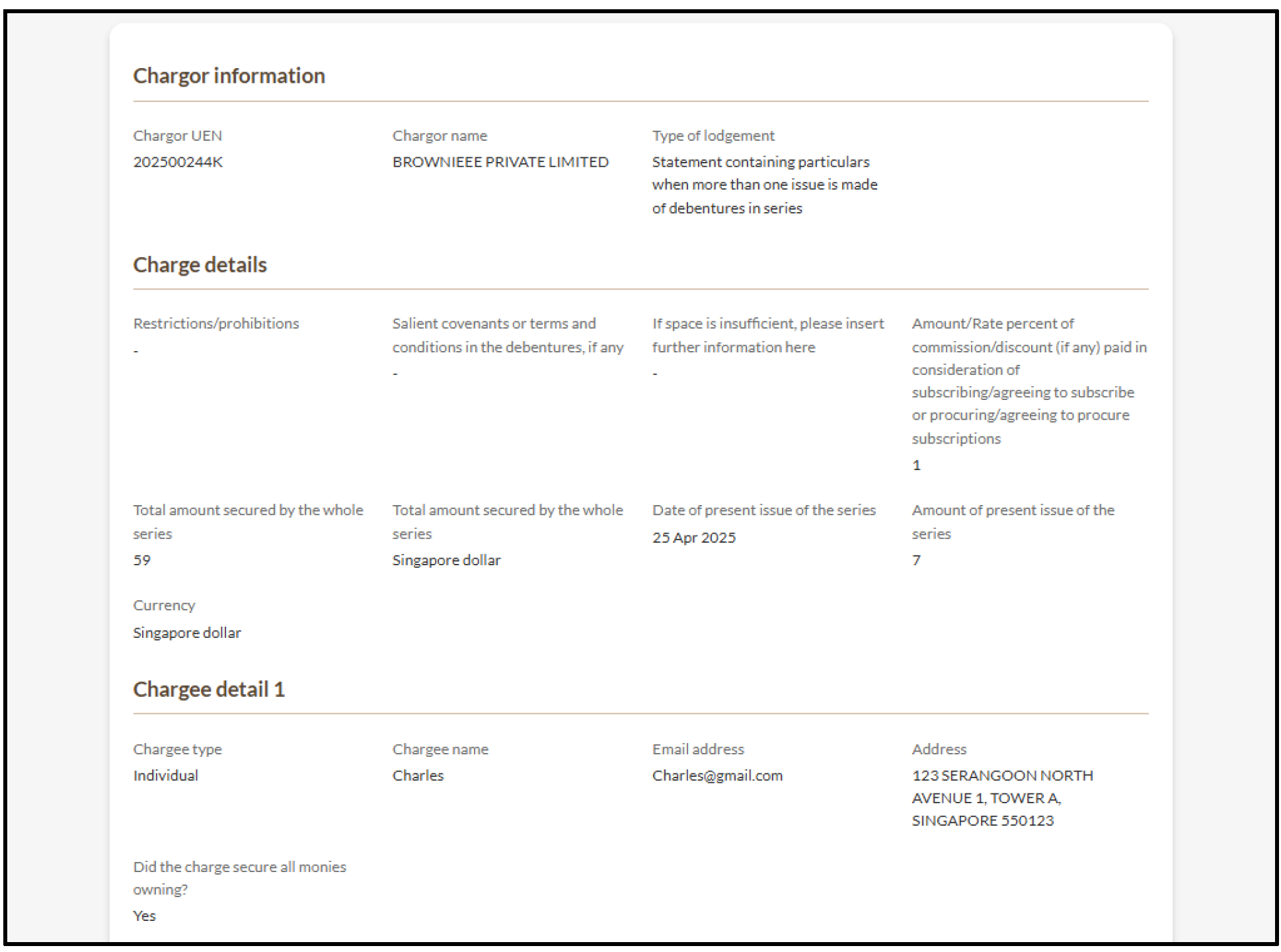
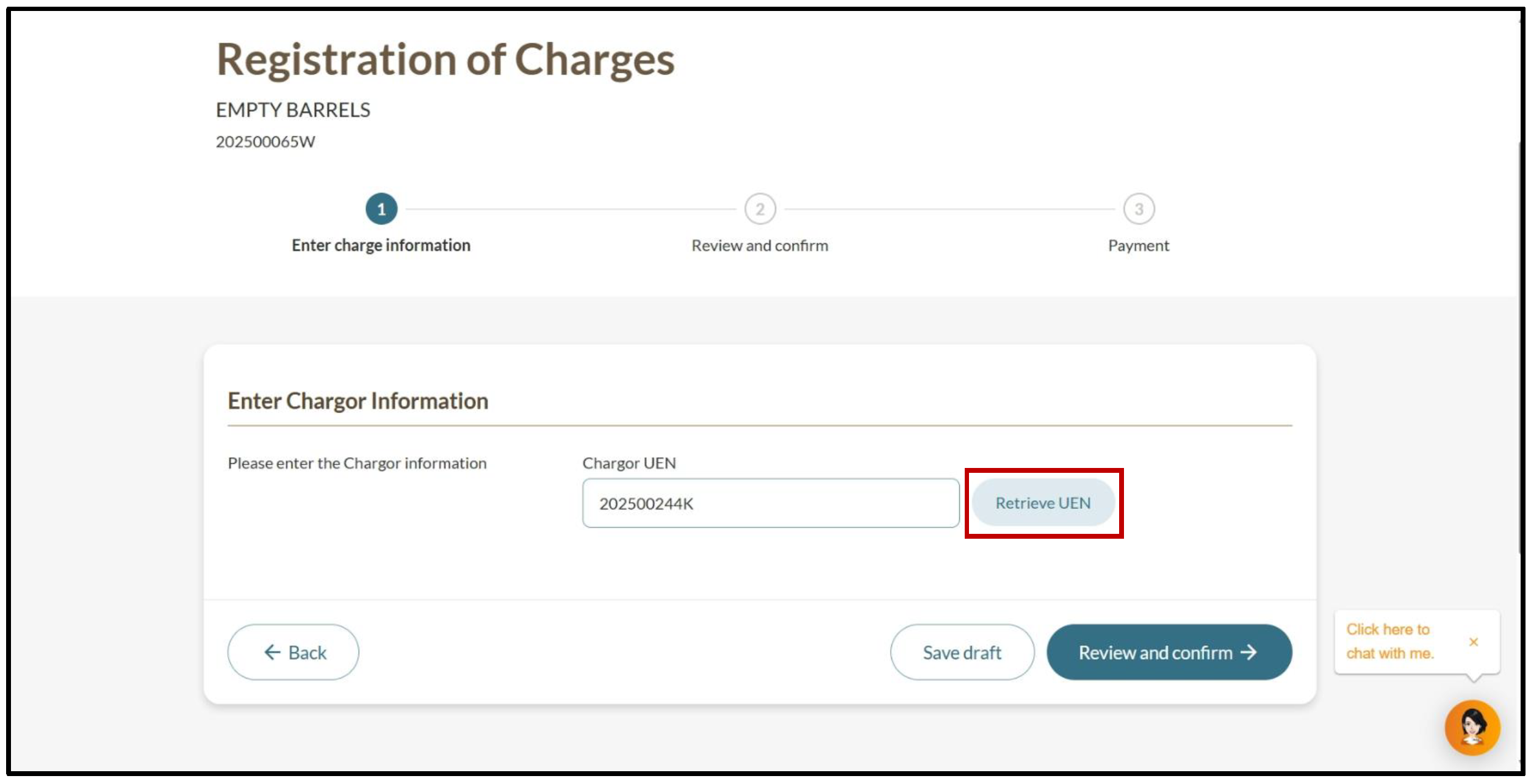
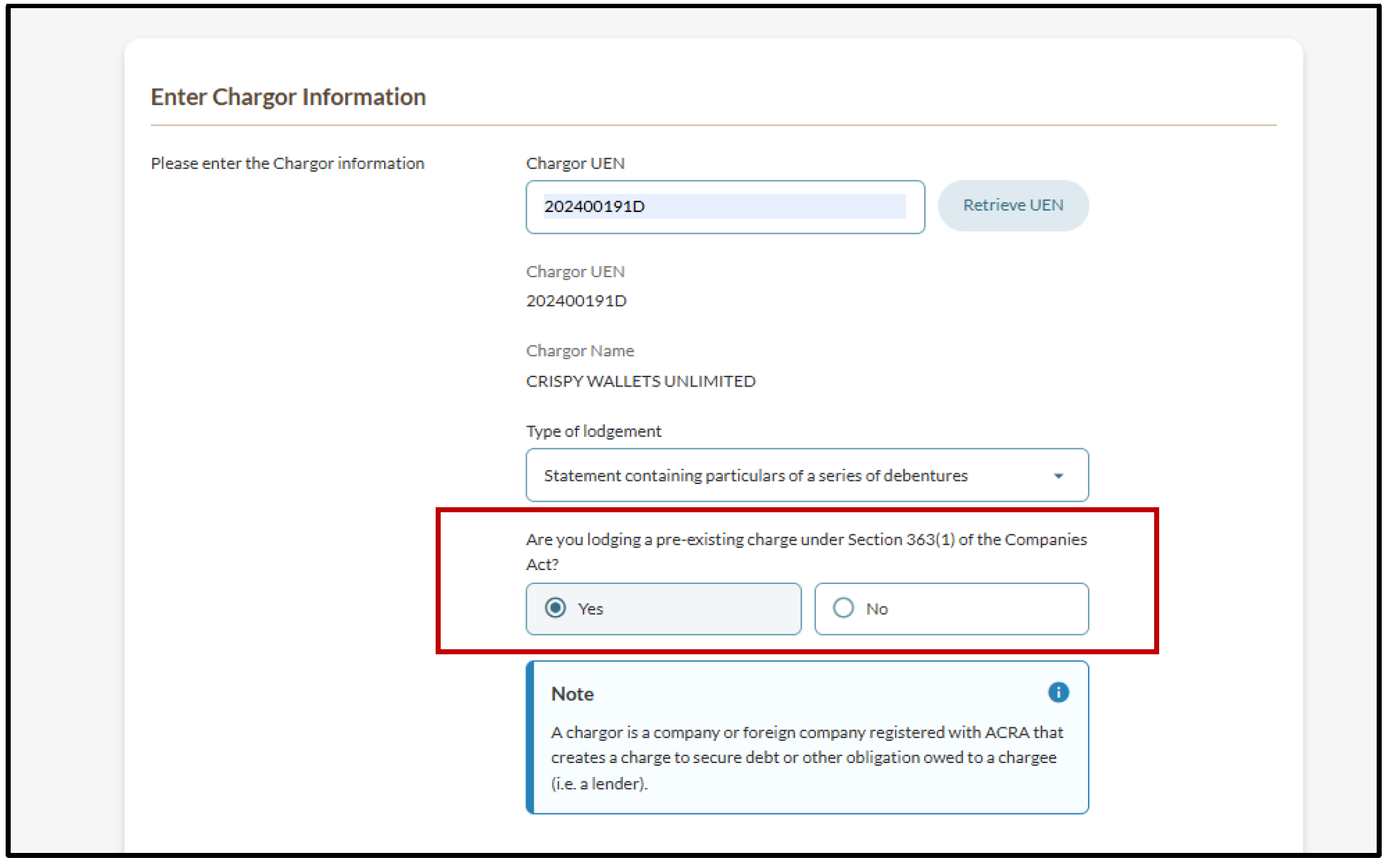
Step 2: Enter charge details
To provide more charge details, you may upload a file as an attachment.
The file name should only use alphanumeric characters (letters A-Z, a-z and numbers 0-9).
Do not include spaces, special characters (such as @, #, $, %, &, *), or foreign language characters.
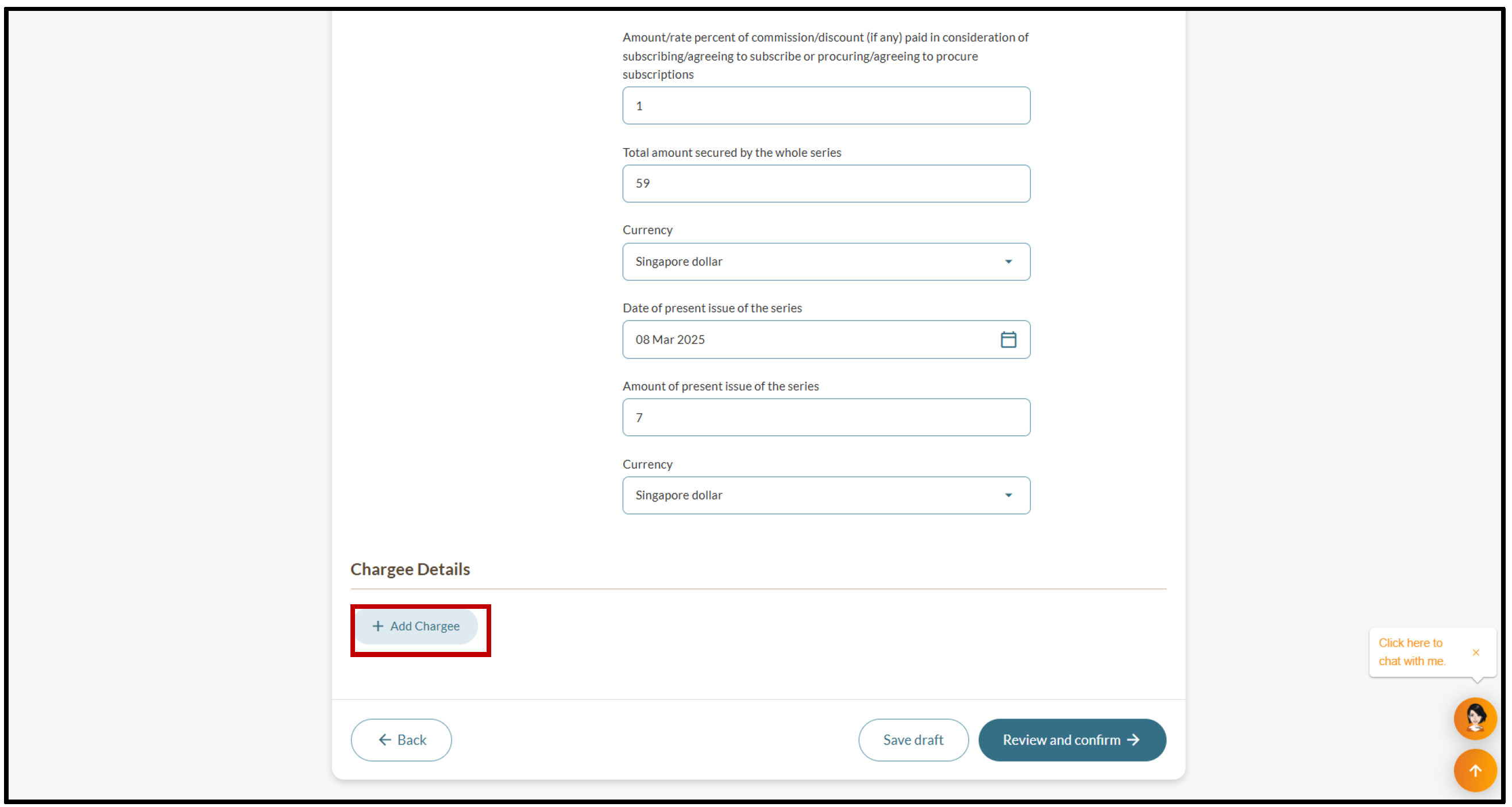
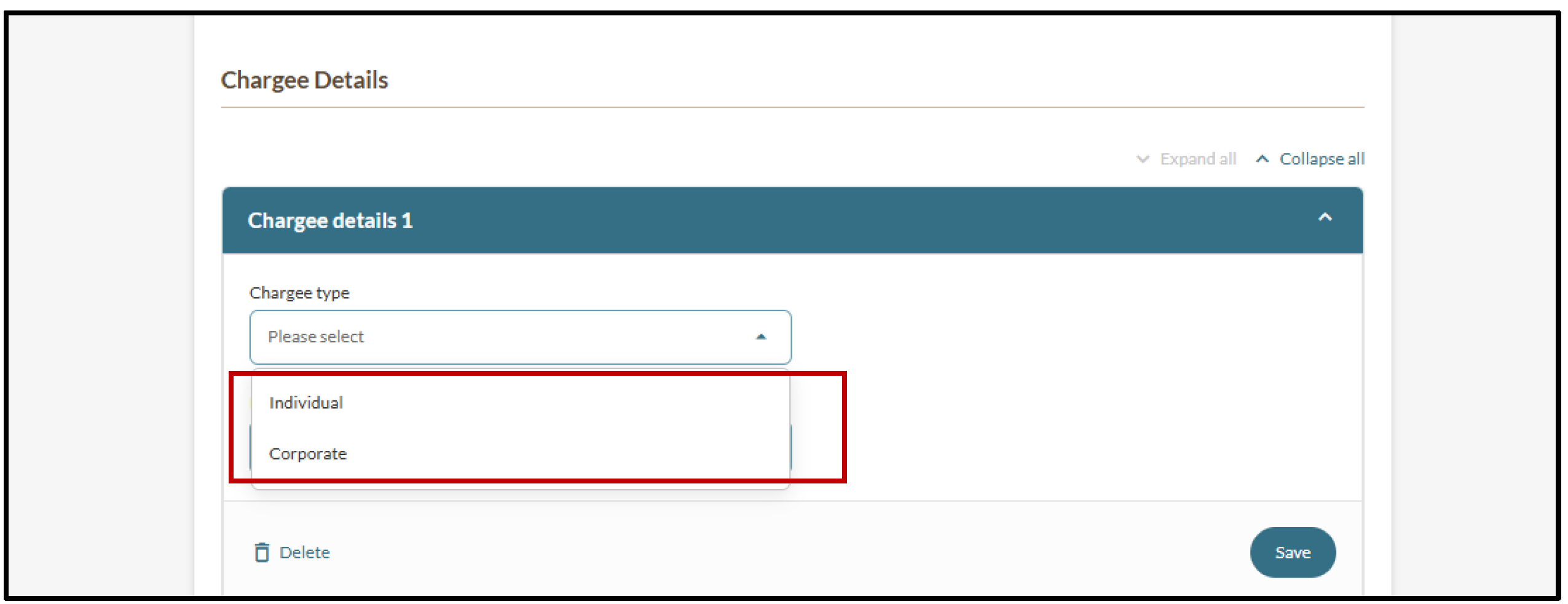
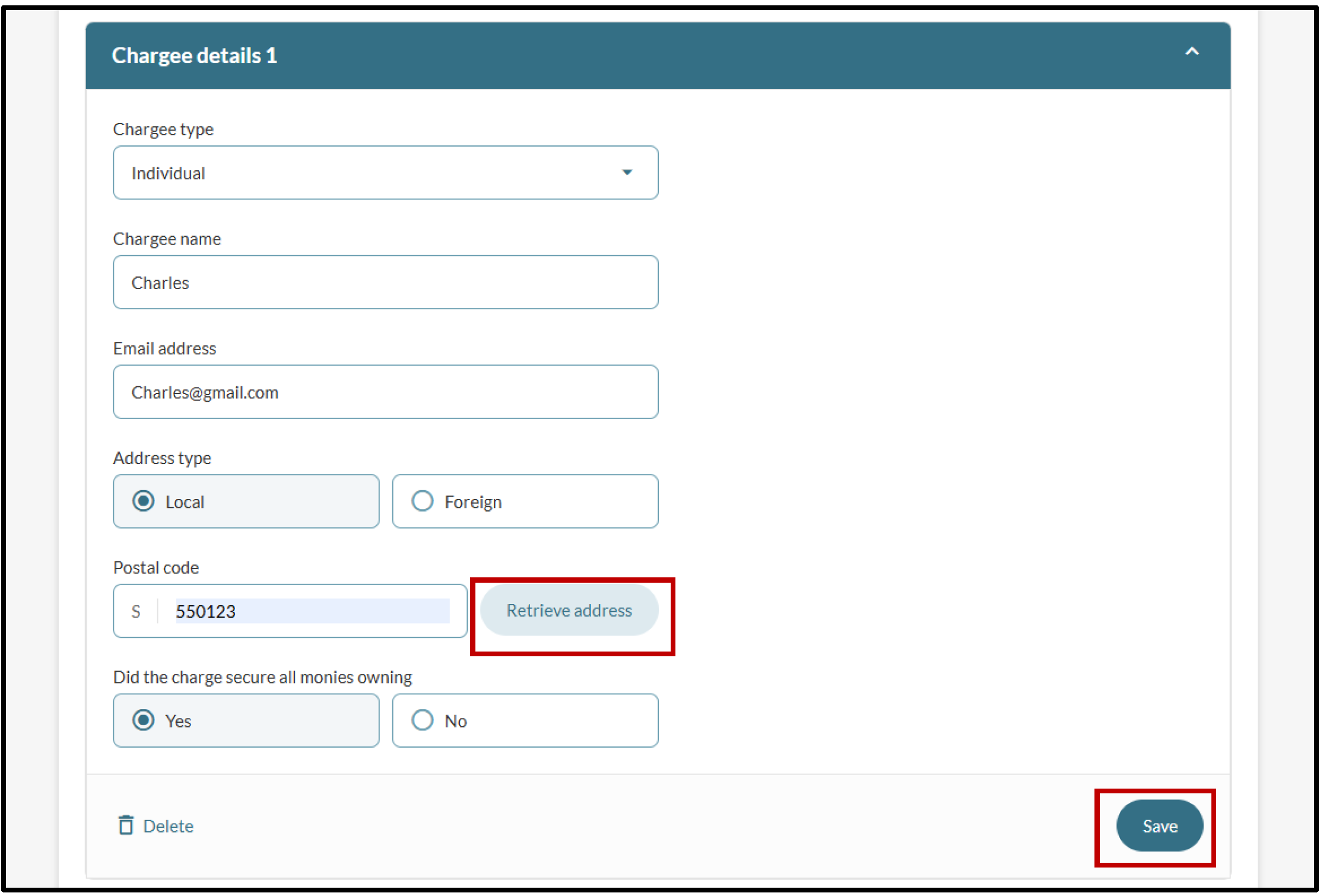
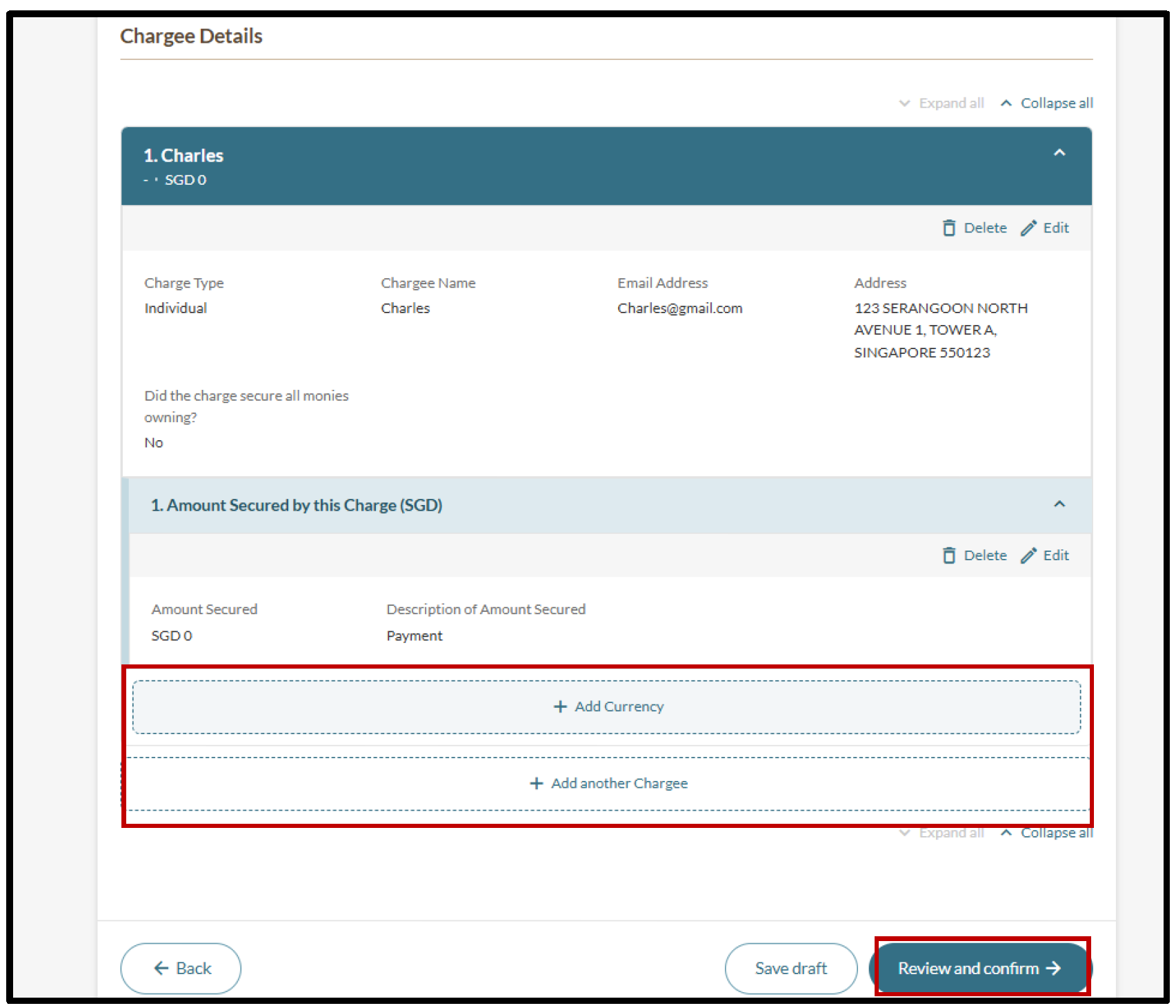
Step 3: Enter chargee details
You need to add at least one chargee (lender) to register a new charge.
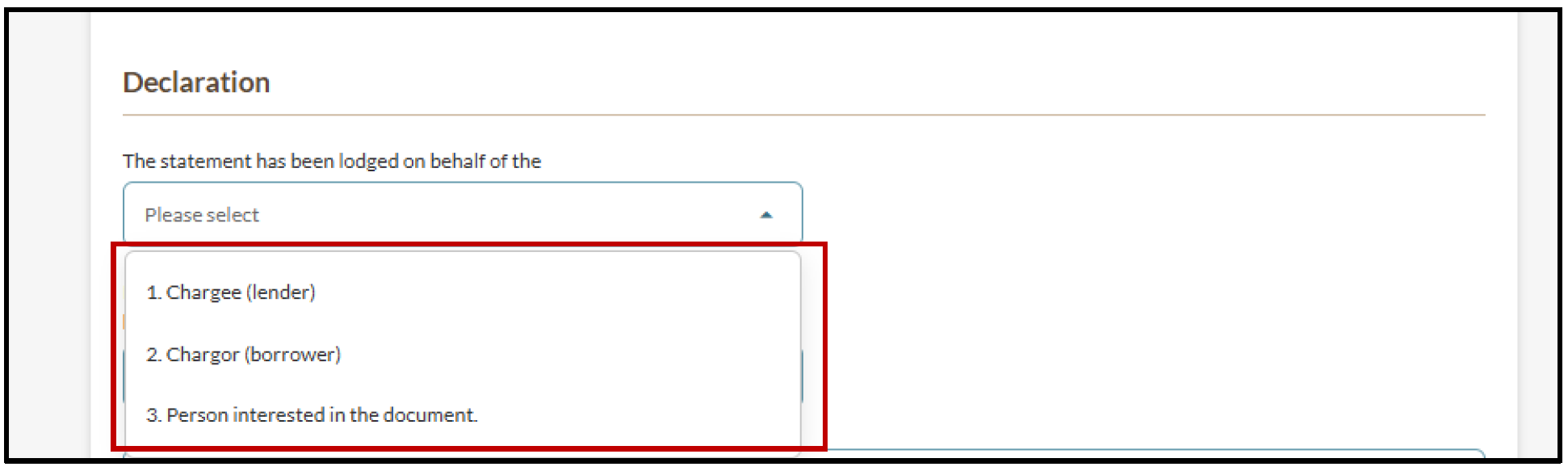
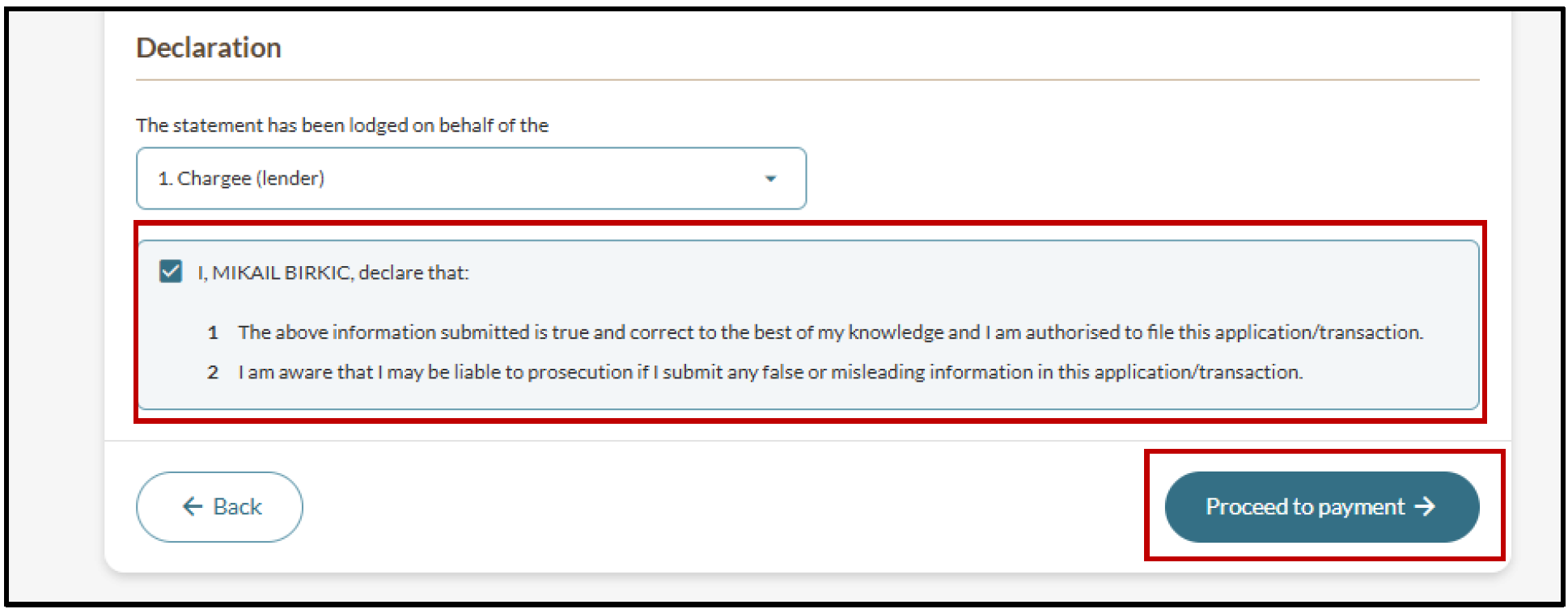
Step 4: Review and make payment