
Guide
Filing a special resolution for share capital reduction under S78B/C
Audience
Accounting entities
Businesses
Corporate Service Providers (CSP)
Task or topic
Shares and share information
2 December 2025
Check the requirements and process to file a special resolution for the reduction of share capital.
Before you file
This guide explains how to file a special resolution for the reduction of share capital under section 78B or 78C.
Your local company must first pass a special resolution to reduce its share capital. Then, it needs to file the special resolution with ACRA.
What you need to know
Key facts | Details |
|---|---|
Who needs to file | Both private and public companies limited by shares must file this. You may either:
|
When you can file | Within 14 days from the date of the special resolution |
What you need to prepare | Prepare:
|
Fees | Free |
Processing time | Immediate |
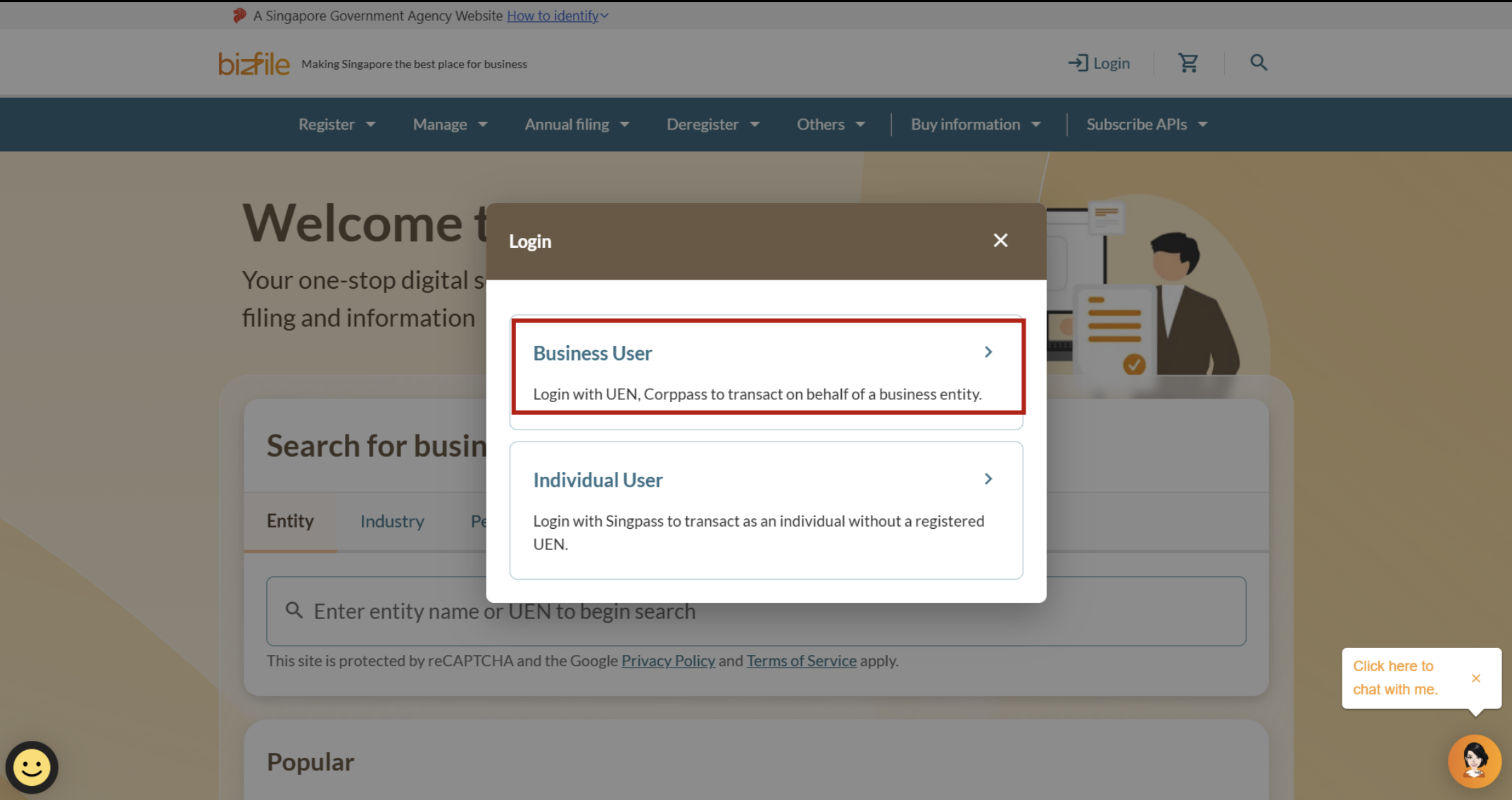
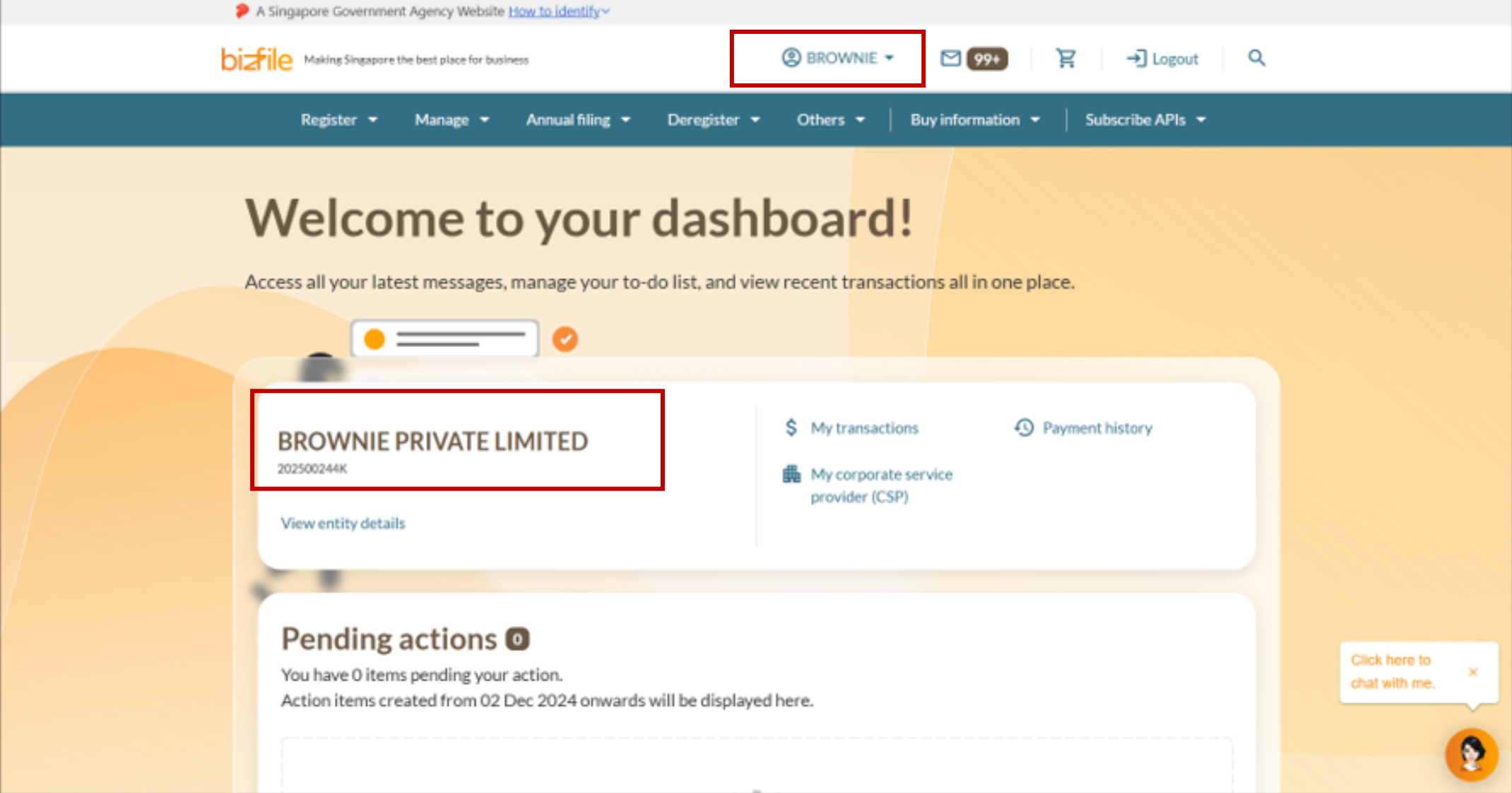
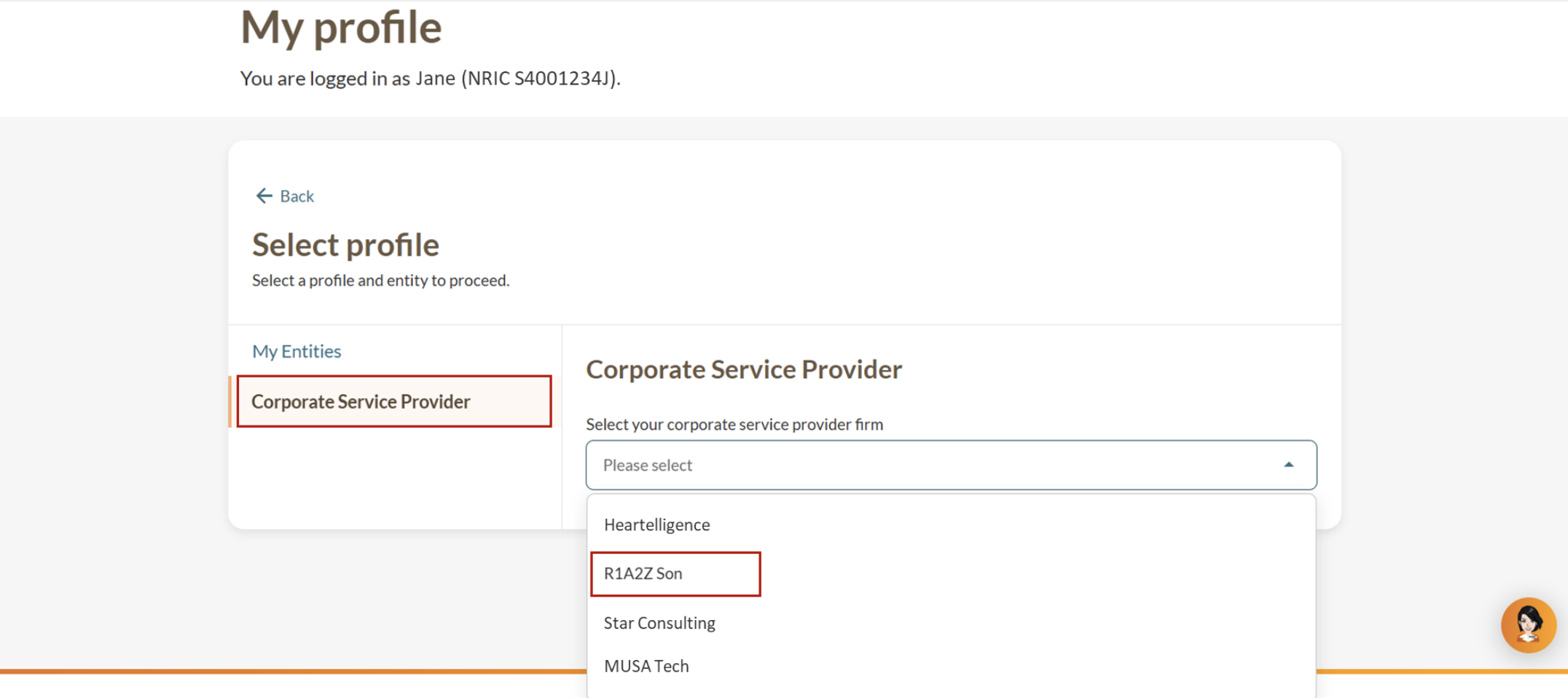
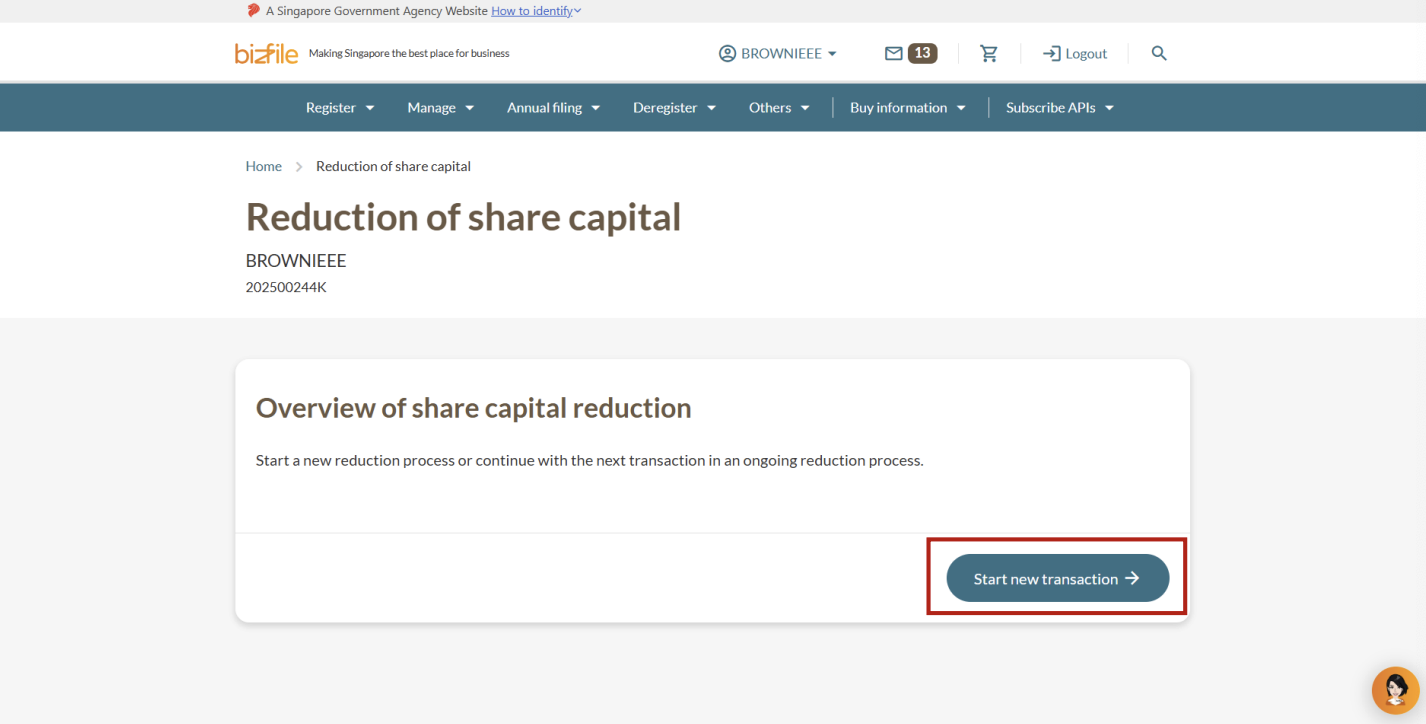
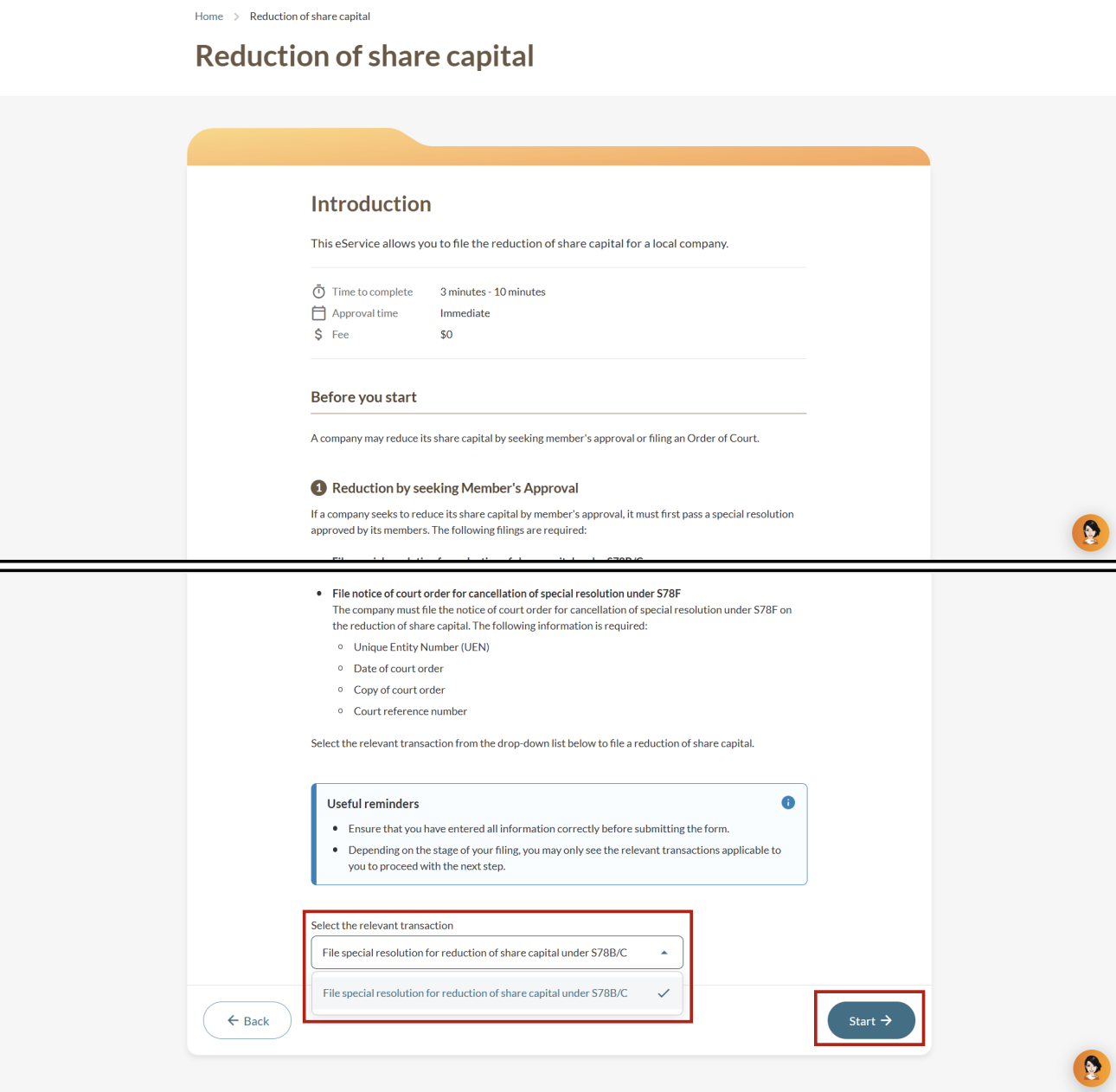
Step 1: Log in to Bizfile and open the “Update reduction of share capital” eService
Follow these steps to navigate to the Update reduction of share capital eService.
Note: All entity and personal information (including UEN, entity details, NRIC or FIN numbers, names and addresses) shown are dummy data for illustration purposes only.
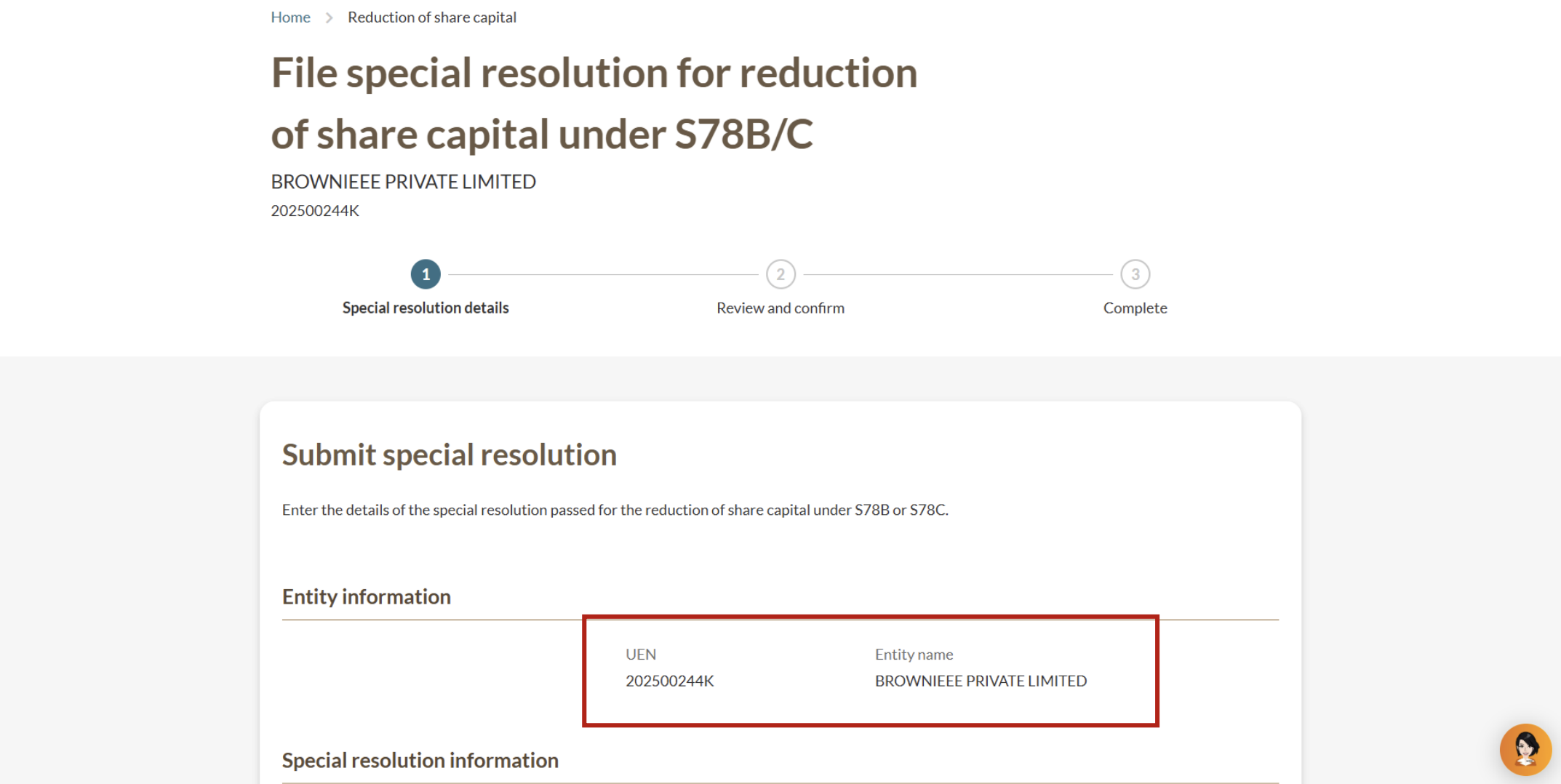
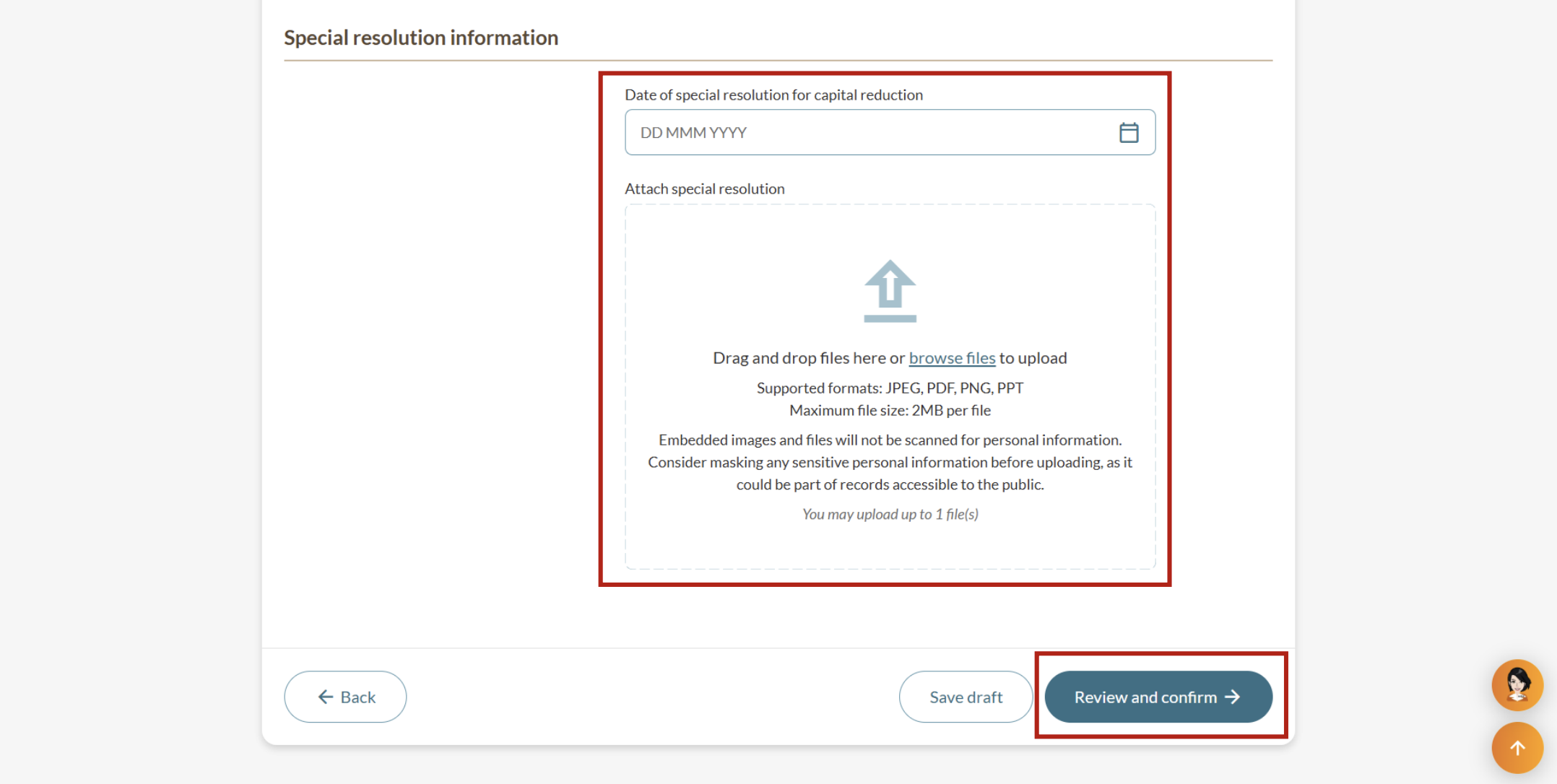
Step 2: File your special resolution
Select the relevant transaction and add your special resolution details.
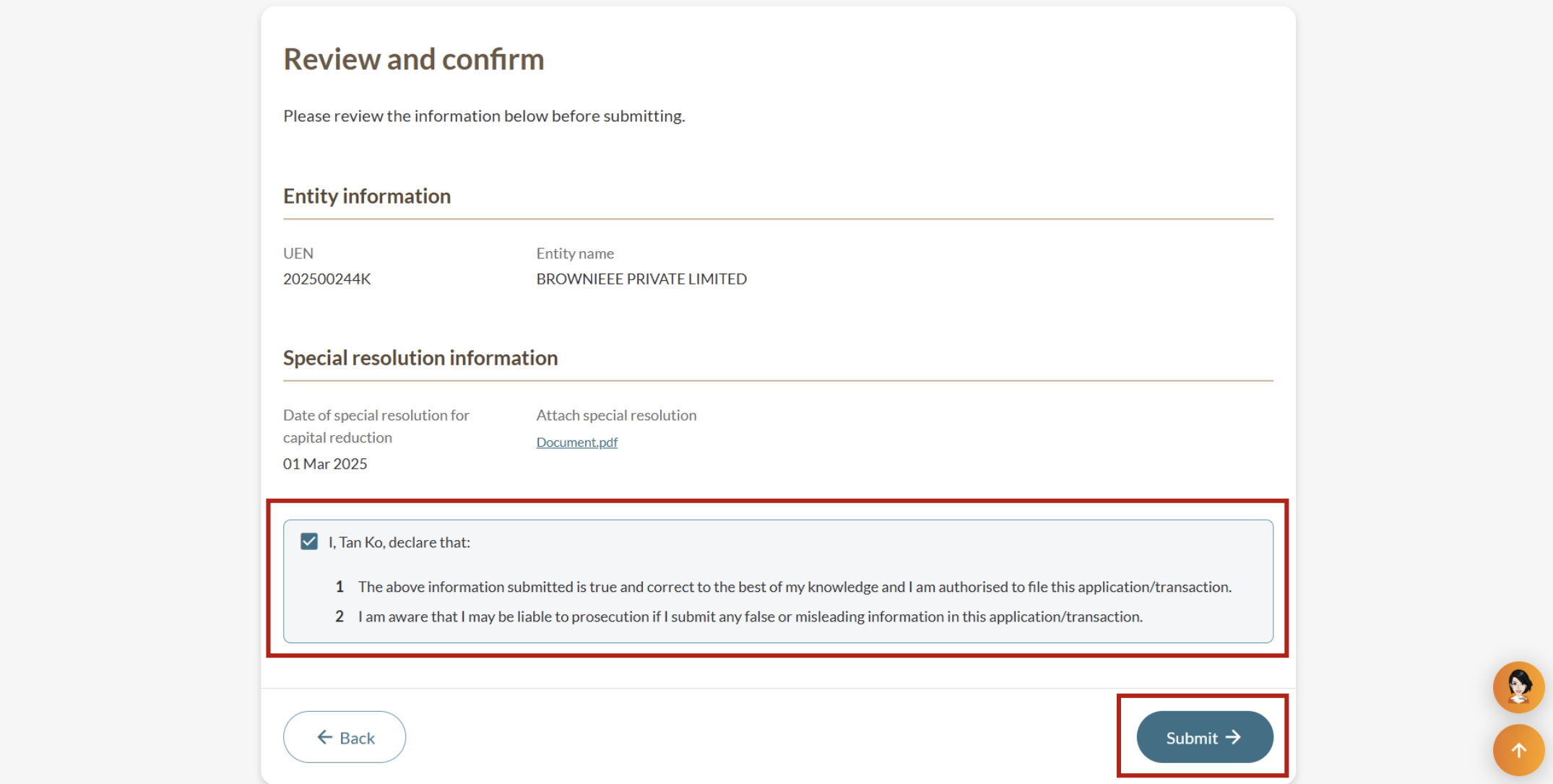
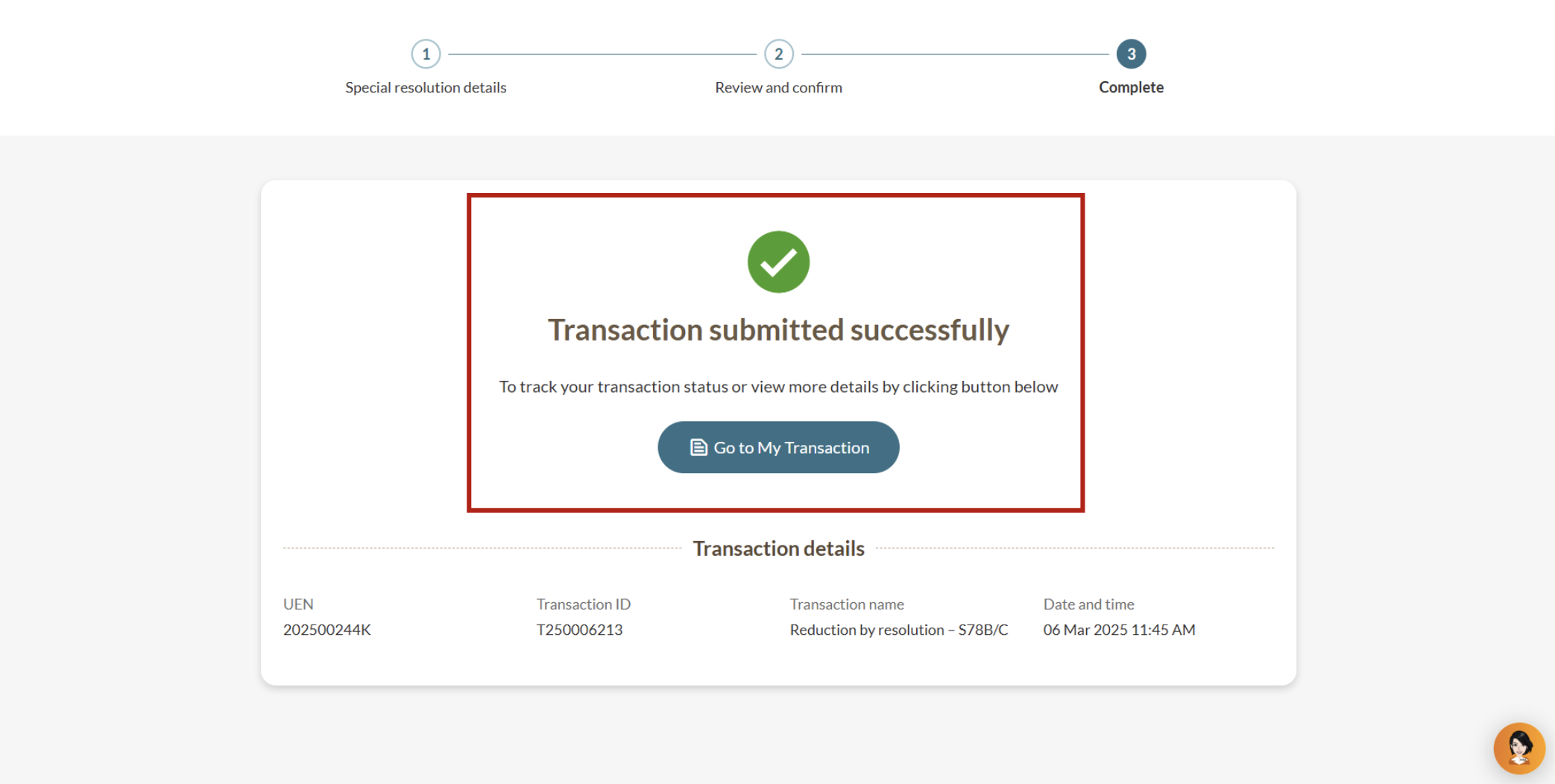
Step 3: Review and submit
After you file
To reduce your share capital by:
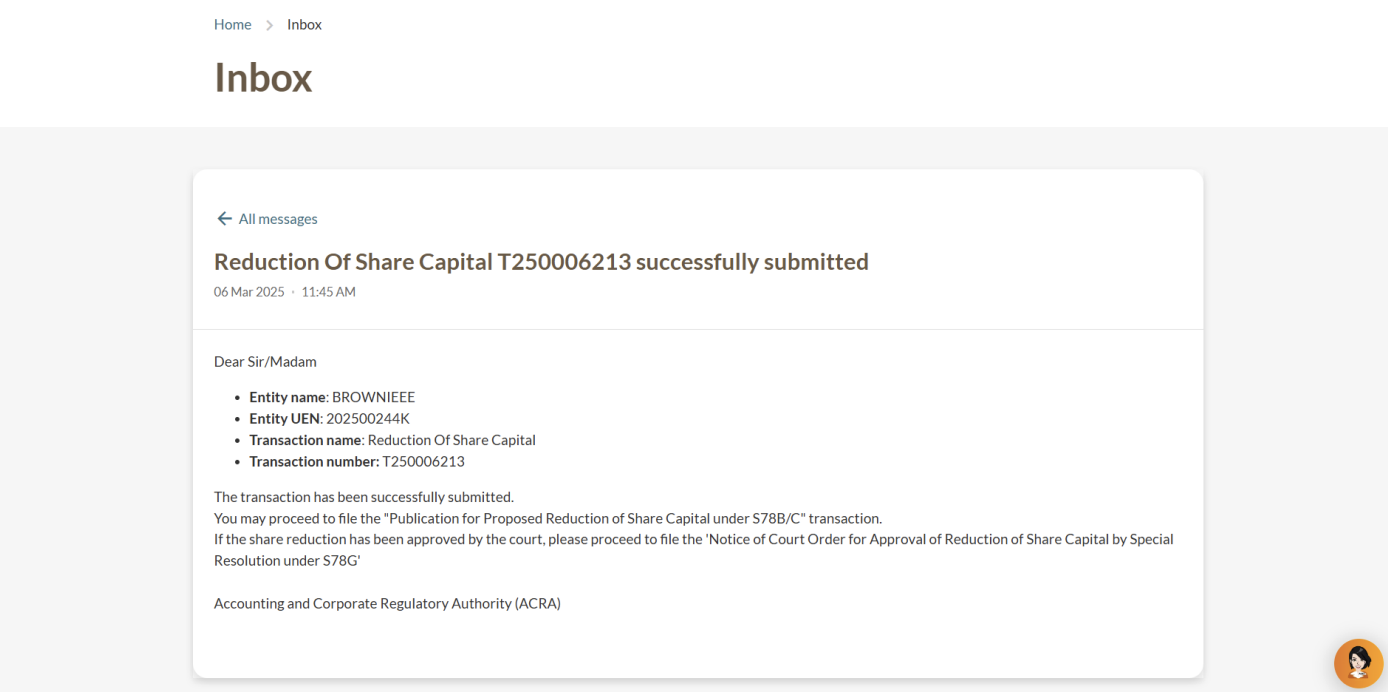
Seeking members' approval: File a publication for share capital reduction under section 78B or 78C.
Filing an Order of Court: File notice of court for approval of reduction of share capital by special resolution under section S78G.
More details: Reducing share capital