
Guide
Filing a publication for share capital reduction (members' approval)
Audience
Accounting entities
Businesses
Corporate Service Providers (CSP)
Task or topic
Shares and share information
3 December 2025
After you file your special resolution to reduce share capital, you need to file a publication for proposed reduction of share capital.
Before you file
This guide explains how to file a publication for the proposed reduction of share capital under section 78B or 78C.
You may only file this publication after you file a special resolution for the reduction of share capital.
What you need to know
Key facts | Details |
|---|---|
Who needs to file | Companies that passed a special resolution to reduce their share capital need to notify ACRA of the:
You may either:
|
When you can file | You can file on the same day you file the notice of special resolution. Depending on your company type, you may also file:
|
What you need to prepare |
|
Fees | Free |
Processing time | Immediate |
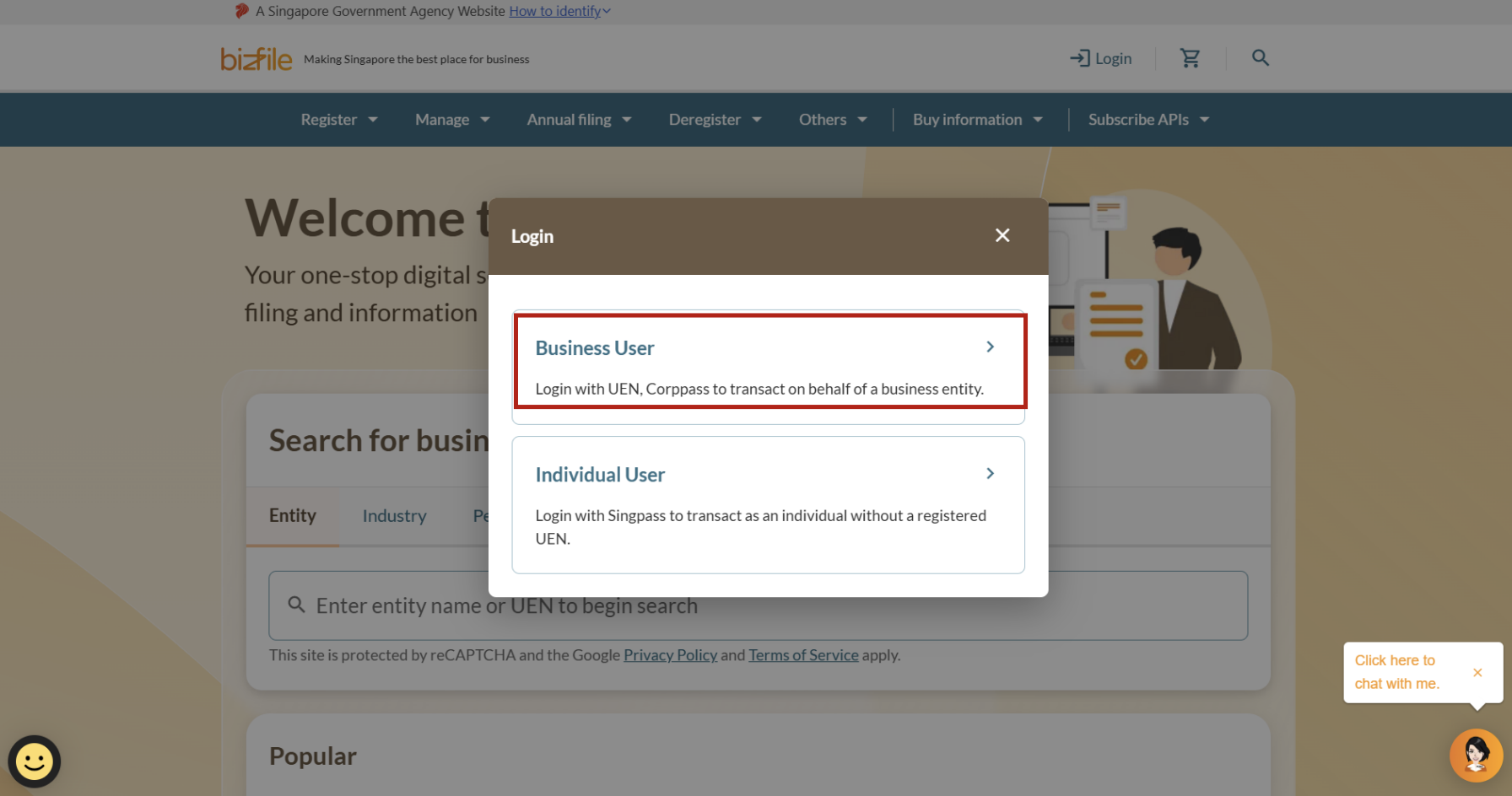
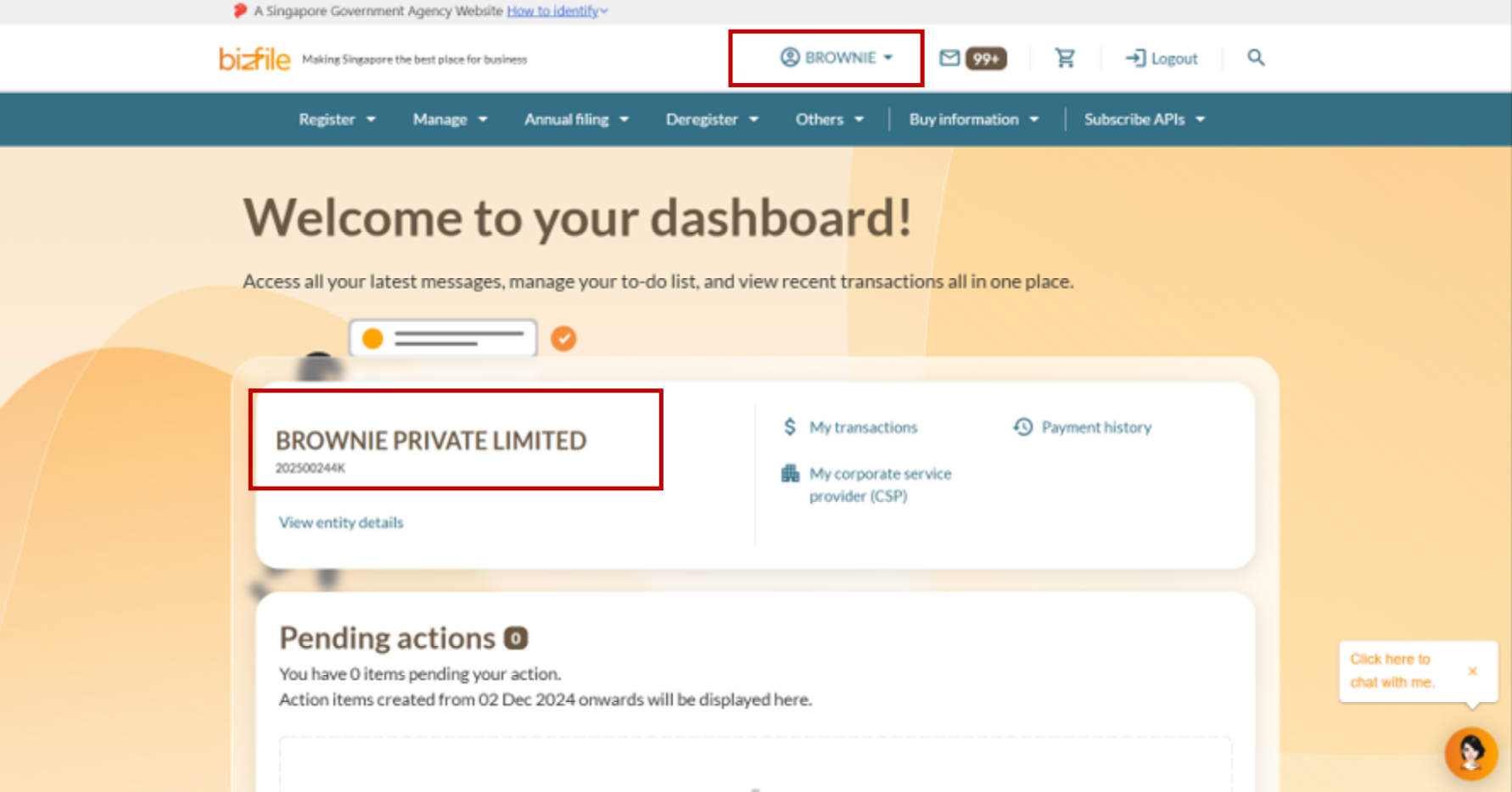
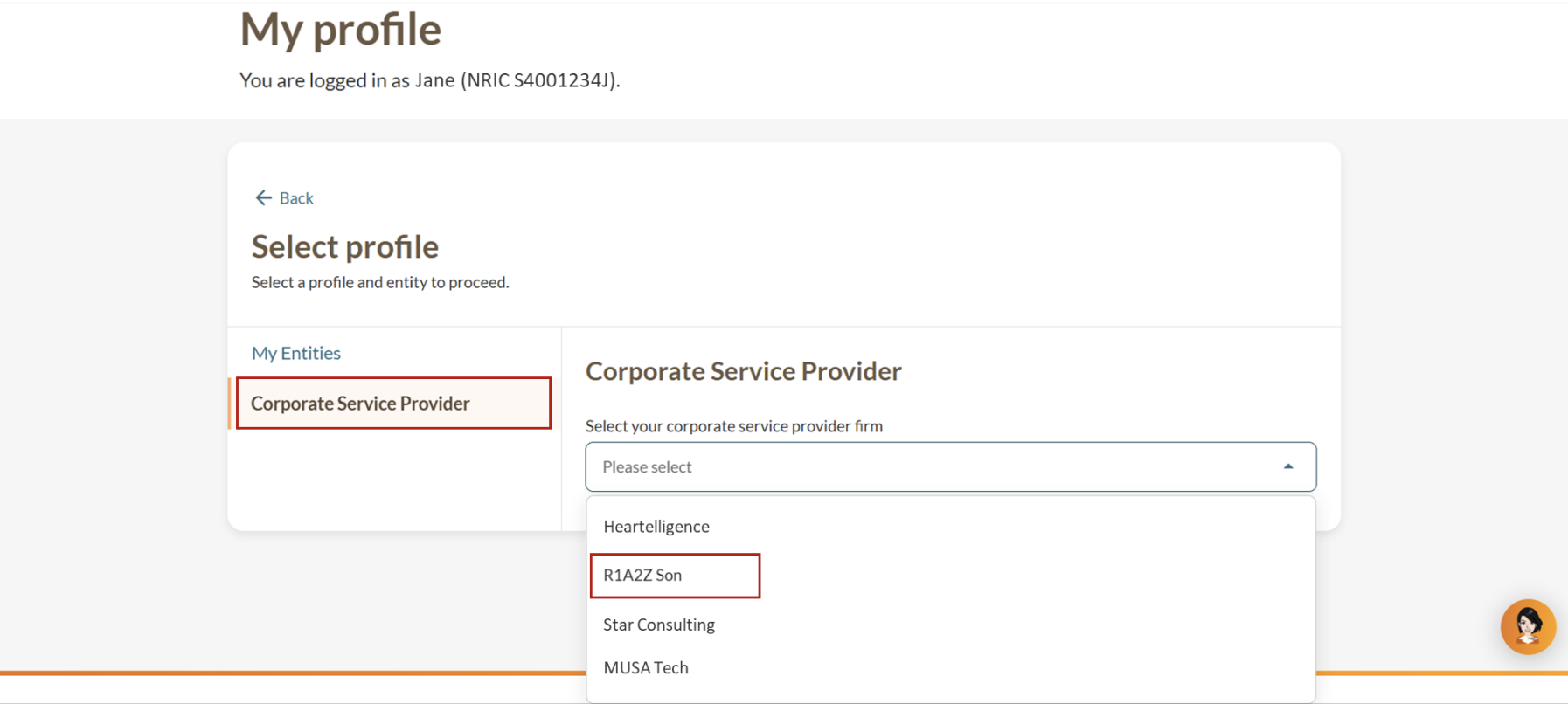
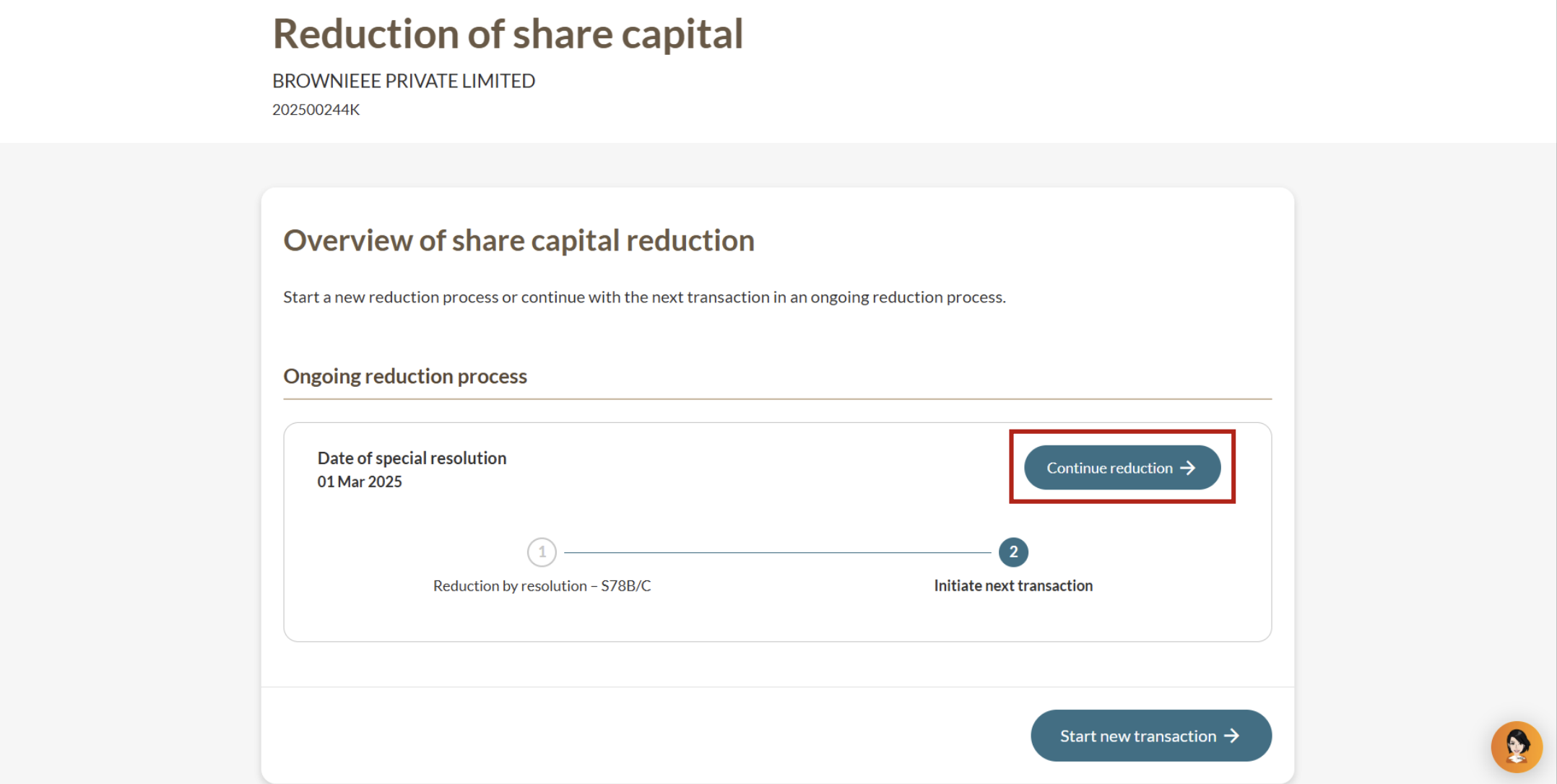
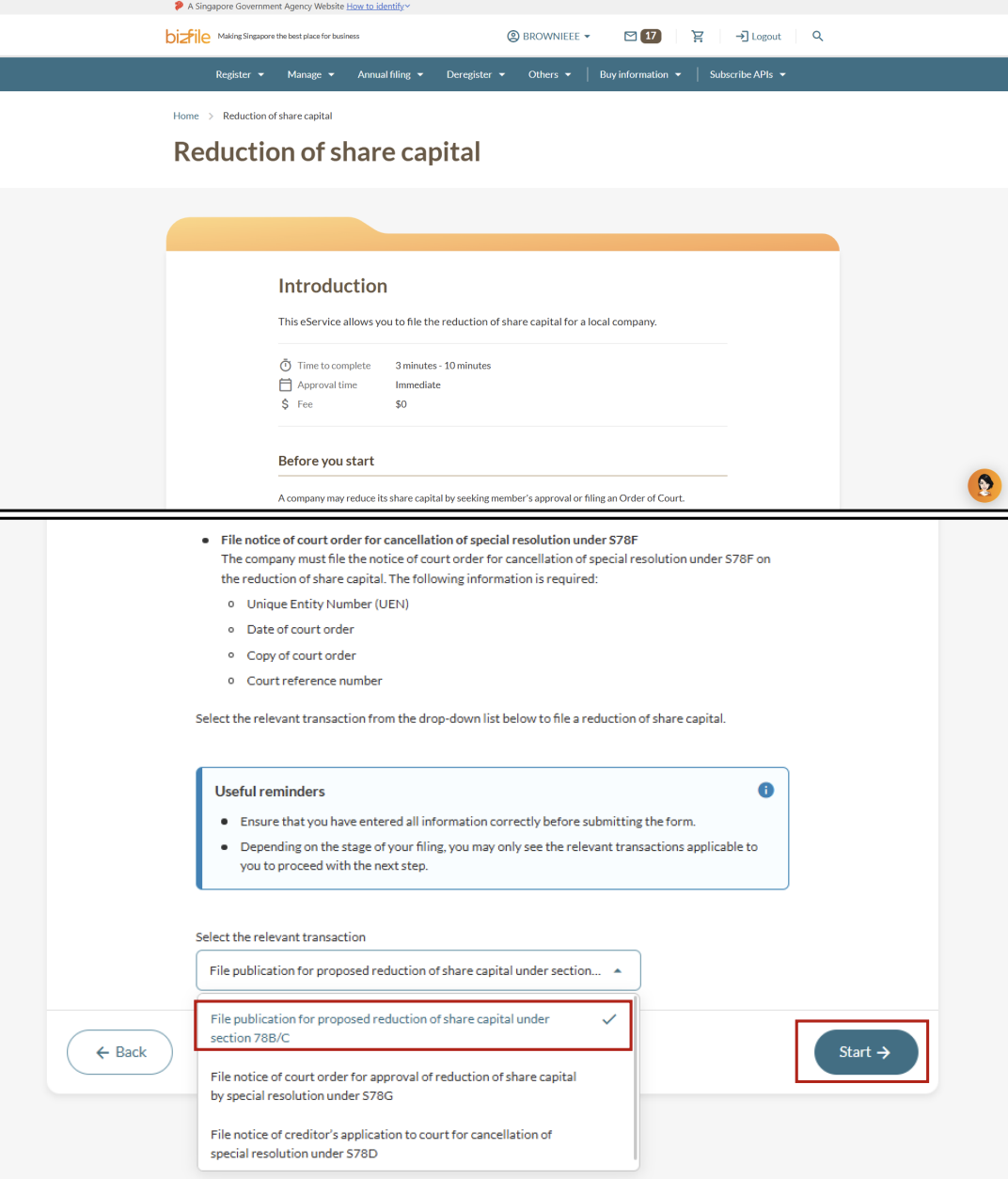
Step 1: Log in to Bizfile and open the “Update reduction of share capital” eService
Follow these steps to navigate to the Update reduction of share capital eService.
Note: All entity and personal information (including UEN, entity details, NRIC or FIN numbers, names and addresses) shown are dummy data for illustration purposes only.
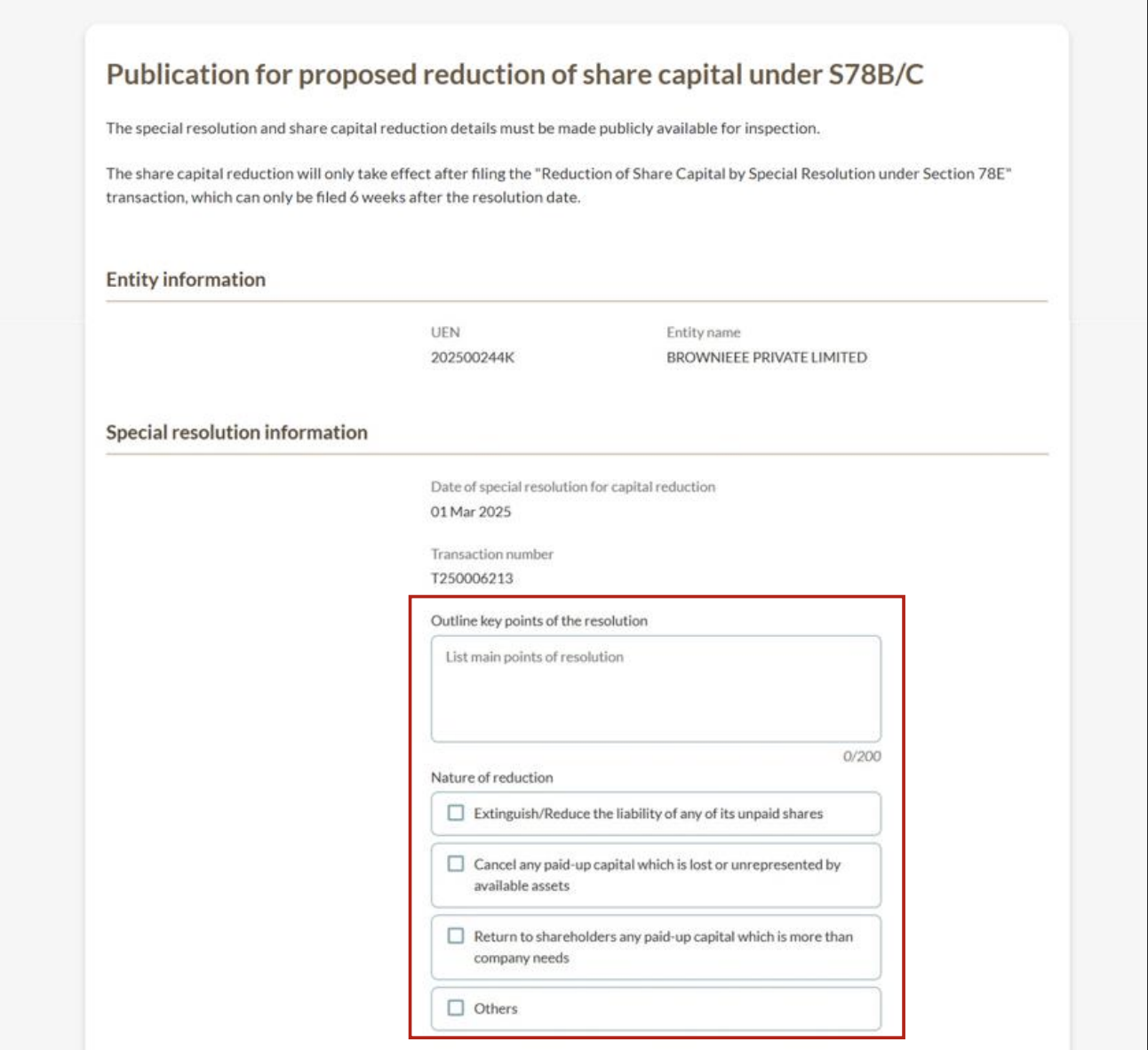
Step 2: Enter share reduction details
Required details include:
Key points of the special resolution
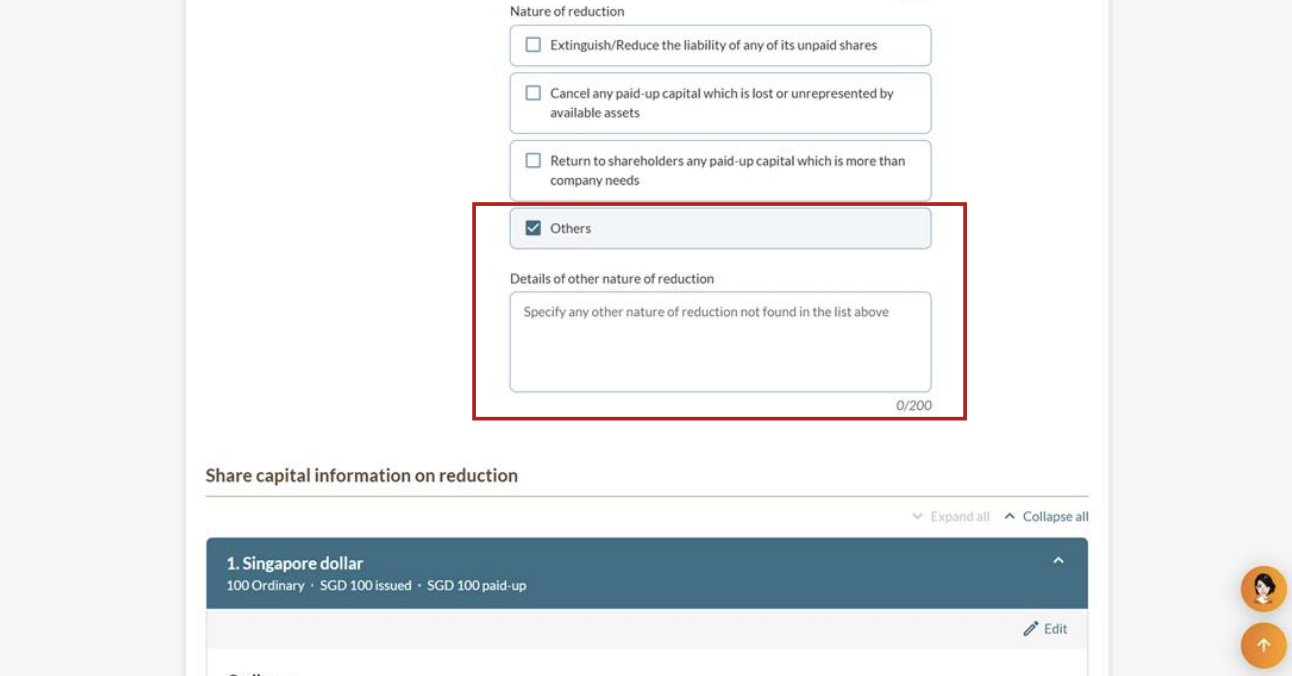
Nature of reduction
Share capital information on reduction
Note: When entering text, use only alphanumeric characters (letters A-Z, a-z and numbers 0-9), full stops, forward slashes (/) and ampersands (&). No other special characters are allowed.
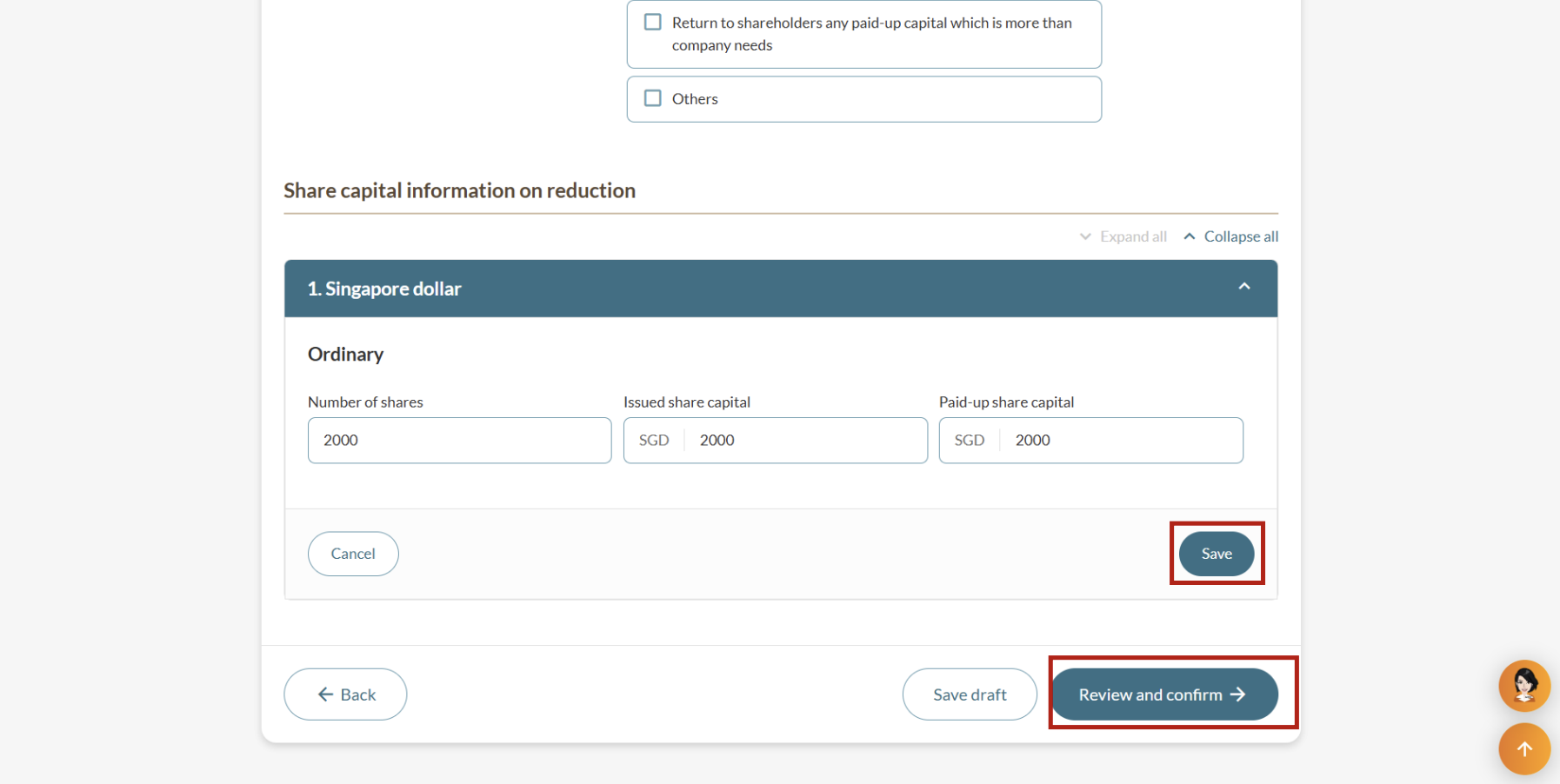
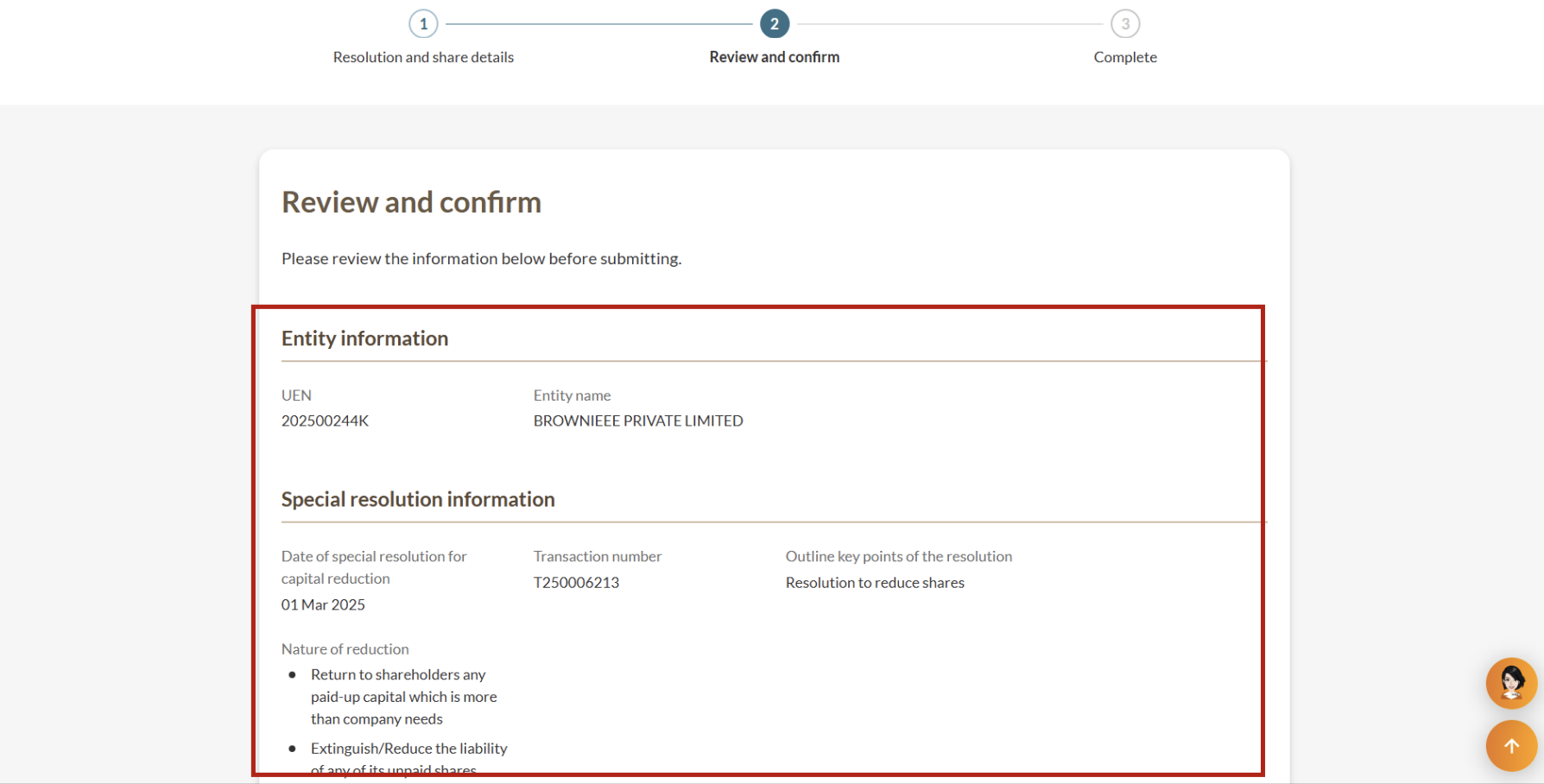
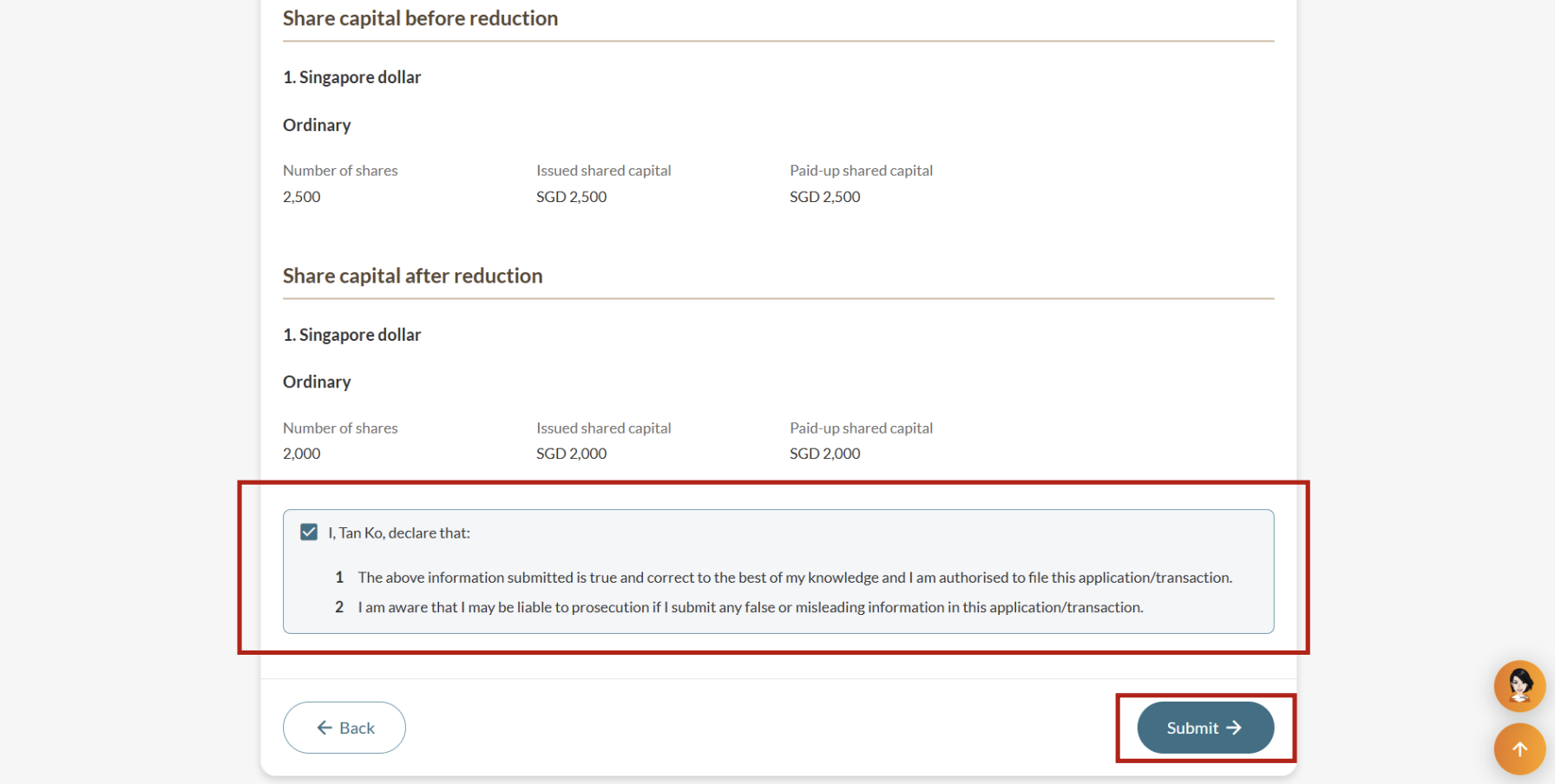
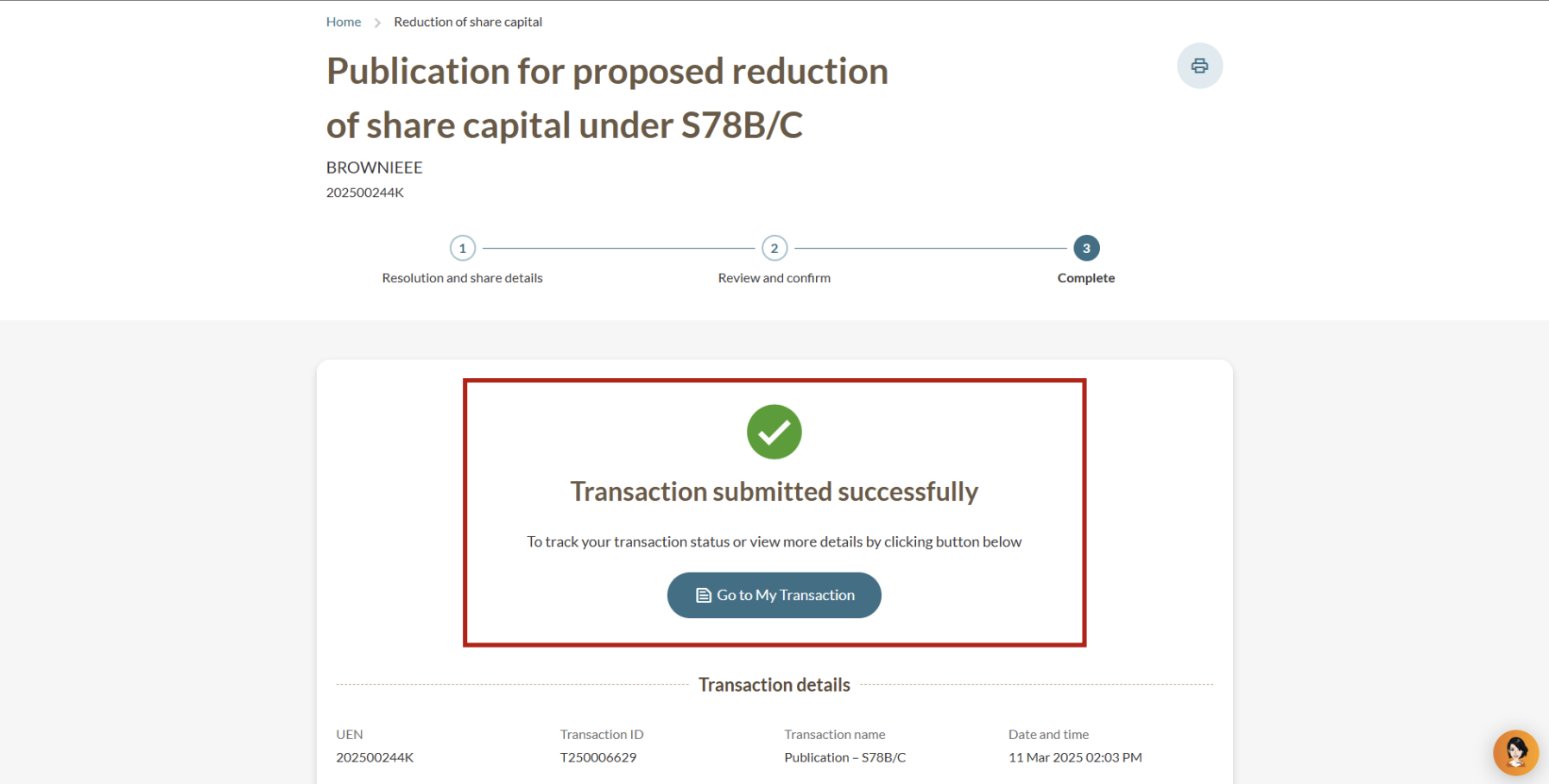
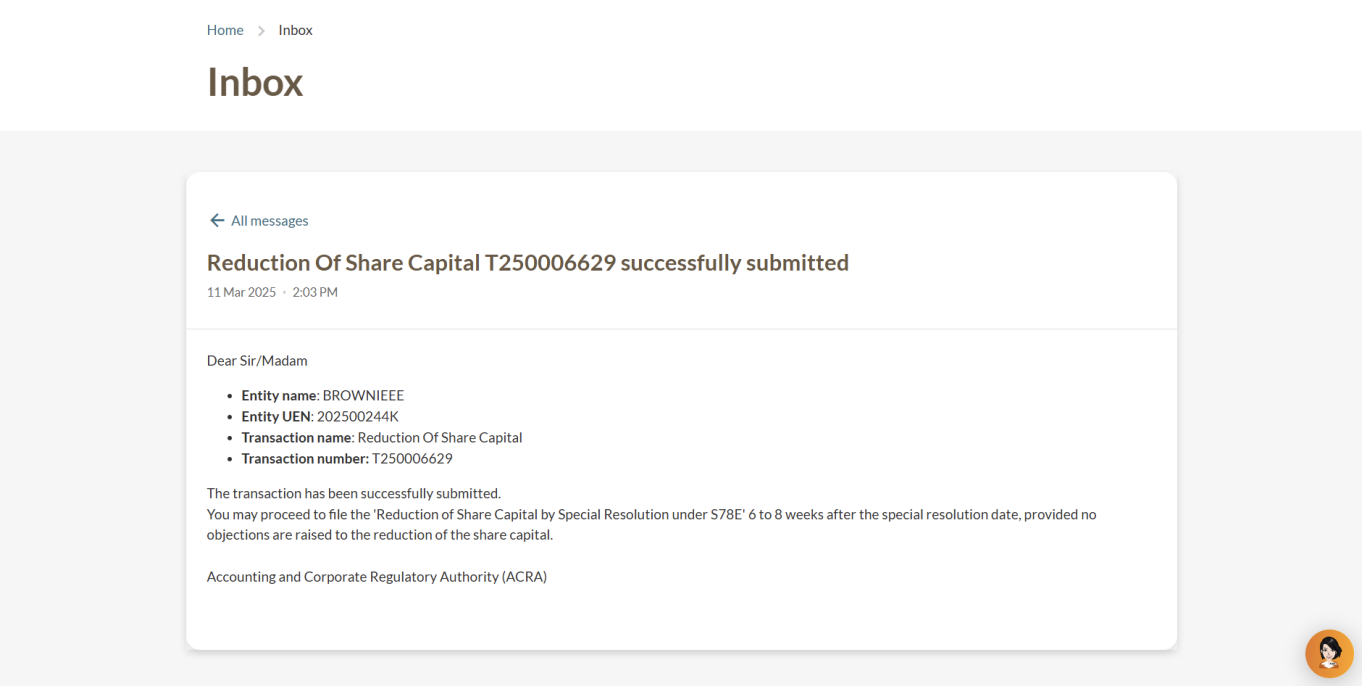
Step 3: Review and submit
After you file
Creditors have up to six weeks from the date of the special resolution to file any objections with the Court.
If no objections are received after the six-week period, you may proceed to file a reduction of share capital by special resolution under section 78E.
More details: Reducing share capital
Related pages
This page is under development and being progressively updated.