
Guide
Downloading free Business Profiles
Audience
Accountants
Accounting entities
Businesses
Corporate Service Providers (CSP)
Public
Task or topic
Buy or download business information
26 August 2025
After you complete an eligible transaction, you can download a free Business Profile.
Before you download
This guide explains how to download a free copy of a Business Profile after you complete an eligible transaction.
When you qualify for a free copy
You qualify for a free copy of a Business Profile after you complete an eligible transaction successfully.
How to qualify
Eligible transactions | Related guides |
|---|---|
Business registration:
| |
Annual filings:
| |
Who can download the free copy
You can only download the free Business Profile if you filed the eligible transaction. This includes:
Individuals who filed the transaction directly
Corporate service providers (CSPs) who filed on behalf of the entity
Group secretaries who filed on behalf of the entity
Note: Download your free copy within 30 days of successful filing, or before your next filing (whichever comes first). You can only download one free Business Profile at a time. After 30 days, no extensions are available.
If you are an individual user without Corppass
Register for Corppass to protect your entity's information from unauthorised access.
You can still use your Singpass to download your free Business Profile. To do so, follow the instructions in your Bizfile inbox's success message. However, you will not be able to access "My Entity" and the free product download page.
Follow these steps to download your Business Profile via Singpass.
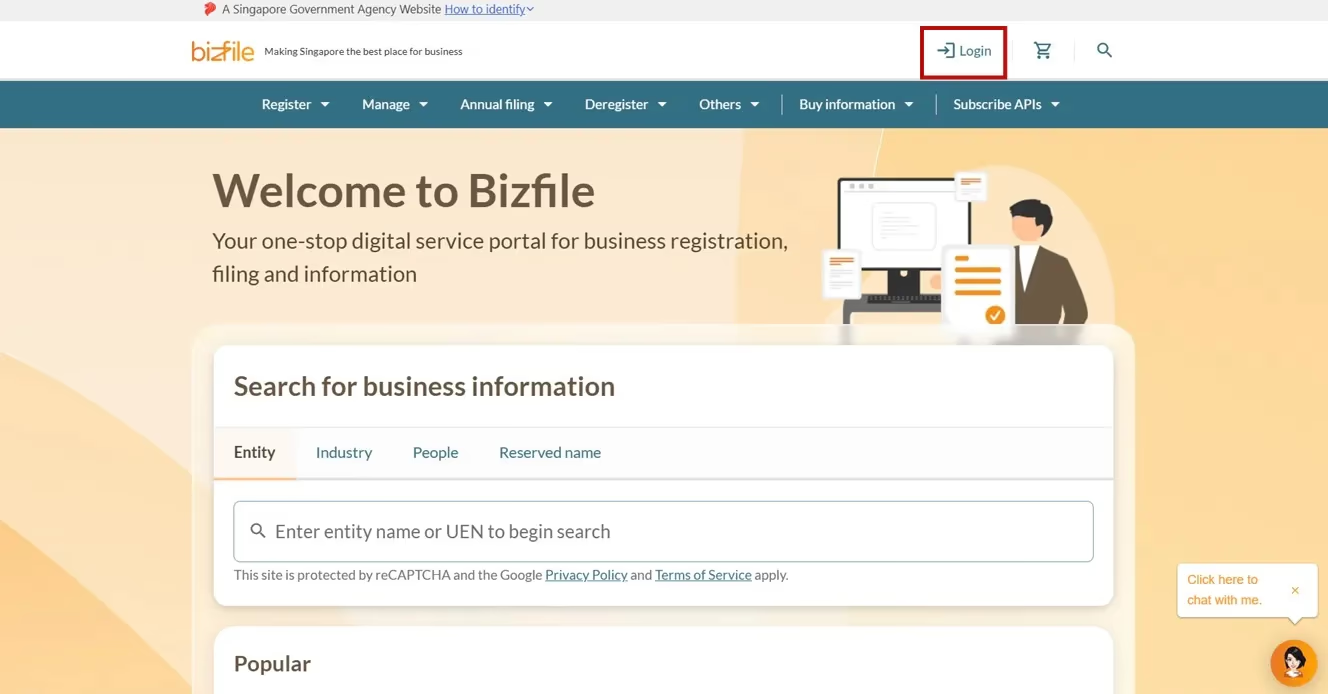
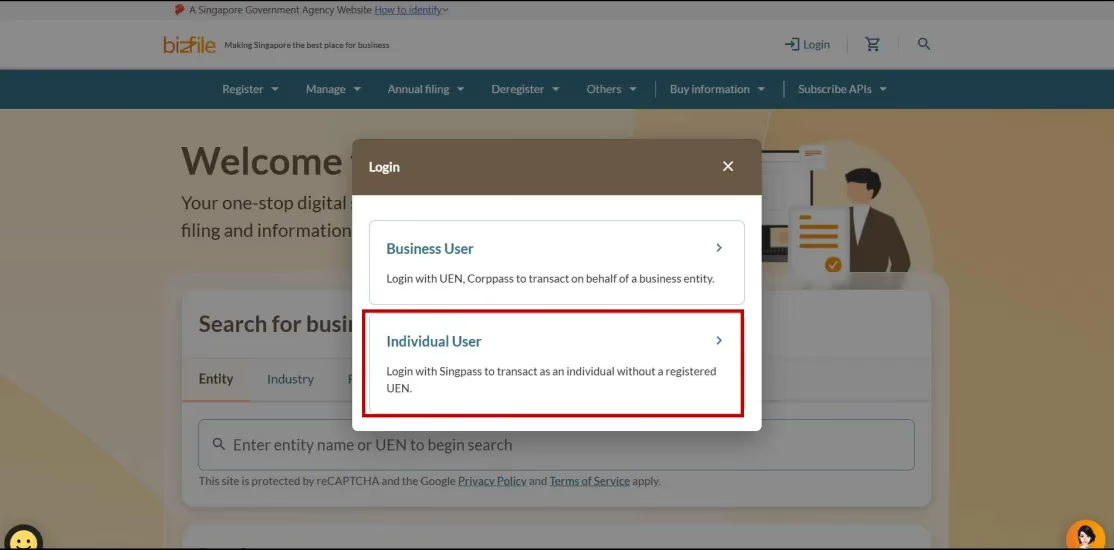
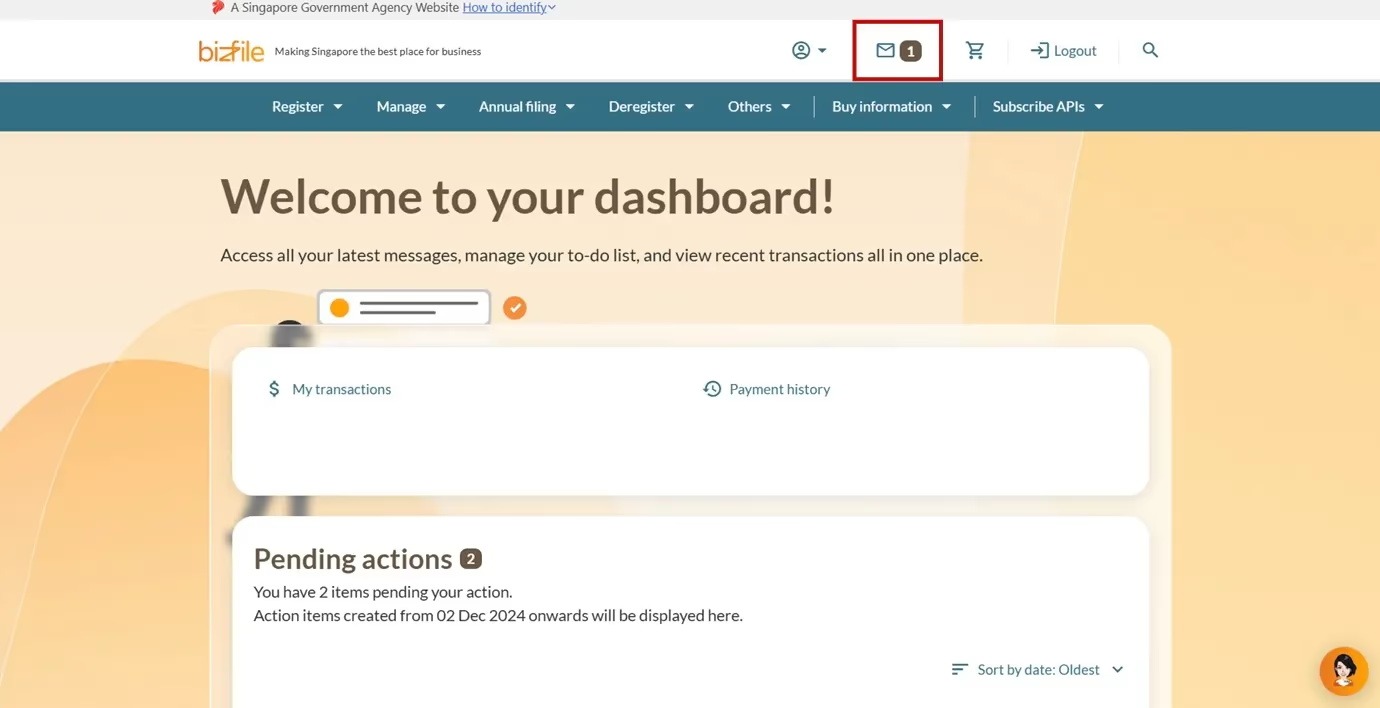
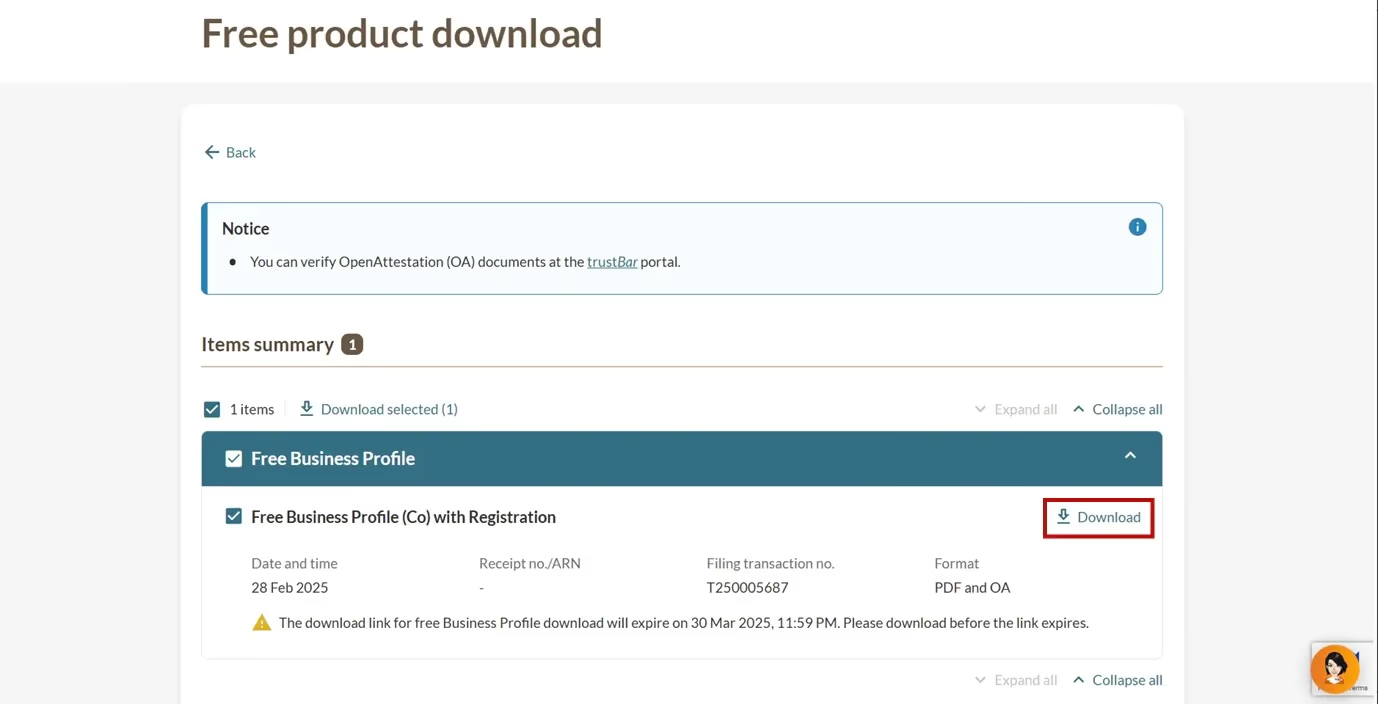
All entity and personal information (including UEN, entity details, NRIC or FIN numbers, names and addresses) shown are dummy data for illustration purposes only.
If you hold positions in multiple entities
Follow these steps to download your free Business Profile for the right entity.
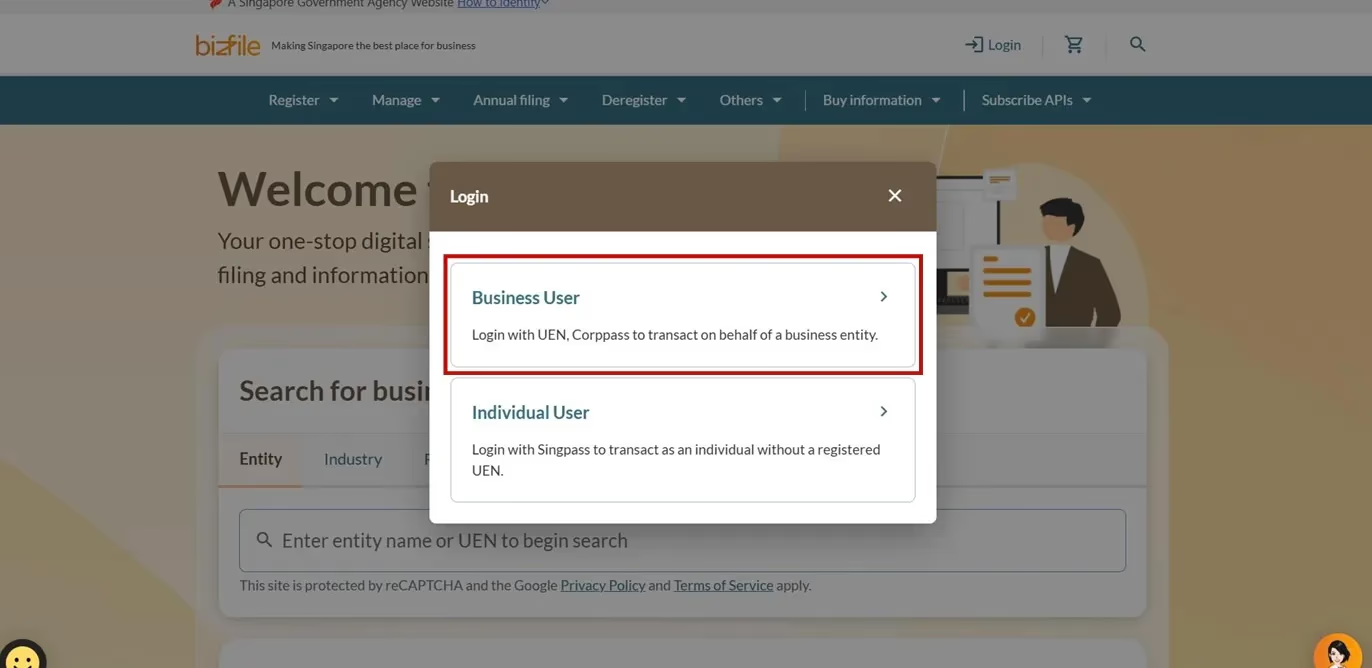
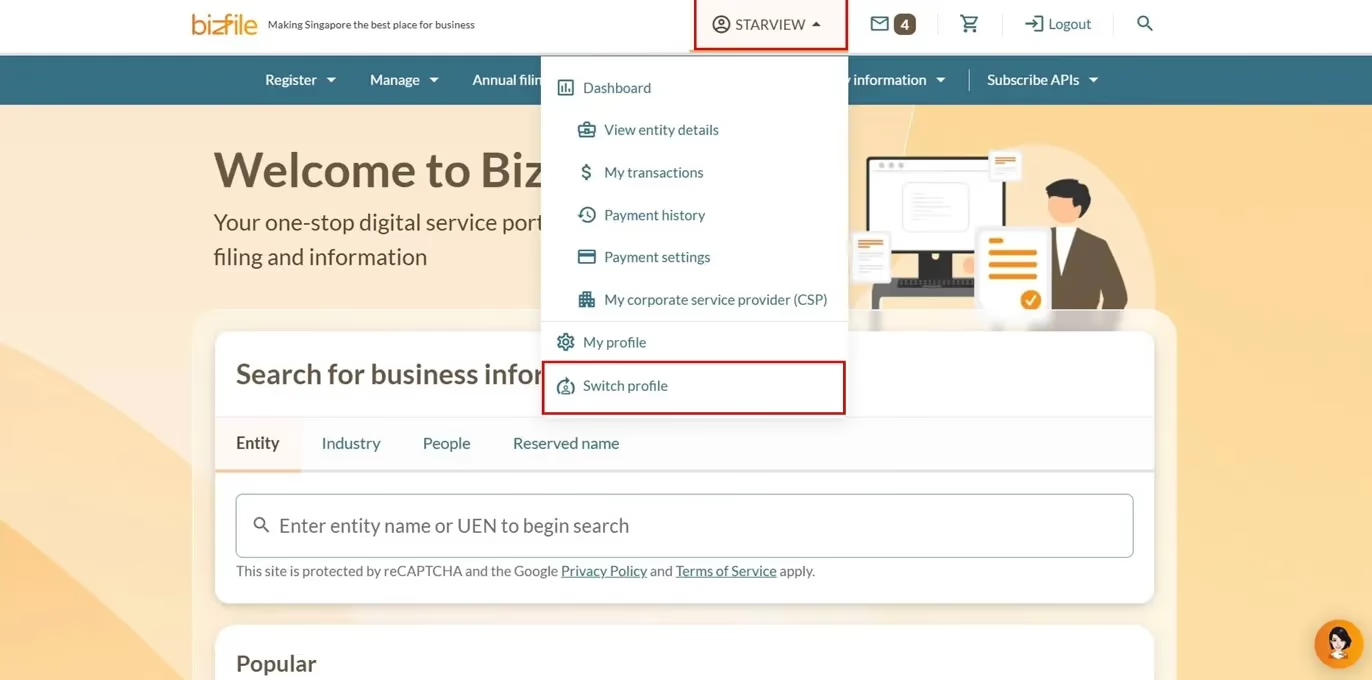
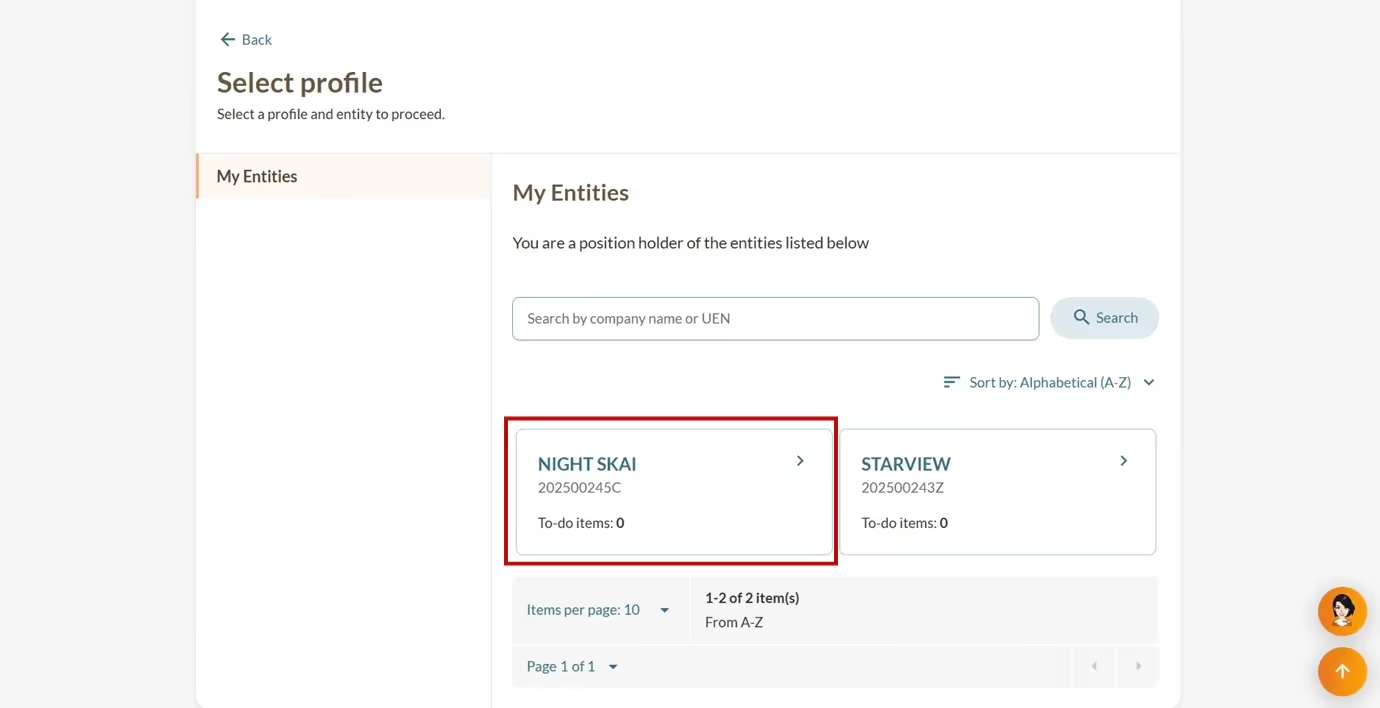
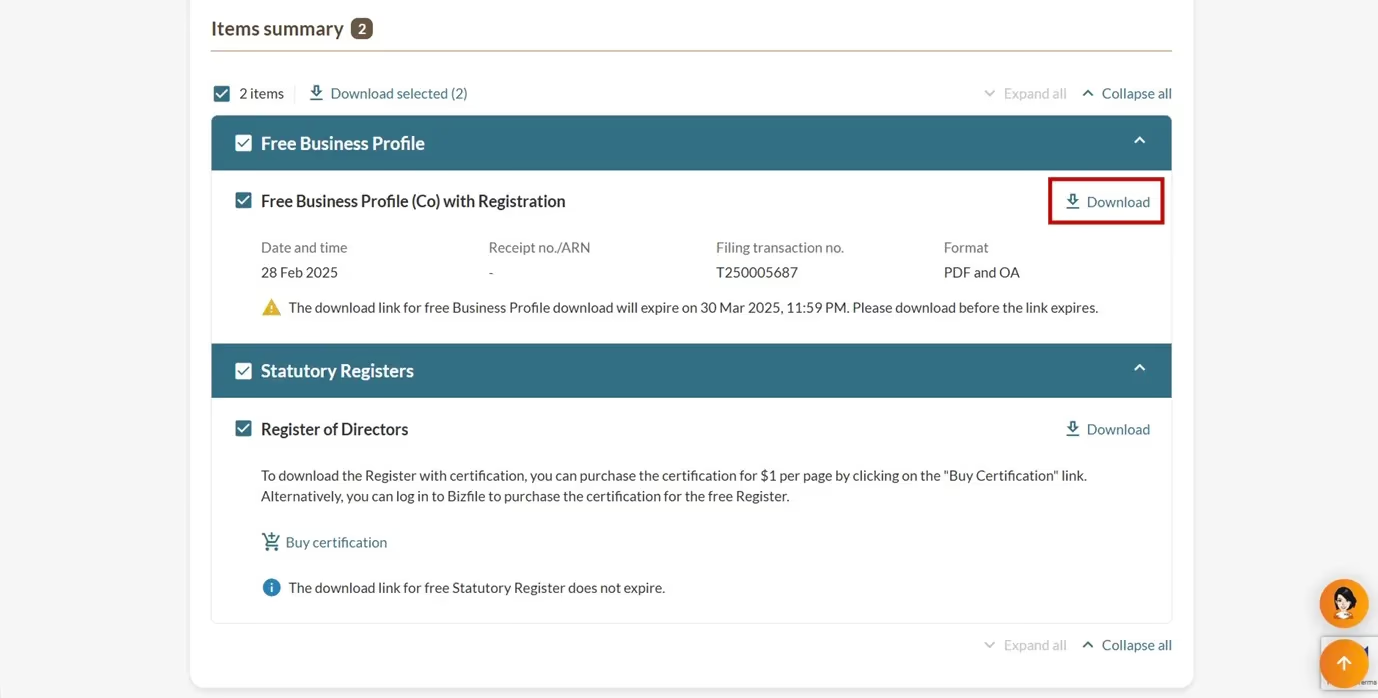
All entity and personal information (including UEN, entity details, NRIC or FIN numbers, names and addresses) shown are dummy data for illustration purposes only.
If you are a corporate service provider (CSP)
You need to add your client to your client list to download their free Business Profile. Add your clients in Bizfile promptly to maximise the 30-day download period.
Follow these steps to download your client's free Business Profile.
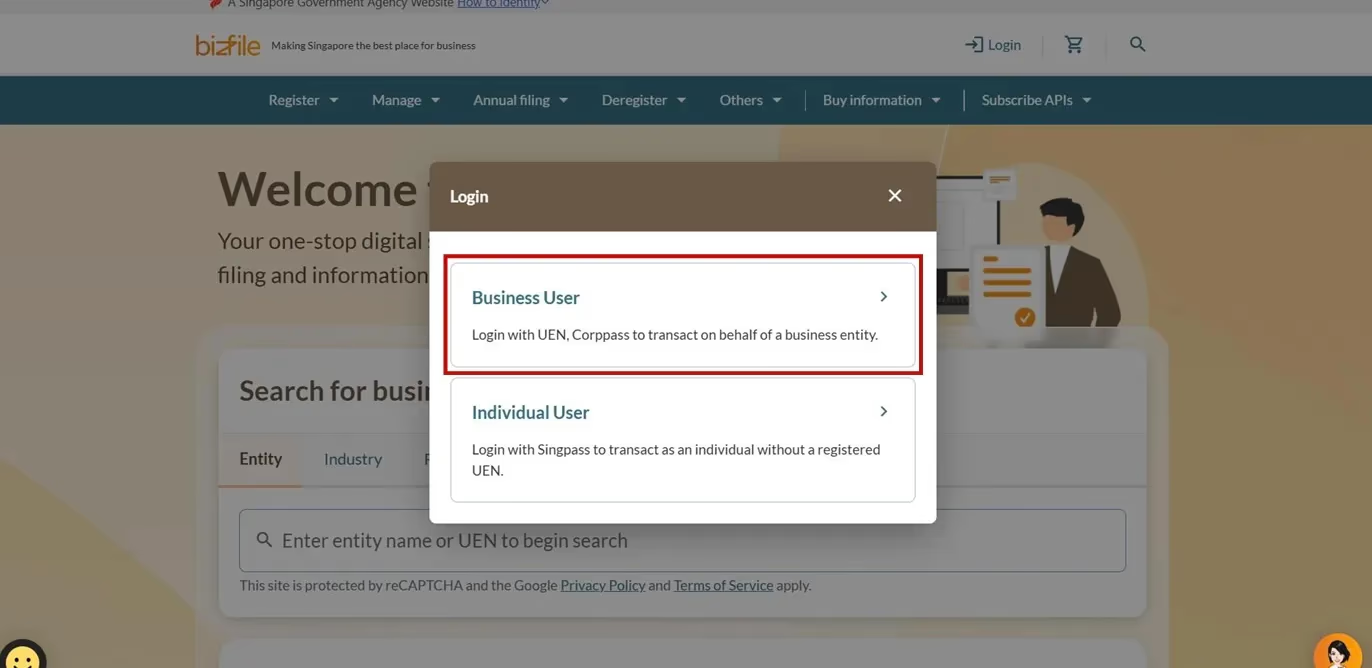
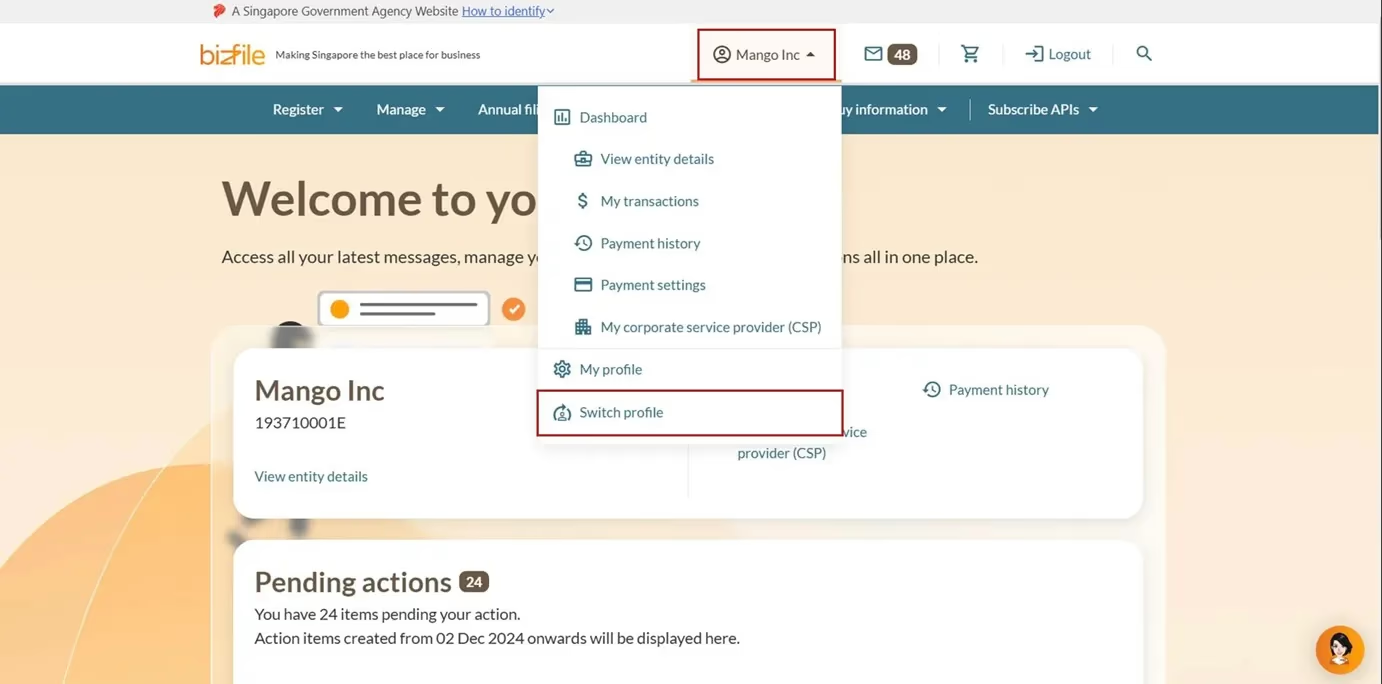
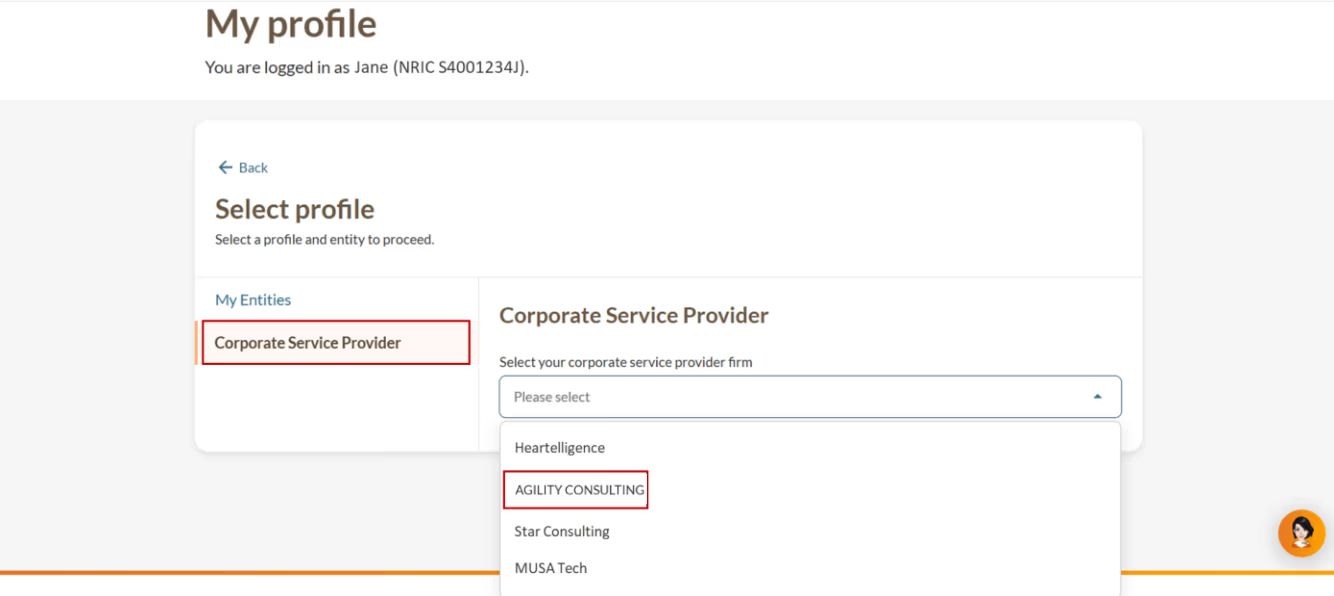
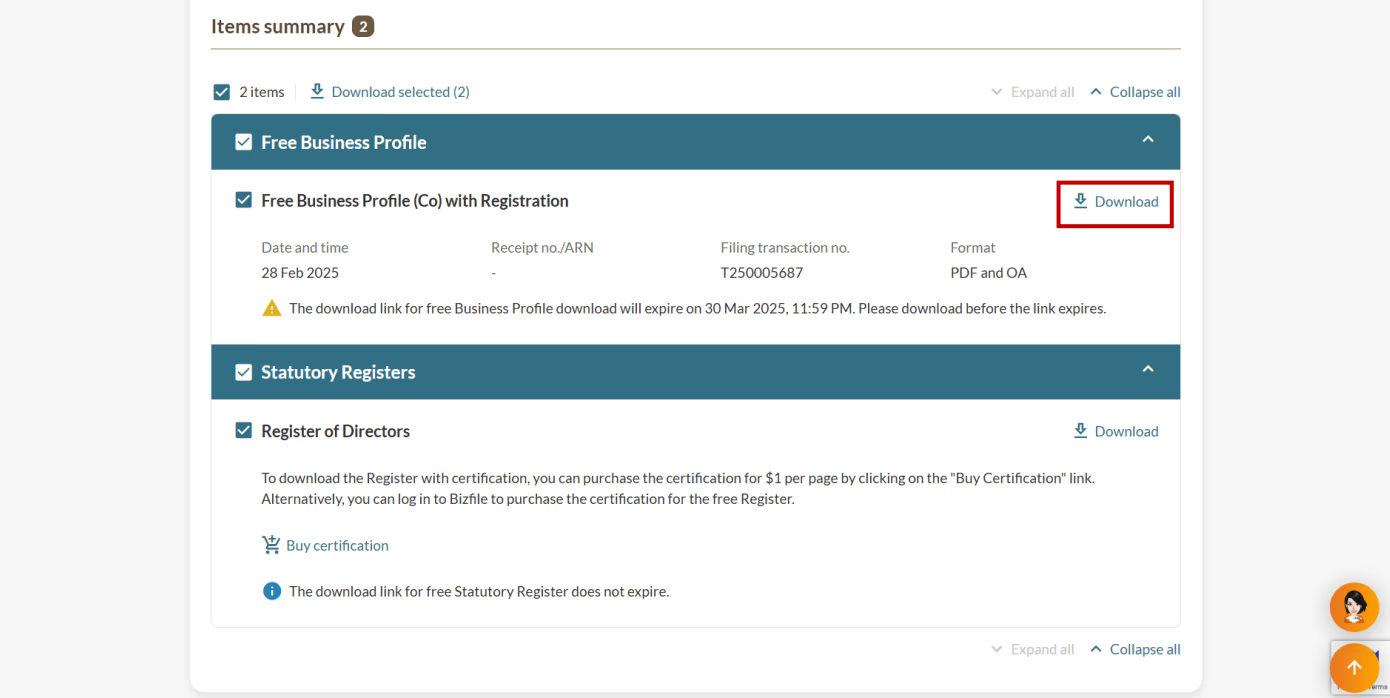
All entity and personal information (including UEN, entity details, NRIC or FIN numbers, names and addresses) shown are dummy data for illustration purposes only.
If you are a group secretary
You need to add newly registered entities as a subsidiary of the holding company. Add your subsidiary promptly to maximise the 30-day download period.
Follow these steps to download your group's Business Profile:
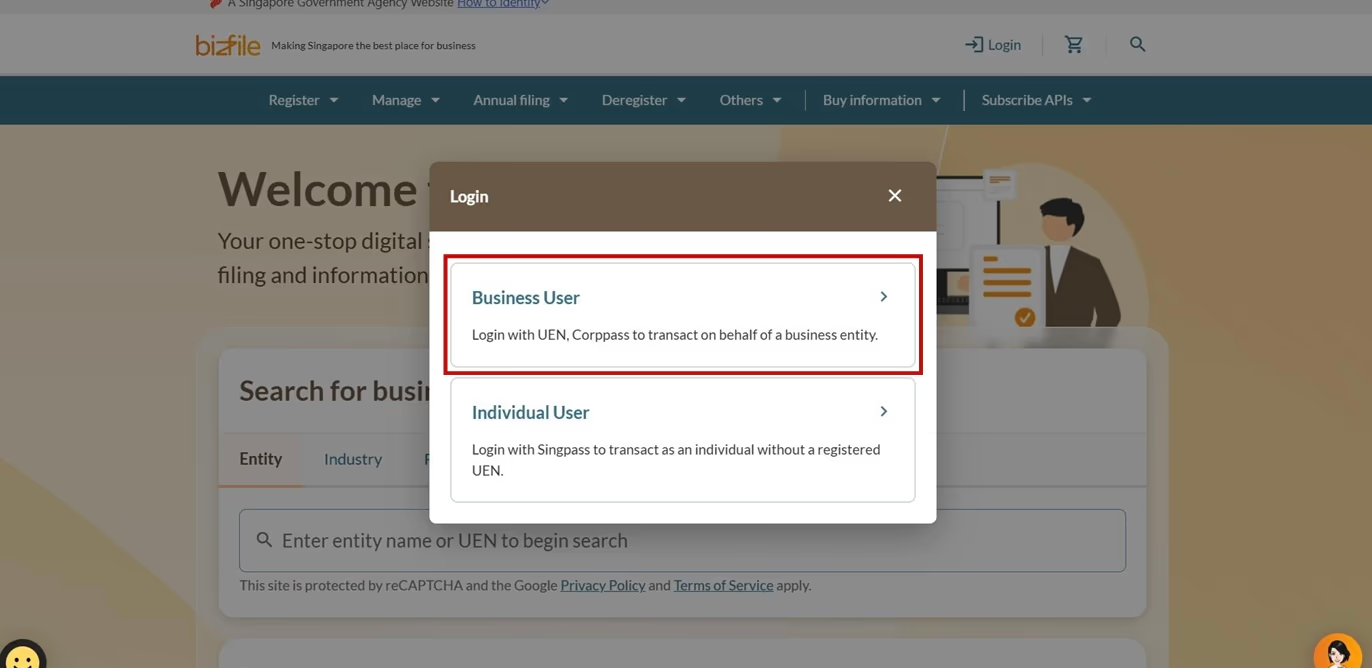
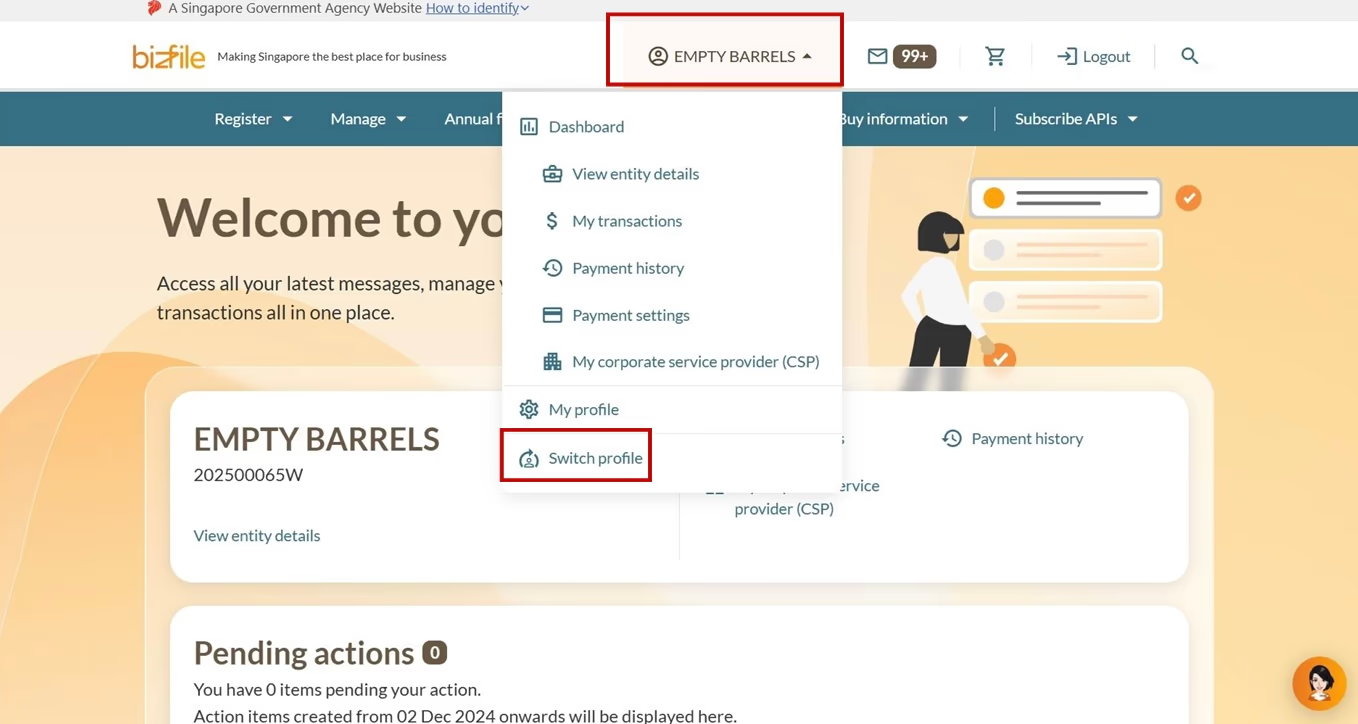
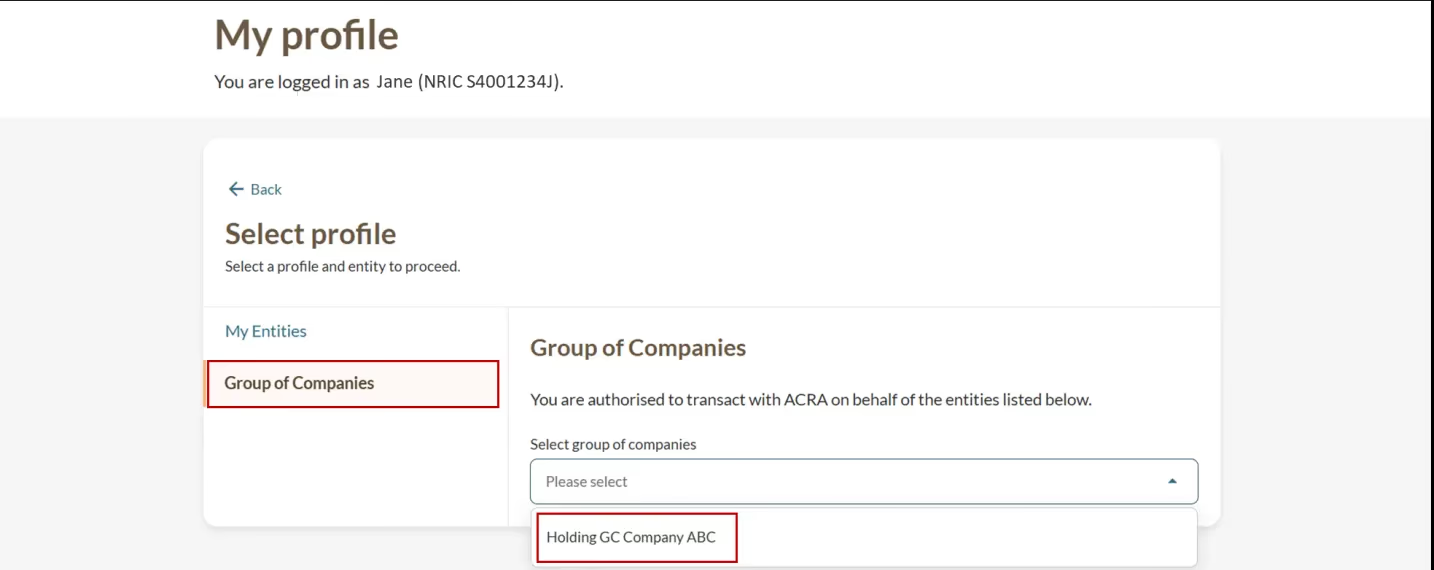
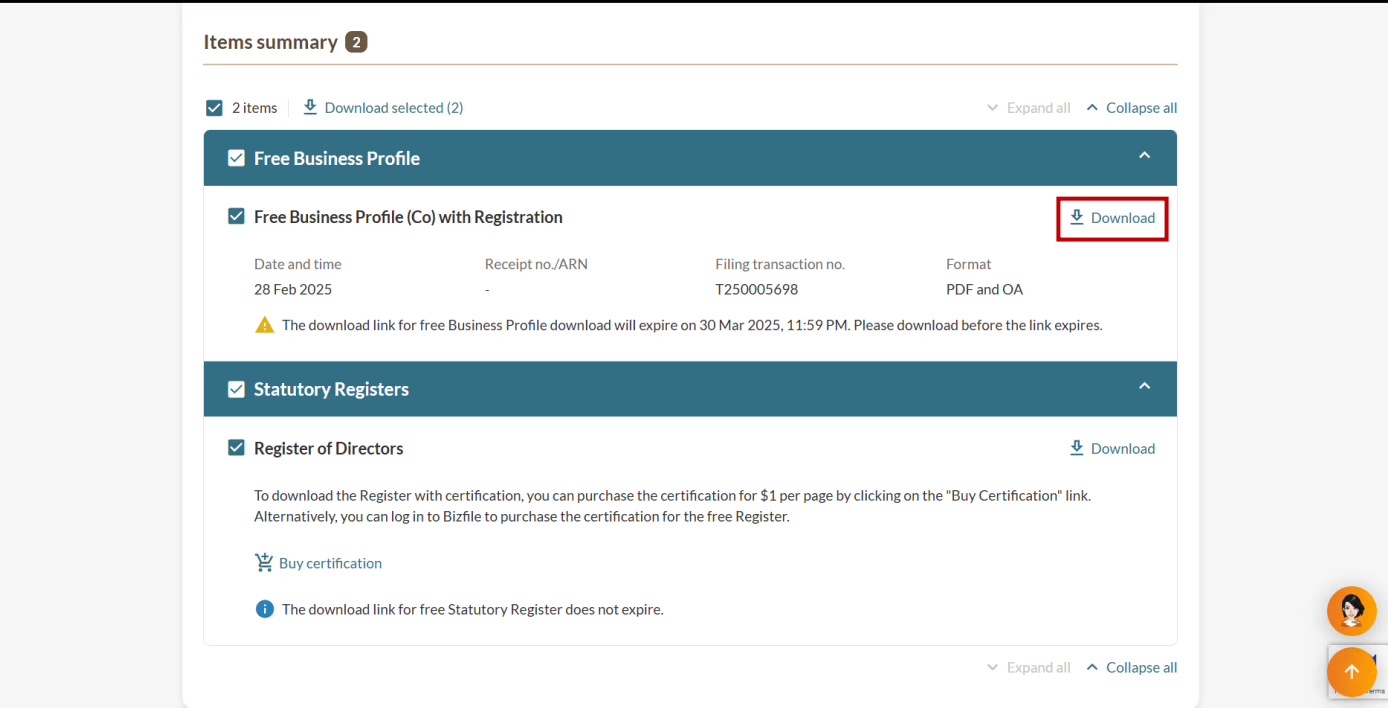
All entity and personal information (including UEN, entity details, NRIC or FIN numbers, names and addresses) shown are dummy data for illustration purposes only.
Frequently asked questions (FAQs)
Why does my transaction show "Transaction cannot proceed"?
This error appears when your email address has not been verified.
To fix this:
Log out of your current session.
Log in to Bizfile using your Singpass.
Open the verification link under your dashboard's "Pending Tasks".
Verify your email address.
Log out and log in again using Corppass
You only need to verify each email address once. After that, you can proceed with your transaction.