
Guide
Clearing an objection to striking off
Audience
Accounting entities
Businesses
Corporate Service Providers (CSP)
Task or topic
Close business or deregister
12 December 2025
Objectors may clear an objection via Bizfile after all outstanding matters have been resolved.
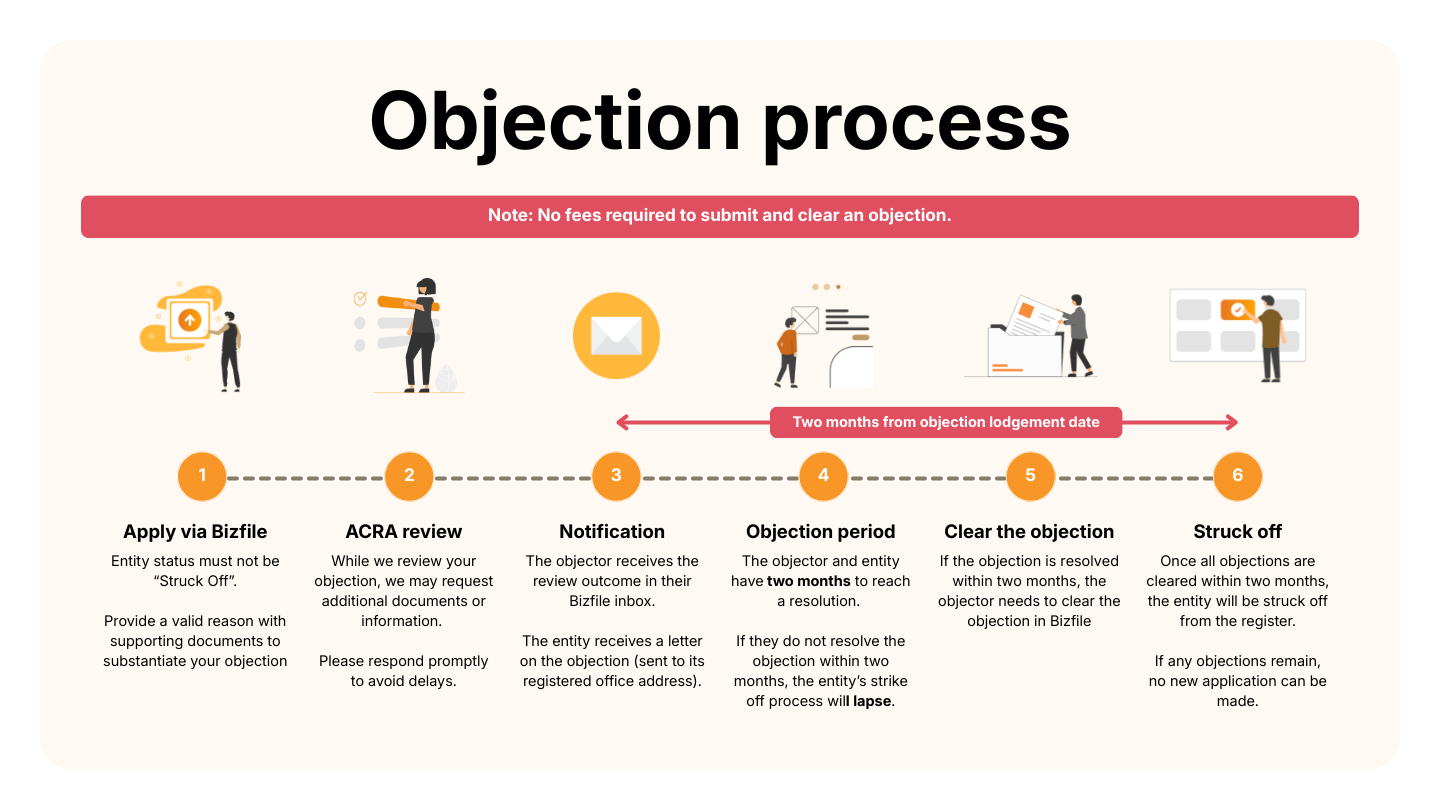
Overview of the objection process
Before you apply
This guide explains how to clear an objection against striking off. Use the Submit/clear objections against striking off eService to clear an objection.
As an objector, you may clear an objection after:
ACRA approves your initial objection
Outstanding matters are resolved
Who may apply
Clearing an objection
For objections filed by | Who may apply |
|---|---|
| Only the person who filed the objection can clear it. |
| Any authorised Corppass user within the entity can clear the objection. |
What you need to prepare
You need to prepare the unique entity number (UEN) of the entity you are clearing the objection against.
Fees and processing time
Clearing an objection
What you need to know | Details |
|---|---|
Fee | Free |
Approval time | Immediate |
Note: If objectors do not clear their objections within two months, the striking-off application will lapse.
If you objected as an individual
Follow these steps to clear an objection for yourself or on behalf of another party.
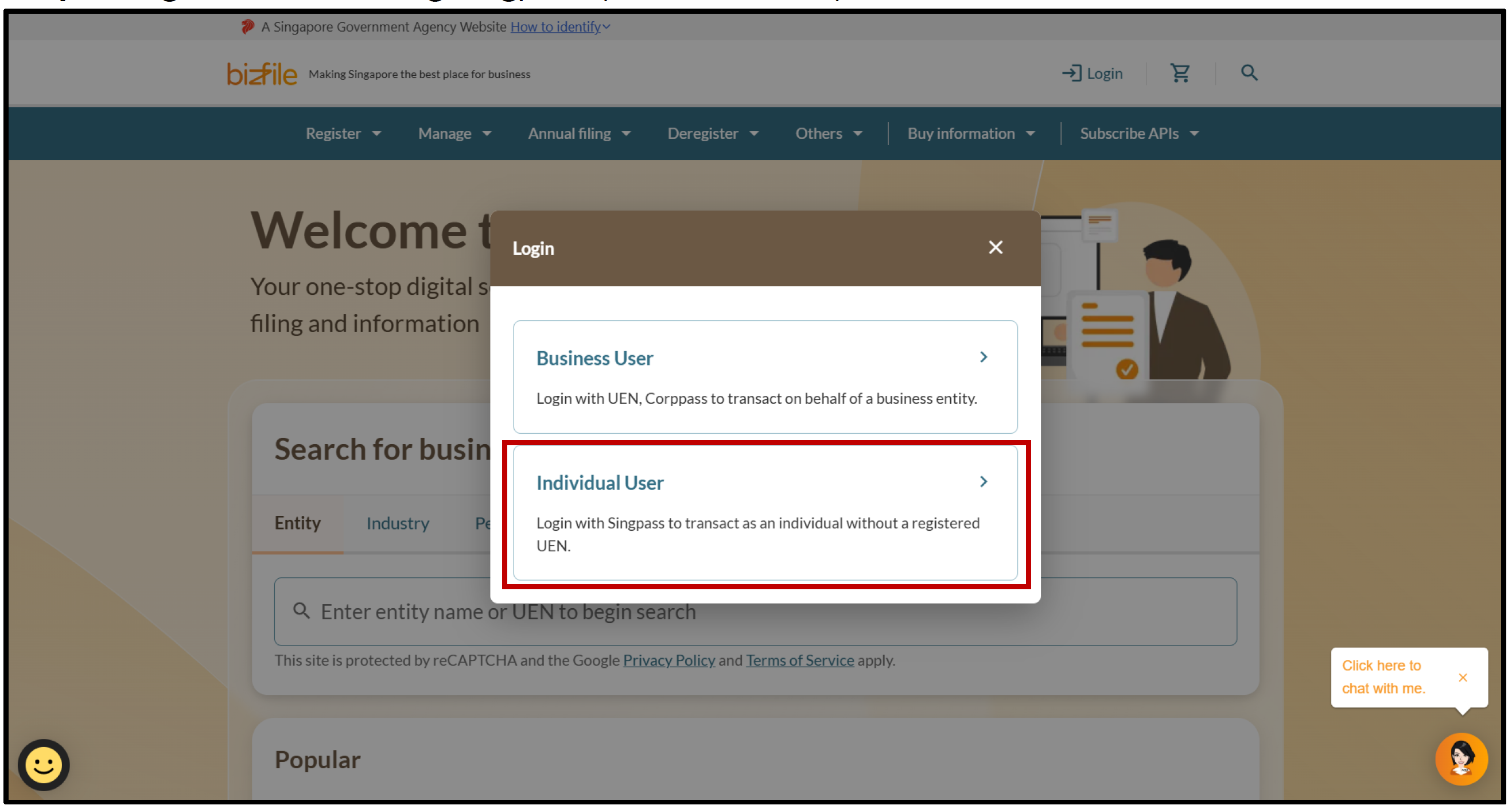
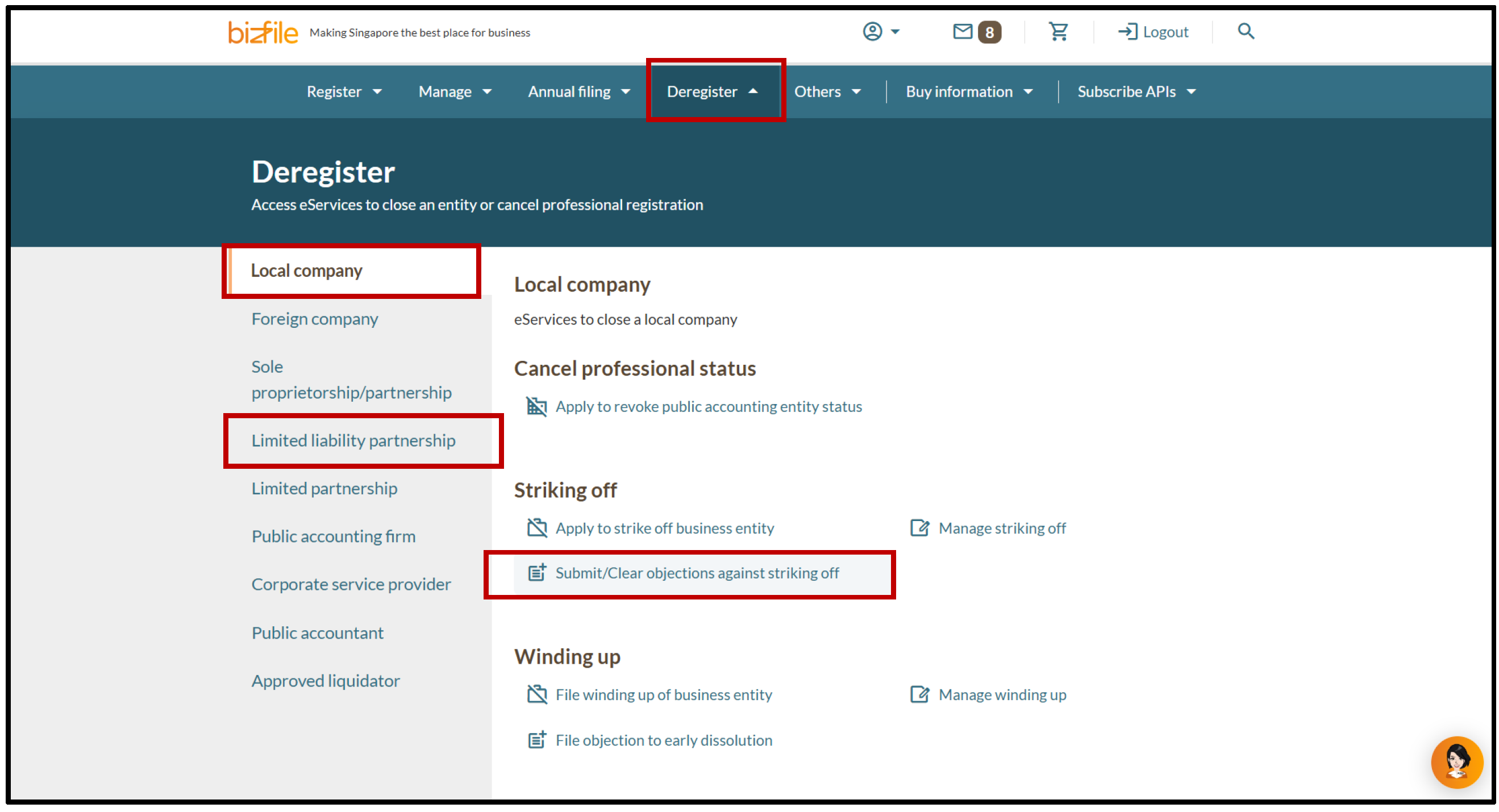
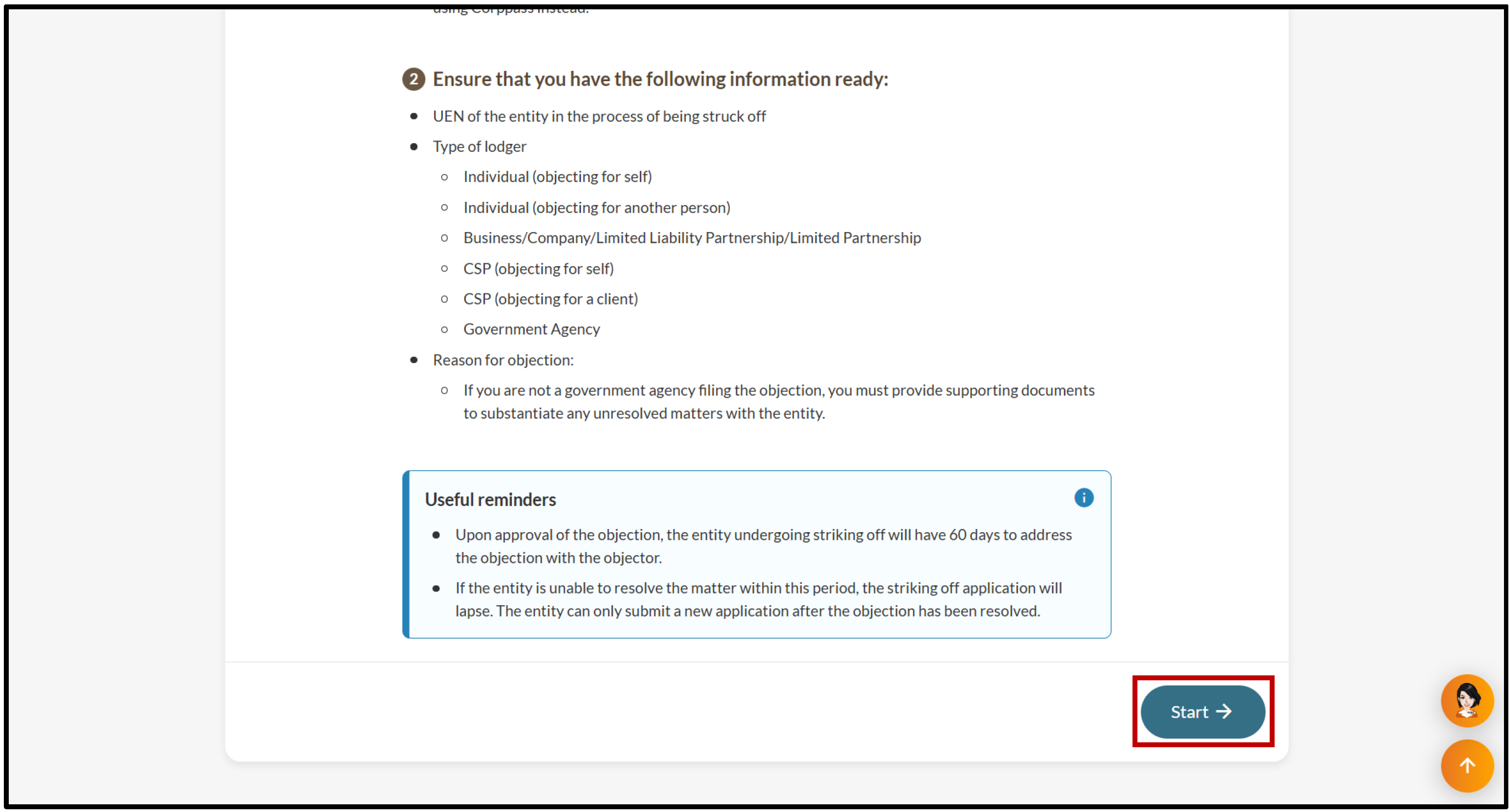
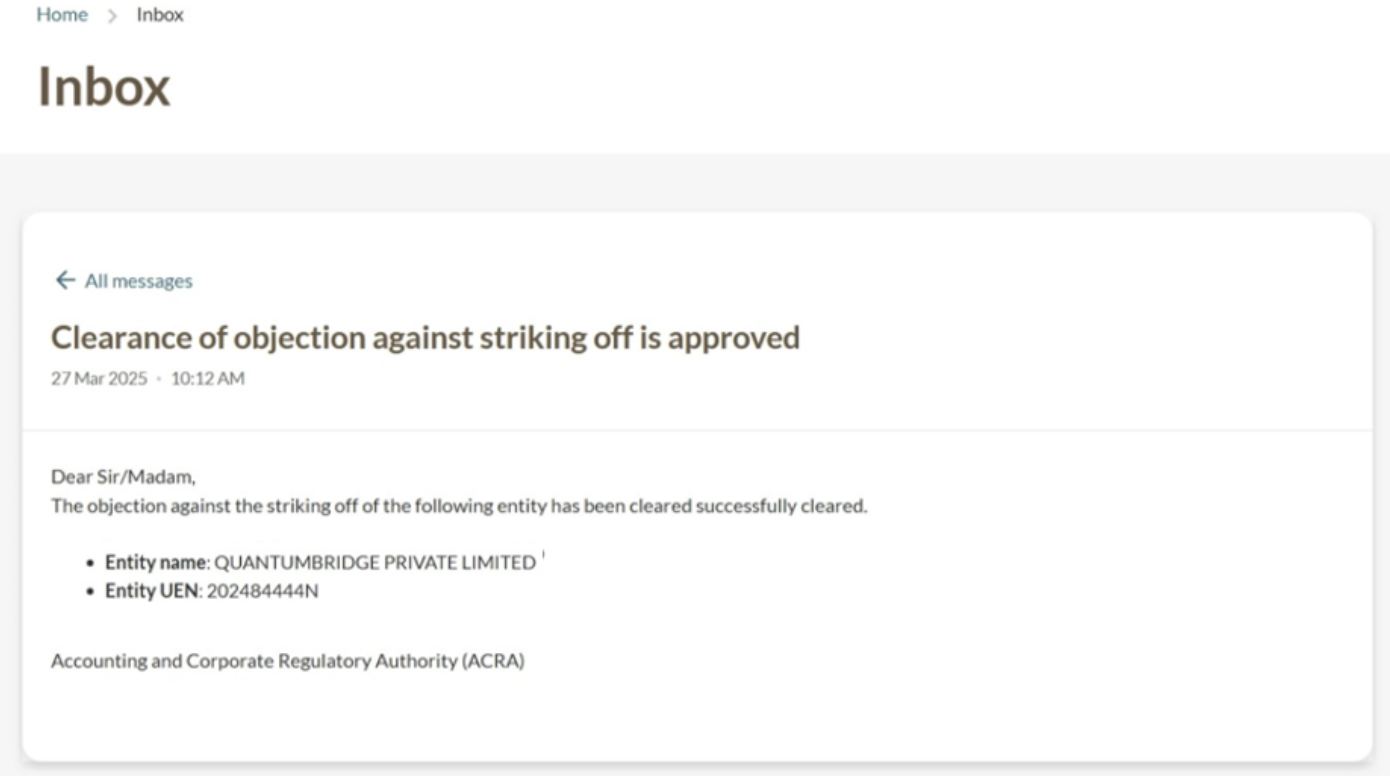
All entity and personal information (including UEN, entity details, NRIC or FIN numbers, names and addresses) shown are dummy data for illustration purposes only.
If you objected on behalf of an entity
Follow these steps to clear an objection on behalf of an entity.
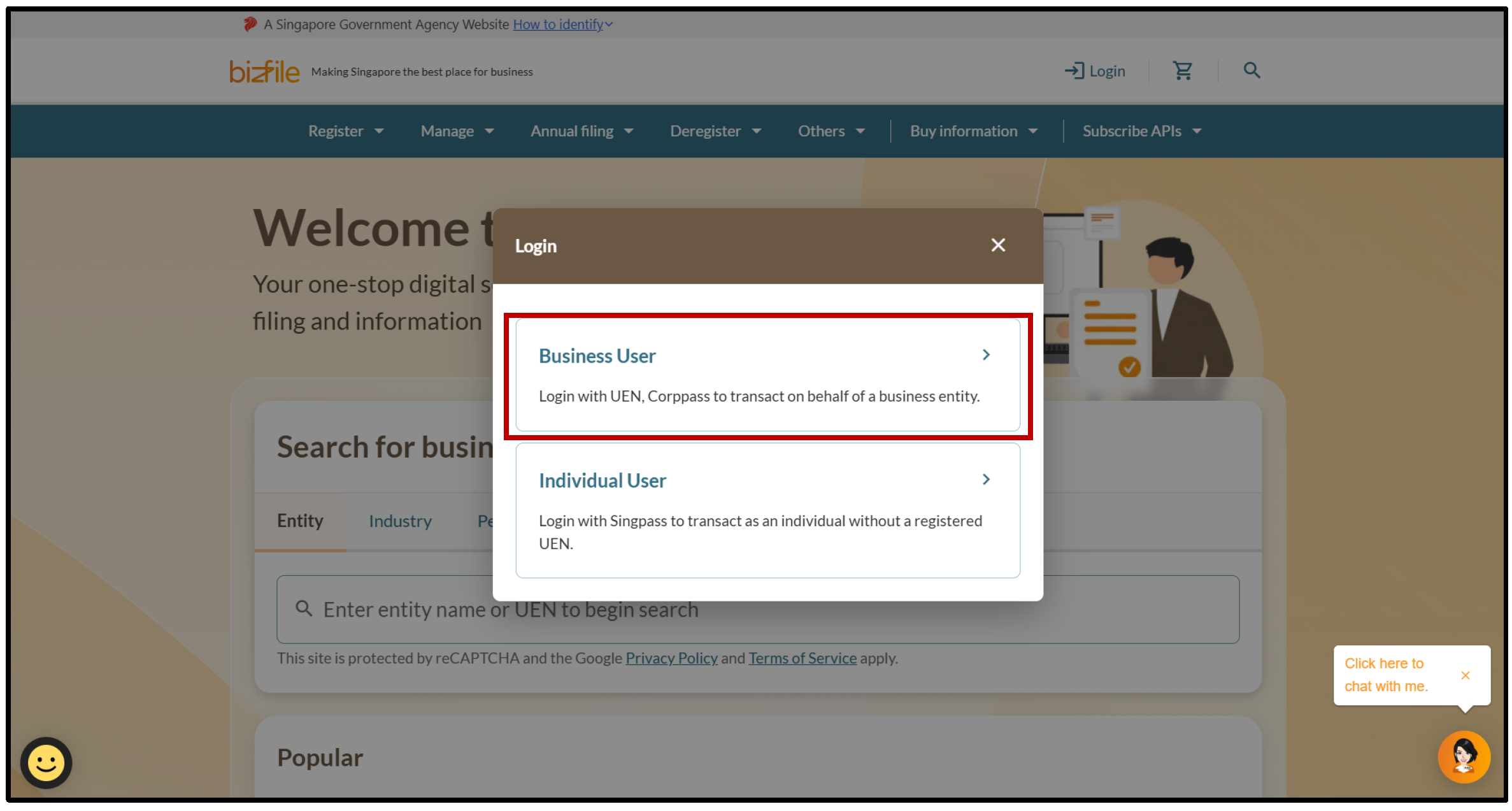
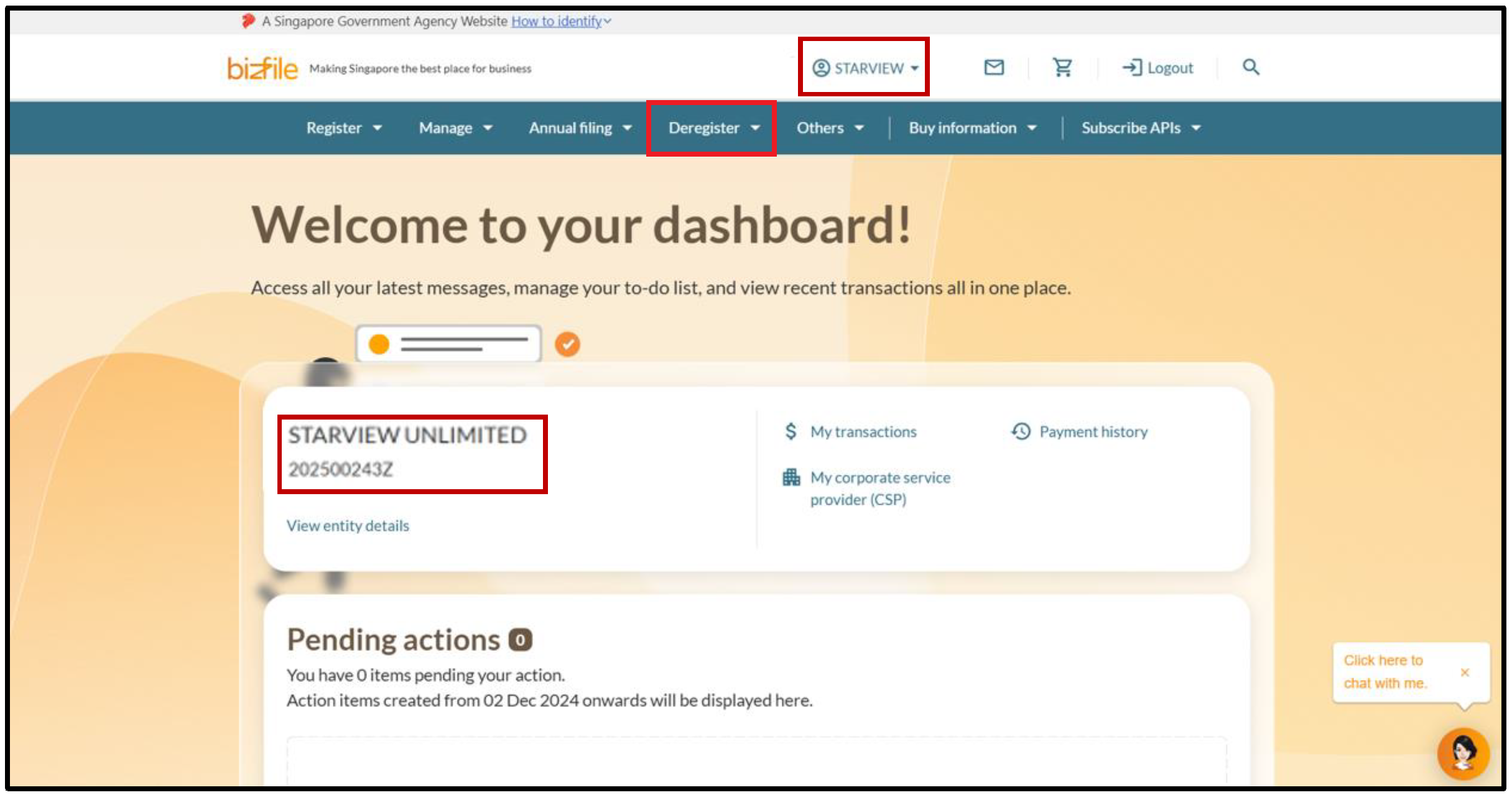
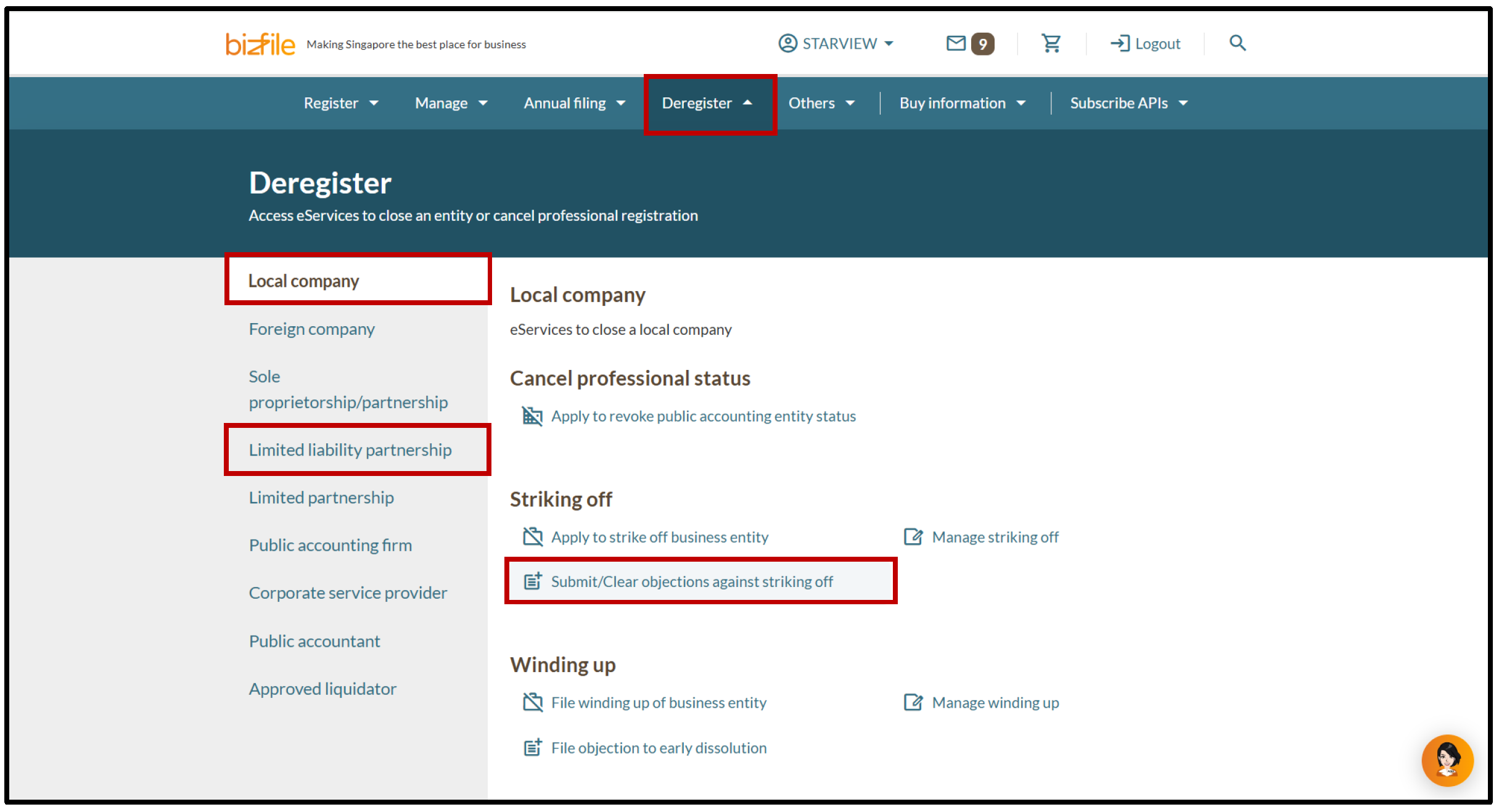
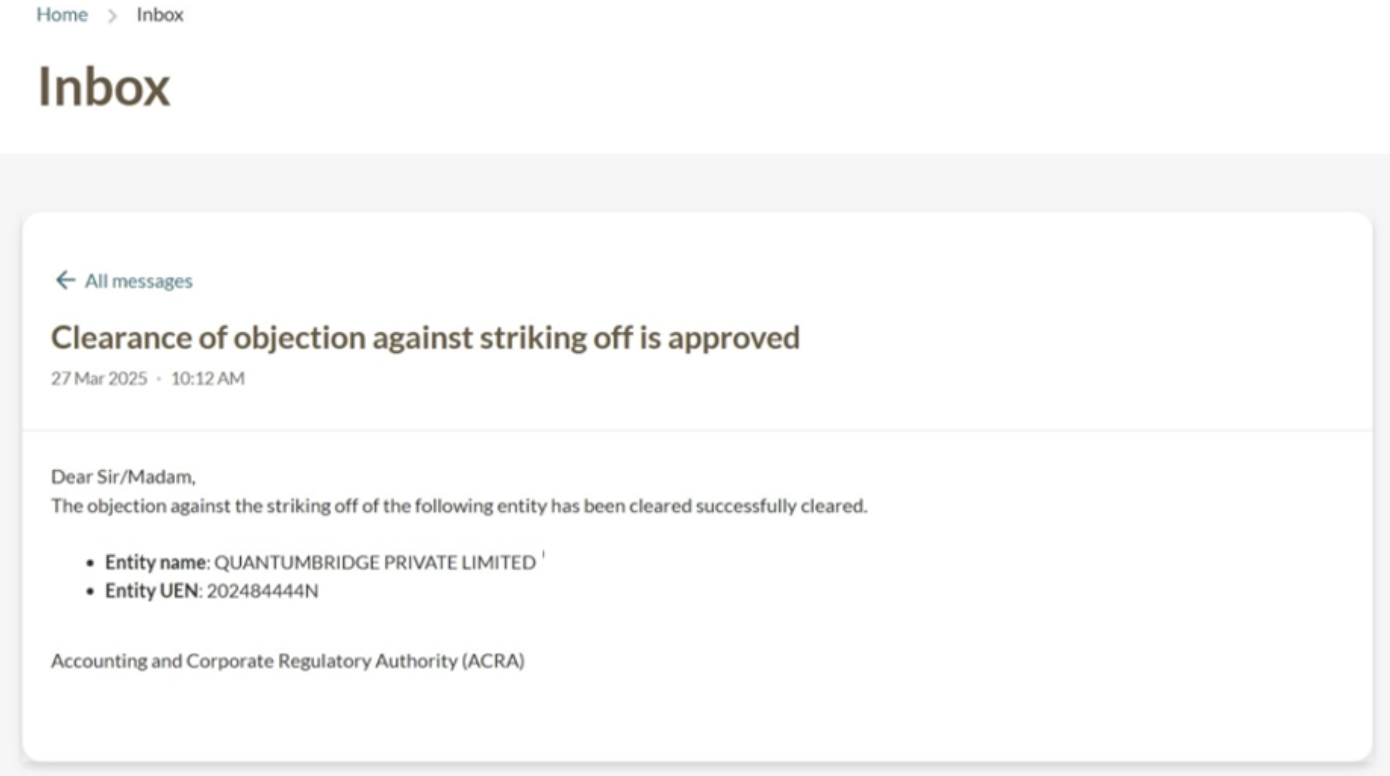
All entity and personal information (including UEN, entity details, NRIC or FIN numbers, names and addresses) shown are dummy data for illustration purposes only.
If you objected as a corporate service provider (CSP)
Follow these steps to clear an objection on behalf of your client or your own firm.
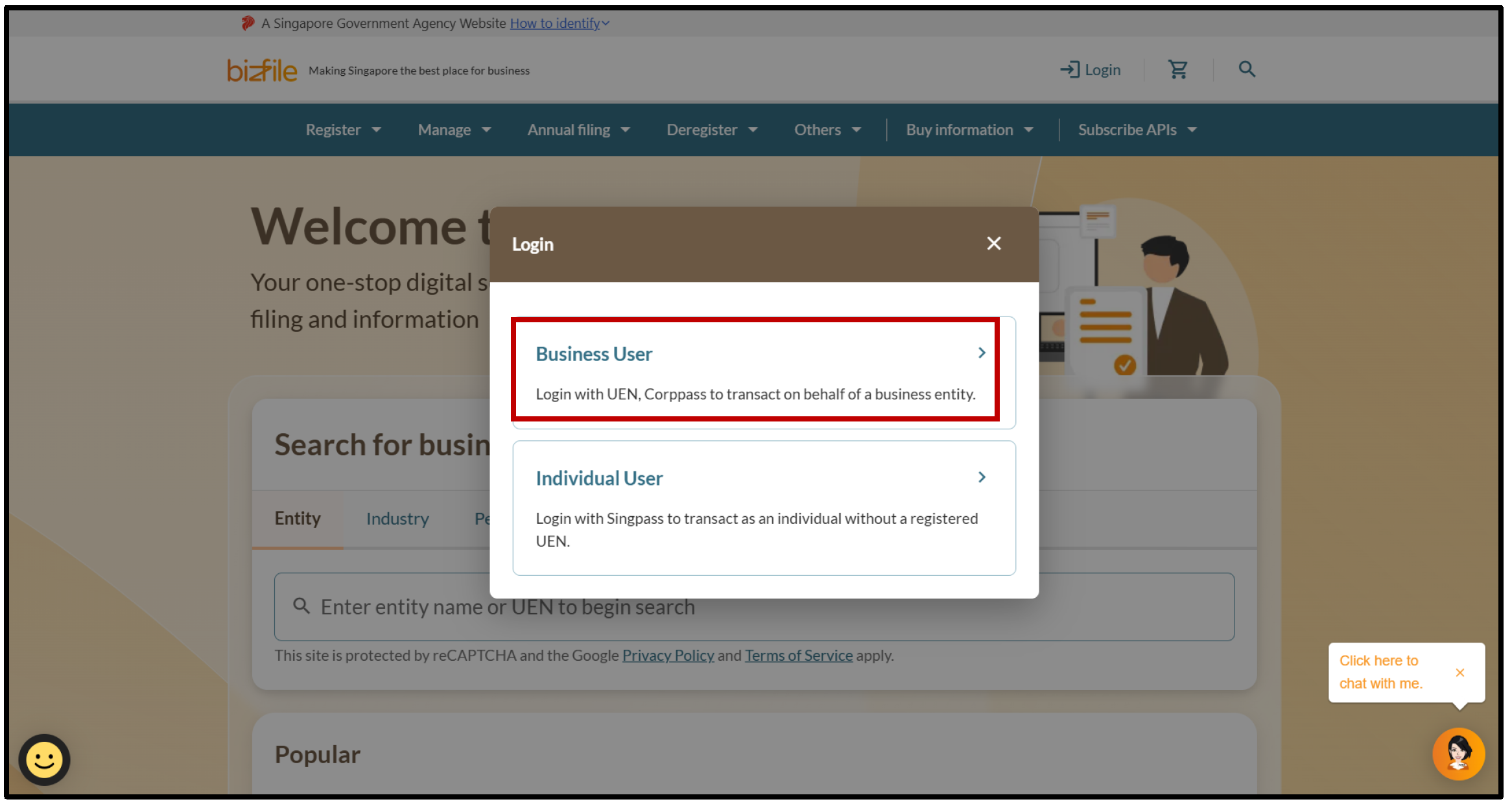
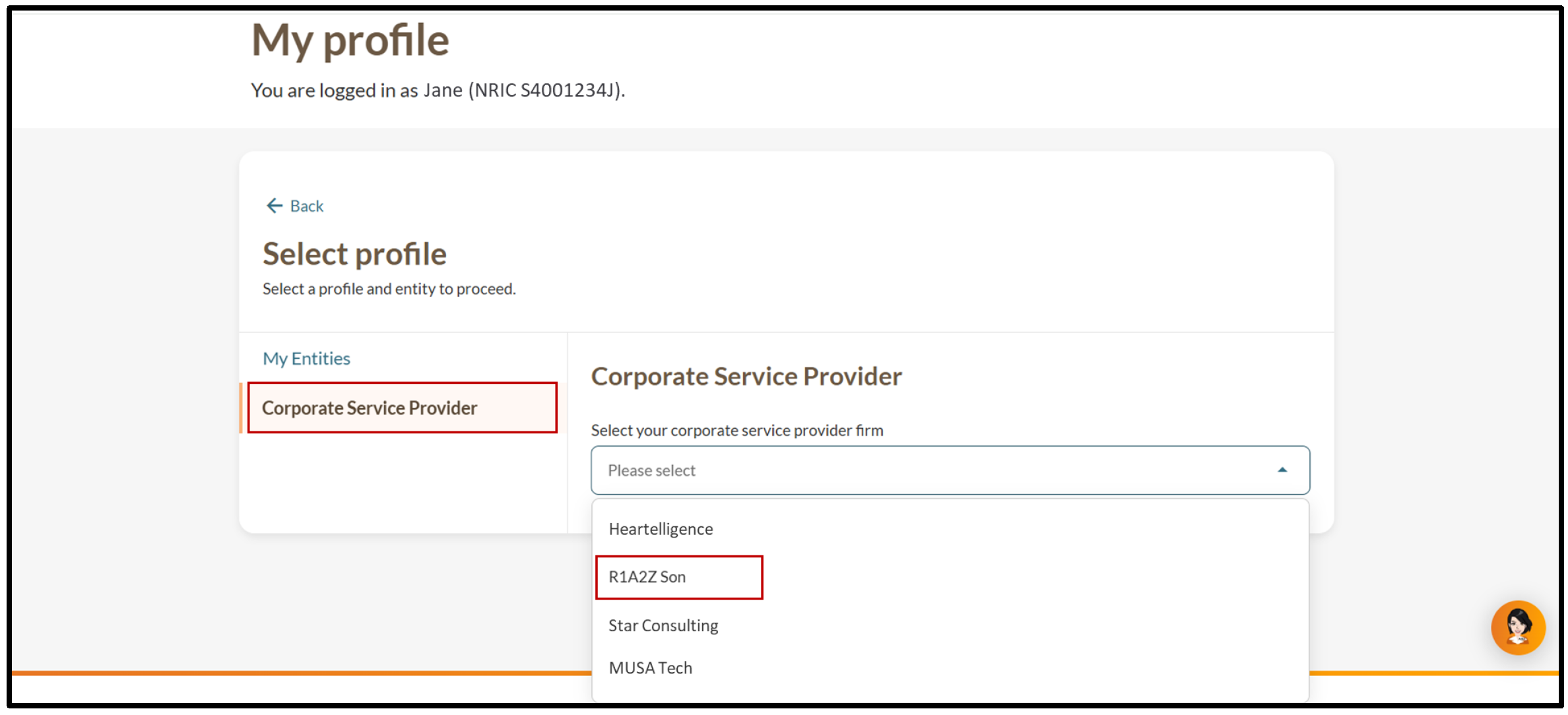
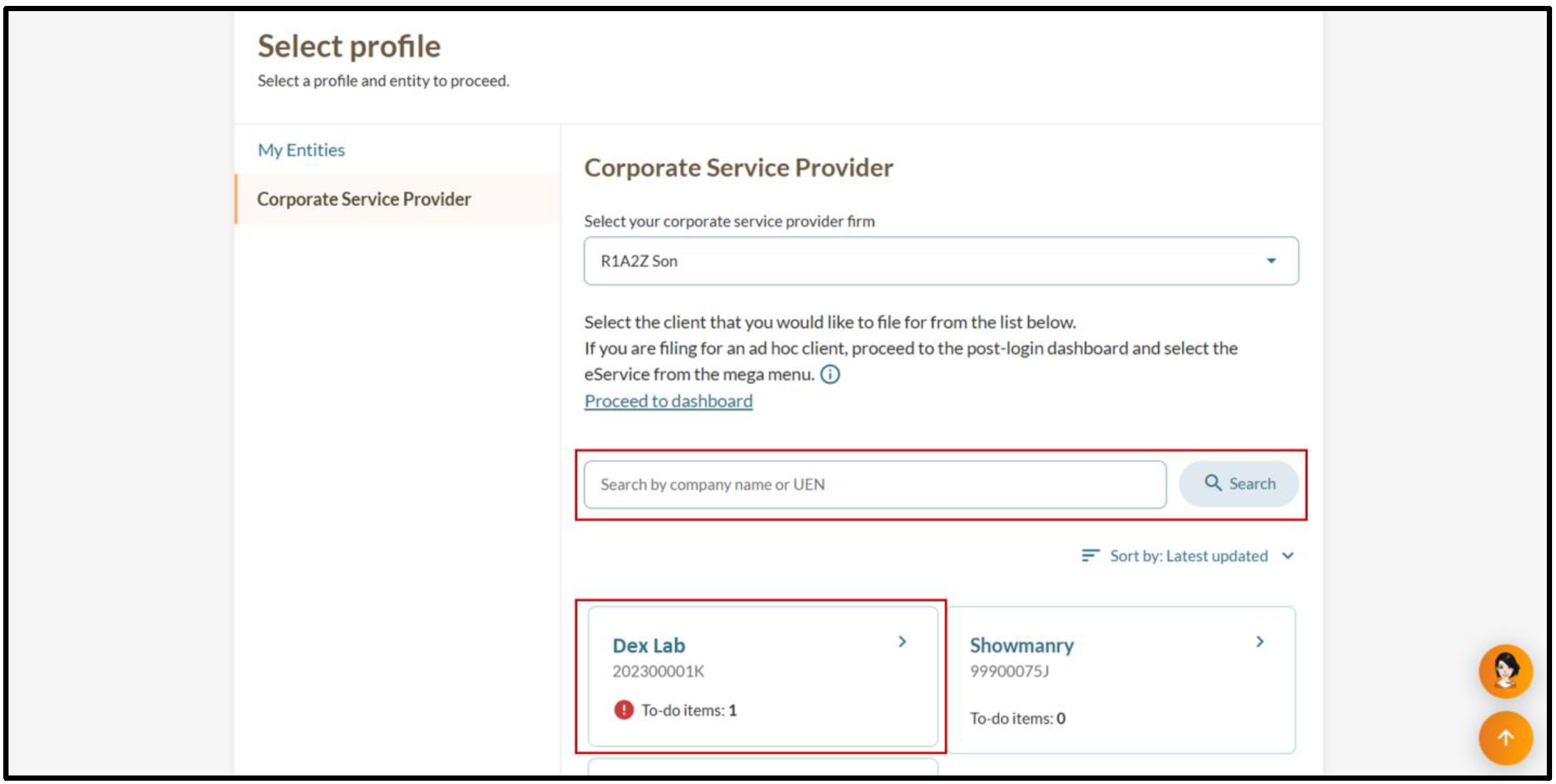
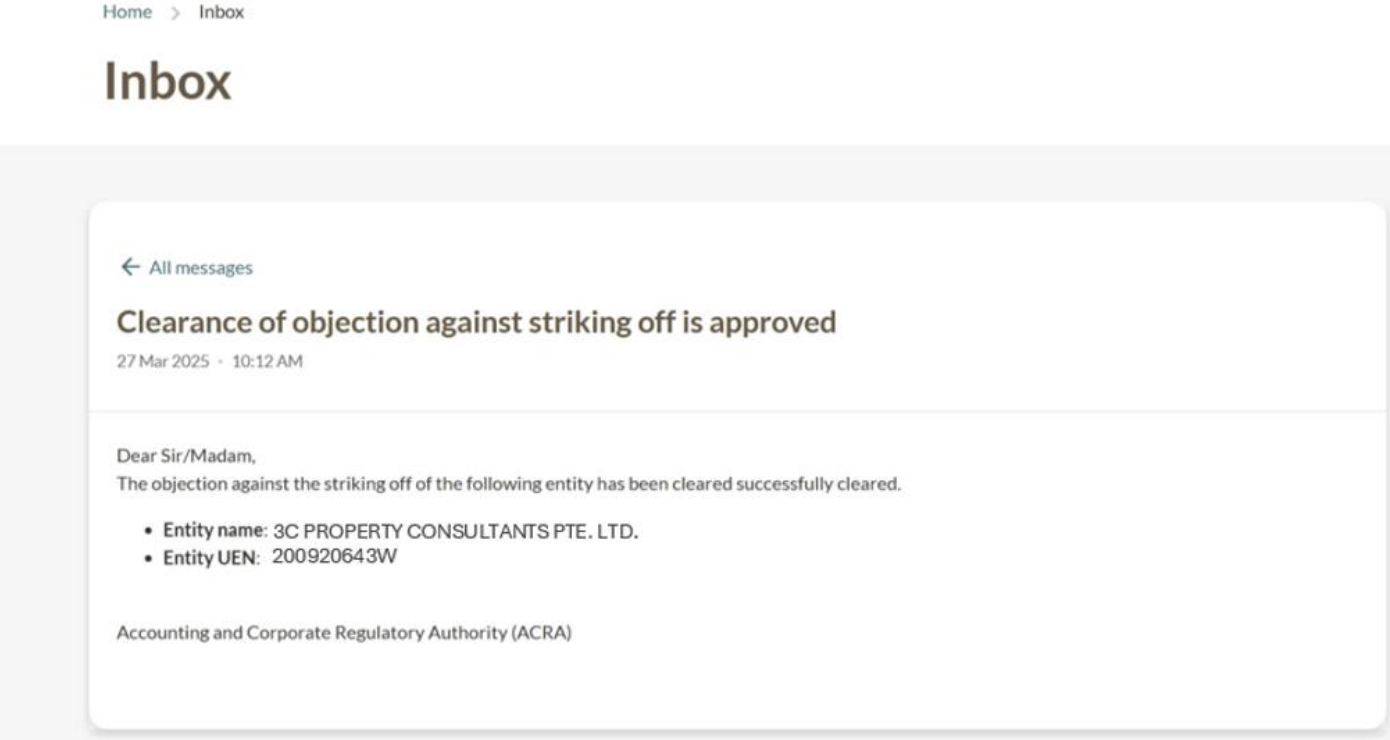
All entity and personal information (including UEN, entity details, NRIC or FIN numbers, names and addresses) shown are dummy data for illustration purposes only.