
Guide
Changing your business name
Audience
Accounting entities
Businesses
Corporate Service Providers (CSP)
Task or topic
Update registers or information
19 August 2025
Learn how to change the name of an existing business via Bizfile.
Before you start
This guide explains how to change the name of an existing business when you wish to rename it
Who may apply
Two options for name applications
Options | Notes |
|---|---|
Apply directly | You can apply directly through Bizfile if you hold any of these roles:
|
Engage a corporate service provider (CSP) to submit the application on your behalf | Anyone can engage a CSP. |
What you need to prepare
Required documents and information
You need to prepare | Details |
|---|---|
Existing entity information |
|
New business information |
|
Additional documents (if needed) |
|
Contact details |
|
Fees and processing time
Fee and processing time
What you need to know | Details |
|---|---|
Fee | $15 Note: The fee is non-refundable if the application is rejected or if you decide to withdraw the name application. |
Payment method |
|
Processing time |
We will inform you if more time is needed. |
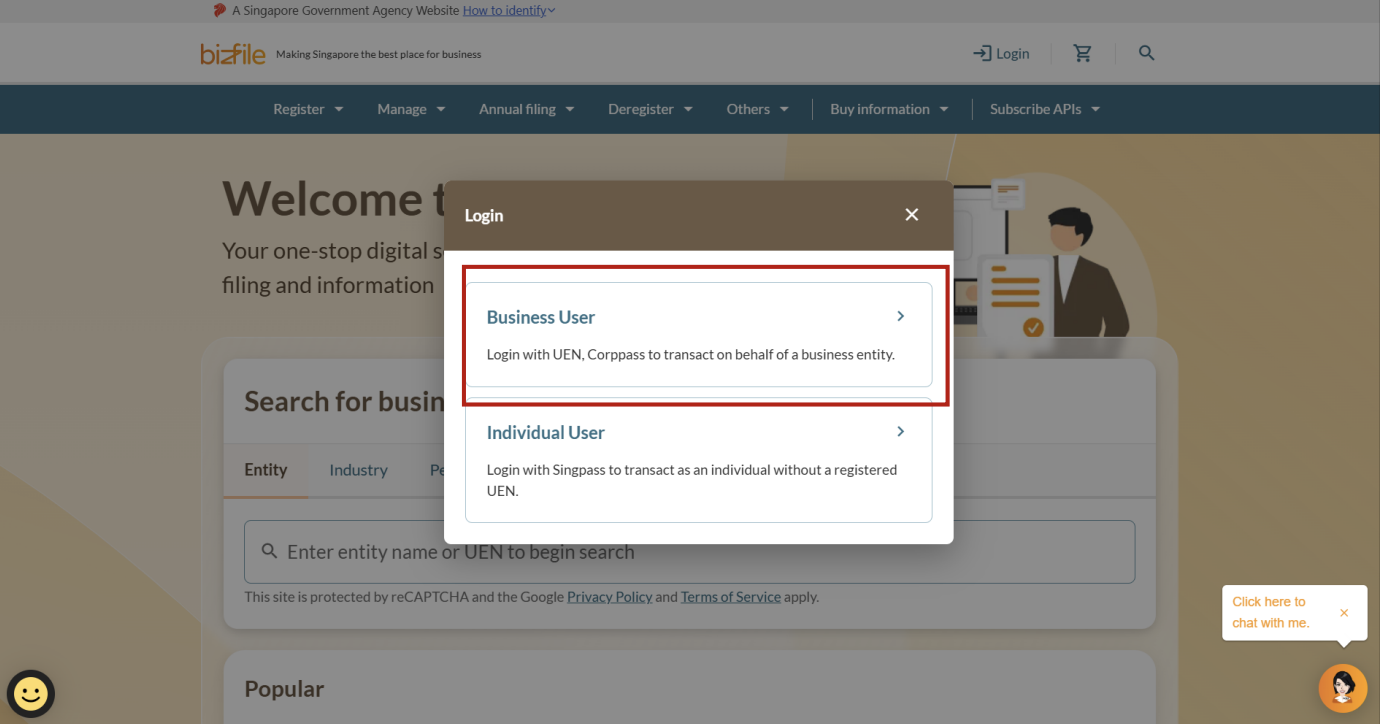
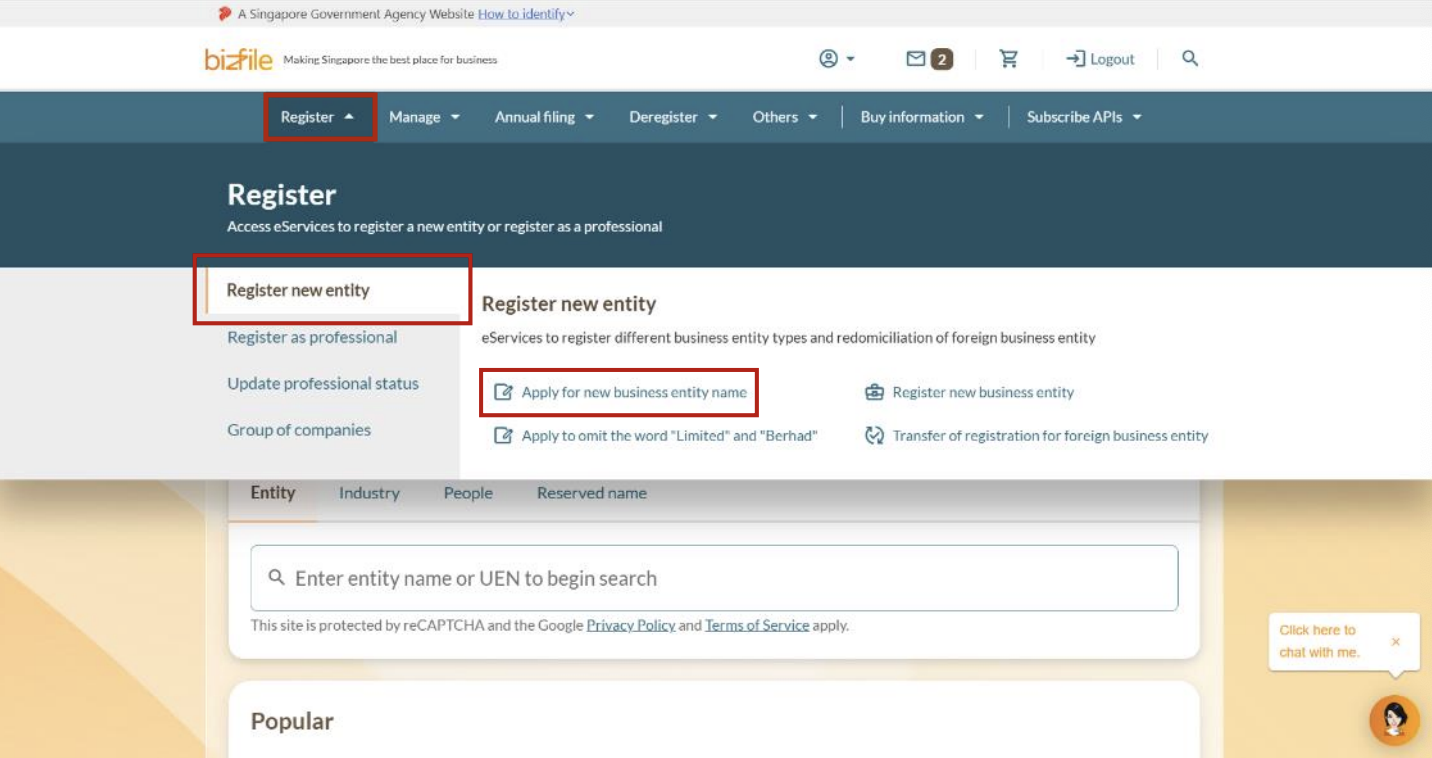
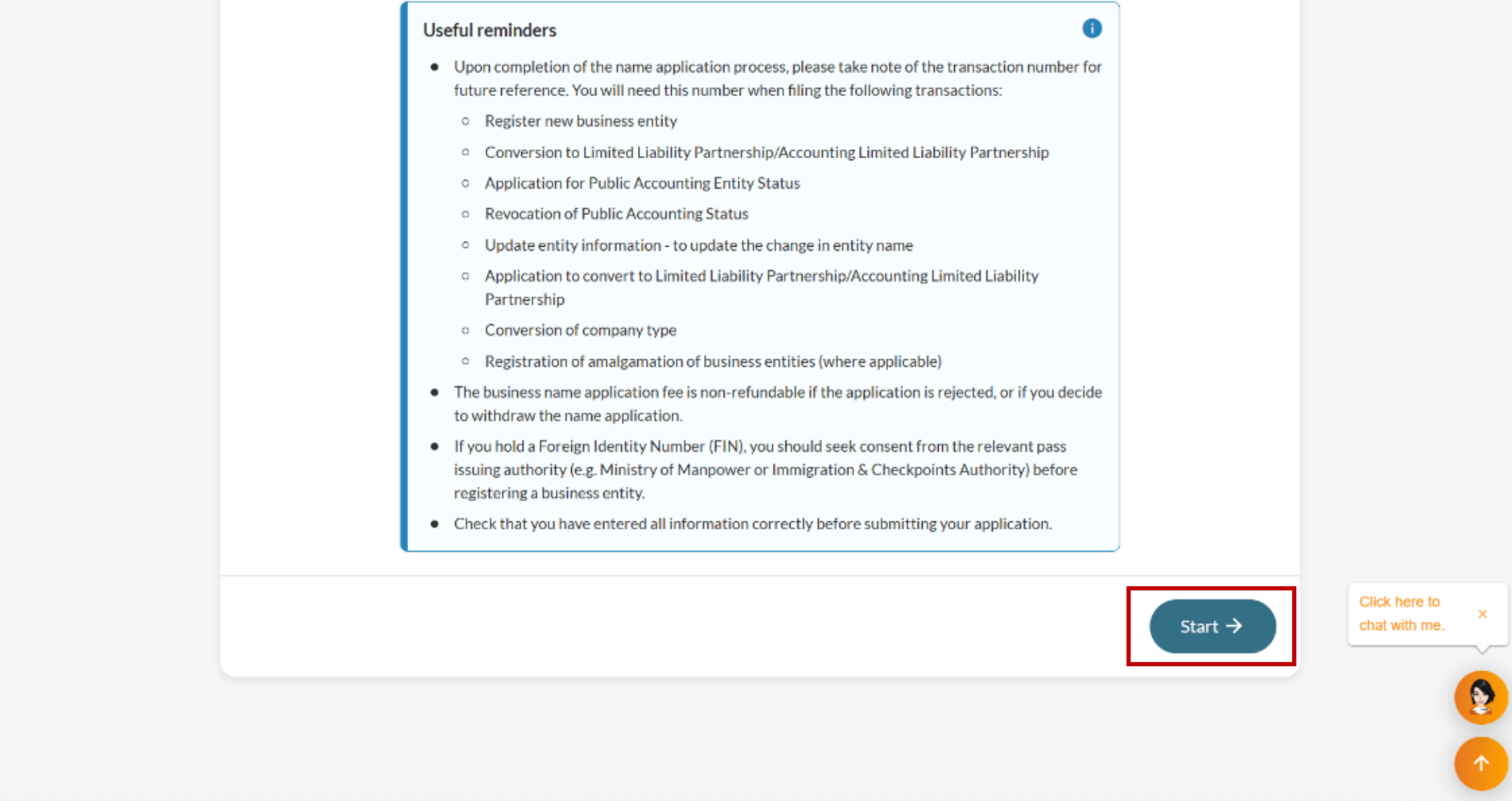
Step 1: Log in to Bizfile and open the "Apply for new business entity name" eService
Follow these steps to open the "Apply for new business entity name" eService and log in with Corppass.
Note: All entity and personal information (including UEN, entity details, NRIC or FIN numbers, names and addresses) shown are dummy data for illustration purposes only.
Step 2: Enter your name application information
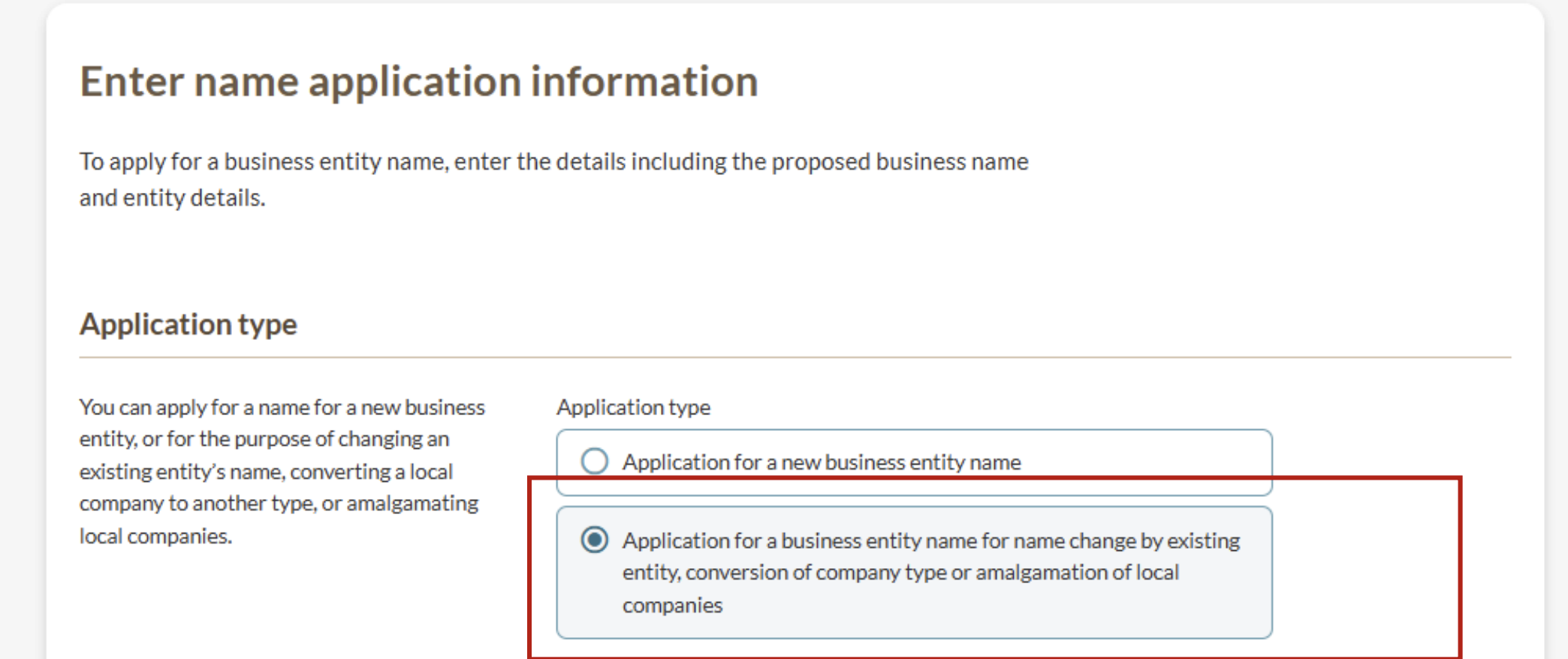
Select the purpose of your name application and enter your proposed name and suffix.
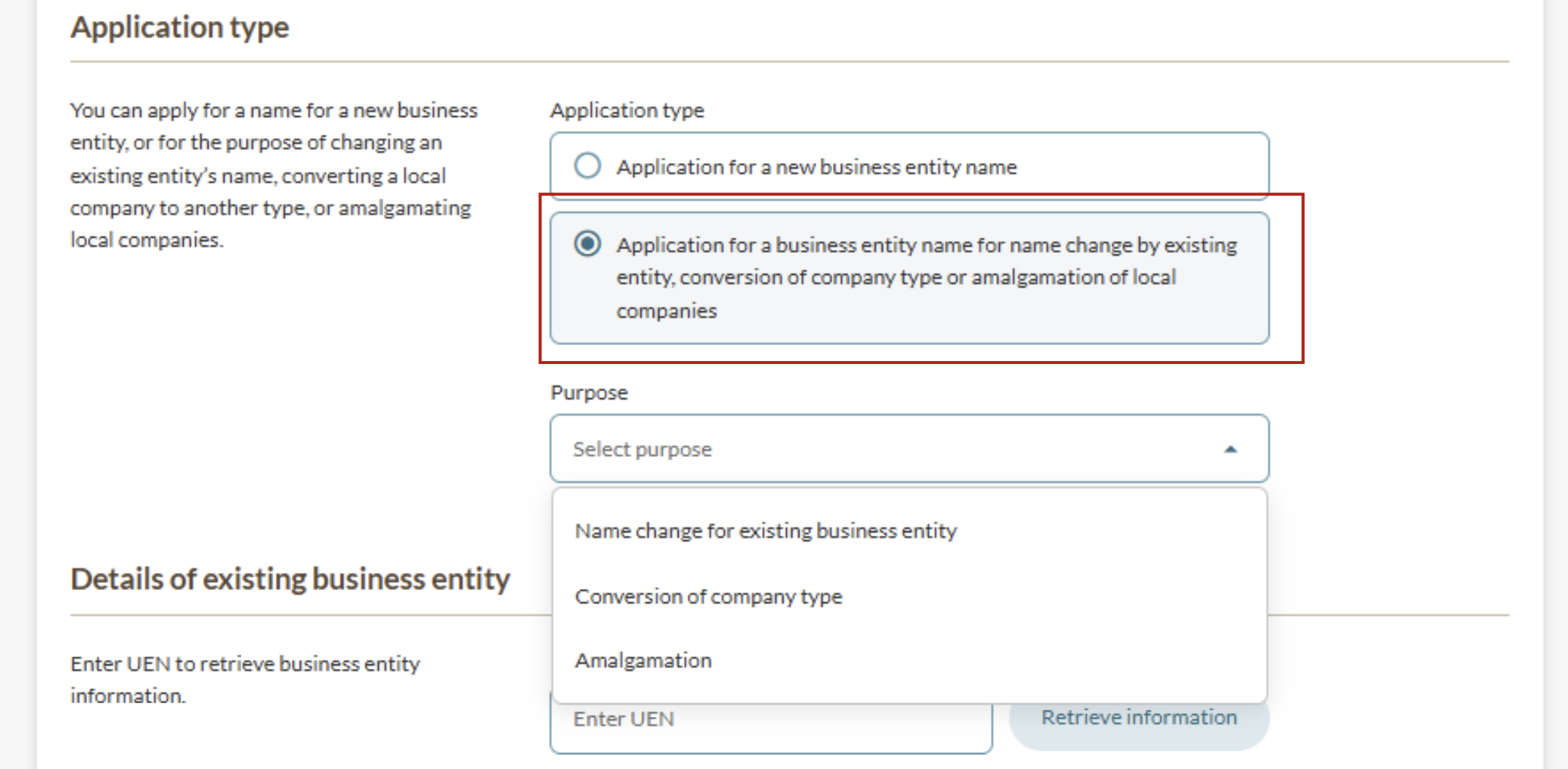
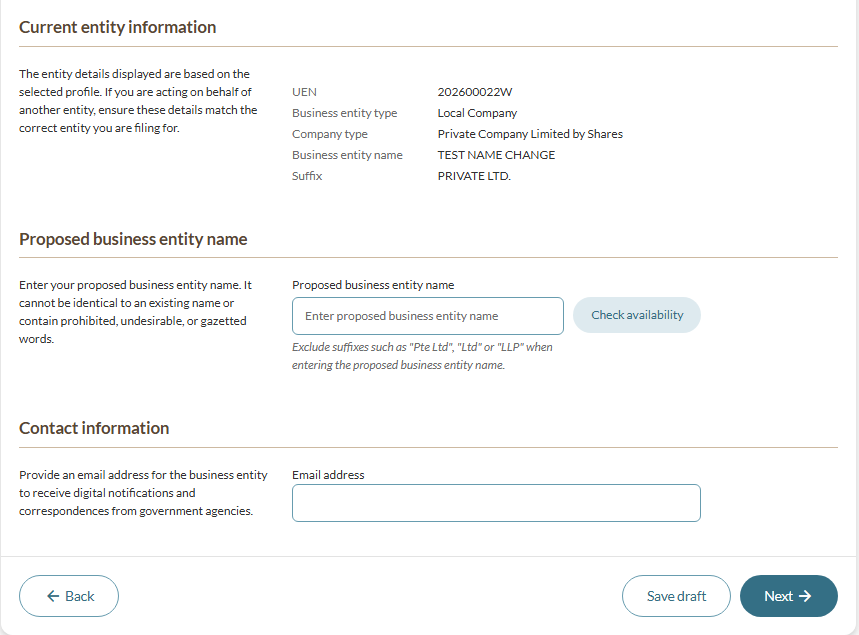
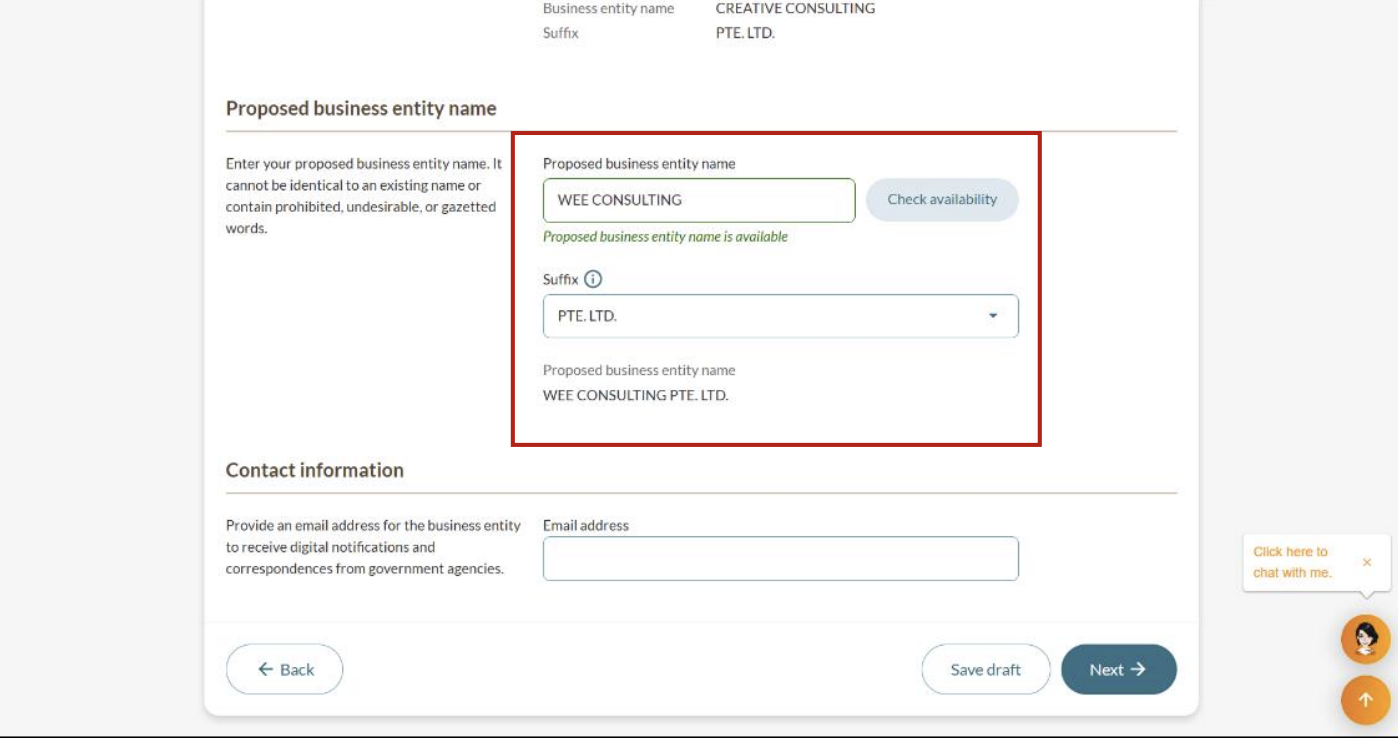
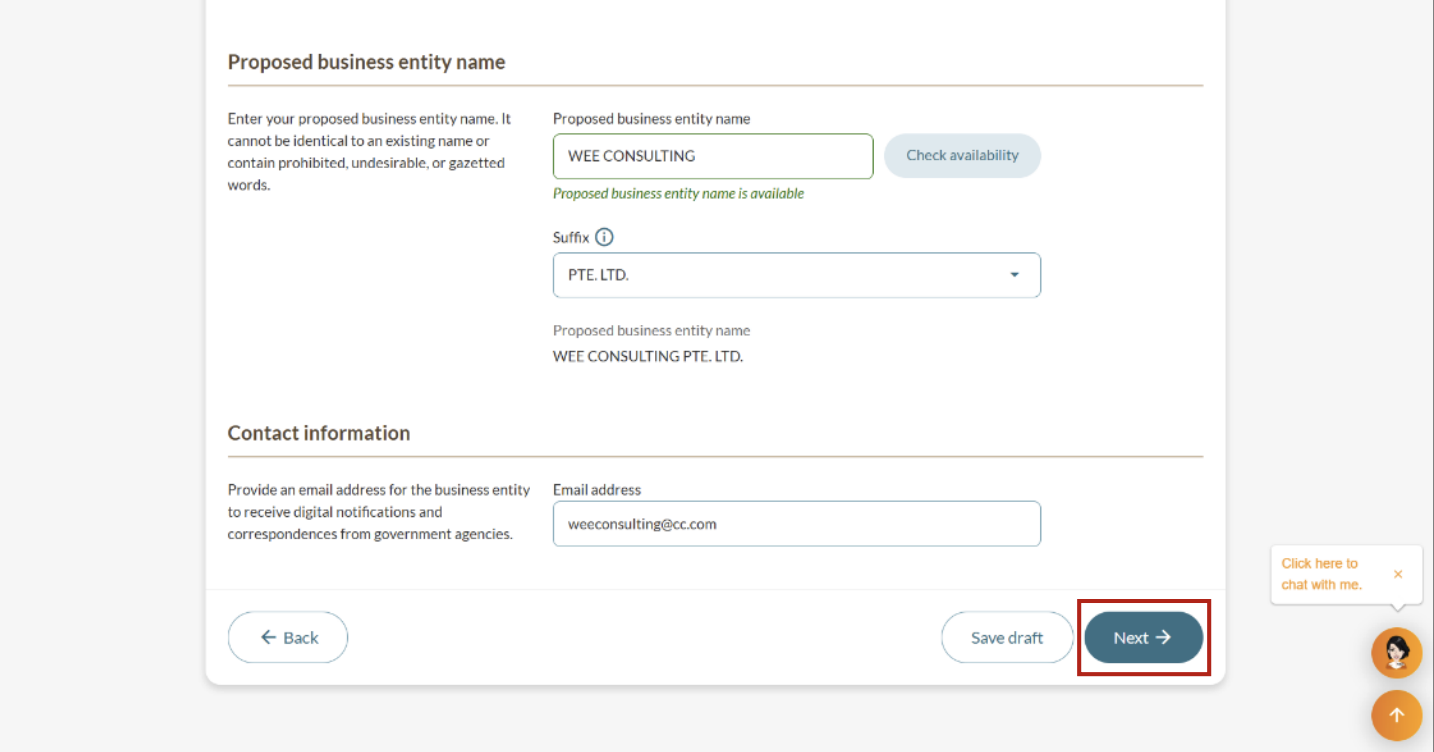
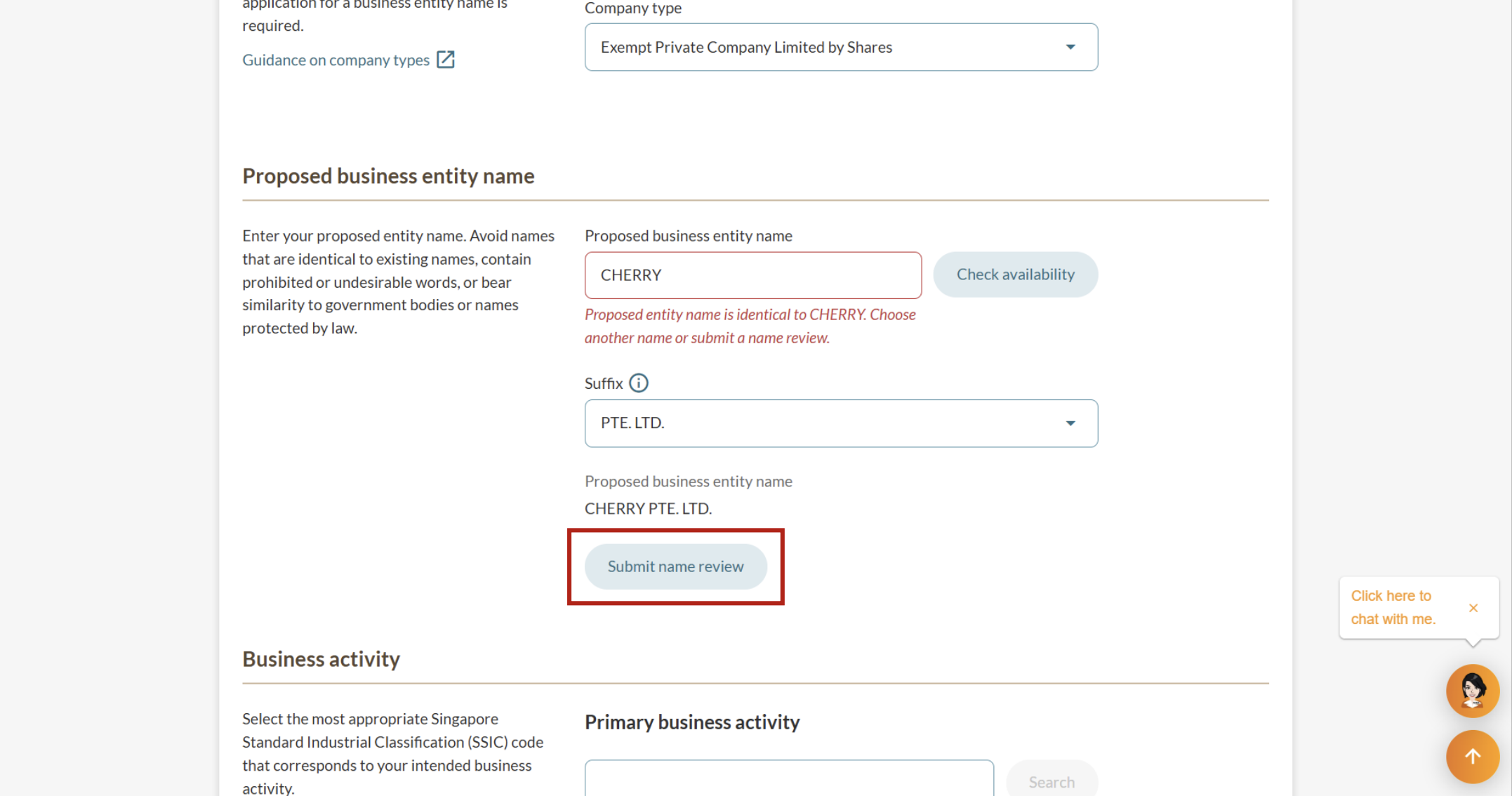
Step 3: Handle name issues, if any
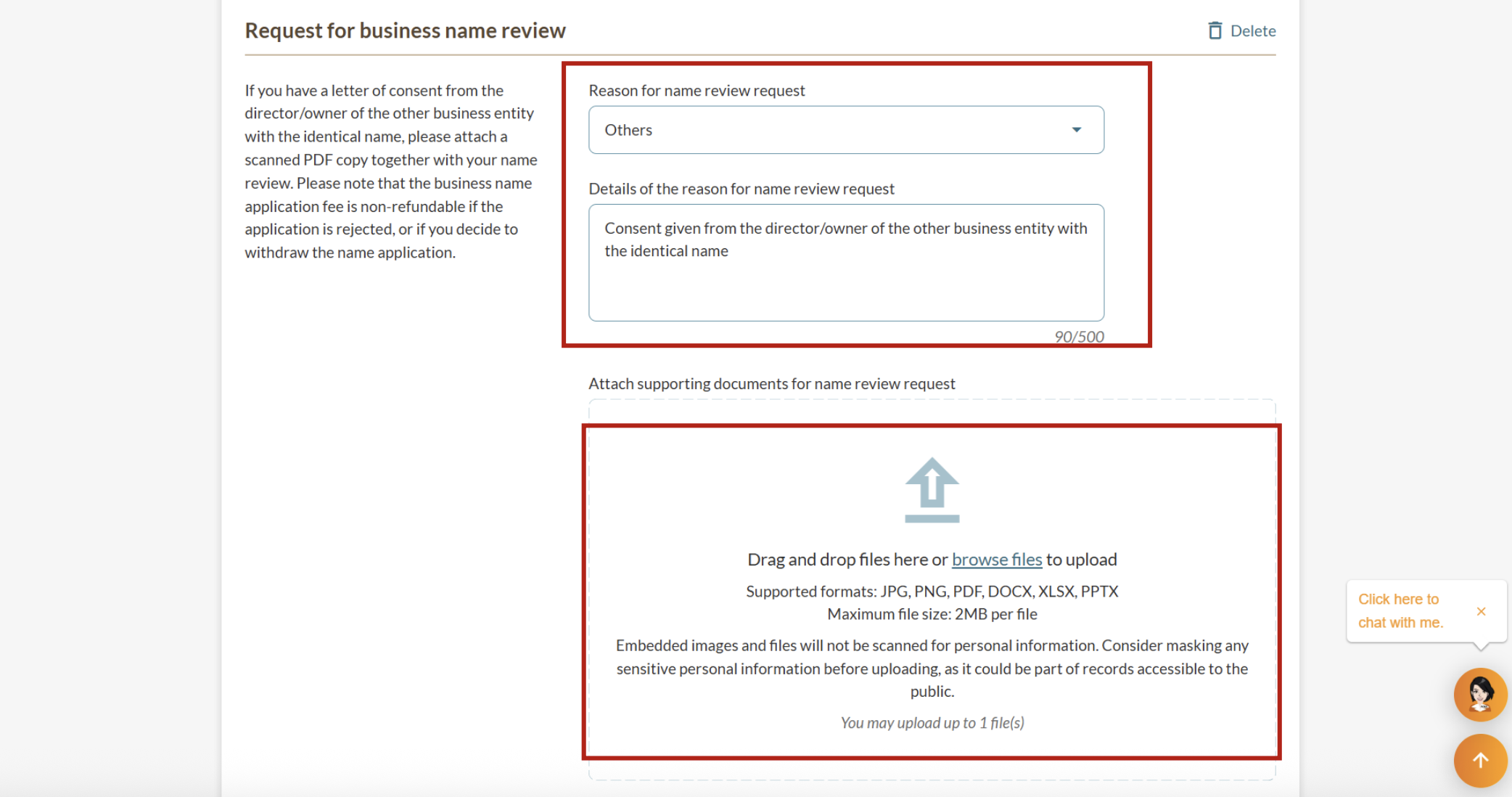
If your proposed name is unavailable or identical to an existing business, you can choose another name. You can also submit a name review request.
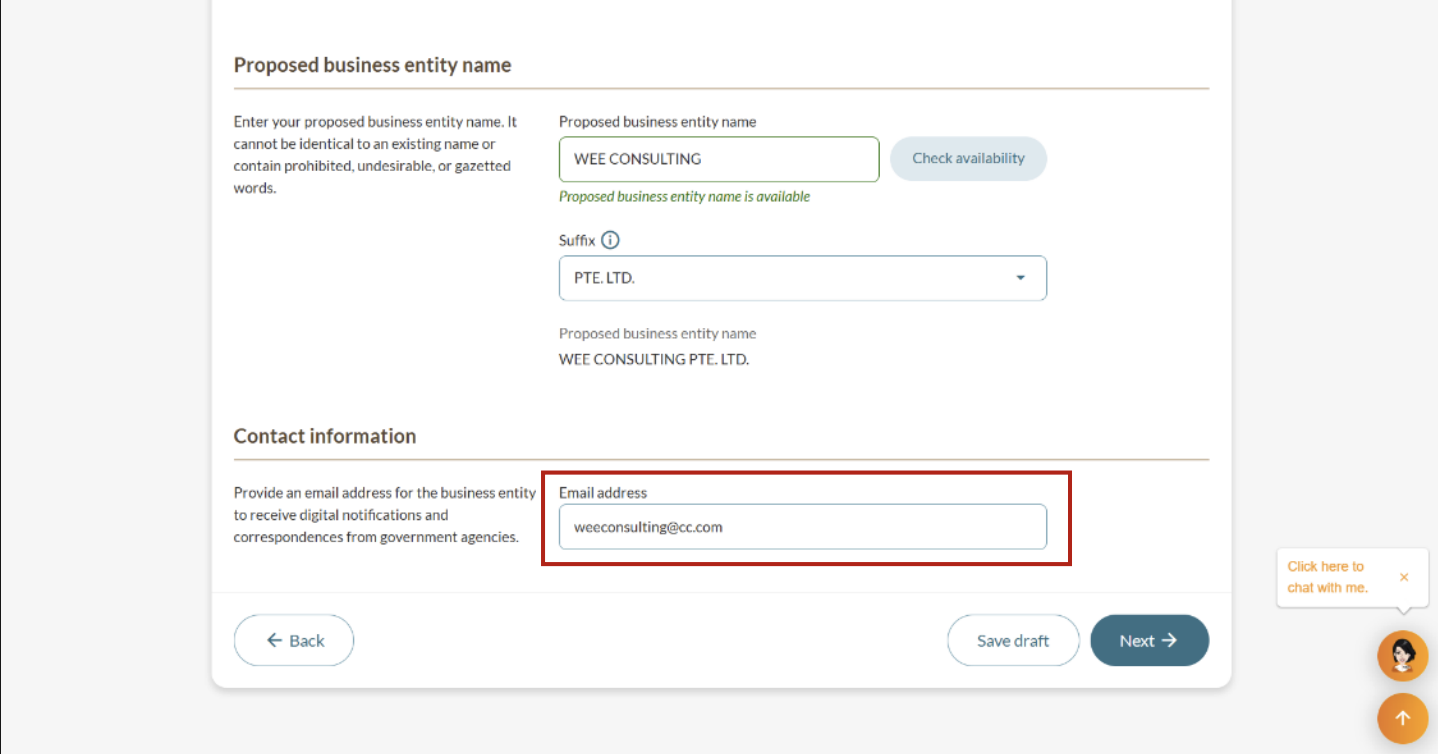
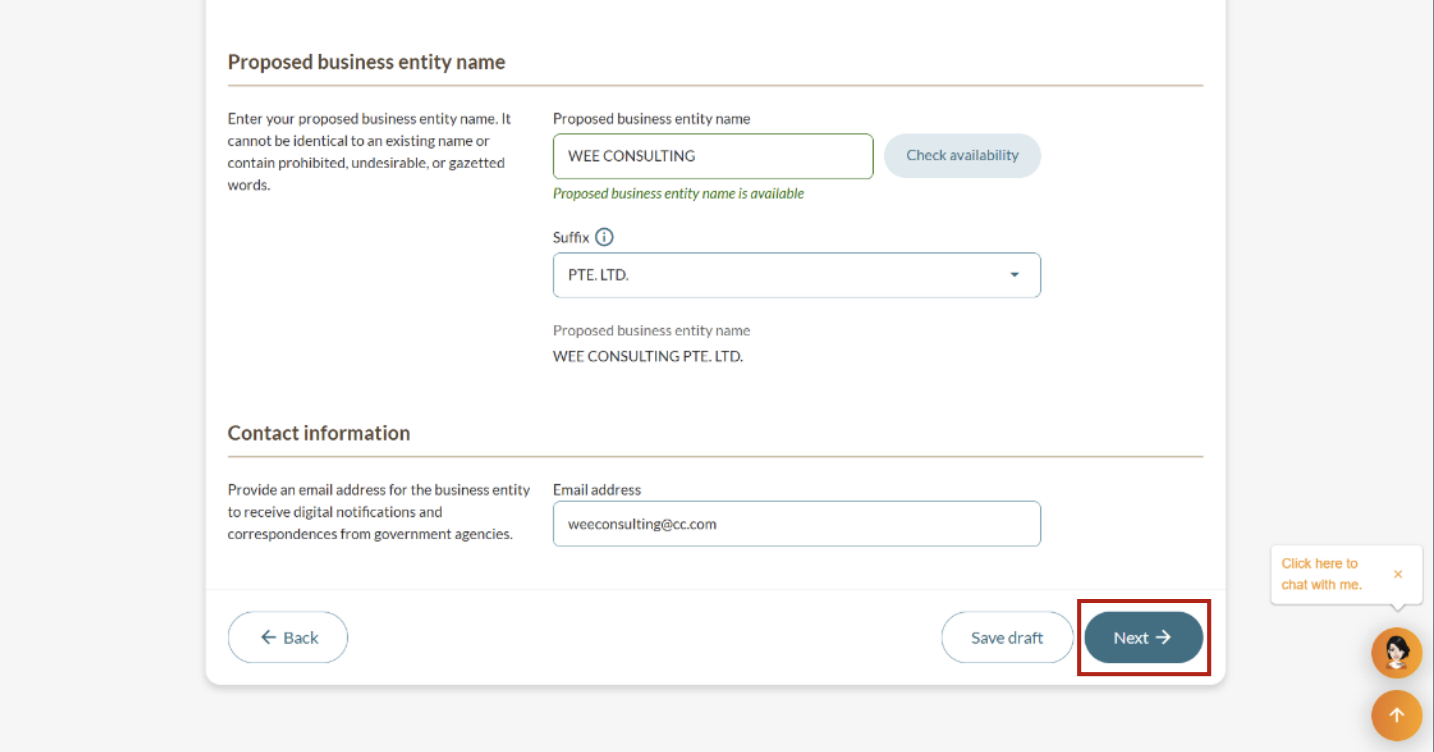
Follow these steps to submit a name review request and proceed to your final review:
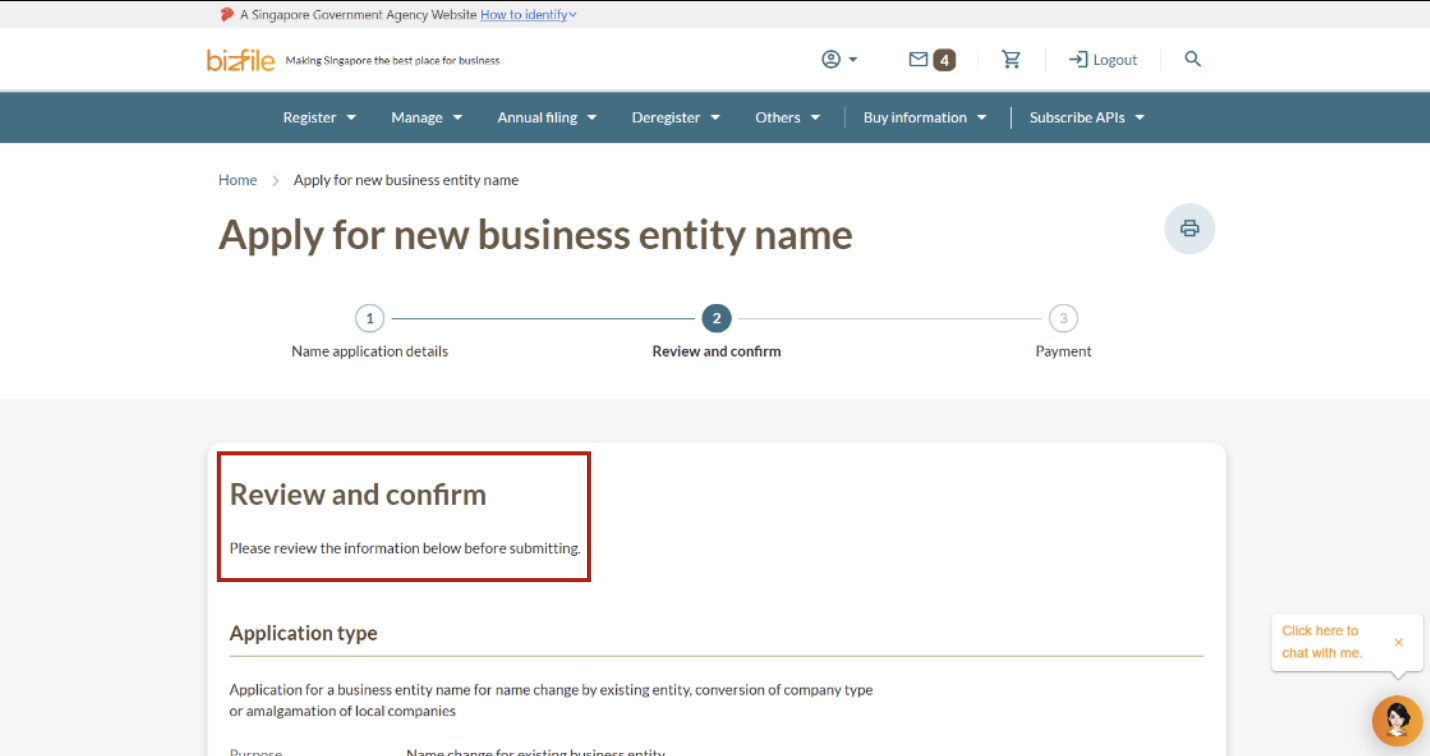
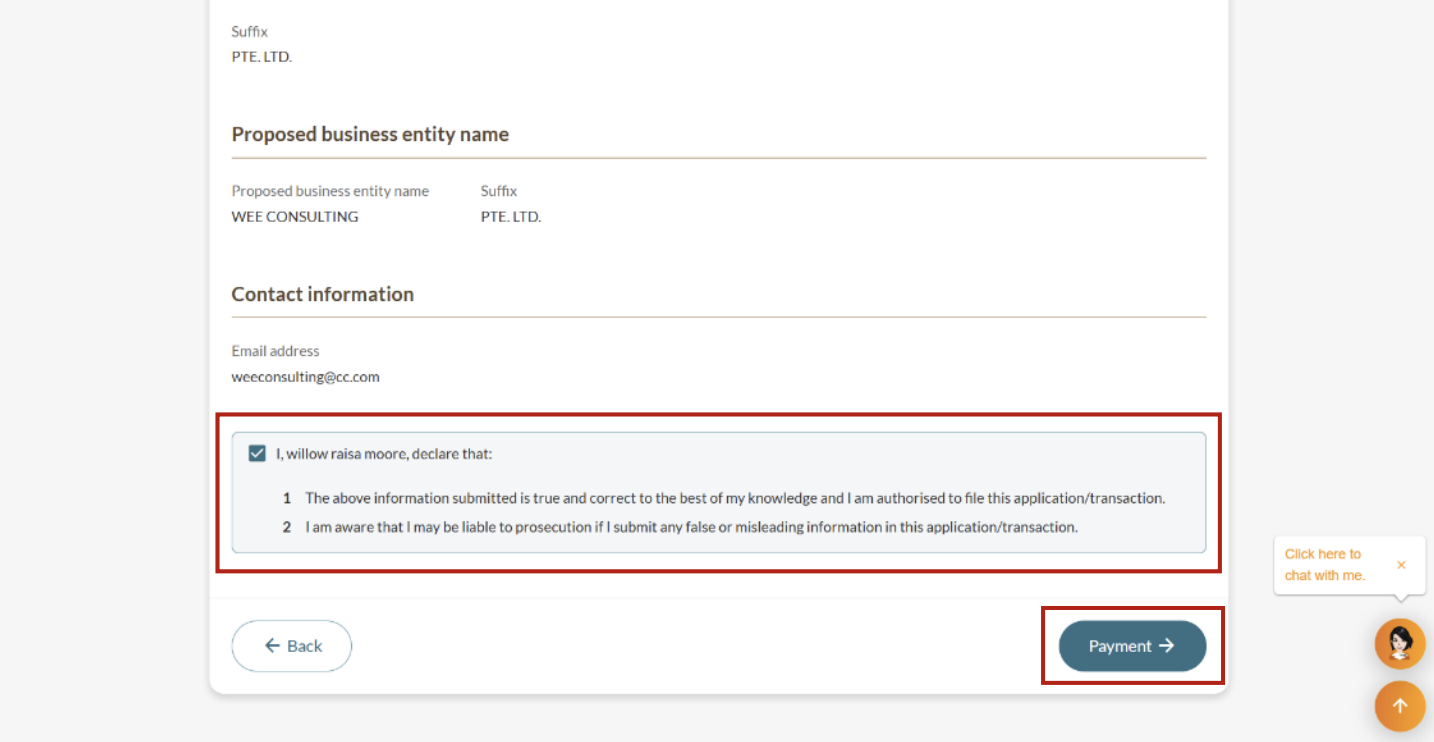
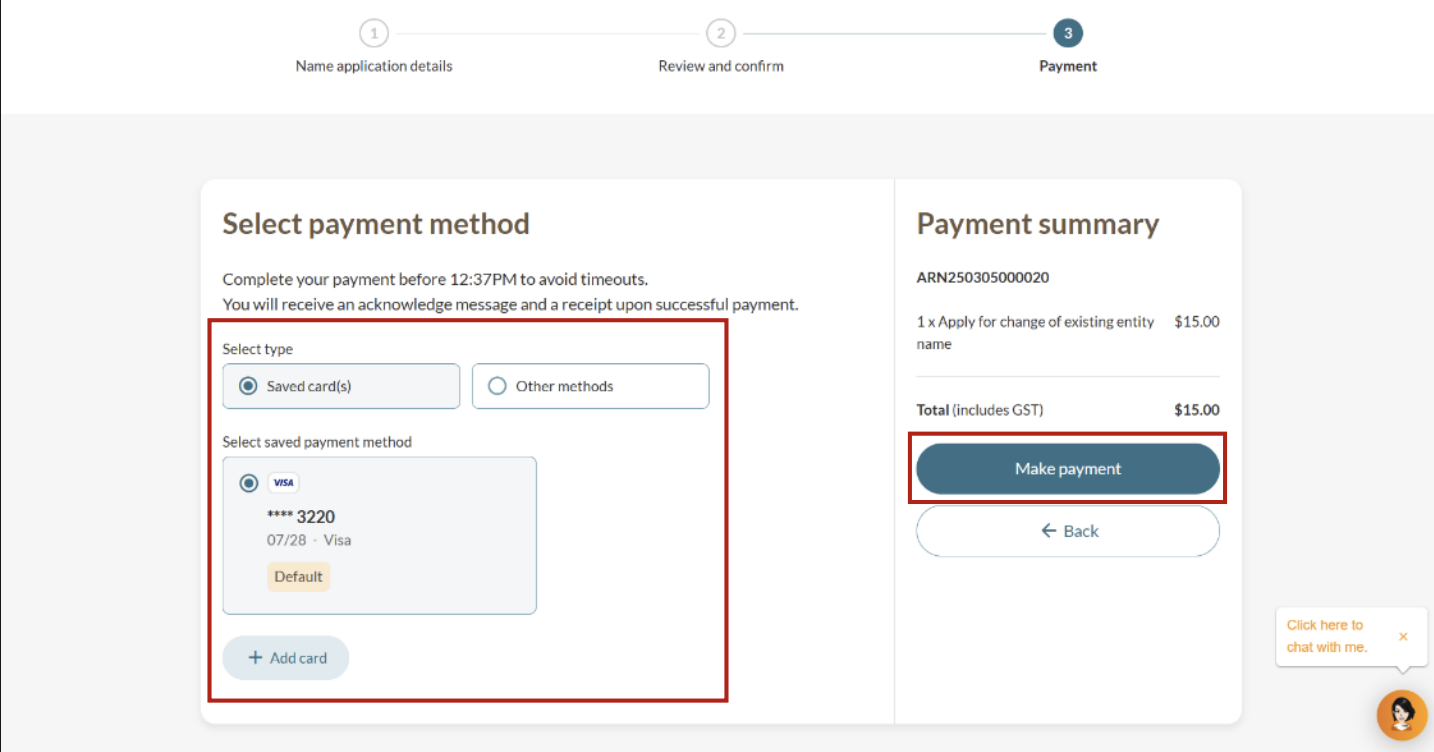
Step 4: Final review and payment
Review and confirm your details. Then, proceed to make payment.
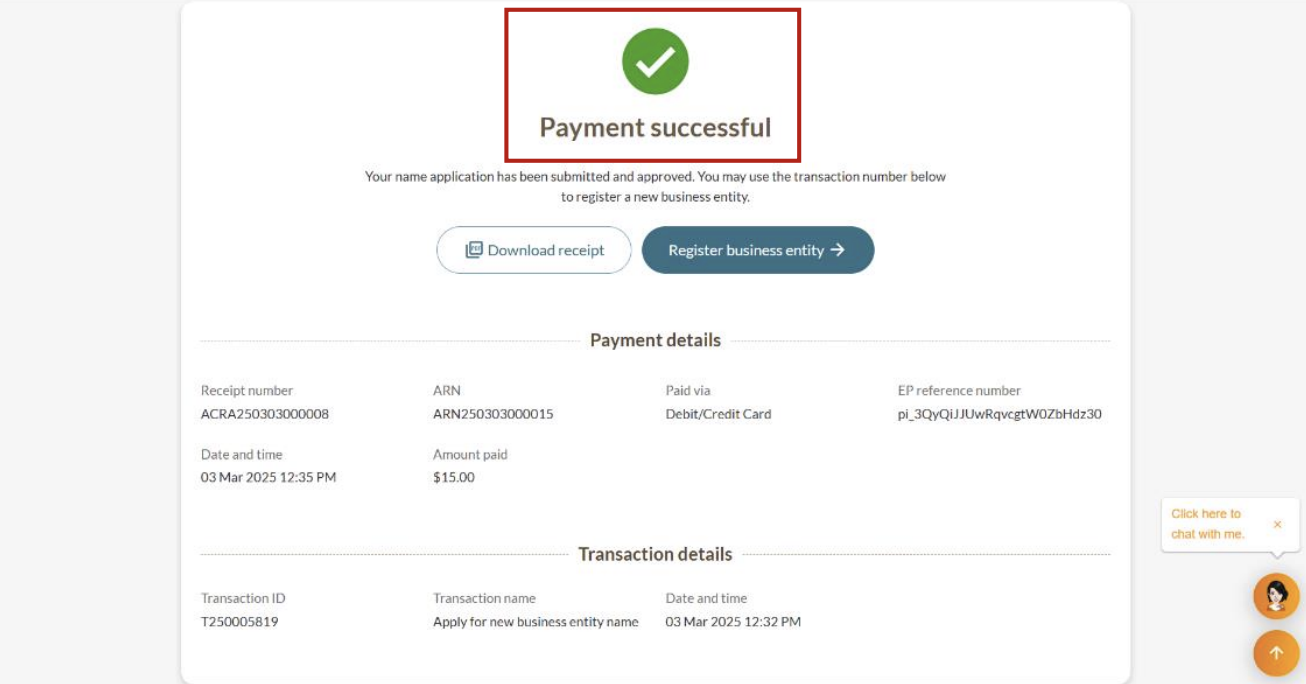
After successful payment
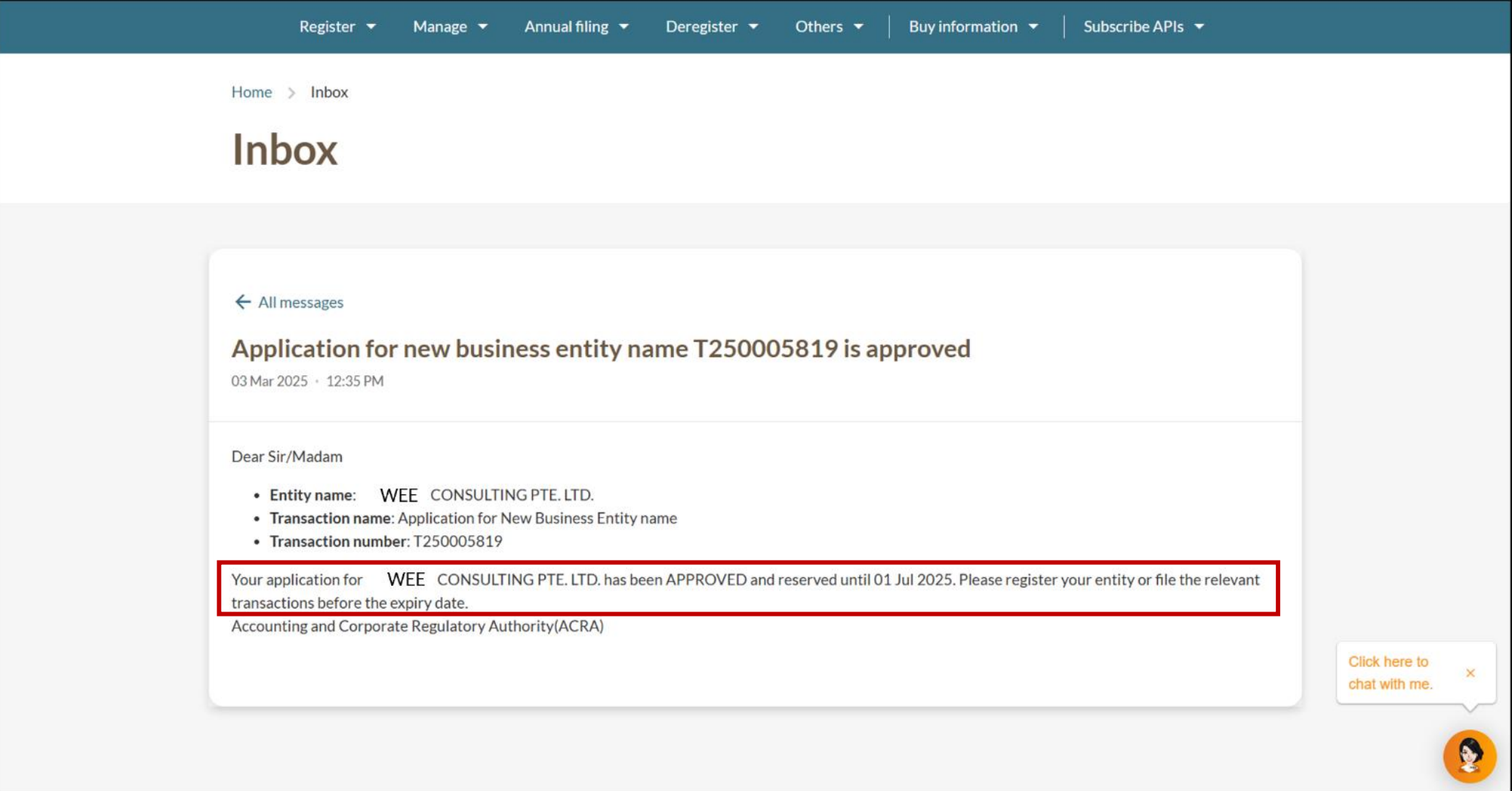
What to expect
Application outcome | What to expect |
|---|---|
Approved immediately | You will receive a Bizfile notification that:
Save your transaction number and use it to update your entity information. You need to update your entity information to reflect your new business name. |
Requires further review | The process may take up to 15 working days:
We will inform you if more time is needed. You will receive a notification of the outcome in your Bizfile inbox. |