
Guide
Appointing or withdrawing position holders
Audience
Accounting entities
Businesses
Corporate Service Providers (CSP)
Task or topic
Update registers or information
4 September 2025
All business entities must inform ACRA of any changes to position holders within 14 days from the date of the change.
This page is under development and being progressively updated.
Before you appoint or withdraw
To avoid late lodgement penalties, you must inform ACRA within 14 days of any appointment or withdrawal of position holders.
Position holders by entity type
For | You must report appointments or withdrawals for these position holders |
|---|---|
Sole proprietorship or partnerships |
|
Limited partnerships (LPs) |
|
Limited liability partnerships (LLPs) |
|
Local companies |
|
Foreign company branches |
|
Public accounting firms (PAFs) |
|
Accounting limited liability partnerships (ALLPs) |
|
Public accounting corporations (PACs) |
|
Who may appoint or withdraw
Position holders may file directly on behalf of their business.
However, company officers cannot withdraw themselves. Another authorised position holder in the company must submit the withdrawal on your behalf.
You can also engage a corporate service provider (CSP) to file on your behalf.
What you need to do
If you wish to appoint or withdraw a foreigner, you need to engage a corporate service provider (CSP).
Required documents and information
For | You need to |
|---|---|
Appointment of new position holders | Ensure all newly appointed owners or partners have cleared any outstanding Medisave liabilities with the CPF Board. This applies to:
If the position holder holds a Foreign Identity Number (FIN): You should first seek consent from the relevant pass issuing authority (such as the Ministry of Manpower or Immigration & Checkpoints Authority). You also need to prepare:
|
Withdrawal of existing position holders | You need to prepare:
|
Fees and processing time
Appoint/Withdraw position holder
What you need to know | Details |
|---|---|
Fee | Free |
Processing time |
|
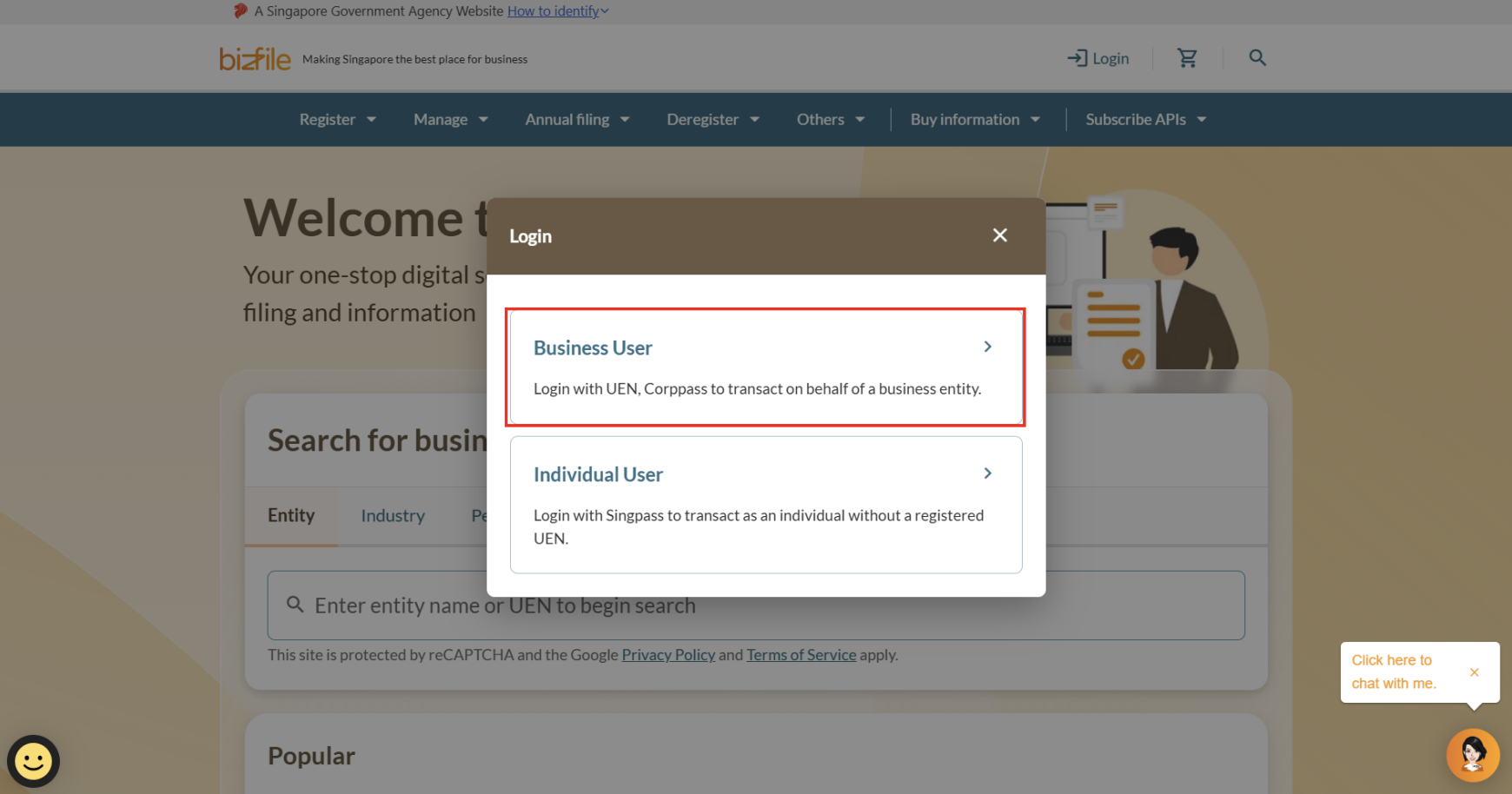
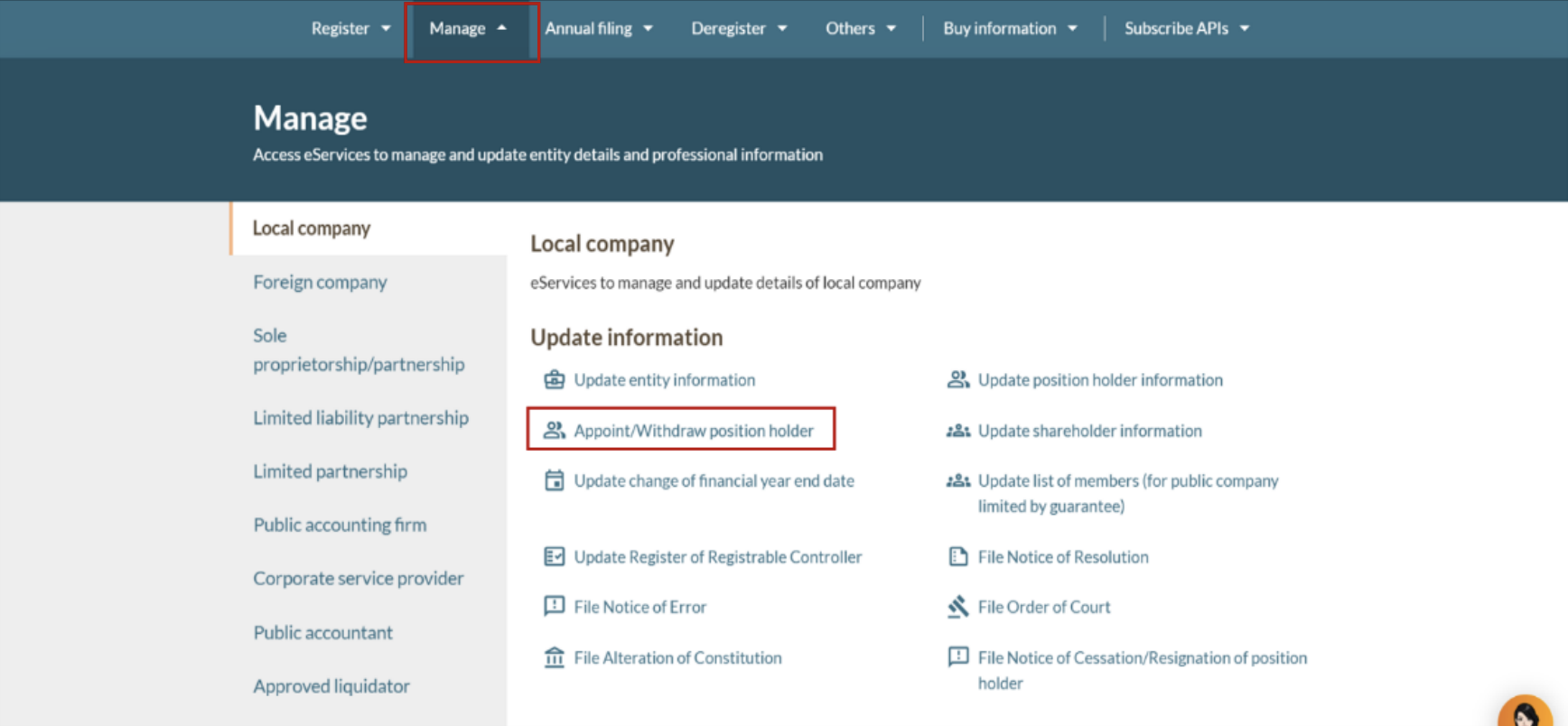
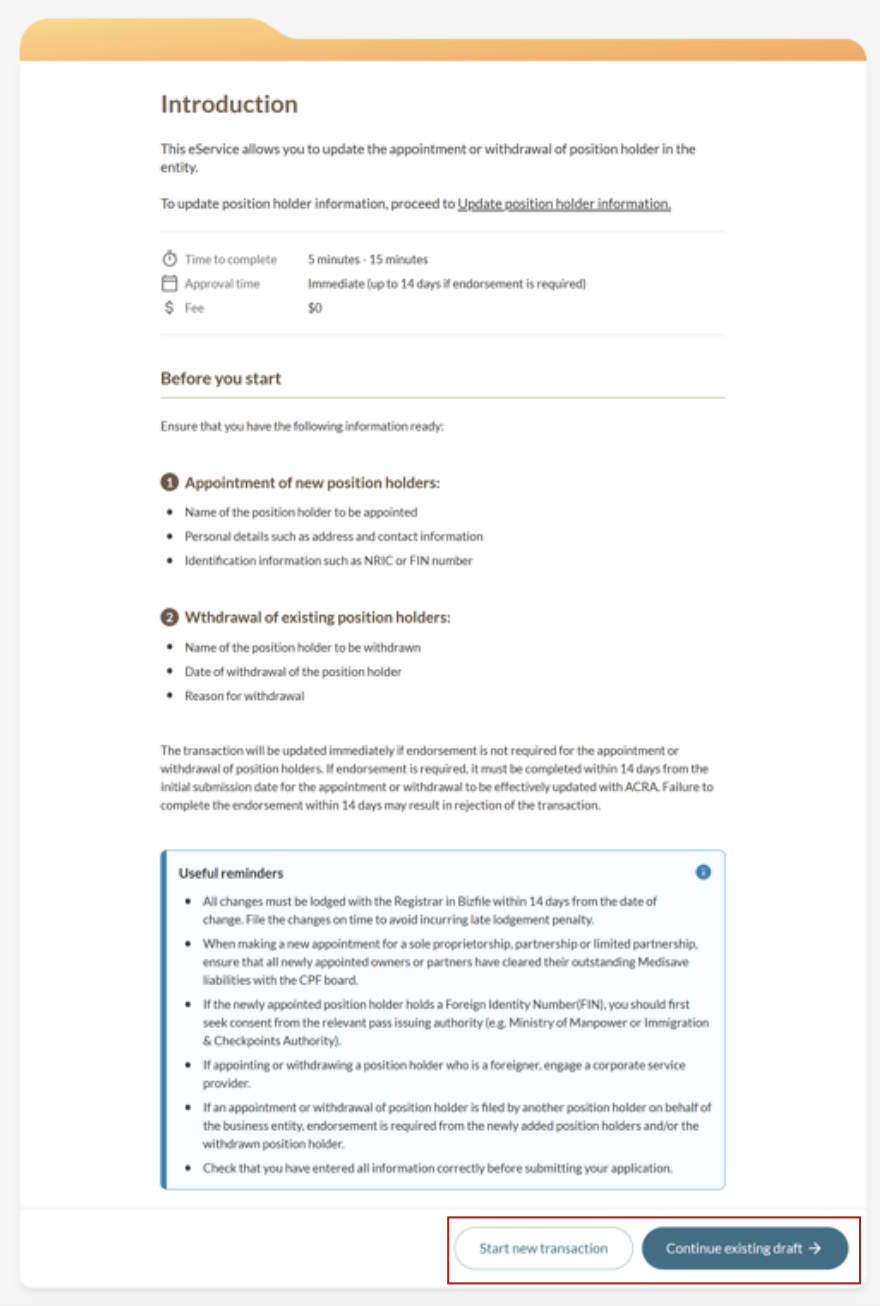
Step 1: Log in to Bizfile and open the "Appoint/Withdraw position holder" eService.
Follow these steps to navigate to the Appoint/Withdraw position holder eService.
Note: All entity and personal information (including UEN, entity details, NRIC or FIN numbers, names and addresses) shown are dummy data for illustration purposes only.
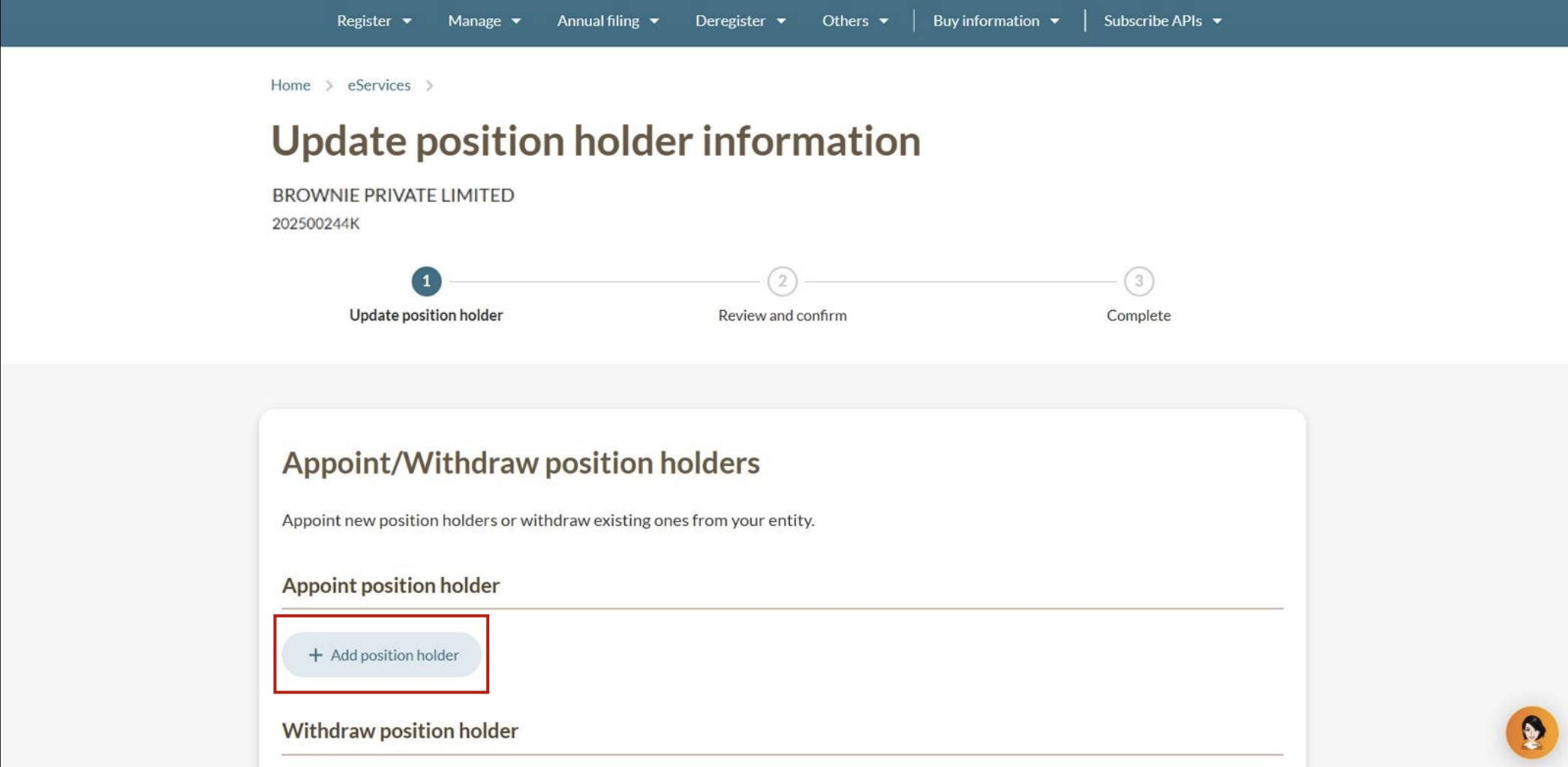
(Optional) Step 2: Appoint a position holder
Add the position holder's details. The information you need to provide depends on whether the position holder is an individual or a corporate entity.
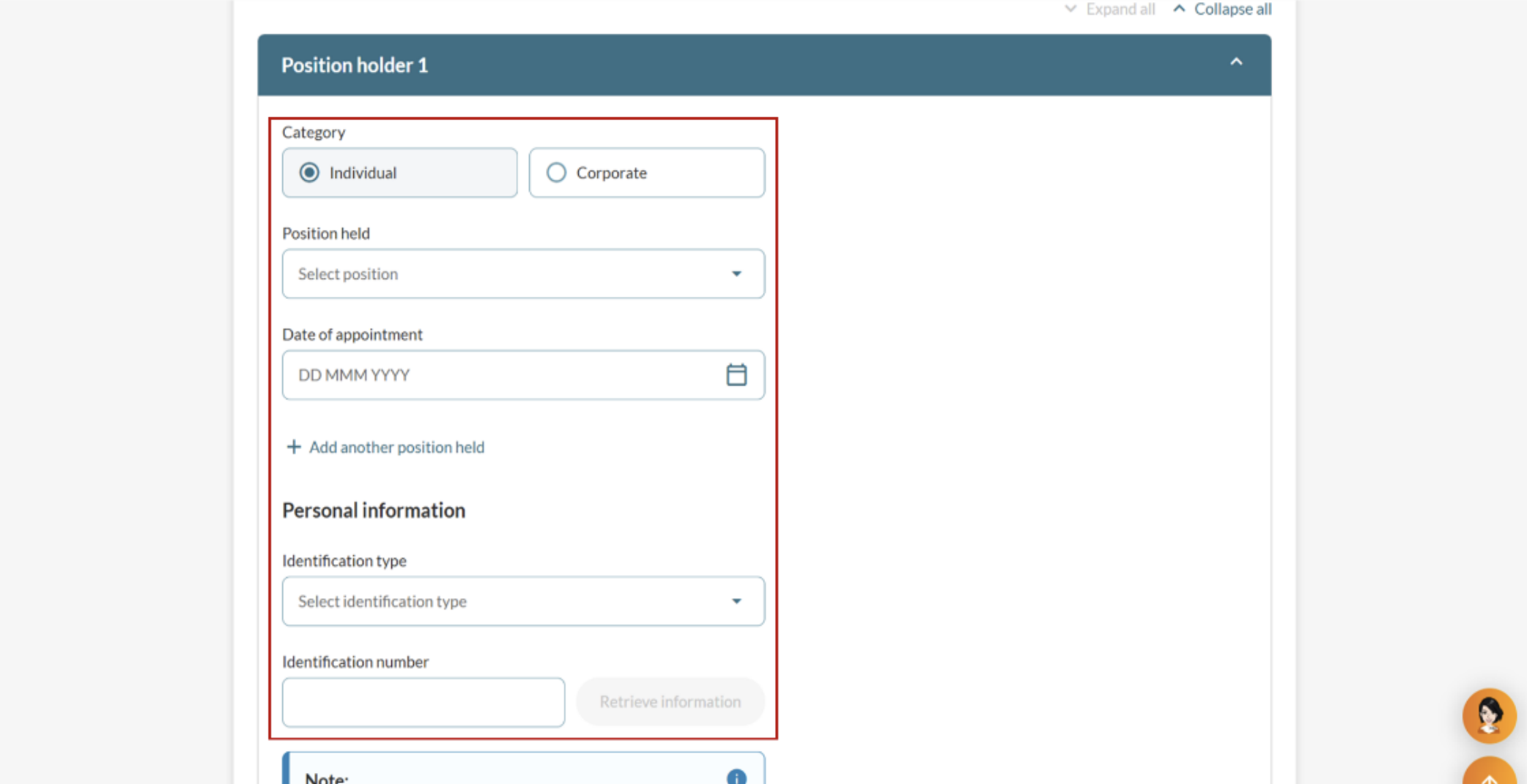
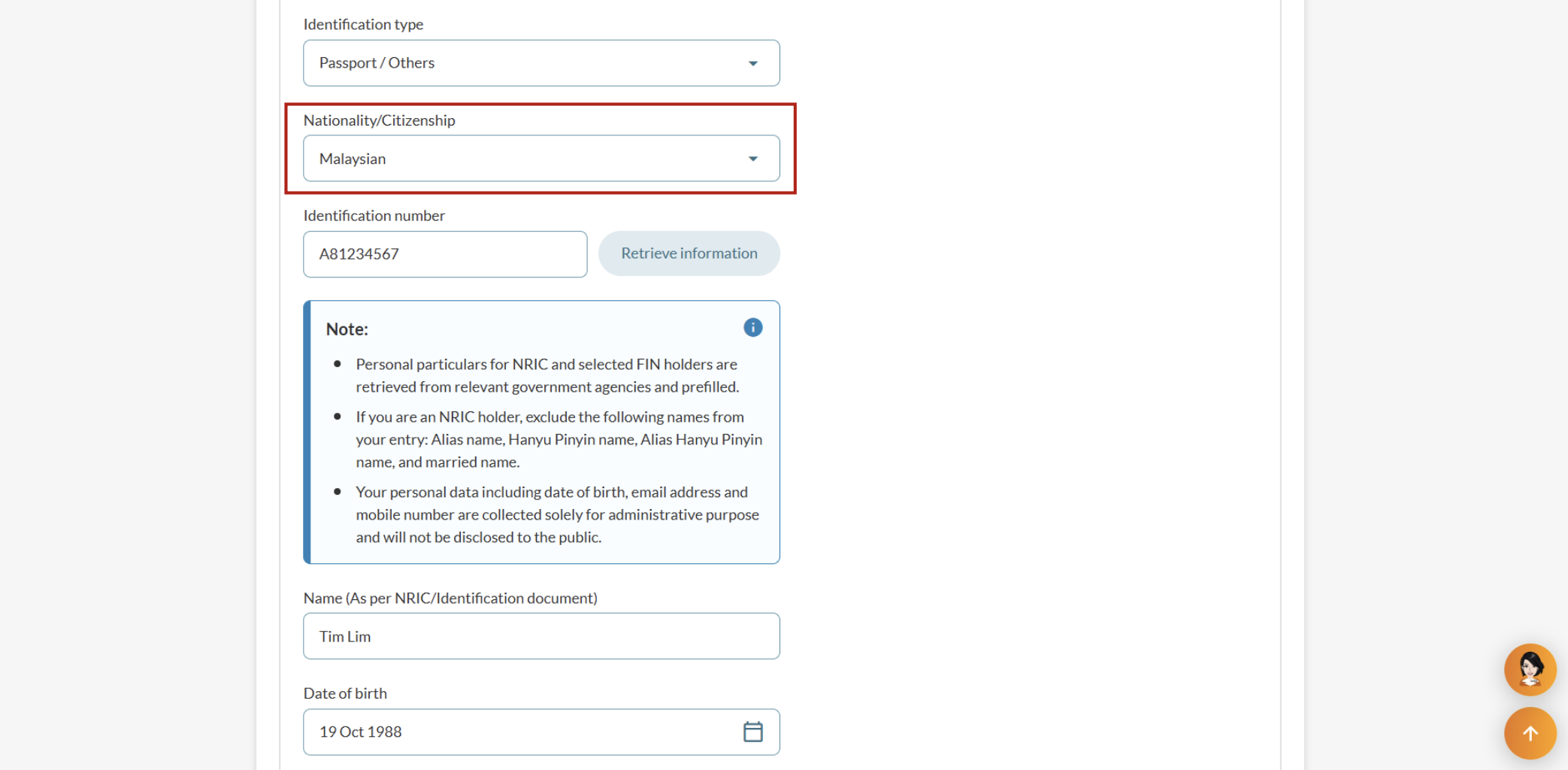
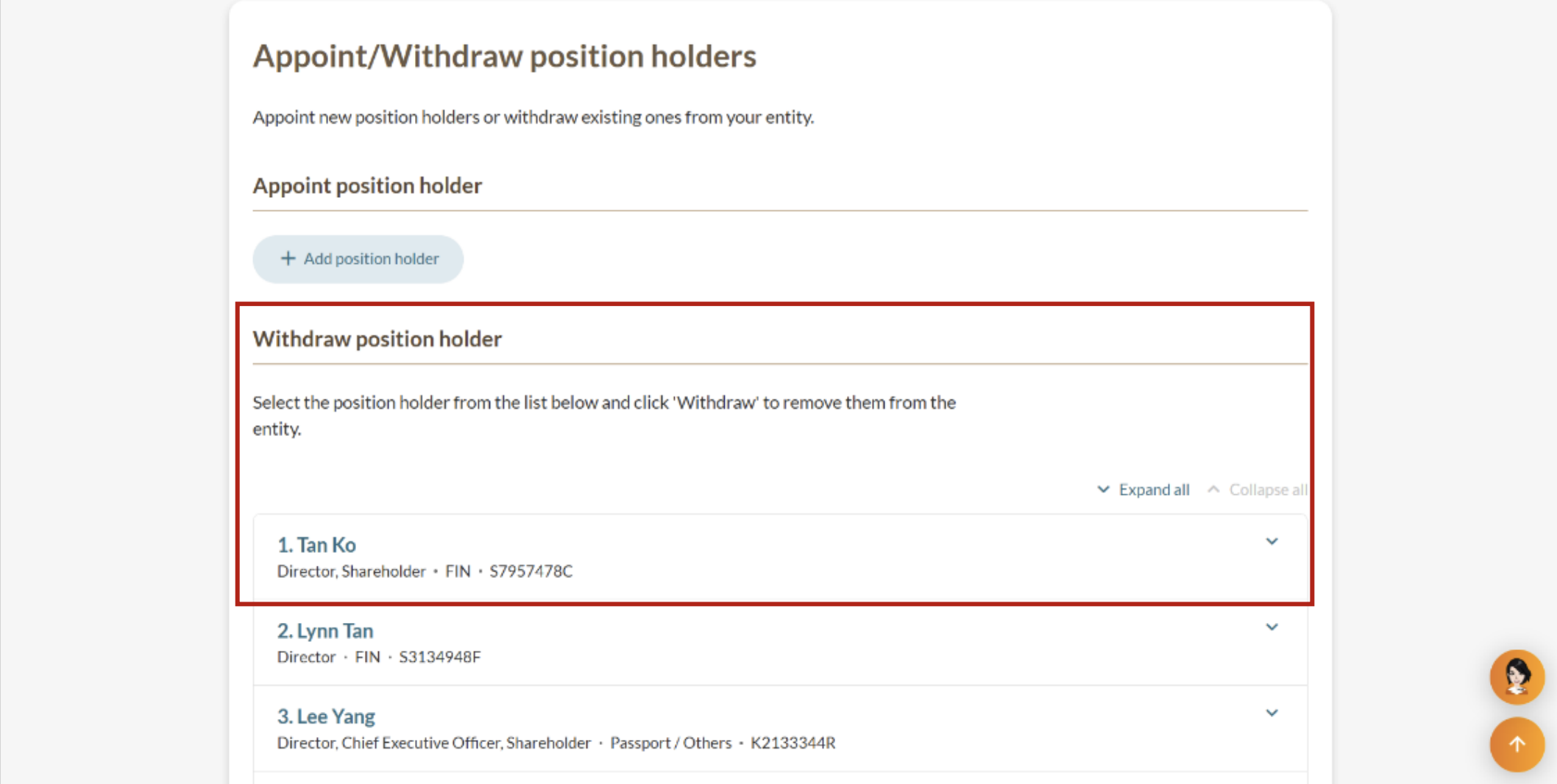
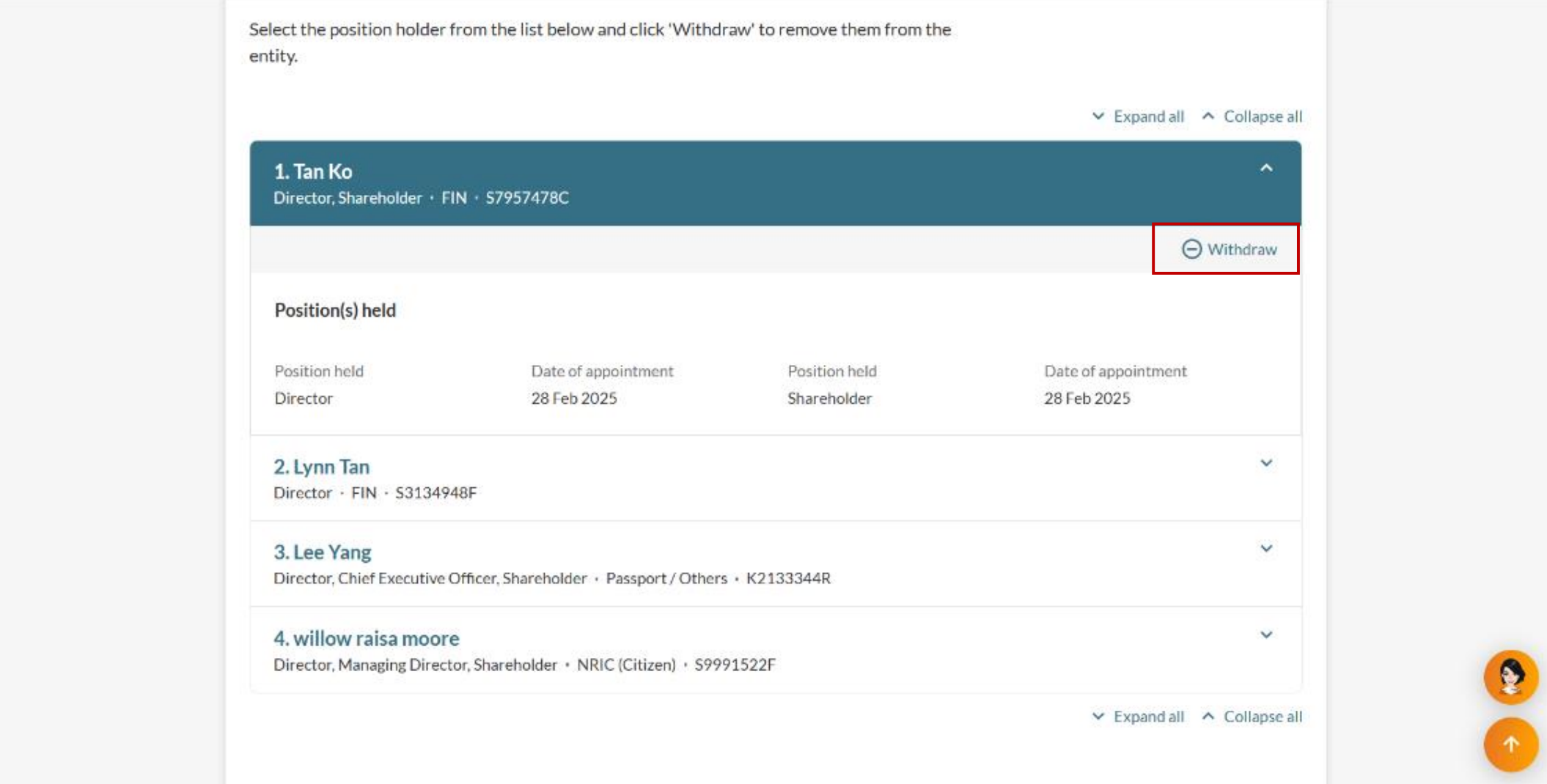
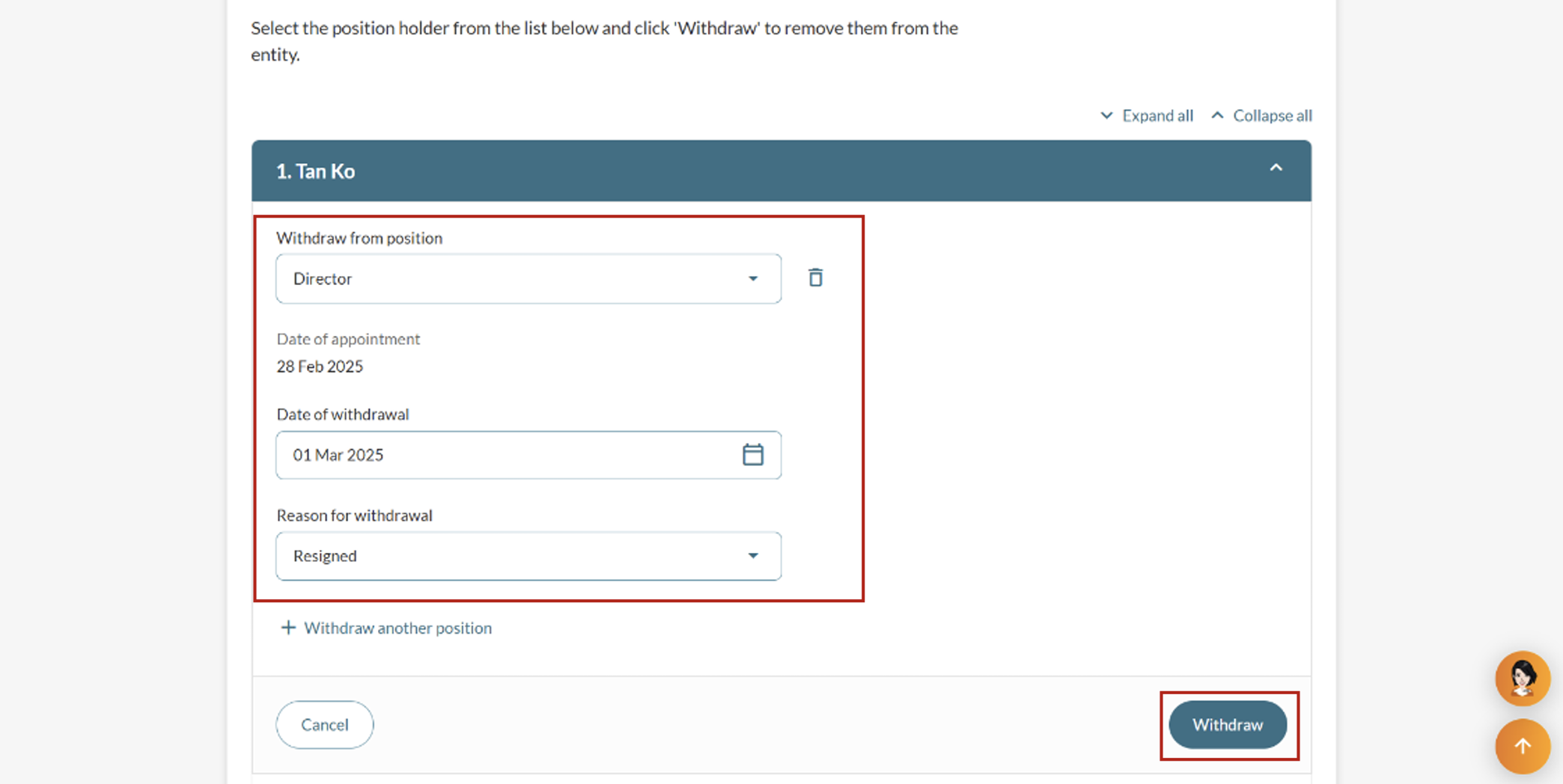
(Optional) Step 3: Withdraw a position holder
Find the relevant position holder and enter the withdrawal details.
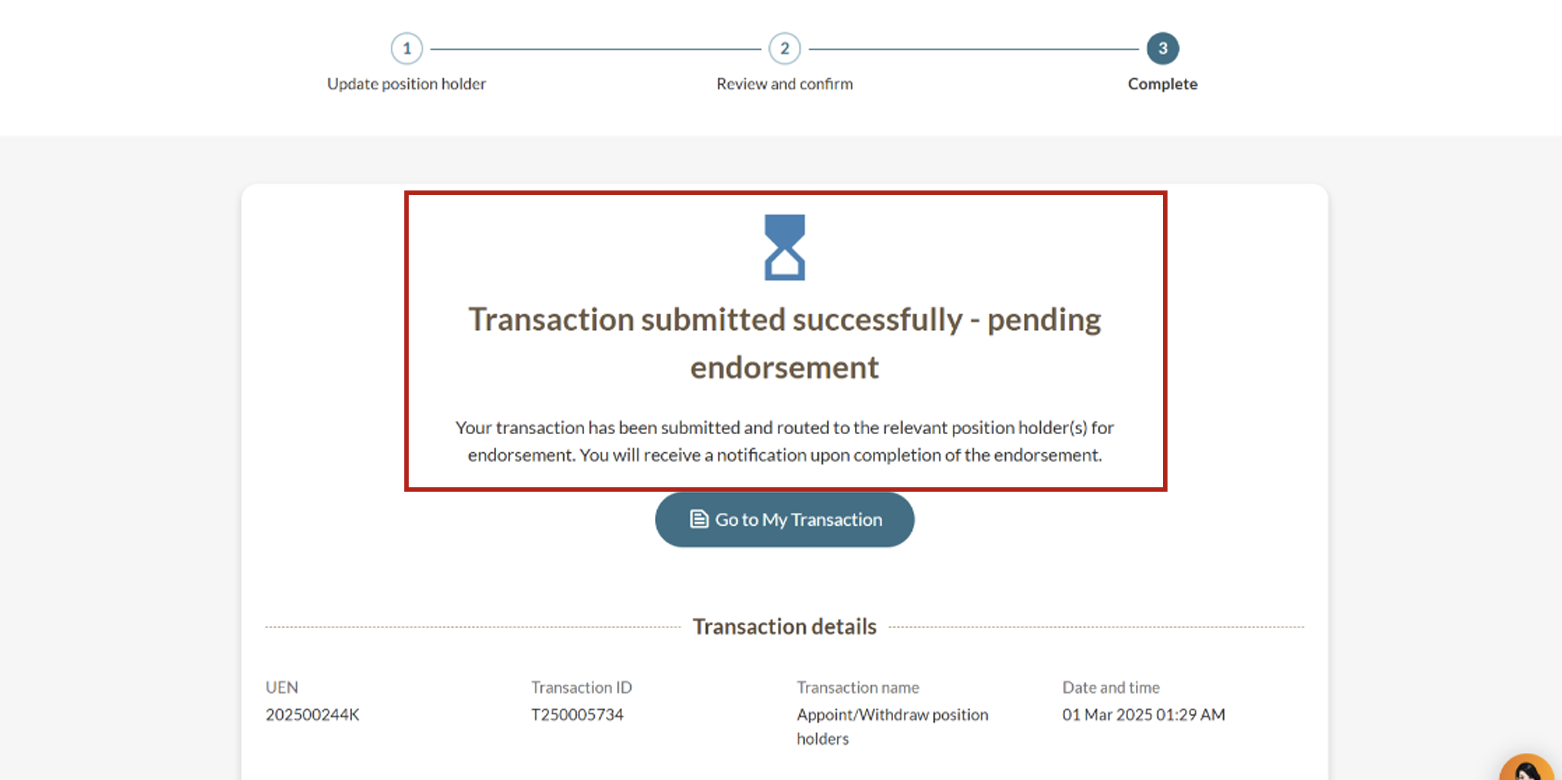
After you appoint or withdraw
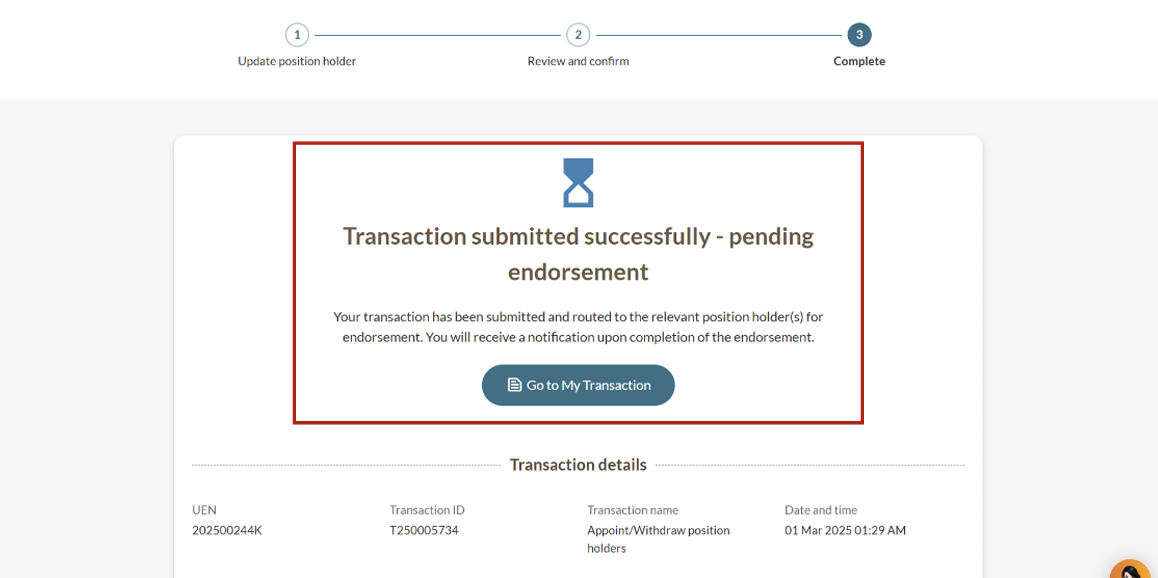
You can track your transaction status under the "My transactions" page.
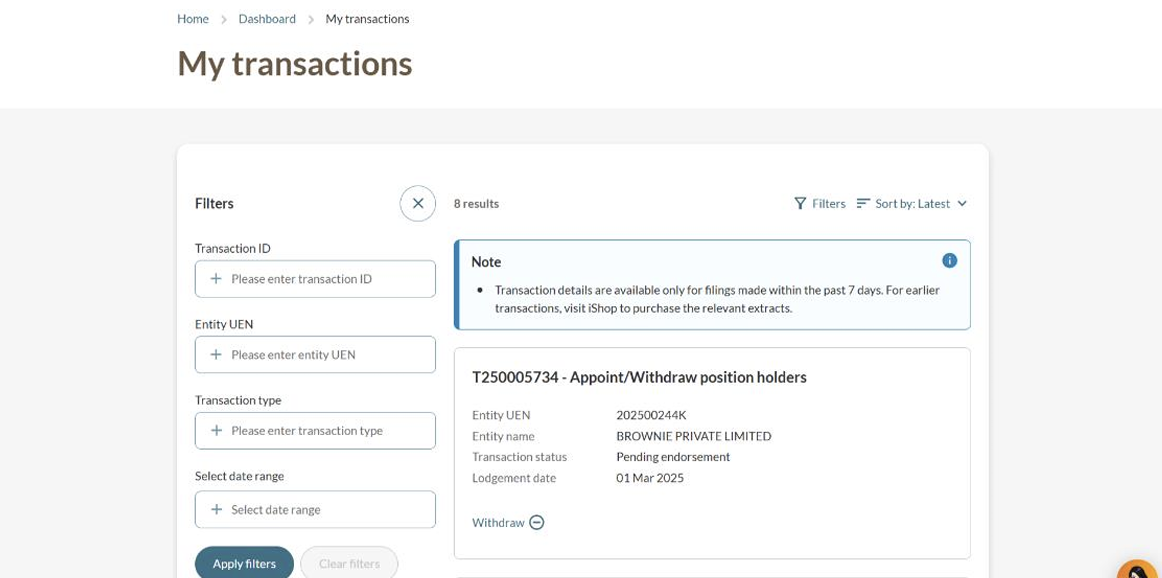
"My transactions" page
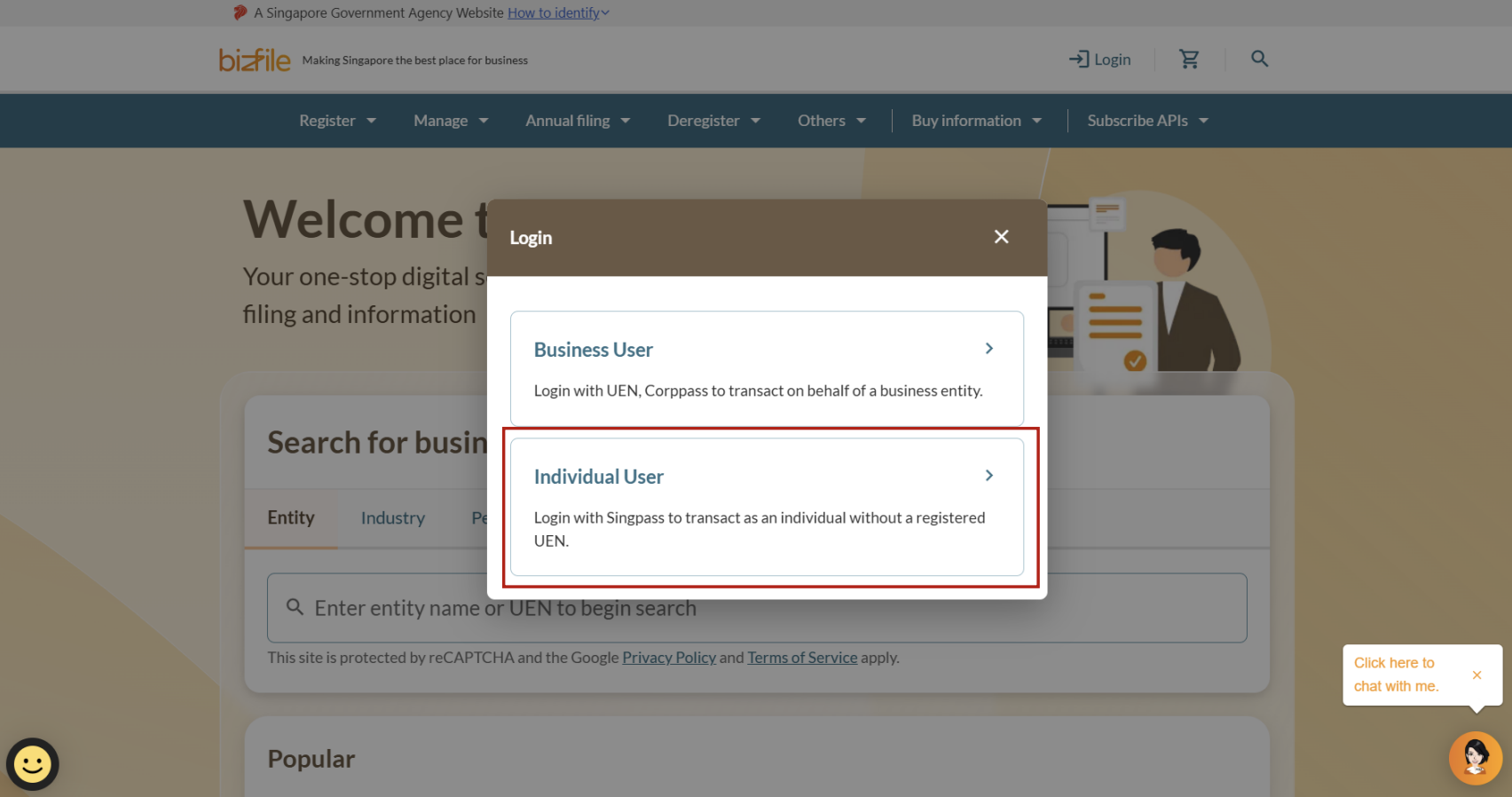
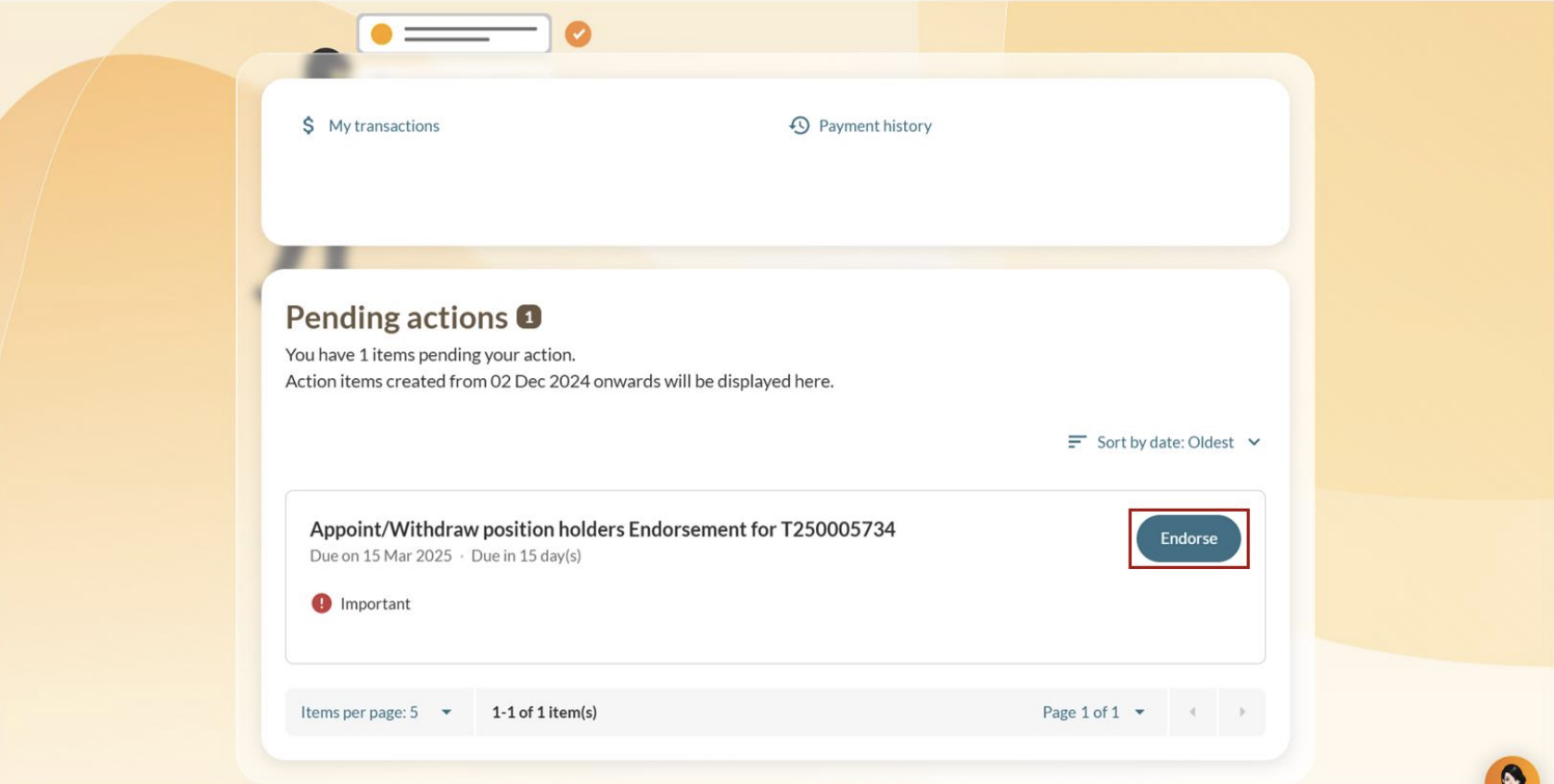
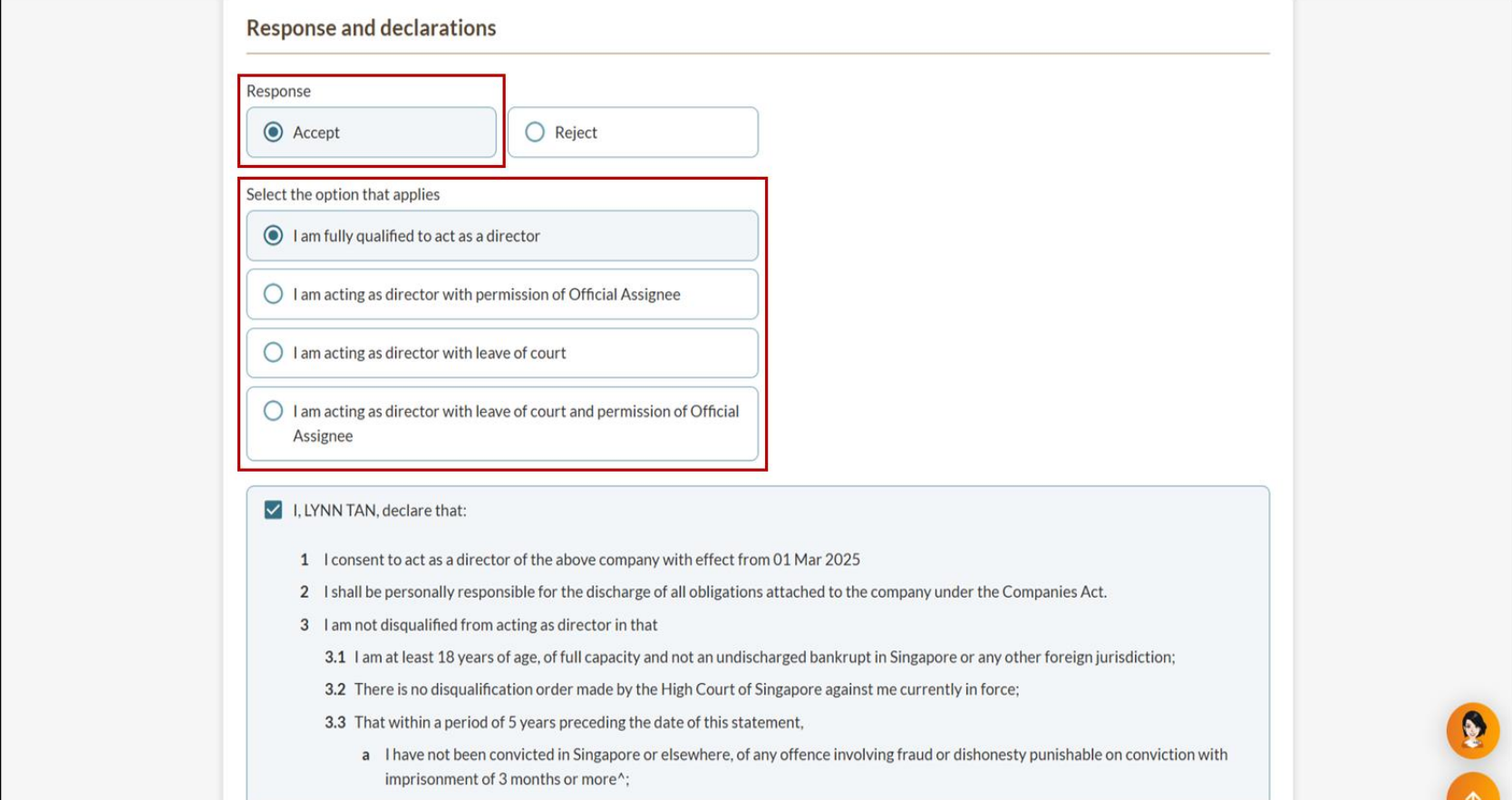
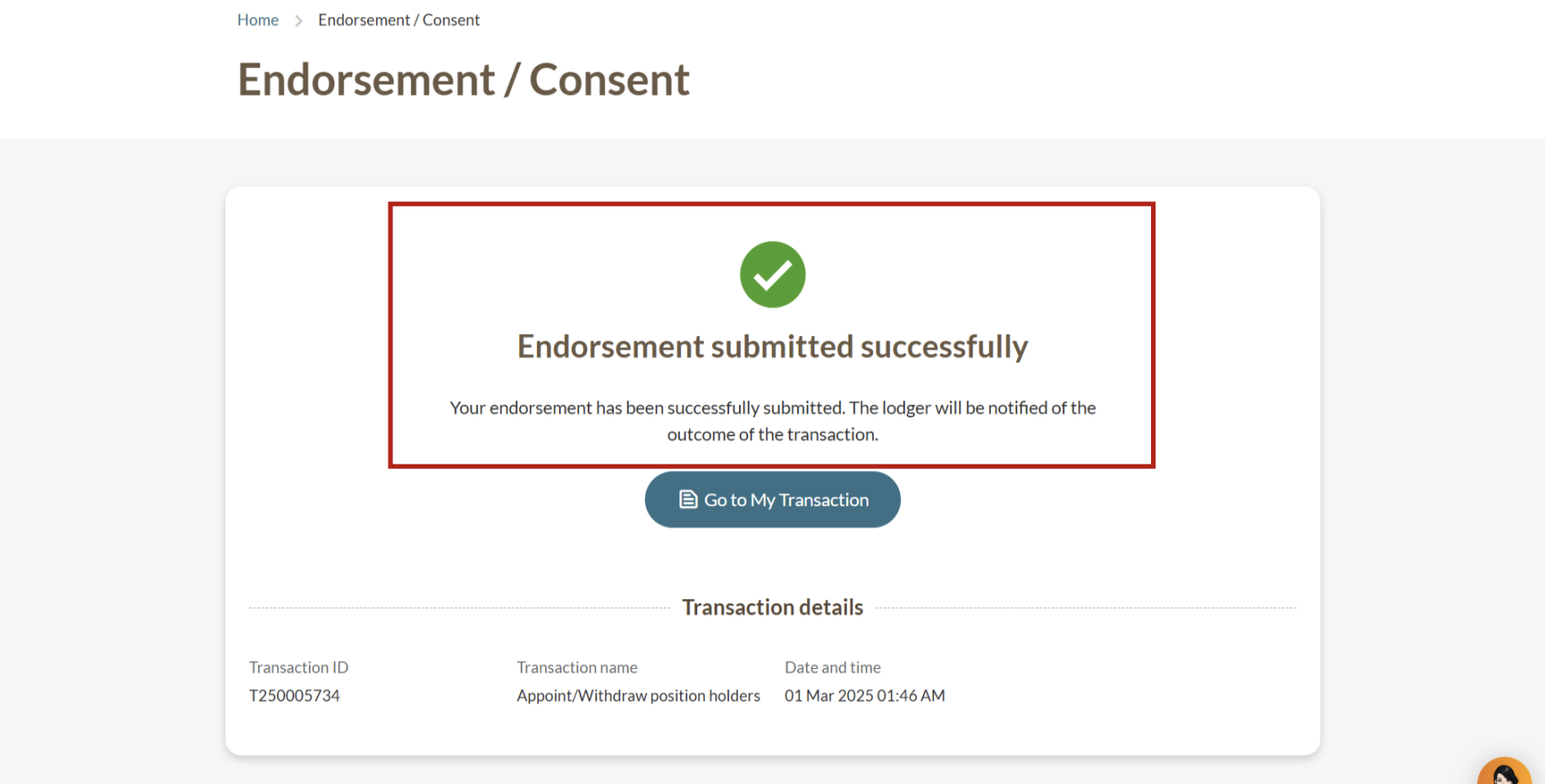
Endorsing the appointment or withdrawal
Most changes require endorsement from the affected position holder. Position holders need to complete their endorsements within 14 days. If they do not, the update may be rejected.
Endorsement is not required for:
Transactions filed by a corporate service provider (CSP)
Lodgers submitting their own appointment transaction
Auditor appointments
Notification of approval
After the position holder completes their endorsement, you will receive a Bizfile notification that confirms the appointment or withdrawal.