
Guide
Applying for a new business entity name
Audience
Accounting entities
Businesses
Corporate Service Providers (CSP)
Task or topic
Registration
Restructure or convert business type
18 August 2025
Use Bizfile to reserve a name for your business, whether you are registering a new entity or managing an existing one.
Before you apply
You may apply and reserve a new business entity name to:
Convert an existing public accounting firm or public accounting corporation to an accounting LLP
Revoke public accounting entity status (to update the suffix of the entity)
Convert a local company type to another type (for example, from a private company to public company)
Amalgamate local companies
Who may apply
Three options for name applications
Options | Notes |
|---|---|
Apply directly using Singpass | If you are applying for a business name to register a new business entity, you can apply directly if you intend to hold any of these positions:
|
Apply directly using Corppass | You can apply directly through Bizfile on behalf of an existing entity if you hold any of these roles:
|
Engage a CSP to submit the application on your behalf | Anyone can engage a CSP. However, foreigners must engage a CSP to register a business. Learn more about rules for foreigners. |
Note: During the name application, you need to specify your business activity by selecting the most relevant Singapore Standard Industrial Classification (SSIC) code.
What you need to prepare
Required documents and information
You need to prepare | Details |
|---|---|
Business information |
|
Other documents (if needed) |
Note: Name review requests are subject to ACRA's approval. |
Contact details |
|
Fees and processing time
Apply for new business entity name
What you need to know | Details |
|---|---|
Fee | $15 Note: The fee is non-refundable if the application is rejected or if you decide to withdraw the name application. |
Payment method |
|
Processing time | Most registrations are approved soon after payment. Complex registrations requiring additional review may take longer:
We will inform you if more time is needed. |
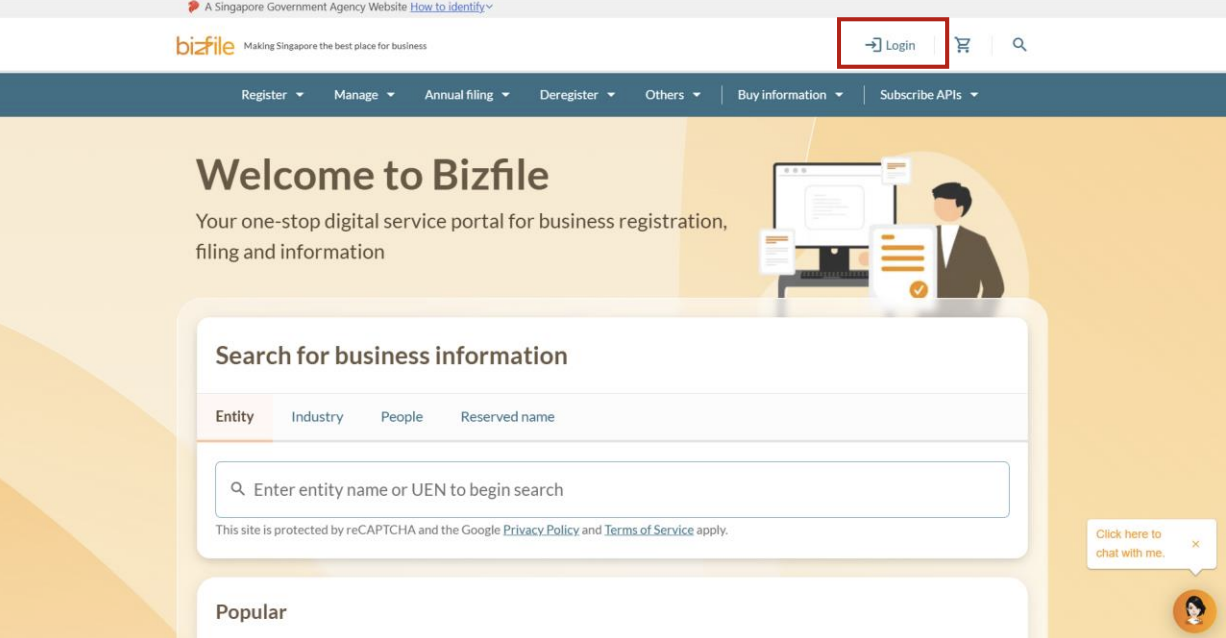
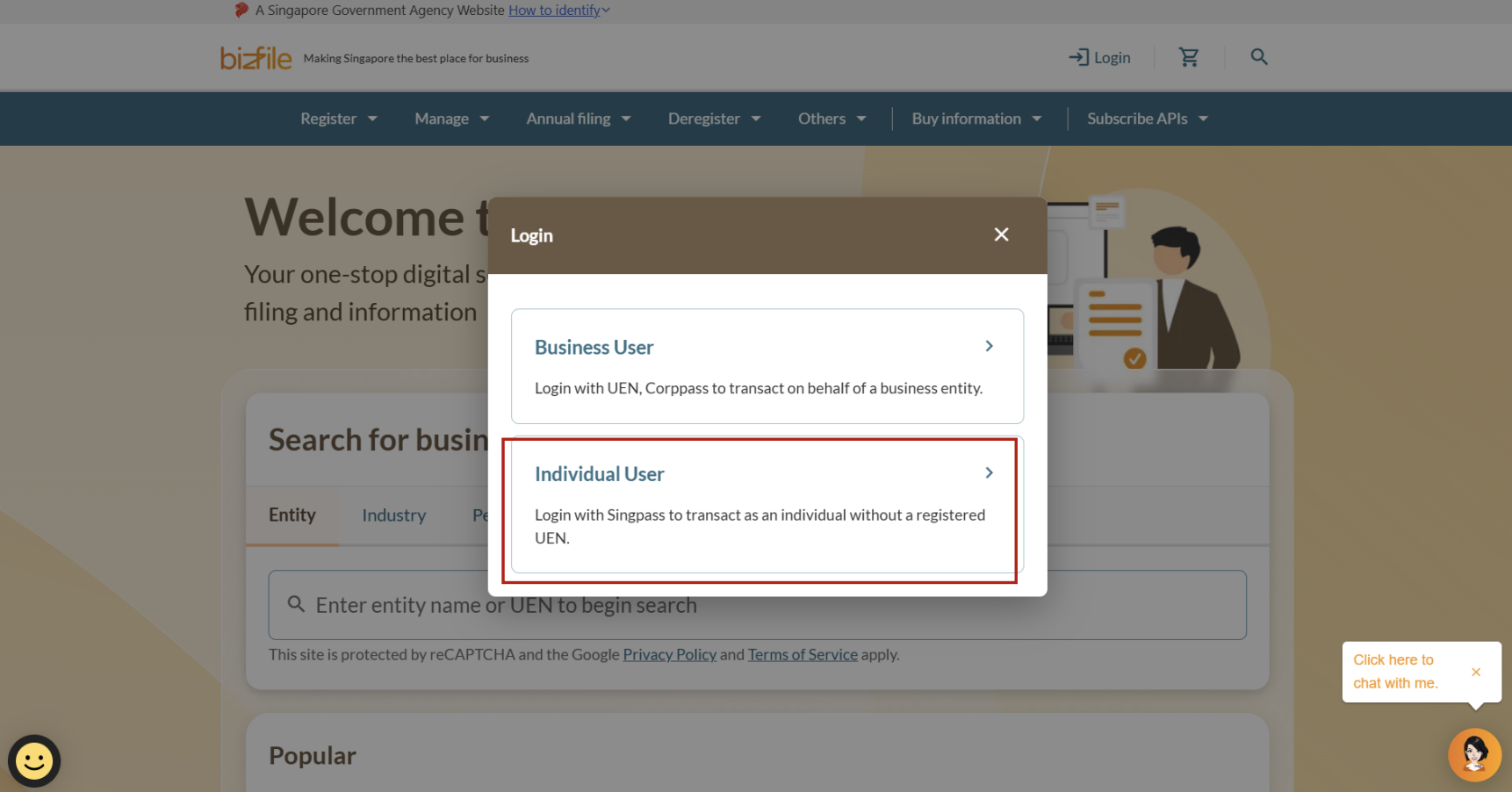
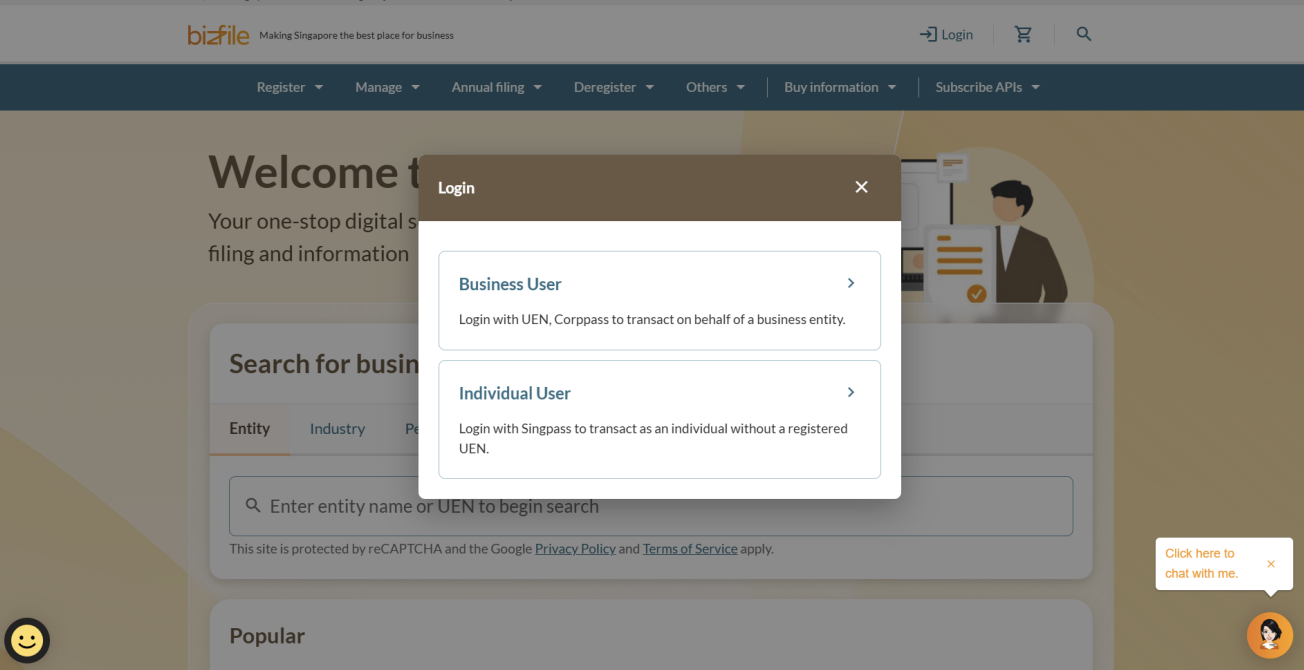
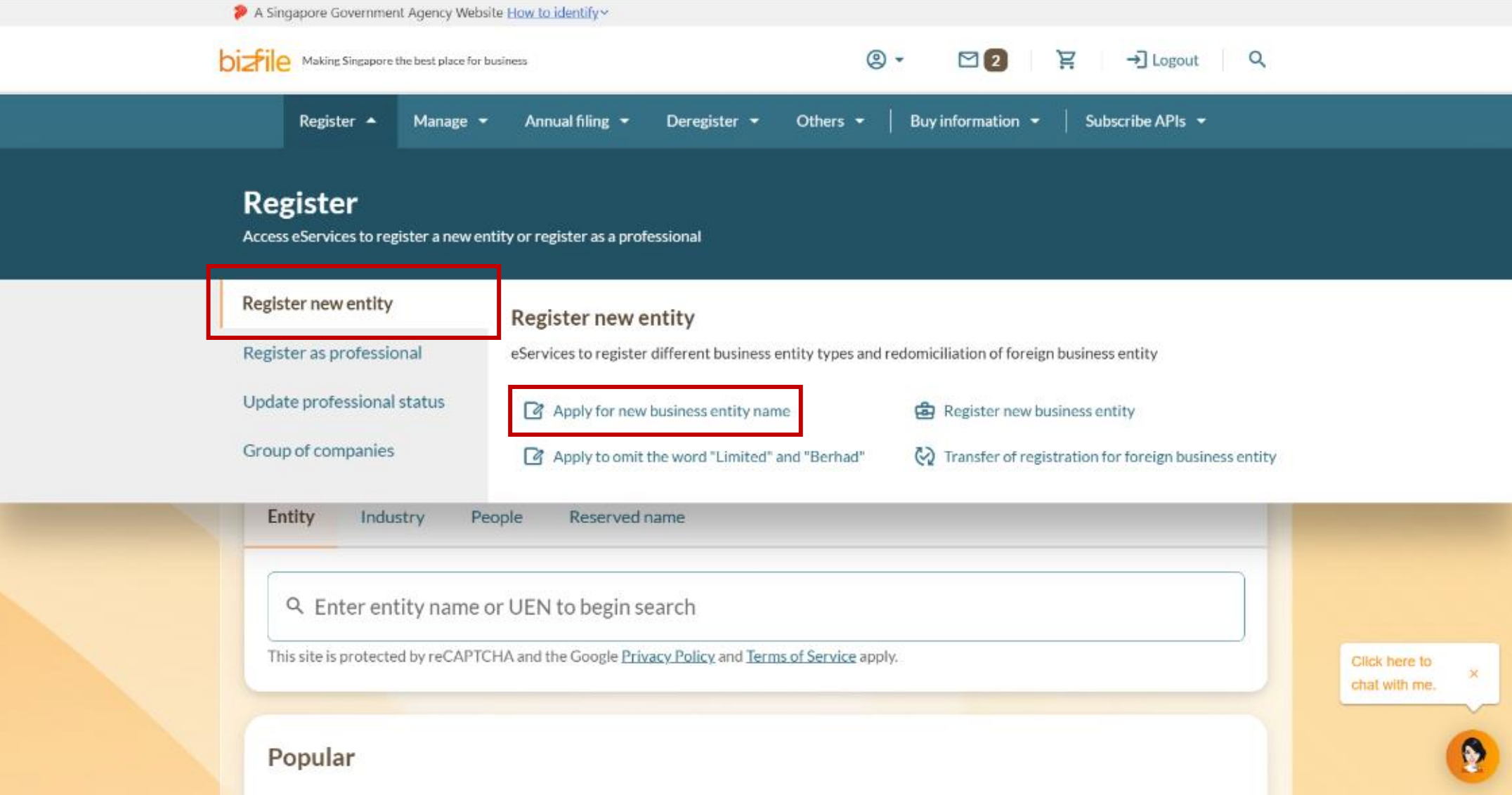
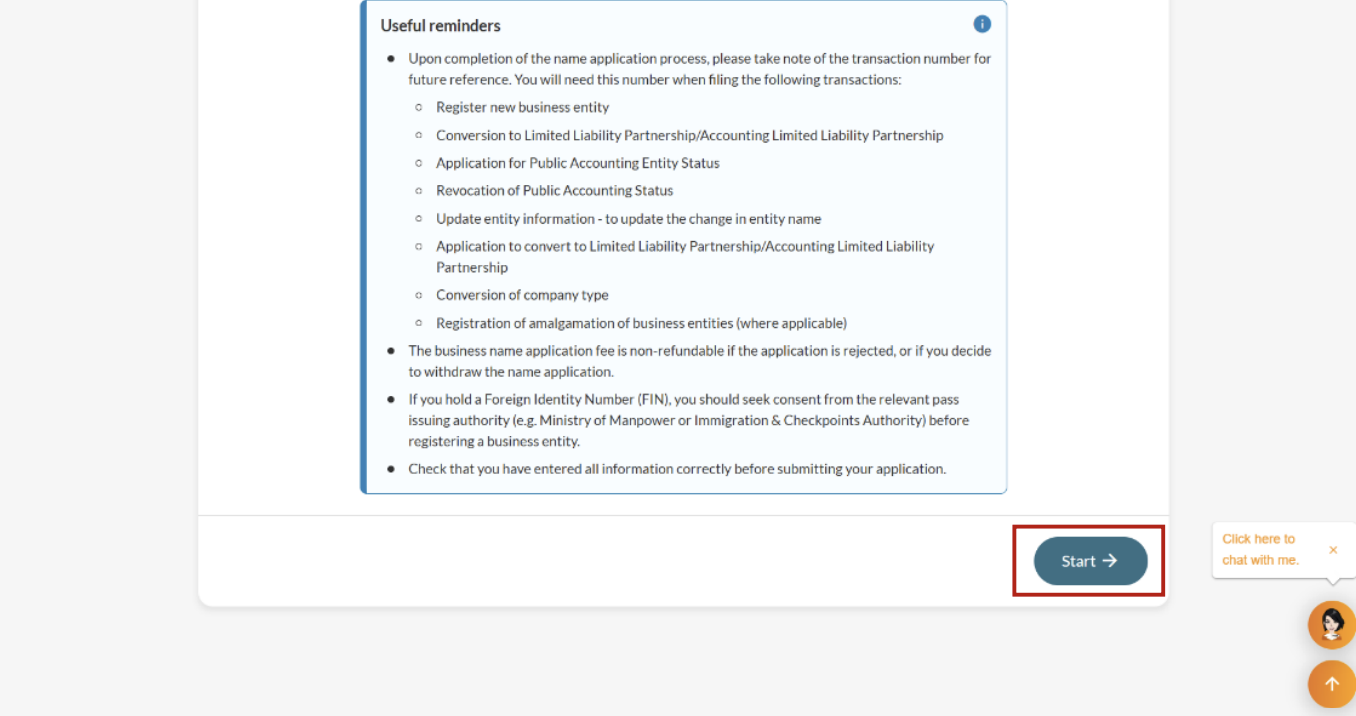
Step 1: Log in to Bizfile and open the "Apply for new business entity name" eService
Follow these steps to navigate to the Apply for new business entity name eService.
Note: All entity and personal information (including UEN, entity details, NRIC or FIN numbers, names and addresses) shown are dummy data for illustration purposes only.
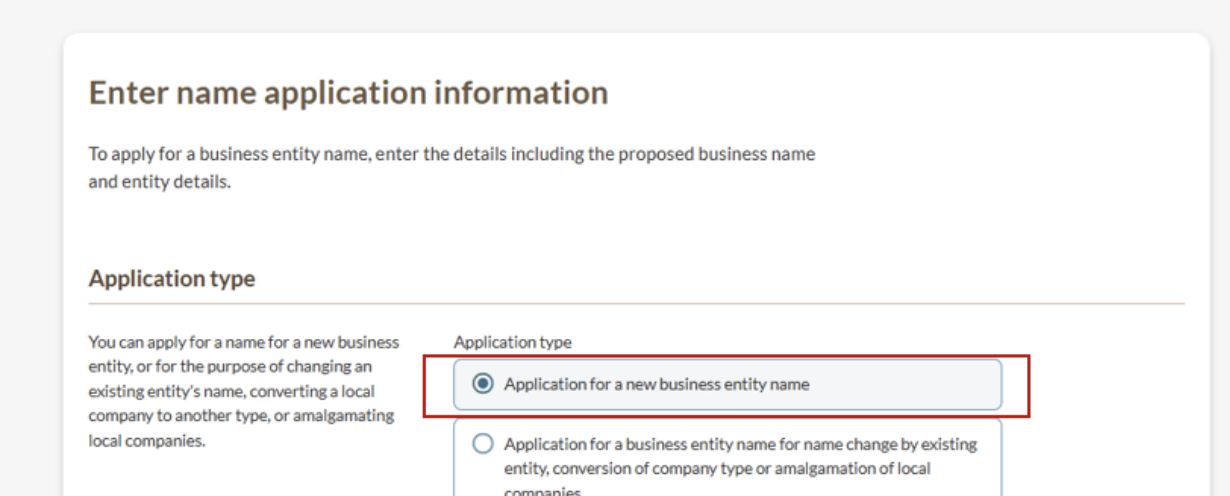
Step 2: Enter your name application details
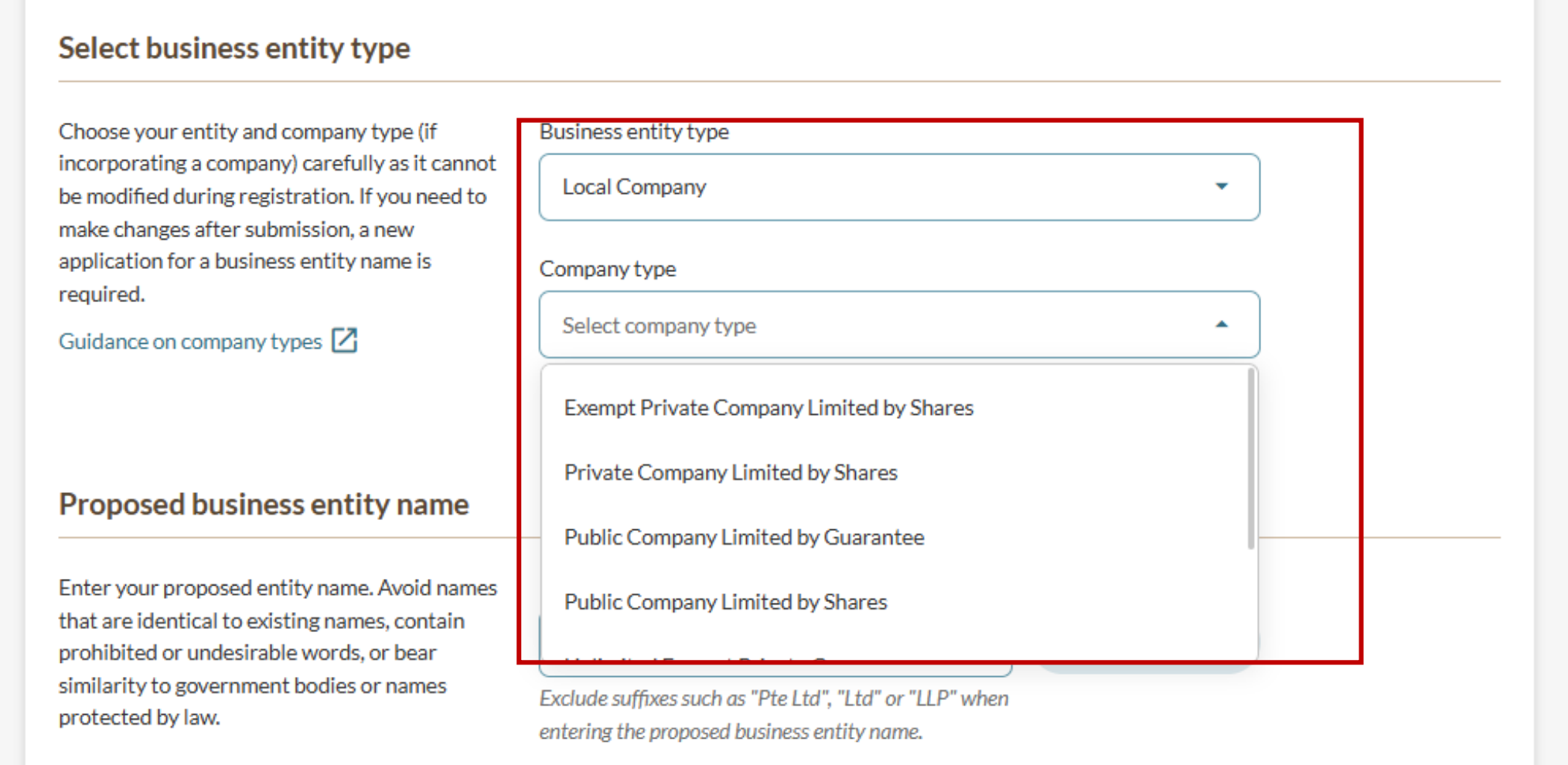
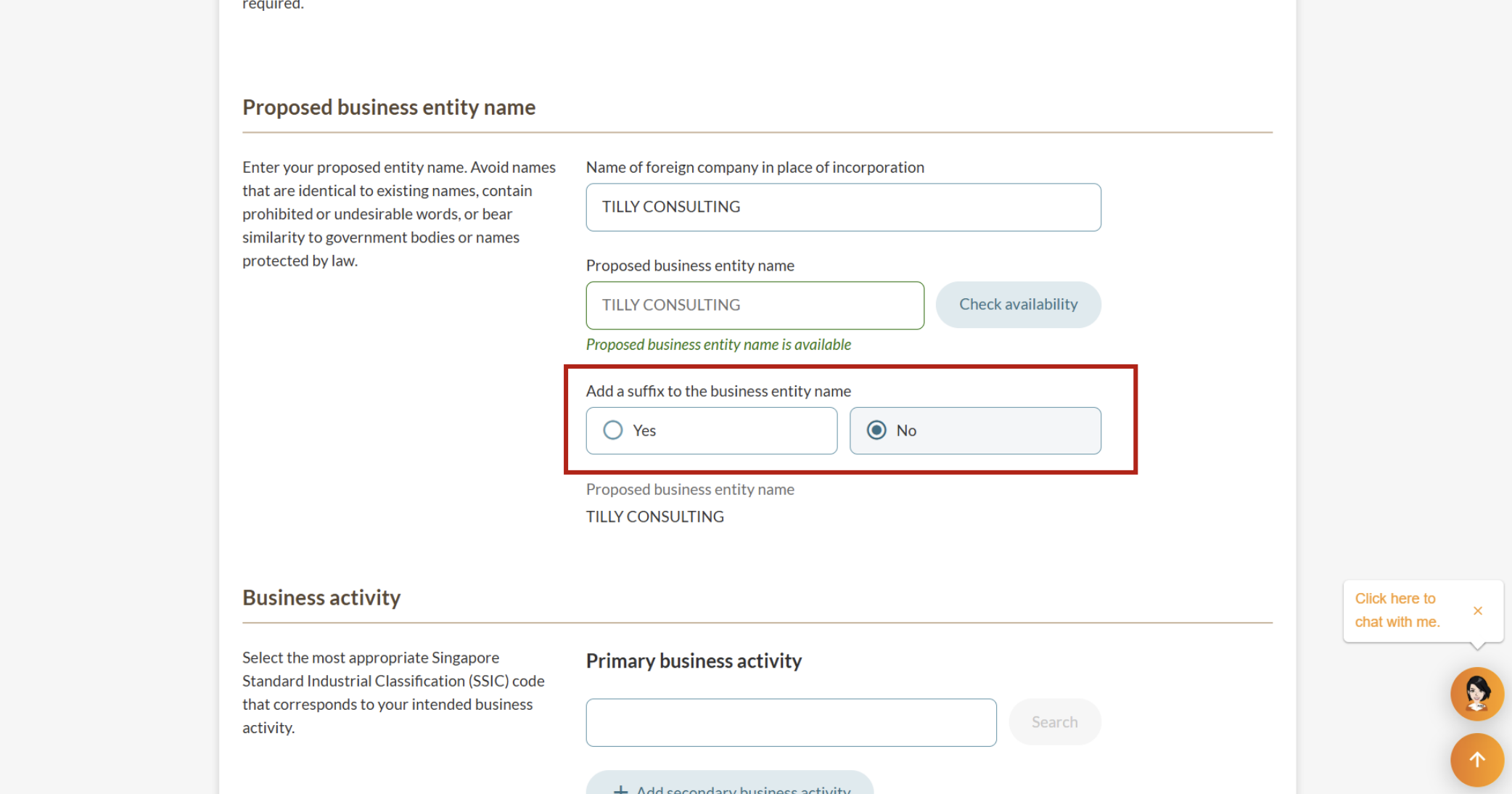
Required details include your application type, entity type and proposed name.
Choose your entity type and company type (if applicable) carefully, as you cannot change these during registration. Different entity and company types have specific requirements. For example, an exempt private company:
Cannot have more than 20 shareholders
Cannot have corporate shareholders unless the corporate shareholder is an LLP
If you need to change your entity or company type after you apply, you must reapply for a new business entity name.
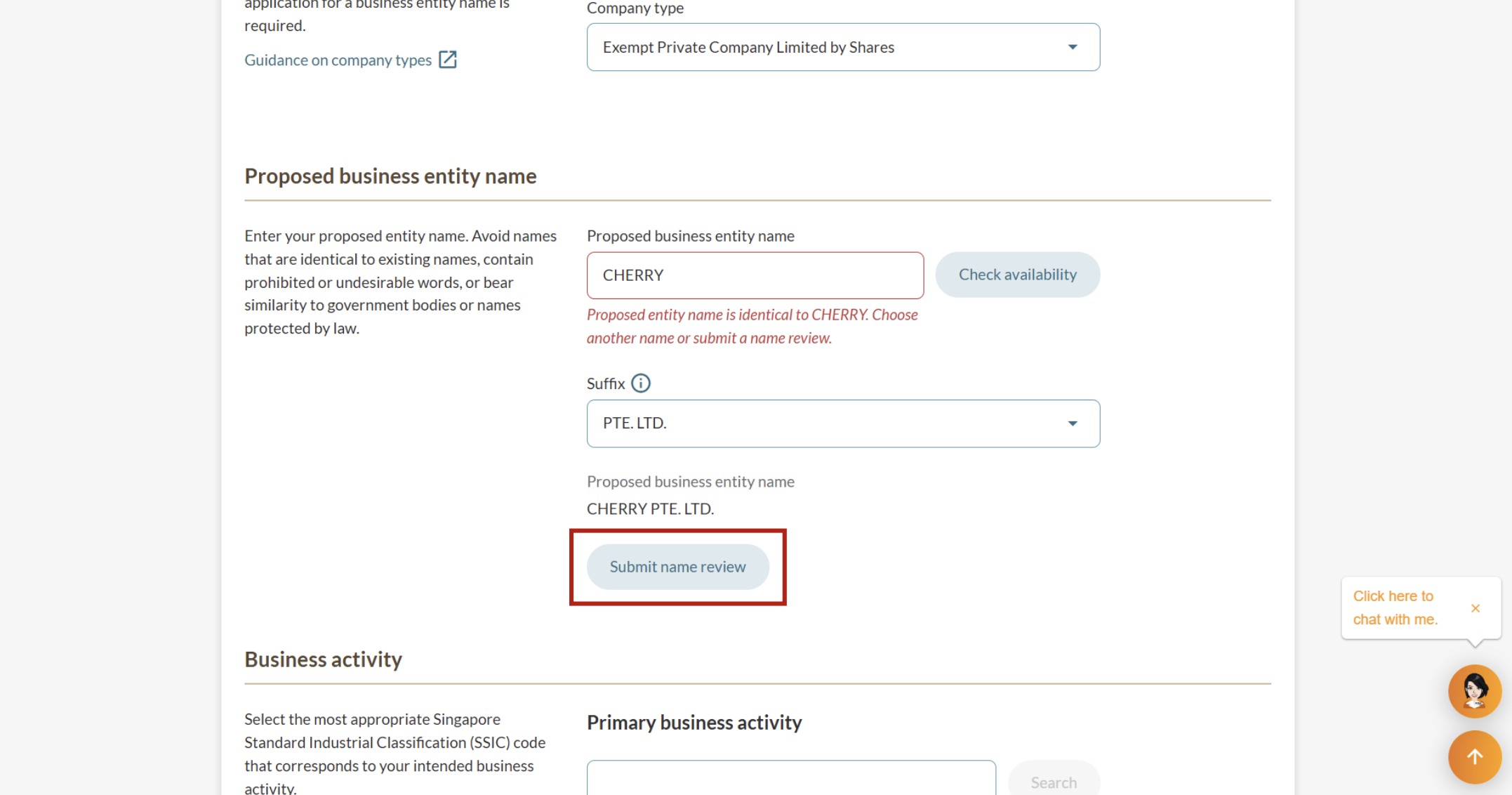
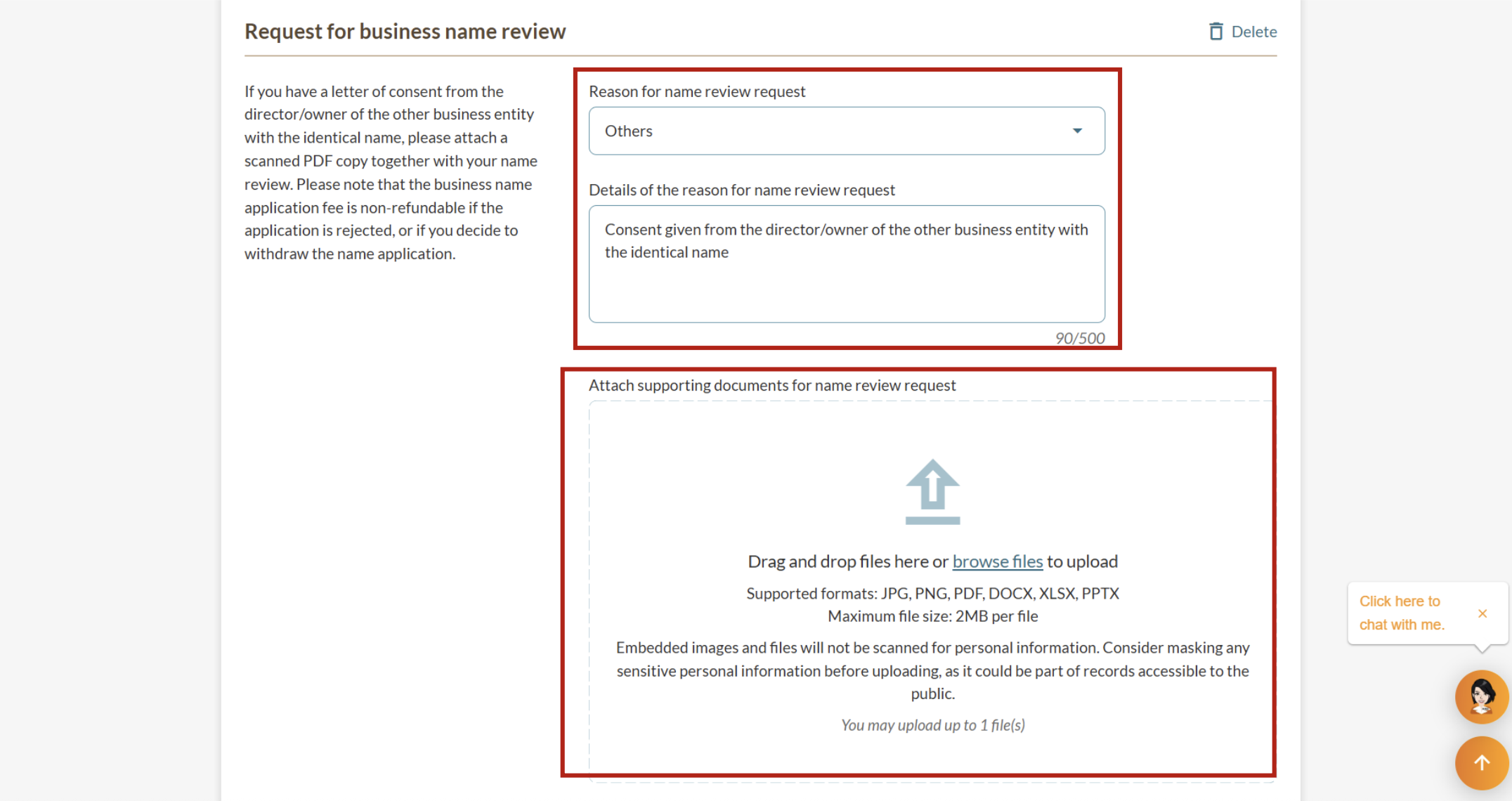
Step 3: Submitting a name review request, if needed
If your proposed name is unavailable, you can choose another name or submit a name review request.
Step 4: Complete your business details
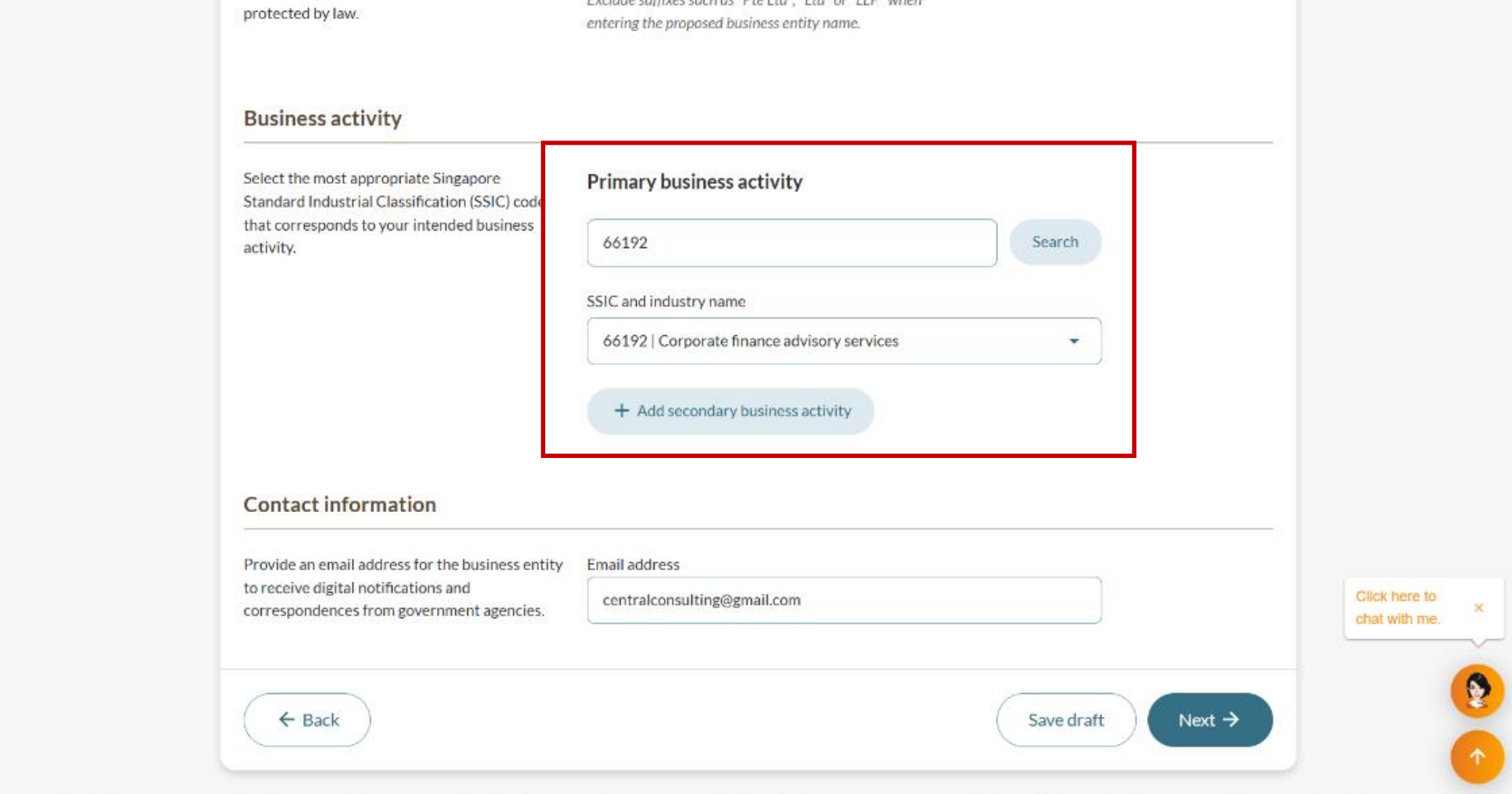
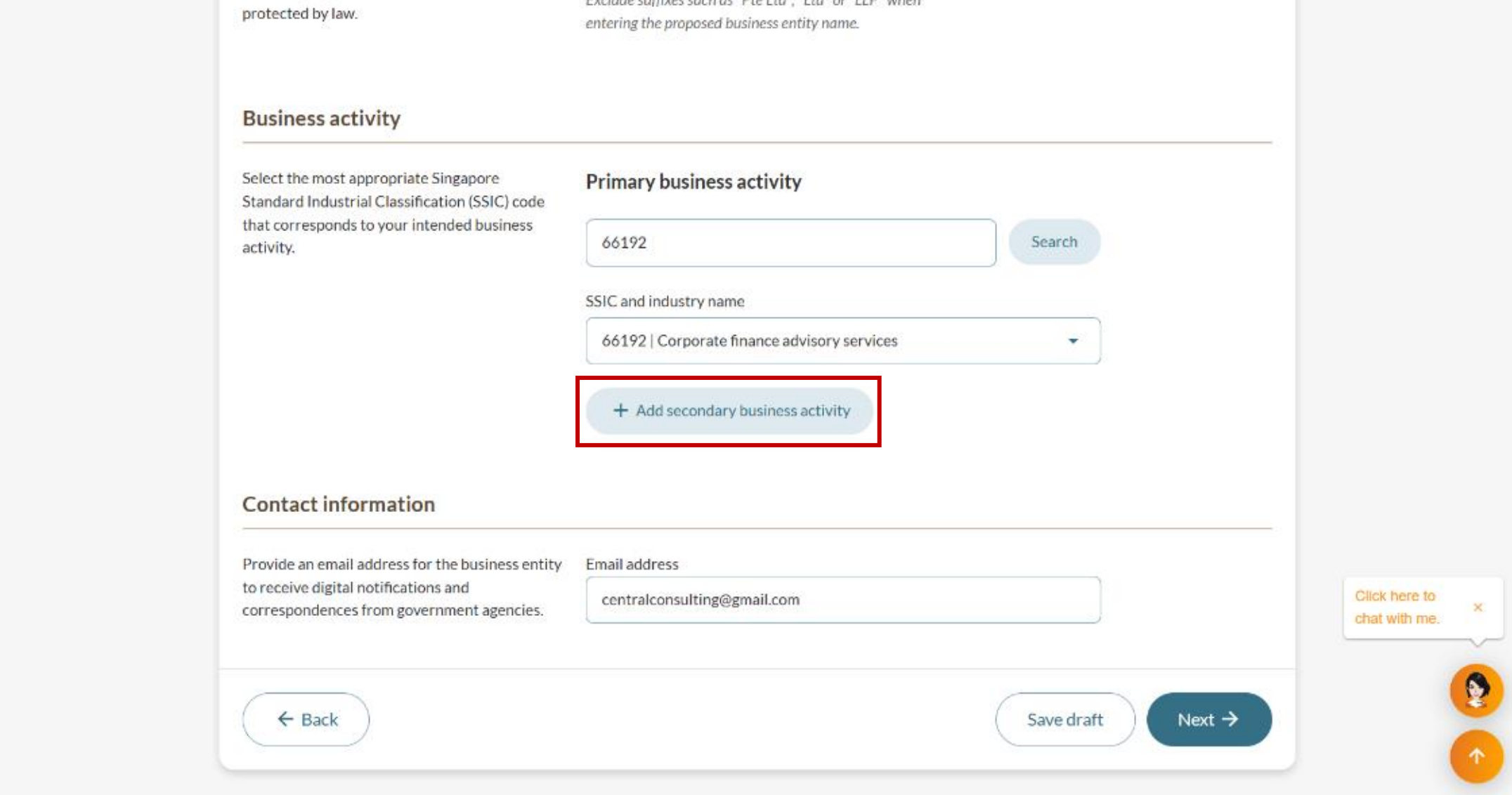
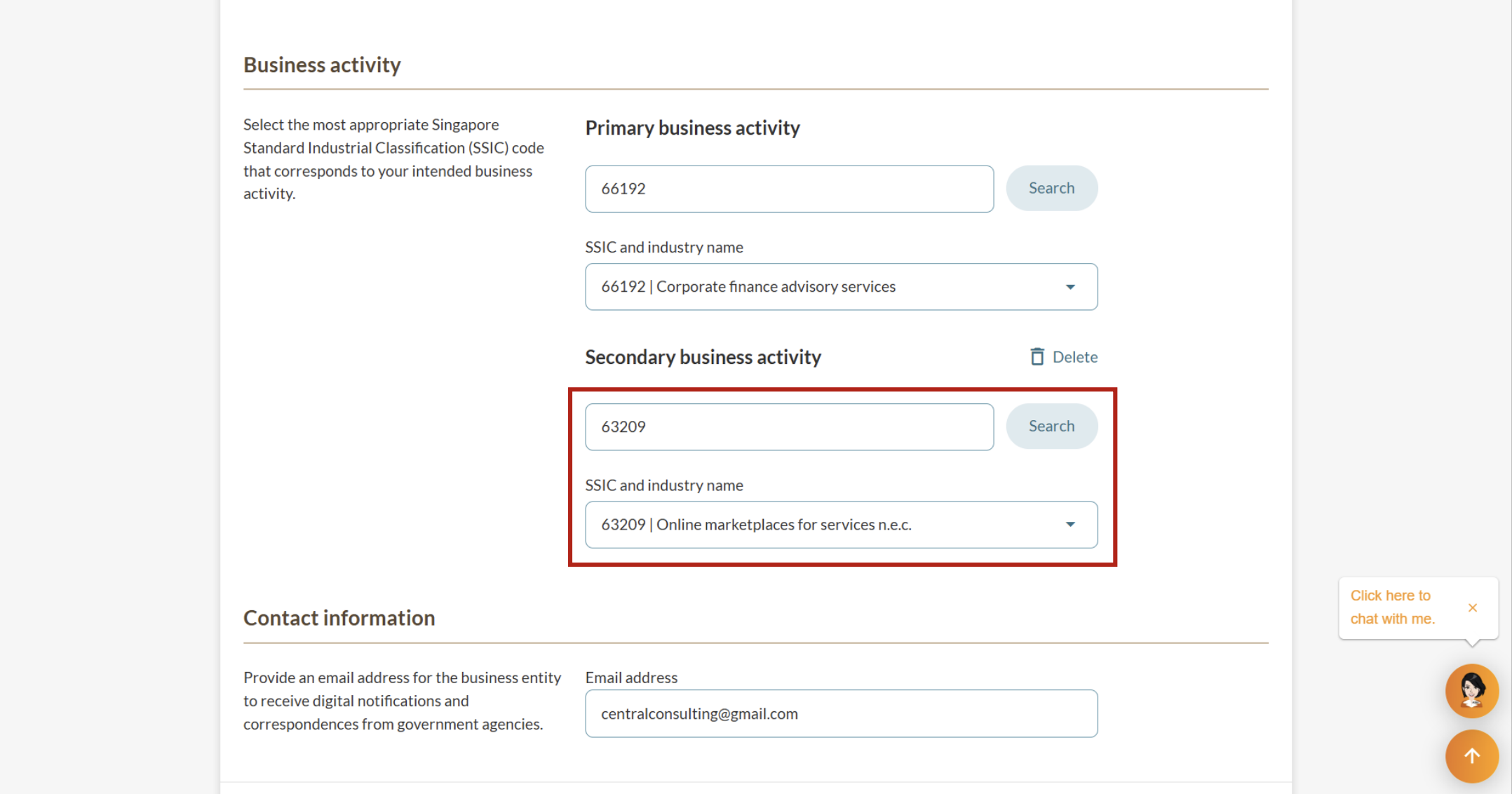
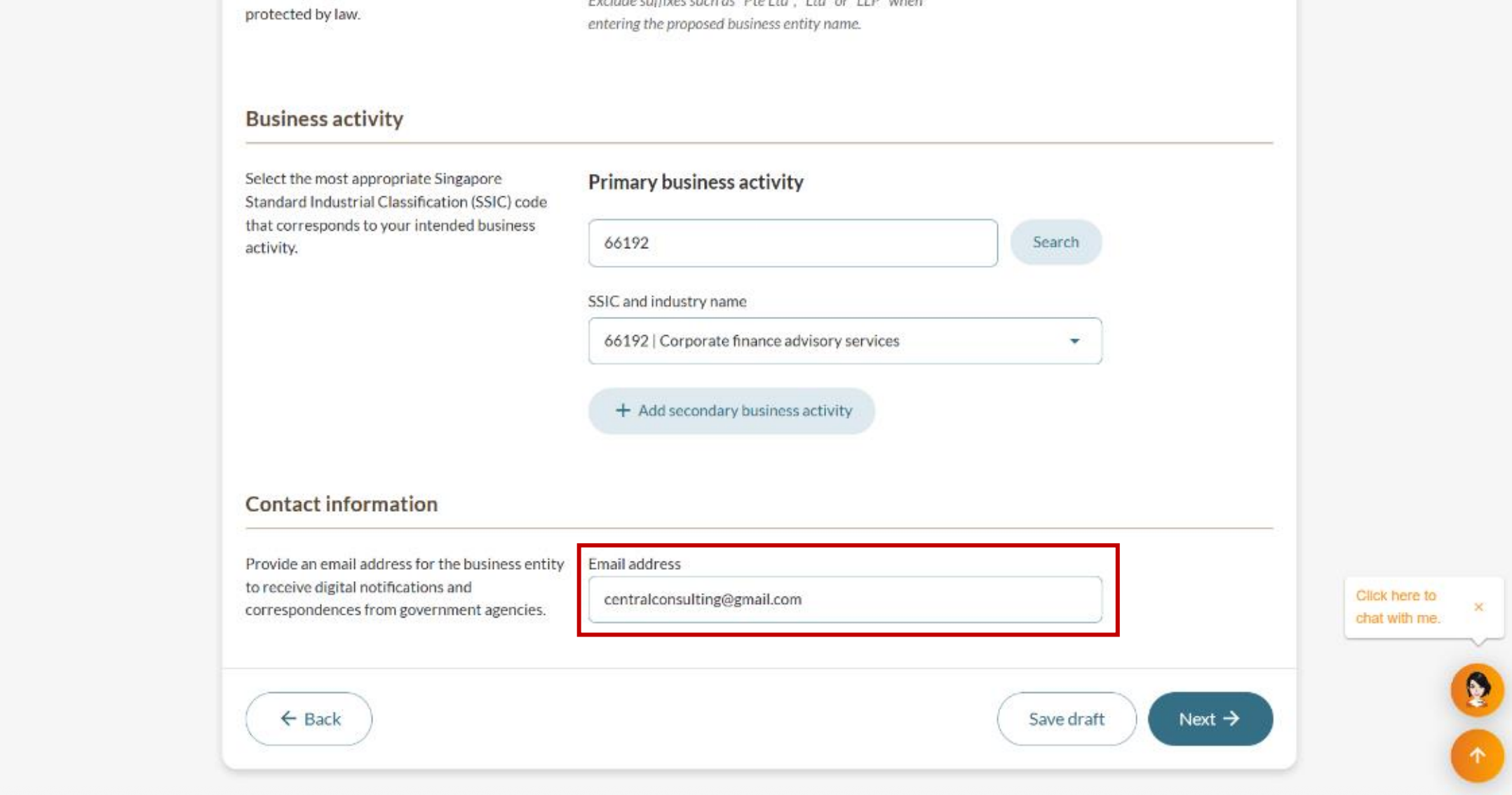
Specify your primary business activity using SSIC codes and provide a valid email address.
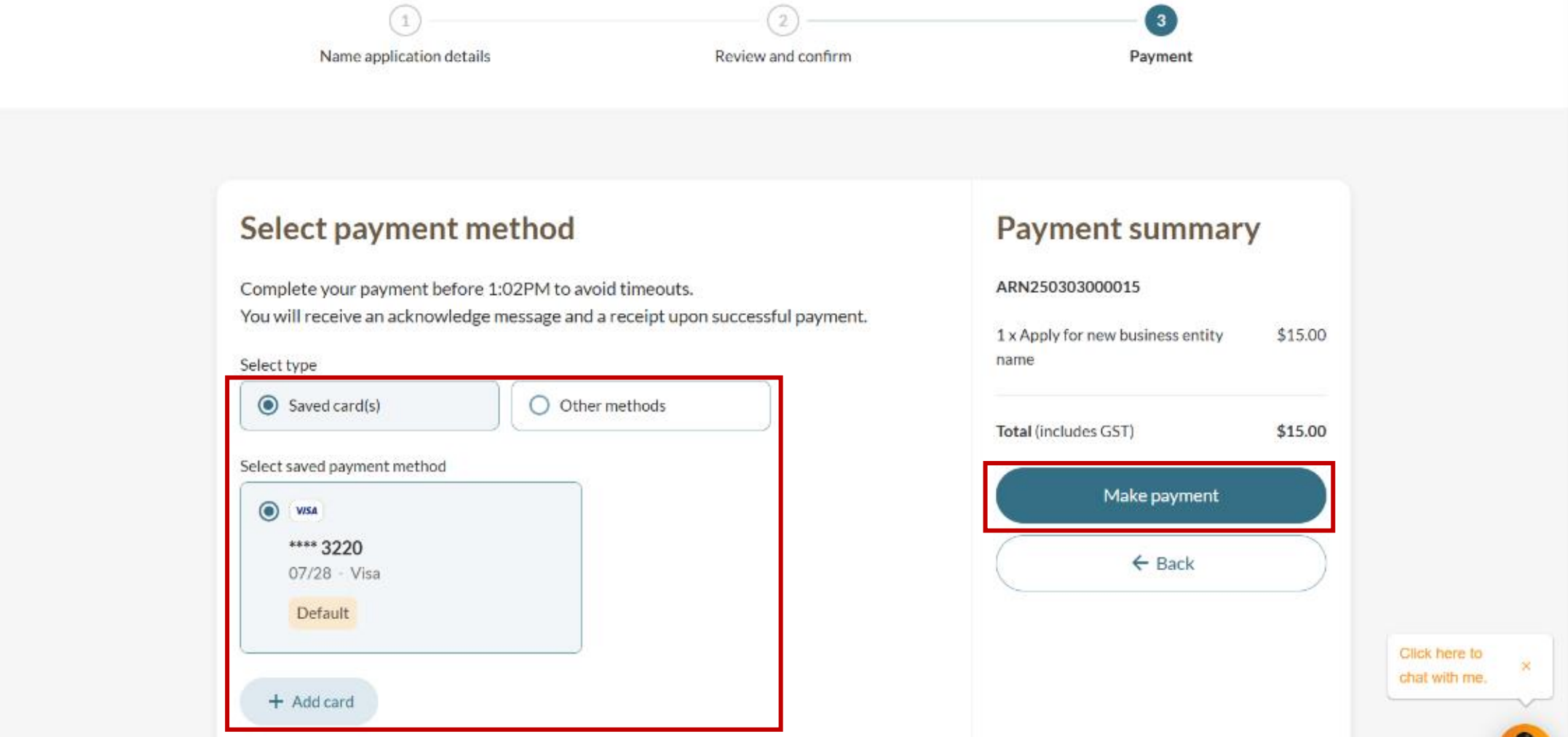
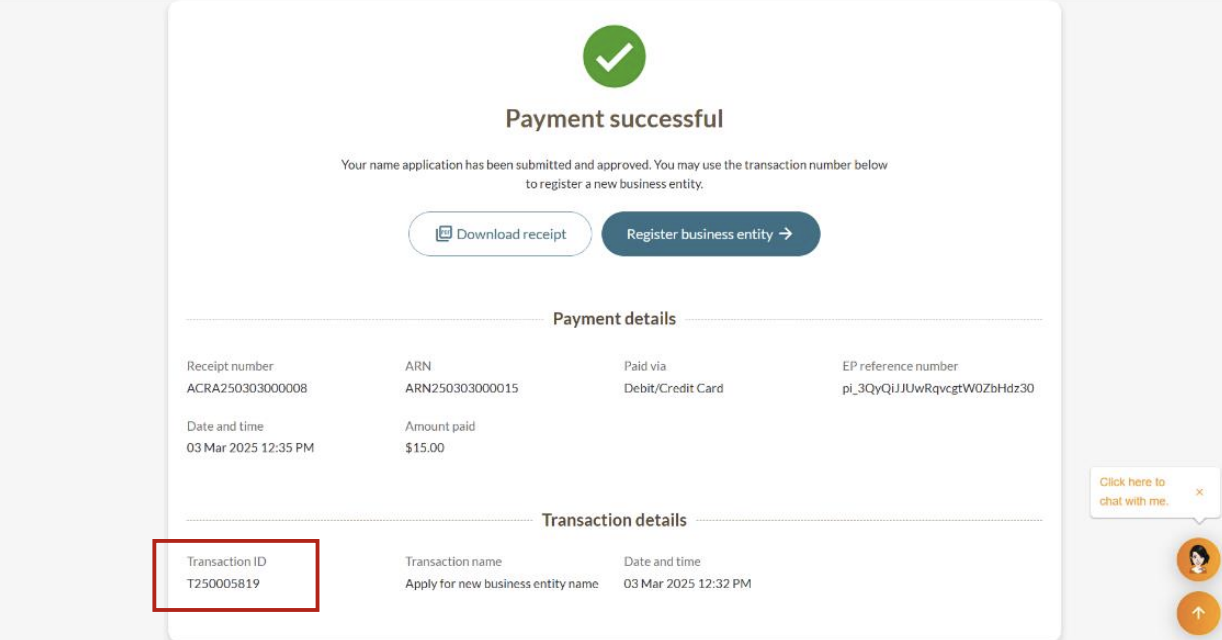
Step 5: Final review and payment
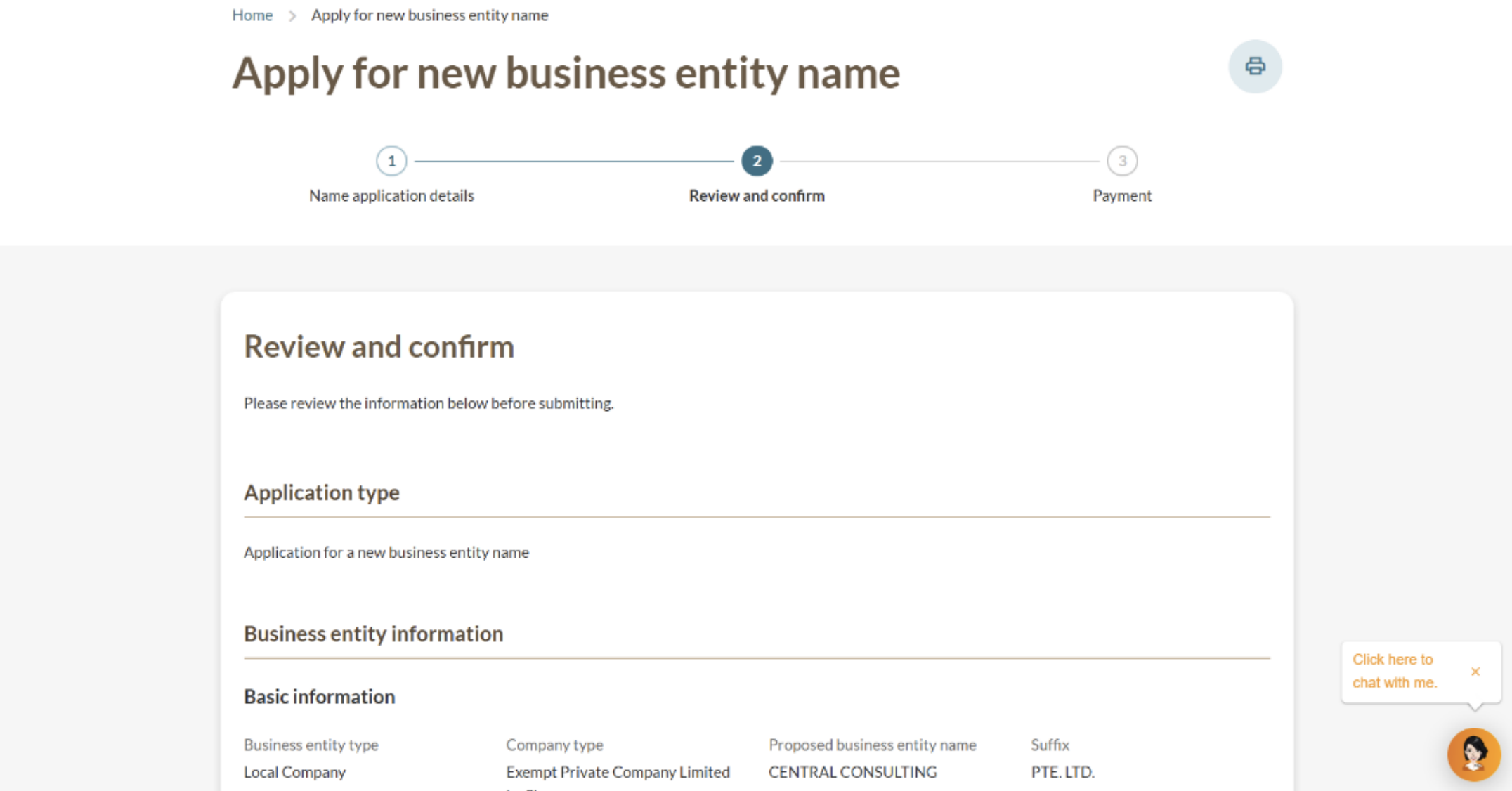
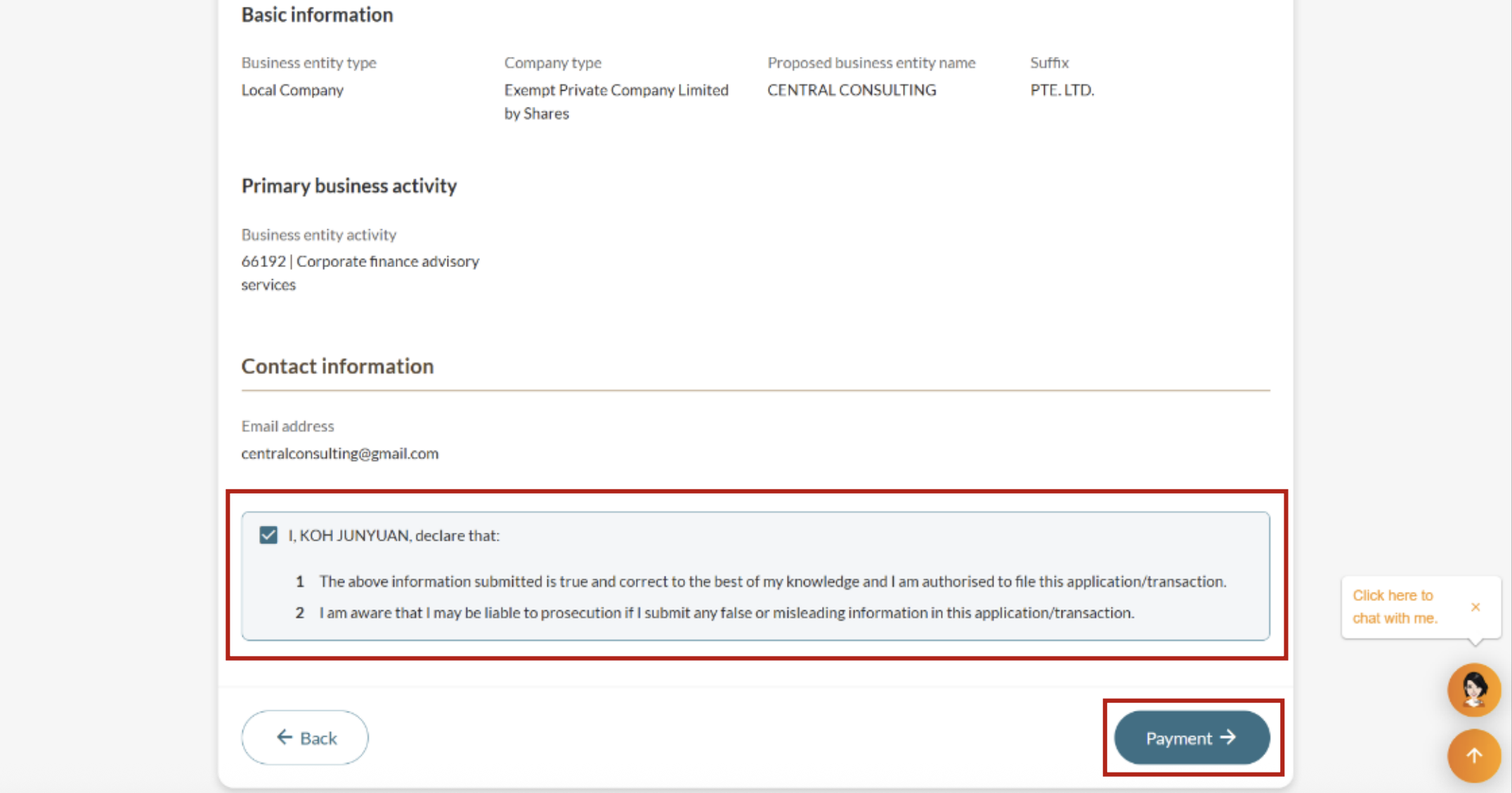
Review your application carefully and make your payment online. After successful payment, note down your "Transaction ID" as you will need this to file subsequent transactions.
After you apply
Name application outcome
Application outcome | Details |
|---|---|
Approved immediately | What to expect: You will receive a Bizfile notification that:
Use your name application's transaction ID to complete these transactions within 120 days:
After 120 days, the name will be released for others to use. |
Requires further review | The process may take up to 15 working days:
We will inform you if more time is needed. You will receive a notification of the outcome in your Bizfile inbox. |