
Registering as a foreign company branch
Learn how to register a foreign company branch in Singapore through Bizfile.
Last updated 2 February 2026
On this page
This page is under development and being progressively updated.
Key features and requirements
A foreign company can choose to set up a branch in Singapore. Unlike a subsidiary, foreign company branches have additional requirements:
Must have a locally resident authorised representative.
Must comply with statutory and disclosure requirements of the Companies Act 1967, such as annual filing for foreign companies
More details: Ways to set up foreign businesses in Singapore
Before you register
This guide explains how to register as a foreign company branch using Bizfile. You need to reserve a business name before you register a new business.
Learn more about:
Who may register
You must engage a corporate service provider (CSP) to register for you.
What you need to prepare
Required documents and information
You need to prepare | Details |
|---|---|
| You need to choose and reserve a business name before you register. |
| For corporate service providers (CSPs) |
| Required information:
|
| Required information:
|
| Foreign company branch officers and authorised representatives are called position holders.
|
| All position holders must provide their residential address when they register. Note: Members of the public can view this address when they buy information about your business.
|
| You can file a contact address that meets these requirements:
Note: There are no fees to register a contact address. |
| You need to prepare:
Note: Certify your certificate of incorporation at least four months before you apply (unless you have ACRA approval). |
| Prepare a copy certified as a true copy by any of these people:
Note: Certify your constitution at least four months before you apply (unless you have ACRA approval). |
| You must provide a certified English translation for any document not written in English. Translations made outside Singapore must be certified by one of these officials:
Translations made within Singapore must be certified by a person approved by ACRA. |
Fees and processing time
Business registration
What you need to know | Details |
|---|---|
Fees | $300 (one year) |
Payment method | Credit card, debit card, or online banking |
Processing time | Most registrations are approved soon after payment. Complex applications may take up to 15 working days. Applications that need extra approval from referral authorities: 14 to 60 days |
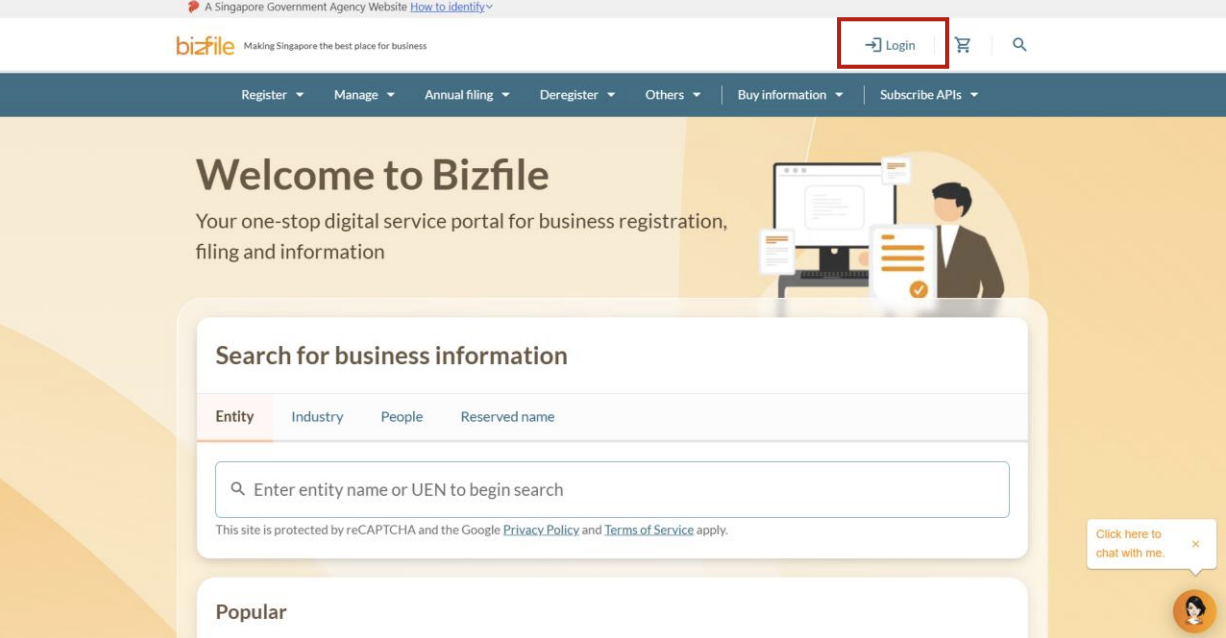
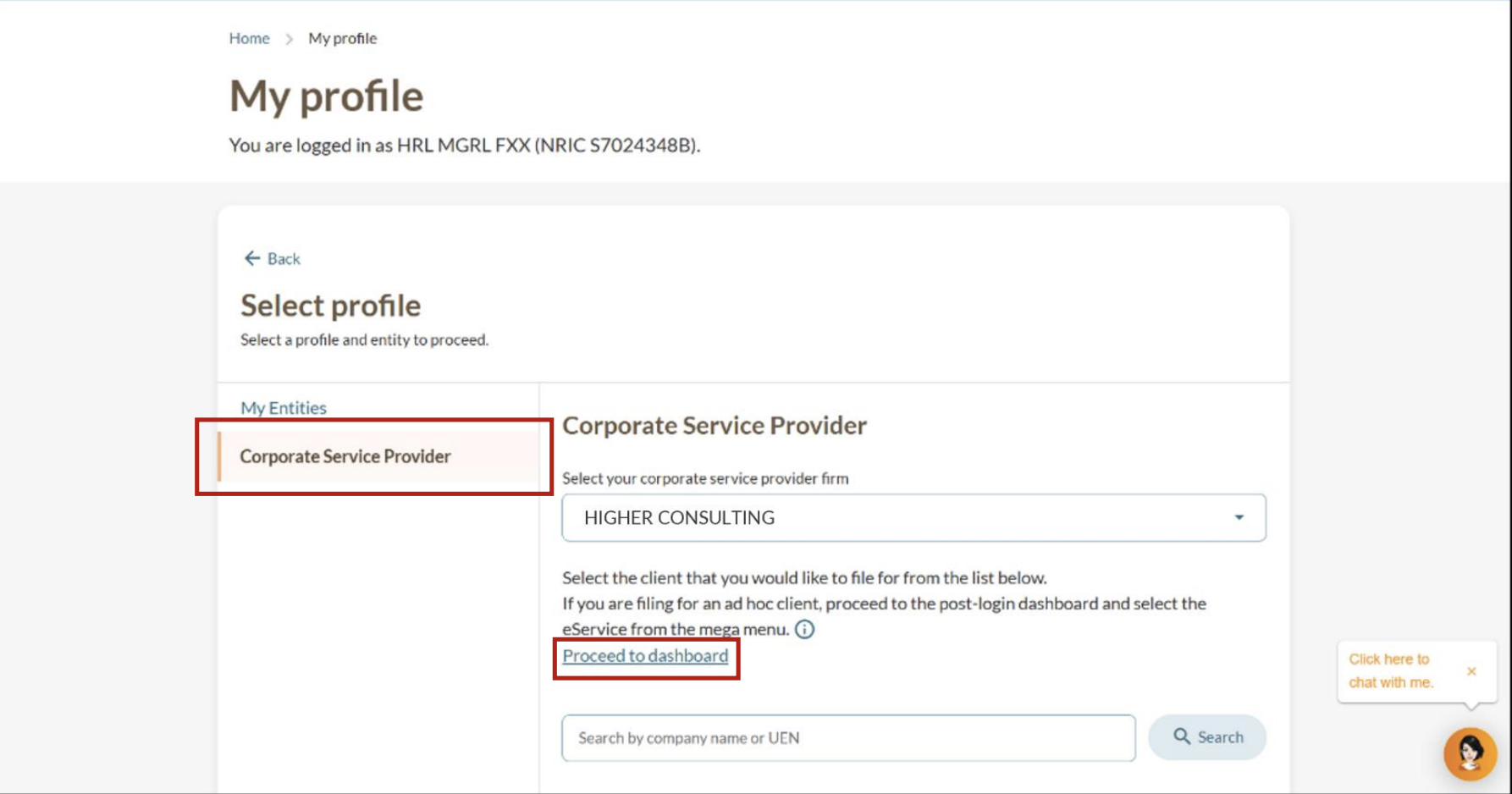
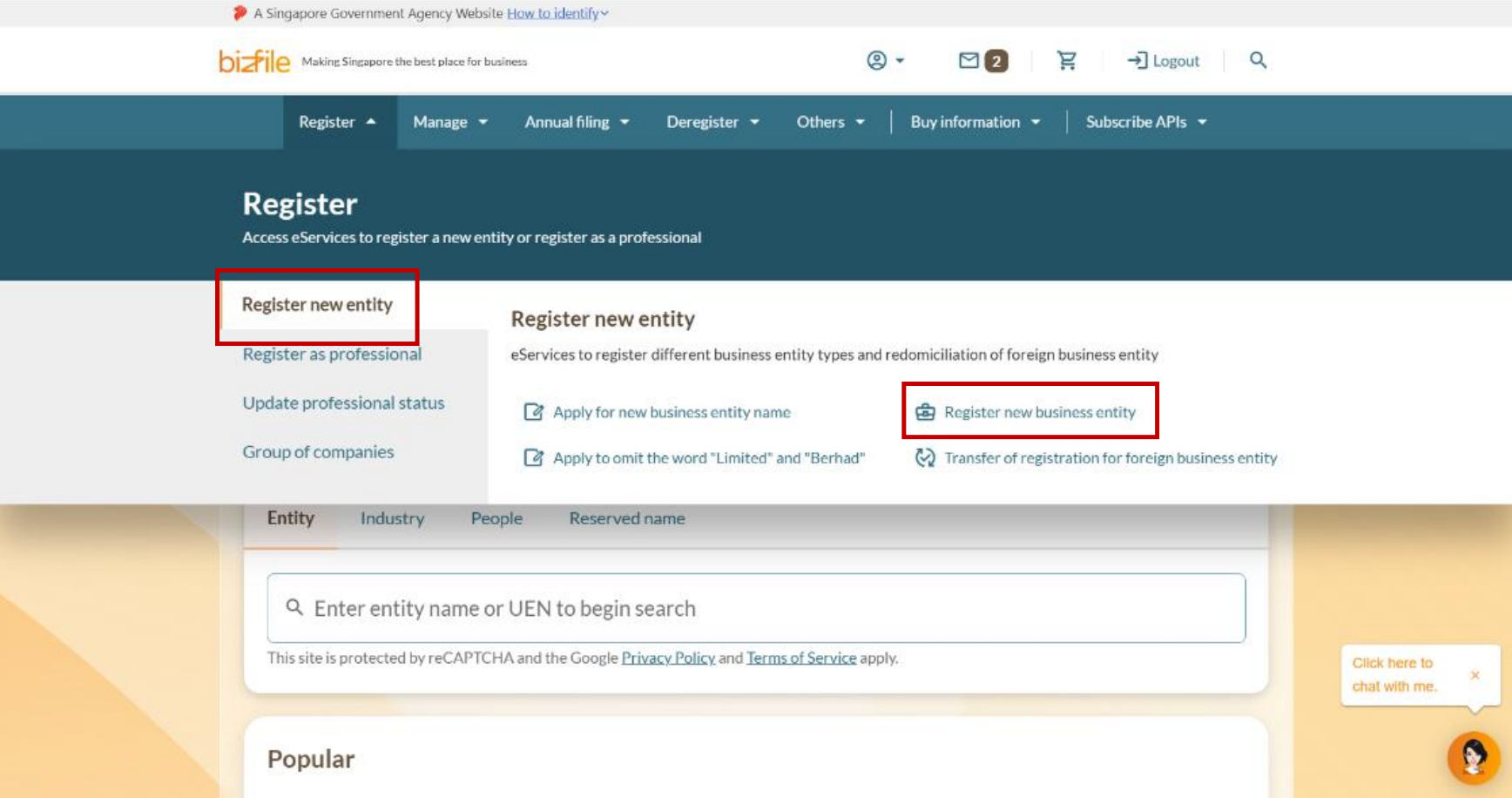
Step 1: Log in and open the right eService
Follow these steps to navigate to the right eService.
Note: All entity and personal information (including UEN, entity details, NRIC or FIN numbers, names and addresses) shown are dummy data for illustration purposes only.
Step 2: Enter your business details
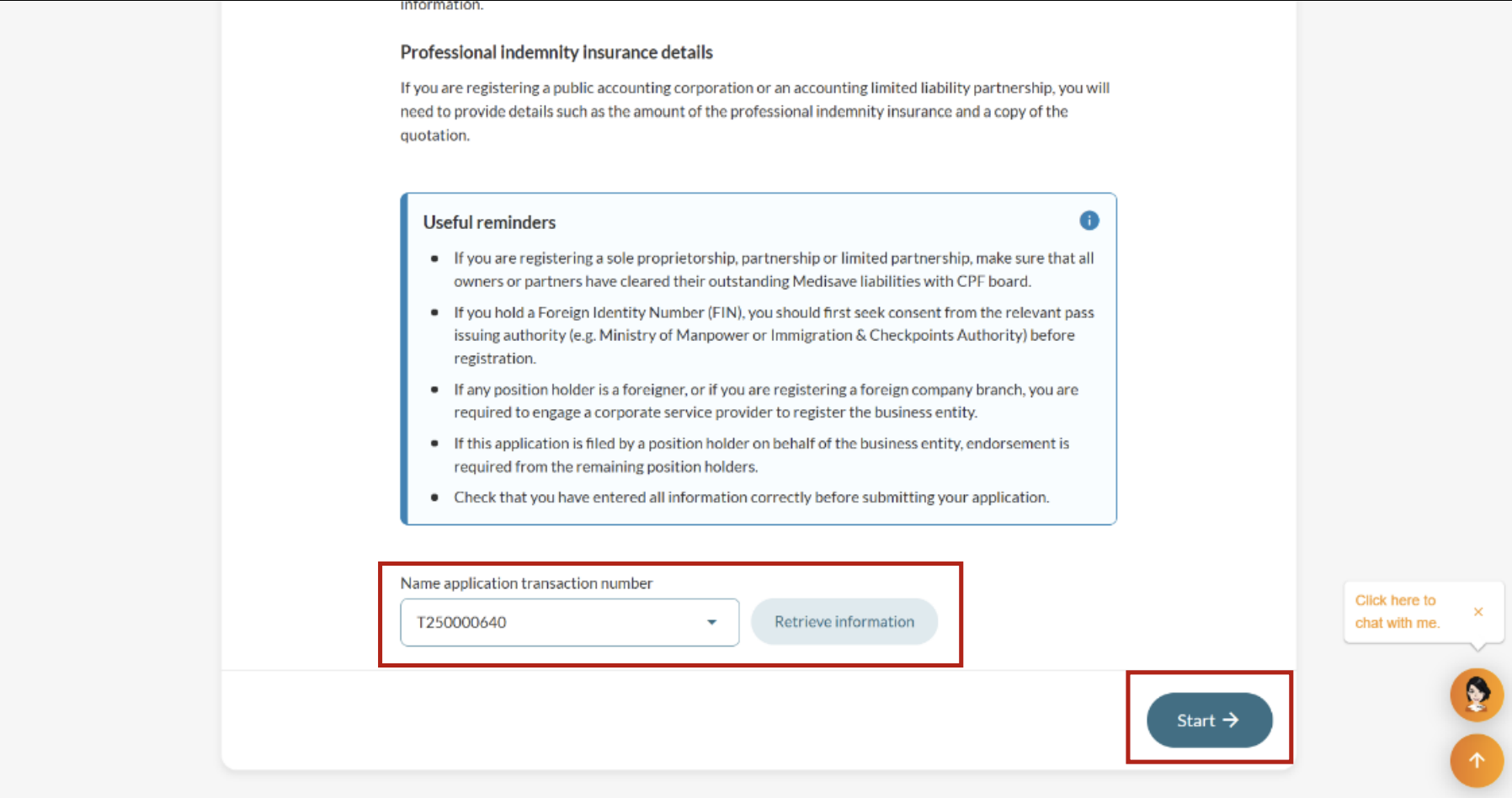
You can use your name application transaction number to automatically fill key details. You'll also need to provide the foreign company’s details, along with its registered office address in Singapore.
Note: A registered office address is where all official mail, notices, and company records are kept. It must be open and accessible to the public during normal office hours, but it does not have to be the place where the business operates.
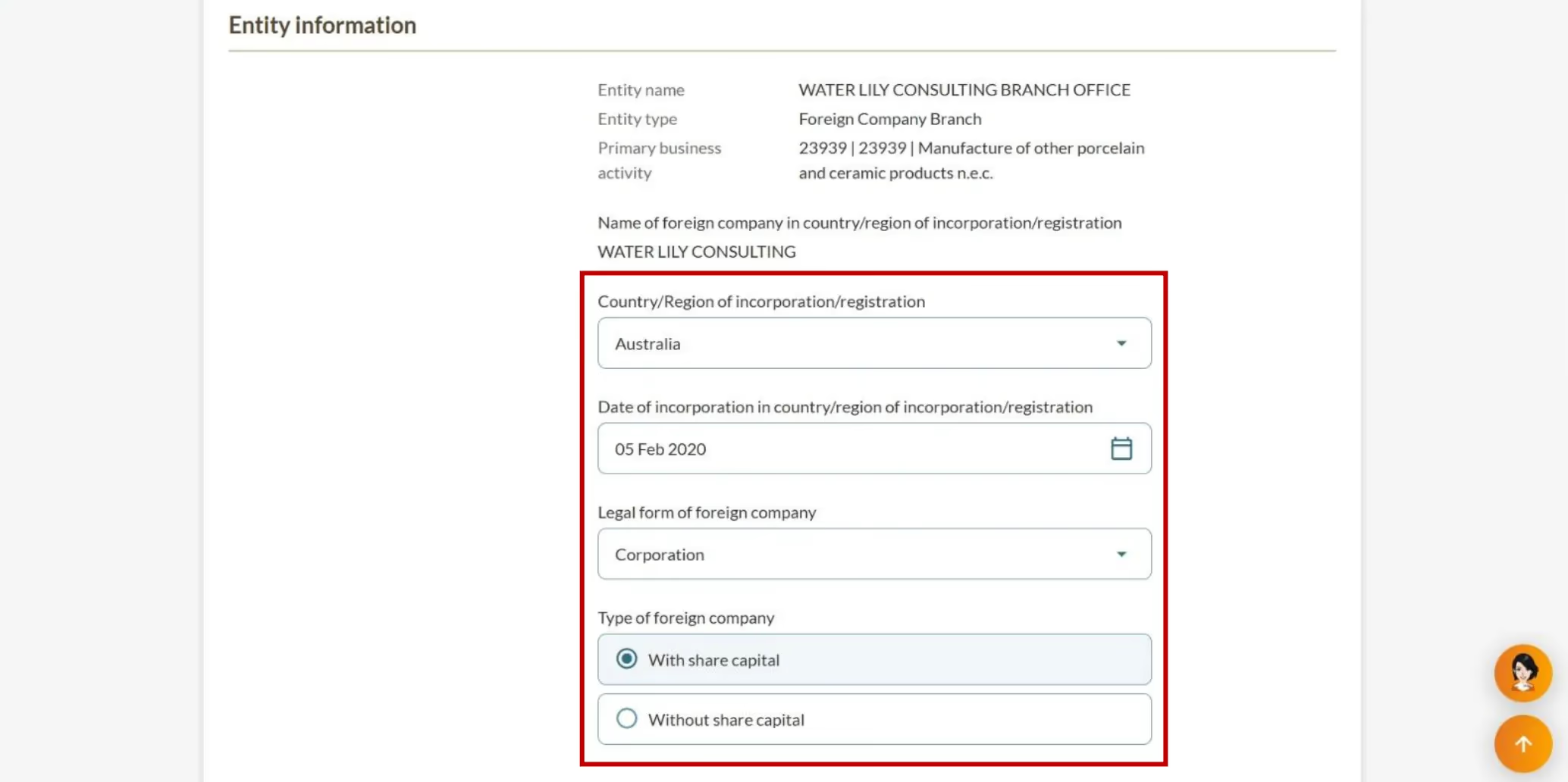

 (1).png)
Step 3: Add position holders
The branch's position holders can be individuals or corporate entities. You need to state their positions and add their personal details.
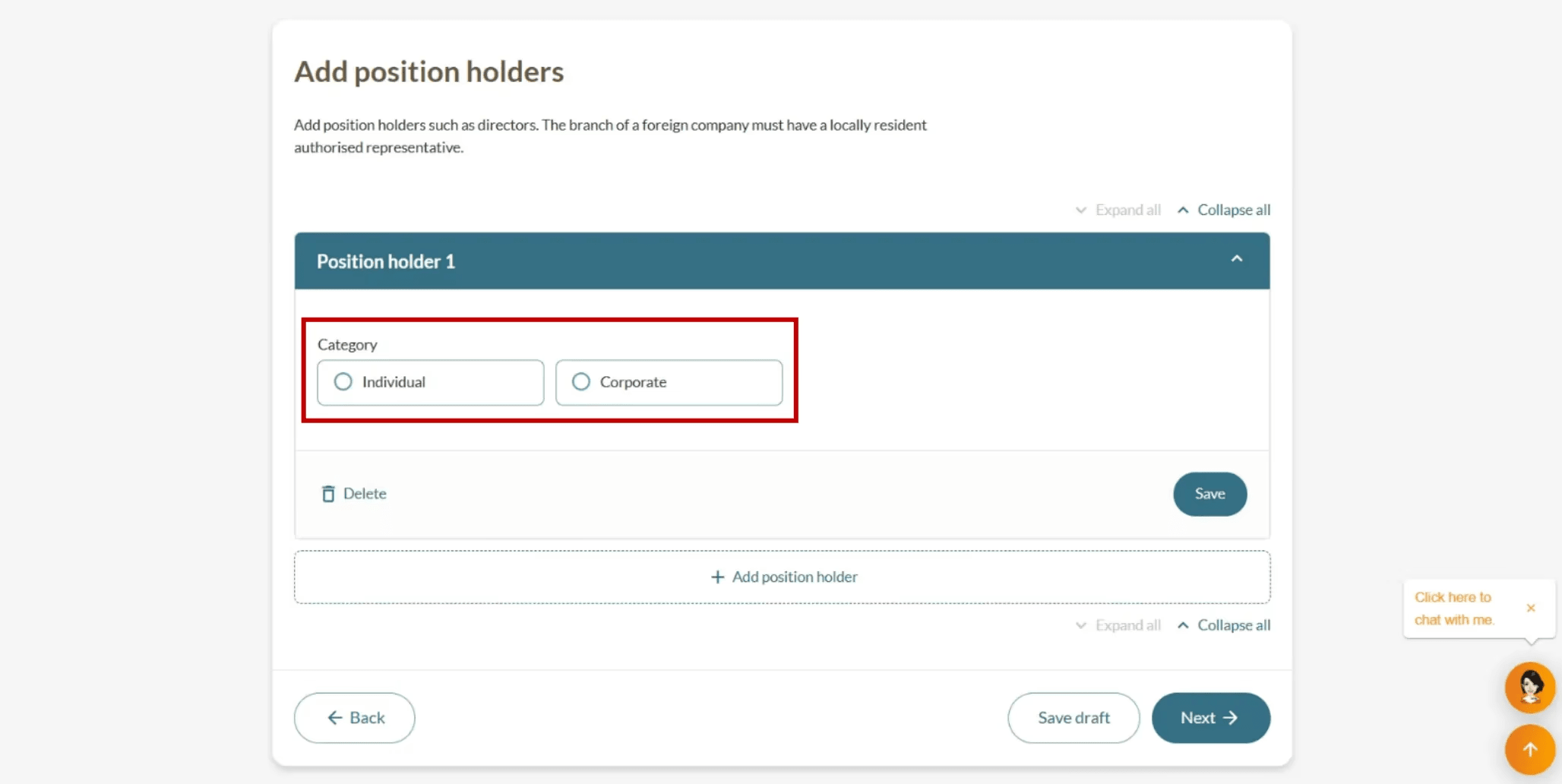
.png)
.png)
 (1).png)
Step 4: Upload documents
Submit all required documents and their certification details.
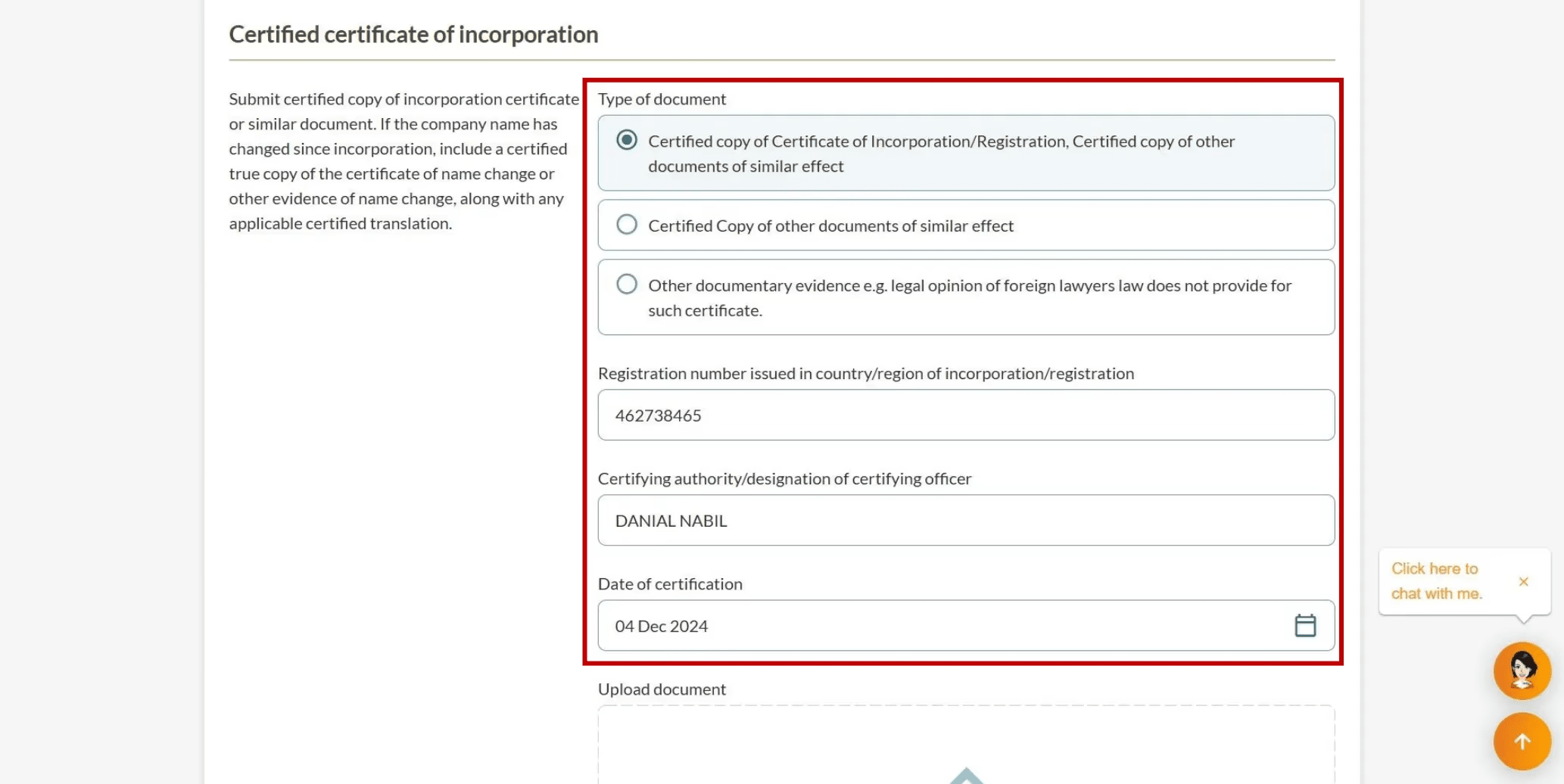
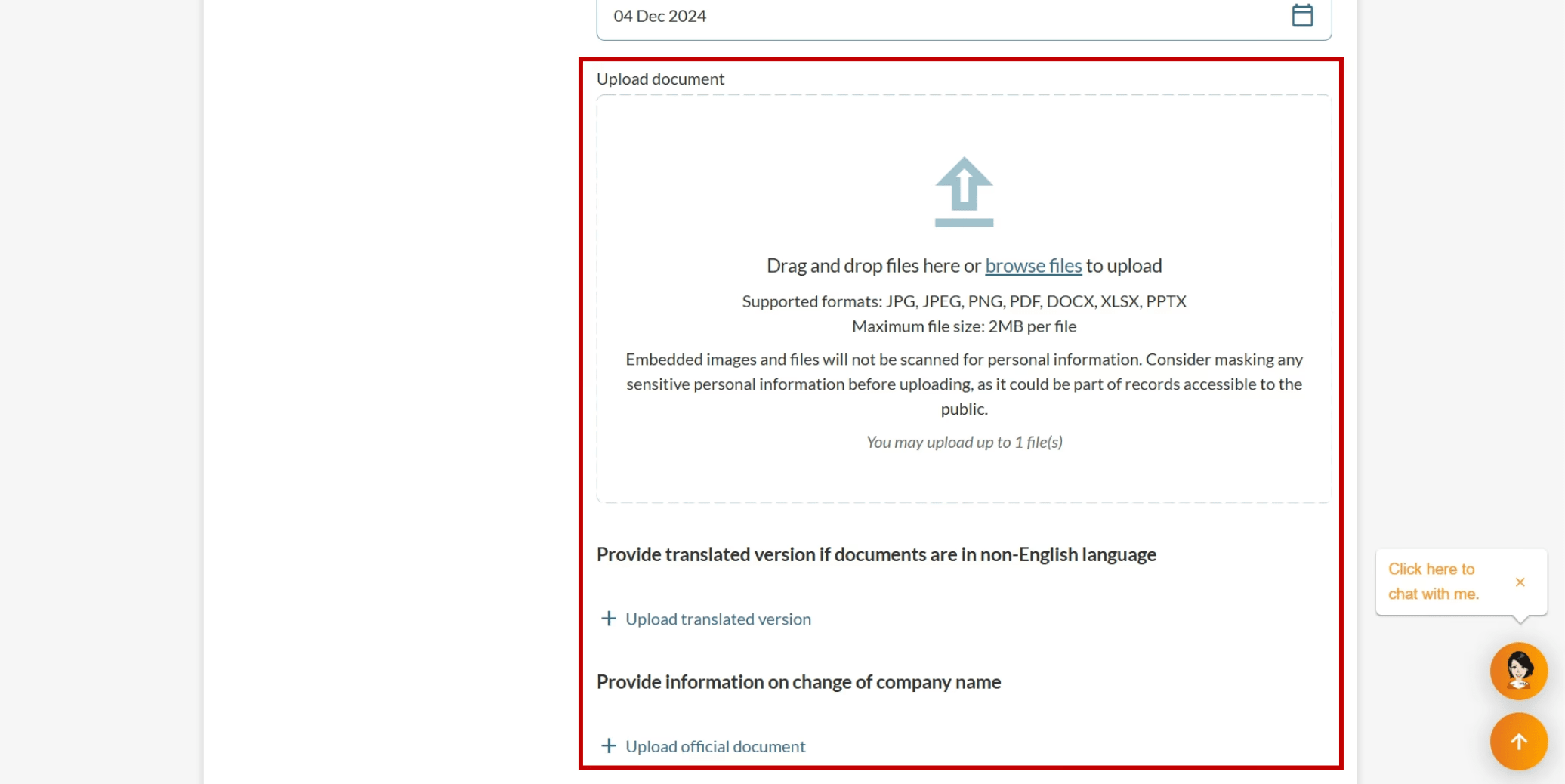
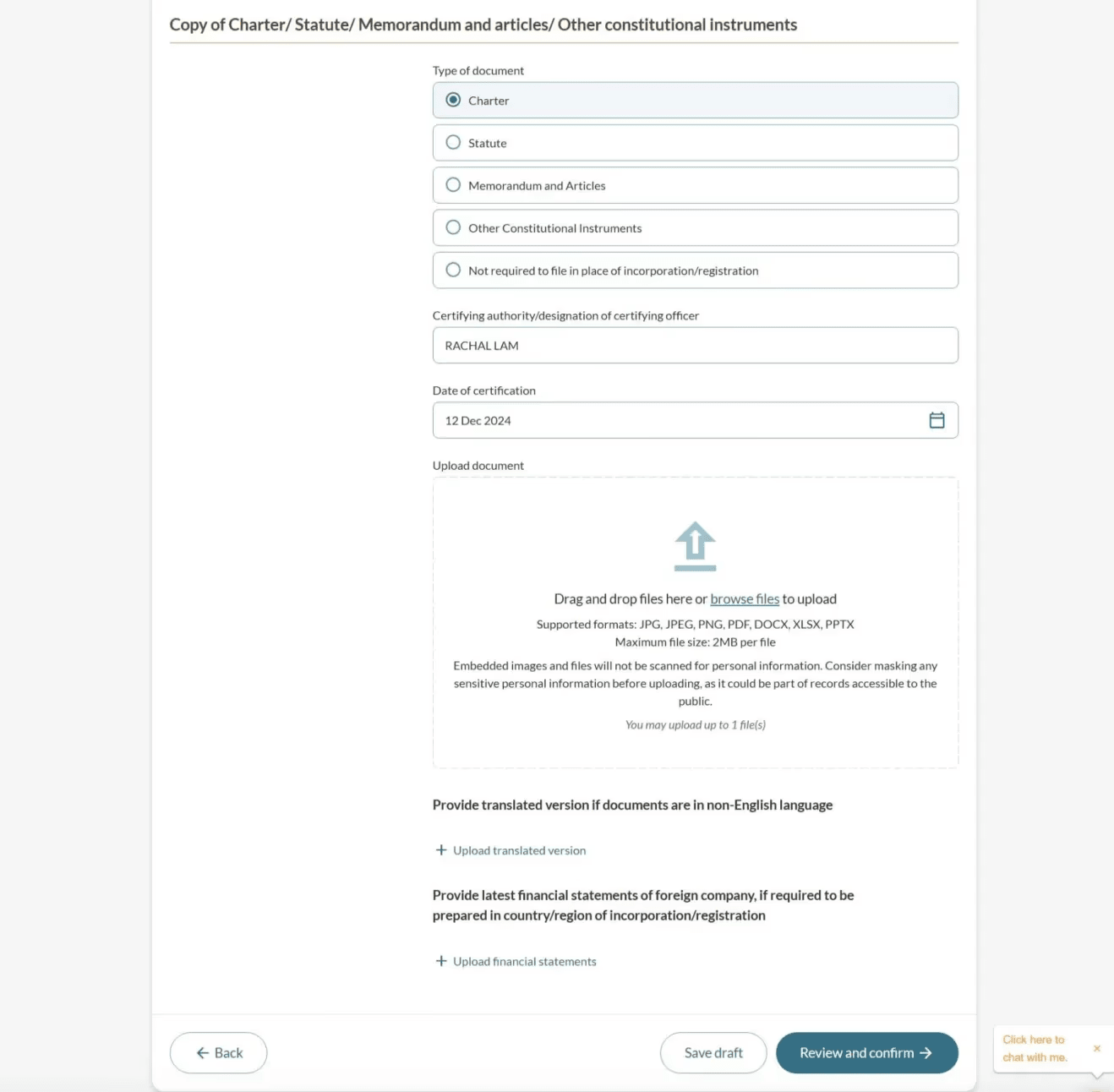
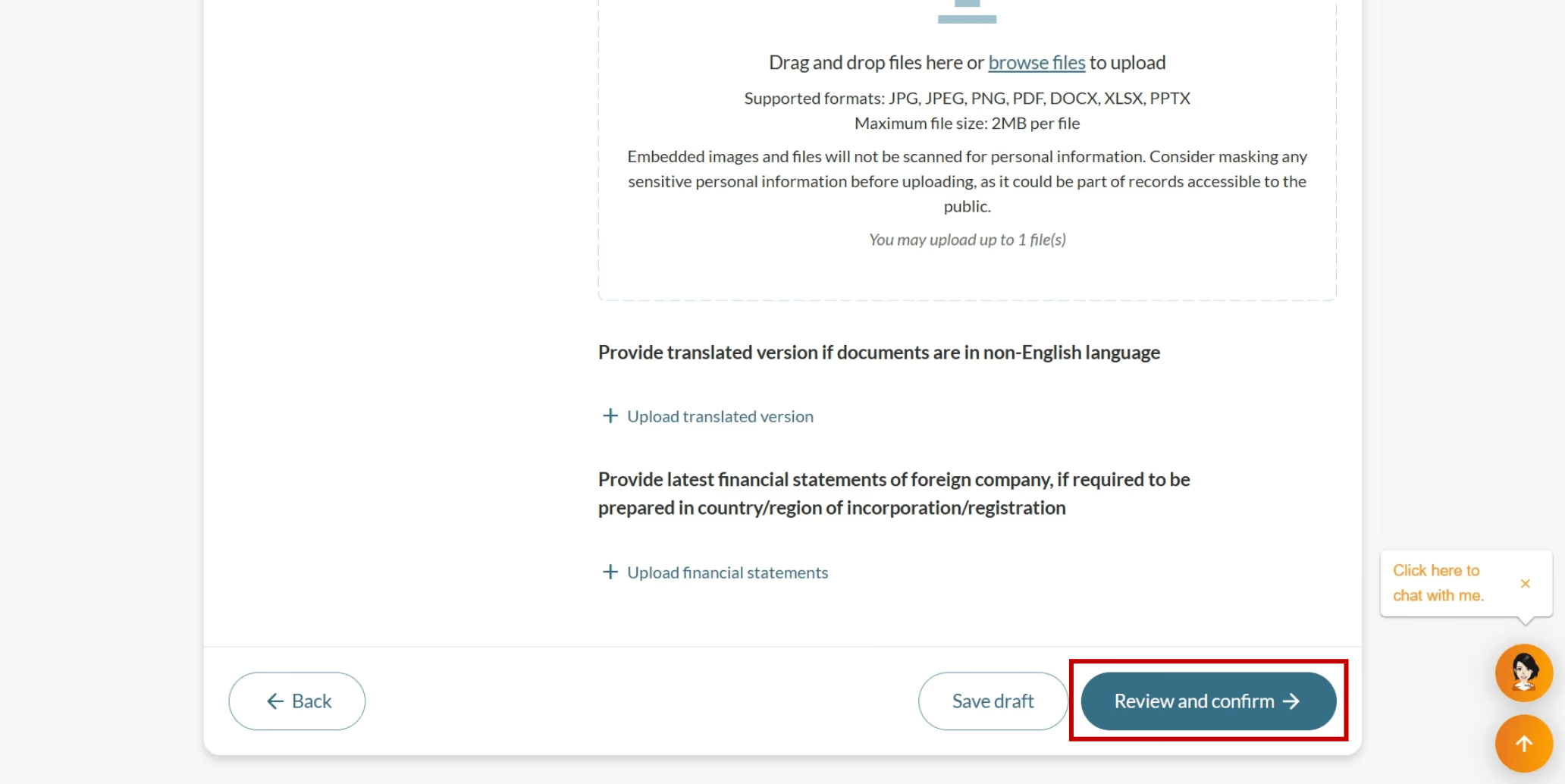
Step 5: Review, confirm and pay
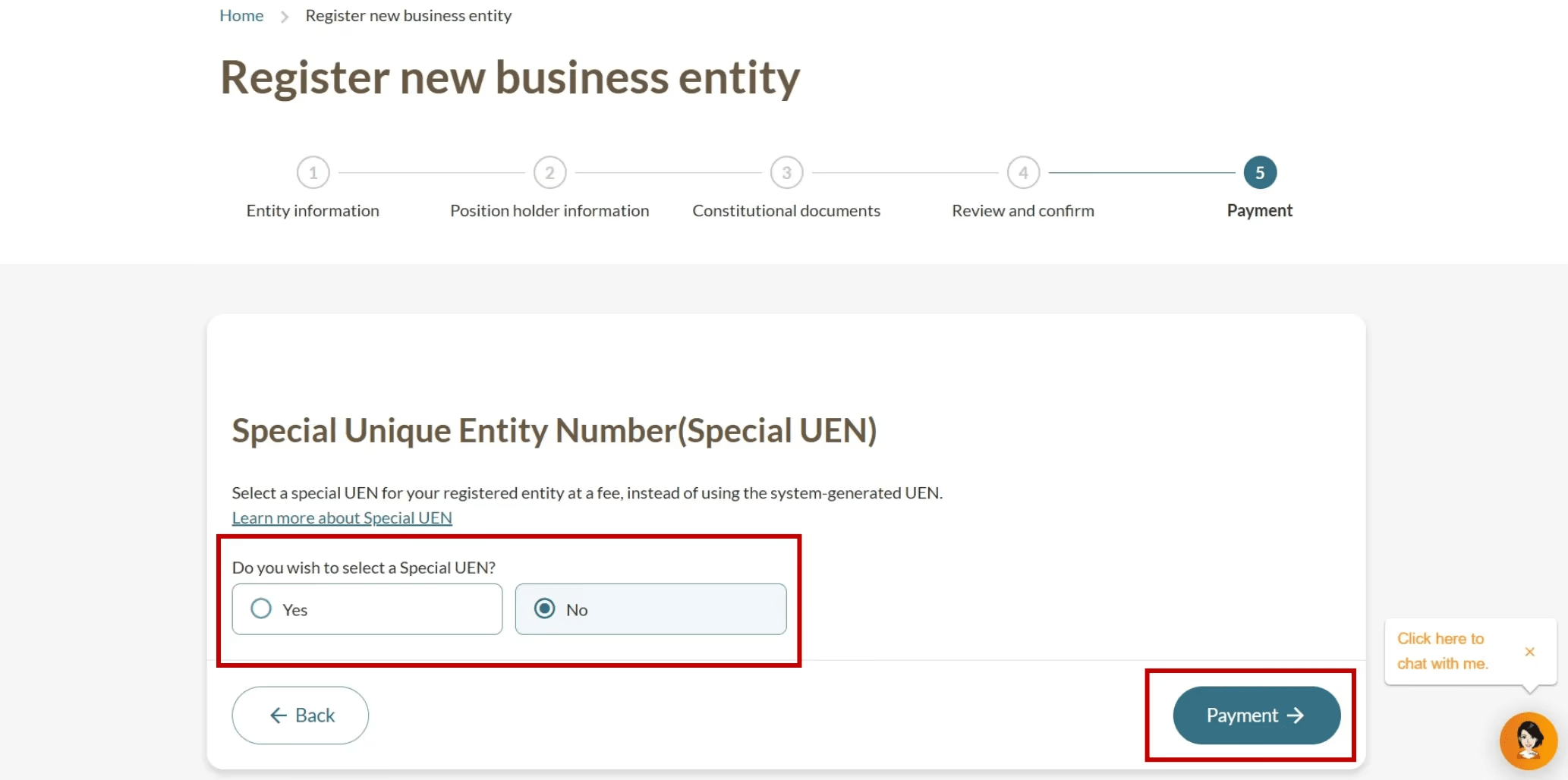
Complete your review, and pay to finalise the business registration. Before you pay, you can buy a special unique entity number (SUN) that's easier to remember.
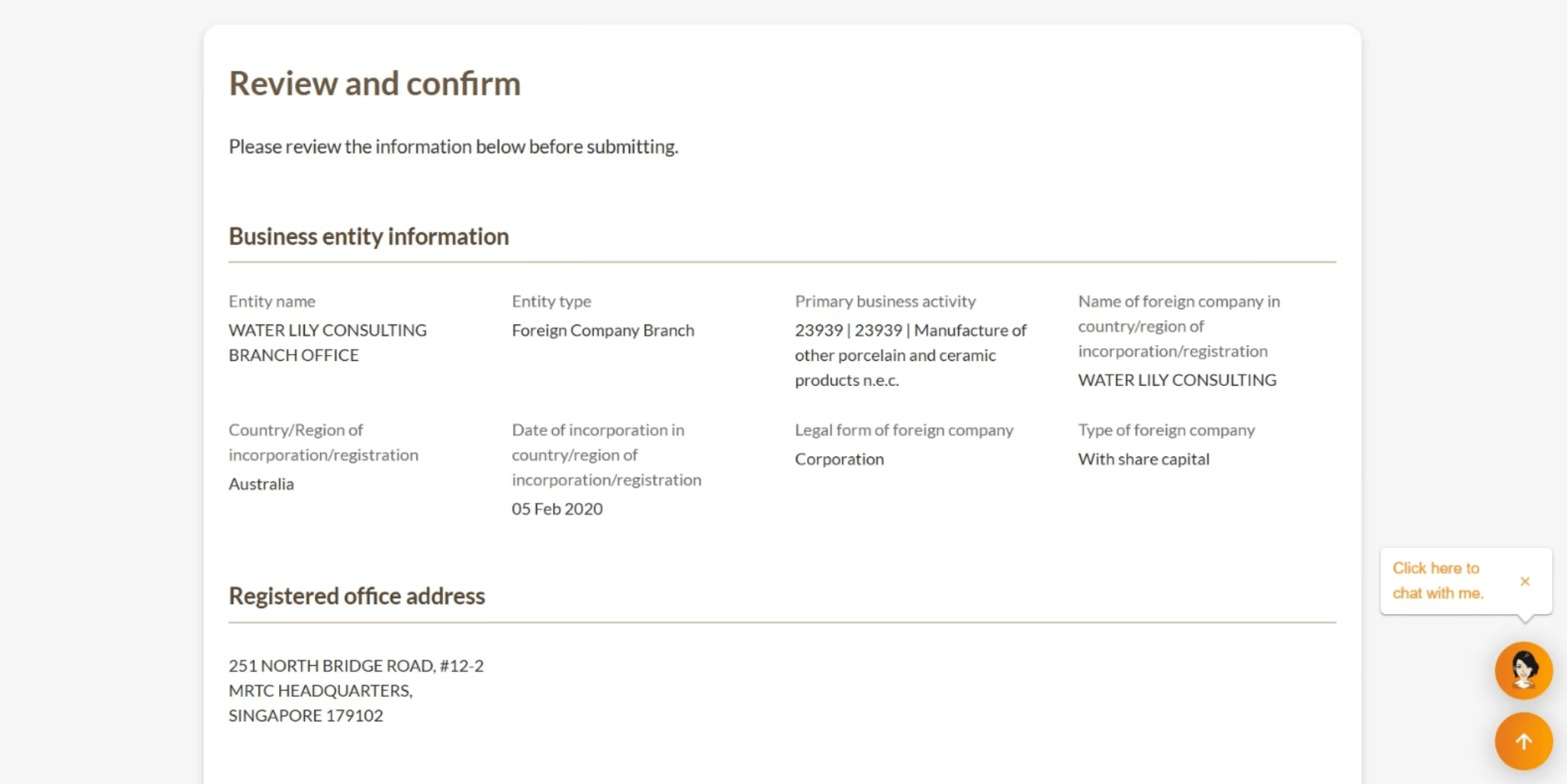
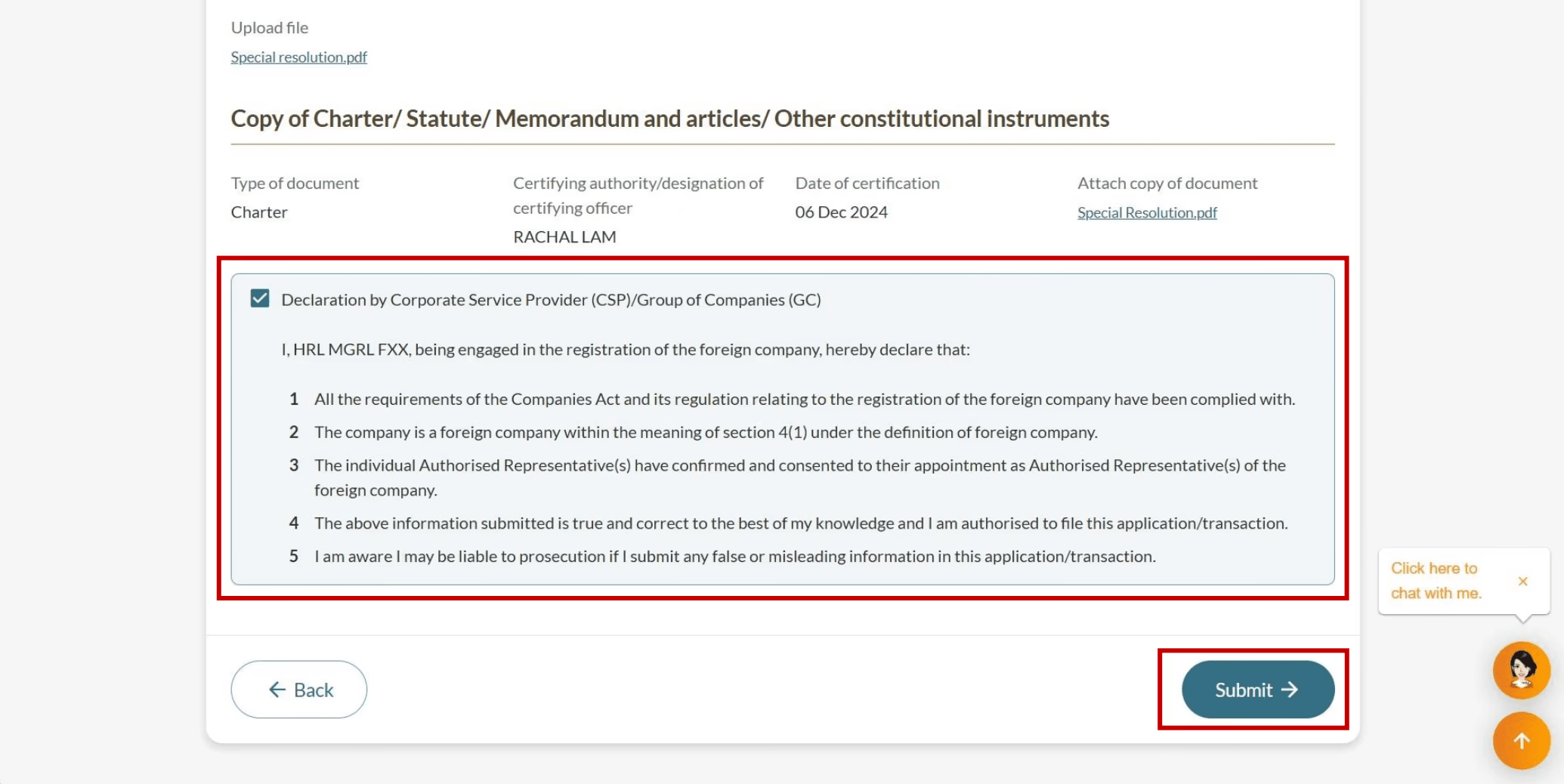
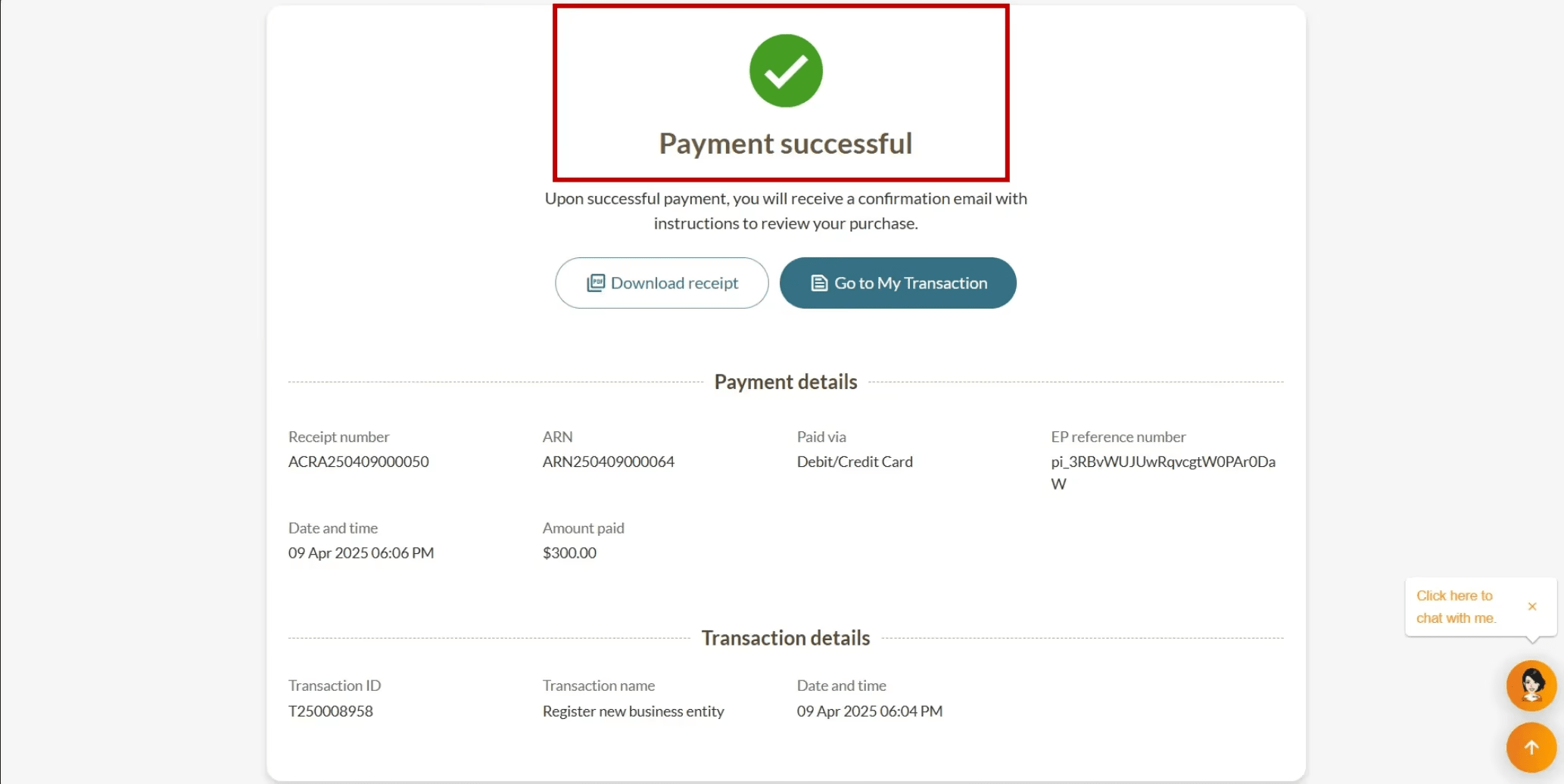
After successful payment
Check your Bizfile inbox for your registration outcome. If the registration is approved, you will receive:
Notice of successful registration.
Unique entity number (UEN) for your new business. Use this to interact with government agencies.
Link to download a free copy of your Business Profile.
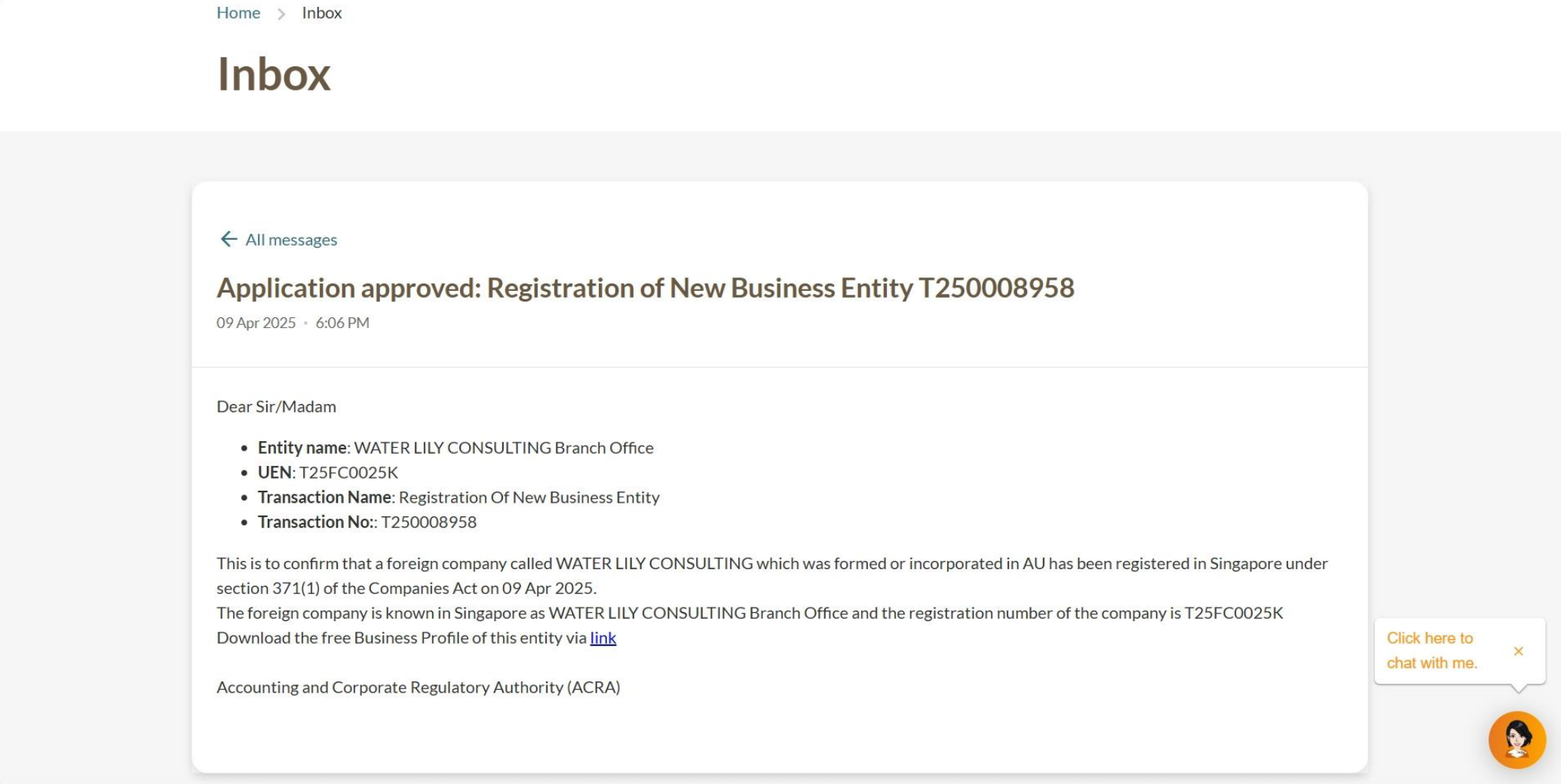
Notice of successful registration
Related pages
Troubleshooting guide: Name application and business registration
Fix common issues when applying for a new business entity name and registering a new business entity on Bizfile
Post-registration guide: Foreign company
This guide explains the key steps and requirements you need to complete after registering your foreign company in Singapore
Overview of managing a company
Get everything you need to know about managing a company in a single place, from key requirements to popular resources