
Withdrawing a name application
If you applied for a new business entity name via Bizfile, you can withdraw your request before the name is approved.
Last updated 1 February 2026
On this page
Before you withdraw
What you need to know
Key facts | Details |
|---|---|
When you can withdraw | After you apply for a new business entity name, you can withdraw your application if it has not been approved. However, your application fee is non-refundable. |
Who can withdraw | The person who submitted the original application. Note: You must use the same login credentials (Singpass or Corppass). |
What you need to prepare | (Optional but helpful) Transaction ID of the original name application. |
Step 1: Access your name application
You can access your name application through two locations:
Acknowledgement message: Click Go to My Transaction immediately after you submit your name application.
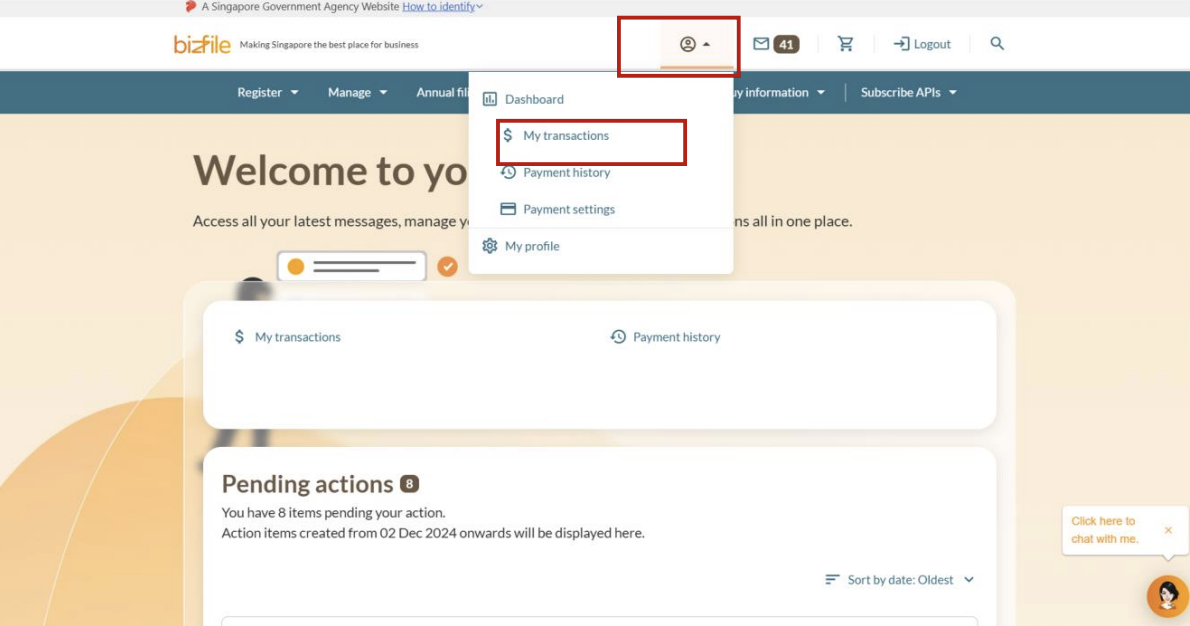
Top-menu bar: Log in to Bizfile and click on your profile in the top menu bar. Then, select My transactions from the dropdown menu.
Step 2: Withdraw your application
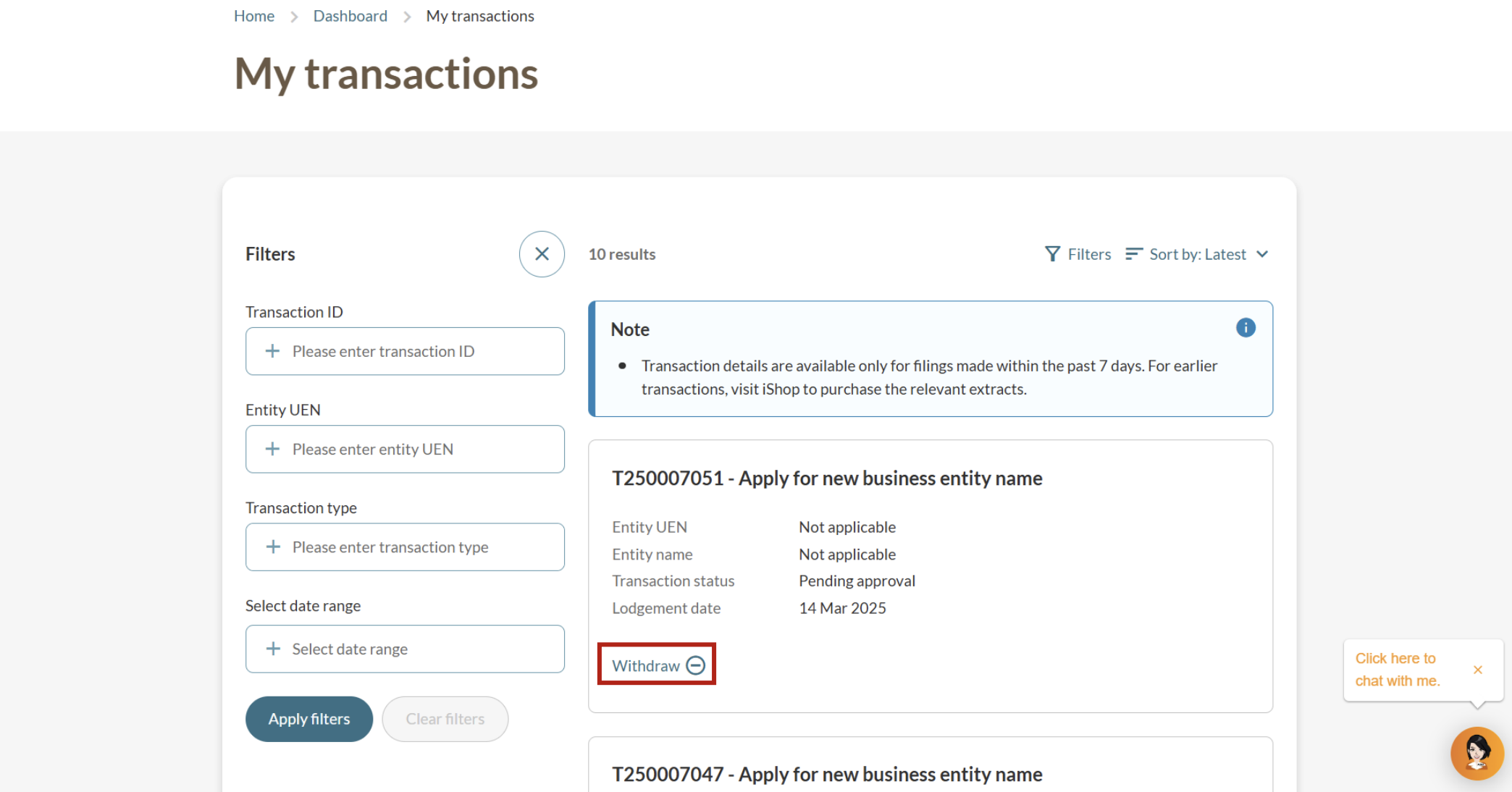
On the "My transactions" page, locate the relevant name application transaction. Then, click Withdraw for the application you want to cancel.
Step 3: Confirm your withdrawal
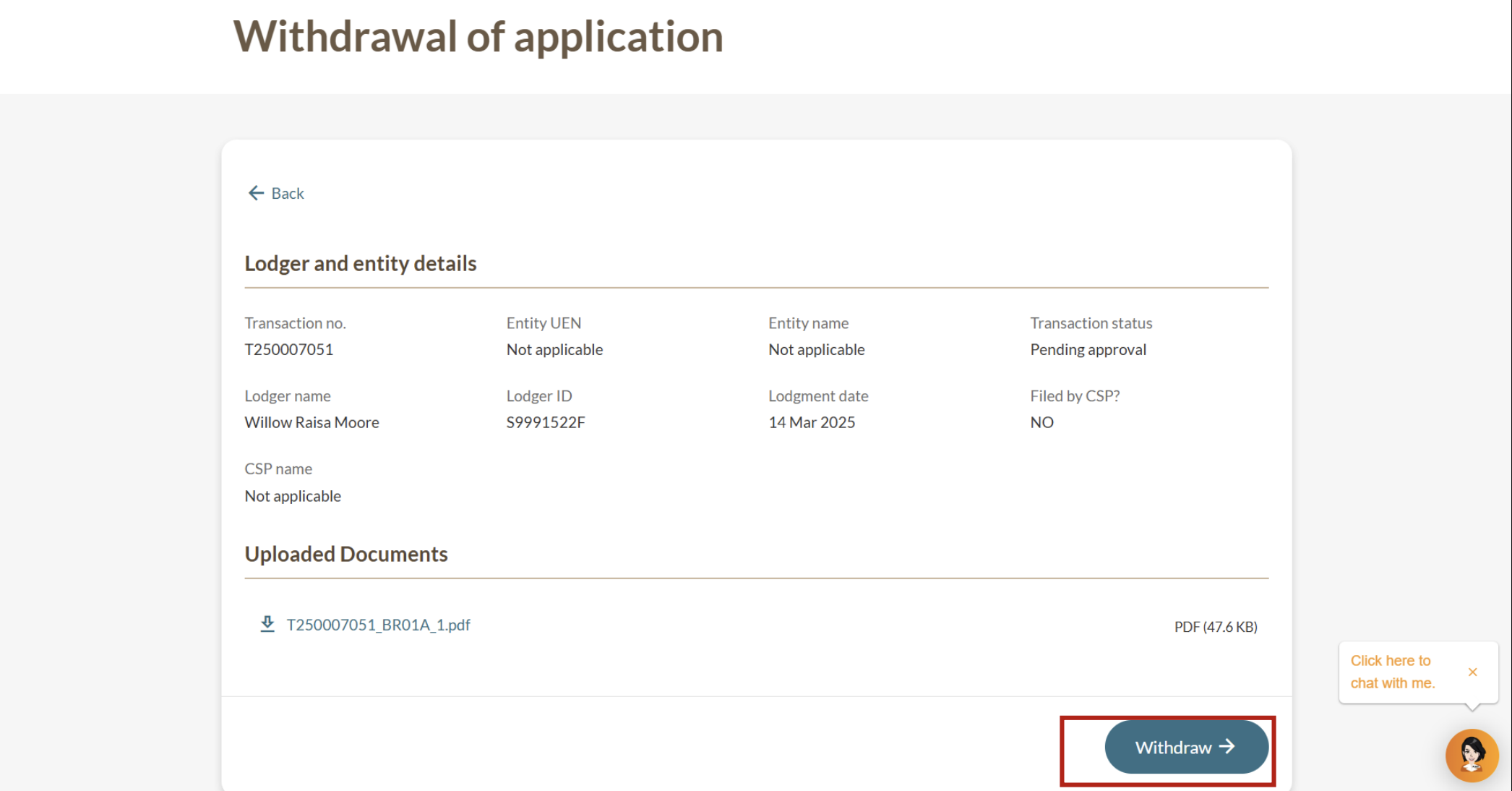
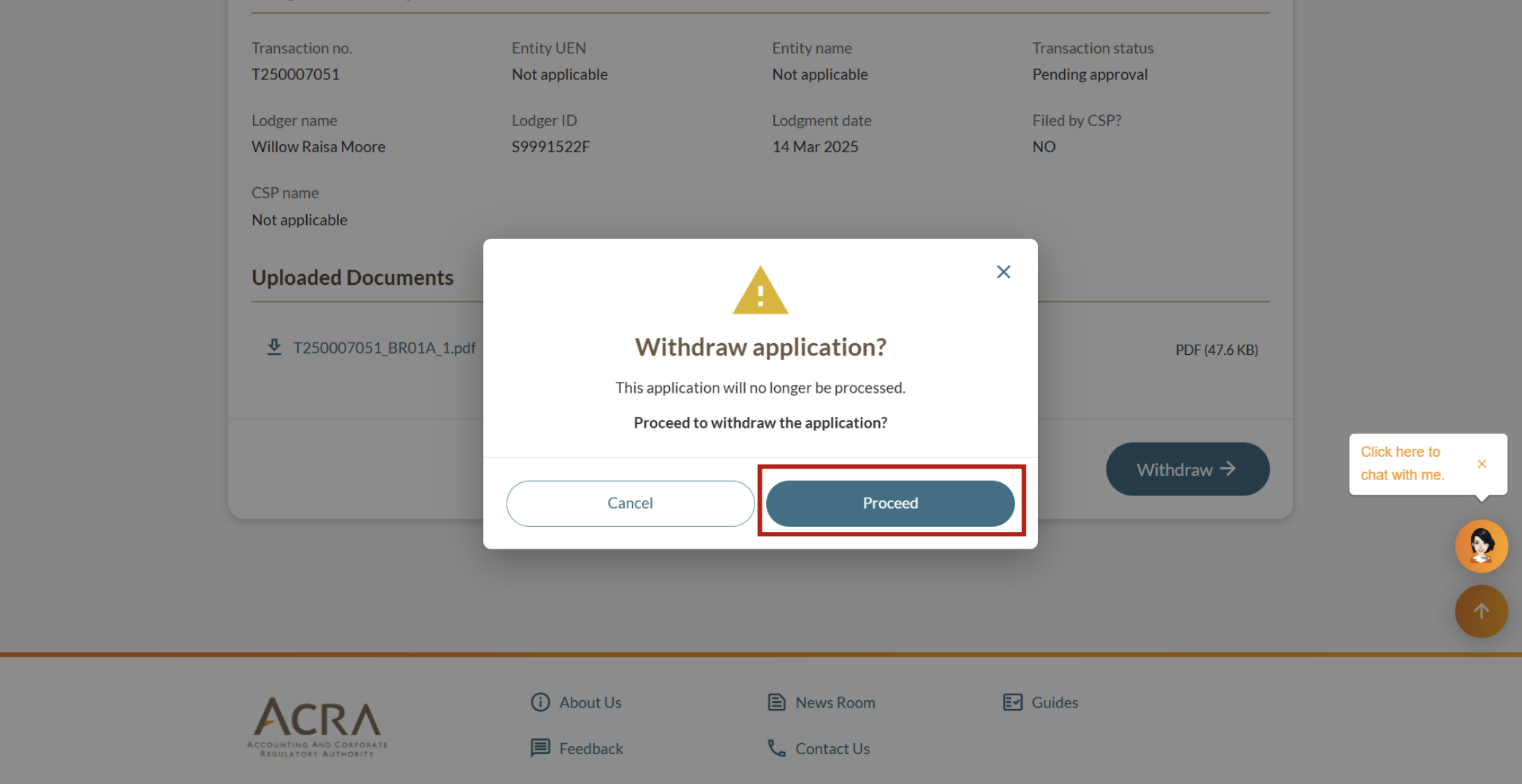
Check the application details to ensure you are withdrawing the correct name application.
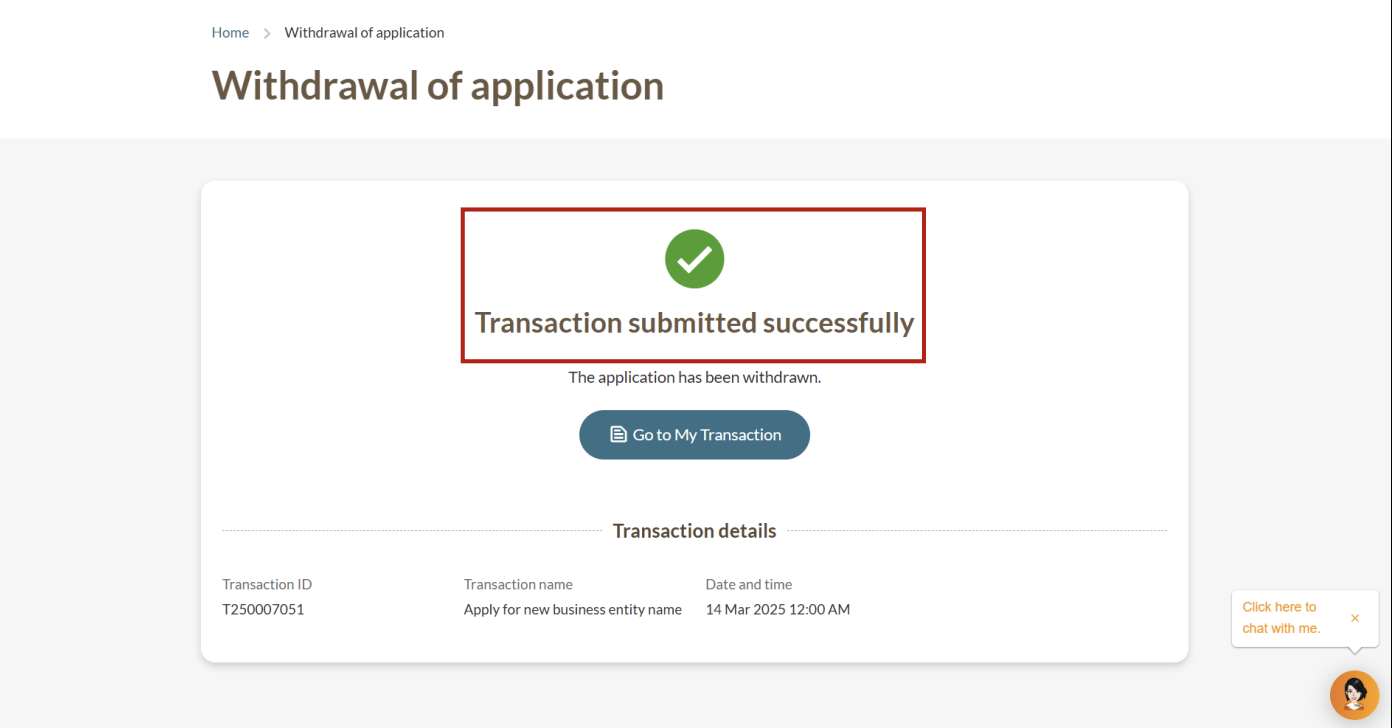
After successful withdrawal
Your name application will no longer be processed.
The name will become available for others to apply for.
You can apply for a new business entity name, if needed.