
Filing a transfer of shares
You must file a transfer of shares to notify ACRA that an existing shareholder has transferred their shares to another shareholder.
Last updated 2 February 2026
On this page
This page is under development and being progressively updated.
Note: Share transactions are complex and errors can be costly. If you are unsure about share matters or how to file the correct share transactions in Bizfile, seek professional advice from a corporate service provider (CSP).
If you make an error during filing and cannot resolve it by filing a Notice of Error, you may need to obtain an Order of Court to amend the error.
Before you file
This guide explains how to file a transfer of shares to notify ACRA.
Existing shareholders can transfer shares to others as long as:
The shares are fully paid; and
The transfer complies with the company's constitution.
Who may file
Company officers (such as the director or company secretary) can file directly.
You may also engage a CSP to file on your behalf.
What you need to prepare
Required documents and information
You need to prepare | Details |
|---|---|
Company information and resolution |
|
New shareholder details |
|
Proper instrument of transfer | This document records the transfer of the legal title to the shares from the existing shareholder to the new shareholder. |
More details: Section 126 (private companies), section 130 (public companies)
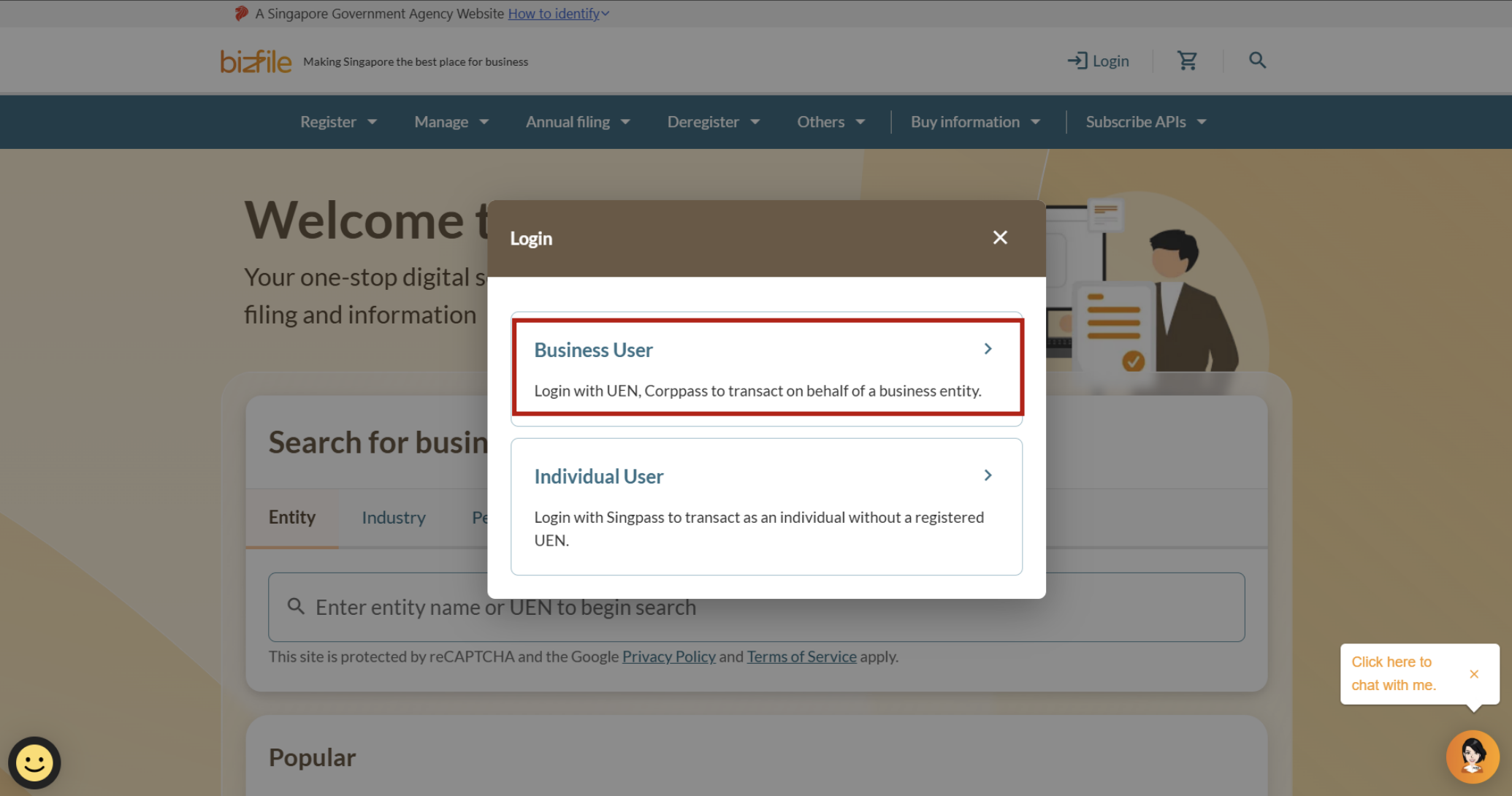
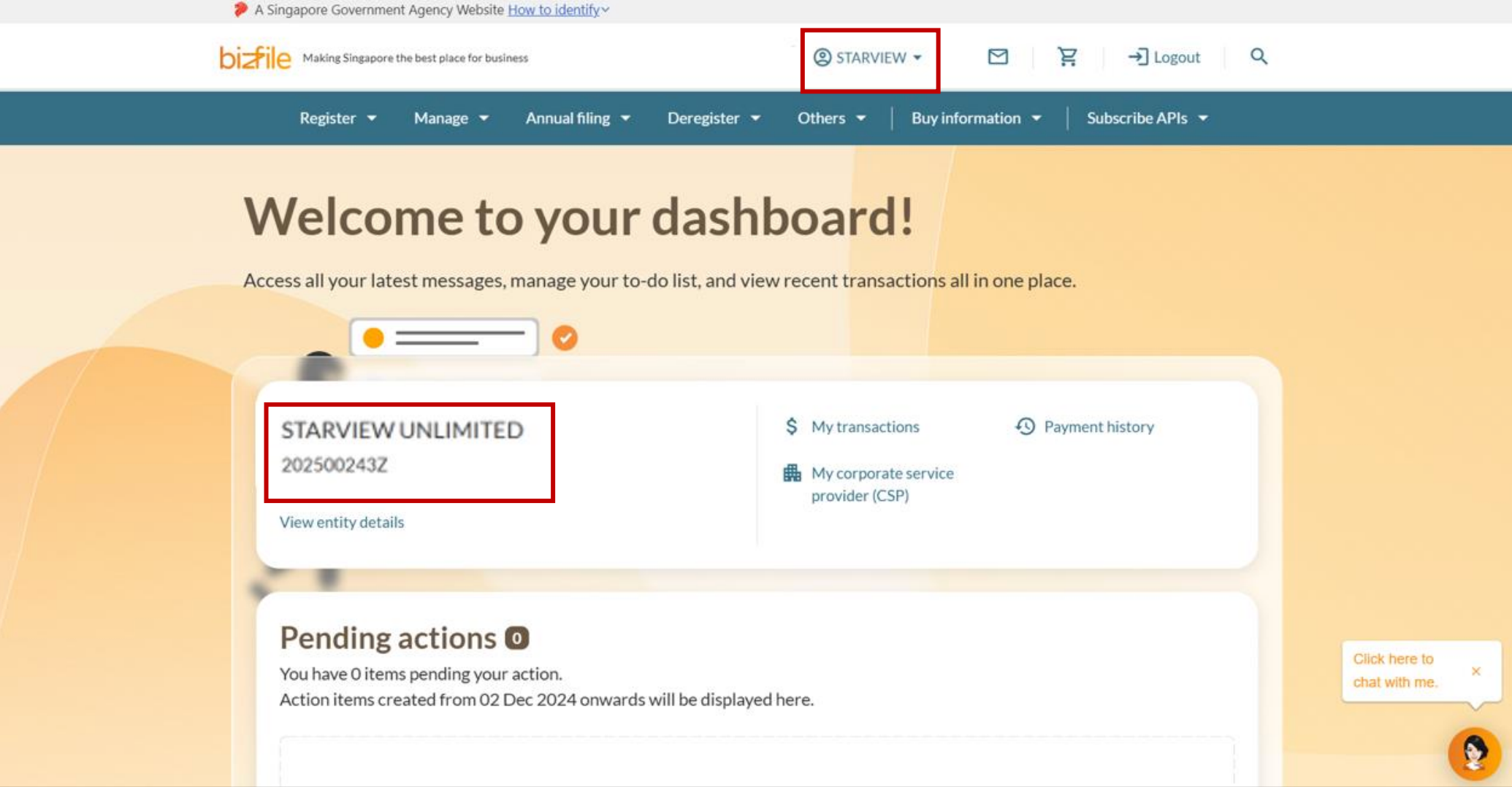
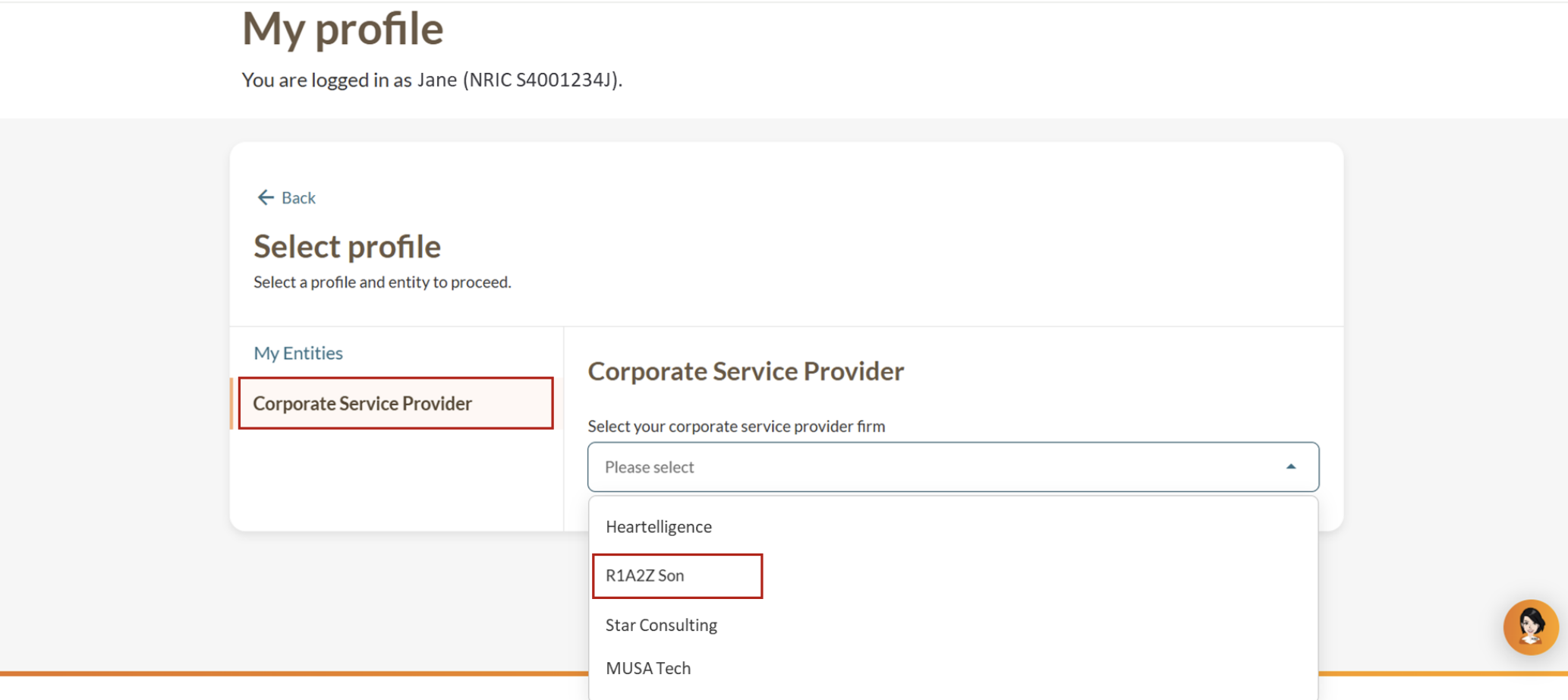
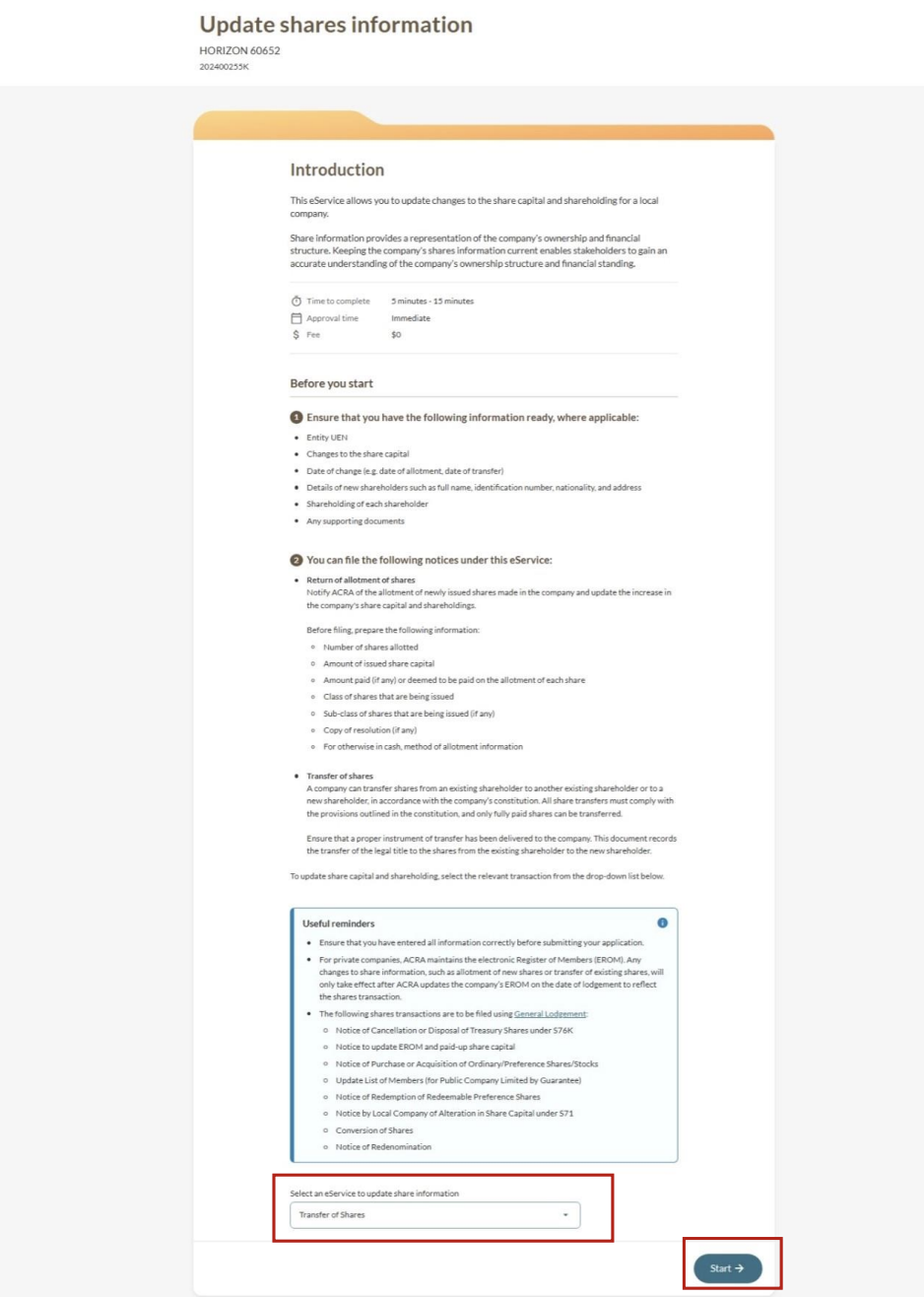
Step 1: Log in to Bizfile and open the "Update shares information" eService
Follow these steps to navigate to the Update shares information eService.
Note: All entity and personal information (including UEN, entity details, NRIC or FIN numbers, names and addresses) shown are dummy data for illustration purposes only.
(Optional) Step 2: Add new shareholders
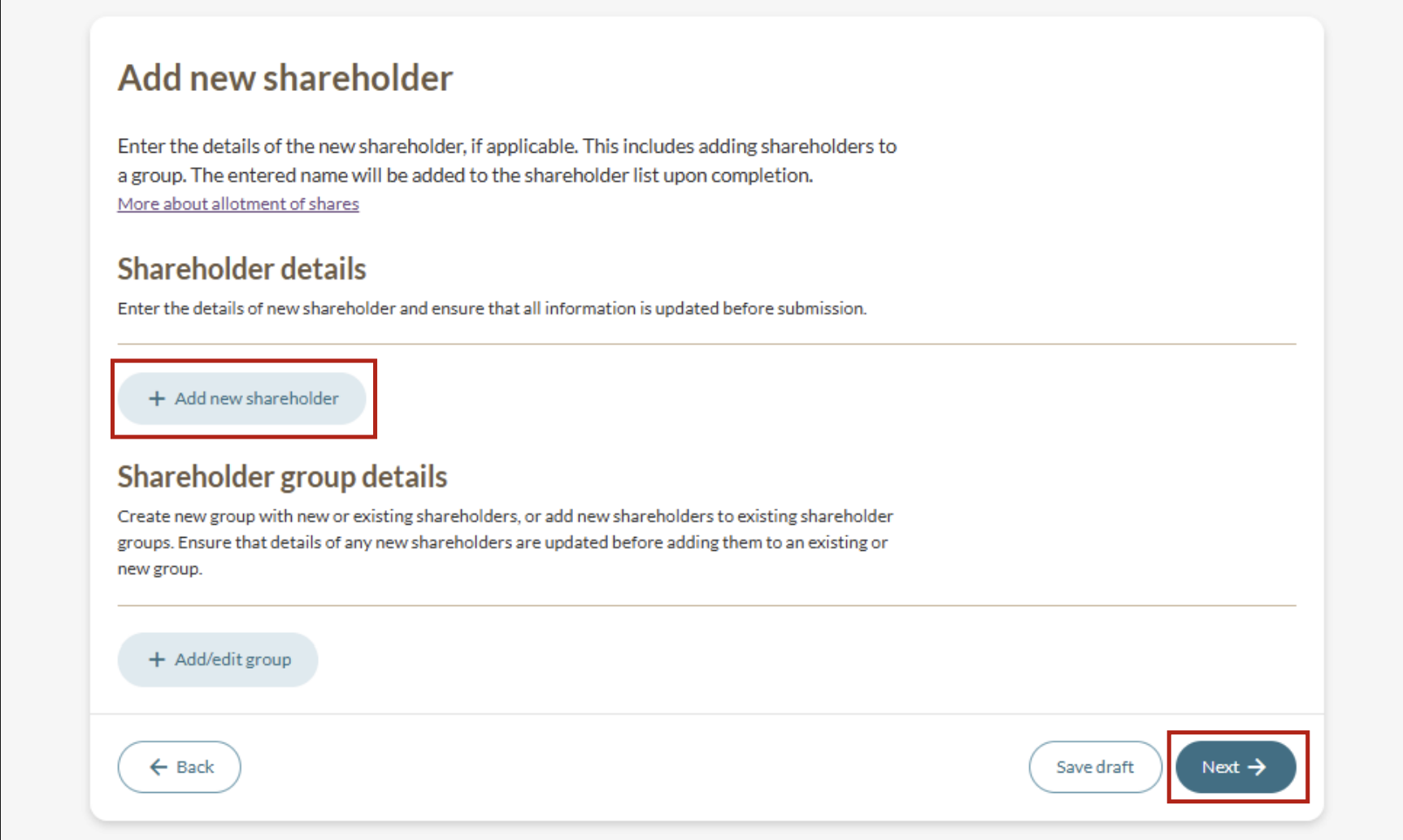
Follow these steps to file a transfer of shares from existing shareholders to new shareholders.
You can add shareholders individually or create shareholder groups as needed.
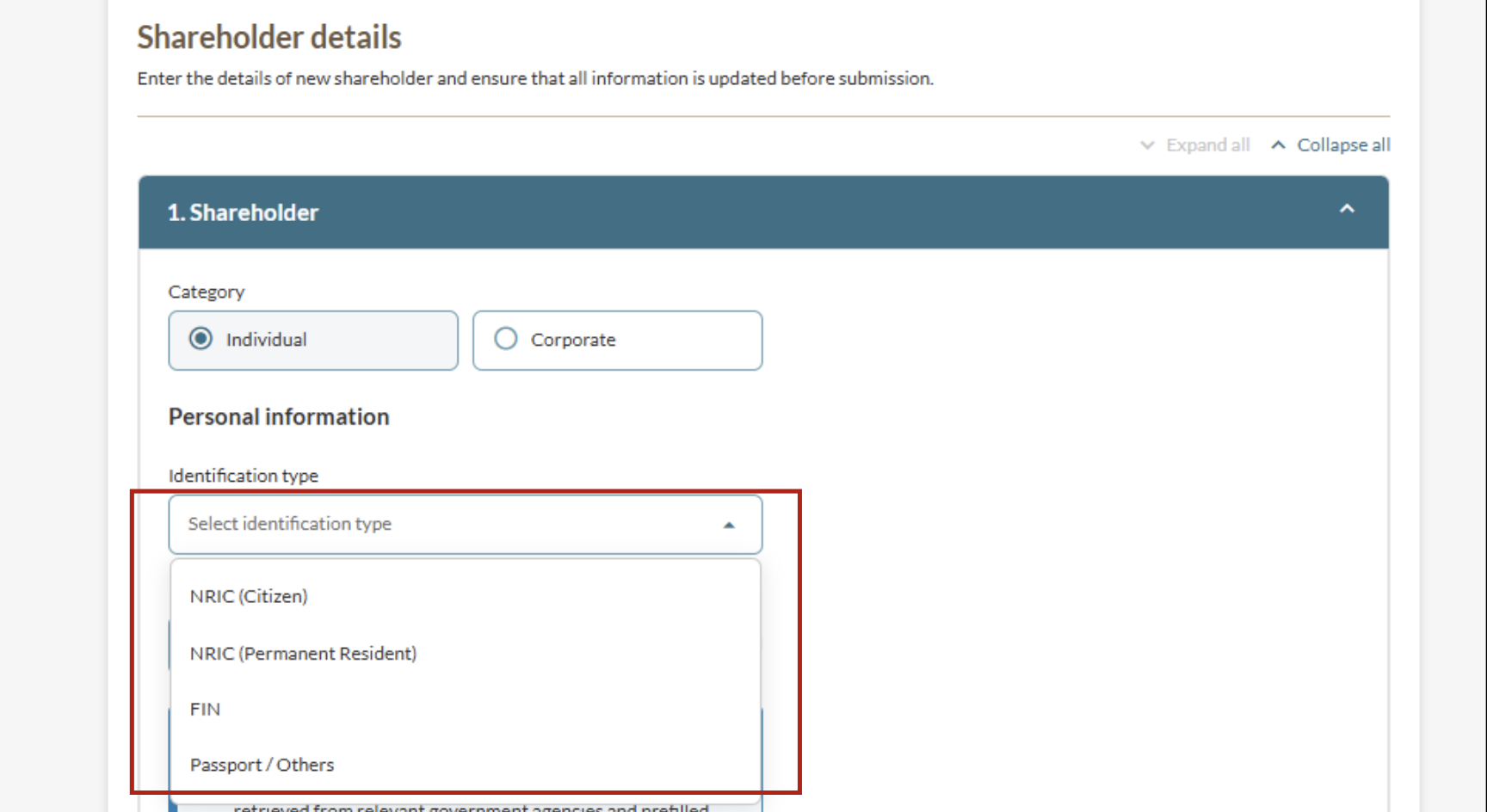
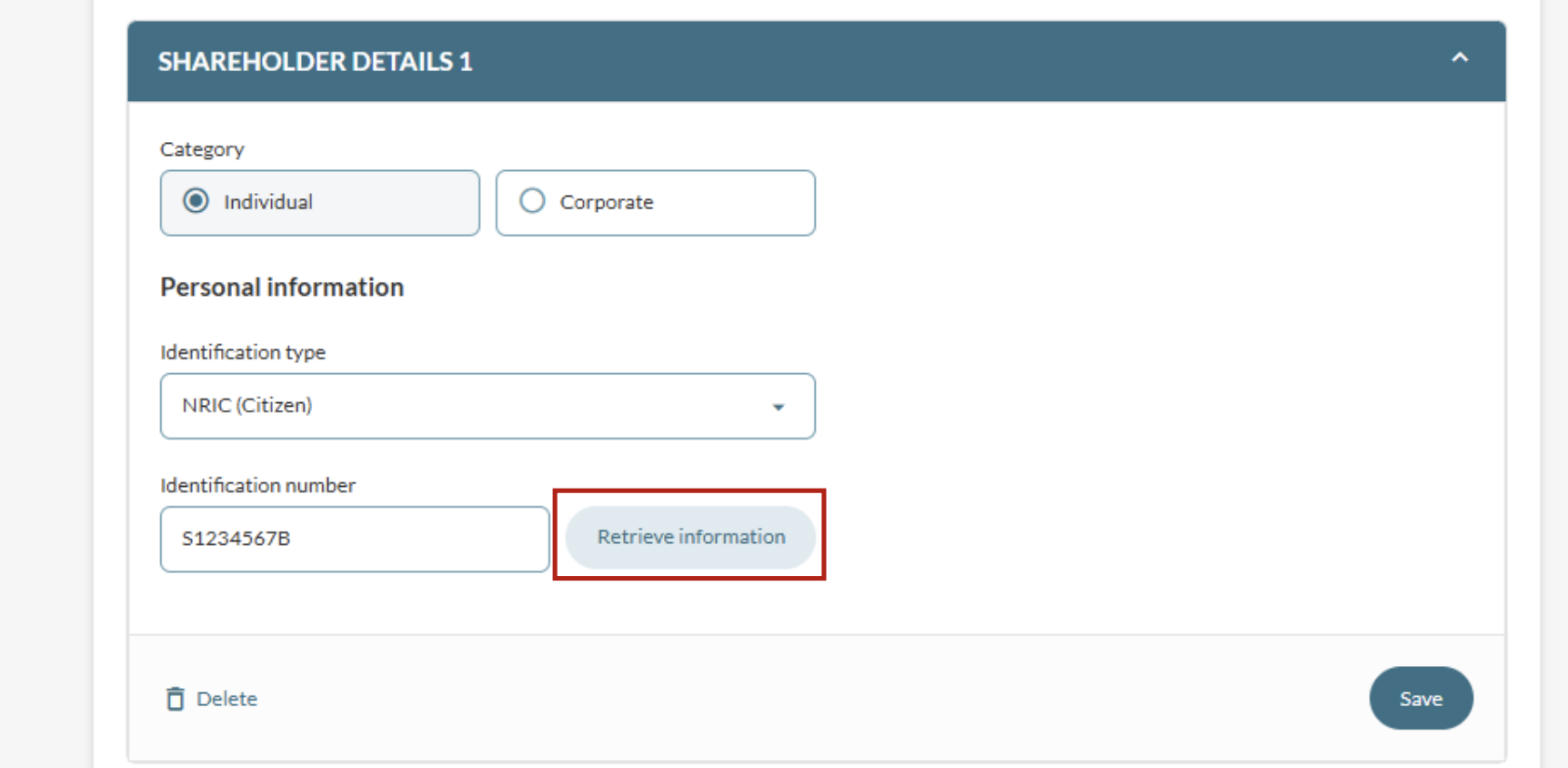
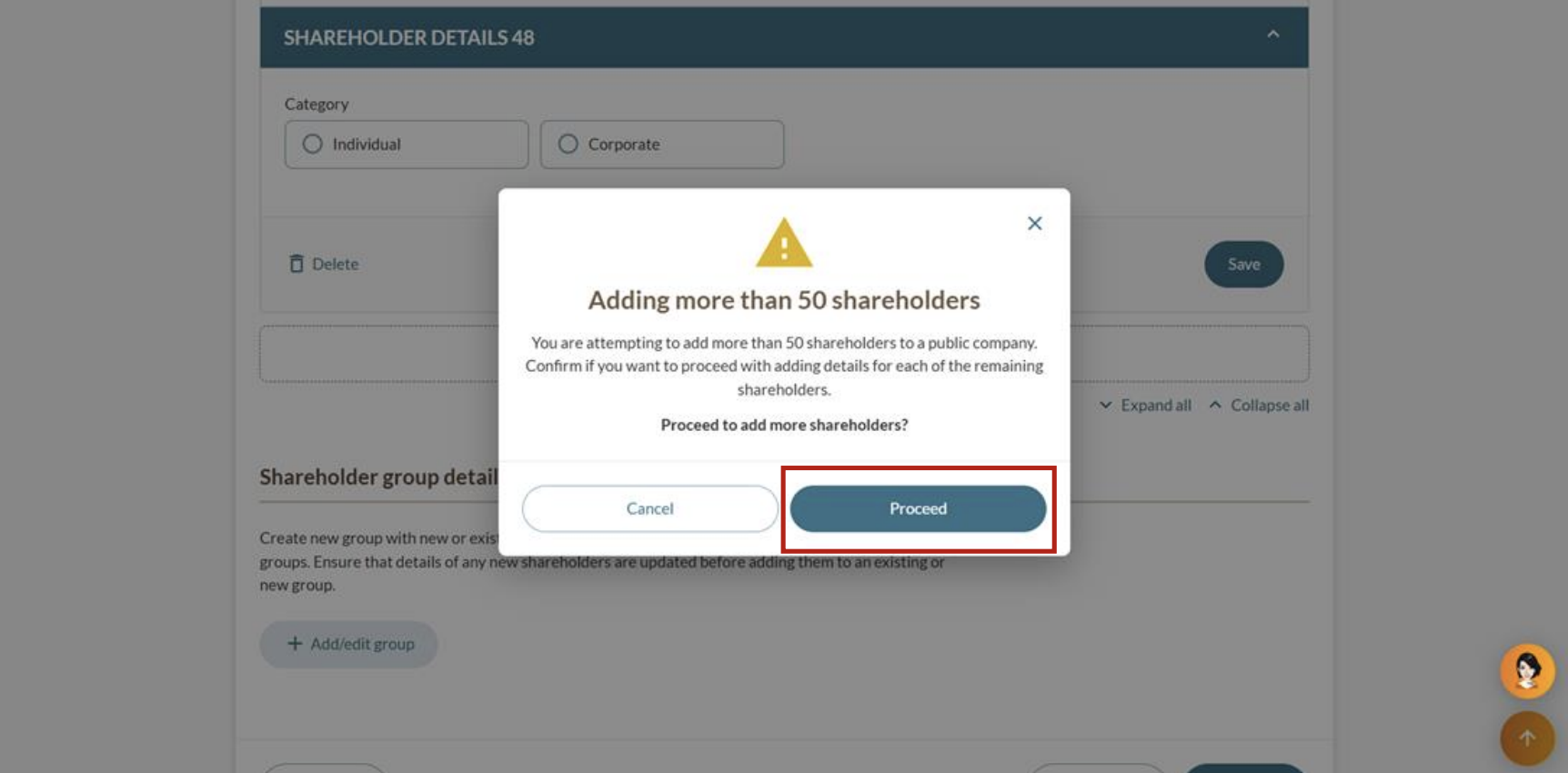
2a: Add shareholders individually
Follow these steps to add individual shareholders or corporate shareholders.
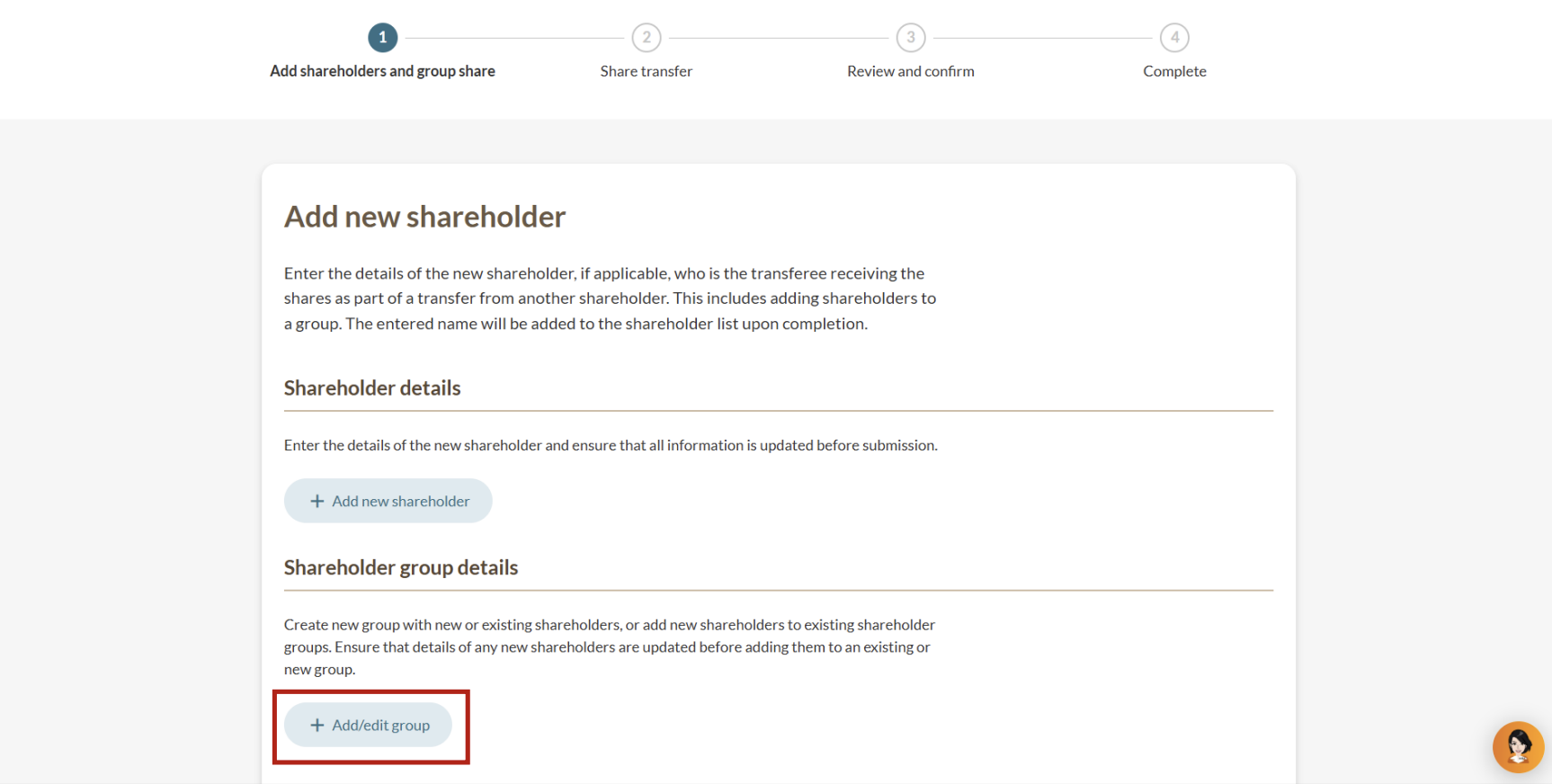
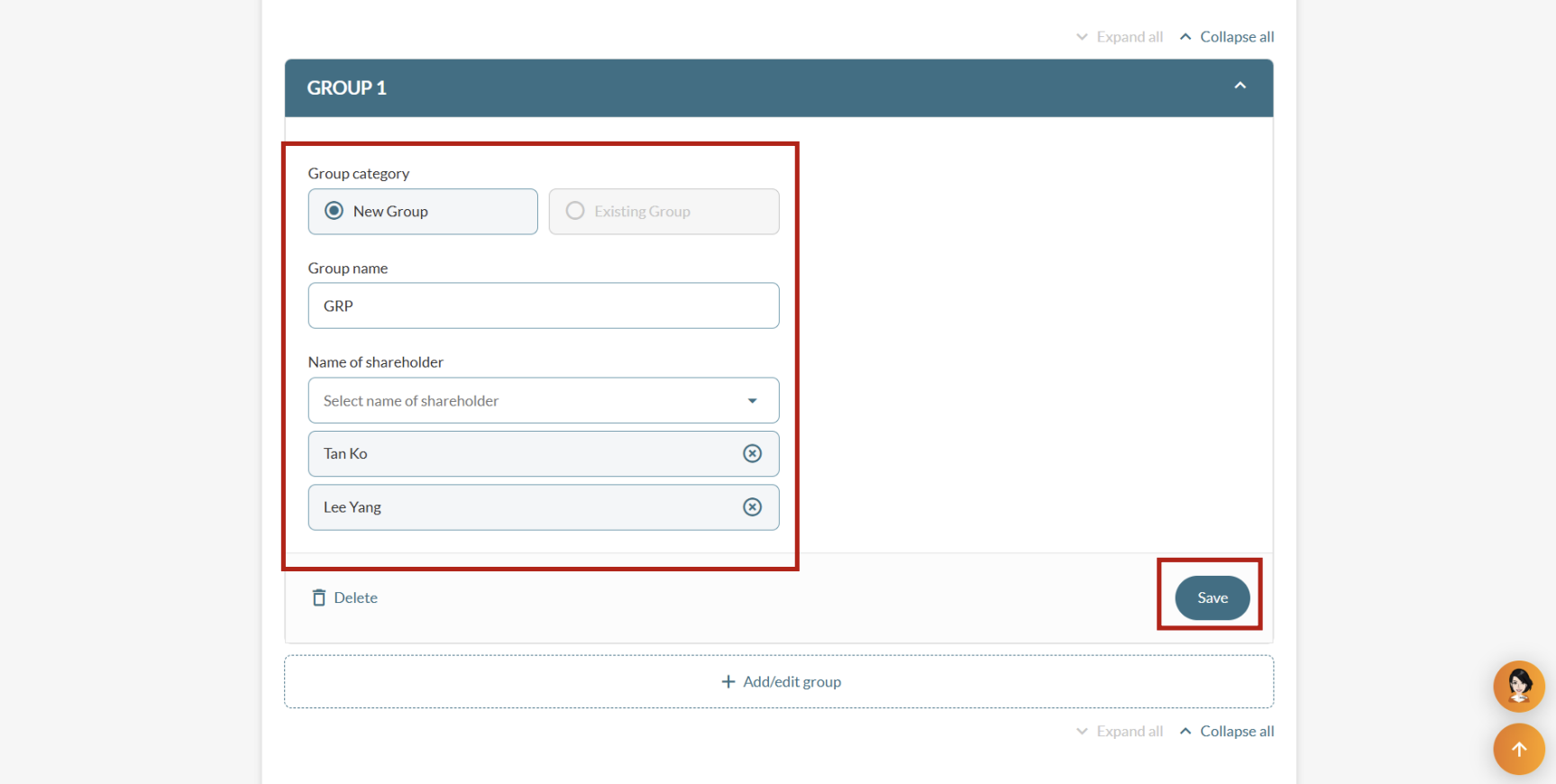
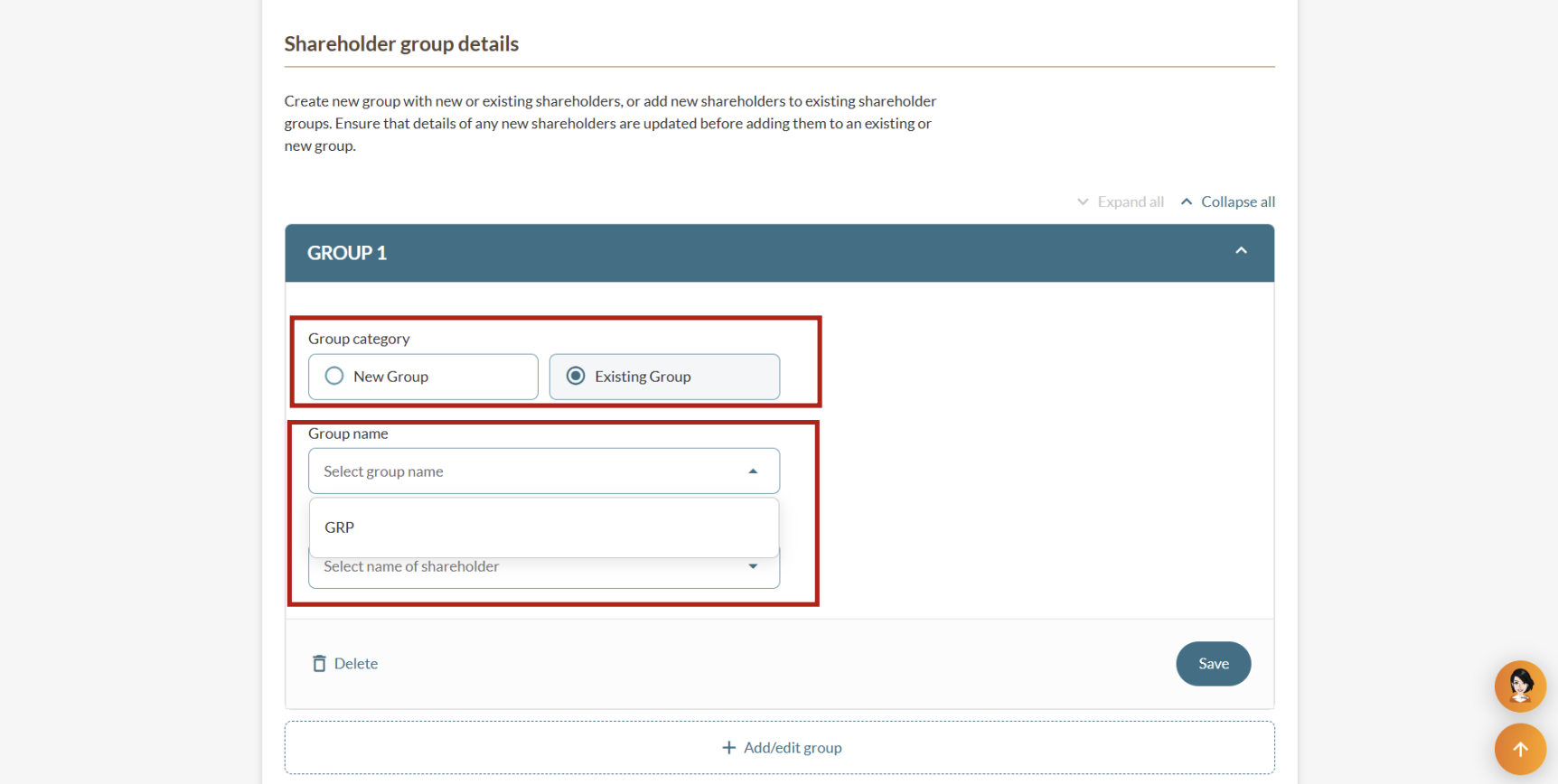
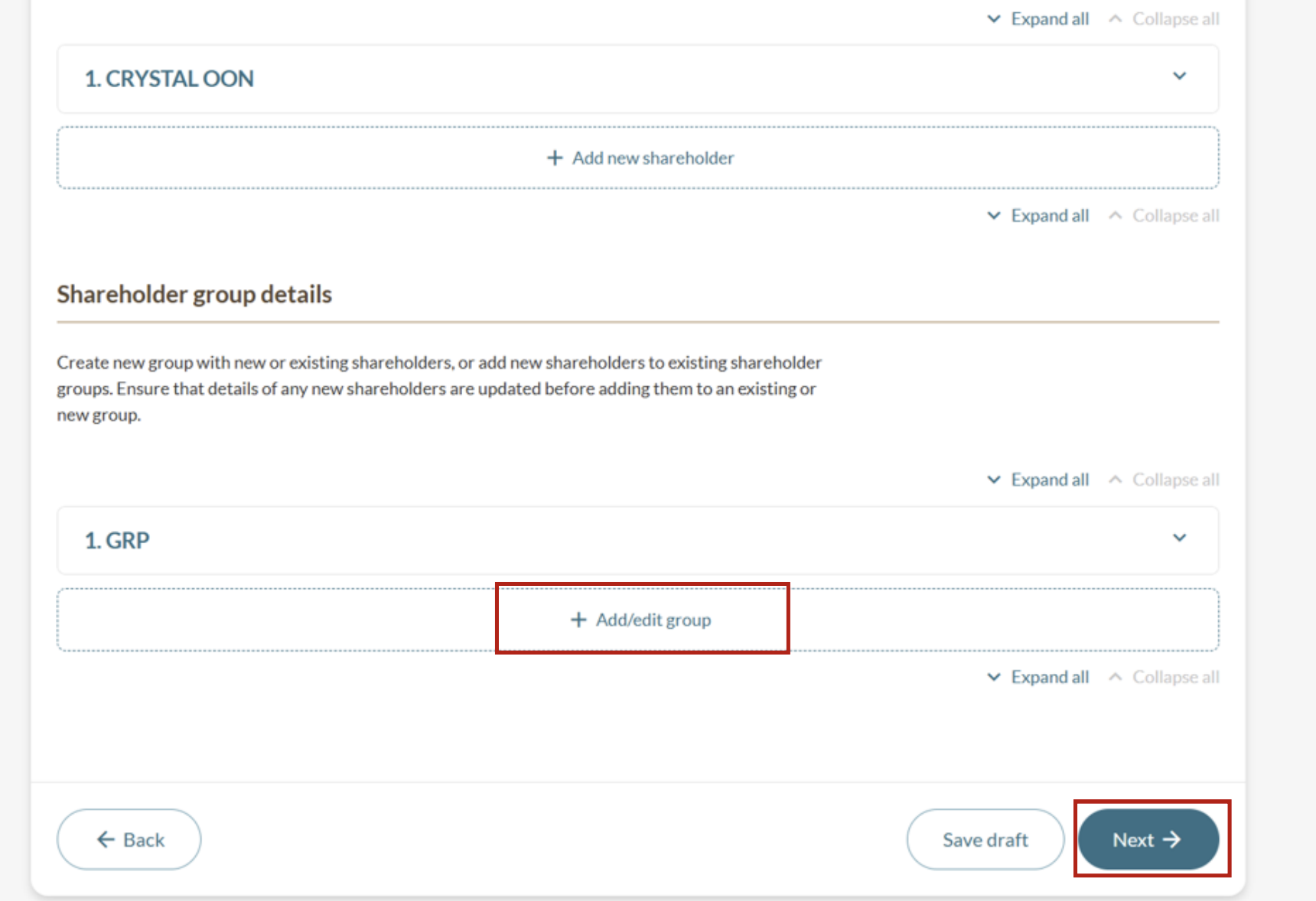
2b: Create or edit shareholder groups
Follow these steps to add a new shareholder group or manage shareholders in existing shareholder groups.
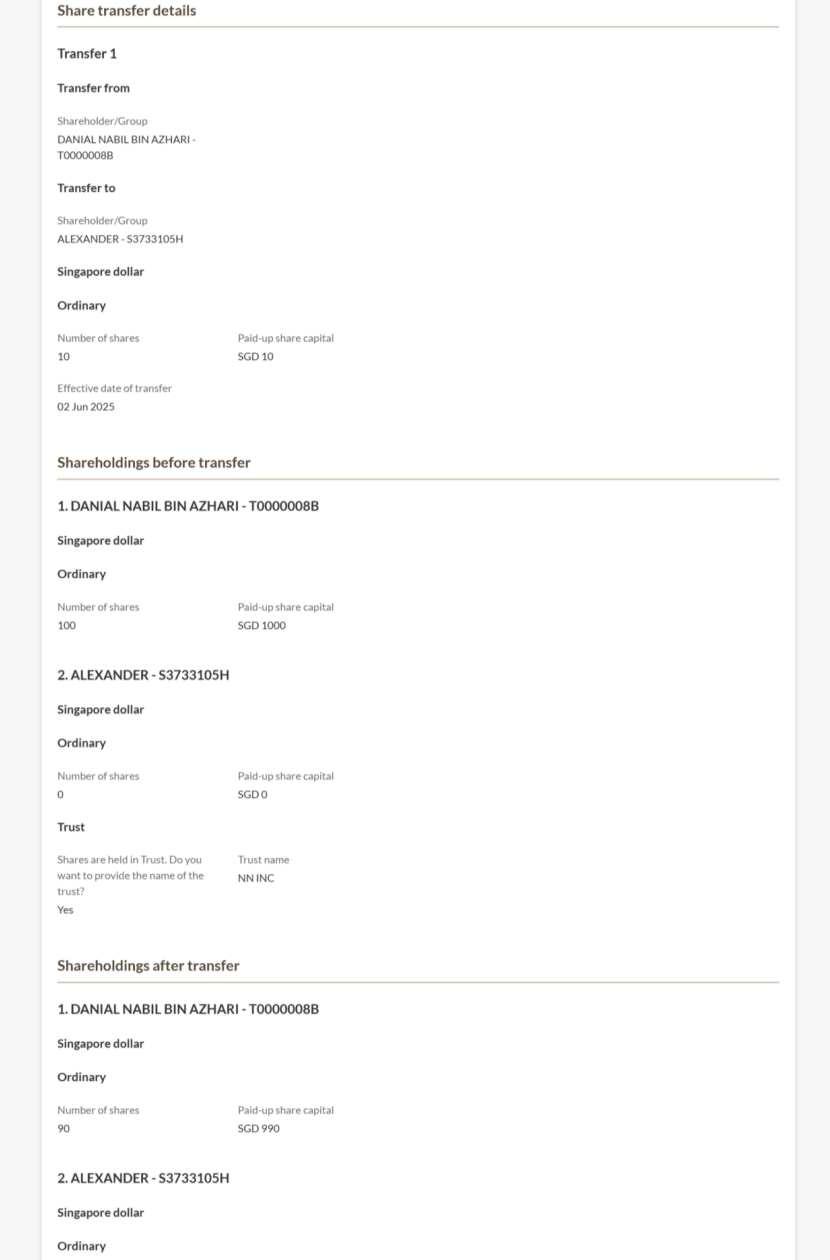
Step 3: Enter share transfer details
Required details include the:
Transferor (shareholder or group transferring the shares)
Transferee (shareholder or group receiving the shares)
Transfer details (such as currency, share class, number of shares, and paid-up share capital)
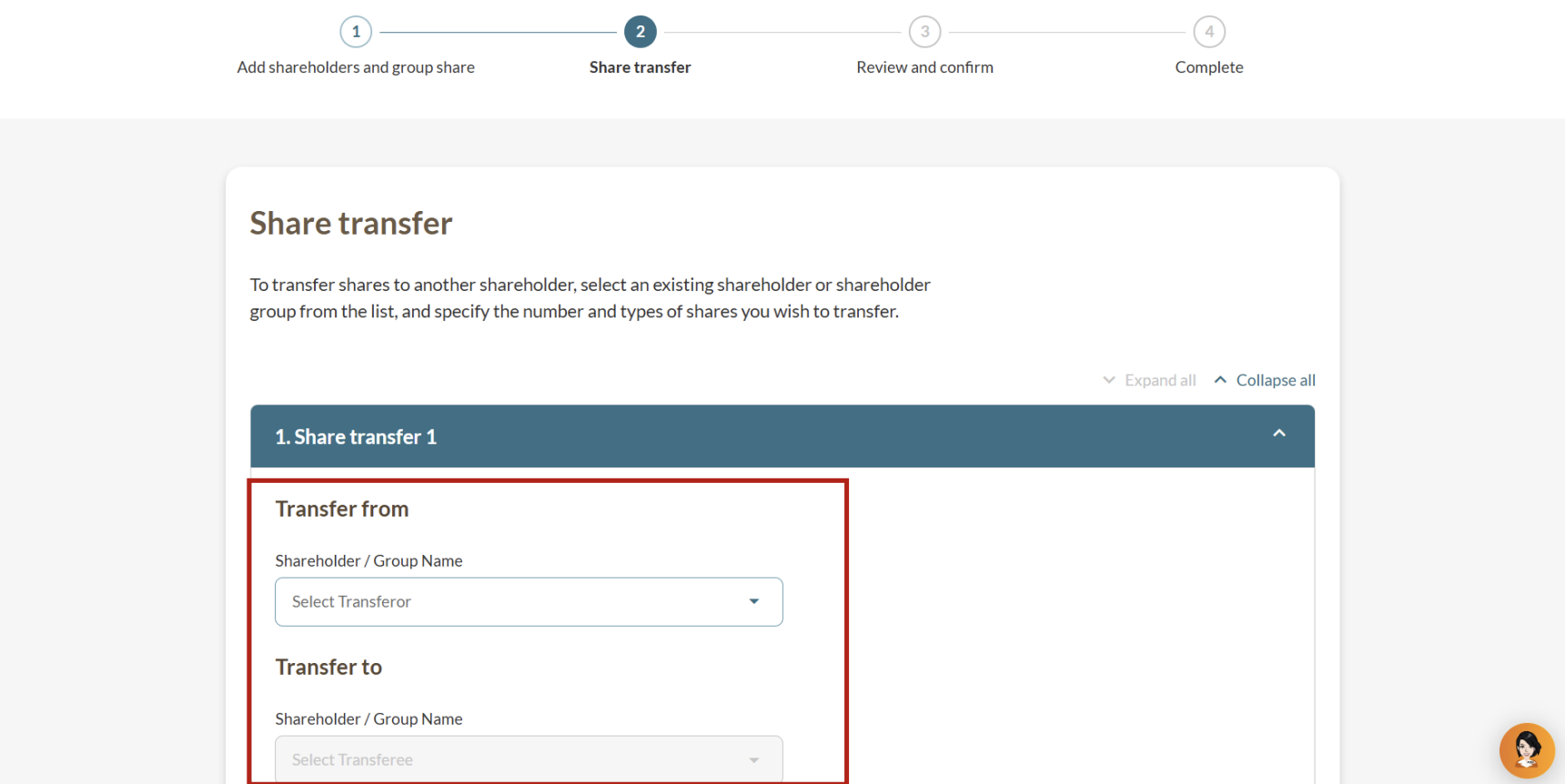
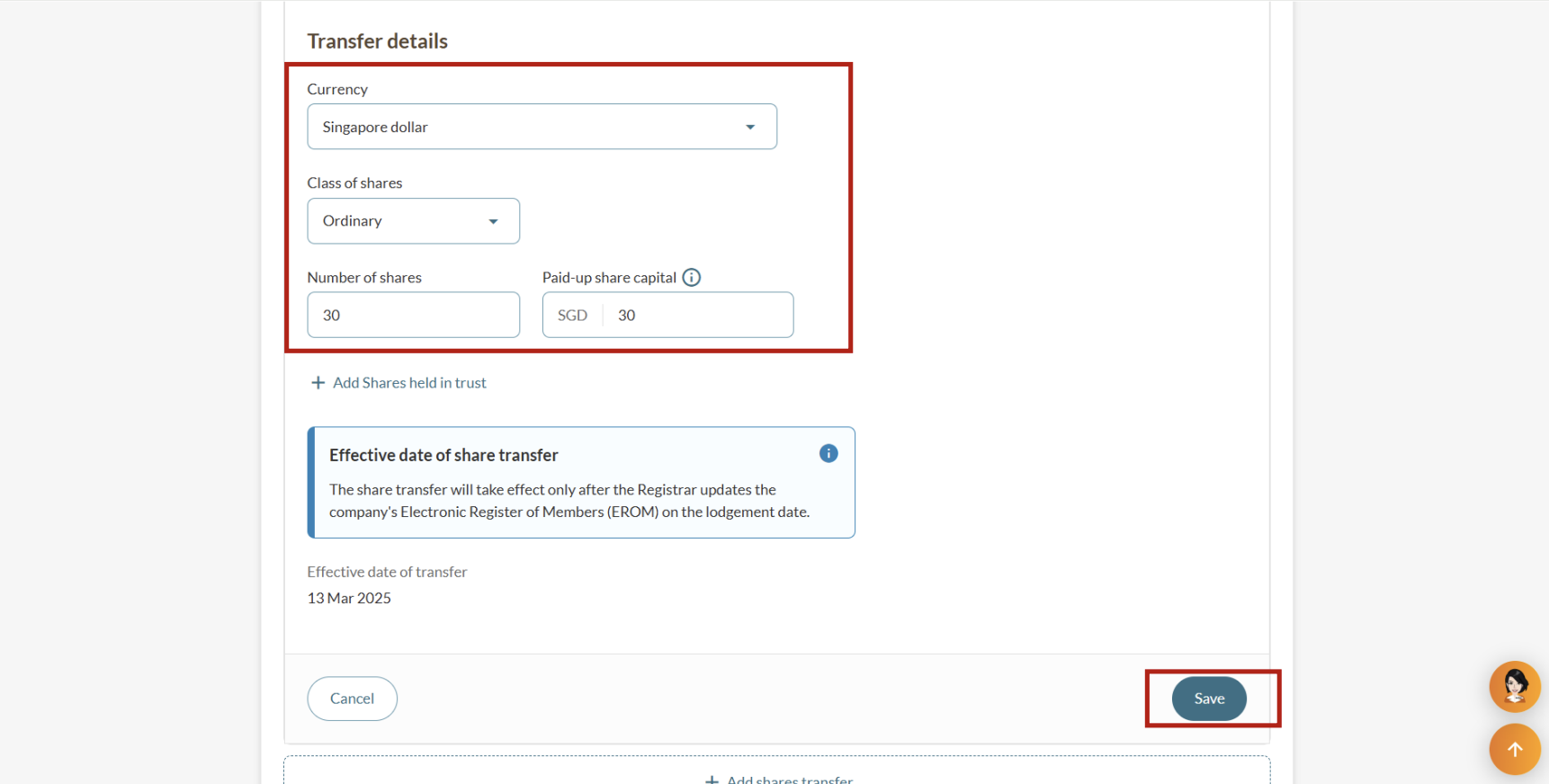
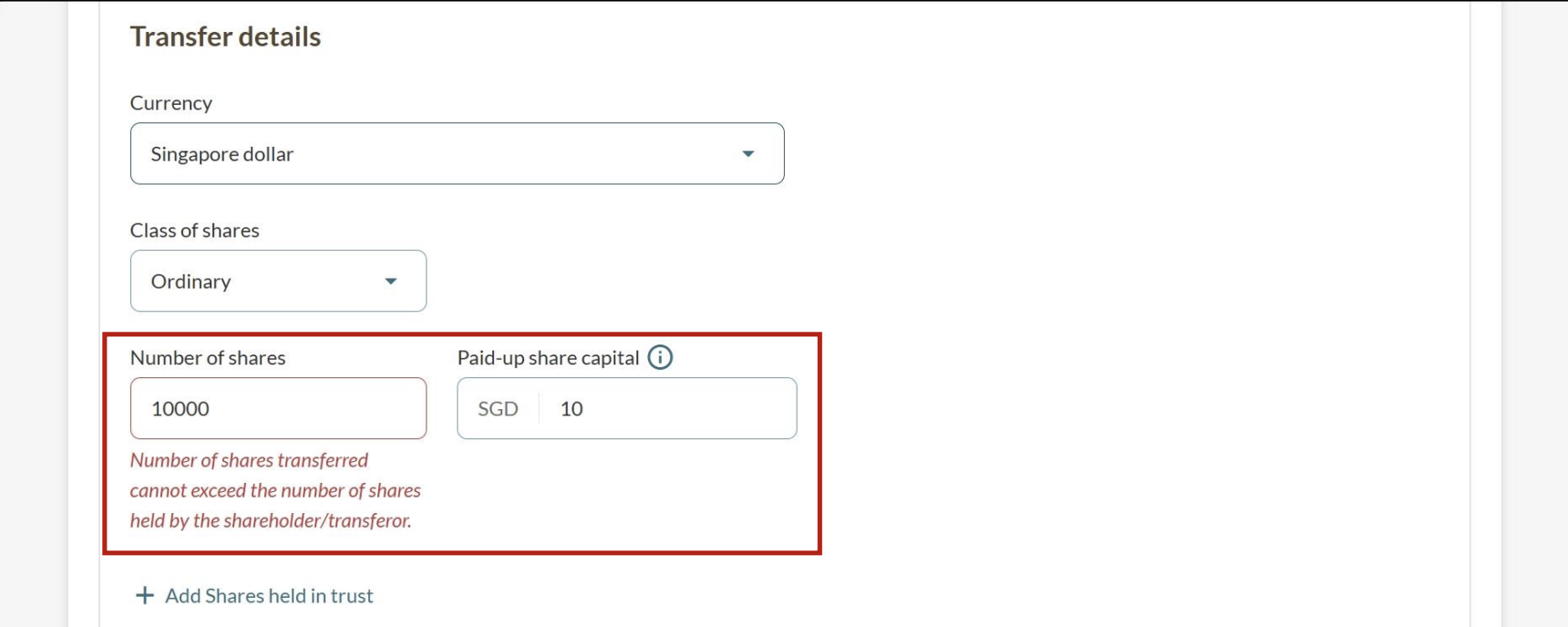
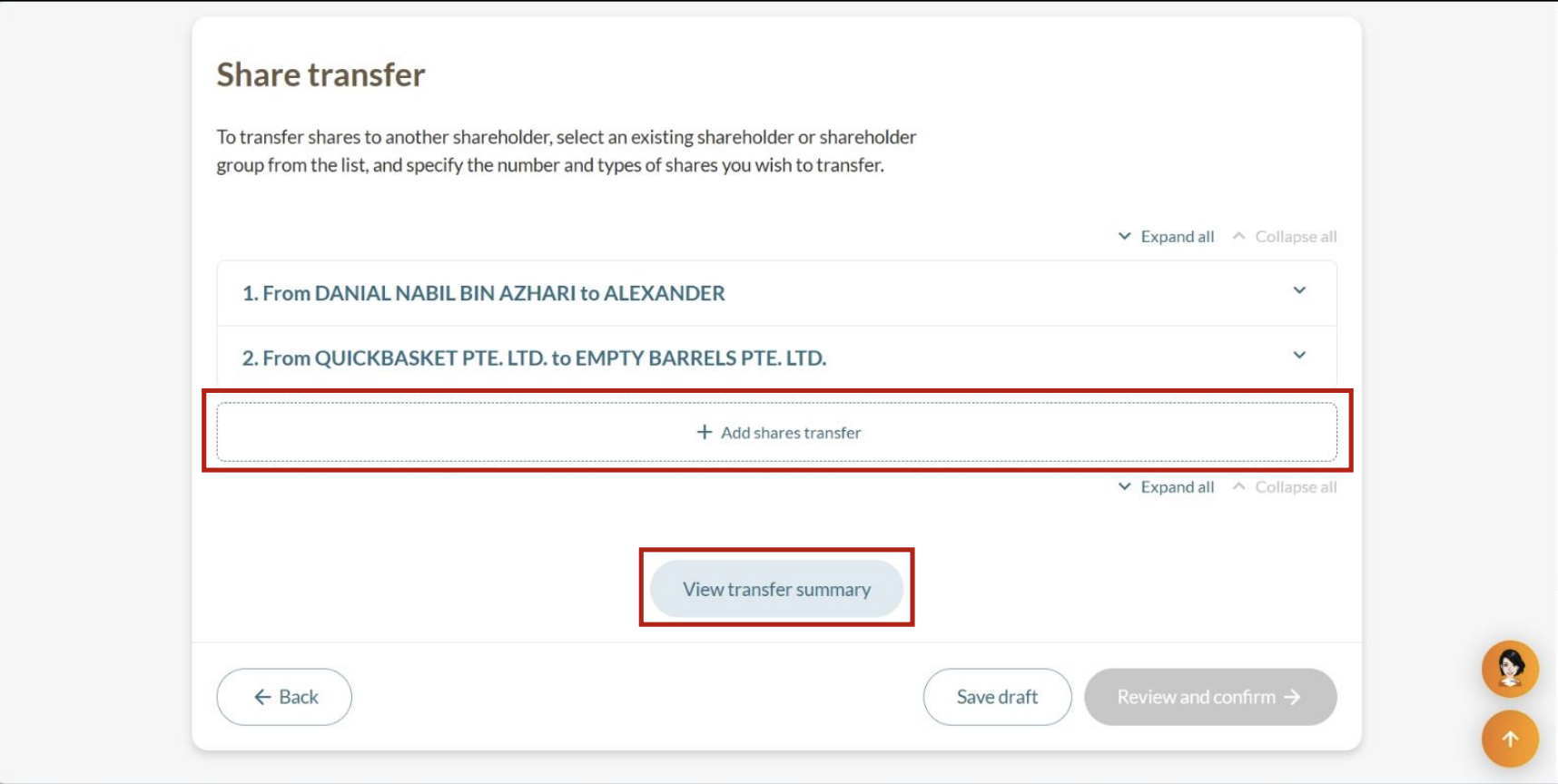
Note: Each share transfer between the same individuals must be added separately, even if the shares are of the same class and currency.
For example, if John transferred ordinary shares to Mary twice (100 shares in January, 100 shares in March), you need to add two share transfers.
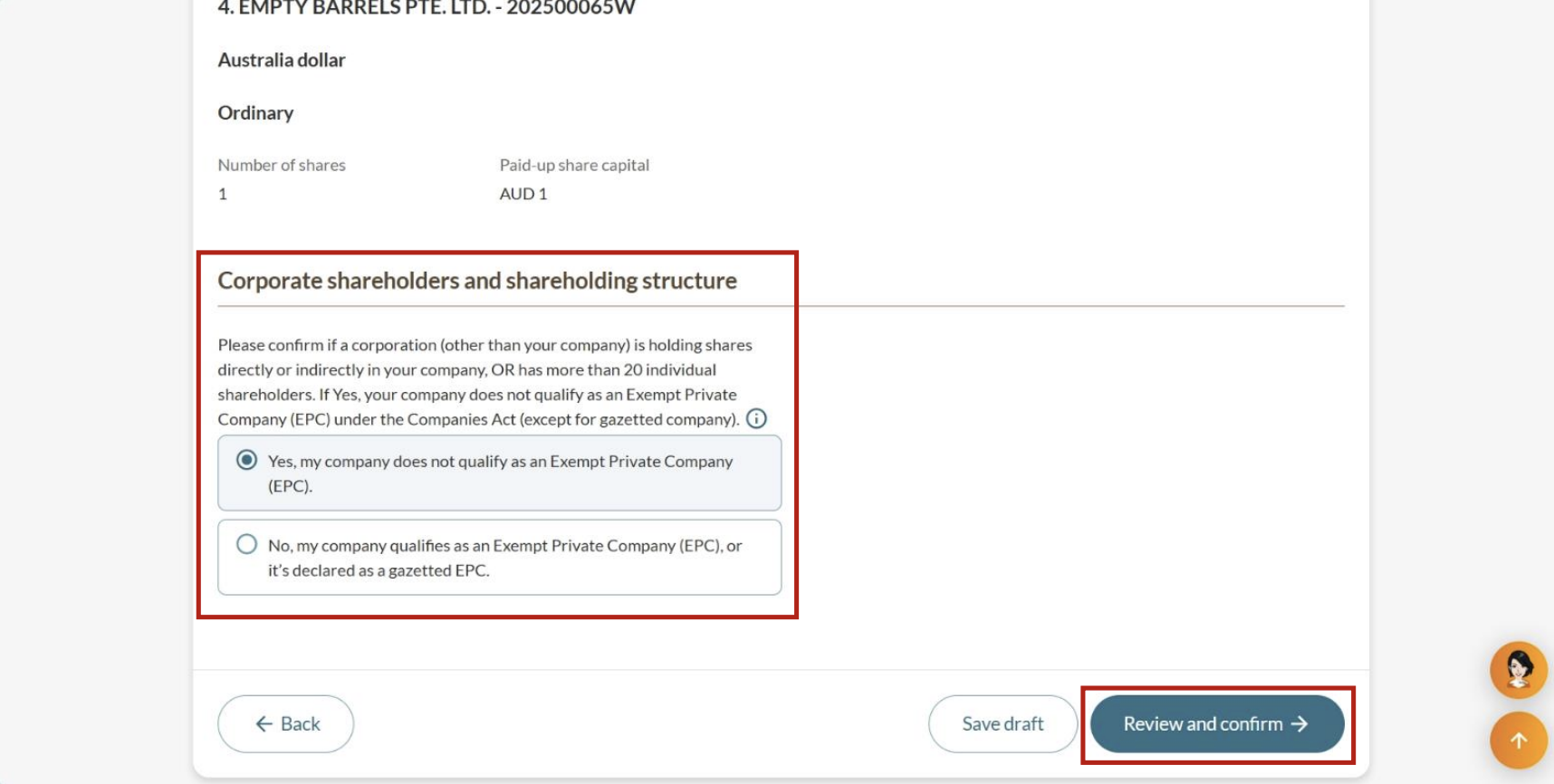
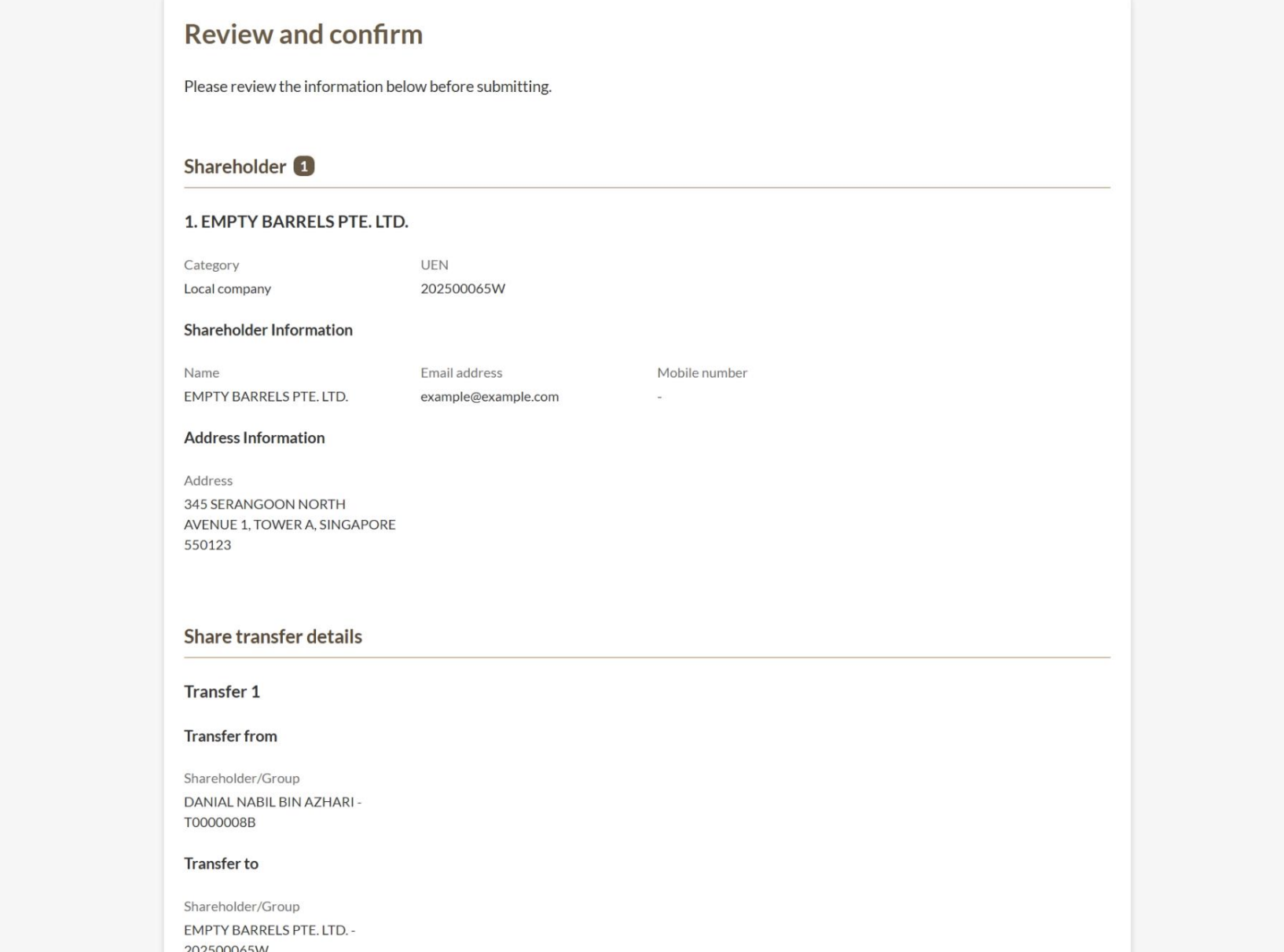
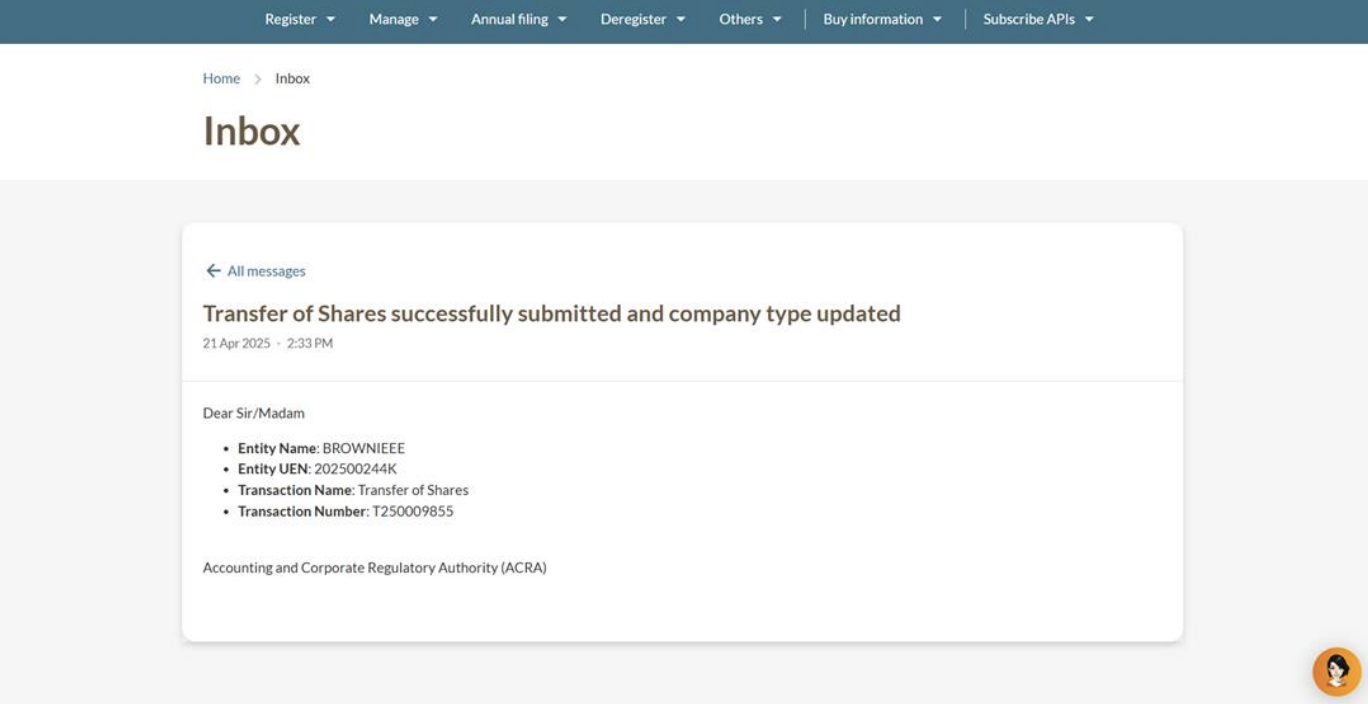
Step 4: Review and submit your application
After you update your share transfer details, check your information before you submit it.
Note: The transfer will only take effect after ACRA updates your Electronic Register of Members (EROM) to reflect the share transaction.
As shareholders are usually members of the company too, you need to update your EROM whenever your shareholdings change.