Filing variation of charges
Chargors or their appointed corporate service providers (CSPs) need to file a variation of charge to update the terms of an existing charge.
Last updated 2 February 2026
On this page
This page is under development and being progressively updated.
Before you file
This guide explains how to file a variation of charge for local companies and foreign companies.
A variation of charge is an agreement to change the terms of an existing charge. If the debt for a charge has been paid in whole or in part, file a satisfaction of the charge instead.
Who may file
You may file a variation of charge as:
The chargor (company that owes the debt); or
Their appointed CSPs
What you need to prepare
Required documents and information
You need to prepare | Details |
|---|---|
Original charge number | - |
Variation details | Details of the change, such as:
|
Fees and processing time
File variation of charges
What you need to know | Details |
|---|---|
Fees | Free |
Processing time | Immediate |
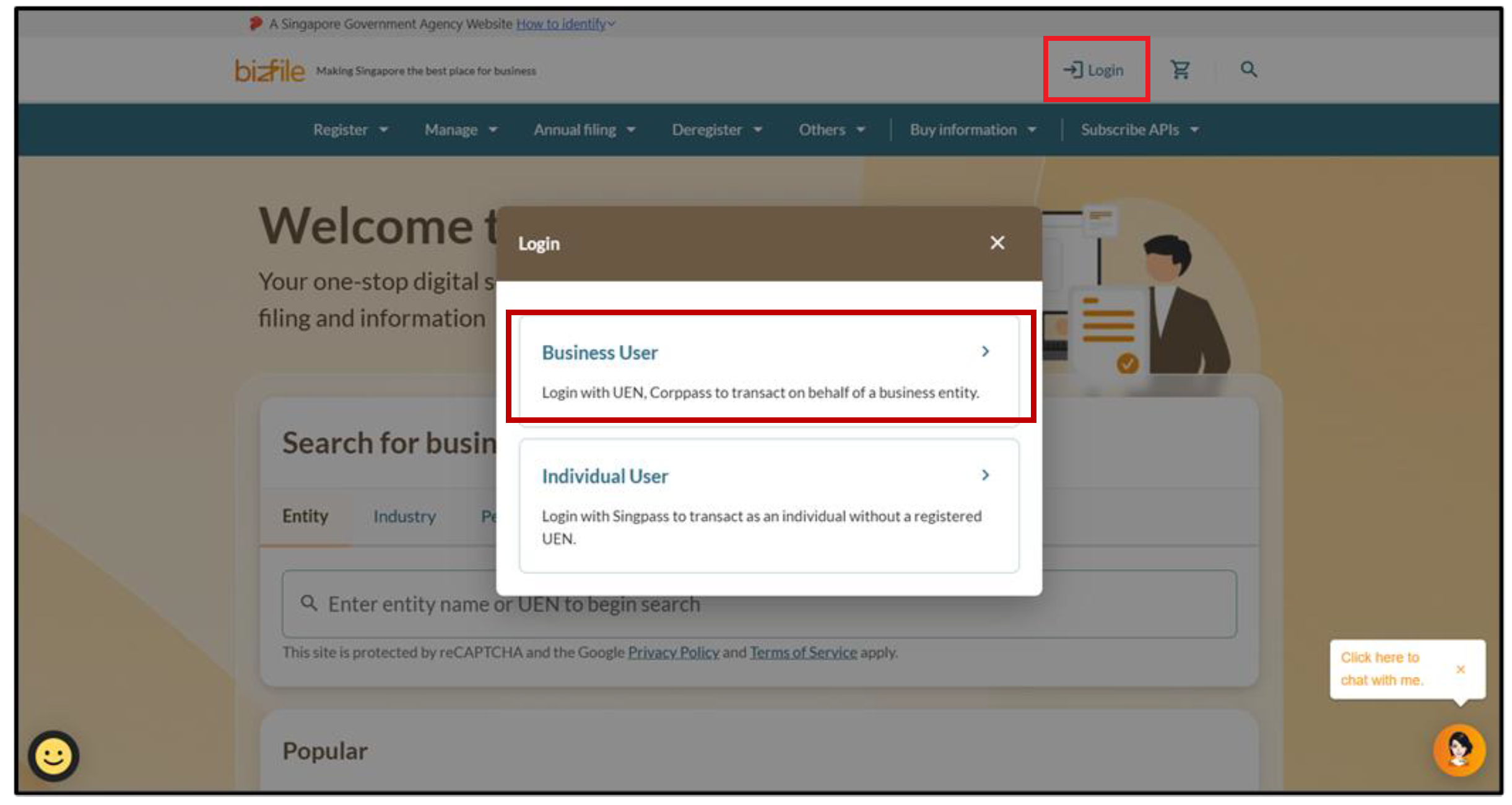
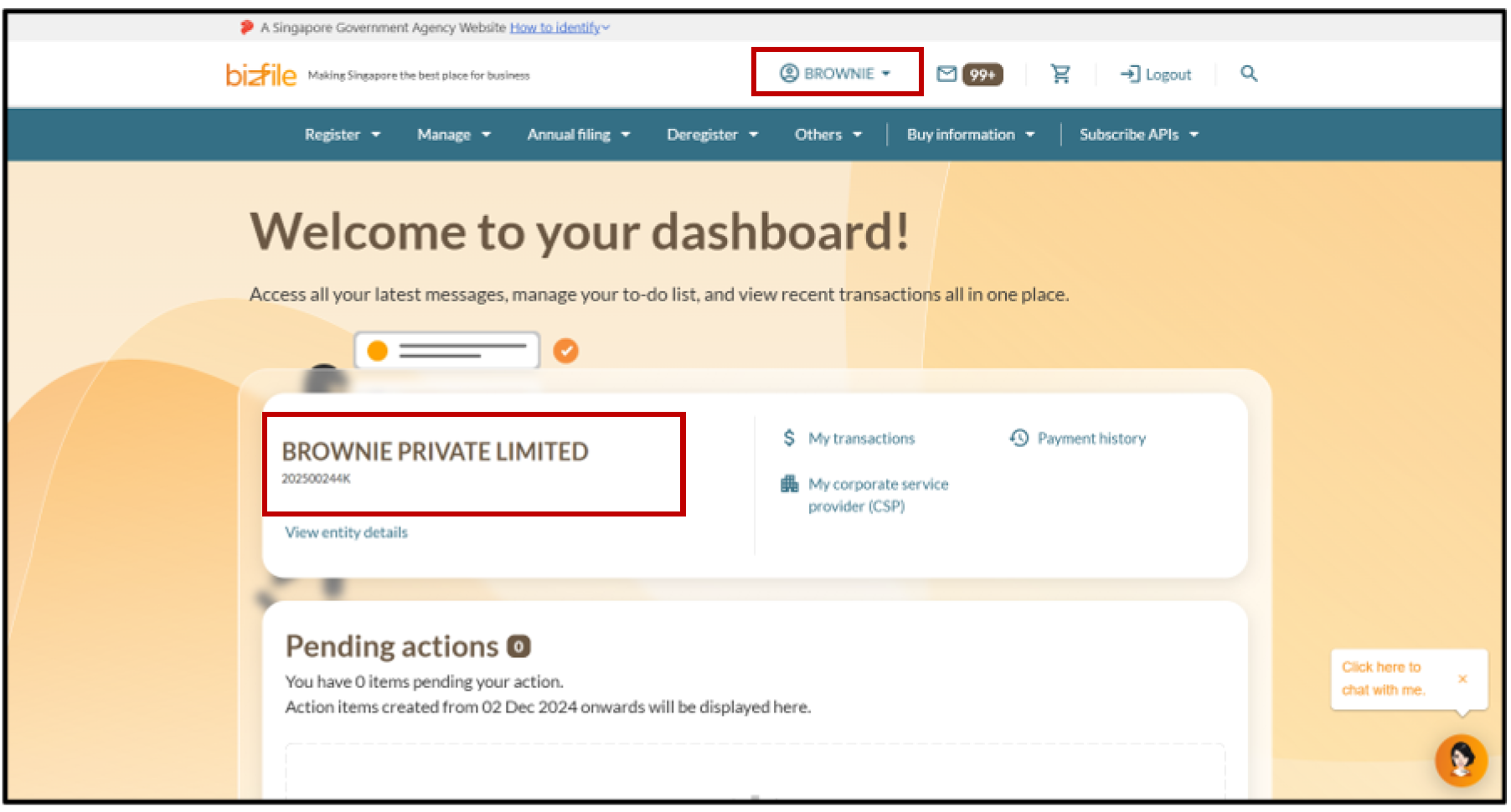
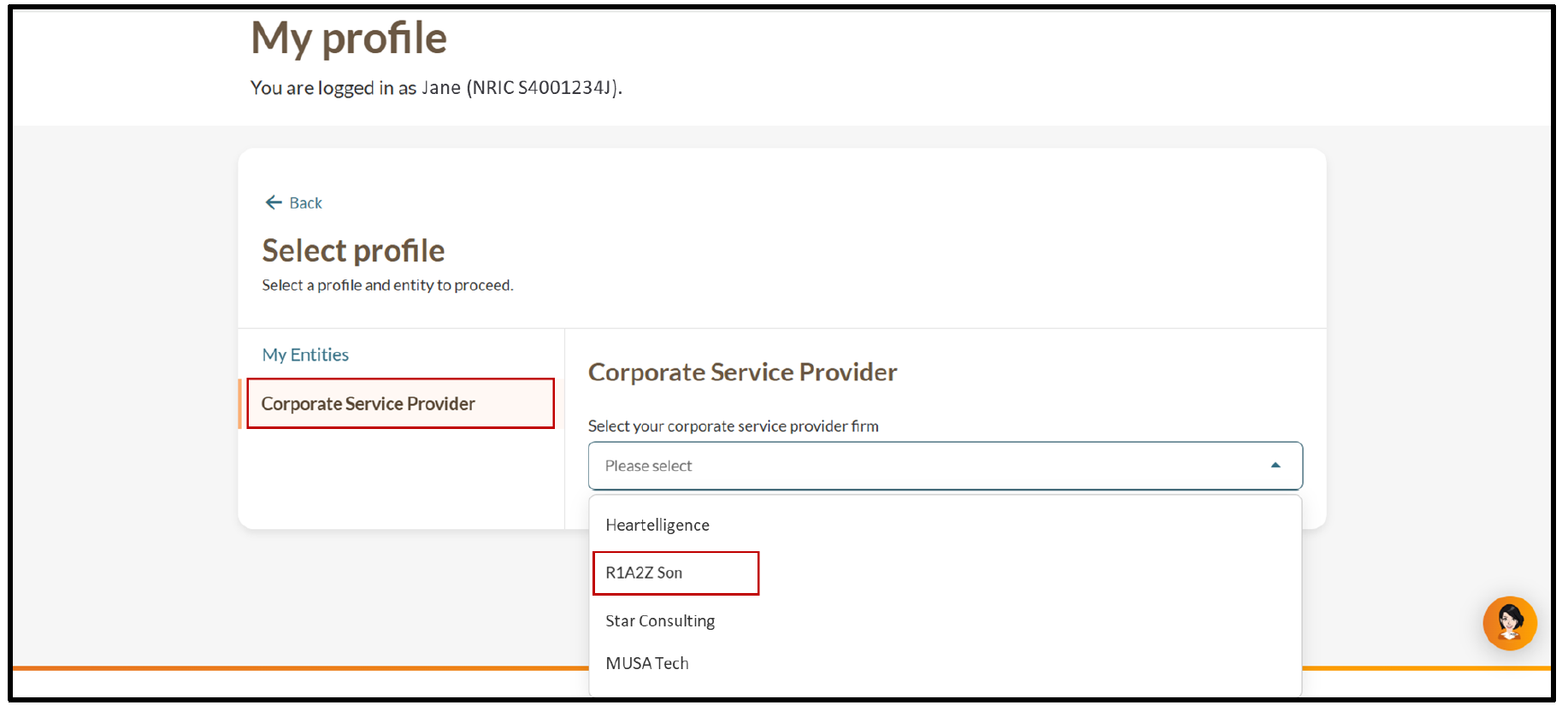
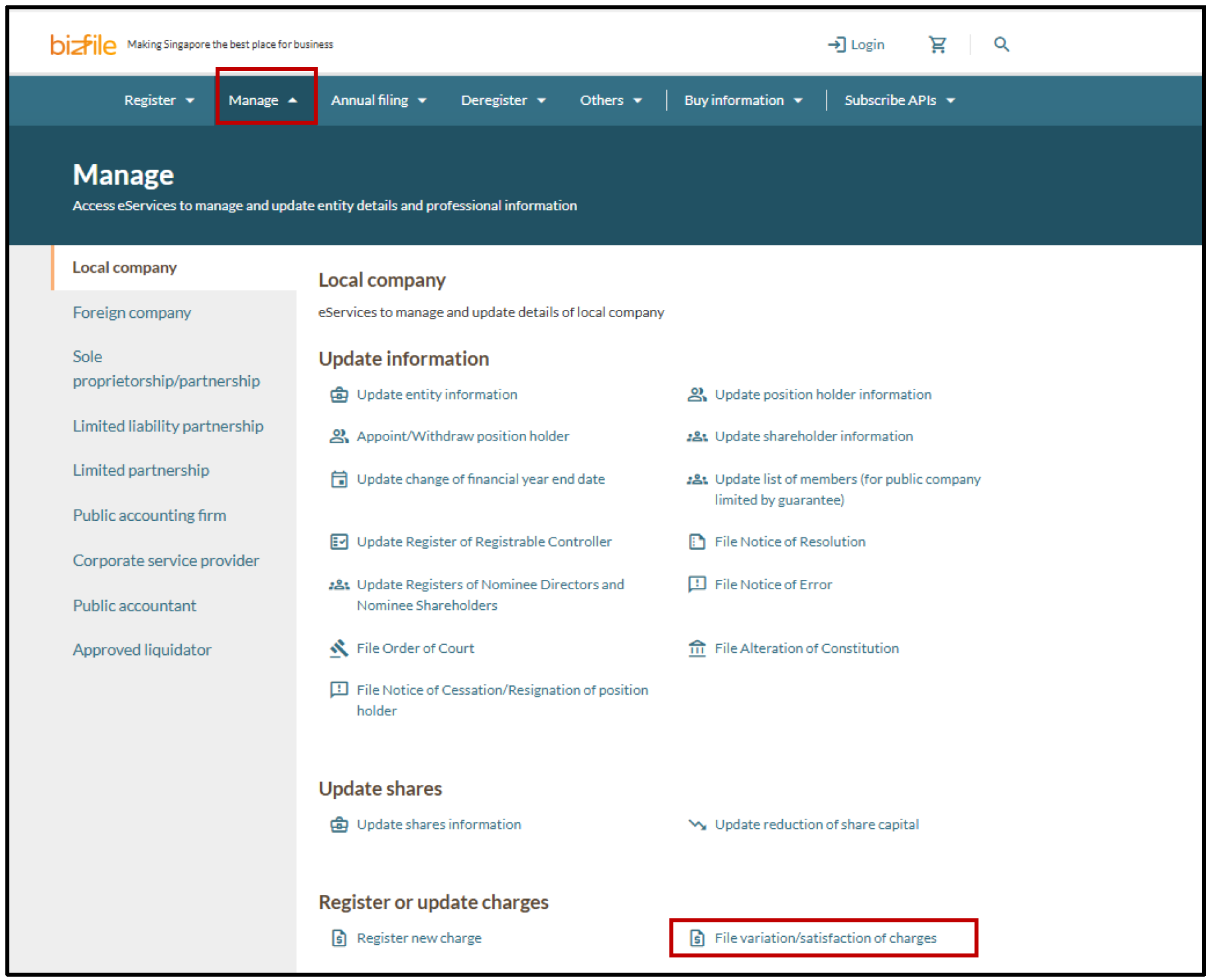
Step 1: Log in to Bizfile and open the "File variation/satisfaction of charges" eService
Follow these steps to navigate to the File variation/satisfaction of charges eService.
Note: All entity and personal information (including UEN, entity details, NRIC or FIN numbers, names and addresses) shown are dummy data for illustration purposes only.
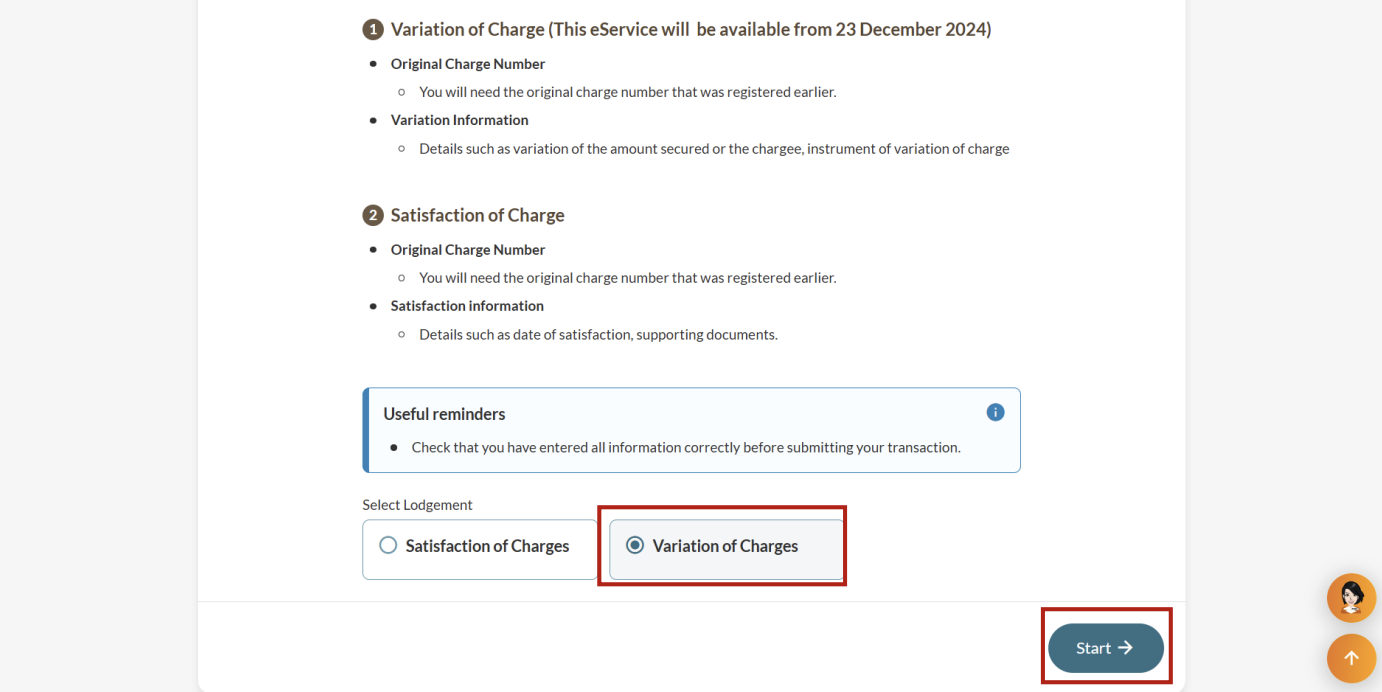
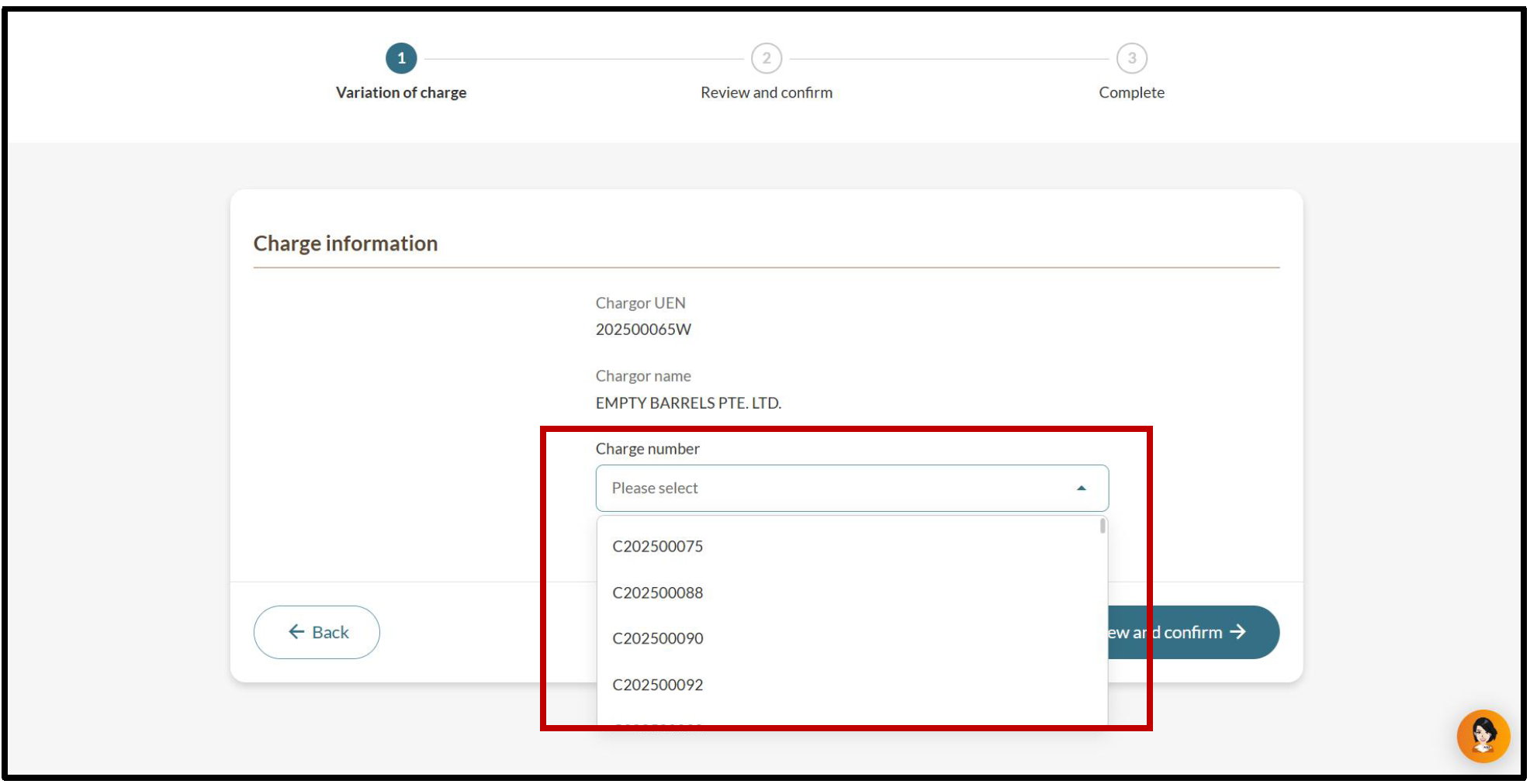
Step 2: Select the charge and type of change
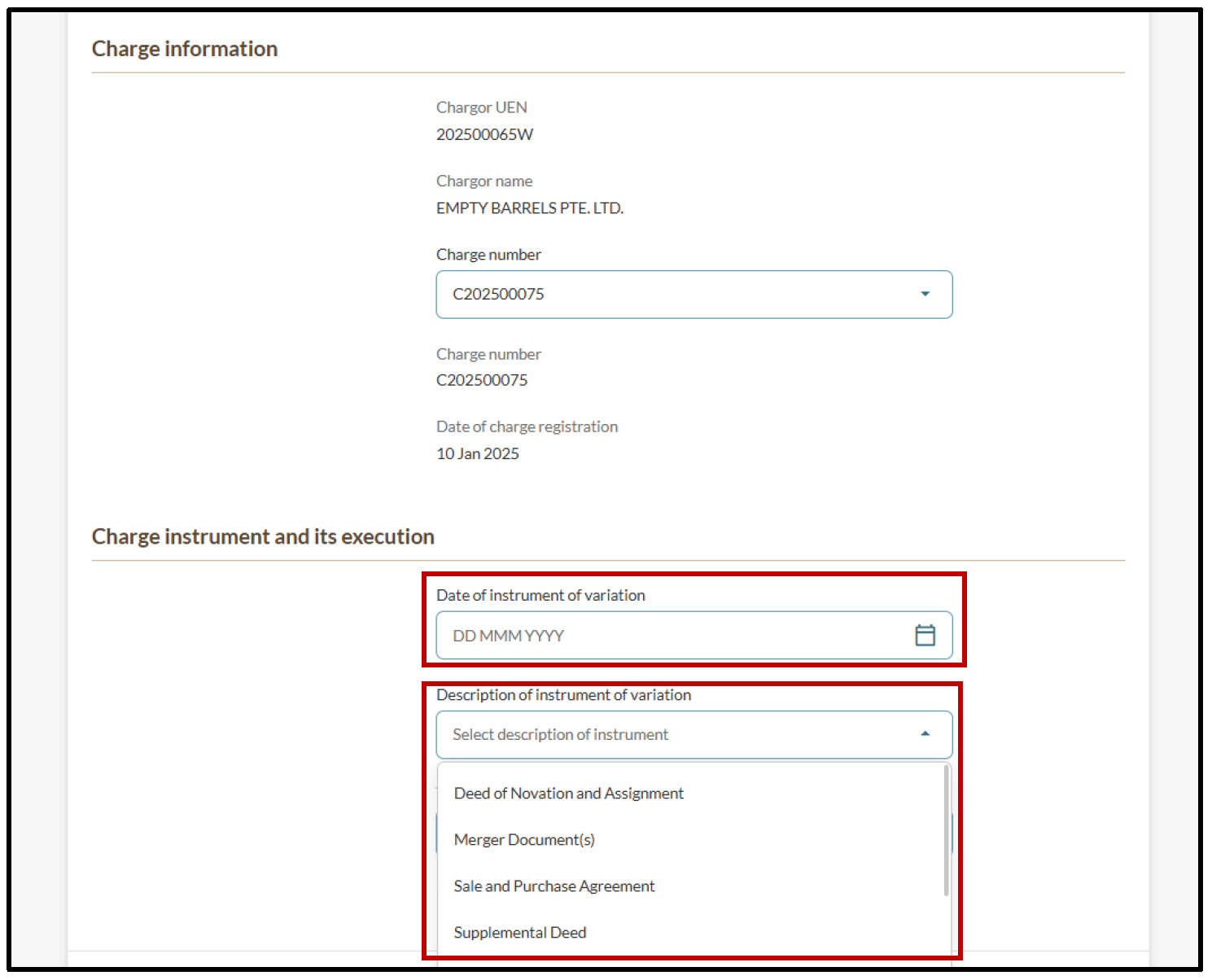
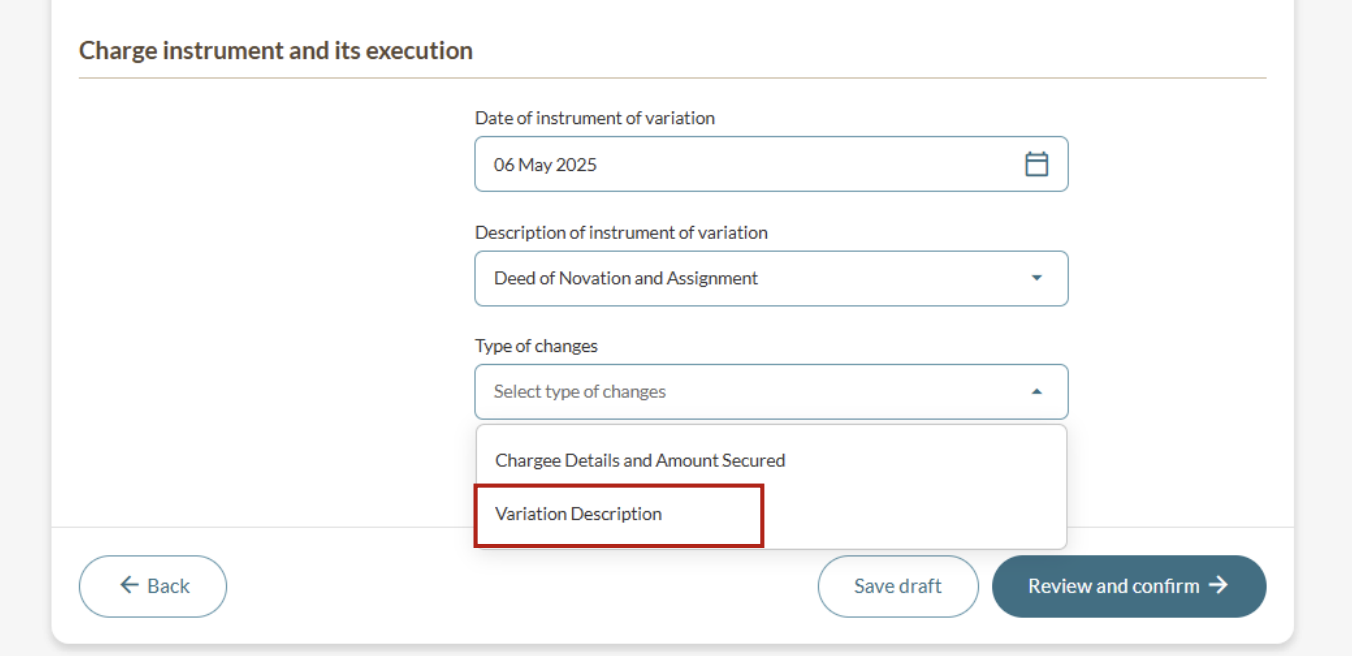
Select the relevant charge number. Then, enter the variation details and select the type of change.
(Optional) Update chargee details and amount secured
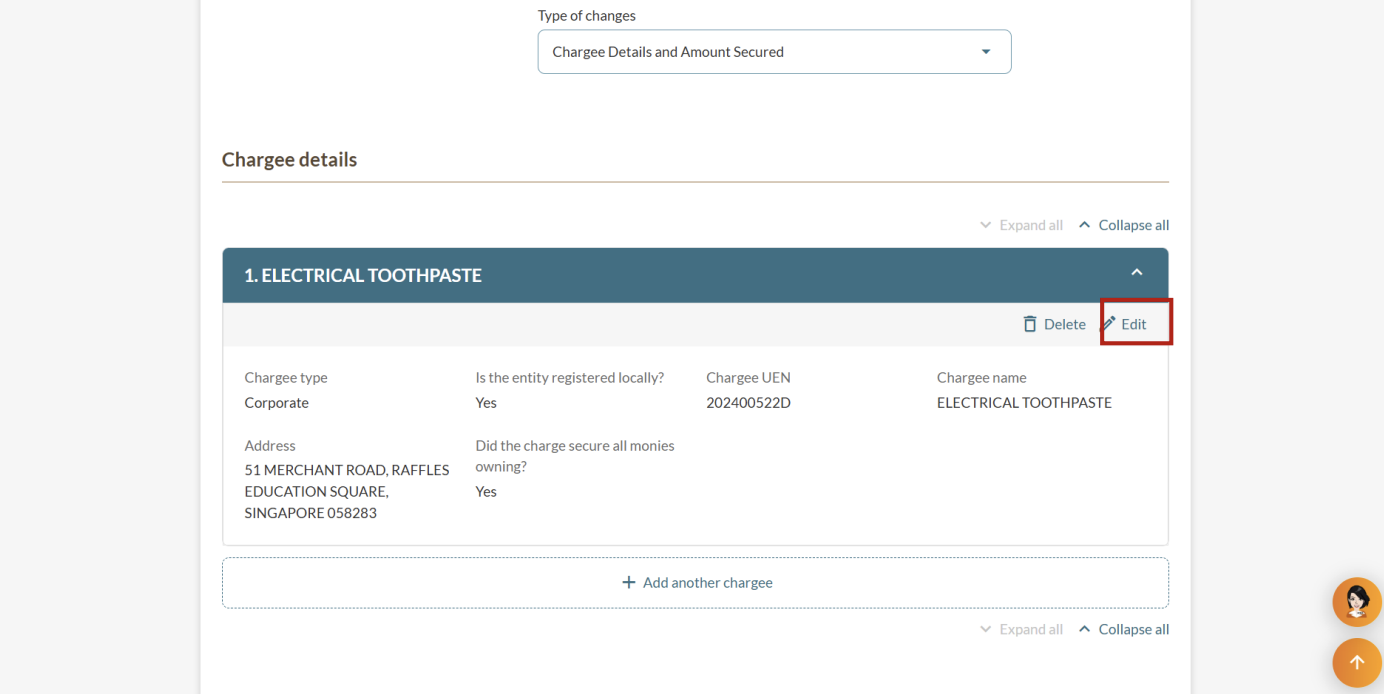
After you select the "Chargee Details and Amount Secured" type of change, follow these steps:
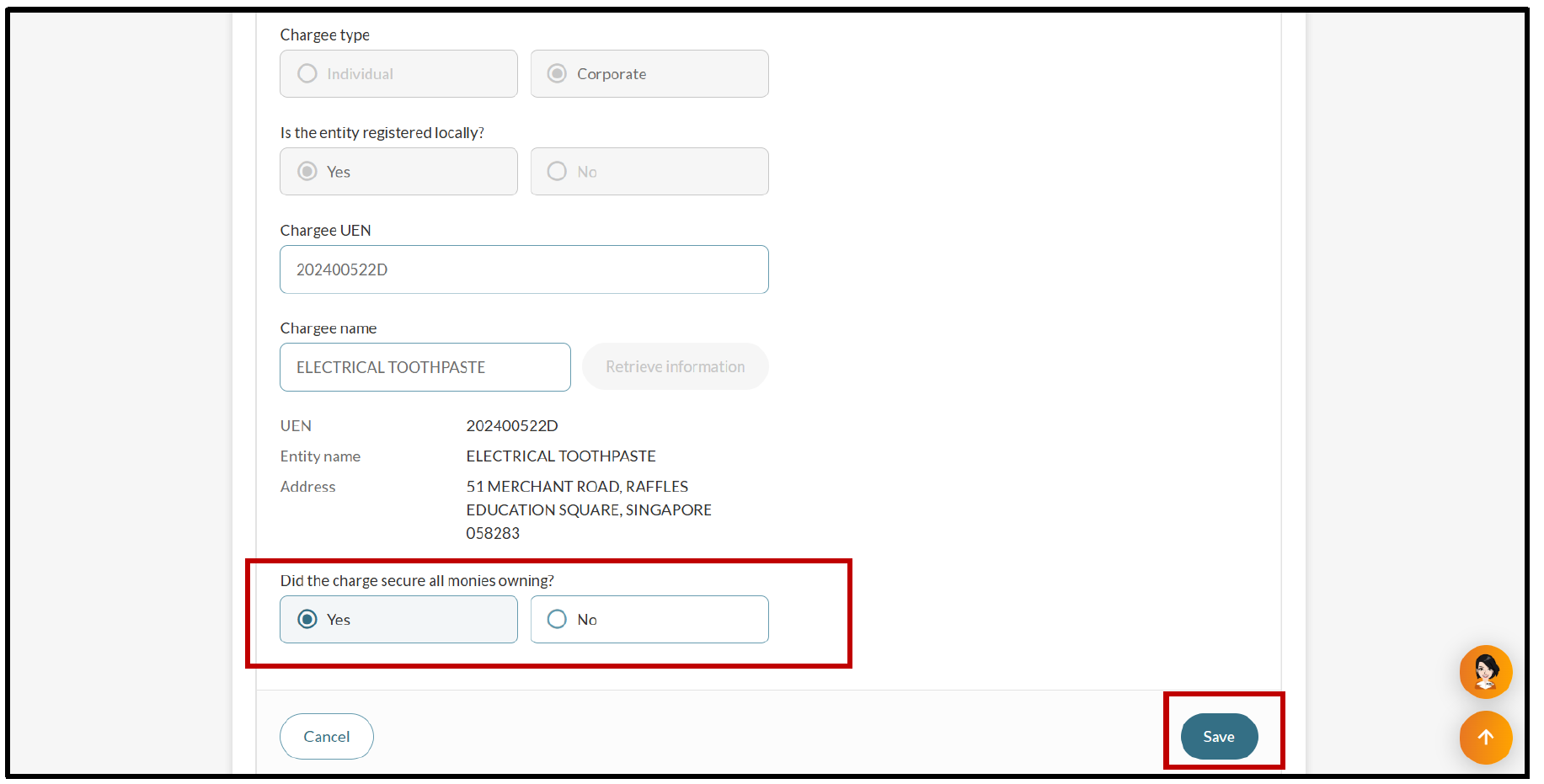
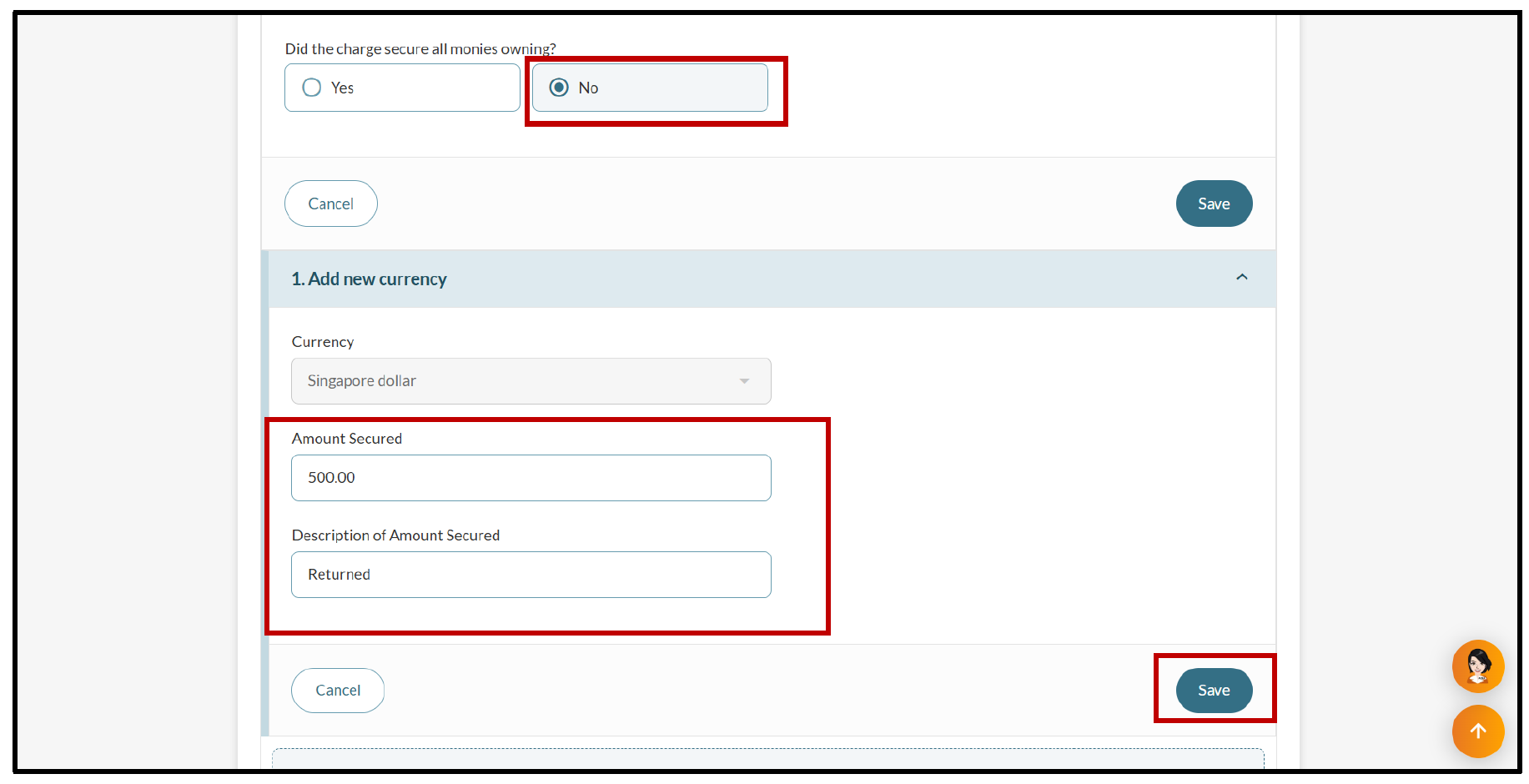
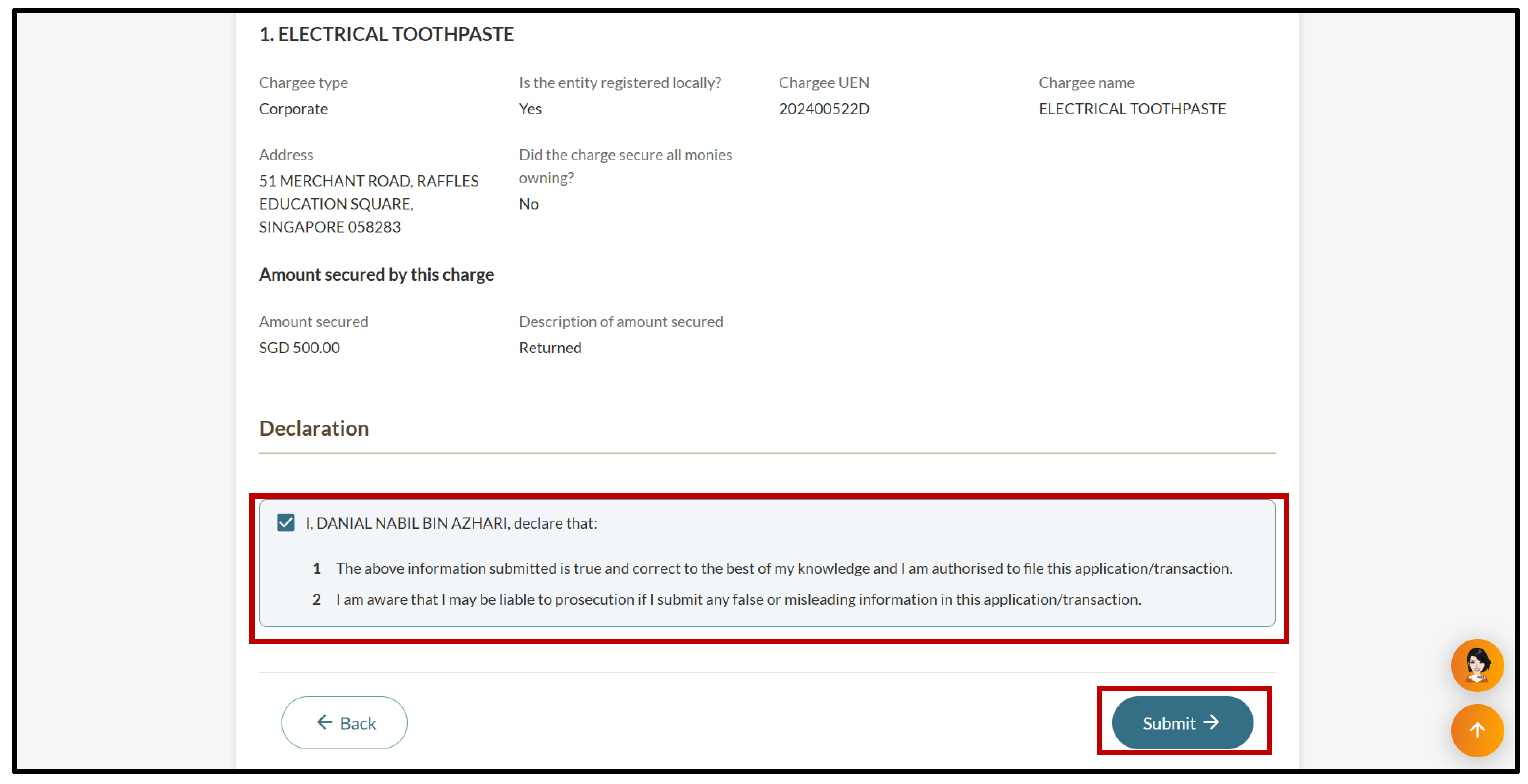
Note: When you vary a charge, you need to keep at least one chargee in the record. You can add new chargees or change existing ones, but there must always be at least one active chargee.
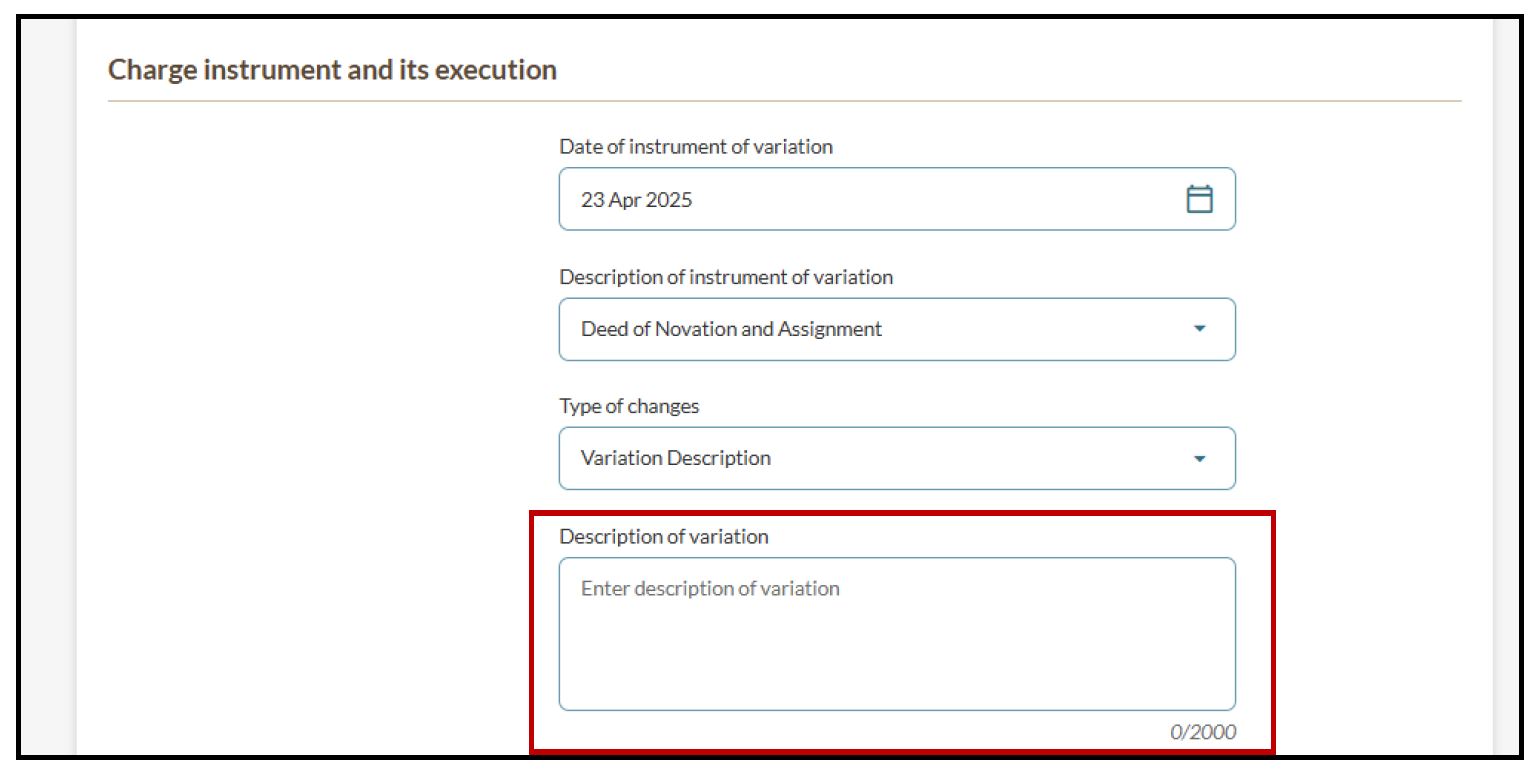
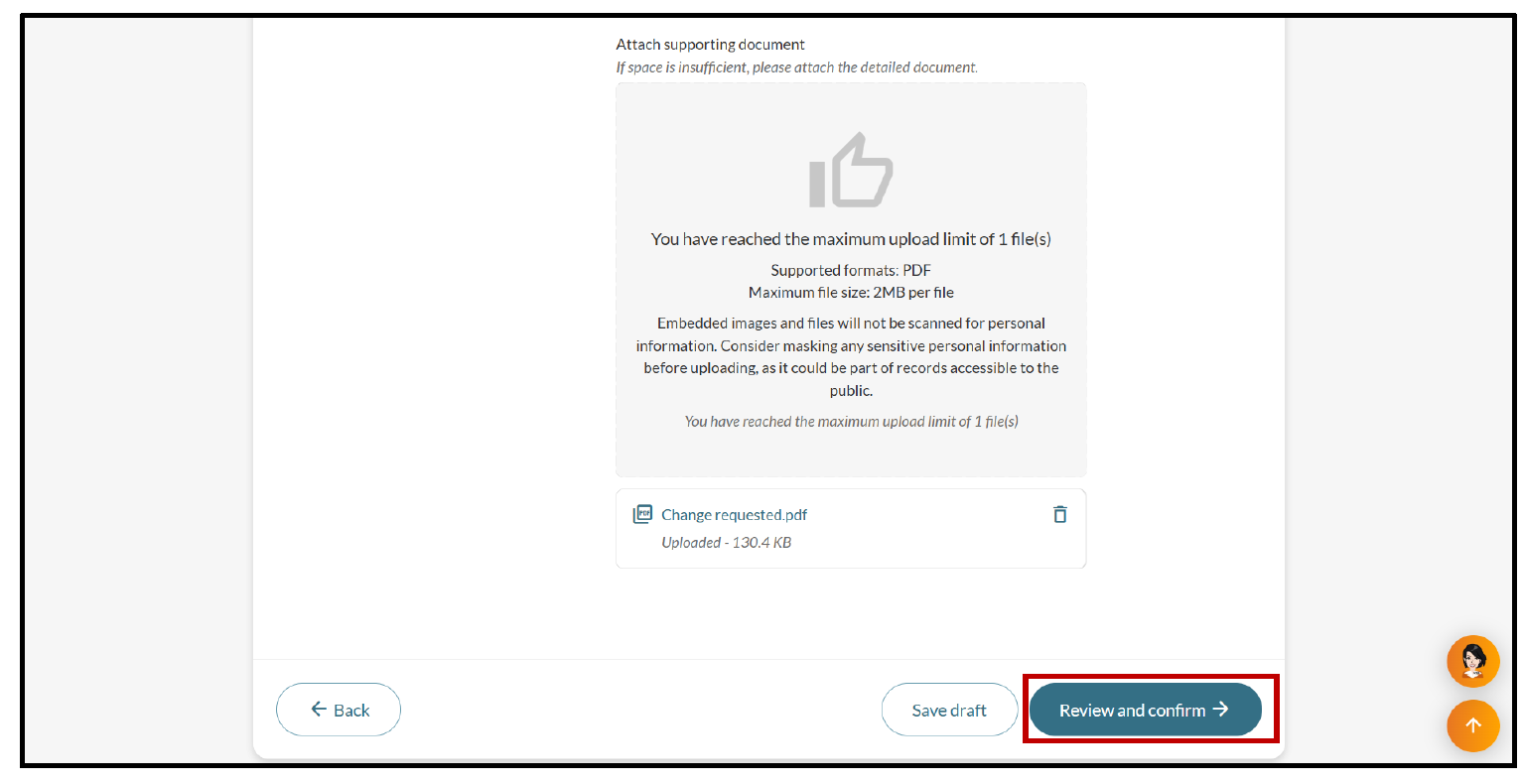
(Optional) Update variation description
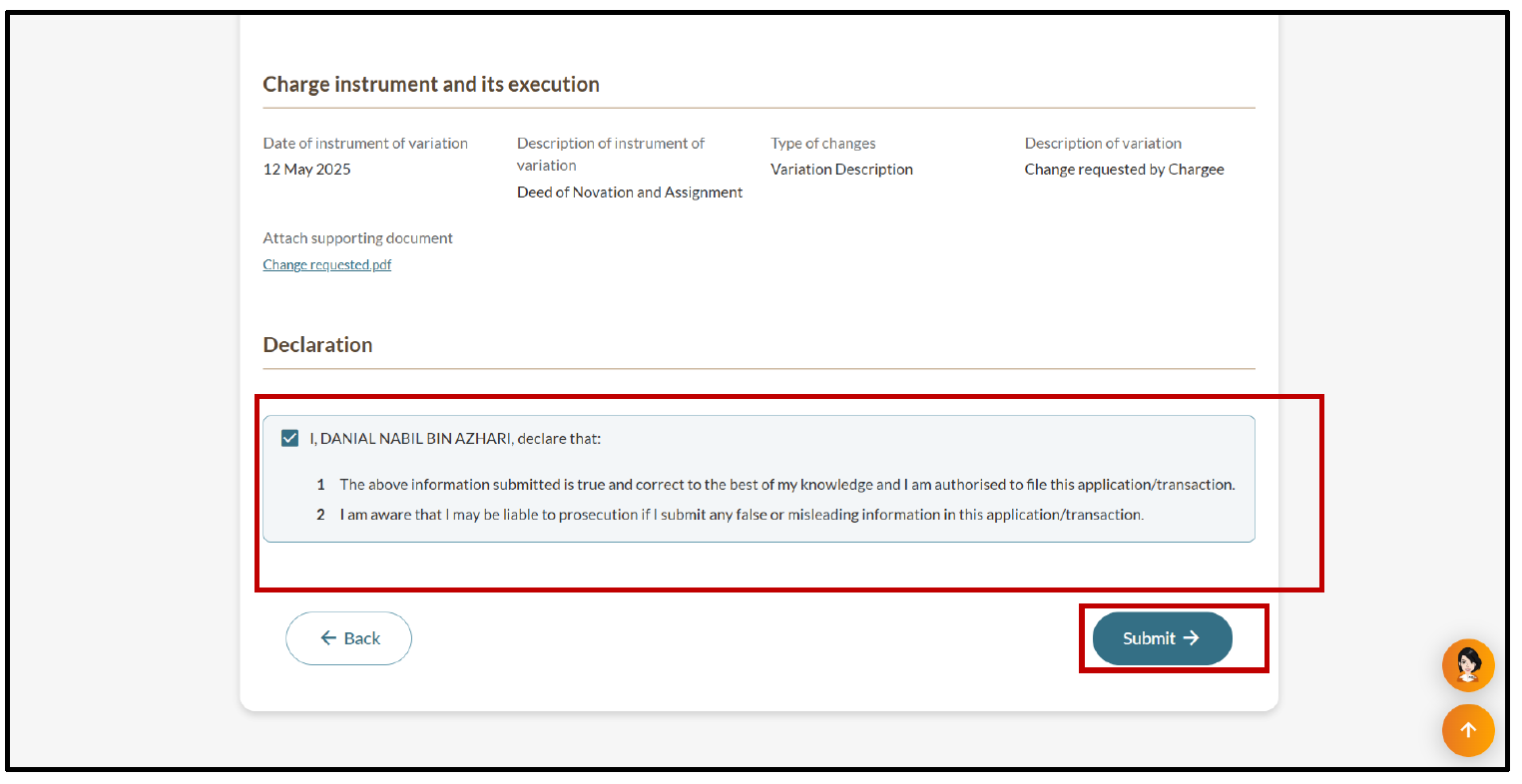
After you select the "Variation Description" type of change, follow these steps:
After you file
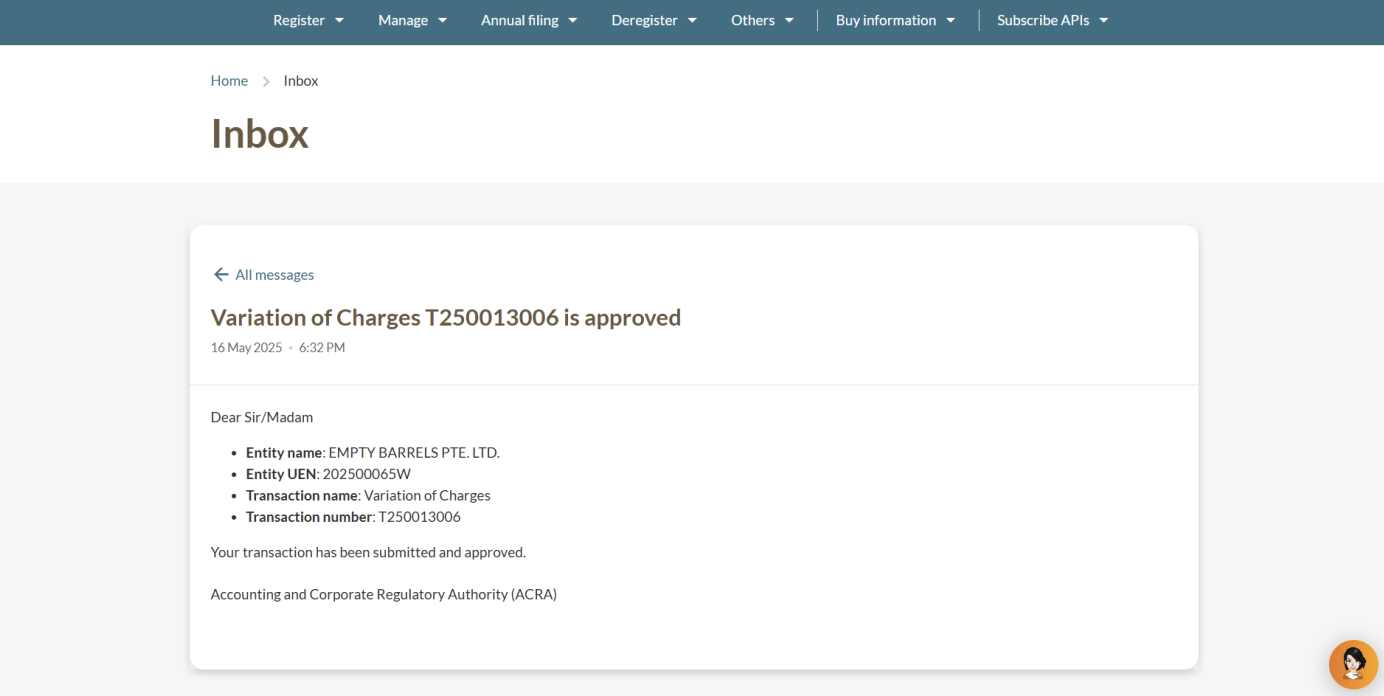
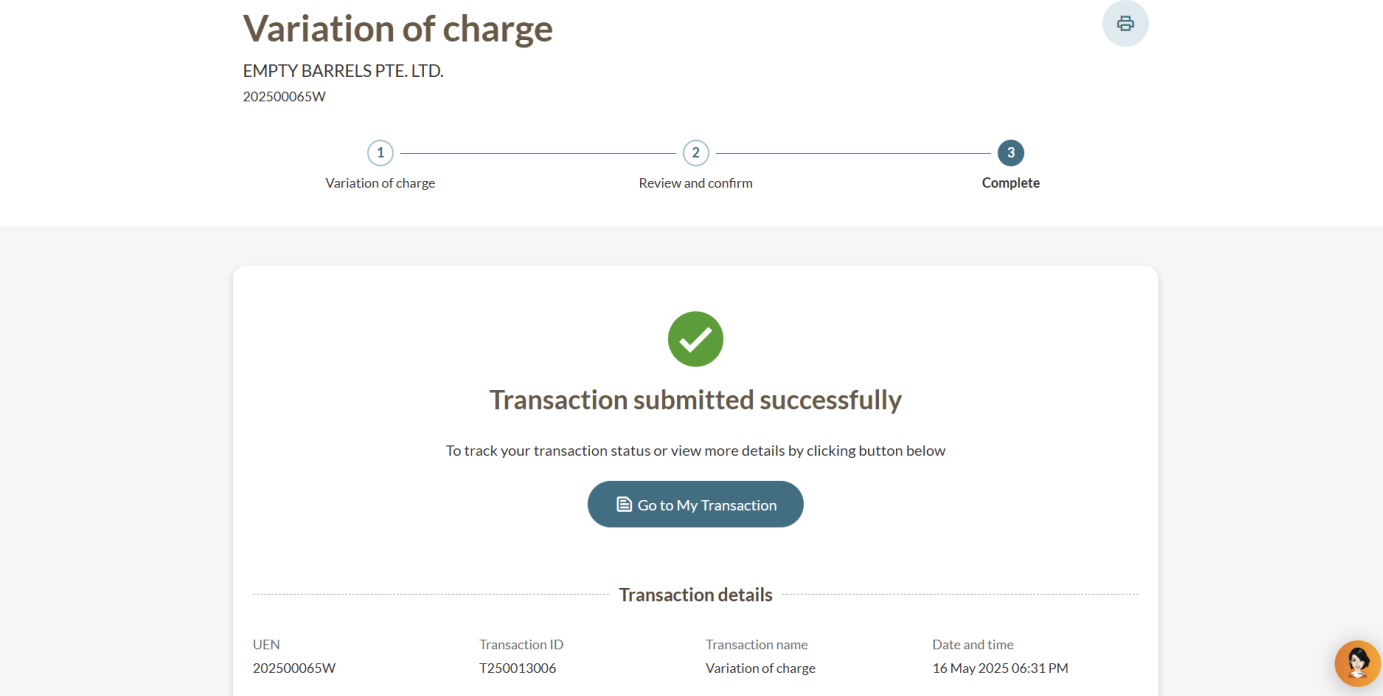
You will see a message that confirms your submission. You will also receive a Bizfile notification that confirms your variation of charge.