Filing satisfaction of charges
Chargors or their appointed corporate service providers (CSPs) need to file a statement when a registered charge has been fully or partially satisfied.
Last updated 2 February 2026
On this page
Before you apply
This guide explains how to file satisfaction of charges for a local or foreign company. A satisfaction of charge releases a charge and removes it from the register.
You can only file a satisfaction of charge if:
A charge was previously registered under the company's unique entity number (UEN)
The charge has not been removed from the register
The company has fully or partially paid off the debt
Who may apply
You may file a satisfaction of charge as:
The chargor (company that owes the debt); or
Their appointed CSPs
What you need to prepare
Required documents and information
You need to prepare | Details |
|---|---|
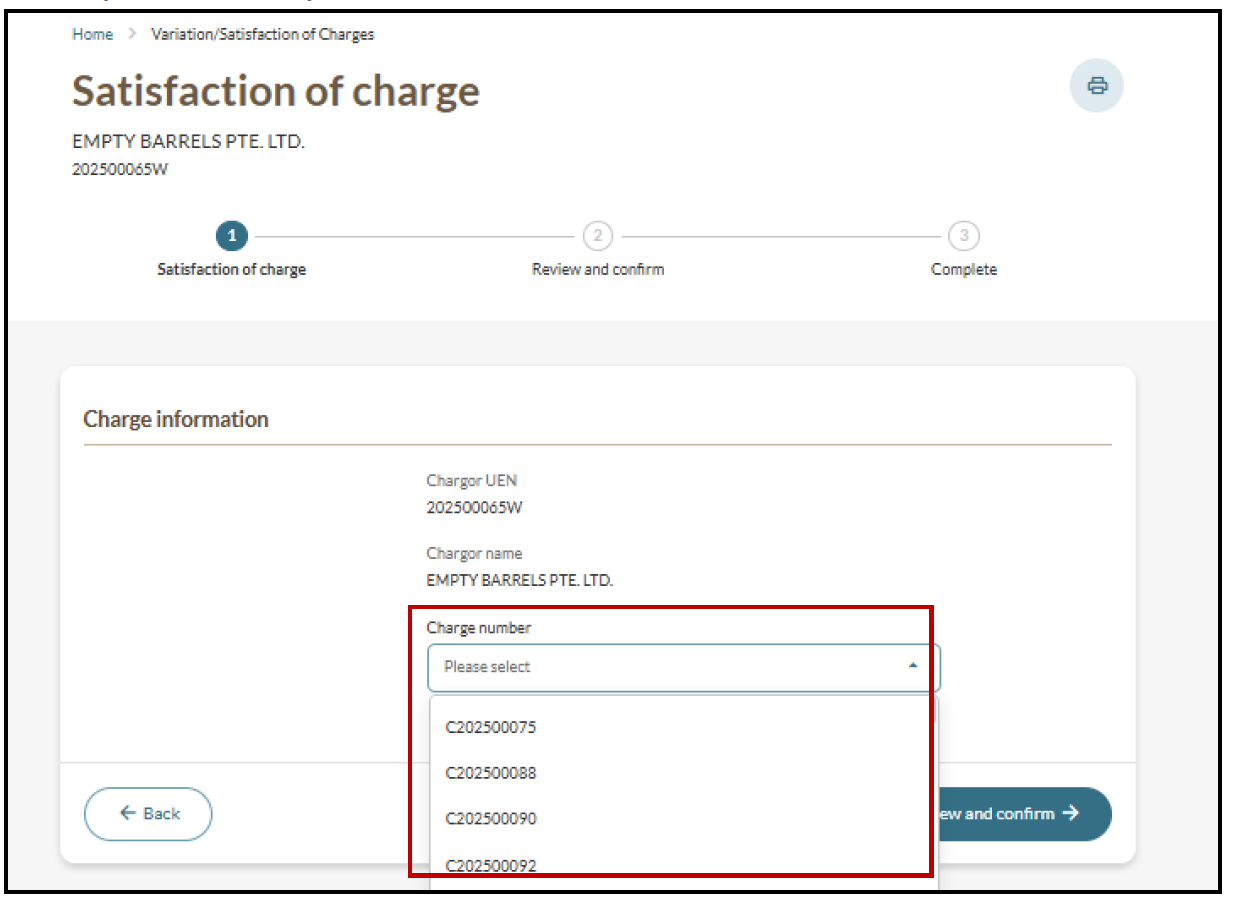
Original charge number | - |
Satisfaction details | Details of the satisfaction, such as:
|
Fees and processing time
File satisfaction of charge
What you need to know | Details |
|---|---|
Fees | Free |
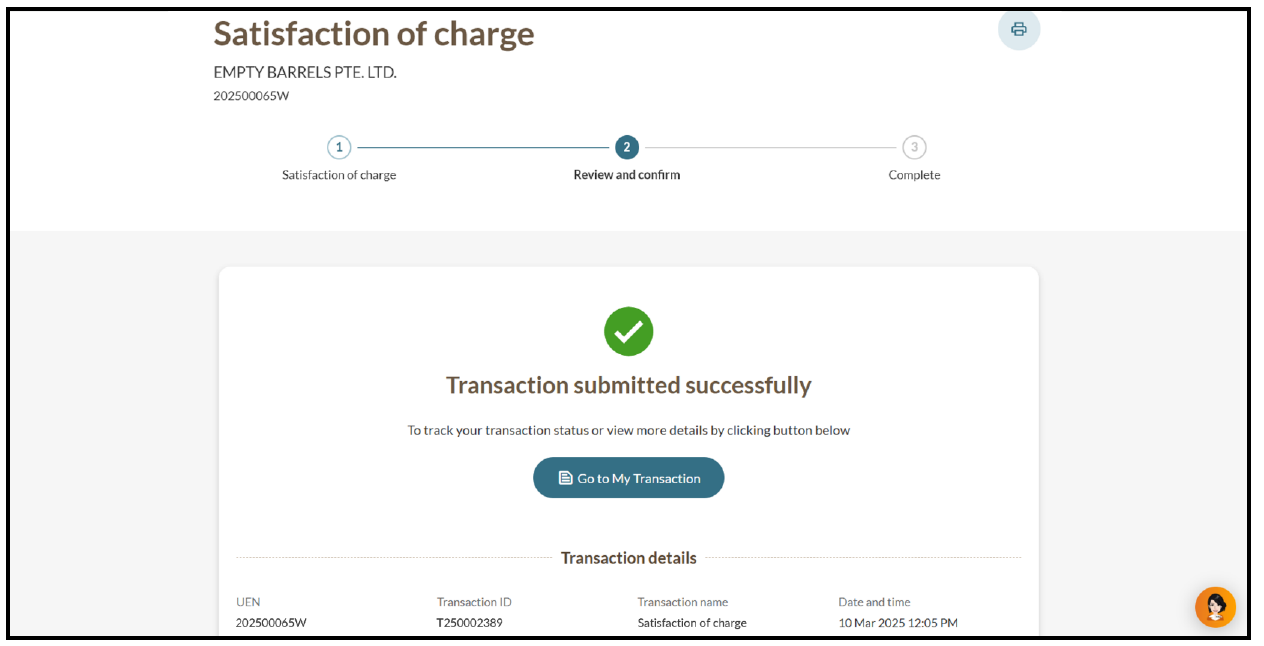
Processing time | Immediate |
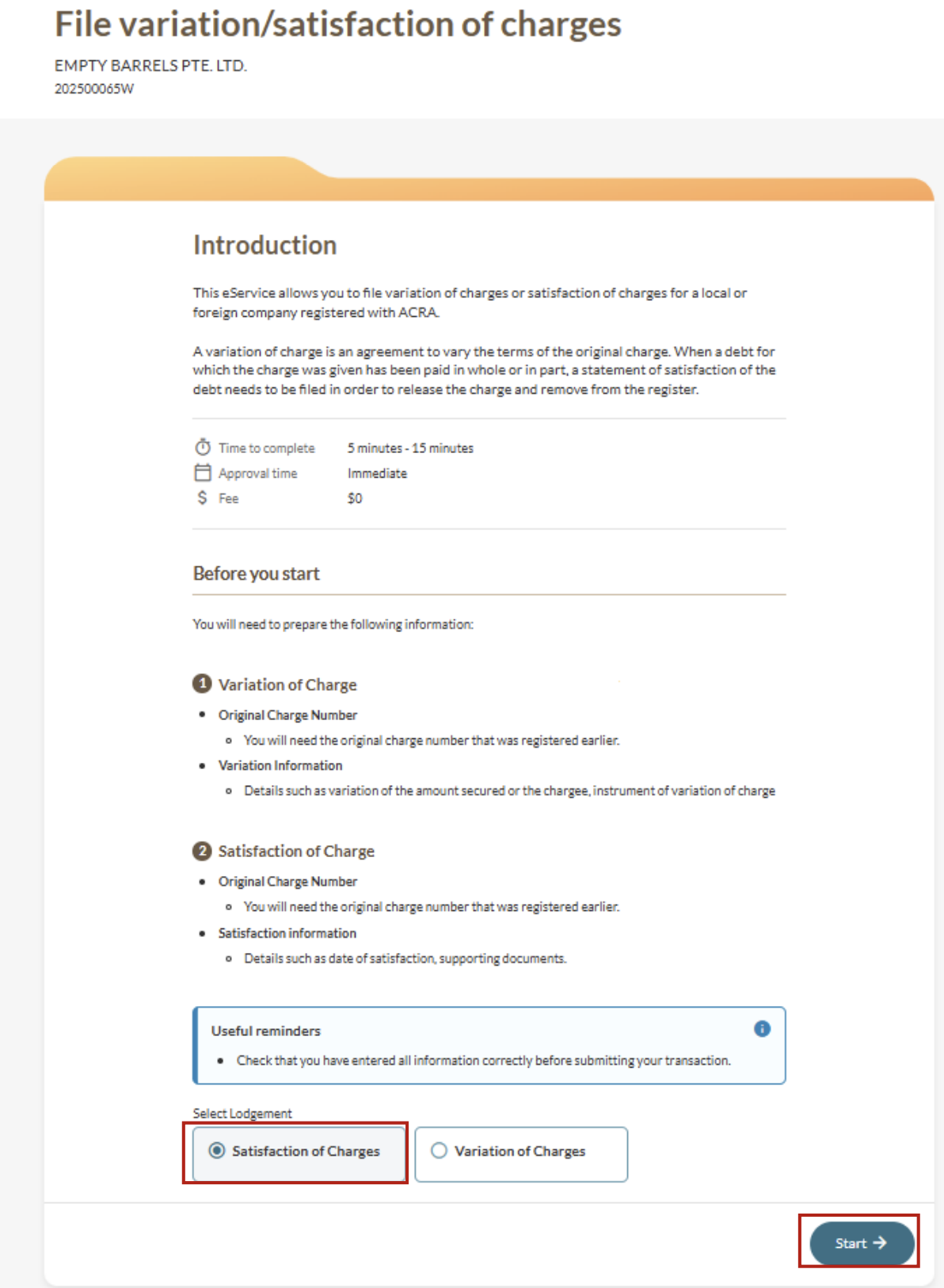
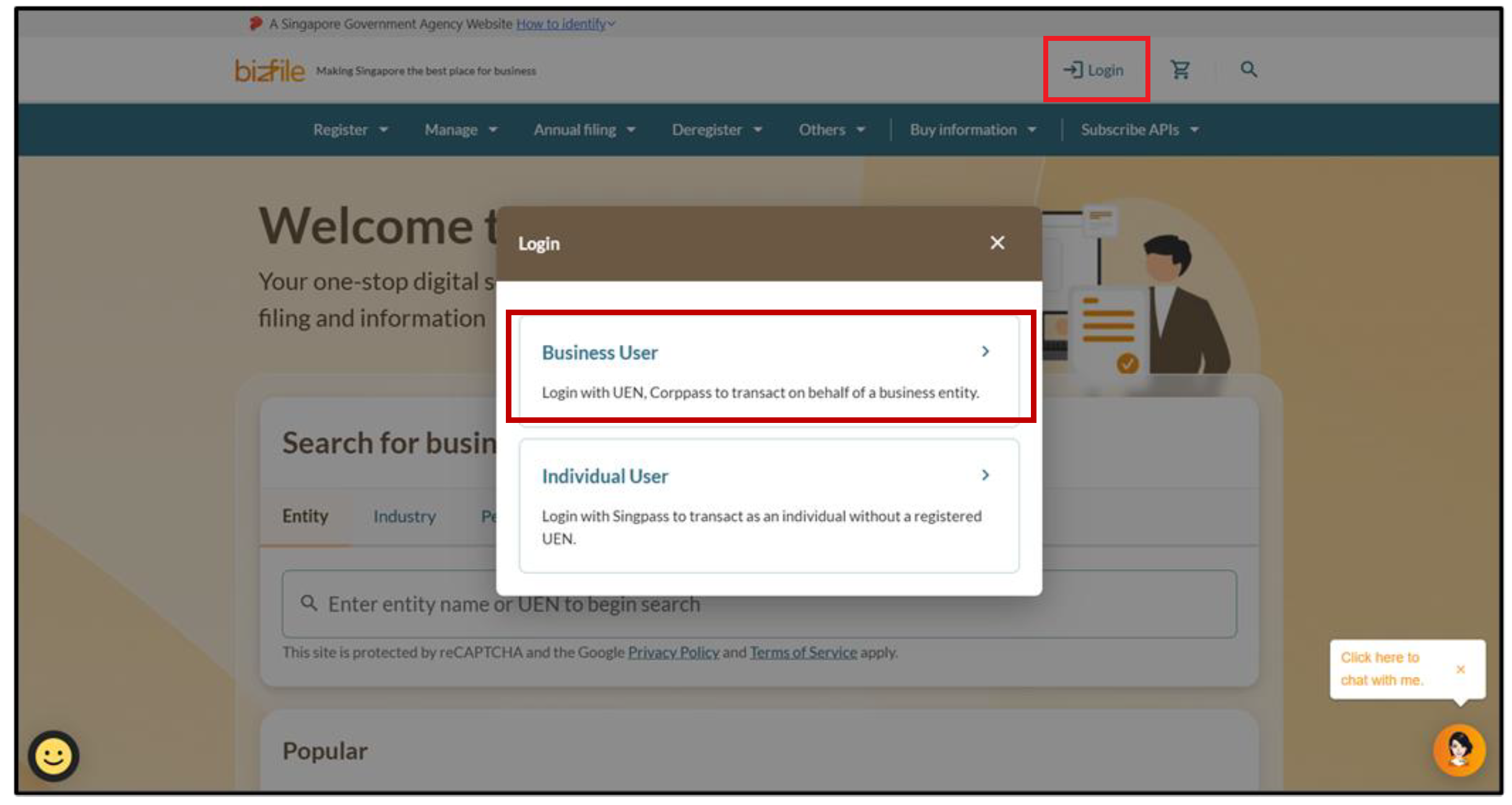
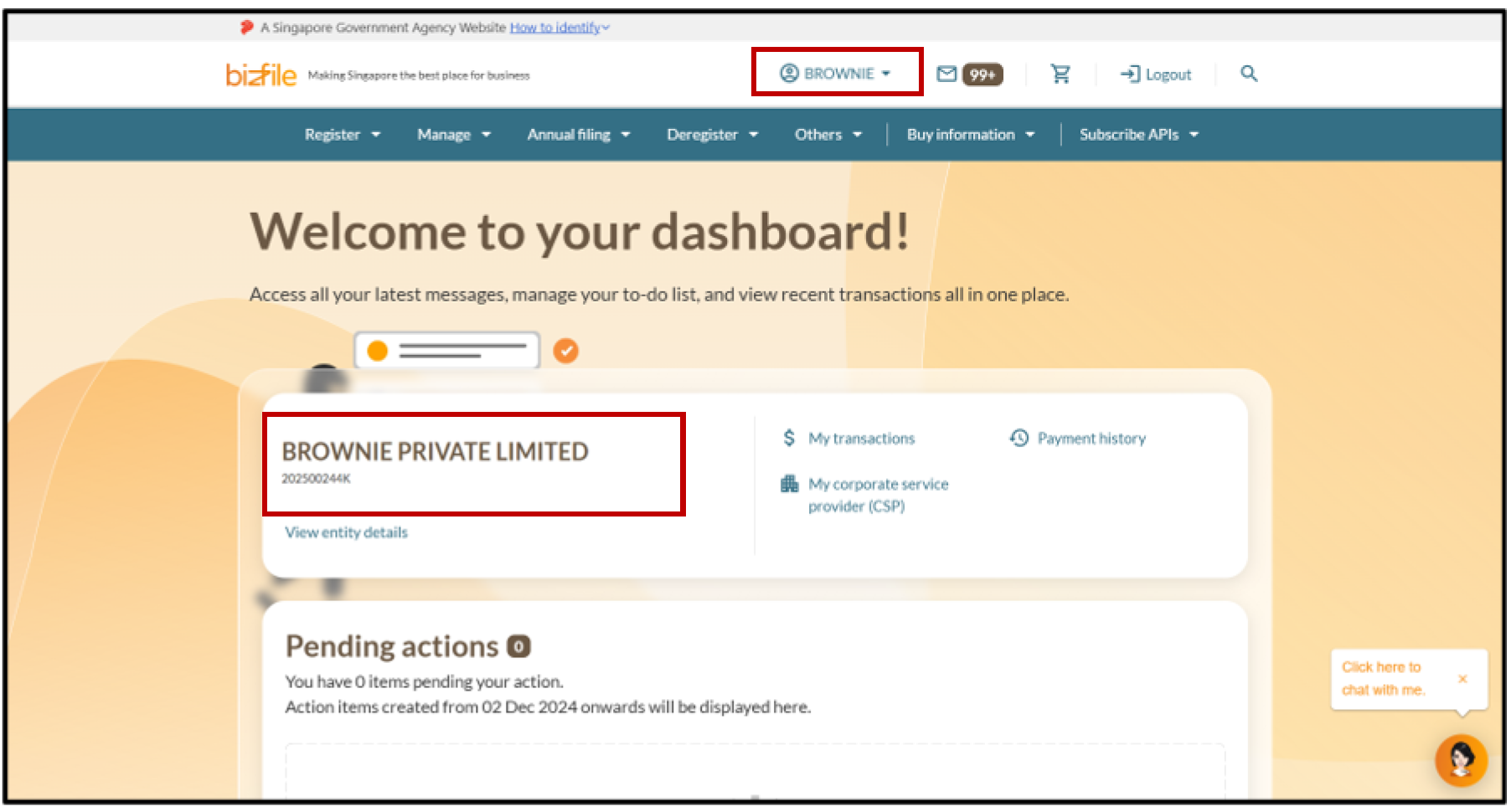
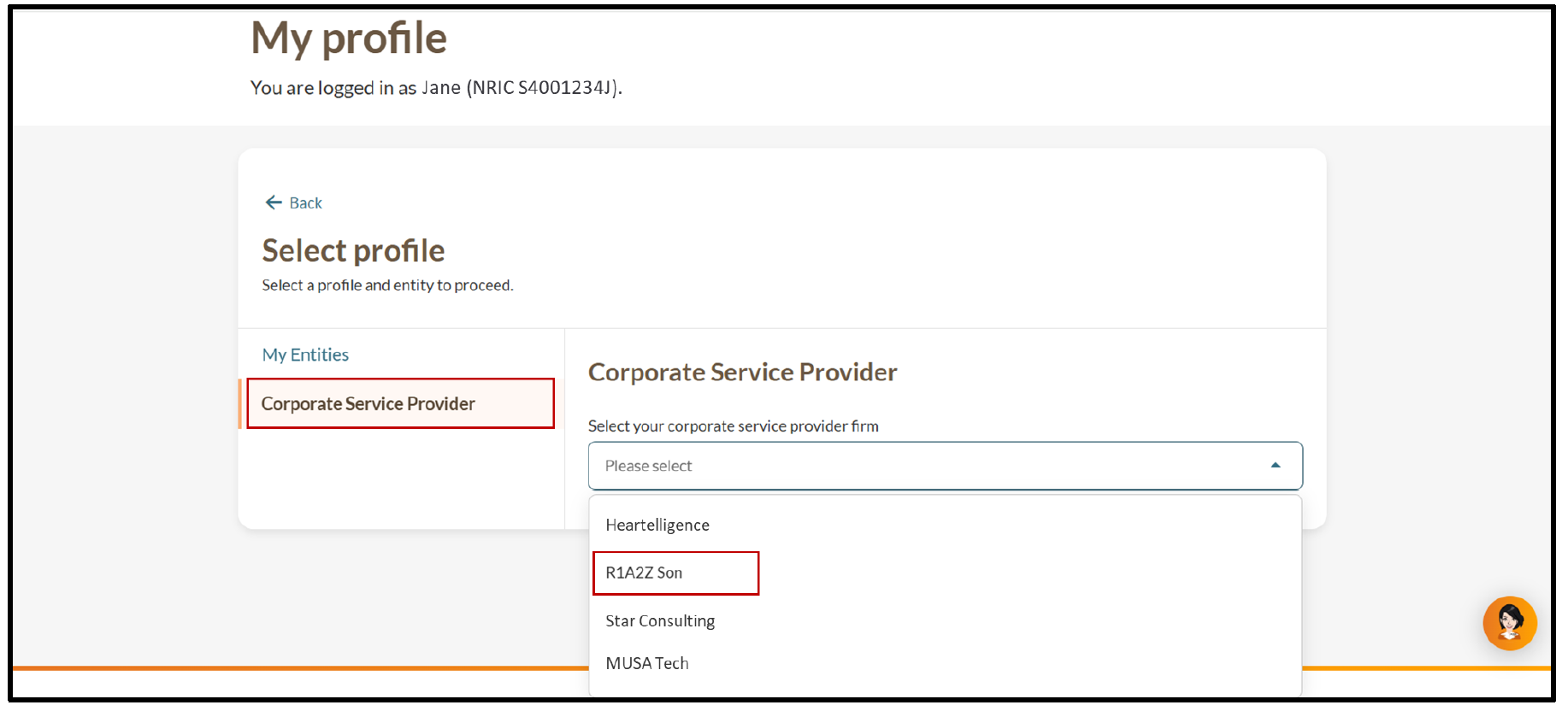
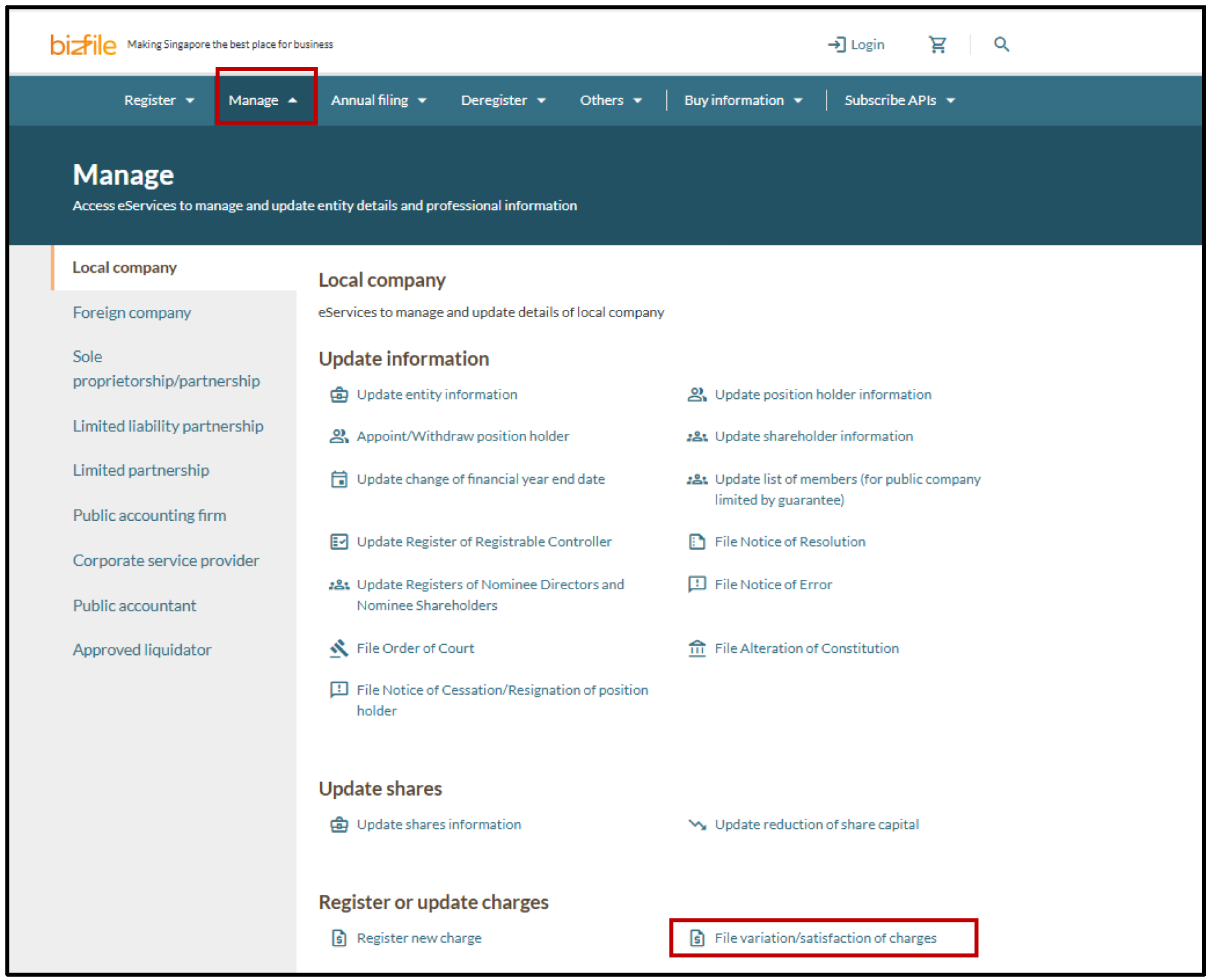
Step 1: Log in to Bizfile and open the "File variation/satisfaction of charges" eService
Follow these steps to navigate to the File variation/satisfaction of charges eService.
Note: All entity and personal information (including UEN, entity details, NRIC or FIN numbers, names and addresses) shown are dummy data for illustration purposes only.
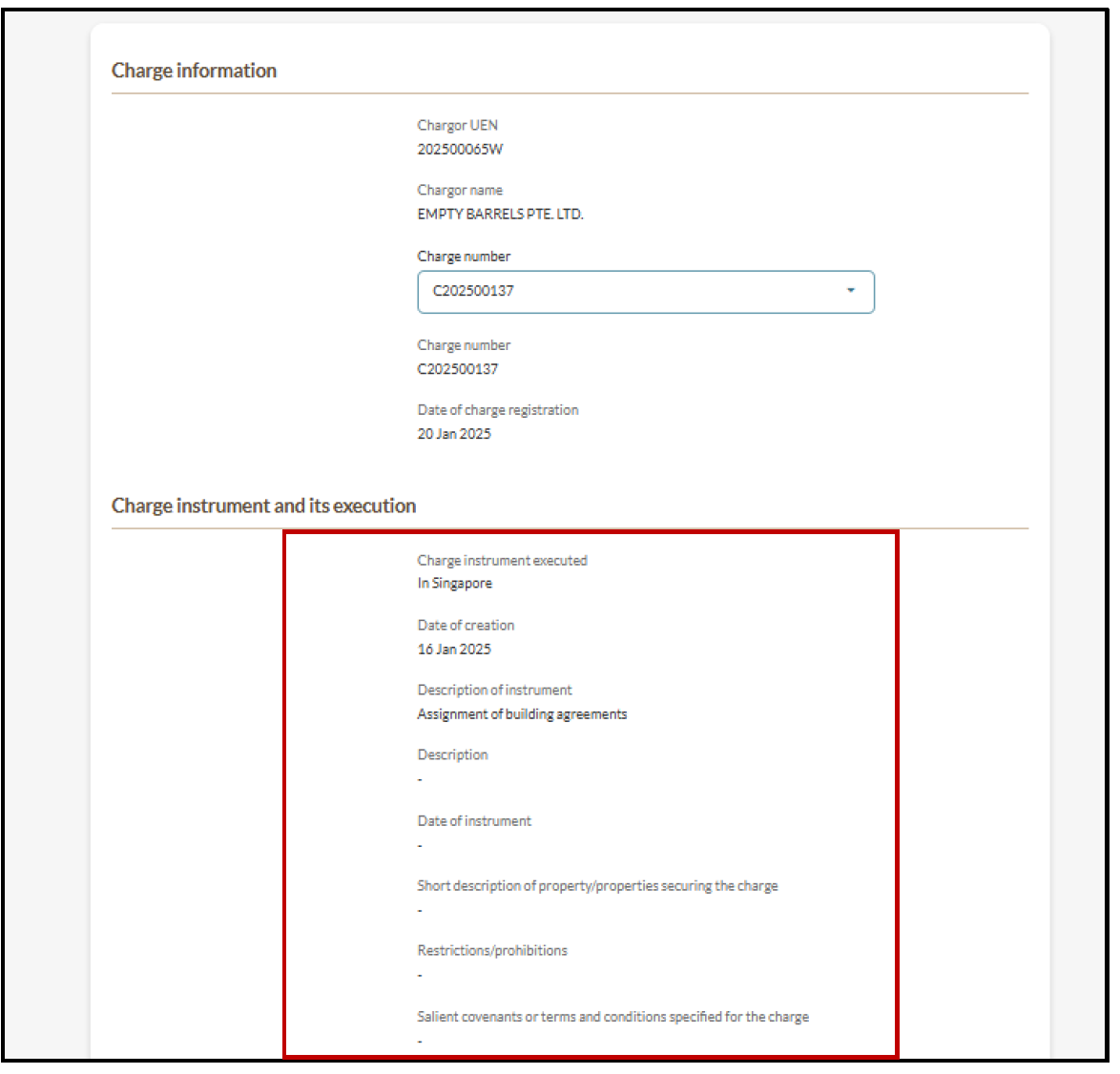
Step 2: Enter charge satisfaction details